
Best High Refresh Gaming Monitors Under $300 2025
Compare top high refresh rate gaming monitors for gamers and pick the perfect one for smooth gameplay on any budget under $300.
Our Top Pick
Gigabyte G27Q
Best OverallGamers wanting 1440p clarity and color accuracy on a mid-budget.
View on Amazon →Key Factors to Consider
- 1.Refresh Rate: 144Hz minimum for smooth motion; 165-240Hz ideal for competitive gaming to reduce blur.
- 2.Resolution: 1080p for budget GPUs; 1440p for sharper visuals if your hardware supports it.
- 3.Panel Type: IPS for accurate colors and angles; VA for deep blacks/contrast; avoid TN unless prioritizing speed.
- 4.Response Time: 1ms GtG for minimal ghosting in fast action.
- 5.Adaptive Sync: FreeSync or G-Sync Compatible to eliminate tearing/stuttering.
- 6.Size & Curvature: 24-27 inches standard; curved for immersion in racing sims.
- 7.Ergonomics & Build: Height/tilt adjustable stand; VESA mountable for stability.
- 8.Connectivity: Multiple HDMI/DP; speakers optional.
- 9.Value: Balance specs vs price—avoid gimmicks like fake HDR.
The Products
Gigabyte G27Q
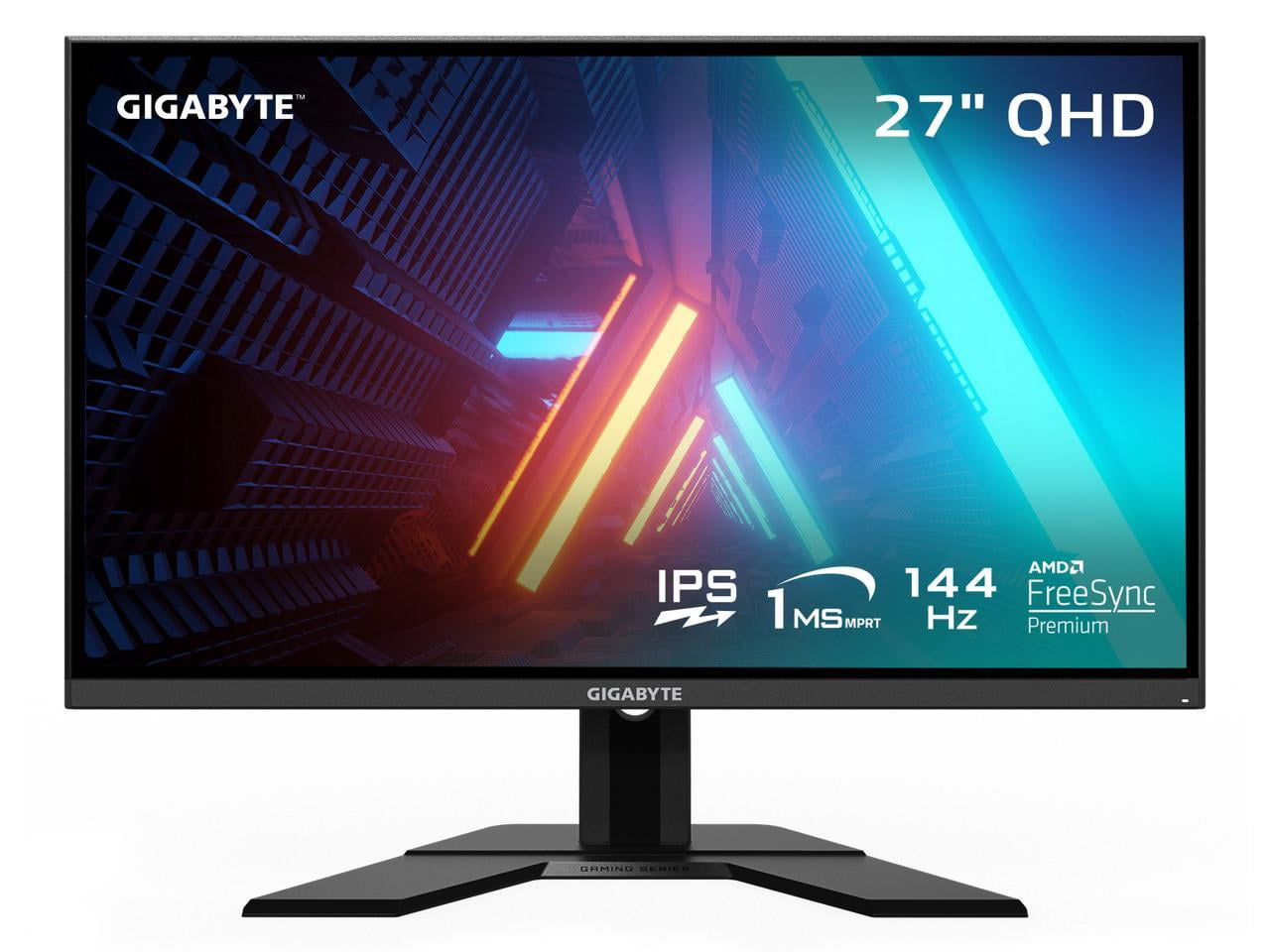
✓ Pros
- •Vibrant IPS colors and wide viewing angles beat VA contrast in bright rooms.
- •1440p at 144Hz smooth for most GPUs (RTX 3060+).
- •Full ergonomics: height, swivel, tilt, VESA ready.
- •G-Sync compatible + FreeSync for tear-free play.
- •USB-C with 65W power delivery for laptop docking.
✗ Cons
- •No built-in speakers (use headset).
- •Stand wobble on desk edge.
- •HDR is basic, not true HDR.
- •Brightness maxes at 350 nits—decent but not elite.
Best For:
Gamers wanting 1440p clarity and color accuracy on a mid-budget.
Not Recommended For:
Ultra-budget buyers under $150 or those needing 240Hz+.
Key Features:
Standout Feature:
Superb factory color calibration (DeltaE <2) for gaming and editing.
VS Others:
Beats AOC 24G2 in resolution/sharpness but costs more; vs ViewSonic, better colors/ergos at similar price. Pick over Samsung G3 for IPS vs VA if angles matter.
Why This One:
It's the sweet spot for most gamers—1440p high refresh without premium price. Ideal if your rig handles QHD. Top pick for balanced performance.
AOC 24G2

✓ Pros
- •Affordable entry to 144Hz IPS gaming.
- •Excellent motion clarity, low ghosting.
- •Fully adjustable stand (rare at price).
- •Wide ports: 2x HDMI, DP.
- •Consistent firmware updates from AOC.
✗ Cons
- •Only 1080p—looks soft on 27"+ desks.
- •No USB hub or USB-C.
- •Average brightness (300 nits).
- •No HDR support.
Best For:
Budget gamers with mid-range GPUs prioritizing speed over resolution.
Not Recommended For:
1440p enthusiasts or multi-monitor setups needing sharpness.
Key Features:
Standout Feature:
165Hz overclock out-of-box for extra smoothness.
VS Others:
Cheaper and more adjustable than Samsung G3; smaller/sharper per inch than Gigabyte but lower res. Best budget alternative to pricier IPS.
Why This One:
Unbeatable value for smooth 144Hz gaming without fluff. Perfect first upgrade from 60Hz.
Samsung Odyssey G3 (LS27AG300NNXZA)

✓ Pros
- •High 3000:1 contrast for vivid darks.
- •Large 27" for immersion.
- •AMD FreeSync Premium.
- •Slim bezels for multi-monitor.
- •Samsung reliability/warranty.
✗ Cons
- •VA ghosting in fast motion vs IPS.
- •Limited stand (tilt only).
- •Narrower viewing angles.
- •No height adjust.
Best For:
Casual gamers loving contrast on bigger screens.
Not Recommended For:
Color-critical work or wide seating setups.
Key Features:
Standout Feature:
VA panel's infinite-like blacks for cinematic gaming.
VS Others:
Better contrast than AOC IPS but worse motion/angles; cheaper than Gigabyte for 27" but lower res. Good vs ViewSonic if VA preferred.
Why This One:
Big screen value with punchy visuals for story-driven games.
ViewSonic VX2768-2KP-MHD

✓ Pros
- •Deep VA blacks and HDR pop.
- •Curved for racing/FPS wraparound.
- •1440p high refresh bargain.
- •Speakers included.
- •3-year warranty.
✗ Cons
- •VA smearing in dark transitions.
- •No USB ports.
- •Basic stand adjustability.
- •Colors less accurate than IPS.
Best For:
Immersion seekers wanting curved 1440p under $270.
Not Recommended For:
Bright rooms or color pros.
Key Features:
Standout Feature:
Aggressive curve enhances peripheral vision in games.
VS Others:
Curved VA edge over flat Gigabyte for immersion but more ghosting; pricier than AOC but higher res. Alt to Gigabyte if curve desired.
Why This One:
Best curved 1440p option here for value.
AOC C27G2Z

✓ Pros
- •Blazing 240Hz for competitive edge.
- •Curved immersion + high contrast.
- •Low response for blur-free action.
- •Affordable high Hz.
- •VESA compatible.
✗ Cons
- •1080p limits sharpness.
- •Ghosting in non-fast scenes.
- •No height adjust.
- •Mediocre colors.
Best For:
Esports players prioritizing raw refresh rate.
Not Recommended For:
Productivity or 1440p needs.
Key Features:
Standout Feature:
240Hz refresh crushes 144Hz in fluid motion.
VS Others:
Faster than Gigabyte/AOC but lower res; niche over Samsung for Hz. Pick for max speed.
Why This One:
Unmatched Hz/price for twitch shooters.
Acer Nitro XV272U V

✓ Pros
- •170Hz + IPS speed/colors.
- •Sharp QHD for gaming/productivity.
- •Full ergos + VESA.
- •Wide color gamut.
- •Zero-frame design.
✗ Cons
- •VRB mode dims brightness.
- •Average speakers.
- •No USB-C.
- •Build feels plasticky.
Best For:
Versatile gamers needing IPS 1440p speed.
Not Recommended For:
Strict budgets under $150.
Key Features:
Standout Feature:
170Hz overclock for future-proof smoothness.
VS Others:
Faster IPS than Gigabyte; better value than ViewSonic flat. Good Gigabyte alt.
Why This One:
Speedy 1440p IPS for balanced use.
MSI G272QPF

✓ Pros
- •Rapid IPS: VA speed + IPS colors.
- •170Hz QHD smooth.
- •Good HDR for price.
- •Adjustable stand.
- •MSI gaming ecosystem.
✗ Cons
- •Contrast below true VA.
- •Limited ports.
- •Fan noise rare reports.
- •Brightness 300 nits.
Best For:
QHD gamers wanting hybrid panel performance.
Not Recommended For:
Curve lovers or basic 1080p.
Key Features:
Standout Feature:
Rapid IPS tech minimizes ghosting.
VS Others:
Better motion than ViewSonic VA; cheaper/faster than Gigabyte. Niche speed pick.
Why This One:
Panel innovation at low cost.
Who Should Get What?
College Student on a Budget
You're a dorm gamer playing Valorant/CS2 on an RTX 3050 laptop, need smooth 144Hz but can't spend over $150. Desk space limited, occasional Netflix.
Recommended:
AOC 24G2
Compact 24" fits dorms, 144Hz IPS delivers fluid gameplay your GPU handles perfectly. Insane value with adjustable stand—no need for pricier res.
View on Amazon →Competitive Esports Enthusiast
Pro-am player in Apex/Fortnite with RTX 3070 desktop, prioritize max refresh for headshots. Dark room setup, 27" preferred.
Recommended:
AOC C27G2Z
240Hz crushes competition for twitch reactions, curved VA boosts immersion cheaply. Your GPU maxes it without 1440p tax.
View on Amazon →Casual Weekend Gamer
Office worker unwinding with RPGs/Racing on GTX 1660, want big immersive screen under $150. Console compatible too.
Recommended:
Samsung Odyssey G3 (LS27AG300NNXZA)
27" VA contrast shines in story games, 144Hz smooth enough for casual. Big value without overkill specs.
View on Amazon →Mid-Range PC Builder
New RTX 4060 rig owner, stream/game/edit videos. Need 1440p colors for everything, $250 max.
Recommended:
Gigabyte G27Q
1440p IPS colors perfect for multi-use, 144Hz + ergos handle all. Best balance your build deserves.
View on Amazon →First-Time Gamer Upgrade
Coming from old 60Hz office monitor, Ryzen 5/RTX 3060 setup for Warzone/Minecraft. Unsure specs, under $200.
Recommended:
Acer Nitro XV272U V
170Hz 1440p IPS eases into high refresh/sharpness, versatile for newbie. Forgiving and future-proof.
View on Amazon →Budget 1440p Hunter
Upgrading GPU to RTX 4070, want QHD high refresh for sim racing. Dark room, value-focused under $180.
Recommended:
MSI G272QPF
Rapid IPS 170Hz QHD nails speed/colors cheaply, great for your new GPU. Excellent trade-off vs pricier.
View on Amazon →Buying Guide: How to Choose
Bottom Line
Frequently Asked Questions
Which high refresh gaming monitor under $300 is best overall?▼
Best budget high refresh monitor?▼
Gigabyte G27Q vs AOC 24G2: which to buy?▼
Is ViewSonic VX2768 worth it over Gigabyte?▼
Best for 240Hz under $300?▼
1440p or 1080p for gaming under $300?▼
Do I need G-Sync or FreeSync enough?▼
Acer Nitro XV272U vs MSI G272QPF?▼
Is 144Hz worth upgrading from 60Hz?▼
Best for console gaming?▼
Need More Help Deciding?
Explore more buying guides to find the perfect product for your needs.
View All Buying Guides