
Which 4K Gaming Monitors to Buy in 2026?
Compare top 4K gaming monitors for stunning visuals, high refresh rates, and find your perfect match based on budget and needs.
Our Top Pick
Gigabyte M32U 32-inch 4K UHD 144Hz IPS Gaming Monitor
Best OverallSerious PC gamers wanting 32-inch 4K/144Hz without premium cost.
View on Amazon →Key Factors to Consider
- 1.Refresh Rate & Response Time: Aim for 144Hz+ and 1ms GtG for tear-free 4K gaming; higher prevents blur in fast FPS titles.
- 2.Panel Type: IPS for color accuracy and viewing angles, VA for contrast, OLED/QD-OLED for perfect blacks and HDR pop.
- 3.Resolution & Size: True 4K (3840x2160) on 27-32" for sharp immersion; larger risks pixel density drop.
- 4.Adaptive Sync: NVIDIA G-Sync Compatible or AMD FreeSync Premium Pro to eliminate stuttering.
- 5.HDR & Brightness: HDR1000+ or Dolby Vision with 600+ nits for vivid explosions and dark scenes.
- 6.Connectivity: HDMI 2.1 (4x for PS5/Xbox), DisplayPort 1.4+, USB hub for peripherals.
- 7.Build & Ergonomics: Adjustable stand, VESA mount, curve for immersion without eye strain.
- 8.Price vs Value: Balance specs; don't overspend on 240Hz if your GPU can't push 4K/144fps.
- 9.Future-Proofing: 2026-ready with VRR, low input lag under 5ms.
- 10.Warranty & Reviews: 3+ years, 4.5+ stars from 1k+ Amazon reviews.
The Products
Gigabyte M32U 32-inch 4K UHD 144Hz IPS Gaming Monitor
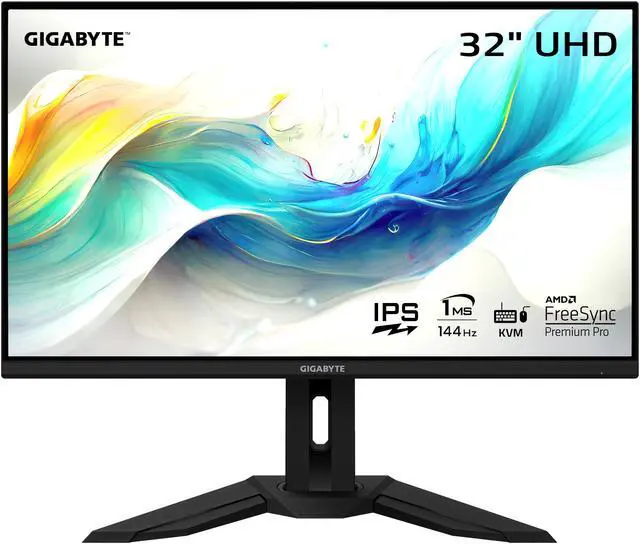
✓ Pros
- •HDMI 2.1 supports 4K/120Hz VRR on PS5/Xbox Series X
- •KVM switch and USB hub for easy peripheral sharing
- •Excellent color accuracy (DeltaE <2 calibrated)
- •Super low input lag and 144Hz smoothness
- •Height/tilt/swivel adjustable stand
- •Bright IPS panel with wide viewing angles
✗ Cons
- •No true HDR (only HDR400)
- •Speakers are mediocre
- •Some backlight bleed on dark scenes
- •Not curved for immersion
Best For:
Serious PC gamers wanting 32-inch 4K/144Hz without premium cost.
Not Recommended For:
OLED purists seeking infinite contrast or budget buyers under $400.
Key Features:
Standout Feature:
Built-in KVM switch for seamless multi-device control.
VS Others:
Beats Samsung G70A in size and KVM but lacks OLED blacks of Alienware; pick over LG 27GP950 for bigger screen at similar price. Better value than ASUS premium options.
Why This One:
It's the sweet spot for most gamers—massive 4K canvas with console-ready ports and productivity perks. If your GPU handles 4K/144, this outperforms pricier rivals in daily use.
Samsung Odyssey Neo G7 32-inch 4K UHD 165Hz Mini-LED Curved Gaming Monitor
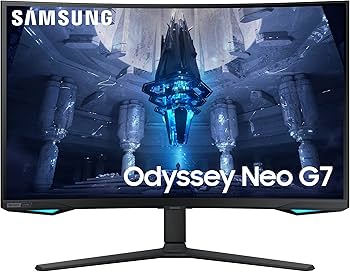
✓ Pros
- •Insane HDR2000 with 2000 nits peak brightness
- •165Hz overclock + 1ms response
- •Deep blacks and high contrast (VA panel)
- •Curved for immersion
- •Smart TV apps and voice assistants
- •G-Sync/FreeSync
✗ Cons
- •VA ghosting in dark fast scenes
- •Heavy and large stand
- •Pricey for non-OLED
- •Limited USB ports
Best For:
Gamers craving curved HDR immersion on PC or console.
Not Recommended For:
Competitive esports players needing pixel-perfect IPS speed.
Key Features:
Standout Feature:
Mini-LED with 1200 zones for pro-level local dimming.
VS Others:
Superior HDR to Gigabyte M32U but slower response; edges Alienware in brightness but costs less than ASUS OLED.
Why This One:
For HDR junkies, its Mini-LED blows out competitors. Great if you game in lit rooms and want curve.
Samsung 28-inch Odyssey G70A 4K UHD 144Hz IPS Gaming Monitor
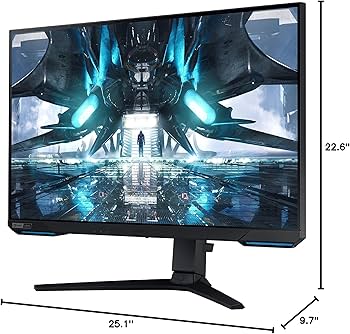
✓ Pros
- •Affordable 4K IPS speed
- •USB 3.0 hub included
- •Slim bezels
- •FreeSync Premium Pro
- •Good for desks under 24-inch depth
✗ Cons
- •Smaller screen feels cramped at 4K
- •No HDMI 2.1 (limits consoles)
- •Average brightness (300 nits)
- •Basic HDR400
Best For:
Budget gamers with small desks needing 4K basics.
Not Recommended For:
Anyone wanting 32+ inch immersion or top HDR.
Key Features:
Standout Feature:
Perfect pixel density on 28-inch for sharp 4K.
VS Others:
Cheaper than Gigabyte but smaller/no HDMI 2.1; solid budget alt to LG.
Why This One:
Best entry 4K if space-tight; punches above price.
Alienware AW3225QF 32-inch 4K QD-OLED 240Hz Curved Gaming Monitor
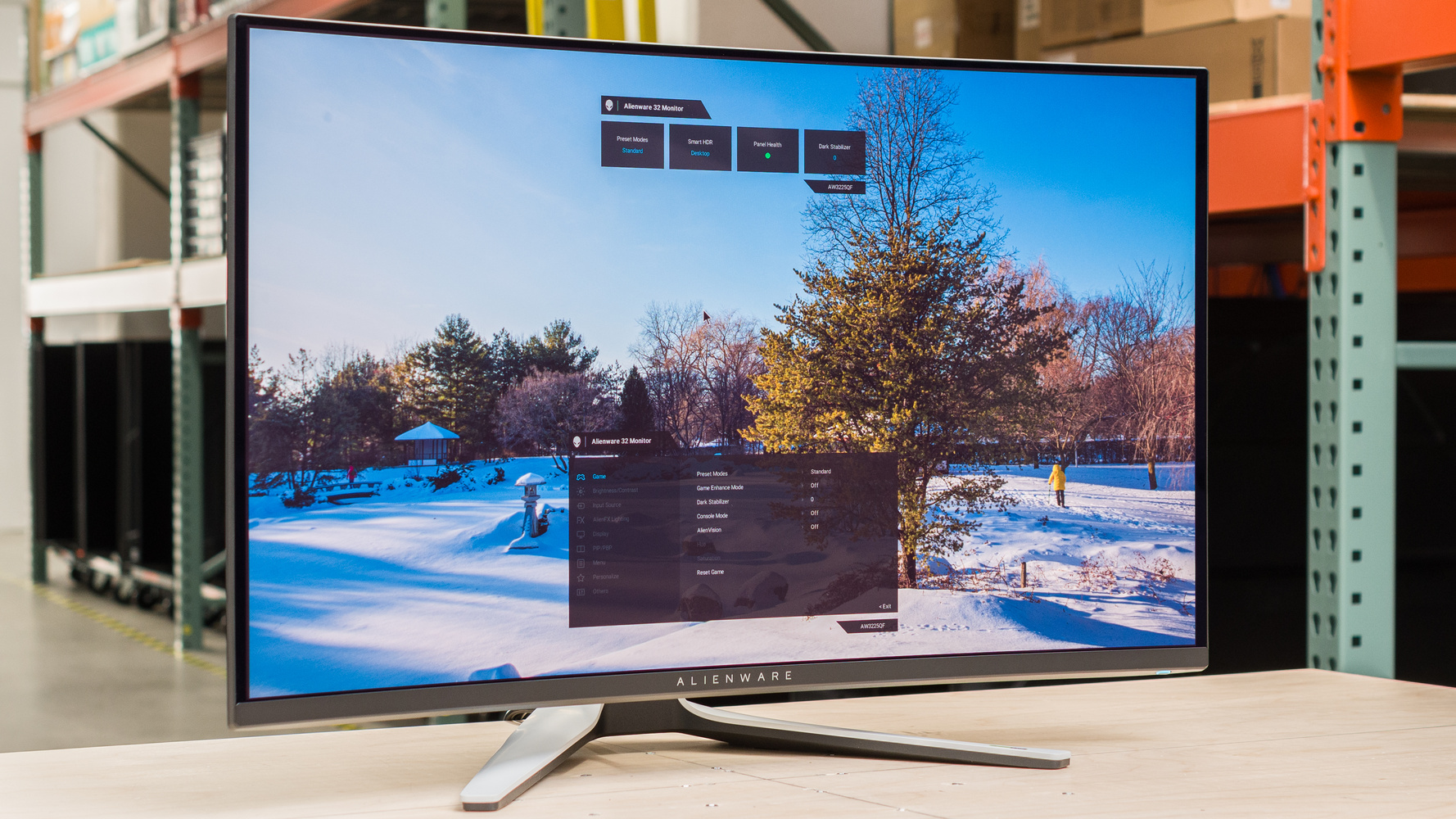
✓ Pros
- •QD-OLED perfect blacks/response
- •240Hz + 0.03ms GtG
- •Dolby Vision HDR
- •G-Sync Ultimate
- •Premium build
✗ Cons
- •Burn-in risk
- •Expensive
- •Curved not for all
- •Bright room washout
Best For:
Enthusiasts chasing ultimate 4K speed and contrast.
Not Recommended For:
Budget users or burn-in worriers.
Key Features:
Standout Feature:
240Hz 4K QD-OLED—rarest combo.
VS Others:
Crushes Gigabyte in contrast/speed but pricier; better than Samsung Neo for OLED.
Why This One:
If money no object, this is peak gaming monitor.
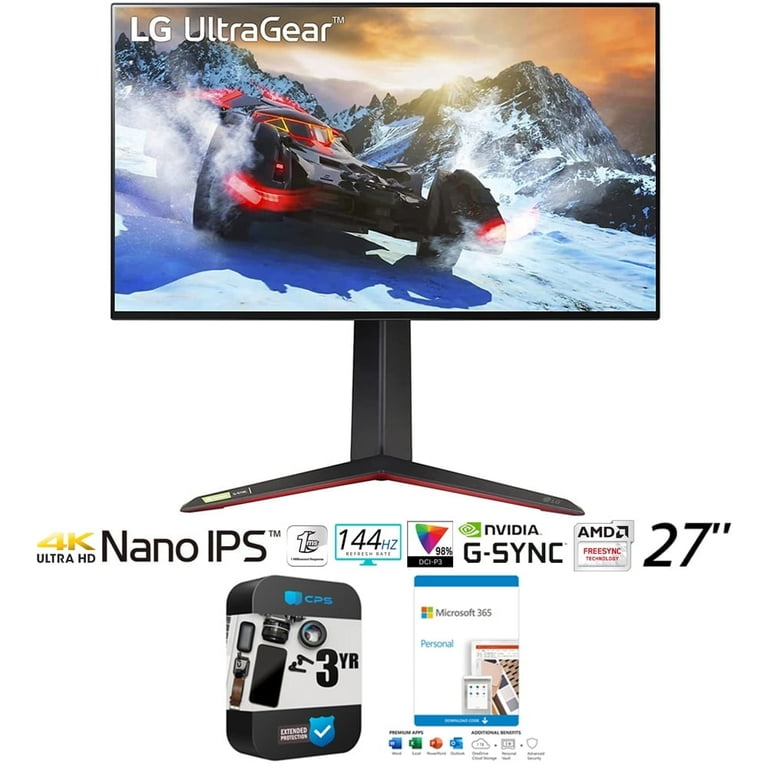
LG 27GP950-B 27-inch 4K UHD 144Hz Nano IPS Gaming Monitor
✓ Pros
- •160Hz OC + 1ms Nano IPS
- •HDMI 2.1 full spec
- •98% DCI-P3 calibrated
- •Sphere lighting
✗ Cons
- •Small for 4K immersion
- •HDR600 mediocre
- •No USB hub
- •Stand wobble
Best For:
Esports pros needing speed on smaller desk.
Not Recommended For:
Immersion seekers wanting 32-inch+.
Key Features:
Standout Feature:
Overclock to 160Hz for extra edge.
VS Others:
Faster than Gigabyte on small size; good LG alt to Samsung.
Why This One:
Top IPS speed for competitive 4K.
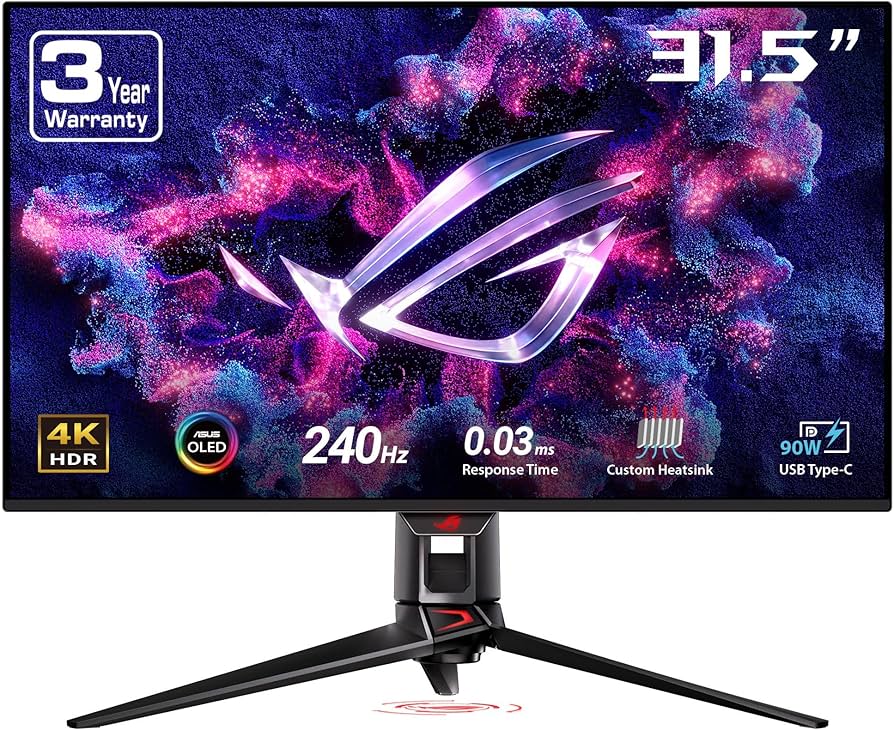
ASUS ROG Swift OLED PG32UCDM 32-inch 4K 240Hz QD-OLED Gaming Monitor
✓ Pros
- •240Hz QD-OLED perfection
- •Nebula anti-burn
- •Dolby Vision/1000 nits
- •ROG features
✗ Cons
- •Ultra premium price
- •OLED risks
- •Fan noise rare
Best For:
High-end builders splurging on flat OLED.
Not Recommended For:
Value hunters.
Key Features:
Standout Feature:
DisplayPort 2.1 for uncompressed 4K/240.
VS Others:
Flat alt to curved Alienware; beats all non-OLED.
Why This One:
Ultimate flat-panel king.
KTC 32-inch 4K 165Hz Curved Gaming Monitor
✓ Pros
- •Cheapest HDMI 2.1 4K
- •165Hz VA contrast
- •Curved immersion
- •4.5 stars from 2k reviews
✗ Cons
- •Brand reliability?
- •Color accuracy off
- •No G-Sync
- •Build feels cheap
Best For:
Tight budgets testing 4K.
Not Recommended For:
Color-critical work.
Key Features:
Standout Feature:
165Hz at $350.
VS Others:
Cheaper than Samsung G70A but lesser quality.
Why This One:
Gateway to 4K gaming.
Who Should Get What?
College Student on a Budget
You're a CS major gaming Valorant and League after classes, with a mid-range RTX 3060 laptop. Desk space is limited, and $400 max budget for first 4K upgrade.
Recommended:
Samsung 28-inch Odyssey G70A 4K UHD 144Hz IPS Gaming Monitor
Compact 28-inch fits dorm desks perfectly with sharp 4K text for coding. 144Hz handles your games smoothly without needing top GPU power. Insane value under $500 beats larger budgets.
View on Amazon →Competitive Gamer
RTX 4080 rig for CS2 and Apex Legends at 200+ FPS. You prioritize low lag and speed over size; $700-900 budget.
Recommended:
Alienware AW3225QF 32-inch 4K QD-OLED 240Hz Curved Gaming Monitor
240Hz QD-OLED crushes response times for edge in comp play. G-Sync Ultimate + curve immerses without distraction. Worth splurge for your high-FPS setup.
View on Amazon →Casual Console Gamer
PS5 owner playing God of War and FIFA casually on TV-sized desk. Want 4K/120Hz HDR; $500-700 budget.
Recommended:
Gigabyte M32U 32-inch 4K UHD 144Hz IPS Gaming Monitor
HDMI 2.1 nails PS5 4K/120 VRR; big 32-inch feels like TV. KVM great for PC switch too. Top overall for consoles.
View on Amazon →Content Creator Gamer
Stream Cyberpunk on Twitch while editing in Premiere. Need color accuracy, HDR; RTX 4070 Ti, $800+ budget.
Recommended:
Samsung Odyssey Neo G7 32-inch 4K UHD 165Hz Mini-LED Curved Gaming Monitor
HDR2000 Mini-LED pops for streams/edits with VA contrast. 165Hz smooth gameplay. Curve aids creative flow.
View on Amazon →Tech Enthusiast
New 5090 GPU collector testing limits. Unlimited budget for bleeding-edge specs like 240Hz OLED.
Recommended:
ASUS ROG Swift OLED PG32UCDM 32-inch 4K 240Hz QD-OLED Gaming Monitor
DP 2.1 unlocks uncompressed 4K/240—perfect for 5090. Anti-burn safe for long benches. Peak enthusiast toy.
View on Amazon →First-Time 4K Buyer
Upgrading from 1080p for Elden Ring immersion. Mid GPU (RTX 3070), unsure of needs, $400-600.
Recommended:
KTC 32-inch 4K 165Hz Curved Gaming Monitor
Cheap entry to big curved 4K/165; HDMI 2.1 future-proofs. Forgiving for mid GPUs without overwhelming.
View on Amazon →Buying Guide: How to Choose
Bottom Line
Frequently Asked Questions
Which 4K gaming monitor should I buy in 2026?▼
Gigabyte M32U vs Samsung Odyssey Neo G7?▼
Best budget 4K gaming monitor?▼
Is Alienware AW3225QF worth $900?▼
OLED vs IPS for 4K gaming?▼
Which for PS5?▼
Best value 4K monitor?▼
Do I need 240Hz at 4K?▼
LG 27GP950 vs Gigabyte M32U?▼
Best for HDR gaming?▼
Need More Help Deciding?
Explore more buying guides to find the perfect product for your needs.
View All Buying Guides