
Which Gaming Monitors Should I Buy in 2026?
Compare top gaming monitors and find your perfect match based on performance, size, and budget to level up your setup.
Our Top Pick
LG UltraGear 27GP950-B
Best OverallGamers seeking 4K performance on a mid-range budget with mixed use.
View on Amazon →Key Factors to Consider
- 1.Refresh Rate: Aim for 144Hz+ for smooth motion; 240Hz for competitive edge, but diminishing returns beyond 165Hz.
- 2.Resolution: 1080p for budget/entry-level, 1440p for sharp visuals without taxing your GPU, 4K for future-proofing.
- 3.Panel Type: IPS for color accuracy and viewing angles (great for mixed use), VA for deeper blacks/contrast (better for dark games), OLED for perfect blacks but risk of burn-in.
- 4.Response Time: 1ms GtG ideal to minimize ghosting in fast action; higher is fine for casual play.
- 5.Size and Aspect Ratio: 27-32 inches standard; ultrawide 21:9 for immersion, but needs more desk space.
- 6.Adaptive Sync: NVIDIA G-Sync or AMD FreeSync to eliminate tearing; certified versions prevent stuttering.
- 7.HDR Support: HDR10 or better for vibrant colors, but true impact needs high brightness (400+ nits).
- 8.Connectivity: HDMI 2.1 for 4K/120Hz consoles, DisplayPort for PCs; USB hubs add convenience.
- 9.Build and Ergonomics: Adjustable stand for comfort, VESA mountable; eye care features reduce fatigue.
- 10.Price vs Value: Balance specs with cost—don't overspend on unused features like 500Hz if your rig can't handle it.
The Products
LG UltraGear 27GP950-B

✓ Pros
- •Stunning 4K resolution with excellent color accuracy for immersive gaming.
- •Ultra-fast 144Hz refresh and 1ms response minimize motion blur.
- •HDMI 2.1 ports support console 120Hz at 4K.
- •Adjustable stand for ergonomic comfort during long sessions.
- •G-Sync and FreeSync Premium for smooth performance across setups.
- •Bright 400-nit display with good HDR pop.
✗ Cons
- •Requires a powerful GPU to run 4K at high frames.
- •IPS panel has weaker contrast than VA or OLED options.
- •No built-in speakers, so external audio needed.
- •Stand wobble on some surfaces.
- •Pricey for budget gamers.
Best For:
Gamers seeking 4K performance on a mid-range budget with mixed use.
Not Recommended For:
Users with low-end PCs unable to handle 4K.
Key Features:
Standout Feature:
HDMI 2.1 support for full 4K/120Hz console gaming.
VS Others:
Outshines the Gigabyte M32U in resolution but costs more; better than budget Sceptre for color work, though not as curvy as Alienware for immersion. Pick this over Samsung G9 if you prefer flat 16:9 over ultrawide.
Why This One:
It's the sweet spot for most gamers—high specs without excess. If you want future-proof 4K without breaking $700, this delivers reliable performance. Serious contenders should consider it for its versatility.
Gigabyte M32U

✓ Pros
- •Massive 32-inch screen for immersive 4K gaming.
- •KVM switch simplifies PC/laptop/console use.
- •Excellent color reproduction (90% DCI-P3) for mixed tasks.
- •USB-C with 65W power delivery for charging.
- •FreeSync Premium Pro reduces stuttering.
- •Affordable for its size and specs.
✗ Cons
- •Larger size may not fit small desks.
- •Speakers are tinny and underwhelming.
- •No native G-Sync (though compatible).
- •Stand adjustment limited to tilt/height.
- •Brightness (350 nits) is average for HDR.
Best For:
Value seekers wanting large 4K for gaming and productivity.
Not Recommended For:
Competitive gamers needing sub-1ms response.
Key Features:
Standout Feature:
Built-in KVM for easy device switching.
VS Others:
Beats the LG 27GP950 in screen size for less money, but lower refresh; superior value to Alienware without the curve. Choose over Sceptre for 4K upgrade, but skip if you need OLED blacks like ASUS.
Why This One:
Incredible bang-for-buck with features pros use. If budget caps at $500, this large 4K panel transforms gaming. It's a no-brainer for multi-use setups.
Sceptre E275B-FPT168

✓ Pros
- •High 165Hz for smooth budget gaming.
- •Curved design enhances immersion affordably.
- •FreeSync eliminates tearing on AMD/Intel rigs.
- •Thin bezels for multi-monitor setups.
- •Decent 3000:1 contrast for dark scenes.
- •Easy plug-and-play setup.
✗ Cons
- •Only 1080p limits sharpness on larger screen.
- •VA panel has narrower viewing angles.
- •No HDR or advanced color calibration.
- •Build feels plasticky.
- •Limited ports (no USB hub).
Best For:
Budget gamers starting with basic hardware.
Not Recommended For:
Users wanting 1440p+ for detailed games.
Key Features:
Standout Feature:
Curved VA panel at entry-level price.
VS Others:
Cheaper than LG or Gigabyte but sacrifices resolution; good starter vs. MSI for curve preference. Not for premium like Samsung, but fine alternative to flat budgets.
Why This One:
Proves you don't need $500+ for decent gaming. If cash is tight, this curve adds fun without flaws. Entry-level essential.
Alienware AW3423DW

✓ Pros
- •QD-OLED delivers perfect blacks and 1000 nits peak.
- •Ultrawide 21:9 for expansive field of view.
- •175Hz with 0.1ms response for blur-free action.
- •G-Sync Ultimate prevents all artifacts.
- •Premium metal build and RGB accents.
- •Dolby Vision for media.
✗ Cons
- •Risk of OLED burn-in with static HUDs.
- •Expensive for non-ultrawide fans.
- •No HDMI 2.1 (limits console refresh).
- •Heavy and desk-space hungry.
- •Text fringing on OLED.
Best For:
Ultrawide enthusiasts with high-end PCs.
Not Recommended For:
Budget buyers or small desk users.
Key Features:
Standout Feature:
QD-OLED technology for unmatched contrast.
VS Others:
Superior immersion to flat LG, but pricier than Gigabyte; edges Samsung G9 in panel tech. Pick over ASUS for curve, but not if 4K is priority.
Why This One:
Transforms gaming with OLED ultrawide magic. If immersion is key, invest here. Top for competitive edge.
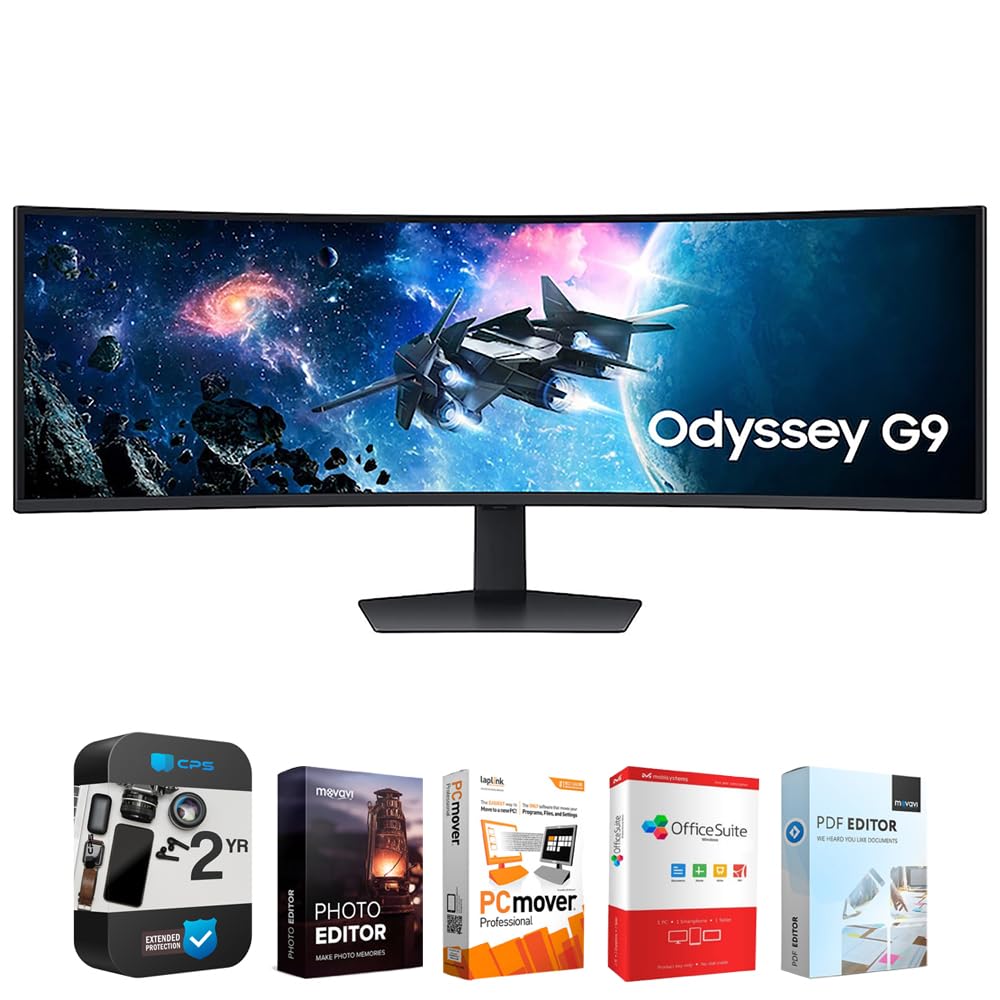
Samsung Odyssey G9
✓ Pros
- •Insane 49-inch 32:9 for ultimate immersion.
- •240Hz and 1ms for pro-level speed.
- •Quantum HDR 2000 with 1000 nits brightness.
- •G-Sync and FreeSync 2.0 compatibility.
- •Core lighting syncs with games.
- •PBP mode for productivity.
✗ Cons
- •Huge price and footprint demand space.
- •VA ghosting in very fast motion.
- •Overkill for non-ultrawide games.
- •Power-hungry at 240W.
- •Curvature may distort edges.
Best For:
Sim racers and multi-monitor replacers.
Not Recommended For:
Casual gamers or small rooms.
Key Features:
Standout Feature:
Super ultrawide 32:9 aspect ratio.
VS Others:
Bigger than Alienware but more distortion; pricier than LG with better HDR. Choose over ASUS for width, but flat panels win for accuracy.
Why This One:
For panoramic views, nothing beats it. If you have the desk, it's transformative. Niche premium powerhouse.
ASUS ROG Swift PG42UQ
✓ Pros
- •OLED perfection with infinite contrast.
- •42-inch 4K for TV-scale gaming.
- •Dolby Vision HDR for cinematic quality.
- •Built-in 2.1 speakers with subwoofer.
- •G-Sync and uniform brightness feature.
- •Smart anti-burn-in pixel cleaning.
✗ Cons
- •OLED burn-in risk despite mitigations.
- •Expensive and power-intensive.
- •Lower refresh than smaller competitors.
- •Wall-mount heavy.
- •No HDMI 2.1 full bandwidth.
Best For:
Premium large-screen OLED fans.
Not Recommended For:
Budget-conscious or portable needs.
Key Features:
Standout Feature:
Integrated OLED with Dolby Vision.
VS Others:
Larger and more TV-like than LG, but costlier; better blacks than Samsung VA. Pick over Alienware for size, but ultrawide wins for aspect.
Why This One:
Ultimate luxury for big setups. If money's no issue, this redefines immersion. Elite choice.
Who Should Get What?
College Student on a Budget
You're a 20-year-old dorm dweller juggling classes and late-night League of Legends sessions, with limited space and cash from a part-time job. You need reliable performance for gaming and homework without breaking the bank.
Recommended:
Sceptre E275B-FPT168
This monitor offers 1080p at 165Hz for smooth gameplay on a shoestring budget, perfect for entry-level rigs. Its IPS panel ensures decent colors for schoolwork, and the slim bezels fit small desks. You get FreeSync to avoid tearing without premium pricing.
View on Amazon →Creative Professional Gamer
As a graphic designer who streams gameplay on Twitch, you need color-accurate visuals for editing and immersive gaming, with a mid-range budget from freelance gigs. Your setup includes a mid-tier GPU like RTX 3060.
Recommended:
Gigabyte M32U
The 4K/144Hz IPS panel delivers accurate colors (95% DCI-P3) for design work while handling games flawlessly with low input lag. KVM switch and USB ports streamline streaming setups. It's a value champ that punches above its price for hybrid use.
View on Amazon →Casual Weekend Gamer
You're a 35-year-old office worker who plays story-driven games like Cyberpunk on weekends, paired with a console or older PC. Comfort and ease matter more than esports precision, with a moderate budget.
Recommended:
LG UltraGear 27GP950
This 27-inch 4K/144Hz monitor excels in HDR for cinematic games and movies, with HDMI 2.1 for PS5 smoothness. The adjustable stand reduces neck strain during long sessions. It's versatile without overwhelming a casual setup.
View on Amazon →Competitive Esports Enthusiast
A 25-year-old semi-pro Fortnite player with a high-end PC (RTX 4080), you prioritize speed and clarity for tournaments. Budget isn't tight, but you want bang-for-buck performance.
Recommended:
Alienware AW3423DW
The 34-inch ultrawide QD-OLED hits 175Hz with infinite contrast for spotting enemies in dark scenes, plus G-Sync for tear-free play. Its curve enhances peripheral vision without distortion. Ideal for immersion in fast titles without 4K overhead.
View on Amazon →Tech-Savvy Home Theater Fan
You're a gadget lover in your 40s building a battlestation for PC gaming and 4K movies, with space for a large screen and a generous budget from tech consulting.
Recommended:
ASUS ROG Swift PG42UQ
This 42-inch 4K OLED monster delivers 138Hz with Dolby Vision for stunning visuals in games and films, plus built-in speakers for convenience. Anti-burn-in tech addresses OLED worries. It's the ultimate for those wanting TV-like immersion on PC.
View on Amazon →First-Time PC Gamer
New to PC gaming after years on consoles, you're a parent setting up for family play with an entry-mid GPU, seeking something simple yet capable without a huge spend.
Recommended:
MSI Optix MAG274QRF-QD
The 27-inch 1440p/165Hz VA panel offers vibrant Quantum Dot colors and deep blacks for engaging games, with easy setup via HDMI. FreeSync compatibility works with most hardware. It's forgiving for beginners, balancing cost and quality.
View on Amazon →Buying Guide: How to Choose
Bottom Line
Frequently Asked Questions
Which gaming monitor should I buy in 2025?▼
What's the best budget gaming monitor?▼
Which is better: LG UltraGear 27GP950 or Gigabyte M32U?▼
Is the Alienware AW3423DW worth the extra money?▼
What's the best value gaming monitor?▼
Samsung Odyssey G9 vs ASUS ROG Swift PG42UQ: Which is better?▼
Do I need OLED like in Alienware or ASUS, or can I skip it?▼
Best gaming monitor for PS5?▼
Which gaming monitor has the best refresh rate?▼
Is 1440p enough, or should I go 4K?▼
Need More Help Deciding?
Explore more buying guides to find the perfect product for your needs.
View All Buying Guides