
Is Which NAS Drives should I buy Worth It? Honest Review (2026)
Compare the best NAS Drives for Plex in 2026 and find the perfect match for your media needs and budget.
Our Top Pick
Synology DS224+
Best OverallBeginners and small families who want an easy, reliable Plex server for 1080p and light 4K streaming.
View on Amazon →Key Factors to Consider
- 1.Plex transcoding power: Look for an Intel CPU with Quick Sync (e.g., Celeron N5105, J4125, N95) if you need hardware transcoding without a separate Plex Pass? Actually Plex Pass is needed for hardware transcoding, but the NAS must support it.
- 2.Number of drive bays: 2 bays are fine for casual users, but 4 bays give you flexible RAID options and room to grow without discarding old drives.
- 3.RAM capacity: Plex can run with 2GB, but 4GB+ is smoother for simultaneous streams and database metadata. Check if RAM is upgradeable.
- 4.Network speed: 1GbE is still common, but 2.5GbE is becoming standard for sharing large 4K files. It also helps with direct play over Wi-Fi.
- 5.Ease of use: For beginners, Synology's DSM is the gold standard. QNAP and Asustor are more complex, while TerraMaster and UGREEN have improved but still lag.
- 6.App ecosystem and Plex integration: Make sure the NAS has an official Plex package, and consider how often the OS receives updates.
- 7.Future-proofing: M.2 NVMe slots, PCIe expansion, and USB ports can extend the life of the NAS. Decide if you'll need them later.
- 8.Budget: Set a realistic budget for the NAS only — remember drives will often cost more than the unit itself. A $300 NAS with $200 drives is still a $500 investment.
The Products
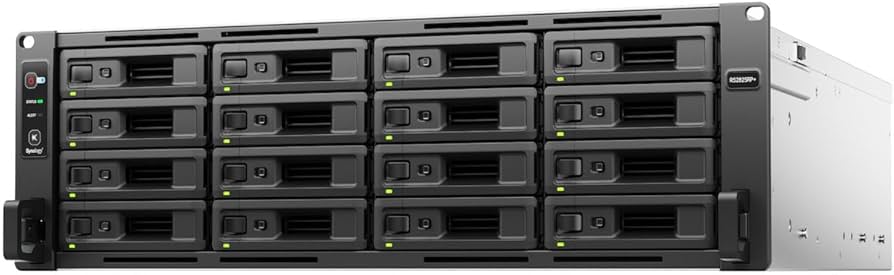
Synology DS224+
✓ Pros
- •User-friendly DSM 7 interface—best for beginners
- •Intel Celeron J4125 with Quick Sync for Plex transcoding
- •Compact, quiet, and energy-efficient
- •Reliable package ecosystem with first-party apps
- •Expandable RAM up to 6GB (upgradeable, though not officially beyond 6GB)
✗ Cons
- •Only 2 bays—limited capacity expansion
- •No 2.5GbE, only 1GbE
- •RAM is partially soldered, max 6GB
- •Not suited for heavy 4K/HEVC transcoding with many users
Best For:
Beginners and small families who want an easy, reliable Plex server for 1080p and light 4K streaming.
Not Recommended For:
Power users with huge libraries or many concurrent 4K transcodes.
Key Features:
Standout Feature:
DSM is the most polished NAS OS you can buy—it makes the whole ownership experience painless.
VS Others:
You're choosing between easy and powerful. The DS224+ is the easiest to live with, but QNAP TS-464 offers twice the bays, faster CPU, and 2.5GbE. If you're a tinkerer, go QNAP; if you want everything to just work, get Synology.
Why This One:
For most buyers, the DS224+ is the safest recommendation. It's not the fastest, but it doesn't need to be—Plex runs flawlessly, the software is a pleasure to use, and you'll spend more time watching movies than troubleshooting. It's the best balanced choice for a 2-bay Plex server.
QNAP TS-464

✓ Pros
- •4 bays for flexible storage capacity
- •Intel Celeron N5095 with UHD Graphics—excellent 4K transcoding
- •Dual 2.5GbE ports for fast file transfers
- •M.2 NVMe slots and PCIe expansion for upgrades
- •HDMI output for direct TV connection
- •QTS provides advanced features like virtualization
✗ Cons
- •Price is higher than other 4-bay options
- •QTS interface is steeper learning curve than DSM
- •No 10GbE out of the box—need to buy a card
- •Some users report fan noise under load
Best For:
Serious Plex users with large 4K libraries and multiple concurrent streams who want room to expand.
Not Recommended For:
Budget buyers or those who prefer a simple, low-maintenance system.
Key Features:
Standout Feature:
The PCIe expansion slot and dual 2.5GbE give you a future-proof path to 10GbE and more heavy-duty Plex workloads.
VS Others:
The TS-464 is the best Plex performer here for 4K transcoding. It's worth the extra $200 over the TerraMaster F4-424 if you need the reliability and app ecosystem of QNAP, but the F4-424 gives you 80% of the performance for 60% of the price.
Why This One:
If you're serious about Plex and want a NAS that can handle anything you throw at it—without jumping to over-$1000 10GbE monsters—the TS-464 is your sweet spot. The Intel N5095 is a proven transcoder, and the 4-bay design gives you the capacity flexibility media enthusiasts need.
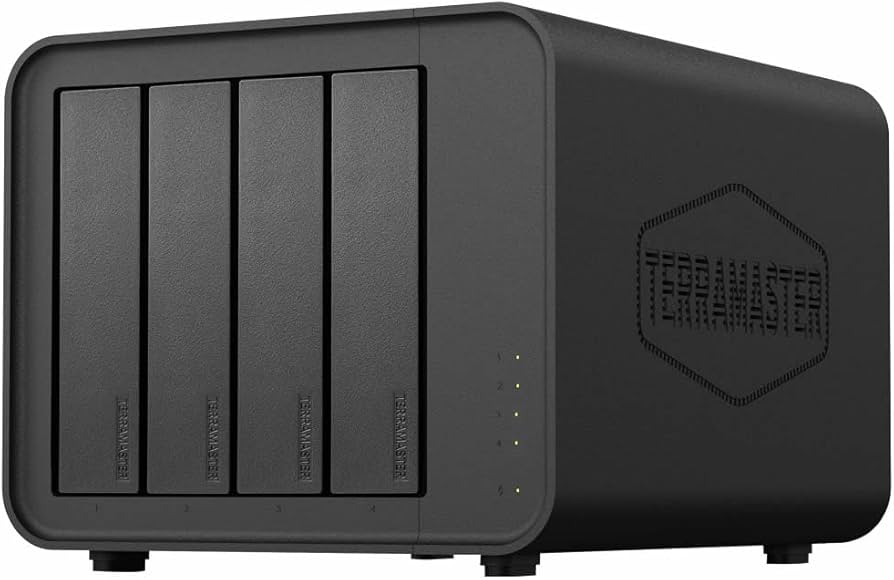
TerraMaster F4-424
✓ Pros
- •4 bays for only ~$480
- •Intel N95 with Quick Sync—great 4K transcode performance
- •Dual 2.5GbE port
- •Two M.2 NVMe slots for cache or storage
- •DDR5 RAM included (upgradeable to 32GB)
- •Good Docker support
✗ Cons
- •TOS OS is less polished and has a learning curve
- •Fewer first-party apps compared to Synology/QNAP
- •Customer support is not as responsive
- •Drive trays and build quality feel cheaper than rivals
Best For:
Budget-conscious users who want 4 bays and strong Plex transcoding without paying a premium for the brand name.
Not Recommended For:
Total beginners who want an effortless setup or people who rely on advanced QTS/DSM apps.
Key Features:
Standout Feature:
Hardware transcode capability for 4K plus 4 bays at under $500—unbeatable value.
VS Others:
The F4-424 is the no-brainer value pick. It has the same 4-bay design as the QNAP TS-464 and even a newer CPU (N95 vs N5095), but it's $200 cheaper. The catch is the software: QNAP's QTS is more mature than TerraMaster's TOS. If you're willing to tinker, go TerraMaster; if you want a smoother experience, pay for QNAP.
Why This One:
For the money, you're getting 80% of the QNAP TS-464's performance at 60% of the price. It's perfect for media enthusiasts on a budget who don't mind a little DIY spirit.
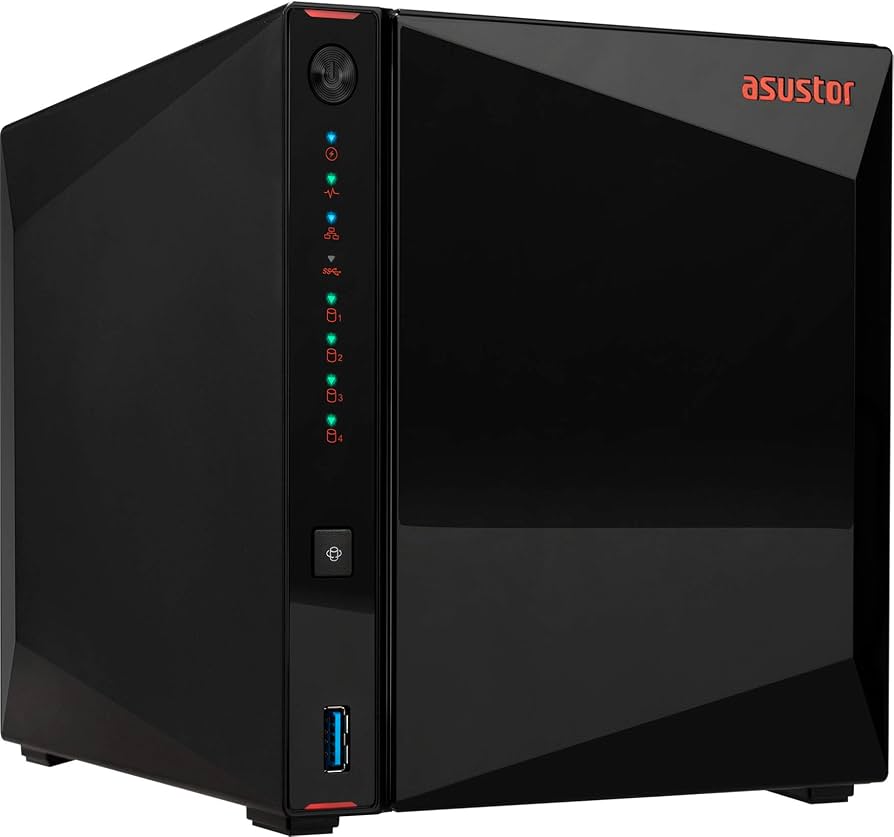
Asustor Lockerstor 4 AS5304T
✓ Pros
- •4 bays and 2.5GbE at a moderate price
- •Intel J4125 with Quick Sync for Plex transcoding
- •HDMI 1.4 output
- •4GB RAM (upgradeable to 8GB)
- •Two M.2 NVMe slots for caching
✗ Cons
- •Fewer software updates than Synology/QNAP
- •Community and third-party app support smaller
- •CPU (J4125) is slower than N5095/N95
- •No PCIe expansion slot
Best For:
People who want 4 bays and 2.5GbE without paying QNAP or Synology premium prices, and don't mind a smaller brand.
Not Recommended For:
Users who demand a huge app ecosystem or frequent software updates.
Key Features:
Standout Feature:
The AS5304T gives you 4 bays and 2.5GbE at the same price as most 2-bay Synology units.
VS Others:
Between this and the TerraMaster F4-424, the F4-424 is faster and cheaper, but Asustor's ADM is more polished than TOS. If you value a stable software experience and can tolerate a slightly slower CPU, the AS5304T is worth a look.
Why This One:
It's a great middle ground for the budget-conscious who want more than two bays but are willing to trade raw performance for a smooth software experience.
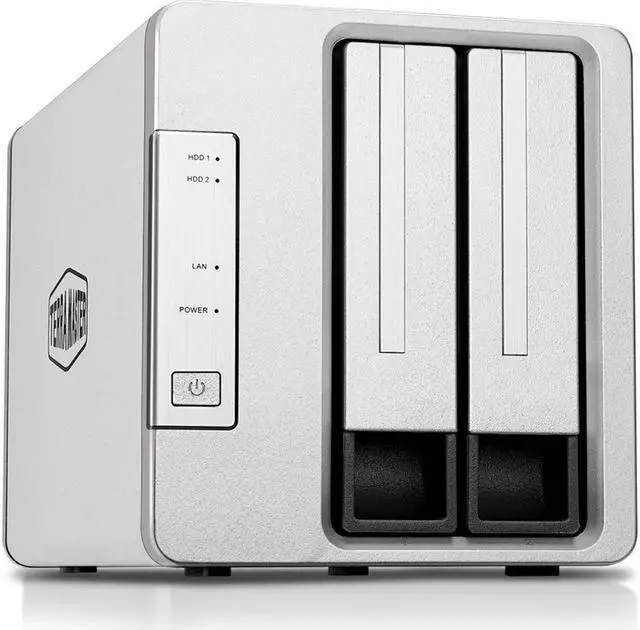
TerraMaster F2-423
✓ Pros
- •Lowest price for a Plex-capable 2.5GbE NAS
- •Intel N5105 with Quick Sync—excellent transcode for the price
- •4GB RAM included, expandable to 32GB
- •Two 2.5GbE ports
- •Two M.2 NVMe slots for caching
- •Strong Docker support for extra apps
✗ Cons
- •Only 2 drive bays
- •TOS OS is not as intuitive for total beginners
- •No HDMI output
- •Customer support is limited
- •Build quality is basic plastic
Best For:
First-timers on a tight budget who know they want Plex and don't mind a little setup learning curve.
Not Recommended For:
Users with more than ~20TB of media or those who want an absolutely seamless 'it just works' experience.
Key Features:
Standout Feature:
You get 2.5GbE and a Quick Sync CPU for under $300—the best budget Plex platform available.
VS Others:
The F2-423 is the clear budget pick. It costs $130 less than the Synology DS224+ and even gives you 2.5GbE, whereas Synology only has 1GbE. The biggest compromise is the operating system—TOS still trails DSM in user-friendliness.
Why This One:
If money is tight and you want a NAS that can run Plex without breaking a sweat, the F2-423 is the best entry point in this guide.
UGREEN NASync DXP4800
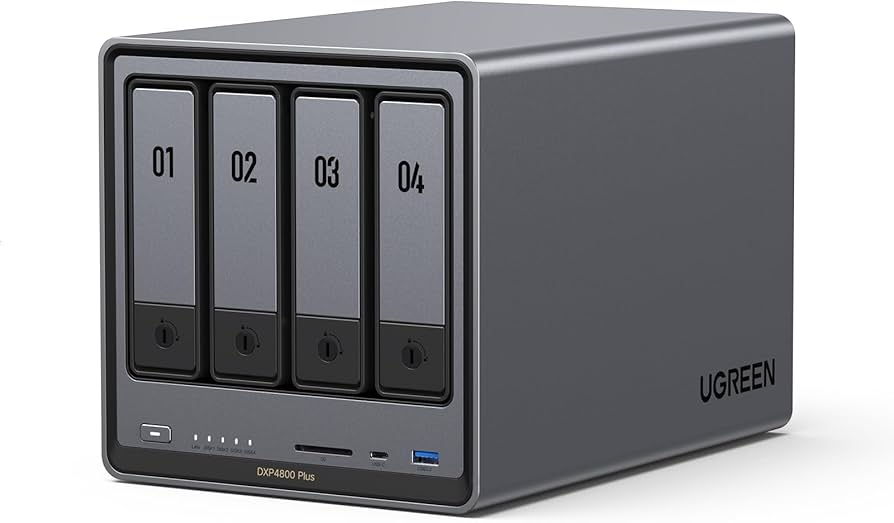
✓ Pros
- •Intel N100 (5nm, efficient, strong Quick Sync)
- •8GB DDR5 RAM standard (max 32GB)
- •Dual 2.5GbE ports
- •PCIe Gen 3 x2 expansion slot
- •Two M.2 NVMe slots
- •USB-C 3.2 Gen 2 connectivity
- •Modern, sleek design
✗ Cons
- •New brand with unproven long-term support
- •UGOS Pro app ecosystem is still maturing
- •No HDMI output
- •Pricing is close to QNAP TS-464, which has a more mature OS
Best For:
Tech enthusiasts who love new, open-hardware designs and want the latest CPU for Plex transcoding.
Not Recommended For:
Conservative buyers who want a battle-tested company and an ecosystem with years of community support.
Key Features:
Standout Feature:
The N100 processor plus PCIe expansion gives you a cutting-edge Plex server that's ready for 10GbE upgrades.
VS Others:
The DXP4800 and QNAP TS-464 are close competitors. UGREEN offers a newer CPU and more RAM for the price, but QNAP has a more mature OS and a longer track record. If you're a Linux-loving tinkerer, UGREEN may be the better canvas; if you want it to work out of the box, QNAP wins.
Why This One:
You're buying the future. For the same price as a mid-tier QNAP, you get a more advanced processor, more RAM, and PCIe expansion. If you're not afraid of an evolving ecosystem, the DXP4800 is an exciting Plex machine.
Who Should Get What?
First-Time Streamer
Alex has a collection of DVDs and digital movies, wants to stream them to the living room and bedroom. Not into tech, just wants everything to work with minimal fiddling. Budget around $400.
Recommended:
Synology DS224+
The DS224+ is the easiest NAS to set up thanks to DSM. Alex will be up and running in under an hour, and the hardware is more than enough for 1080p and light 4K. The peace of mind is worth the extra money over the TerraMaster F2-423.
View on Amazon →4K Media Enthusiast
Priya has a 30TB 4K remux library and shares her Plex server with 5 family members. She needs smooth transcoding to lower bitrates for remote streams and wants room to expand to 60TB.
Recommended:
QNAP TS-464
The TS-464's N5095 CPU with Quick Sync can handle multiple 4K transcodes, and the 4 bays let Priya start with 2 large drives and add more later. The dual 2.5GbE ports ensure fast streaming on the local network, and the PCIe slot gives future 10GbE options.
View on Amazon →Budget-Conscious Media Hoarder
Mike stores tons of movies and shows, has a library approaching 20TB, and wants a 4-bay NAS for future expansion. He's comfortable using Docker and doesn't mind an OS that's not perfect as long as Plex runs well and it's cheap.
Recommended:
TerraMaster F4-424
The F4-424 is the best 4-bay value under $500. It has a strong Intel N95 CPU and 2.5GbE, and Mike can use the M.2 slots for caching or metadata. The software is less polished, but Mike is willing to tinker, and the savings can be put toward more drives.
View on Amazon →Tech Enthusiast Who Wants the Latest
Jamie is an early adopter, loves unboxing new hardware, and wants a Plex server that's future-proof. They have a growing 4K library and plan to experiment with Docker, VMs, and possibly a 10GbE network next year.
Recommended:
UGREEN NASync DXP4800
The DXP4800 has the latest Intel N100, 8GB of DDR5, and a PCIe expansion slot—all for $600. Jamie can add a 10GbE card later and push the NAS to the limit. The software is still evolving, but Jamie enjoys being on the bleeding edge.
View on Amazon →Family Sharing on a Budget
The Nguyen family wants a NAS to store home videos, movies, and photos, and to stream Plex to three TVs. They need 4 bays for expansion but want to stay under $500 and prefer a simple UI.
Recommended:
Asustor Lockerstor 4 AS5304T
At $450, this NAS offers 4 bays and dual 2.5GbE while keeping the ADM interface manageable for the whole family. It's a strong middle-ground option with more bays than the Synology DS224+, and the 2.5GbE is great for moving video files around the house.
View on Amazon →Buying Guide: How to Choose
Bottom Line
Frequently Asked Questions
Which NAS is best for Plex in 2026?▼
Do I need a 4-bay NAS for Plex?▼
Can Plex play 4K without transcoding?▼
What is the biggest difference between Synology and QNAP?▼
Is TerraMaster reliable enough for a Plex server?▼
Should I buy a NAS or just build a PC with Unraid/TrueNAS?▼
How much RAM do I need for Plex on a NAS?▼
What is hardware transcoding and why do I need it?▼
Can I add more drives to a 2-bay NAS later?▼
Which NAS is best for a small household sharing Plex with family?▼
Is it worth spending more for 2.5GbE networking?▼
What's a good RAID setup for Plex?▼
Need More Help Deciding?
Explore more buying guides to find the perfect product for your needs.
View All Buying Guides