
Is Which Laptops should I buy Worth It? Honest Review (2026)
Compare the best student laptops and find your perfect match based on needs and budget
Our Top Pick
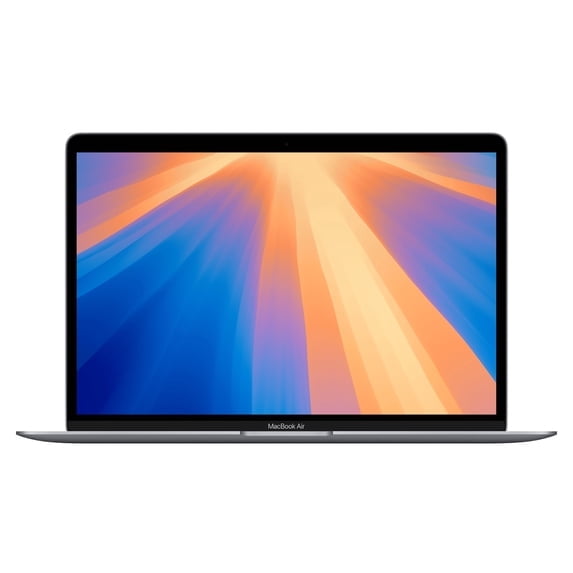
Apple MacBook Air (13.3-inch, M1 Chip, 8GB RAM, 256GB SSD) - Space Gray
Best OverallThe majority of college students who want a reliable, long-lasting laptop with excellent performance and battery life.
View on Amazon →Key Factors to Consider
- 1.Battery life — aim for 8+ hours to get through a full day of classes
- 2.Performance (CPU/RAM) — i5/Ryzen 5 and 8GB RAM are the baseline; 16GB if you'll code, edit, or multitask heavily
- 3.Portability and weight — under 3 lbs is ideal for carrying around campus
- 4.Build quality and durability — you'll be moving it daily, so aluminum or good plastics matter
- 5.Display quality — a bright, sharp screen reduces eye strain during long study sessions
- 6.Keyboard and trackpad comfort — you'll type thousands of essays and emails
- 7.Storage — 256GB minimum, 512GB recommended
- 8.Operating system compatibility — check if your courses require Windows-only software
- 9.Upgradeability and ports — USB-C/Thunderbolt support and future-proofing
- 10.Warranty and customer support — reliable service when things go wrong
The Products
Apple MacBook Air (13.3-inch, M1 Chip, 8GB RAM, 256GB SSD) - Space Gray
✓ Pros
- •Outstanding battery life (15-18 hours real-world usage)
- •M1 chip delivers excellent performance for all academic tasks
- •Silent, fanless design
- •Premium aluminum build quality
- •Best-in-class trackpad and keyboard
- •Strong resale value after graduation
✗ Cons
- •Only 8GB RAM and 256GB storage (non-upgradeable)
- •Limited to one external display
- •Some Windows-only software won't run natively
- •Port selection is limited to USB-C
- •8GB RAM can show limitations with heavy multitasking
Best For:
The majority of college students who want a reliable, long-lasting laptop with excellent performance and battery life.
Not Recommended For:
Engineering or computer science students who need Windows-only software or heavy virtualization.
Key Features:
Standout Feature:
The M1 chip delivers incredible performance-per-watt, making this the most efficient laptop in its class.
VS Others:
Compared to the MacBook Air M2, the M1 is nearly identical for everyday student tasks but costs $250 less. Against Windows laptops like the ASUS ZenBook 14, it offers better battery life and build quality but less RAM and storage for the price.
Why This One:
It's the perfect storm of price, performance, and longevity. For a majority of students, this is the smartest money you can spend on a college laptop. It'll easily last four years and beyond.
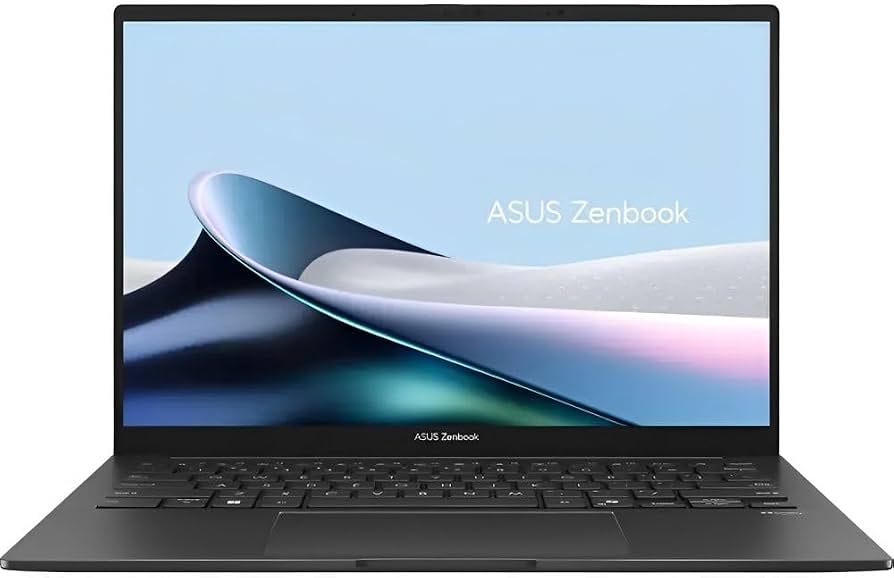
ASUS ZenBook 14 (2024) Laptop, 14" FHD OLED Display, AMD Ryzen 7 5825U, 16GB RAM, 512GB SSD
✓ Pros
- •Stunning OLED display at an affordable price
- •16GB RAM and 512GB SSD — rare combo under $750
- •Ultra-light 2.5-pound chassis
- •Full keyboard with excellent travel
- •Includes USB-C, HDMI, and microSD ports
- •Great multitasking performance
✗ Cons
- •OLED panels can drain battery faster
- •No dedicated GPU — not for heavy gaming
- •Webcam is only 720p
- •Fingerprint magnet on the lid
- •Customer support can be slow
Best For:
Students who want premium features like OLED, plenty of RAM, and fast storage without spending over $700.
Not Recommended For:
Students who need macOS or a Mac-like ecosystem, or those who want a 2-in-1 convertible.
Key Features:
Standout Feature:
The OLED display at this price point is unmatched — you'd typically pay $1,000+ for this screen quality.
VS Others:
The ZenBook 14 beats the Acer Swift 3 with its OLED display and double the RAM. It's not as efficient as the MacBook Air M1 but offers more RAM and storage for a similar price.
Why This One:
If you want the best raw specs for your dollar — especially if you enjoy photos, videos, and movies — this is your laptop. The OLED display is the kind of upgrade you'll notice every single day.
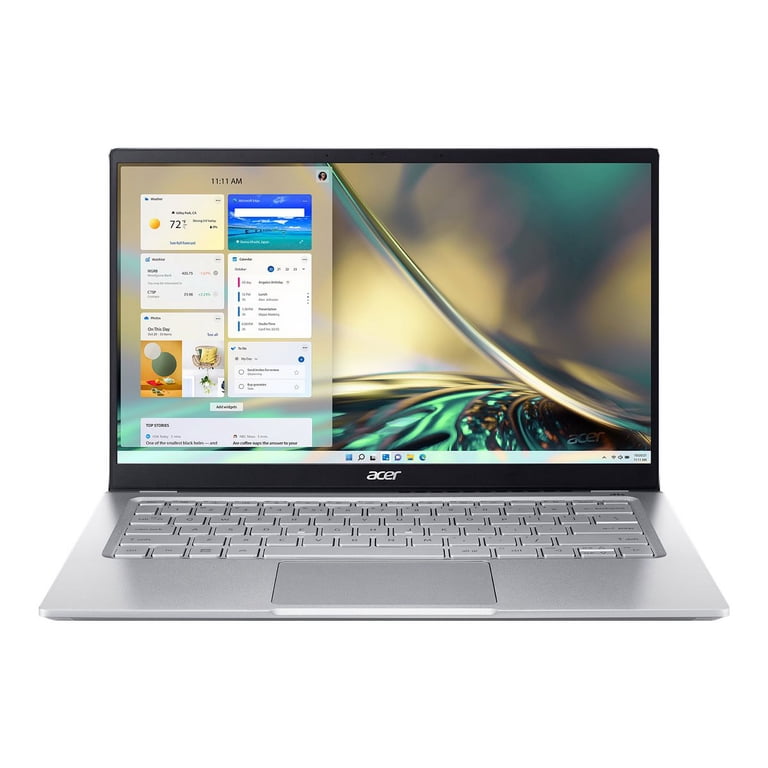
Acer Swift 3 (2023) Laptop, 14" Full HD IPS, Intel Core i5-1240P, 8GB RAM, 512GB SSD
✓ Pros
- •Excellent price-to-performance ratio
- •Solid aluminum build quality
- •Fast 512GB SSD
- •Backlit keyboard
- •Decent port selection (2x USB-C, USB-A, HDMI)
- •Fingerprint reader for quick login
✗ Cons
- •8GB RAM is becoming the bare minimum
- •Battery life isn't the best at 8-10 hours
- •Display colors could be more vibrant
- •Webcam quality is mediocre
- •Touchpad can be finicky
Best For:
Budget-conscious students who need a reliable, well-built laptop for everyday academic work under $700.
Not Recommended For:
Students who want 16GB RAM, a touchscreen, or premium battery life.
Key Features:
Standout Feature:
Thunderbolt 4 support at this price — rare and useful for fast transfers and docking.
VS Others:
The Swift 3 is the most affordable option in this guide, but it skips the OLED display of the ZenBook 14 and has less RAM. Compared to the MacBook Air M1, it offers a more traditional Windows experience with more ports at a lower price.
Why This One:
You want the cheapest laptop that still feels complete. The Swift 3 doesn't cut corners on build quality, and it's reliable enough to last all four years.
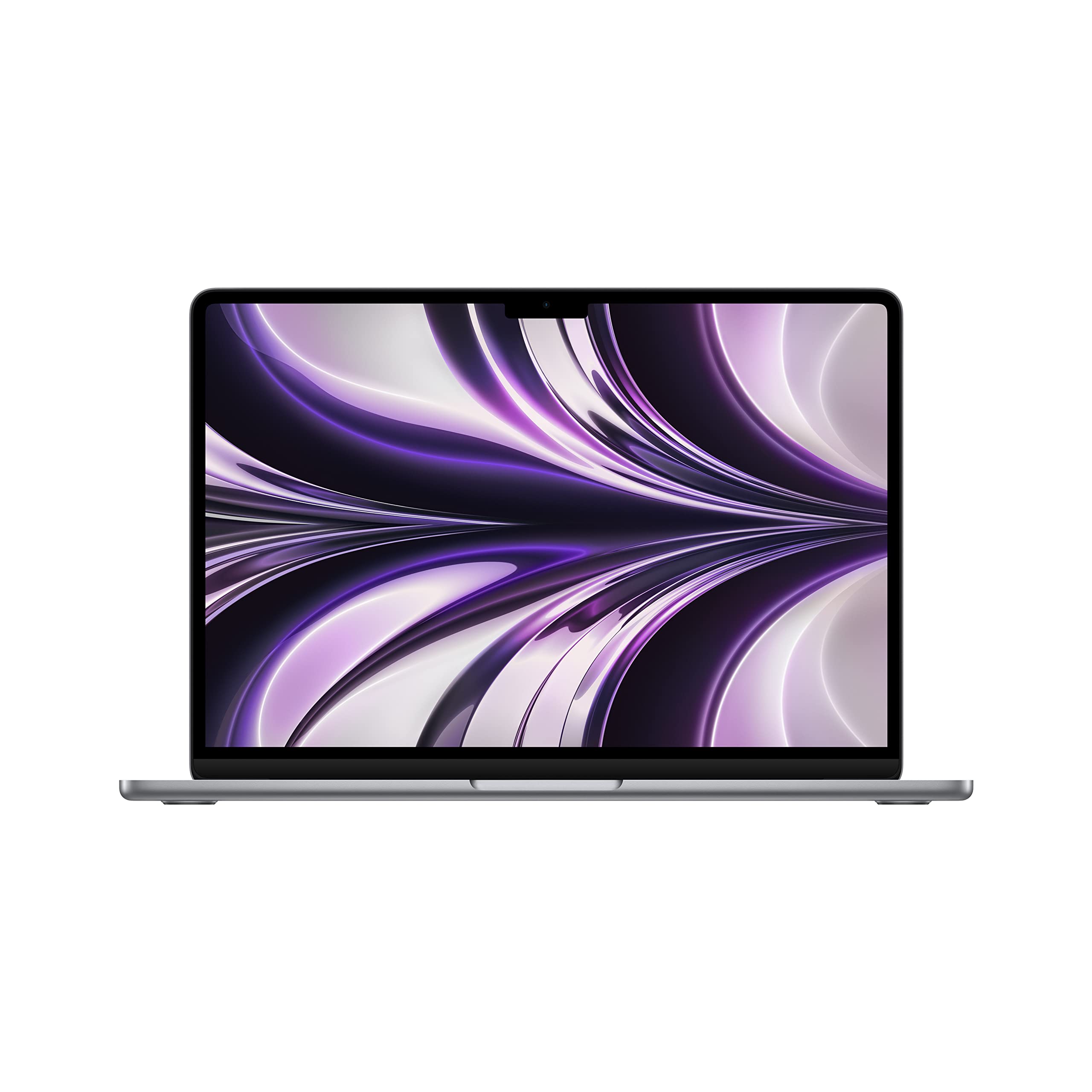
Apple MacBook Air (13.6-inch, M2 Chip, 8GB RAM, 256GB SSD) - Midnight
✓ Pros
- •Superb M2 performance bump
- •Larger, brighter Liquid Retina display
- •1080p webcam — best for video calls
- •MagSafe charging is safer and frees up USB-C port
- •Modern, lightweight design
- •Excellent battery life (up to 18 hours)
✗ Cons
- •$250 more than the M1 Air
- •Still 8GB RAM and 256GB SSD in base model
- •Midnight finish shows fingerprints and smudges
- •SSD speeds are slightly slower in the 256GB model
- •No fan may cause some throttling under extreme loads
Best For:
Students who want the latest MacBook design, a better webcam, and are willing to pay extra for the premium Apple experience.
Not Recommended For:
Budget-focused students who are better off saving money with the M1 Air.
Key Features:
Standout Feature:
The return of MagSafe charging — it's both convenient and prevents cable accidents.
VS Others:
The M2 Air is clearly better than the M1 Air, but the improvements are incremental for everyday student tasks. Against the Dell XPS 13, it offers superior battery life and performance, but has fewer ports and a higher price.
Why This One:
You want the most polished, premium ultraportable on the market. If you're a creative software user (Photoshop, Final Cut Pro), the M2 is worth the extra cost for the performance headroom.
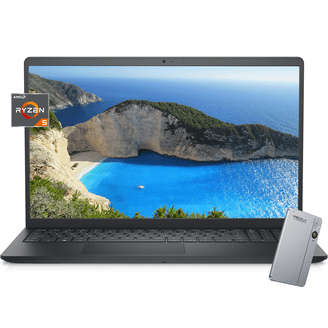
Dell XPS 13 (9315, 13.4" FHD+, Intel Core i5-1230U, 8GB RAM, 512GB SSD) - Sky
✓ Pros
- •Gorgeous, bezel-less design
- •Excellent build quality and premium materials
- •One of the best keyboards on a Windows laptop
- •Compact and light (2.6 lbs)
- •Sharp, color-accurate display
- •Great trackpad haptics
✗ Cons
- •Expensive for the specs
- •Only two USB-C ports (both Thunderbolt) — no USB-A or HDMI
- •8GB RAM in base model
- •Webcam is average (720p)
- •Battery life not as strong as M1 Air
Best For:
Students who want the best-looking, most premium Windows ultraportable for carrying between classes.
Not Recommended For:
Students who need a touchscreen, 2-in-1 functionality, or more port variety without adapters.
Key Features:
Standout Feature:
The InfinityEdge bezel-less display creates an immersive screen-to-body ratio of 90.9% — the highest among all ultraportables.
VS Others:
The XPS 13 costs the same as the MacBook Air M2 but offers a better display and a more premium Windows design. However, the MacBook Air M1 beats it in battery and value. Compared to the ASUS ZenBook, it has better build quality but less RAM.
Why This One:
You want luxury feel and impressive aesthetics in a Windows laptop. The XPS 13 is for style-conscious students who appreciate the little details.
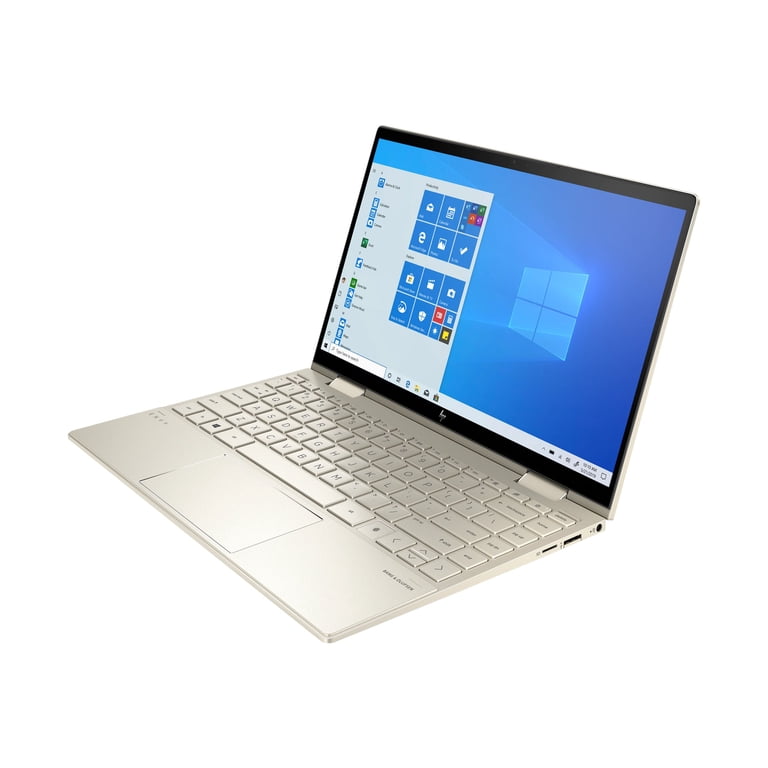
HP Envy x360 13.3" 2-in-1 Laptop, AMD Ryzen 5 7530U, 8GB RAM, 512GB SSD
✓ Pros
- •Versatile 2-in-1 design with 360° hinge
- •Touchscreen with active pen support
- •Solid AMD Ryzen 5 performance
- •Bang & Olufsen audio is excellent
- •Aluminum build quality
- •Good value for features
✗ Cons
- •8GB RAM is non-upgradeable
- •Small 13.3" size may feel cramped in tablet mode
- •Fingerprint magnet finish
- •Stylus is separate and costs extra
- •AMD Vega graphics not suited for intense gaming
Best For:
Students who love taking handwritten digital notes, reading e-textbooks, or want to flip their laptop into tablet mode.
Not Recommended For:
Students who prefer a traditional clamshell laptop and rarely use touchscreens.
Key Features:
Standout Feature:
The 2-in-1 flexibility with active pen support makes this the ultimate study machine for visual learners and STEM students who like to sketch diagrams.
VS Others:
The Envy x360 trades some raw performance for versatility. It's not as fast as the ZenBook 14 or as portable as the Dell XPS 13, but it's the only laptop here that works as a tablet. The MacBook Air M1 is better for pure productivity, but this wins for interactive learning.
Why This One:
If you're a pre-med, engineering student, or anyone who likes handwritten notes and diagrams, the 2-in-1 functionality is a game-changer. This is the most affordable capable convertible in this guide.
Who Should Get What?
Budget-Conscious Freshman
A first-year college student majoring in Communications who needs a laptop for writing papers, streaming, and video calls. They're paying from their own part-time job savings and want to keep costs as low as possible without buying junk.
Recommended:
Acer Swift 3
The Acer Swift 3 offers everything this student needs at the lowest price in our guide. It's fast enough for writing and streaming, has a solid aluminum build, and leaves extra money for textbooks. The 512GB SSD provides ample storage for their files.
View on Amazon →Balanced All-Rounder
A junior studying Biology who wants a laptop that does everything well: heavy web research, data analysis in Excel, light photo editing for lab reports, and streaming. They have about $700 to spend and want the best all-around value.
Recommended:
ASUS ZenBook 14
The ZenBook 14 delivers the best specs for the price, with 16GB RAM for multitasking and an OLED display that makes both photos and videos pop. It handles everything this student needs and its 512GB SSD gives plenty of storage. No other laptop under $750 offers this combination of features.
View on Amazon →Apple Ecosystem Enthusiast
A design student who already owns an iPhone, iPad, and AirPods. They love the Apple ecosystem and want a laptop that syncs seamlessly with their devices. They have a budget of up to $1,000 and prioritize iMessage, continuity, and Sidecar compatibility.
Recommended:
Apple MacBook Air M1
The MacBook Air M1 gives this student full access to the Apple ecosystem at an affordable price. It syncs perfectly with their iPhone and iPad, supports Sidecar to use the iPad as a second display, and the M1 chip handles design software beautifully. They can save $250 vs the M2 and use it for accessories.
View on Amazon →Premium Windows Enthusiast
A graduate student in Business Analytics with a budget of $1,000 who wants a professional, sophisticated laptop for client meetings and internship settings. They value design, premium materials, and a great keyboard for Excel and data analytics work.
Recommended:
Dell XPS 13
The XPS 13 is the most premium Windows laptop in this guide. Its ultra-slim design, infinity-edge display, and excellent build quality project professionalism. The comfortable keyboard is ideal for typing reports, and the Intel i5 handles Excel and analytics tools without breaking a sweat.
View on Amazon →Creative 2-in-1 Note-Taker
A pre-med student who loves to draw diagrams, annotate lecture slides, and take handwritten notes. They want a laptop that also works as a tablet so they don't have to carry both. Budget is around $800 and versatility is the top priority.
Recommended:
HP Envy x360 13
The Envy x360's 360-degree hinge and touchscreen are made for note-taking. Flipping into tablet mode with a stylus lets this student draw, annotate, and review lectures creatively. The Radeon graphics help run 3D anatomy apps, and the price fits nicely in their budget.
View on Amazon →Performance-Seeking Power User
A computer science student who programs in Xcode and Visual Studio, runs virtual machines, and wants the latest Apple silicon. They value a 1080p webcam for hybrid classes and want a modern design with MagSafe. Budget is up to $1,000 and they plan to keep the laptop for 5+ years.
Recommended:
Apple MacBook Air M2
The M2 chip is a performance beast for both efficient coding and running macOS-based development tools. The 18-hour battery life keeps this student going all day, and the 1080p webcam makes them look sharp in hybrid classes. The new design and MagSafe charging add to the premium experience.
View on Amazon →Buying Guide: How to Choose
Bottom Line
Frequently Asked Questions
What is the best laptop for a college student in 2026?▼
Which budget laptop is best for students?▼
Should I get a MacBook or Windows laptop for college?▼
Is 8GB of RAM enough for a student in 2026?▼
Is the MacBook Air M1 still worth buying in 2026?▼
Which is better: the MacBook Air M1 or MacBook Air M2?▼
What is the best laptop for note-taking with a stylus?▼
Which laptop is better for engineering: the Dell XPS 13 or ASUS ZenBook 14?▼
What is the best bang-for-buck laptop for students in 2026?▼
Are 2-in-1 laptops worth it for college?▼
Need More Help Deciding?
Explore more buying guides to find the perfect product for your needs.
View All Buying Guides