
Is Which Cooling Pads should I buy Worth It? Honest Review (2026)
Compare the best cooling pads for gaming laptops and find your perfect match based on performance, noise, and budget.
Our Top Pick
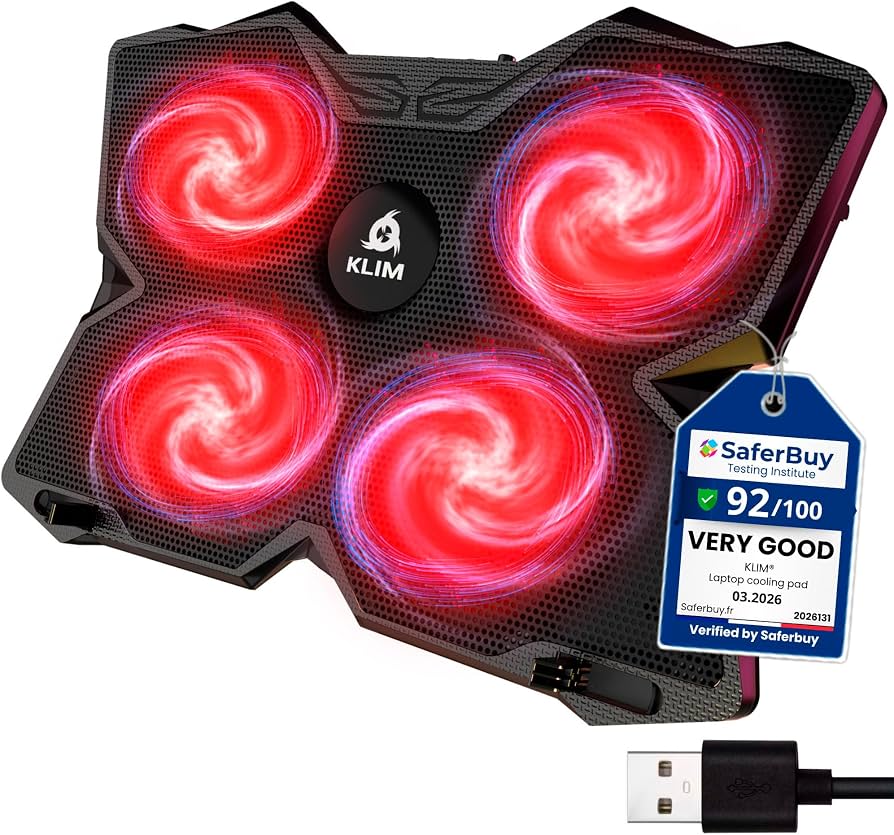
KLIM Wind
Best OverallMost gamers with 15-17 inch laptops who want a balanced mix of cooling, quietness, and affordability.
View on Amazon →Key Factors to Consider
- 1.Fan size and count: Larger fans move more air at lower RPM, meaning better cooling with less noise. More fans aren't always better if they're tiny and weak.
- 2.Airflow (CFM): Higher CFM means more hot air pushed away. Look for at least 70-100 CFM for gaming laptops.
- 3.Noise level: Measured in dB. Under 25 dB is quiet, 30-40 dB is noticeable, and above 45 dB can be distracting.
- 4.Laptop size compatibility: Check the pad's dimensions and whether it supports 14-inch, 15.6-inch, or 17.3-inch laptops.
- 5.Build quality: Look for sturdy materials, anti-slip grips, and a solid frame that won't flex under your laptop's weight.
- 6.Adjustability: A cooling pad with multiple height angles improves ergonomics and typing comfort.
- 7.Power source: Most use USB, but some high-performance blowers need an AC adapter for full speed.
- 8.Portability: Weight and thickness affect portability. Slim pads are easier to carry but may have weaker fans.
- 9.Extra features: RGB lighting, fan speed controls, dust filters, and USB passthrough add convenience but increase cost.
- 10.Price: Budget pads under $25, mid-range $25-$60, premium $60+.
- 11.Brand reputation: Well-known brands like Cooler Master, IETS, and Thermaltake often offer better quality and customer support.
The Products
KLIM Wind
✓ Pros
- •Four 120mm fans provide excellent airflow (84 CFM) while staying very quiet (20 dB)
- •Metal mesh construction allows air to pass through evenly, cooling the entire laptop bottom
- •Slim and lightweight design (under 1.5 lbs) makes it easy to carry in a backpack
- •Two height settings improve ergonomics for typing and gaming
- •USB port on the back lets you preserve an extra USB slot for your gaming mouse or controller
- •Highly-rated by users for its consistent performance and durability
✗ Cons
- •No fan speed control—only a single on/off switch
- •May not be powerful enough for laptops with extreme heat output (e.g., overclocked 17-inch gaming beasts)
- •Plastic frame feels a bit cheap on the edges, though it holds up well
Best For:
Most gamers with 15-17 inch laptops who want a balanced mix of cooling, quietness, and affordability.
Not Recommended For:
Users with ultra-thin laptops that run very cool or those on an absolute tight budget under $20.
Key Features:
Standout Feature:
Best-in-class airflow (84 CFM) at a whisper-quiet 20 dB, making it ideal for long gaming sessions without noise fatigue.
VS Others:
Compared to the popular Cooler Master NotePal X-Slim (single fan), the KLIM Wind moves significantly more air (84 CFM vs ~40 CFM) and is quieter. vs the IETS GT500, it's much cheaper and quieter, but the IETS offers superior cooling through its sealed blower design for extreme gaming loads.
Why This One:
The KLIM Wind is the recommended choice for most buyers because it delivers strong cooling at a mid-range price. It's a proven, widely-loved product that strikes the perfect balance between performance and cost.
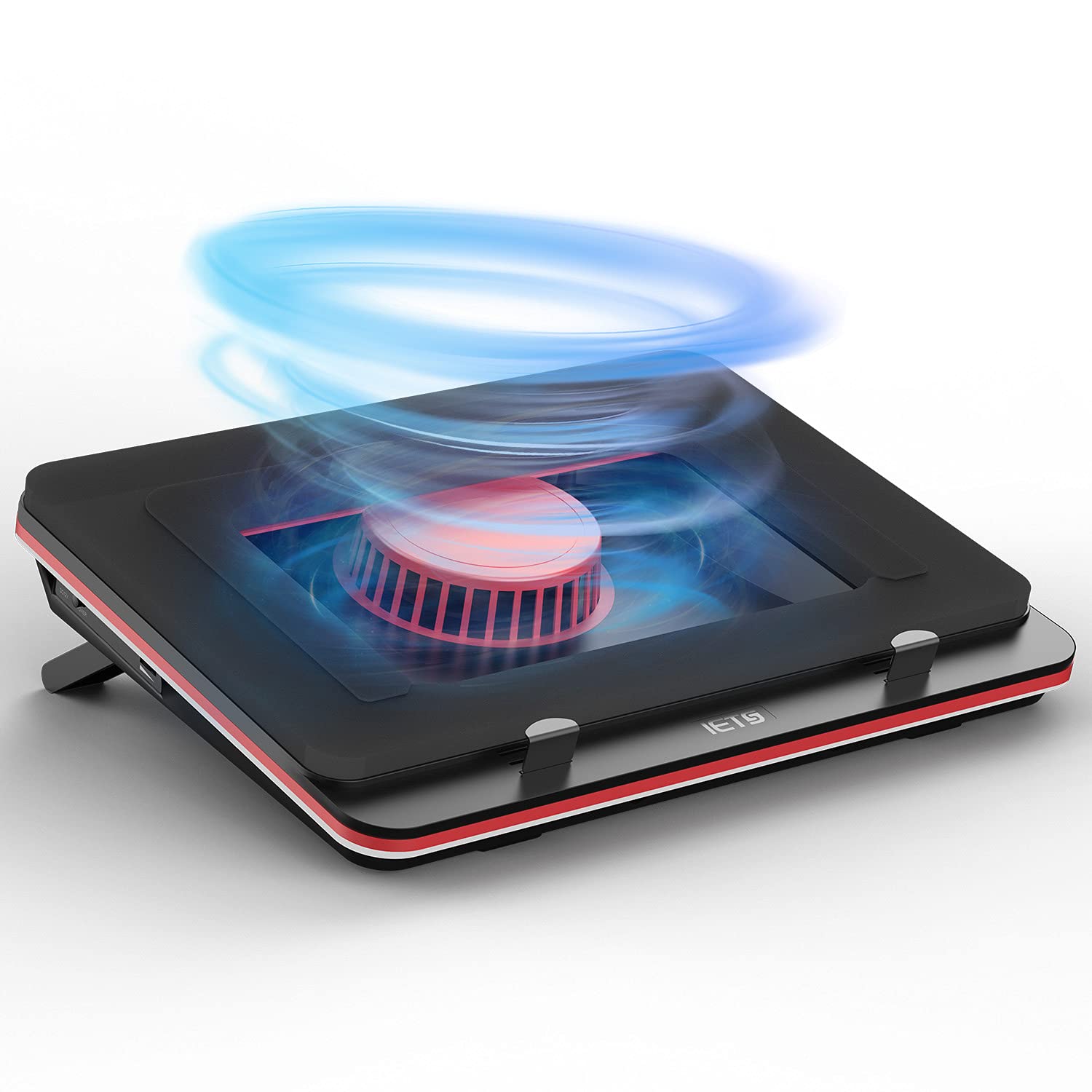
IETS GT500
✓ Pros
- •Blower design delivers far better cooling than typical fan pads, reducing throttling in demanding games
- •Sealing foam prevents hot air from recirculating, maximizing the cooling effect
- •Adjustable fan speed (1200-5400 RPM) lets you balance performance and noise
- •Dust filter helps keep your laptop's internal fans clean
- •Built-in RGB lighting adds a gaming aesthetic
- •Strong aluminum build feels premium and stable
✗ Cons
- •Pricey—almost 3-4 times the cost of budget pads
- •Bulky and heavy (about 3.5 lbs), not portable
- •At max speed, the blower is loud (50+ dB), so many users run it at lower RPMs
- •Requires external AC power, so it's not ideal for on-the-go use with a mobile battery
- •Simple on/off and speed dial—no auto temperature sensing
Best For:
Enthusiasts with high-performance gaming laptops (especially 17-inch) that run hot and need maximum cooling to maintain peak FPS.
Not Recommended For:
Casual users or those with lightweight laptops who don't need extreme cooling and want a quiet, portable pad.
Key Features:
Standout Feature:
The sealed blower design that physically forces air into the laptop's cooling fan, outperforming all traditional pad-style coolers.
VS Others:
vs the KLIM Wind, the IETS GT500 costs over twice as much but provides significantly more cooling. It's in a different league when it comes to thermal performance. The Thermaltake Massive 20 has a huge 200mm fan and RGB, but it's less effective than the IETS's blower, though it's quieter.
Why This One:
If your gaming laptop is thermally throttling or you simply want the absolute best cooling available, the IETS GT500 is worth the investment. It's a niche product for serious gamers who value performance over everything else.
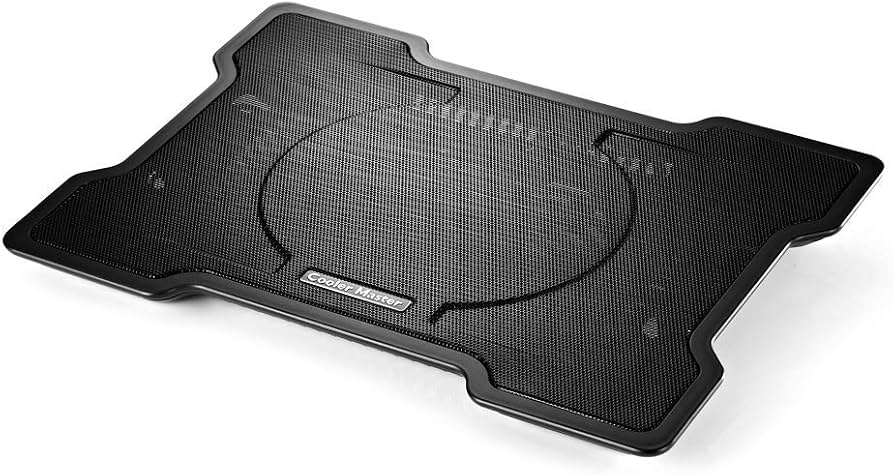
Cooler Master NotePal X-Slim
✓ Pros
- •Very affordable and widely available from a reputable brand
- •Large 200mm fan moves a decent amount of air quietly
- •Ultra-slim (0.6 inches) and lightweight (2.6 lbs) for easy mobility
- •Anti-slip surface and rubber pads keep your laptop stable
- •Two height positions for ergonomic comfort
- •Proven reliability with thousands of positive reviews
✗ Cons
- •Single fan design may not cool high-end gaming laptops effectively under sustained load
- •No fan speed control—always runs at the same speed
- •Larger fans can be less powerful than multiple high-RPM fans
- •Plastic build feels a bit fragile compared to premium metal pads
Best For:
Budget-conscious students and office workers who need a reliable, quiet pad for light gaming, browsing, or productivity tasks.
Not Recommended For:
Hardcore gamers running graphics-intensive games for hours; the NotePal may not prevent thermal throttling on powerful laptops.
Key Features:
Standout Feature:
The affordable price and classic design make it a no-brainer for casual users who want basic cooling and ergonomic lift.
VS Others:
vs the TeckNet dual-fan pad, the NotePal has better build quality and a quieter single fan, while the TeckNet has more fans but is noisier. The KLIM Wind is a step up with four fans and more airflow for gaming.
Why This One:
If you're on a tight budget and don't need intense cooling, the Cooler Master NotePal X-Slim is the safest bet. It's a respected brand, and the pad is durable enough to last years.
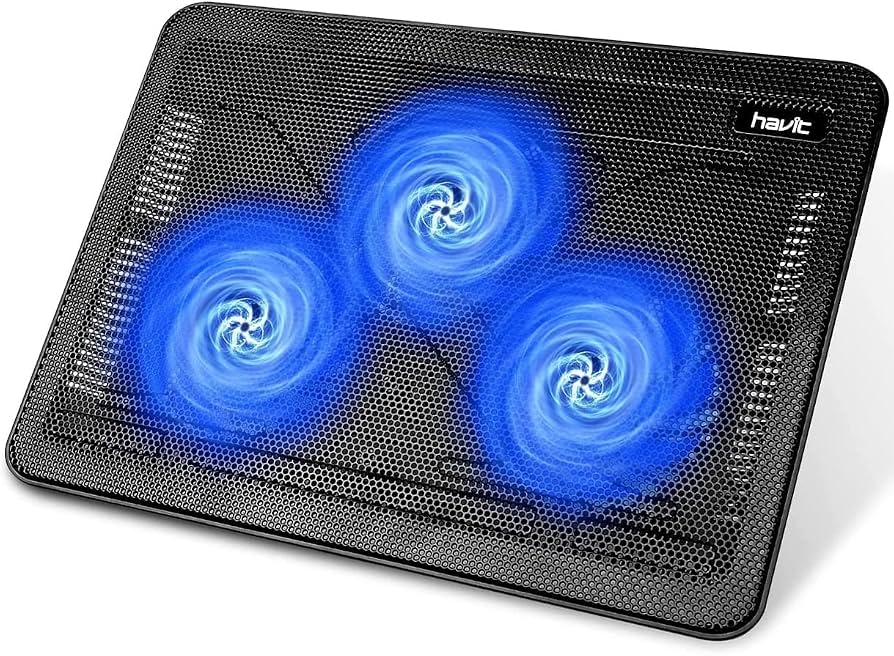
HAVIT HV-F2056
✓ Pros
- •Dual 120mm fans with LED lighting provide good airflow (56 CFM) for the price
- •Six adjustable height levels give extensive ergonomic flexibility
- •Metal mesh top enhances heat dissipation and prevents sagging
- •Quiet operation at around 23 dB—noticeably softer than many budget pads
- •USB passthrough so you don't lose a port
- •Very affordable, often under $25
✗ Cons
- •Fans are not independently controlled—you can't turn off just one
- •Blue LEDs might be off-putting for users who prefer a subtle look (though they look cool for gaming)
- •Build quality is decent but not premium; plastic edges can scratch if you're rough
- •Not powerful enough to cool a 17-inch high-TDP gaming laptop effectively
Best For:
Gamers on a budget with 15-inch laptops who want active cooling, ergonomic adjustments, and a dash of RGB flair without spending much.
Not Recommended For:
Users who need maximum cooling (e.g., overclocked 17-inch laptops) or those who hate LED lights and want a minimalist design.
Key Features:
Standout Feature:
Six adjustable height levels—the most among budget pads—giving you the best ergonomic customization in this price range.
VS Others:
The HAVIT HV-F2056 is a strong alternative to the KLIM Wind if you're tightening the purse strings. It has fewer fans and less airflow (56 vs 84 CFM) but costs about $13 less. The TopMate C11 is cheaper but has six tiny fans that are less effective; the HAVIT is a better value.
Why This One:
If you want a cheap pad that still offers real cooling and adjustable height, the HAVIT HV-F2056 is a steal. It's a great value pick for gamers who don't want to overspend.
TeckNet Laptop Cooler
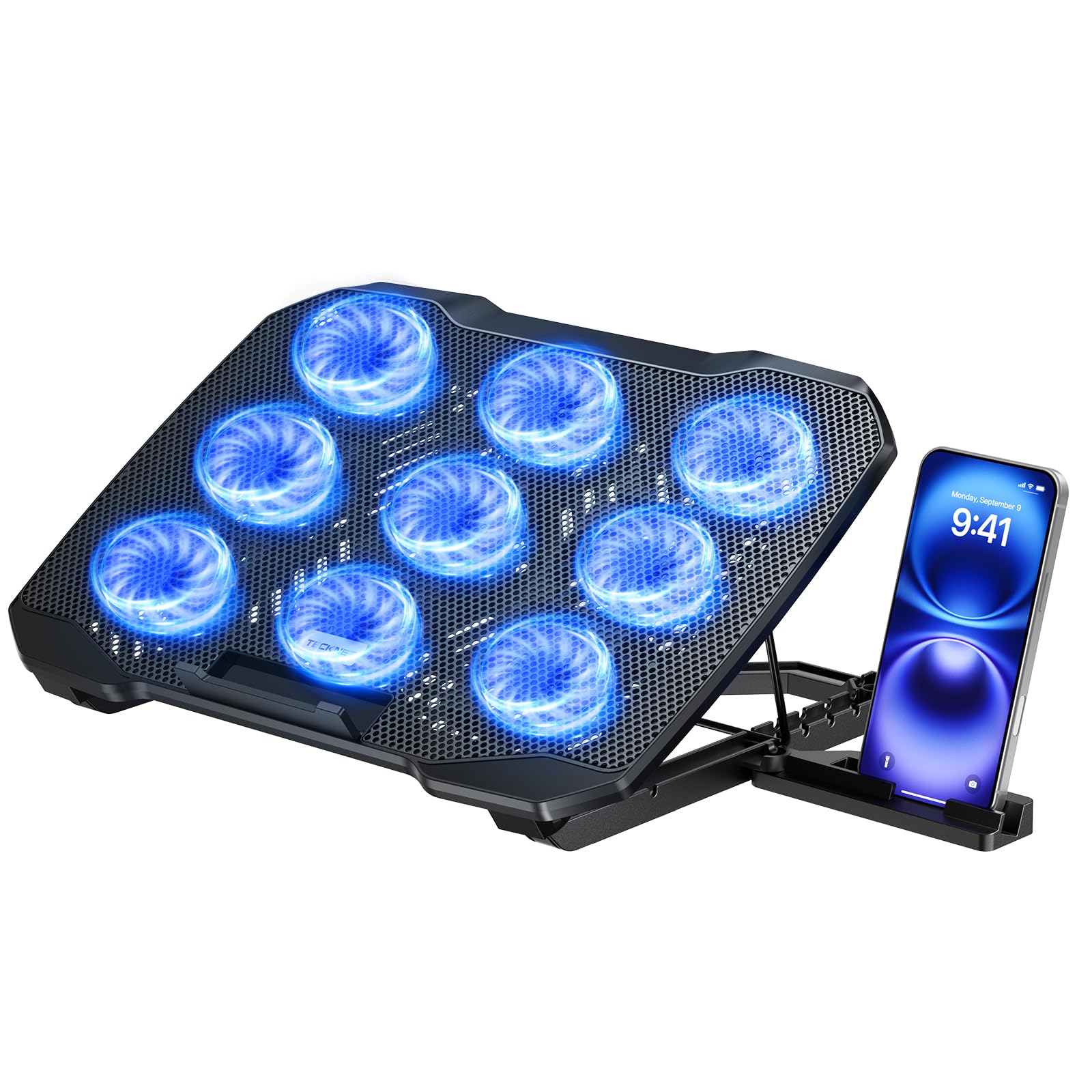
✓ Pros
- •Very cheap—often under $20, making it the most affordable option here
- •Dual 120mm fans provide acceptable cooling for most casual workloads
- •Five height settings for good ergonomics
- •Phone holder built-in is handy for streaming videos or keeping your phone visible
- •Blue LEDs add a gaming vibe on a budget
✗ Cons
- •Lower airflow (≈40 CFM) means it's not effective for gaming laptops with high TDP
- •Fan noise can be buzzy, especially after a few months of use
- •Plastic build feels less durable; some users report cracks near the corners
- •No speed control—only on/off
- •USB passthrough is just a cable, not a dedicated hub, so it may be loose
Best For:
Budget users with older or low-end laptops that don't generate much heat, and who want a cheap ergonomic stand with active cooling.
Not Recommended For:
Anyone with a gaming laptop that runs hot for extended periods—you'll likely be disappointed by the limited cooling power.
Key Features:
Standout Feature:
The slide-out phone holder adds unexpected convenience, letting you prop your phone next to your laptop while charging.
VS Others:
The TeckNet is the absolute budget king, undercutting the Cooler Master NotePal by $5 and the HAVIT by $3. But it sacrifices durability and airflow. If you're only browsing and streaming, it's fine; for gaming, spend the extra $5 on the HAVIT or NotePal.
Why This One:
If you have $20 and want a functional cooling pad with extra features like a phone holder, the TeckNet is a tempting choice. Just be aware of its limitations.
TopMate C11
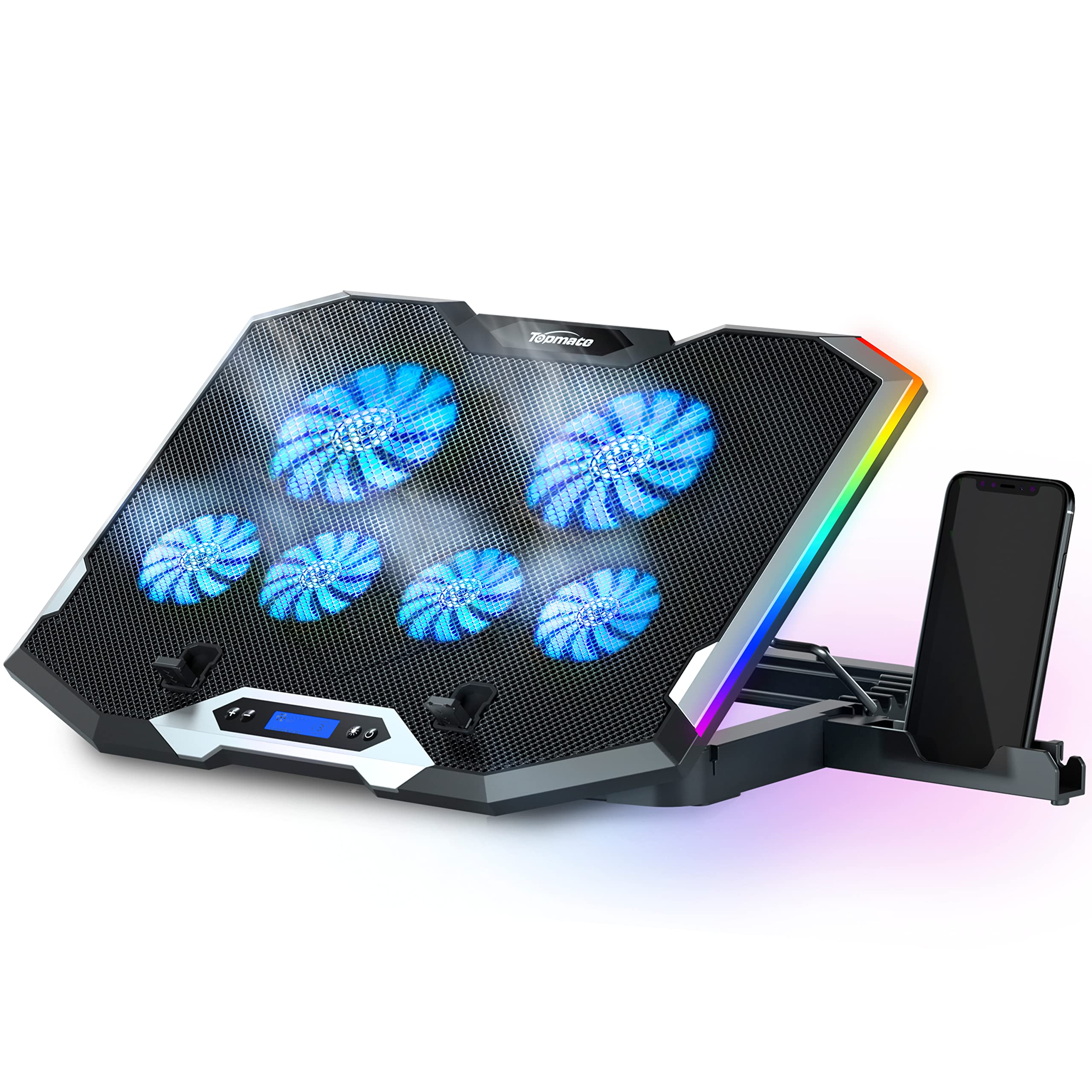
✓ Pros
- •Fits large 17.3-inch laptops (wider than most pads in this price range)
- •Six fans provide a nice spread of airflow across the entire laptop bottom
- •Quiet operation (24 dB) suitable for offices or libraries
- •Aluminum mesh surface looks premium and helps with heat dissipation
- •Includes a retractable phone holder, useful for productivity
- •USB hub with one extra port, so you can plug in a peripheral
✗ Cons
- •Airflow (45 CFM) is lower than the HAVIT or KLIM Wind, making it less effective for gaming
- •Six small fans can create a high-pitched whine on some units (per customer feedback)
- •The fan switches are thin and may break if handled roughly
- •Bulkier and heavier (3.1 lbs) than similar pads—not very portable
Best For:
Owners of 17-inch laptops who need a cheap pad that covers the entire bottom and appreciate quiet operation.
Not Recommended For:
Gamers wanting maximum cooling—the C11 won't significantly drop temperatures under heavy load.
Key Features:
Standout Feature:
Its extra-wide design and six tiny fans cover the entire underside of big laptops, ensuring even airflow across a large surface.
VS Others:
The TopMate C11 is similar in price to the HAVIT but uses six small fans instead of two large ones. The HAVIT offers better cooling per dollar due to its larger fan blades. The C11's advantage is size coverage for 17-inch laptops and a phone holder.
Why This One:
If you specifically need a cooling pad that fits a big 17-inch laptop without spending a lot, the TopMate C11 is a viable pick. Its phone holder and quiet fans add extra convenience for work settings.
Thermaltake Massive 20 RGB
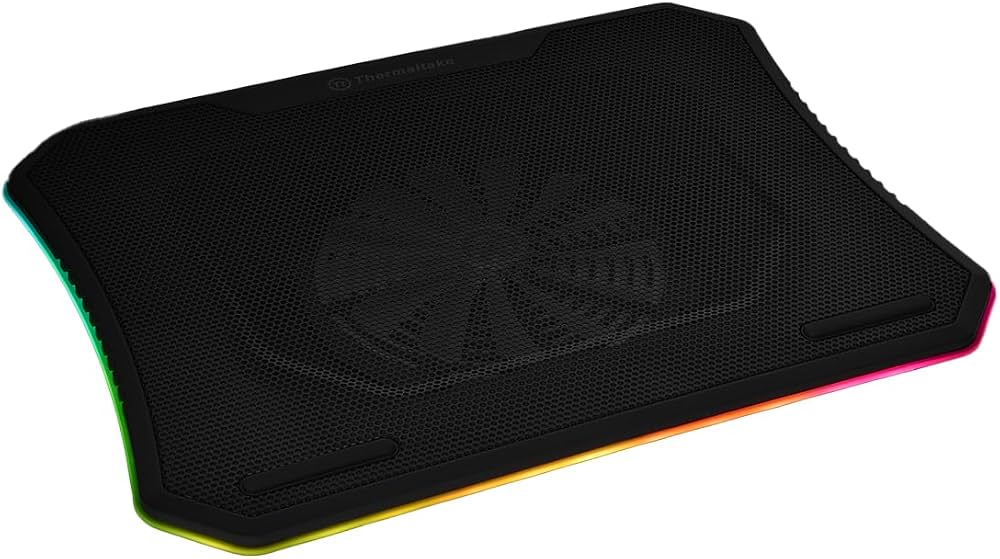
✓ Pros
- •Large 230mm fan offers excellent airflow (75 CFM) and can be very quiet at low RPMs
- •RGB lighting with multiple modes adds a custom look to your gaming setup
- •Built-in fan speed controller gives you control over cooling/noise balance
- •Fits a wide range of laptops, including 18-inch models
- •High-quality metal mesh construction feels durable
- •Three adjustable height levels for better ergonomics
✗ Cons
- •Expensive—costs more than the KLIM Wind yet doesn't cool as well as the IETS GT500
- •Heavy and bulky (3.5 lbs), inconvenient to carry around
- •RGB lighting requires a USB port on your laptop or a hub, which can be a bother if you're short on ports
- •No dust filter, unlike the IETS GT500
- •Some users report that the RGB modes can't be saved after unplugging; you have to re-select them each time
Best For:
Gamers who want a cooling pad that also serves as a centerpiece of their RGB setup, and who have a 17-18 inch laptop.
Not Recommended For:
Budget-minded buyers or those who don't care about RGB and just want maximum cooling for the price.
Key Features:
Standout Feature:
A massive 230mm fan combined with customizable RGB lighting, offering a unique blend of performance and style that's rare in this category.
VS Others:
The Thermaltake Massive 20 RGB is pricier than the KLIM Wind and doesn't move as much air (75 vs 84 CFM), but it offers high-quality RGB and a larger fan for lower noise. The IETS GT500 is the better performer but lacks RGB and costs more.
Why This One:
If you're willing to pay a premium for aesthetics and want a big, quiet fan, the Massive 20 RGB is a solid choice. It's one of the few pads that combine showy RGB with genuinely good cooling.
Who Should Get What?
College Student on a Budget
Alex is a 19-year-old college student using a mid-range 15-inch gaming laptop for school work, occasional Overwatch and Minecraft sessions. They're on a tight budget of about $25 and need something reliable without frills.
Recommended:
Cooler Master NotePal X-Slim
The NotePal X-Slim is affordable, durable, and quiet—perfect for a dorm or library. Its single large fan provides enough cooling for light gaming and word processing, while the slim profile won't hog desk space. It also has a USB passthrough for a mouse or phone charger.
View on Amazon →Hardcore Gamer
Maria is a competitive gamer streaming from a powerful 17-inch laptop with an RTX 4080. She plays for hours, and her laptop frequently heats up, causing thermal throttling during intense fights. She wants the best possible cooling to maintain FPS and is willing to spend $80+.
Recommended:
IETS GT500
The IETS GT500's sealed blower design is proven to dramatically lower temperatures compared to standard pads, which is crucial for preventing throttling on a high-TDP gaming laptop. Its adjustable fan speed lets Maria find a balance between cooling and noise while streaming, and the dust filter will keep her internal fans clean.
View on Amazon →Value-Conscious Gamer
Jordan is a 25-year-old working professional who games in the evenings on a 15-inch gaming laptop (RTX 3060). They want good cooling and low noise, but don't want to spend over $40. They're frustrated with choosing between many cheap pads.
Recommended:
KLIM Wind
The KLIM Wind offers excellent cooling performance (84 CFM) and quiet operation at a reasonable price. Its four fans handle a 15-inch gaming laptop well, and the slim design fits Jordan's desk setup. It's the best all-around choice for the budget, backed by thousands of positive reviews.
View on Amazon →Casual User (Office Worker)
Priya is a project manager who uses a company-laptop (14-inch Dell) mostly for emails, spreadsheets, and video calls. She doesn't game but wants a comfortable angle and a reliable USB hub to connect her external mouse and keyboard.
Recommended:
HAVIT HV-F2056
The HAVIT HV-F2056 offers six height adjustments to find the ideal ergonomic position, plus a USB passthrough for peripherals. Its dual fans are quiet enough for office calls and provide enough airflow to keep the laptop cool. It's also a great price under $25.
View on Amazon →RGB Enthusiast
Tyler is a college gamer who has an all-RGB setup and wants his cooling pad to match. He has a 17-inch gaming laptop and often plays with headphones, so he doesn't mind some fan noise. He wants something that looks amazing and cools well.
Recommended:
Thermaltake Massive 20 RGB
The Thermaltake Massive 20 RGB features a large 230mm fan with customizable lighting that perfectly fits an RGB-themed battlestation. Its powerful fan (75 CFM) keeps the 17-inch laptop cool during long gaming sessions. While it's not the best performer on paper, it offers an unmatched visual appeal for enthusiasts.
View on Amazon →Ultra-Budget First-Timer
Sam is 18, just started college, and owns a refurbished 15-inch laptop that runs okay but gets warm. They've never bought a cooling pad and just want something cheap that will help. They're scared of wasting money.
Recommended:
TeckNet Laptop Cooler
The TeckNet is the cheapest option that still has dual fans and height adjustments. It won't dramatically cool a gaming laptop, but for Sam's low-intensity use, it's sufficient. The built-in phone holder is a nice bonus for watching videos while doing homework, and the low price means less risk.
View on Amazon →Buying Guide: How to Choose
Bottom Line
Frequently Asked Questions
Which cooling pad is best for gaming laptops?▼
Which cooling pad should I buy in 2026?▼
Is the IETS GT500 worth the extra money over the KLIM Wind?▼
What's the best budget cooling pad for a gaming laptop?▼
Which cooling pad has the best value?▼
Should I buy a cooling pad with more fans or a single large fan?▼
Do I need a high-end cooling pad if my laptop already has good internal fans?▼
Are RGB cooling pads worth it?▼
Can a cooling pad damage my laptop?▼
How do I clean a cooling pad?▼
Which cooling pad is quieter for streaming or recording?▼
Can I use a cooling pad for non-gaming laptops?▼
Need More Help Deciding?
Explore more buying guides to find the perfect product for your needs.
View All Buying Guides