
Is Apple iPad 10th Gen Worth It? Honest Review (2026)
Honest breakdown of strengths, weaknesses, and who should buy
Quick Decision
Buy the iPad 10th Gen if you want an affordable Apple tablet for everyday tasks and video calls, and you can live with 64GB storage and a non-laminated screen. Skip it if you plan to draw, need lots of storage, or want a modern stylus experience — the iPad Air or a Samsung tablet will serve you better for similar money.
Best if you...
- Students who need a lightweight note-taking and browsing device
- Families with kids using educational apps
- Remote workers who do daily video calls
Skip it if you...
- Digital artists or architects needing precise stylus input
- Heavy gamers who require large storage and high refresh rates
- Media hoarders who download movies and music offline
If you're researching the Apple iPad 10th Gen in 2026, you're likely comparing it against the iPad 9th Gen, iPad Air, or Android tablets like the Samsung Galaxy Tab S9 FE. This guide provides a balanced, honest assessment of the iPad 10th Gen's strengths and weaknesses based on manufacturer specs and verified third-party reviews.
We'll cover the key pros and cons in detail, help you decide if it's the right tablet for your needs, and compare it to top alternatives. We'll also suggest useful accessories available on Amazon.
About the Apple iPad 10th Gen
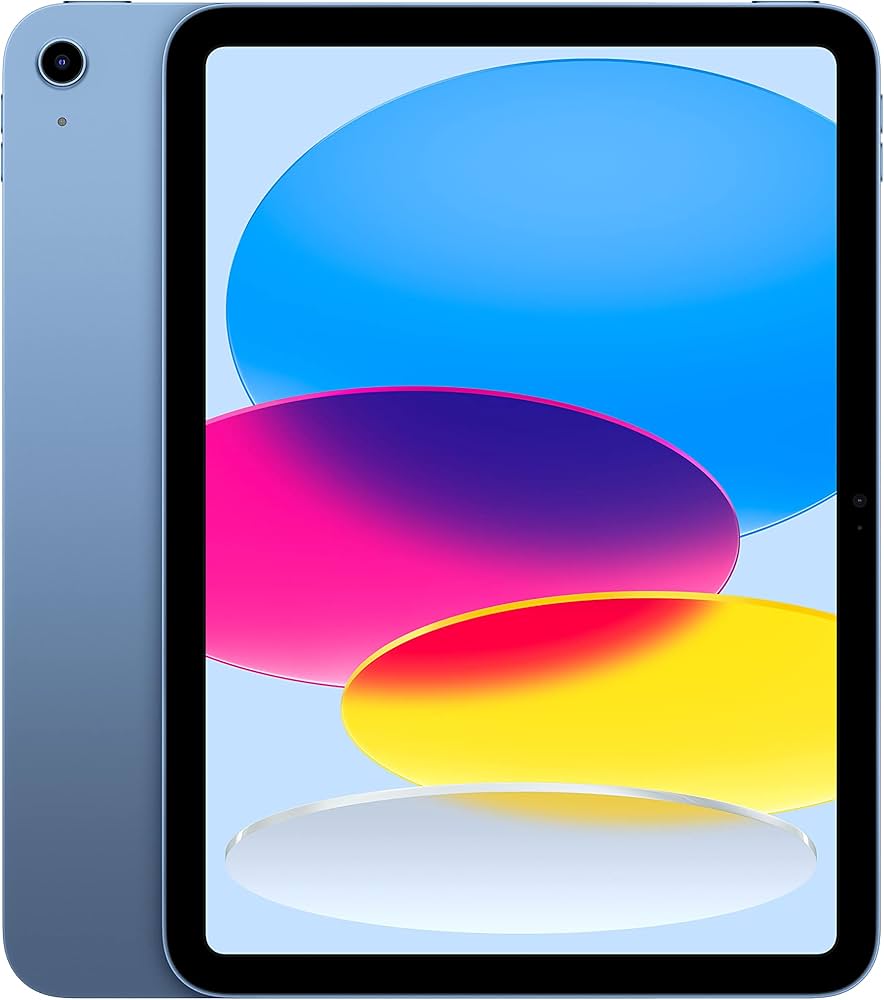
The Apple iPad 10th Gen (2022) is Apple's entry-level full-size tablet, featuring a 10.9-inch Liquid Retina display, A14 Bionic chip, USB-C, and a landscape front camera. It's designed for everyday tasks like browsing, streaming, note-taking, and light creativity, aimed at students, families, and casual users.
Key Specifications
- Weight
- 477 grams (Wi-Fi model)
- Battery
- Up to 10 hours (Wi-Fi)
- Display
- 10.9-inch Liquid Retina, 2360×1640, 500 nits
- Storage
- 64GB or 256GB
- Processor
- A14 Bionic
- Connectivity
- USB-C, Wi-Fi 6, Bluetooth 5.2
- Camera (back)
- 12MP wide, 4K video
- Camera (front)
- 12MP ultra-wide, landscape, Center Stage
Overview
The iPad 10th Gen is Apple's most affordable current-generation iPad, positioning itself as the go-to choice for anyone who needs an Apple tablet without spending iPad Air or Pro money. It debuted in October 2022 and remains popular in 2026 thanks to its modern USB-C port, improved front camera for video calls, and A14 Bionic chip that handles everyday apps and light gaming smoothly.
Compared to the older iPad 9th Gen, it trades the Lightning port for USB-C, adopts a larger 10.9-inch screen with slimmer bezels, and moves the front camera to the landscape edge — a welcome change for video conferencing. However, it retains the 1st generation Apple Pencil support (requiring a dongle) and uses a non-laminated display that creates a visible air gap between the glass and panel.
You can find the Apple iPad 10th Gen on Amazon with starting prices around $349 for the 64GB Wi-Fi model, though prices fluctuate with promotions.
Pros
The iPad 10th Gen brings several meaningful upgrades over its predecessor, making it a strong contender in the $350 tablet market. Here are its most notable strengths.
Modern USB-C Connectivity
Unlike the older iPad 9th Gen, the iPad 10th Gen swaps Lightning for USB-C. This means you can charge with the same cable as modern iPhones, MacBooks, and Android phones. It also opens up compatibility with a wider range of USB-C accessories — from external drives to monitors (via DisplayPort Alt Mode). According to Apple's specifications, the USB-C port supports data transfer speeds up to 480Mbps, standard for USB 2.0 speeds.
Landscape Front Camera for Better Video Calls
Apple moved the 12MP ultra-wide front camera to the landscape edge of the iPad 10th Gen. When you use the tablet horizontally with a keyboard case, the camera now centers your face naturally rather than looking off to the side. Center Stage keeps you in frame as you move, making this a genuine improvement for Zoom, FaceTime, and Teams meetings. Third-party reviews like those from PCMag have noted the camera quality is solid for the price.
Strong A14 Bionic Performance
The A14 Bionic chip, first used in the iPhone 12, still provides excellent performance for most tablet tasks in 2026. According to Apple, its 16-core Neural Engine handles machine learning tasks efficiently, and the 6-core CPU and 4-core GPU deliver smooth multitasking, web browsing, and casual gaming. Geekbench scores reported by reviewers show single-core performance around 1,580 and multi-core around 4,100 — plenty for years of smooth iPadOS updates.
10.9-Inch Liquid Retina Display
The 10.9-inch display offers a 2360×1640 resolution (264 PPI), the same pixel density as the iPad Air. Colors are vibrant and brightness reaches 500 nits, making it readable outdoors. For reading, browsing, and watching 1080p video, the display is more than adequate. The larger screen compared to the 9th Gen adds about 0.5 inches of usable area thanks to the thin bezels.
All-Day Battery Life
Apple rates the iPad 10th Gen for up to 10 hours of web browsing on Wi-Fi or watching video. Real-world usage from many buyer reviews confirms that it easily lasts a full day of mixed use — school, streaming, note-taking — without needing a recharge. The 28.6-watt-hour battery is similar to the iPad Air, so heavy users get consistent performance.
Compatible with Magic Keyboard Folio
The iPad 10th Gen supports Apple's Magic Keyboard Folio, a two-piece keyboard with a trackpad and a kickstand that offers more flexibility than the Smart Keyboard. This transforms the iPad into a laptop-like device for typing and navigation. The keyboard connects magnetically and doesn't need pairing or charging. While expensive ($249), it's a solid choice for students or writers.
iPadOS with Longevity
Apple typically supports iPads with major software updates for 5-6 years. The A14 Bionic ensures the iPad 10th Gen will receive iPadOS updates through at least 2027 or 2028. Features like Stage Manager (on supported models), Split View, and the App Library make multitasking productive. The App Store also offers a vast library of tablet-optimized apps, especially for creativity, education, and productivity.
Cons
The iPad 10th Gen also has significant drawbacks that may affect your buying decision. Here are the most important cons to consider.
Non-Laminated Display with Air Gap
Unlike the iPad Air and Pro, the 10th Gen uses a non-laminated display. This means there's a noticeable air gap between the glass and the LCD panel, which can make the screen feel slightly less responsive when tapping and create more reflections. When using the Apple Pencil, you'll hear a hollow tapping sound and the tip appears to be offset from the ink on screen. According to RTINGS.com, the contrast ratio is also slightly lower than the iPad Air, though still good for the price.
Only Supports First-Generation Apple Pencil (With Adapter)
The iPad 10th Gen only works with the first-generation Apple Pencil, which uses a Lightning connector. Since the iPad has USB-C, you need a dongle or adapter to charge and pair the Pencil — an awkward solution. The Pencil itself is $99, and you'll need to buy a USB-C to Apple Pencil adapter ($9). This is less convenient than the newer Pencil Pro or USB-C Pencil that magnetically attaches to the iPad Air/Pro.
Base Storage: 64GB — Too Little for Many Users
In 2026, 64GB of storage fills up fast. After iPadOS and system files, you have about 50GB free. A few games, photo libraries, or downloaded movies will quickly eat that up. The next storage tier is 256GB, which costs $120 more — a steep jump. There is no microSD card slot, so you can't expand storage later. For media hoarders or anyone who downloads many apps, 64GB will feel cramped.
No 3.5mm Headphone Jack
Apple removed the headphone jack from the iPad 10th Gen. If you want to use wired headphones, you'll need a USB-C to 3.5mm adapter ($9) or wireless Bluetooth earbuds. This is an inconvenience for users who rely on wired audio for low latency or prefer their existing headphones.
Outdated Design with Thick Bezels
The iPad 10th Gen retains the thick bezels and Home button-less design (Touch ID is on the top button). While not ugly, it looks dated compared to the iPad Air and Pro's all-screen design with smaller bezels. The bezels make the tablet feel larger than its screen size, and they take up extra space in bags.
Price Premium Over Competitors
At $349, the iPad 10th Gen costs significantly more than Android tablets with similar specs. The Samsung Galaxy Tab S9 FE often sells for $300 or less, offering a 10.9-inch LCD with 90Hz refresh rate and an included S Pen. The Amazon Fire Max 11 is under $200, though with a weaker processor. For budget-conscious buyers, the iPad's premium can be hard to justify unless you need iPadOS or the Apple ecosystem.
No Support for Apple Pencil USB-C or Pro
The more affordable Apple Pencil (USB-C) released in 2023 is not compatible with the iPad 10th Gen. That Pencil attaches magnetically, charges via USB-C, and costs $79. Instead, you're stuck with the older, more cumbersome Pencil. This is confusing for buyers who see the newer Pencil in stores.
Display Lacks ProMotion or Lamination
The 60Hz refresh rate and non-laminated screen are standard at this price, but the iPad Air (starting at $599) offers a fully laminated display with P3 wide color and anti-reflective coating. For artists or heavy readers, the difference is noticeable. The iPad 10th Gen's display is fine for basic use, but not ideal for precision drawing or long reading sessions under bright light.
👍 Who It's For
The iPad 10th Gen is best for students, families, and casual users who want an Apple tablet for basic tasks like browsing, streaming, video calls, and light note-taking. If you're already in the Apple ecosystem (own an iPhone, Mac, or use iCloud), the seamless integration with Handoff, AirDrop, and Universal Clipboard makes this a natural companion. It's also a solid choice for kids or elderly users who need a simple, reliable device with a large app library. Teachers and remote workers who spend hours on Zoom will appreciate the landscape front camera and Center Stage.
👎 Who Should Avoid
Avoid the iPad 10th Gen if you're an artist or heavy note-taker who needs a responsive, laminated display and modern stylus support. The non-laminated screen and first-gen Pencil experience are frustrating for precision work. Also skip it if you need lots of local storage for games, movies, or large files — 64GB will be a constant headache. Budget shoppers who don't need the Apple ecosystem can get more value from Android tablets. Finally, if you want a premium design and performance, save for the iPad Air or Pro.
See today's Apple iPad 10th Gen price and available configurations on Amazon.
🛒 Buy on AmazonAs an Amazon Associate we earn from qualifying purchases.
Alternatives to Consider
| Product | Choose Apple iPad 10th Gen if... | Choose the alternative if... |
|---|---|---|
| iPad 9th Gen$100 more expensive | You want a lower price ($249), a headphone jack, and are fine with Lightning and an older design. | You want USB-C, a landscape front camera, and slightly better performance for $100 more. |
| Samsung Galaxy Tab S9 FE$50 cheaper | You value the Apple ecosystem and iOS app quality over included stylus and screen refresh rate. | You want an included S Pen, expandable storage, and a smoother 90Hz display for less money. |
| iPad Air (5th Gen)$250 cheaper | You need the absolute cheapest iPad and don't require Pencil performance or storage options. | You want a fully laminated display, modern Pencil support, and M1 performance for $250 more. |
The main alternatives to the iPad 10th Gen are the iPad 9th Gen (still sold at $249), which retains the headphone jack and Touch ID home button but uses Lightning, a slower A13 chip, and a lower-res front camera. The Samsung Galaxy Tab S9 FE ($299) offers a 90Hz display, included S Pen, and expandable storage, but falls short on app optimization and long-term software updates. The iPad Air (5th Gen) at $599 delivers an M1 chip, fully laminated display, and support for the newer Apple Pencil, making it a better choice for creatives. For pure value, the Amazon Fire Max 11 ($189) is cheaper but limited to Amazon's app store and weaker performance.
Is it worth the price?
At approximately $349, the iPad 10th Gen is worth it for users who prioritize the Apple ecosystem and plan to use it primarily for browsing, streaming, and video calls. The main alternative to consider is the Samsung Galaxy Tab S9 FE at around $299, which includes an S Pen and expandable storage, but has a weaker app ecosystem and shorter software support. For most people, the iPad 10th Gen's longevity and app quality justify the premium.
📝 Bottom Line
The Apple iPad 10th Gen is a solid entry-level tablet that nails the basics: good performance, all-day battery, and a screen that's fine for most people. Its USB-C port and landscape front camera are genuine improvements over the older model. However, the non-laminated display, awkward first-gen Pencil support, and stingy 64GB base storage are notable compromises that make it less attractive than it could be.
For the price, you're paying a premium for the Apple logo and ecosystem. If you're already an iPhone or Mac user, the seamless integration makes it worth considering. But if you're budget-conscious or need more from your tablet, Android alternatives offer better value — especially the Samsung Galaxy Tab S9 FE with its included S Pen and 90Hz display.
Ultimately, the iPad 10th Gen is a good choice for students and families who want a reliable, long-lasting tablet for everyday use, provided they can work around its limitations. Creatives and power users should look to the iPad Air or Pro. If you're on the fence, the $100 cheaper iPad 9th Gen still handles most tasks well and keeps the headphone jack.
Check current Apple iPad 10th Gen availability and bundle options on Amazon.
🛒 Buy on AmazonAs an Amazon Associate we earn from qualifying purchases.
Frequently Asked Questions
Quick Summary
Key Pros
- ✓USB-C port for modern charging and accessory compatibility
- ✓Landscape front camera with Center Stage for better video calls
- ✓A14 Bionic chip delivers smooth performance for everyday apps
- ✓10.9-inch Liquid Retina display with 500 nits brightness
- ✓Up to 10 hours of battery life for all-day use
Key Cons
- ✗Non-laminated display with air gap reduces responsiveness and increases reflections
- ✗Only supports first-gen Apple Pencil via awkward dongle
- ✗64GB base storage fills quickly with no expansion option
- ✗No headphone jack requires adapter for wired audio
- ✗Thick bezels make the design feel dated
Ratings
Best For
- →Students who need a lightweight note-taking and browsing device
- →Families with kids using educational apps
- →Remote workers who do daily video calls
- →Casual users who mainly stream and browse