
Is iPad Air M2 11-inch Worth It? Honest Review (2026)
Honest breakdown of strengths, weaknesses, and who should buy in 2026
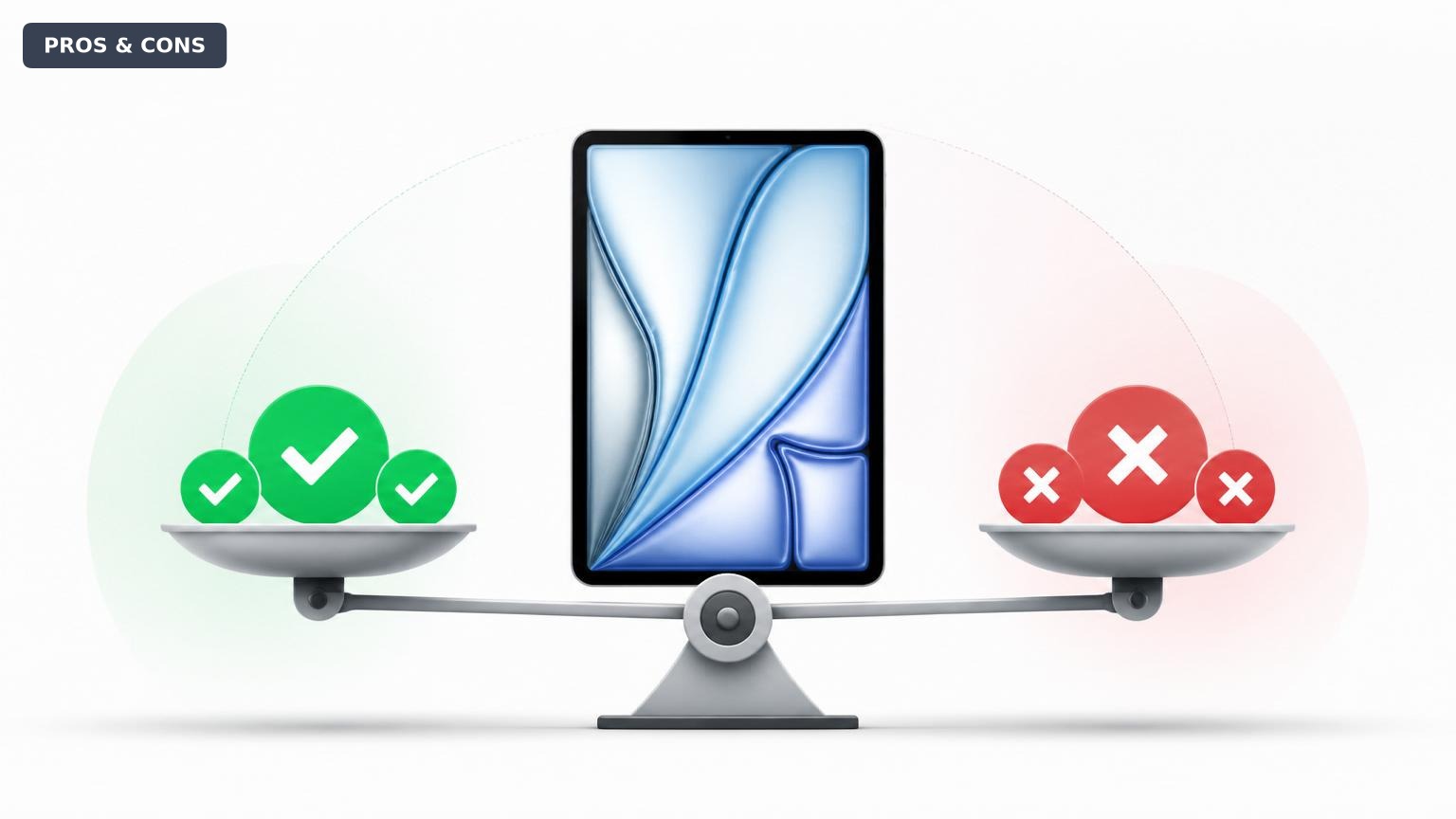
Quick Decision
Buy the iPad Air M2 if you want a fast, light tablet for school, creative work, or everyday use without needing the iPad Pro's high-end features. Skip it if you prioritize a smooth 120Hz display or immersive speakers, or if you're on a tight budget—the base iPad or a Samsung Galaxy Tab S9 FE may serve you better.
Best if you...
- College students taking notes and writing papers
- Photographers editing on the go
- Digital artists using Procreate
Skip it if you...
- Gamers who want 120Hz for smooth gameplay
- Movie lovers who need immersive stereo sound
- Users who prefer Face ID over Touch ID
If you're researching the iPad Air M2 11-inch in 2026, you're likely weighing whether the extra performance over the base iPad is worth the premium, or whether you should step up to the iPad Pro. This analysis covers the key strengths and weaknesses of Apple's mid-size tablet, based on published specifications and verified customer feedback. We'll help you decide if the iPad Air M2 is the right balance of power, portability, and price for your needs, and we'll explore the alternatives you might also consider.
About the iPad Air M2 11-inch
The iPad Air M2 (5th generation) is Apple's mid-range tablet featuring the M2 chip, 11-inch Liquid Retina display, and support for Apple Pencil Pro and Magic Keyboard. It targets users who need more power than the base iPad but don't require the Pro's advanced features like ProMotion or Thunderbolt. The tablet is available on Amazon for approximately $599 (128GB Wi-Fi model).
Key Specifications
- Ports
- USB-C (Thunderbolt / USB 4)
- Camera
- 12MP wide (rear), 12MP ultra-wide (front landscape)
- Weight
- 1.02 pounds (462g) Wi-Fi model
- Battery
- Up to 10 hours (Wi-Fi), 9 hours (cellular)
- Display
- 11-inch Liquid Retina, 2360×1640, 60Hz
- Storage
- 128GB / 256GB / 512GB / 1TB (non-expandable)
- Processor
- Apple M2 (8-core CPU, 10-core GPU)
- Dimensions
- 9.74 x 7.02 x 0.24 inches
Overview
The iPad Air M2 occupies the sweet spot in Apple's tablet lineup, offering the same M2 chip found in previous MacBook Airs and iPad Pros, but at a lower starting price. It features an 11-inch Liquid Retina display with P3 wide color and True Tone, support for the latest Apple Pencil Pro, and compatibility with the Magic Keyboard. The design is slim at 6.1mm and light at just over a pound, making it highly portable.
In 2026, the iPad Air M2 remains a strong contender against newer options because its M2 chip still delivers excellent performance for most tasks, including photo and video editing, note-taking, and gaming. However, it lacks some high-end features like ProMotion 120Hz display and Face ID, which are reserved for the iPad Pro. Amazon carries the iPad Air M2 in multiple colors and storage configurations, often with competitive pricing.
Pros
The iPad Air M2 packs several notable strengths that make it a compelling choice for many users. Its performance, display quality, and accessory ecosystem are among the best in the mid-range tablet market.
Powerful M2 Chip Performance
The M2 chip brings desktop-class performance to the iPad Air, with an 8-core CPU and 10-core GPU. According to Apple, the M2 delivers up to 15% faster CPU performance than the M1 chip found in the previous iPad Air. In real-world use, this means snappy multitasking, smooth 4K video editing in apps like LumaFusion, and lag-free gaming with titles like Genshin Impact. The 16-core Neural Engine also accelerates machine learning tasks, making the iPad Air future-proof for AI-powered apps.
Excellent Display for Media and Creative Work
The 11-inch Liquid Retina display is fully laminated, supports P3 wide color, and includes True Tone for automatic white balance adjustment. It also features an anti-reflective coating, making it usable in bright environments. While it lacks the 120Hz ProMotion of the iPad Pro, the display's color accuracy and brightness (up to 600 nits) make it suitable for photo editing and HDR content consumption. The 2360×1640 resolution is sharp enough for reading and detailed illustrations.
Seamless Apple Pencil Pro Integration
The iPad Air M2 supports the new Apple Pencil Pro, which adds gesture controls like squeeze, barrel roll, and haptic feedback. These features enhance note-taking and drawing precision. The Pencil attaches magnetically and charges wirelessly. Artists will appreciate the low latency and tilt sensitivity, making this tablet a viable alternative to the iPad Pro for digital art, especially when paired with the right apps.
Accessory Ecosystem: Magic Keyboard and More
When combined with the Magic Keyboard, the iPad Air M2 transforms into a capable laptop replacement. The keyboard has a floating cantilever design, backlit keys, and a trackpad that supports gestures. The USB-C port on the keyboard also delivers pass-through charging. Additionally, the tablet supports a wide range of third-party keyboards and cases, giving users flexibility.
Lightweight and Portable Design
At just 1.02 pounds (462 grams) and a thickness of 6.1mm, the iPad Air M2 is one of the lightest and slimmest 11-inch tablets. It's easy to hold for extended reading, carry in a bag, and use on the go. The build quality is premium, with a unibody aluminum enclosure.
Generous Base Storage of 128GB
Unlike the previous generation that started at 64GB, the iPad Air M2 starts at 128GB of storage, which is ample for most users. Storage options go up to 1TB, catering to those who store large files locally. Even the base model provides enough space for apps, photos, and a handful of games.
Fast USB-C with Thunderbolt/USB 4
The USB-C port supports Thunderbolt and USB 4, offering data transfer speeds up to 40 Gbps. This allows for fast file transfers with external drives and support for external displays up to 6K. It's a significant upgrade over the standard USB-C on the base iPad.
Reliable Battery Life
Apple rates the battery at up to 10 hours of web browsing or video playback via Wi-Fi. In typical real-world usage—mixing browsing, note-taking, and streaming—the battery comfortably lasts a full day. Charging is via the included 20W adapter, though fast charging to 50% in about 30 minutes requires a 30W adapter (sold separately).
Cons
Despite its many strengths, the iPad Air M2 has several drawbacks that may influence your decision, especially if you're comparing it to the iPad Pro or budget-friendly alternatives.
No ProMotion 120Hz Display
One of the biggest trade-offs is the 60Hz refresh rate. While the display is otherwise excellent, scrolling can feel less fluid compared to the 120Hz ProMotion on iPad Pro models. For artists, the higher refresh rate on the Pro offers lower latency with the Apple Pencil, which can be noticeable in fast strokes. This is a compromise many users won't mind, but for those accustomed to high-refresh screens, it's a step back.
Touch ID Instead of Face ID
The iPad Air uses Touch ID integrated into the top button, while the iPad Pro (and iPhone) use Face ID. Touch ID is reliable but less convenient when the tablet is placed on a desk or in a keyboard case, as you must reach for the button. Face ID on the Pro works seamlessly regardless of orientation, making it easier to unlock and authenticate.
Limited to Two Speakers (Landscape Stereo)
While the speakers produce clear sound, the iPad Air has only two built-in speakers compared to the four-speaker setup on the iPad Pro. The audio lacks the fullness and spatial separation of the Pro, which can be a letdown for media consumption. Users who frequently watch movies or listen to music without headphones may prefer the Pro's sound.
Accessories Add Significant Cost
The Magic Keyboard costs $299, and the Apple Pencil Pro adds $129. Together, they nearly double the price of the iPad Air. While these accessories greatly enhance the experience, the total cost approaches that of a base iPad Pro. For users who only need a keyboard occasionally, third-party alternatives are available but may lack the same integration.
No 3.5mm Headphone Jack
Like most modern iPads, the Air lacks a headphone jack. Users with wired headphones will need a USB-C adapter or Bluetooth headphones. While not a deal-breaker, it's an inconvenience, especially for travelers who prefer wired earphones.
Base Storage Still Non-Expandable
Although the base storage is now 128GB, you cannot add storage via microSD or other expansion. Users who store large media files or games will need to plan their storage needs at purchase time or rely on cloud storage, which may require an ongoing subscription.
Price Point Sits Between Base iPad and iPad Pro
At $599, the iPad Air M2 is $200 more than the iPad 10th gen ($349) but only $100 less than a refurbished iPad Pro M4 (which sometimes dips to $699). This narrow gap makes the Air less of an obvious choice when the Pro offers superior display, speakers, and performance. For budget-conscious buyers, the base iPad covers most needs at a lower cost.
👍 Who It's For
The iPad Air M2 is ideal for students who need a powerful device for note-taking, research, and occasional creative work. Its combination of performance, portability, and Apple Pencil support makes it a natural fit for college settings, especially with the Magic Keyboard for typing papers. Creative professionals on a budget—such as photographers, illustrators, and video editors—will appreciate the M2 chip's capability in apps like Procreate and LumaFusion, while not needing the absolute highest refresh rate. General consumers who want a premium tablet experience for web browsing, streaming, and light productivity will find the Air strikes a good balance of features and cost.
👎 Who Should Avoid
Power users who need the best display, speakers, and maximum performance for professional-grade work should opt for the iPad Pro M4. Gamers and media enthusiasts who value smooth scrolling and immersive audio will be disappointed by the 60Hz display and dual speakers. Budget-conscious buyers should consider the iPad 10th gen ($349) if their priorities are basic tasks and long battery life rather than peak performance. Finally, users heavily invested in the Android ecosystem may find better value with Samsung's Galaxy Tab S9 series, which offers similar performance with expandable storage and included S Pen.
See today's iPad Air M2 11-inch price and available configurations on Amazon.
🛒 Buy on AmazonAs an Amazon Associate we earn from qualifying purchases.
Alternatives to Consider
| Product | Choose iPad Air M2 11-inch if... | Choose the alternative if... |
|---|---|---|
| iPad Pro M4 11-inch$400 more expensive (new) or ~$100 more refurbished | You need ProMotion, Face ID, and better speakers for media consumption and professional work. | You want a larger screen, higher refresh rate, and best-in-class feel, and can justify the extra cost. |
| iPad 10th Gen 10.9-inch$250 less expensive | You want Apple's ecosystem on a budget and don't need M2 power. | You are a casual user focused on web, email, and streaming; the Air's performance is overkill. |
| Samsung Galaxy Tab S9 FE$150 less expensive (with S Pen included) | You prefer an included S Pen and expandable storage in an Android tablet. | You want iOS exclusivity or plan to use heavy creative apps that benefit from the M2. |
The iPad Pro M4 is the direct step-up, offering ProMotion, Face ID, four speakers, and even better performance with the M4 chip. It starts at $999, making it significantly more expensive, but refurbished units close the gap. The iPad 10th gen is the budget option at $349, with an A14 chip and USB-C, but lacks Pencil Pro support and has a non-laminated display. Samsung's Galaxy Tab S9 FE ($449) provides an S Pen in the box and expandable storage, making it a strong Android alternative for creative work. Microsoft Surface Pro 9 (starting $999) is a full Windows tablet for those needing laptop-level productivity.
Is it worth the price?
At approximately $599, the iPad Air M2 is worth it for students and creative users who will leverage the M2 chip and Apple Pencil Pro. The main alternative is the iPad 10th gen at $349, which covers basic needs but lacks the performance and accessory support. For those who can stretch, a refurbished iPad Pro M4 around $699 offers a noticeably better display and speakers.
📝 Bottom Line
The iPad Air M2 11-inch is the right choice for users who want a premium tablet experience without paying the iPad Pro premium. Its M2 chip delivers excellent performance for creative tasks, multitasking, and gaming, while the 128GB base storage eliminates the nagging need for immediate upgrades. The display is vibrant and color-accurate, though the 60Hz refresh rate is a clear compromise compared to the Pro.
The biggest drawbacks are the lack of ProMotion, Face ID, and the limited two-speaker system. These trade-offs are manageable for most users but become deciding factors for media enthusiasts and professionals. The price, at $599, is reasonable when considering the overall package, but it's important to factor in accessory costs if you intend to use it as a laptop replacement.
Our recommendation: Buy the iPad Air M2 if you're a student or creative professional who values power and portability and can live without the Pro's bells and whistles. Skip it if you want the best display for art or media, or if you're strictly budget-bound—the base iPad or an Android alternative will fit your needs better.
Check current iPad Air M2 11-inch availability and bundle options on Amazon.
🛒 Buy on AmazonAs an Amazon Associate we earn from qualifying purchases.
Frequently Asked Questions
Quick Summary
Key Pros
- ✓M2 chip delivers excellent performance for creative tasks and gaming
- ✓Liquid Retina display with P3 wide color and True Tone
- ✓Supports Apple Pencil Pro with new gesture controls
- ✓Lightweight and portable at just over one pound
- ✓128GB base storage eliminates the need for immediate upgrade
Key Cons
- ✗60Hz display lacks the smoothness of ProMotion
- ✗Touch ID less convenient than Face ID for desk use
- ✗Only two speakers instead of four on the Pro
- ✗Essential accessories (keyboard, Pencil) are expensive
- ✗No headphone jack requires adapter or Bluetooth
Ratings
Best For
- →College students taking notes and writing papers
- →Photographers editing on the go
- →Digital artists using Procreate
- →Video editors working with 4K footage