
Best Budget Graphics Cards 2025: Under $300
Discover top graphics cards for budget gaming under $300, with expert comparisons to help you pick the perfect one for smooth 1080p performance without breaking the bank.
Our Top Pick
PNY NVIDIA GeForce RTX 4060 8GB GDDR6 Verto Dual Fan
Best OverallBudget gamers seeking efficient, feature-rich 1080p performance.
View on Amazon →Key Factors to Consider
- 1.Performance at 1080p: Look for 60+ FPS in modern games; prioritize rasterization speed for AMD or ray tracing/DLSS for NVIDIA.
- 2.VRAM: At least 8GB to handle textures in AAA titles without stuttering.
- 3.Power Efficiency: Lower TDP (under 200W) means less heat and cheaper electricity for budget builds.
- 4.Budget Fit: Value per dollar—compare benchmarks to ensure bang for your buck under $300.
- 5.Driver Support and Stability: NVIDIA excels in software polish; AMD and Intel improving but check for game-specific issues.
- 6.Future-Proofing: Features like ray tracing or upscaling tech extend usability for 2-3 years.
- 7.Build Quality and Cooling: Dual-fan designs for quiet operation; avoid cheap coolers that throttle.
- 8.Compatibility: Ensure PCIe 4.0 support and matches your PSU; brands like Gigabyte offer reliable variants.
- 9.Brand Reputation: NVIDIA for features, AMD for value, Intel for budget innovation.
The Products
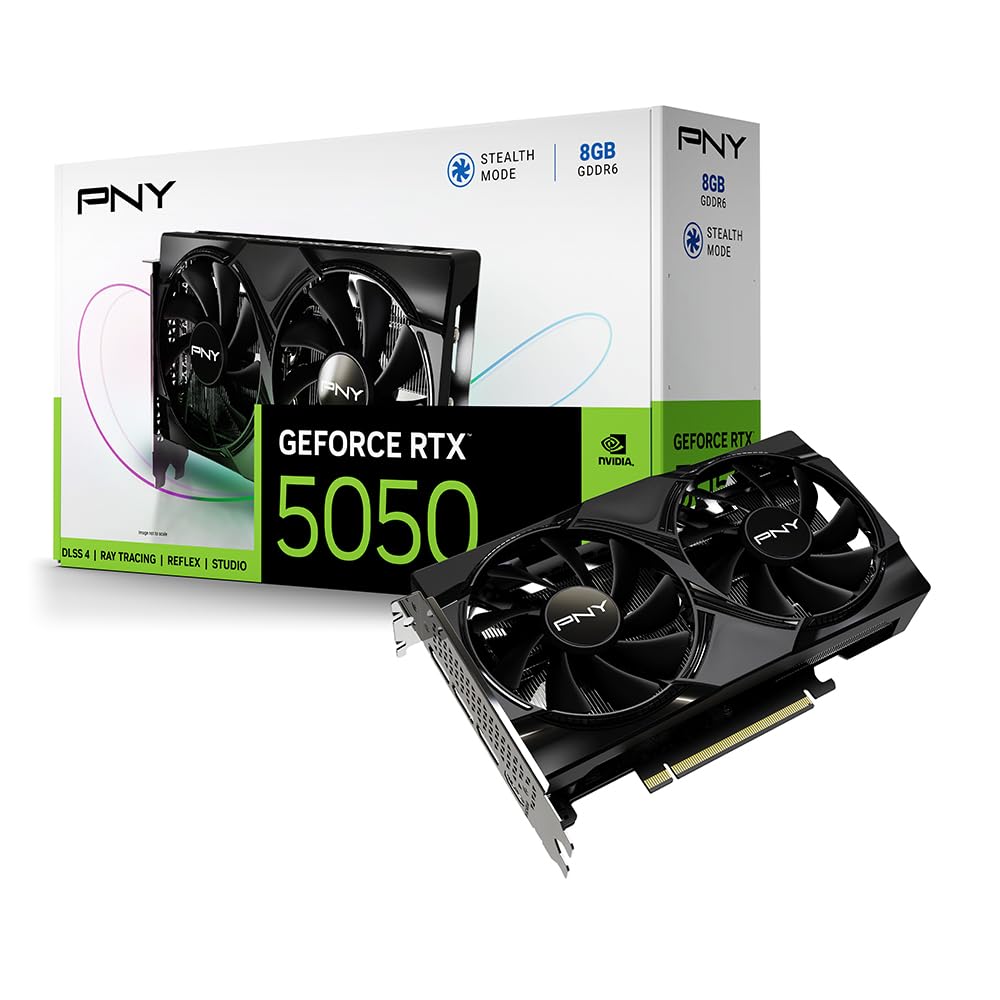
PNY NVIDIA GeForce RTX 4060 8GB GDDR6 Verto Dual Fan
✓ Pros
- •Excellent DLSS 3 and ray tracing for enhanced visuals in AAA games
- •Low 115W power draw—pairs with budget PSUs easily
- •Compact dual-fan design for better case compatibility
- •NVIDIA's superior driver stability and software ecosystem
- •Strong 1080p performance with 100+ FPS in most titles
- •3-year warranty for peace of mind
✗ Cons
- •Slightly weaker raw rasterization than AMD rivals
- •8GB VRAM may limit 1440p longevity
- •Higher price in the budget segment
- •No overclocking headroom for enthusiasts
- •DLSS benefits only in supported games
Best For:
Budget gamers seeking efficient, feature-rich 1080p performance.
Not Recommended For:
Users needing maximum raw FPS without upscaling tech.
Key Features:
Standout Feature:
DLSS 3 frame generation for double FPS in supported games.
VS Others:
Outshines the RTX 3050 in efficiency and features but trails the RX 7600 in pure speed; pick it over Intel Arc for better software support. Ideal if you value NVIDIA ecosystem over AMD's raw power.
Why This One:
Choose the RTX 4060 for its balance of modern tech and low running costs, making it a smart long-term buy. It's the go-to for most under-$300 gamers wanting ray tracing without compromises. Enthusiasts and casuals alike will appreciate its polish.
PowerColor AMD Radeon RX 7600 8GB GDDR6 Fighter

✓ Pros
- •Top-tier 1080p rasterization—beats RTX 4060 in many games
- •Great price-to-performance ratio under $270
- •8GB VRAM handles modern titles well
- •AMD FSR for broad upscaling support
- •Dual BIOS for overclocking flexibility
- •Quiet triple-fan cooling
✗ Cons
- •Weaker ray tracing than NVIDIA options
- •Higher power draw (165W) needs decent PSU
- •AMD drivers occasionally buggy in new games
- •Larger size may not fit small cases
- •No AV1 encoding as strong as Intel
Best For:
Performance-focused budget gamers chasing high frame rates.
Not Recommended For:
Ray tracing enthusiasts or efficiency-first builds.
Key Features:
Standout Feature:
RDNA 3's raw speed for 144+ FPS in esports titles.
VS Others:
Faster than the RTX 4060 in raster but lags in RT; better value than RX 6600 for newer tech. Choose over Intel Arc if you want consistent AMD support without quirks.
Why This One:
The RX 7600 maximizes your $270 for unmatched speed in budget gaming. It's worth it for anyone playing frame-rate heavy games. AMD fans will love the ecosystem integration.
ASRock Intel Arc A770 16GB GDDR6 Challenger ITX

✓ Pros
- •16GB VRAM—best in class for future-proofing
- •Excellent AV1 encoding for streaming
- •Competitive 1080p performance post-driver updates
- •Lower price than similar VRAM cards
- •Compact ITX design for small builds
- •Intel's one-year warranty extendable
✗ Cons
- •Driver issues persist in some older games
- •High 225W TDP strains budget PSUs
- •Weaker ray tracing than competitors
- •Inconsistent performance across titles
- •Limited ecosystem compared to NVIDIA/AMD
Best For:
Hybrid gamers/creators needing high VRAM on a budget.
Not Recommended For:
Users wanting plug-and-play stability.
Key Features:
Standout Feature:
16GB VRAM for superior texture handling and editing.
VS Others:
More VRAM than RTX 4060 or RX 7600 but spottier drivers; edges RX 6600 in encoding. Pick if memory matters over consistent gaming.
Why This One:
Opt for the A770 if you multitask beyond gaming—its VRAM is a steal. Improving Intel support makes it viable in 2025. Consider for unique needs like video work.
Gigabyte NVIDIA GeForce RTX 3050 Windforce OC 8GB

✓ Pros
- •Affordable entry to ray tracing and DLSS
- •8GB VRAM at budget price
- •Low 130W TDP for easy integration
- •Gigabyte's durable Windforce cooling
- •Good for 1080p 60 FPS in most games
- •Compact and quiet operation
✗ Cons
- •Outperformed by newer cards like RX 6600
- •Limited to 1080p—no 1440p viability
- •Older architecture lacks DLSS 3
- •Basic features compared to RTX 4060
- •Slower in VRAM-heavy titles
Best For:
Absolute beginners on ultra-tight budgets.
Not Recommended For:
Gamers wanting high-refresh or modern RT.
Key Features:
Standout Feature:
Budget-friendly entry to NVIDIA's ray tracing.
VS Others:
Cheaper than RTX 4060 but much slower; similar to RX 6600 in price but less power. Good starter vs pricier options if $200 is your limit.
Why This One:
The RTX 3050 is a safe, no-frills choice for basic gaming upgrades. It's ideal if you're testing waters. Reliable for years of light use.
Sapphire Pulse AMD Radeon RX 6600 8GB GDDR6

✓ Pros
- •Strong 1080p FPS for the price
- •Efficient 132W TDP
- •Sapphire's quality cooling
- •Good FSR upscaling
- •Overclock-friendly
- •Proven reliability
✗ Cons
- •Older RDNA 2 lacks newest features
- •Weaker RT than NVIDIA
- •Availability dropping
- •Larger than some competitors
- •Drivers less polished
Best For:
Value hunters okay with last-gen tech.
Not Recommended For:
Future-proofing seekers.
Key Features:
Standout Feature:
RDNA 2 efficiency for smooth 1080p.
VS Others:
Beats RTX 3050 in speed but trails RX 7600; similar value to Arc but better consistency. Pick for AMD loyalty over Intel risks.
Why This One:
RX 6600 delivers proven performance at $230—smart if you skip newest bells. Great for balanced budgets. Reliable Sapphire build adds trust.
MSI NVIDIA GeForce RTX 3060 Ventus 2X 12GB OC

✓ Pros
- •12GB VRAM for better future-proofing
- •Solid DLSS and RT support
- •MSI's reliable Ventus cooling
- •Handles 1440p entry-level
- •Good for creative tasks too
- •Overclock edition for extras
✗ Cons
- •Higher price near $300 limit
- •Older gen vs RTX 4060 efficiency
- •170W TDP higher than 4060
- •Bulkier design
- •Slower than RX 7600 in raster
Best For:
Gamers needing extra VRAM under $300.
Not Recommended For:
Efficiency-focused small builds.
Key Features:
Standout Feature:
12GB VRAM for VRAM-hungry apps.
VS Others:
More VRAM than 4060 but less efficient; competes with Arc A770 in memory. Choose over 3050 for power, under 7600 for features.
Why This One:
RTX 3060's VRAM makes it a niche winner for mixed use. Worth the near-$300 if longevity calls. MSI quality ensures durability.
Who Should Get What?
College Student on a Budget
You're a 20-year-old undergrad with a part-time job, building a PC for dorm gaming and light streaming. You play esports titles like League of Legends and occasional AAA games at 1080p, but your total build budget is $800, so the GPU can't exceed $250. Experience level: Beginner, prioritizing ease of setup.
Recommended:
Sapphire Pulse AMD Radeon RX 6600
The RX 6600 offers excellent 1080p performance at a steal under $250, handling your games smoothly without needing high power draw. Its value shines for students, providing more VRAM and speed than cheaper options like the RTX 3050. Easy AMD drivers make it beginner-friendly for quick setup.
View on Amazon →First-Time PC Builder
A 25-year-old office worker dipping into PC gaming for the first time, upgrading from a laptop. You want reliable 1080p play for story-driven games like The Witcher 3, with no overclocking knowledge. Budget is flexible up to $300, but simplicity is key over raw power.
Recommended:
PNY NVIDIA GeForce RTX 4060
The RTX 4060's plug-and-play NVIDIA ecosystem and DLSS make it ideal for newcomers, boosting frames effortlessly in demanding titles. At around $299, it fits your budget while offering better efficiency and features than older cards. You'll appreciate the quiet operation and stable drivers for hassle-free gaming.
View on Amazon →Casual Weekend Gamer
A 30-year-old with a full-time job, gaming 5-10 hours weekly on a mid-range pre-built PC. Focus is on 1080p multiplayer like Call of Duty, with occasional ray tracing experiments. Budget capped at $200 to keep costs low, experience: Intermediate but not tech-savvy.
Recommended:
Gigabyte NVIDIA GeForce RTX 3050
This RTX 3050 hits 60 FPS in your shooters at a budget price under $200, with basic ray tracing for fun effects. It's more efficient than AMD alternatives, suiting casual use without overwhelming your PSU. Reliable Gigabyte build ensures longevity for weekend sessions.
View on Amazon →Tech Enthusiast on a Tight Budget
A 22-year-old hobbyist tweaking builds, wanting max performance for 1080p/1440p edge in competitive games like Apex Legends. You have a solid CPU but GPU budget strictly under $280 due to other upgrades. Experience: Advanced, open to driver tweaks.
Recommended:
PowerColor AMD Radeon RX 7600
The RX 7600 delivers top rasterization speeds for high-FPS competitive play, outperforming NVIDIA in raw power at this price. Its 8GB VRAM handles future titles well, perfect for enthusiasts pushing limits. AMD's open ecosystem allows tweaks you enjoy, all under $280.
View on Amazon →Budget Family Gamer
A parent in their 40s sharing a family PC for kids' gaming (Minecraft, Roblox) and light editing. Resolution is 1080p, budget under $250 to avoid splurging, experience: Basic, needing something stable and low-maintenance.
Recommended:
ASRock Intel Arc A770
The Arc A770 provides strong value for mixed use, with 16GB VRAM for creative tasks beyond gaming. At under $250, it's a budget winner for families, offering Intel's improving drivers for stability. It handles casual games well without NVIDIA/AMD premiums.
View on Amazon →Buying Guide: How to Choose
Bottom Line
Frequently Asked Questions
Which graphics card is best for budget gaming under $300?▼
Which graphics card should I buy for budget gamers?▼
Which is better: RTX 4060 or RX 7600?▼
Is the Intel Arc A770 worth it under $300?▼
What's the best budget graphics card for 1080p gaming?▼
Which graphics card has the best value under $300?▼
RTX 3050 vs RX 6600: Which to buy?▼
Do I need ray tracing on a budget card, or can I skip it?▼
Is the RX 6600 still good in 2025?▼
RTX 4060 vs Arc A770 for gaming?▼
Need More Help Deciding?
Explore more buying guides to find the perfect product for your needs.
View All Buying Guides