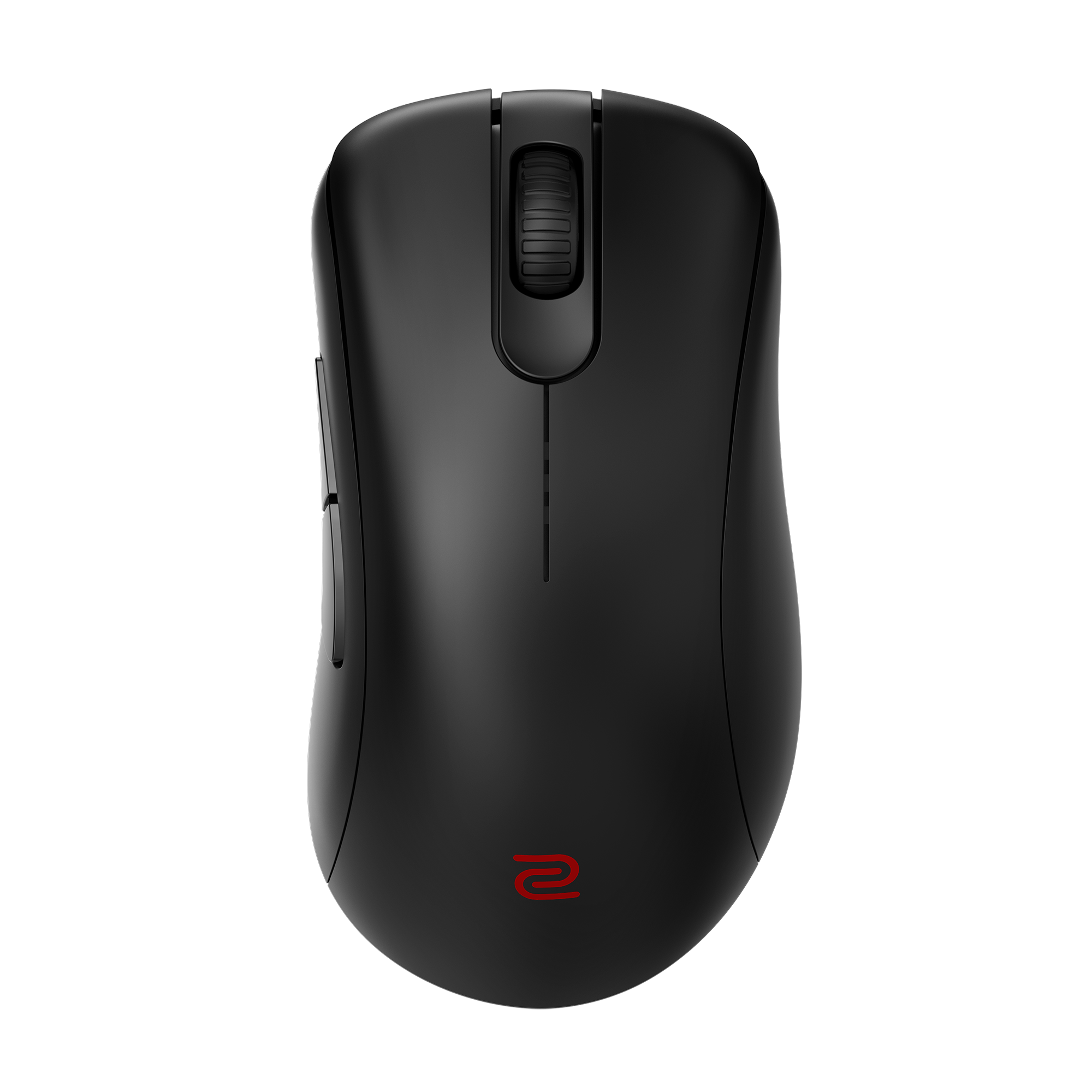
Review Atlas
Review AtlasYour guide to a better purchase

Menu

Shop by Category

Get the App

Better experience on mobile

Is Which Gaming Mice should I buy Worth It? Honest Review (2026)

Compare the best FPS gaming mice from $50-$150 and find the right shape, weight, and sensor for your grip and budget.

Gaming MiceFPSFPS Gamers$50-$150
Shopping for an FPS gaming mouse in 2026 is confusing for one simple reason: almost every mouse in the $50-$150 range is genuinely good. Sensors have effectively stopped being a differentiator, wireless latency is a solved problem, and even budget options now track flawlessly. That means the mouse that makes you better isn't the one with the biggest spec sheet — it's the one whose shape, weight, and size match your hand and your grip style. That is where buyers get stuck, and where marketing copy stops being useful. The stakes are real, though. An FPS mouse is the single most direct physical link between you and the game. Flick shots, micro-adjustments, tracking a strafing opponent, and holding a steady angle for 30 seconds all depend on whether the mouse disappears in your hand or fights you. A mouse that's 15 grams too heavy or 5mm too long won't show up in a review score, but you'll feel it every round. Buying the wrong one usually means buying a second one. This guide cuts through that. We've organized eight real, widely available options across the $40-$160 range and ranked them by how strongly we'd recommend them — not by price. You'll find honest trade-offs, head-to-head comparisons, six buyer scenarios matched to specific mice, and a decision framework you can apply in about five minutes. Our recommendations are based on manufacturer specifications, published expert reviews, verified owner feedback, and current street pricing — not on any hands-on lab testing.

Our Top Pick

Logitech G Pro X Superlight 2 Wireless Gaming Mouse
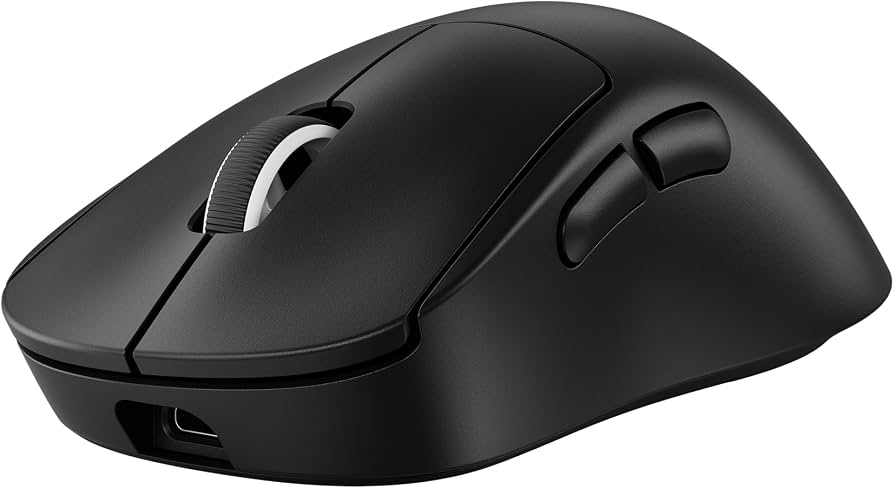
Best Overall

Players who want one reliable, no-drama flagship FPS mouse for every game and grip style

View on Amazon →

Key Factors to Consider

  • 1.Shape and size (the single most important factor) - Length, height, hump position, and width determine whether a mouse suits palm, claw, or fingertip grip. A perfectly specced mouse with the wrong shape will hurt your aim and your wrist.
  • 2.Weight - Anything from 50-65g is considered competitive-lightweight in 2026. Dropping from a 100g+ mouse to a 60g mouse is a big upgrade; shaving 5g off an already-light mouse rarely is.
  • 3.Sensor and tracking - Modern optical sensors from PixArt, Logitech (HERO), and Razer (Focus Pro) all track flawlessly at competitive settings. Max DPI is marketing — 400-1,600 DPI is where FPS players actually live.
  • 4.Click latency, switches, and polling rate - Optical and hybrid-optical switches are the norm at this price, offering fast actuation and no double-click degradation. 1,000Hz polling is standard; 2,000-8,000Hz is a marginal gain requiring a fast CPU and high-refresh monitor to matter.
  • 5.Wireless vs wired - Quality 2.4GHz wireless removes cable drag and is functionally as fast as wired. Wired saves money and eliminates charging. Bluetooth-only modes add latency and should not be used for competitive play.
  • 6.Battery life and charging - 60-95 hours is realistic for flagship wireless mice with RGB off. USB-C charging is now standard on most premium models; micro-USB on an older mouse is a real annoyance.
  • 7.Skates, cable, and grip feel - Stock PTFE feet and a flexible paracord-style cable on wired mice directly affect how smooth the mouse glides. Coating (matte vs glossy) matters for sweaty hands.
  • 8.Build quality and durability - Shell rigidity, scroll wheel feel, and side-button placement affect long-term satisfaction. Honeycomb shells save weight but can flex and collect dust.
  • 9.Software and onboard memory - Some players want deep customization (DPI stages, macros, lighting); others want a pure plug-and-play mouse with zero drivers to install. Know which one you are.
  • 10.Price and value - The performance gap between $70 and $150 mice is much smaller than the price gap. Spend the premium on weight, wireless, and coating, not on raw sensor numbers.

The Products

#1

Logitech G Pro X Superlight 2 Wireless Gaming Mouse

Best Overall
Logitech G Pro X Superlight 2 Wireless Gaming Mouse
Overall
9.2/10
Value
8.5/10
Performance
9.5/10
The G Pro X Superlight 2 is Logitech's flagship esports mouse and the direct successor to one of the most widely used competitive mice of the last several years. It weighs in at roughly 60g, uses the HERO 2 optical sensor with a 32,000 DPI ceiling, and supports 2,000Hz polling for compatible setups. The symmetrical shell is built for claw and fingertip grips, with a subtle hump that still allows relaxed palm contact for medium hands. There is no RGB lighting on the main body, which is deliberate — it keeps the weight down and the battery rating up to around 95 hours. What you're paying for here is consistency and refinement rather than headline specs. The LIGHTFORCE hybrid optical-mechanical switches are rated for a very high click lifespan and provide a crisp, consistent actuation. The connection is Logitech's LIGHTSPEED 2.4GHz wireless, widely regarded as among the most reliable in the industry, and charging is via USB-C rather than the older micro-USB. The coating is a matte finish that holds up well over long sessions with sweaty hands. Its overall value proposition is straightforward: if you want one mouse that works well for nearly every FPS game, grip style, and hand size, this is the least risky $150 you can spend. It isn't the absolute lightest mouse on this list, and it doesn't have flashy lighting, but it removes almost every reason to second-guess your purchase. It's designed for players who want to stop thinking about their hardware and just play.

Pros

  • Around 60g with no RGB weighing it down, light enough to feel effortless without being so light that it feels hollow
  • HERO 2 sensor with a 32,000 DPI ceiling and excellent power efficiency, contributing to long battery life
  • LIGHTSPEED wireless is among the most reliable and lowest-latency 2.4GHz implementations available
  • Roughly 95-hour battery rating with lighting off, plus modern USB-C charging
  • Symmetrical shape that suits a wide range of hand sizes and both claw and fingertip grips
  • No mandatory RGB or gimmicks, and onboard memory so your settings travel with the mouse

Cons

  • At around $150 it's the most expensive mainline pick here aside from the Viper V3 Pro
  • Only two side buttons, which is limiting if you came from an MMO-style mouse
  • No RGB at all, which disappoints buyers who want a lit-up setup
  • Larger-handed palm grippers may find the symmetrical shell has too little support at the back

Best For:

Players who want one reliable, no-drama flagship FPS mouse for every game and grip style

Not Recommended For:

Buyers who want maximum RGB lighting or who need more than two programmable side buttons

Key Features:

Approximately 60g weight with a solid (non-honeycomb) shellHERO 2 optical sensor rated to 32,000 DPI, 500 IPS, and 40G accelerationLIGHTSPEED 2.4GHz wireless with up to 2,000Hz polling supportLIGHTFORCE hybrid optical-mechanical switches with a very high rated click lifespanUp to about 95 hours of battery life with lighting disabledUSB-C charging and onboard memory for profile storageSymmetrical ambidextrous shape with two left-side buttons and PTFE feet

Standout Feature:

The combination of a 60g solid shell, industry-leading wireless reliability, and genuinely long battery life packaged in a shape that suits most players.

VS Others:

Compared with the Razer Viper V3 Pro, the Superlight 2 is slightly heavier but a bit more comfortable for relaxed claw and light palm grips, and it typically costs less. Against the DeathAdder V3 it's noticeably more expensive, but you're paying for wireless freedom rather than raw performance, since the wired Razer tracks just as accurately.

Why This One:

It's the lowest-risk pick in this guide: if you don't know your exact grip classification or hand size, the Superlight 2 is the mouse most likely to feel right anyway. Buy it if you want flagship wireless performance and long battery life without spending time comparing spec sheets.

#2

Razer DeathAdder V3 Wired Gaming Mouse
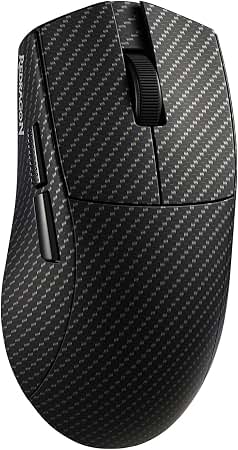
Best Value
Razer DeathAdder V3 Wired Gaming Mouse
Overall
8.8/10
Value
9.4/10
Performance
8.8/10
The DeathAdder V3 is Razer's modern take on the most recognizable ergonomic gaming mouse shape in existence. At around 59g it is dramatically lighter than earlier DeathAdder generations while keeping the same right-handed, palm-friendly silhouette. It runs the Focus Pro 30K optical sensor with a 30,000 DPI ceiling, supports high polling rates on compatible systems, and uses third-generation Razer optical switches rated for around 90 million clicks with no double-click degradation over time. Being wired, it ships with a flexible Speedflex cable that's designed to minimize drag, and there is no battery to charge — a meaningful advantage for players who grind long ranked sessions. There's no RGB lighting on the body, which keeps the weight down and the price accessible. The ergonomic shape has a pronounced rear hump and a thumb rest that suits palm and relaxed claw grips particularly well. The value proposition is the strongest in this guide: you're getting sensor and switch technology that was flagship-tier not long ago for roughly $70. The only real sacrifice is wireless freedom, and for players who don't mind a cable — or who prefer the reliability of a wired connection — that sacrifice costs nothing.

Pros

  • Around 59g in a comfortable full-size ergonomic shell, ideal for palm and relaxed claw grips
  • Focus Pro 30K optical sensor delivers top-tier tracking accuracy at competitive DPI settings
  • Third-generation optical switches rated around 90 million clicks with fast actuation and no double-click wear
  • Flexible Speedflex cable minimizes drag compared with older braided cables
  • No battery to charge, so no mid-session interruptions during long ranked grinds
  • Excellent price-to-performance ratio, roughly half the cost of comparable wireless flagships

Cons

  • Wired only — no wireless option at this price point
  • No RGB lighting, which matters to some buyers
  • Right-handed ergonomic shape only, so left-handed players are out of luck
  • Full-size shell may feel long for players with small hands who prefer fingertip grip

Best For:

Competitive FPS players who want flagship-grade sensor and switch performance at a mid-range price

Not Recommended For:

Left-handed players or anyone unwilling to use a cable

Key Features:

Approximately 59g weight in a proven ergonomic right-handed shapeRazer Focus Pro 30K optical sensor with 30,000 DPI ceilingThird-generation optical mouse switches rated up to 90 million clicksSupport for high polling rates on compatible systemsFlexible Razer Speedflex USB cable for reduced cable dragSix programmable buttons with onboard profile storage100% PTFE mouse feet for smooth, low-friction gliding

Standout Feature:

Flagship-class sensor and optical switch technology at roughly $70 — the best raw performance-per-dollar on this list.

VS Others:

Against the G Pro X Superlight 2 and Viper V3 Pro, the DeathAdder V3 trades wireless freedom for roughly half the price with no meaningful loss in tracking accuracy. Compared with the Zowie EC2-CW, it's lighter, cheaper, and has a much higher DPI ceiling, though the Zowie shape has a dedicated following that Razer's can't replicate for every hand.

Why This One:

If your budget tops out around $70 and you don't mind a cable, this is the mouse to buy — it delivers the tracking and click performance of a premium mouse without the premium price. It's also the safest recommendation for palm-grip players who want a full-size, supportive shell.

#3

Razer Viper V3 Pro Wireless Gaming Mouse
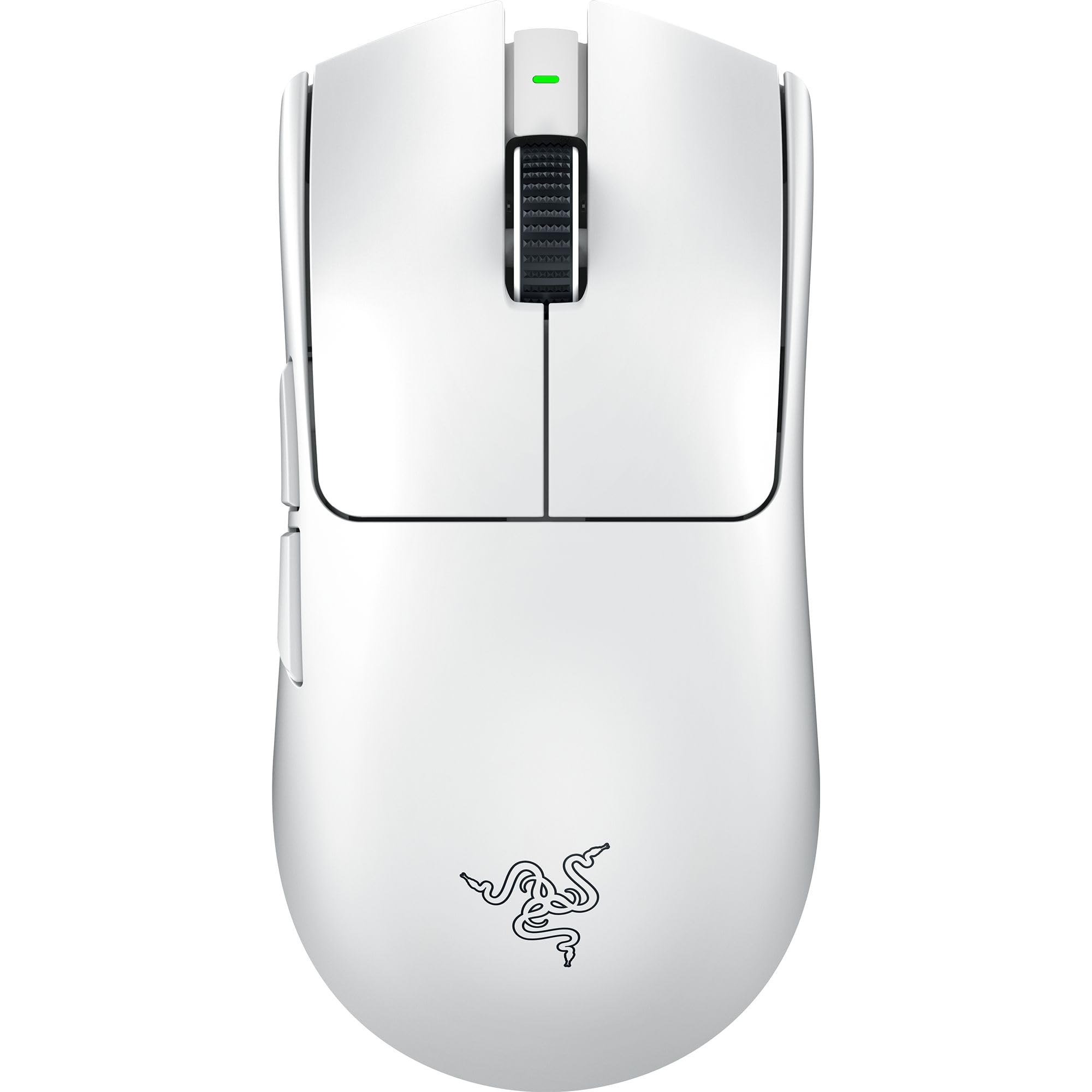
Best Premium
Razer Viper V3 Pro Wireless Gaming Mouse
Overall
9.3/10
Value
8/10
Performance
9.6/10
The Viper V3 Pro is Razer's top-tier esports mouse and the company's answer to the Superlight 2. It weighs around 54g, making it one of the lightest full-size wireless mice available, and it pairs that low weight with the Focus Pro 35K optical sensor and third-generation optical switches. Razer includes a HyperPolling wireless dongle that enables up to 8,000Hz polling out of the box, which is a meaningful inclusion for players running high-refresh displays. The shape is symmetrical and low-profile, with a flatter hump than the DeathAdder line, which makes it feel best in claw and fingertip grips while still being usable for relaxed palm grips on medium hands. There is no RGB lighting on the body, keeping weight down and battery life up — Razer rates it around 95 hours at 1,000Hz polling. Charging is via USB-C, and the mouse supports onboard profile storage. This is a mouse aimed at players who want to remove every possible excuse. The 54g weight, the bundled high-polling dongle, and the sensor ceiling are all class-leading. The trade-off is price — it sits slightly above the $150 ceiling of this guide — and the fact that these advantages are genuinely marginal for anyone not competing at a high level.

Pros

  • Around 54g, one of the lightest wireless esports mice available
  • Focus Pro 35K optical sensor with class-leading tracking specifications
  • Bundled HyperPolling dongle supports up to 8,000Hz wireless polling without extra purchases
  • Third-generation optical switches rated around 90 million clicks with fast, consistent actuation
  • Roughly 95-hour battery rating at 1,000Hz polling with no RGB draining power
  • Low-profile symmetrical shape favored by claw and fingertip grippers

Cons

  • Typically costs around $160, above the top of this guide's stated budget
  • Benefits from 8,000Hz polling are minimal unless you have a very high-refresh monitor and fast CPU
  • No RGB lighting, which disappoints buyers who want a lit setup
  • The flat, low hump offers little palm support for larger hands

Best For:

Serious competitive players who want the lightest possible wireless mouse and the highest polling rate available

Not Recommended For:

Casual players and large-handed palm grippers who won't benefit from the weight and polling advantages

Key Features:

Approximately 54g wireless weightRazer Focus Pro 35K optical sensor with 35,000 DPI ceilingIncluded HyperPolling wireless dongle supporting up to 8,000Hz pollingThird-generation Razer optical switches rated up to 90 million clicksUp to about 95 hours of battery life at 1,000Hz with lighting offUSB-C charging with onboard memory for saved profilesLow-profile symmetrical shell with six programmable buttons

Standout Feature:

A 54g wireless body paired with a bundled 8,000Hz polling dongle — the most aggressive latency-and-weight package in this guide.

VS Others:

The Viper V3 Pro is marginally lighter than the G Pro X Superlight 2 and includes a high-polling dongle at no extra cost, but it costs more and its flatter shape suits fewer palm grippers. Against the DeathAdder V3 it's twice the price for a lighter, wireless, more aggressively specced package — worth it only if you want the absolute ceiling of performance.

Why This One:

Choose this if you compete seriously, run a 240Hz or higher display, and want the lightest wireless mouse with the highest polling rate straight out of the box. It's the enthusiast's pick — the gains over a $70 mouse exist, but they're small and only matter at the top of the skill curve.

#4

Glorious Model O 2 Wireless Gaming Mouse
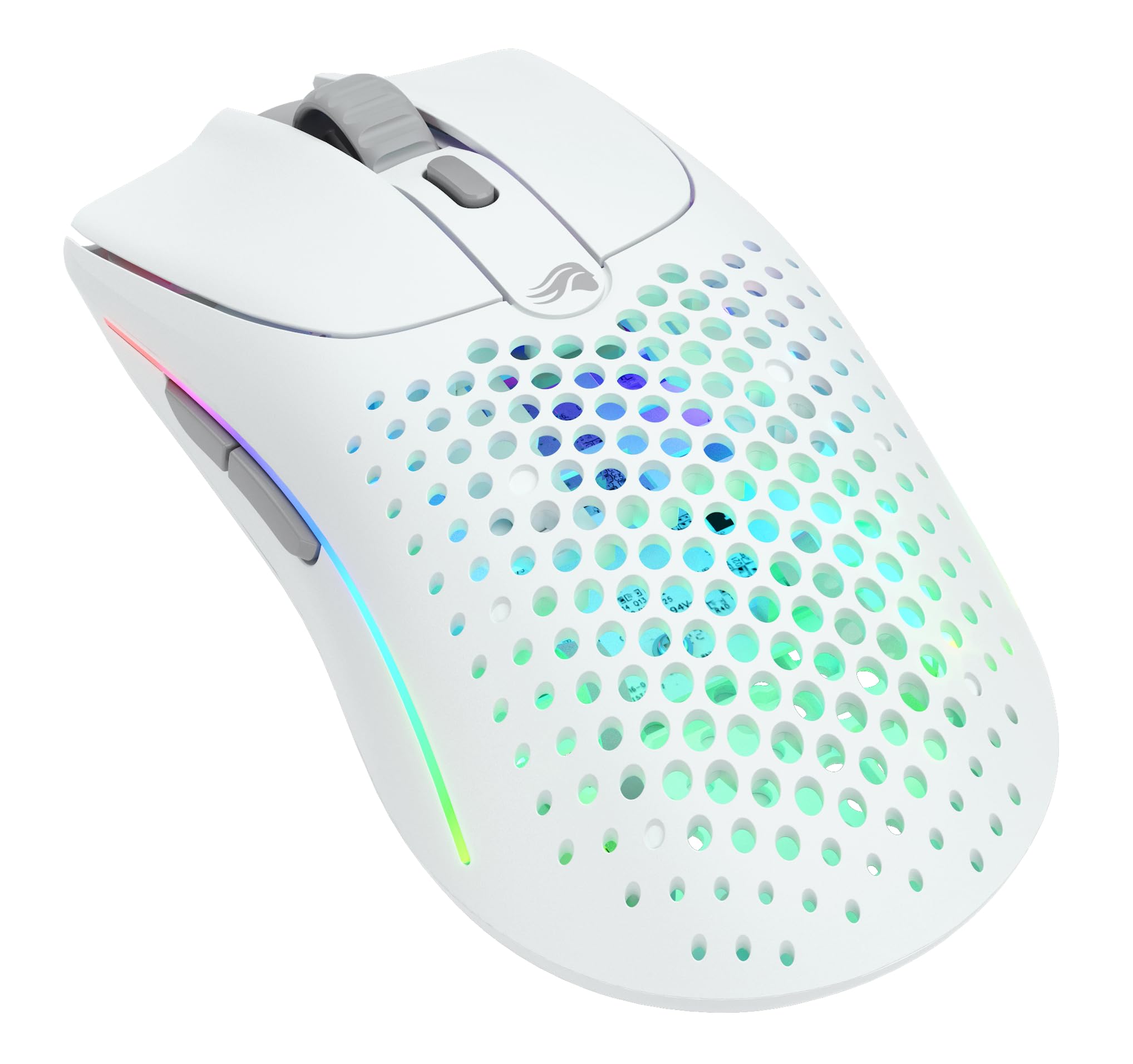
Best for RGB Builds
Glorious Model O 2 Wireless Gaming Mouse
Overall
8.3/10
Value
8.2/10
Performance
8.4/10
The Model O 2 Wireless is Glorious's mid-tier flagship, sitting between budget honeycomb mice and full esports flagships. It weighs roughly 68g in a low, symmetrical shell with honeycomb cutouts on the base and sides, and it uses the BAMF 2.0 optical sensor rated to 26,000 DPI with 650 IPS tracking. Battery life is rated at around 210 hours with lighting off, which is among the longest in this guide, and charging is via USB-C. Where the Model O 2 Wireless stands out is customization. It supports RGB lighting across multiple zones, offers deep software customization for DPI stages, polling rate, and button mapping, and it ships with additional grip tape in the box — a small touch that matters for players with sweaty hands. The low-profile shape is well suited to claw and fingertip grips, particularly for players with medium to large hands who want a longer mouse. Its value proposition is the middle ground: better build feel, longer battery life, and more customization than budget options, at roughly two-thirds the price of a true flagship. The trade-offs are the honeycomb shell, which can flex slightly under hard squeezing and collects dust, and the fact that it's heavier than the top wireless picks.

Pros

  • Around 210-hour rated battery life with RGB off, one of the longest in this guide
  • BAMF 2.0 optical sensor with 26,000 DPI and 650 IPS tracking
  • Multiple RGB zones for players who want a lit-up setup without much weight penalty
  • Includes extra grip tape and replacement skates in the box
  • Deep software customization including DPI stages, polling rate, and button remapping
  • Roughly 68g weight at about $100 — solid middle ground between budget and flagship

Cons

  • Honeycomb shell can flex slightly under a firm grip and is harder to keep clean than a solid shell
  • Noticeably heavier than the 54-60g flagship options
  • Software must be installed for full customization, which some players dislike
  • Wireless connection, while solid, isn't quite as universally praised as Logitech's LIGHTSPEED

Best For:

Players who want a lightweight wireless mouse with RGB customization and long battery life without paying flagship prices

Not Recommended For:

Buyers who dislike honeycomb shells or who want the absolute lowest weight available

Key Features:

Approximately 68g weight with a low-profile symmetrical shapeGlorious BAMF 2.0 optical sensor rated to 26,000 DPI and 650 IPSUp to roughly 210 hours of battery life with lighting disabledMulti-zone RGB lighting with software customizationUSB-C charging and onboard profile storageIncludes extra grip tape and replacement mouse feet2.4GHz wireless with support for higher polling rates via software

Standout Feature:

A rated 210-hour battery life combined with multi-zone RGB and bundled grip tape — unusually complete for a $100 wireless mouse.

VS Others:

Against the SteelSeries Aerox 3 Wireless, the Model O 2 Wireless offers better battery life, a more responsive sensor, and more customization for roughly the same money. Compared with the G Pro X Superlight 2, it's about 8g heavier and a step behind in wireless reliability, but it costs around $50 less and gives you RGB.

Why This One:

This is the pick for players who want wireless freedom, RGB, and long battery life without stretching to $150. It's also a good choice if you want a slightly longer symmetrical shape than most lightweight mice offer.

#5

HyperX Pulsefire Haste 2 Wired Gaming Mouse
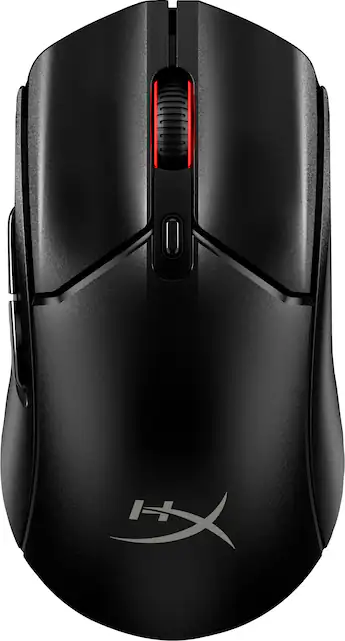
HyperX Pulsefire Haste 2 Wired Gaming Mouse
Overall
8.2/10
Value
8.8/10
Performance
8/10
The Pulsefire Haste 2 is HyperX's lightweight wired mouse and one of the best entry points into genuinely competitive mouse weight. It comes in at around 53g, which is lighter than several mice costing three times as much, using a honeycomb shell with solid side panels to keep some rigidity where your fingers grip. It runs the HyperX 26K optical sensor and uses switches rated for around 100 million clicks, with support for high polling rates on compatible systems. At roughly $60 it undercuts almost everything else here on weight-per-dollar. The wired connection with a flexible paracord-style cable means no battery to manage, and the sensor performs flawlessly at the 400-1,600 DPI range where FPS players actually operate. There's a modest RGB strip on the scroll wheel for a bit of personality without adding meaningful weight. Its value proposition is simple: it's the cheapest way to get a genuinely competitive lightweight mouse from a major brand, with a solid warranty and widely available support. The trade-offs are the honeycomb shell's dust-collection and slight flex, and the fact that it's wired only — but as a first serious FPS mouse, it's hard to argue with.

Pros

  • Around 53g at roughly $60, the best weight-per-dollar on this list
  • HyperX 26K optical sensor tracks flawlessly at competitive DPI settings
  • Switches rated for approximately 100 million clicks for long-term durability
  • Flexible paracord-style cable reduces drag compared with standard rubber cables
  • No battery to charge, so it's always ready for a session
  • Solid side panels improve grip feel compared with fully honeycombed designs

Cons

  • Wired only, which rules out the freedom many players now expect
  • Honeycomb top shell can collect dust and feels less substantial than a solid shell
  • Less brand prestige and smaller esports following than Logitech, Razer, or Zowie
  • RGB is limited to a single scroll wheel strip

Best For:

Budget-conscious players making their first jump into a genuinely lightweight competitive FPS mouse

Not Recommended For:

Players who want wireless freedom or those who dislike honeycomb shells

Key Features:

Approximately 53g weight with a honeycomb shell and solid side panelsHyperX 26K optical sensor with a 26,000 DPI ceilingSwitches rated for around 100 million clicksSupport for high polling rates on compatible systemsFlexible paracord-style USB cableSingle-zone RGB on the scroll wheelSix programmable buttons with onboard memory

Standout Feature:

Around 53g of competitive weight for about $60 — the lowest cost of entry into true lightweight territory in this guide.

VS Others:

Compared with the DeathAdder V3, the Haste 2 is slightly lighter but has a lower-tier sensor specification and a less refined build feel for around $10 less. Against the G305, it's far lighter and better for competitive play, though it gives up wireless freedom.

Why This One:

If you've never used a lightweight mouse before, this is the cheapest way to find out whether lighter is better for you without committing $150. It's also a great backup or travel mouse for players who already own a flagship.

#6

SteelSeries Aerox 3 Wireless Gaming Mouse
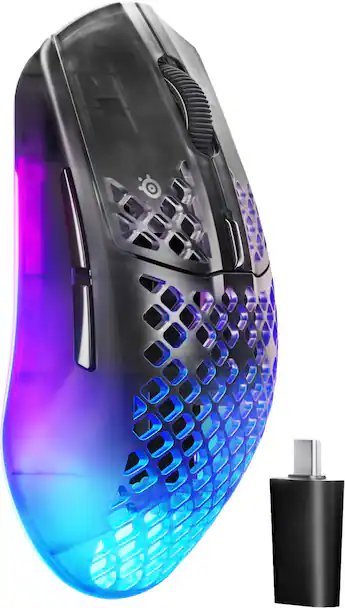
Best for Wireless on a Budget
SteelSeries Aerox 3 Wireless Gaming Mouse
Overall
7.8/10
Value
8/10
Performance
7.5/10
The Aerox 3 Wireless is SteelSeries's mid-range wireless option, positioned as a flexible all-rounder rather than a pure esports weapon. It weighs about 68g in a honeycomb shell, runs the TrueMove Air optical sensor rated to 18,000 DPI with 400 IPS tracking, and supports both 2.4GHz and Bluetooth connectivity. Battery life is rated at up to 200 hours in Bluetooth mode and roughly 80 hours on the faster 2.4GHz connection. Two features distinguish it from most competitors. First, it carries an IP54 water-resistance rating, which is genuinely useful if you have sweaty hands, game near a drink, or live somewhere humid — that's rare in this category. Second, the dual 2.4GHz and Bluetooth connectivity means you can use the low-latency mode for gaming and switch to Bluetooth for a laptop without carrying a dongle. Charging is via USB-C, and there are three RGB zones for setup matching. The trade-off is raw competitive performance. The 18,000 DPI sensor and 68g weight are good but not class-leading, and the sensor ceiling is lower than the Razer and Glorious options here. Its value proposition is versatility: it's an excellent choice for players who use one mouse for both gaming and general computing, or who want durability and battery life over the last few grams.

Pros

  • Dual 2.4GHz and Bluetooth connectivity for gaming and productivity without swapping dongles
  • IP54 water and dust resistance, unusual and genuinely useful for sweaty hands
  • Up to 200 hours of rated battery life in Bluetooth mode, around 80 hours on 2.4GHz
  • Around 68g weight with a comfortable symmetrical shape
  • USB-C charging and three RGB lighting zones
  • Available at a mid-range price significantly below flagship wireless mice

Cons

  • TrueMove Air sensor specification is lower than the flagship Razer and Logitech sensors
  • Around 68g is heavier than the 53-60g competitive leaders
  • Honeycomb shell can flex and collect dust over time
  • Bluetooth mode adds latency and should be avoided for competitive FPS play

Best For:

Players who want one wireless mouse for both gaming and everyday laptop or work use

Not Recommended For:

Competitive players chasing minimum weight and maximum sensor specifications

Key Features:

Approximately 68g weight with a honeycomb shellSteelSeries TrueMove Air optical sensor rated to 18,000 DPI and 400 IPSDual connectivity: 2.4GHz wireless and Bluetooth 5.0Up to roughly 200 hours battery in Bluetooth mode, around 80 hours on 2.4GHzIP54-rated water and dust resistanceUSB-C charging with three-zone RGB lightingSix programmable buttons and onboard profile storage

Standout Feature:

IP54 water resistance plus dual 2.4GHz and Bluetooth connectivity — the most versatile, travel-friendly mouse in this guide.

VS Others:

The Aerox 3 Wireless beats the Model O 2 Wireless on connectivity flexibility and water resistance, but loses on sensor specification, weight, and battery life on the 2.4GHz band. Against the G305, it's lighter, better specced, and has RGB, but costs roughly $30 more.

Why This One:

Buy this if you want a single mouse that handles competitive FPS and everyday computing, or if sweaty hands and durability are a bigger concern than shaving grams. It's the practical pick rather than the obsessive one.

#7

Zowie EC2-CW Wireless Gaming Mouse

Best for Palm Grip
Zowie EC2-CW Wireless Gaming Mouse
Overall
8/10
Value
7/10
Performance
8.2/10
The EC2-CW is Zowie's wireless version of the EC2 shape, one of the most influential ergonomic gaming mouse designs ever made and the ancestor of a long list of imitators. It's a right-handed ergonomic mouse with a pronounced rear hump and a natural thumb rest, designed for palm and relaxed claw grips. It uses a PixArt-based optical sensor with a 3,200 DPI maximum, connects via a bundled 2.4GHz enhanced receiver, and is rated for around 70 hours of battery life. What makes it special is what isn't there. There is no software to install, no RGB, and no driver updates — DPI, polling rate, and lift-off distance are adjusted with physical buttons on the underside of the mouse. The shell is notably rigid with no flex, the scroll wheel has 24 clearly defined steps for precise weapon switching, and the coating is designed to stay grippy with sweaty hands. For players who want a mouse that just works and never wants attention, this is the philosophy in hardware form. The trade-offs are real and worth stating plainly. The 3,200 DPI ceiling is far below every other mouse in this guide, and the weight is heavier than the modern lightweight standard. But if you play CS2 or Valorant at 400-1,600 DPI with a palm grip — which describes a large share of tactical shooter players — none of those numbers are relevant to you. You're buying the shape, the build, and the zero-friction experience.

Pros

  • Legendary ergonomic shape that many professional tactical FPS players have used for years
  • Completely plug-and-play with no software, drivers, or accounts required
  • Very rigid, flex-free shell with a high-quality finish that holds up over years of use
  • 24-step scroll wheel provides precise, tactile weapon switching
  • Around 70 hours of battery life with a bundled enhanced wireless receiver
  • Physical DPI, polling rate, and lift-off distance adjustment on the underside

Cons

  • 3,200 DPI maximum is far below competitors, though irrelevant for most FPS players
  • Heavier than modern lightweight flagships
  • Most expensive mouse here relative to its raw specifications
  • No RGB and no software customization for players who want those features

Best For:

Palm-grip tactical FPS players who value the EC shape, build rigidity, and a completely driver-free experience

Not Recommended For:

Players who want RGB, deep software customization, or the lowest possible weight and highest DPI

Key Features:

Wireless 2.4GHz connection with a bundled enhanced receiverMaximum 3,200 DPI with adjustable polling rate and lift-off distanceRight-handed ergonomic shape with pronounced rear hump and thumb restAround 70 hours of rated battery life24-step scroll wheel for precise tactile inputDriver-free design with all settings adjusted via underside buttonsRigid, flex-free shell with a grip-focused coating

Standout Feature:

A driver-free, no-fuss wireless version of one of the most trusted ergonomic shapes in competitive FPS history.

VS Others:

Against the DeathAdder V3, the EC2-CW costs roughly twice as much, is heavier, and has a dramatically lower DPI ceiling — but its shape and build quality have a devoted following that Razer's ergonomic shape doesn't fully replicate for every hand. Compared with the Superlight 2, it's heavier and pricier, but offers far more palm support.

Why This One:

Buy this only if you already know the EC shape works for your hand, or if you're a palm-gripping tactical shooter player who wants a rigid, driver-free wireless mouse. For everyone else, the DeathAdder V3 delivers more performance for less money.

#8

Logitech G305 Lightspeed Wireless Gaming Mouse

Best Budget
Logitech G305 Lightspeed Wireless Gaming Mouse - Image 1 of 10
Overall
7.5/10
Value
9/10
Performance
7/10
The G305 is the budget entry point into Logitech's LIGHTSPEED wireless ecosystem and one of the most popular affordable gaming mice ever made. It runs the HERO optical sensor rated to 12,000 DPI, weighs around 99g with a single AA battery installed, and is rated for roughly 250 hours of battery life in performance mode — far longer in endurance mode. It connects via a small USB receiver using Logitech's reliable LIGHTSPEED 2.4GHz technology. The shape is a simple, symmetrical ambidextrous shell with two side buttons on the left side and a six-button layout. It isn't a honeycomb design and it isn't trying to be the lightest mouse on the market; instead it prioritizes reliability, battery convenience, and low cost. Because it uses a standard AA battery rather than an internal rechargeable cell, there's never a cable to plug in — you just swap the battery every few months. Its value proposition is unmatched at the price: genuine LIGHTSPEED wireless from a major brand for around the cost of a basic wired office mouse. The obvious compromises are weight and sensor specification. At roughly 99g it's substantially heavier than every other mouse here, which is a real competitive disadvantage — but for players upgrading from a $15 office mouse, it's still a massive improvement and an ideal first gaming mouse.

Pros

  • Genuine Logitech LIGHTSPEED 2.4GHz wireless at a budget price point
  • Roughly 250 hours of battery life from a single AA battery, with no charging cables needed
  • HERO sensor with a 12,000 DPI ceiling that tracks accurately at competitive settings
  • Simple ambidextrous shape that suits a wide range of hand sizes
  • Logitech G HUB software support for DPI stages and button remapping
  • Very widely available and frequently discounted, often well under $50

Cons

  • Around 99g is roughly 40g heavier than competitive lightweight mice, a noticeable disadvantage
  • AA battery adds weight and requires occasional replacement
  • Plasticky build feel compared with $100-plus mice
  • No RGB lighting and a fairly basic scroll wheel

Best For:

Budget buyers who want reliable wireless performance and don't want to spend more than about $50

Not Recommended For:

Competitive players prioritizing minimum weight, or anyone bothered by a heavier mouse

Key Features:

Logitech LIGHTSPEED 2.4GHz wireless connectivityHERO optical sensor with a 12,000 DPI ceilingUp to roughly 250 hours of battery life on a single AA batteryApproximately 99g weight including batterySix programmable buttons with onboard memorySymmetrical ambidextrous shell with left-side buttonsCompatible with Logitech G HUB software

Standout Feature:

Real LIGHTSPEED wireless and months of AA battery life for around the price of a basic wired mouse.

VS Others:

Compared with the Pulsefire Haste 2, the G305 gives up roughly 46g of weight and sensor specification but gains wireless freedom for about $10 less. Against every other mouse in this guide it is clearly heavier and less competitive, but it costs a fraction of the price and is the easiest recommendation for a first gaming mouse.

Why This One:

Buy this if your budget is genuinely capped around $50 and you want wireless without gambling on an unknown brand. It's the best mouse at this price, and its limitations only become relevant once you're playing seriously enough to notice the weight.

Who Should Get What?

College Student on a Tight Budget

A student who plays Valorant and Apex a few nights a week on a laptop, needs a mouse that travels well in a backpack, and cannot justify spending more than about $50 on gaming gear. They have never owned a dedicated gaming mouse.

Budget:Under $50
Use:Casual-to-serious FPS play plus everyday laptop use

Recommended:

Logitech G305 Lightspeed Wireless Gaming Mouse

The G305 delivers genuine LIGHTSPEED wireless performance and Logitech's reliable HERO sensor for roughly the price of a wired office mouse. Its single AA battery lasts months, so there's no charging cable to lose in a dorm room, and its simple ambidextrous shape works for most hand sizes. It's heavier than the competition at around 99g, but at this price that's an easy trade to accept.

View on Amazon →

Competitive FPS Grinder (Valorant / CS2)

A ranked player who grinds several hours daily, plays at 400-800 DPI, and cares about low weight, consistent clicks, and predictable tracking. They already own a decent mechanical keyboard and a high-refresh monitor, but their mouse is a five-year-old gaming model at around 110g.

Budget:$60-$100
Use:Ranked competitive FPS with heavy tracking and flick-heavy aim

Recommended:

Razer DeathAdder V3 Wired Gaming Mouse

The DeathAdder V3 gives you a 59g shell, a 30K optical sensor, and third-generation optical switches for around $70 — essentially flagship-grade internals at half the price of a wireless flagship. It's wired, which eliminates charging and battery anxiety during long ranked sessions. The iconic ergonomic shape suits palm and relaxed claw grips, making it a comfortable step down in weight without a total shape change.

View on Amazon →

Wireless-First Casual Gamer

A player who games a few evenings a week and hates the feel of a cable catching on the desk edge. They want wireless freedom with RGB lighting to match their setup, and their budget tops out around $100.

Budget:$70-$110
Use:Mixed FPS and general PC gaming, with some work-from-home use

Recommended:

SteelSeries Aerox 3 Wireless Gaming Mouse

The Aerox 3 Wireless delivers both 2.4GHz and Bluetooth connectivity, a genuinely useful 200-hour battery rating in Bluetooth mode, USB-C charging, and IP54 water resistance for sweaty hands or a spilled drink. Its 68g honeycomb shell is a big drop from a typical older mouse, and three RGB zones satisfy the aesthetic requirement. It isn't the fastest or lightest option here, but it's the most flexible wireless pick under $100.

View on Amazon →

Palm-Grip CS2 Veteran

An experienced tactical-shooter player with larger hands (over 19cm) who has used the same Zowie shape for years, plays CS2 almost exclusively at 800 DPI, and values consistent feel and build quality over maximum spec numbers. They are skeptical of software and RGB.

Budget:$130-$160
Use:Tactical FPS (CS2) with a palm grip and low-sensitivity arm aiming

Recommended:

Zowie EC2-CW Wireless Gaming Mouse

The EC2-CW is the wireless version of one of the most imitated ergonomic shapes in esports, and that shape is the entire reason to buy it. It's plug-and-play with no software required, has a solid, flex-free shell, and a reliable 2.4GHz connection. Its lower maximum DPI and heavier weight won't matter to a player who never moves above 1,600 DPI anyway — but the shape might genuinely improve their consistency.

View on Amazon →

Aesthetic-Focused Streamer

A content creator who streams FPS games and wants a mouse that looks good on camera, syncs with the rest of their RGB setup, and still performs well enough for competitive play. They split time between gaming and editing, so comfort over long sessions matters.

Budget:$60-$110
Use:Streaming FPS gameplay plus everyday content-work tasks

Recommended:

Glorious Model O 2 Wireless Gaming Mouse

The Model O 2 Wireless pairs a lightweight 68g honeycomb shell with Glorious's BAMF 2.0 sensor, 650 IPS tracking, and a rated 210-hour battery life with RGB off — so you're not constantly topping it up mid-stream. Its low, symmetrical shape suits claw and fingertip grips common among FPS streamers, and the RGB zones give the on-camera look without adding meaningful weight. It's a strong middle-ground pick between budget and flagship.

View on Amazon →

No-Compromise Competitive Player

A dedicated player who competes in amateur leagues, runs a 240Hz+ monitor, and wants a mouse with zero compromises. Budget is a secondary concern as long as the mouse is genuinely top-tier in weight, latency, and build.

Budget:$140-$170
Use:High-refresh competitive FPS where every gram and millisecond is scrutinized

Recommended:

Logitech G Pro X Superlight 2 Wireless Gaming Mouse

The Superlight 2 is the safest do-it-all flagship: 60g, a HERO 2 sensor, reliable LIGHTSPEED wireless, USB-C charging, and roughly 95 hours of battery with lighting off. Its symmetrical shape suits claw and fingertip grips across most hand sizes, and it has no RGB gimmicks draining battery. If you want a slightly lighter, edgier alternative with a bundled high-polling dongle, the Razer Viper V3 Pro is the other legitimate flagship choice.

View on Amazon →

Buying Guide: How to Choose

Start with your grip and hand size, not the spec sheet. If you use a palm grip (whole hand resting on the mouse), shape and length matter more than weight — an ergonomic right-handed mouse like the Zowie EC2-CW or Razer DeathAdder V3 will feel dramatically better than a slim symmetrical shell. If you use claw or fingertip grip, you want a shorter, lower, symmetrical mouse you can move with your fingers alone, like the Viper V3 Pro or Glorious Model O 2. Measure your hand from the base of your palm to your middle fingertip: under 18cm generally suits smaller and shorter mice, 18-19cm is the sweet spot most flagship mice are built around, and over 19.5cm pushes you toward full-size ergonomic shells. Getting this right matters more than any other decision in this guide. Weight is the second big lever, and the honest answer is that lighter is easier but not automatically better. Going from a 100g mouse to a 60g mouse is transformative; going from 60g to 54g is a refinement most players won't notice outside of very long tracking-heavy sessions. If you're coming from an old office mouse or a heavy MMO mouse, prioritize dropping weight first — the Logitech G305 at roughly 99g is a great budget entry point, and the HyperX Pulsefire Haste 2 at around 53g is the natural next step. If you already own a modern lightweight mouse, spending $150 for four fewer grams is rarely worth it compared to fixing your shape match or your mousepad. Wireless versus wired is mostly about preference now. Modern 2.4GHz wireless from Logitech, Razer, and SteelSeries has latency that is functionally identical to wired for human reaction times, and going cable-free removes drag and snag entirely — a genuine competitive benefit. The trade-offs are cost (typically $20-$60 more), charging habits, and battery anxiety. If you play marathon sessions and hate charging, a wired mouse like the DeathAdder V3 or Pulsefire Haste 2 removes that friction entirely and usually costs less. If you play shorter sessions or want the cleanest possible feel, wireless is worth the premium. Finally, think about what you're actually paying for at the top end. The jump from a $60 mouse to a $150 mouse buys you roughly 5-10 fewer grams, a slightly better coating and build feel, and often a better stock cable or bundled high-polling dongle — not better aim. Common mistakes to avoid: buying a mouse because a streamer uses it (their hand and grip are not yours), assuming higher DPI is better (anything above 3,200 DPI is unusable in FPS games — most pros sit between 400 and 1,600 DPI), and overlooking the shape you already love. If a mouse shape is comfortable and lets you track steadily, that shape is your benchmark, and you should compare every new option against it before spending.

Bottom Line

If you want the single safest pick for the widest range of FPS players, buy the Logitech G Pro X Superlight 2. At around $150, it combines a 60g weight, a top-tier HERO 2 sensor, reliable LIGHTSPEED wireless with long battery life, and a shape that suits claw and fingertip grips across most hand sizes. It isn't the lightest or the flashiest mouse here, but it's the one most players will plug in and simply stop thinking about. If you'd rather spend half that, the Razer DeathAdder V3 is the best value in this guide. Around $70 buys you a 59g wired ergonomic shell, a 30K optical sensor, and third-generation optical switches — performance that would have cost $150 three years ago. Buyers who want wireless on a tighter budget should look at the SteelSeries Aerox 3 Wireless or Glorious Model O 2 Wireless, both solid in the $80-$100 range. Palm-grip players with larger hands should seriously consider the Zowie EC2-CW despite its lower DPI ceiling, and anyone on a strict budget under $50 will be well served by the Logitech G305. The real takeaway: buy for shape and grip first, then weight, then connectivity, and only then compare sensor specs. Pick the mouse whose shape matches how you naturally hold a mouse, and you'll be happy with almost any option on this list. Pick purely on price or a spec sheet, and you may end up buying twice. If you're still torn between two finalists, buy the cheaper one — the difference between a good $70 mouse and a good $150 mouse is far smaller than the difference between a good mouse and a wrong-shaped one.

Frequently Asked Questions

Which FPS gaming mouse should I buy in 2026?
For most players, the Logitech G Pro X Superlight 2 is the safest all-round choice thanks to its 60g weight, reliable wireless, and shape that suits a wide range of hands and grips. If you want to spend less, the Razer DeathAdder V3 delivers comparable tracking performance for around $70 and is the best value in this guide. If budget is your main constraint, the Logitech G305 at roughly $50 is the best inexpensive option. The honest answer, though, is that your grip style and hand size should decide — a mouse that fits your hand beats a mouse with better specs every time.
Which FPS gaming mouse is best for competitive play?
Competitively, weight, shape, and consistency matter more than sensor numbers. The Razer Viper V3 Pro at around 54g with a bundled 8,000Hz polling dongle is the most aggressively specced option here, and the G Pro X Superlight 2 is close behind with better all-round reliability. But the difference between these and a $70 DeathAdder V3 is small — many top players still use wired mice with modest specs. Pick based on comfort and consistency rather than peak numbers.
Is wireless really as fast as wired for FPS gaming?
Yes, with current-generation hardware. Modern 2.4GHz implementations from Logitech (LIGHTSPEED), Razer, SteelSeries, and Glorious have latency that falls within the margin of human perception and is effectively indistinguishable from wired in practice. The main caveats are that Bluetooth mode is slower and should be avoided for competitive play, and that very high polling rates can add CPU overhead. A quality 2.4GHz wireless mouse is not a competitive handicap.
How much should I spend on an FPS gaming mouse?
Around $60-$80 is the sweet spot for most players, where you get modern sensors, optical switches, and genuinely light weight. Spending $150 gets you roughly 5-10 fewer grams, better build feel, and wireless convenience — real but marginal gains. Spending below $50 means accepting more weight and older specifications. Only go to the top of the range if you compete seriously or know exactly what you want.
Which is better: the Logitech G Pro X Superlight 2 or the Razer Viper V3 Pro?
The Viper V3 Pro is slightly lighter (around 54g vs 60g) and includes a HyperPolling dongle for up to 8,000Hz polling out of the box, and its flatter shape suits claw and fingertip grips. The Superlight 2 has a slightly higher, more supportive hump that suits more hand sizes, extremely reliable LIGHTSPEED wireless, and typically costs a bit less. If you want the absolute lowest weight, pick the Viper V3 Pro. If you want the most universally comfortable and dependable flagship, pick the Superlight 2.
Is the Razer DeathAdder V3 good enough compared with $150 mice?
Yes. The DeathAdder V3 uses the Focus Pro 30K sensor and third-generation optical switches, which track and click as accurately as anything at $150. The only things you give up are wireless freedom, about 5g of weight, and some build refinement. If you're comfortable with a cable — and many competitive players prefer one — it's the smartest purchase in this guide.
Is the Zowie EC2-CW worth $150 when its DPI is so low?
Only if you specifically want the EC ergonomic shape or a completely driver-free experience. Its 3,200 DPI ceiling is far below competitors, but almost no FPS player uses more than 1,600 DPI, so it rarely matters in practice. What you're paying for is a rigid, well-built shell in a shape many tactical shooter players swear by. If you have no attachment to the EC shape, the DeathAdder V3 gives you more for less.
What's the best budget FPS gaming mouse under $50?
The Logitech G305 is the strongest option in that range. It offers genuine LIGHTSPEED wireless, a reliable HERO sensor, and roughly 250 hours of battery life from a single AA battery, all for around the price of a basic office mouse. Its main drawback is weight — about 99g — but it's still a huge upgrade over a standard office mouse and an excellent first gaming mouse.
Do I need an 8,000Hz polling rate mouse?
For the vast majority of players, no. Going from 1,000Hz to 8,000Hz polling produces a measurable but tiny latency reduction that requires a very high refresh rate monitor (240Hz or above), a fast CPU, and high-level play for anyone to notice. It also increases CPU load. If you're not competing seriously, skip the premium and put the money toward a better mousepad or a mouse whose shape fits you better.
Which mouse is best for palm grip?
Palm grip benefits from a taller, longer shell with a pronounced rear hump. The Zowie EC2-CW and Razer DeathAdder V3 are the two best palm-grip shapes here, with the DeathAdder offering far better value and the EC2-CW offering a more distinctive ergonomic profile. The Logitech G Pro X Superlight 2 can work for relaxed palm grips on medium hands, but its symmetrical shell offers less rear support than either ergonomic option.
Should I buy a honeycomb mouse or a solid-shell mouse?
Honeycomb shells (found on the HyperX Pulsefire Haste 2, SteelSeries Aerox 3 Wireless, and Glorious Model O 2 Wireless) save weight, but they can flex slightly under a firm grip and are harder to keep clean because dust and skin cells collect in the holes. Solid shells (G Pro X Superlight 2, Viper V3 Pro, DeathAdder V3) feel more substantial and stay cleaner. Modern solid-shell mice are now just as light, so honeycomb is no longer a required trade-off for low weight.
How do I know which mouse shape is right for me?
Lay your hand flat on your current mouse and note where it contacts the shell. If your whole palm touches, you're a palm gripper and want a longer, taller ergonomic mouse. If only your palm's base and fingers touch, you're a claw gripper and want a medium-height symmetrical mouse. If only your fingertips touch, you're a fingertip gripper and want a short, low, light mouse. Measure your hand from palm base to middle fingertip: under 18cm favors smaller mice, 18-19cm suits most flagships, and over 19.5cm pushes you toward full-size ergonomic shells.

Need More Help Deciding?

Explore more buying guides to find the perfect product for your needs.

View All Buying Guides

Related Articles