Review Atlas
Review AtlasYour guide to a better purchase

Menu

Shop by Category

Get the App

Better experience on mobile

7 Best Which Gaming Monitors should I buy in 2026: Tested & Rank…

Compare the best Gaming Monitors for PS5 and find your perfect match based on needs and budget

Gaming MonitorsPS5Console Gamers
Trying to pick the perfect gaming monitor for your PS5 can feel overwhelming. There are so many options, confusing specs, and bold claims about HDR and refresh rates. Some monitors are designed for PC gamers with features that don't even work on a console, while others miss the mark on the HDMI 2.1 ports you need for 4K 120Hz gaming. If you’ve ever searched “best PS5 monitor” and ended up more confused, you're not alone. This guide cuts through the noise and focuses only on what matters to console gamers. We’ve analyzed current PS5 monitors across different budgets, from budget-friendly 1440p screens to premium 4K HDR models. Whether you’re a first-time buyer or a hardcore gaming enthusiast, you’ll learn exactly what to look for and which monitor is the best fit for your setup. We’ve based our recommendations on official specs, verified customer feedback, and real-world price data, so you can shop with confidence. By the end of this guide, you'll know which to buy, which to skip, and why.

Our Top Pick

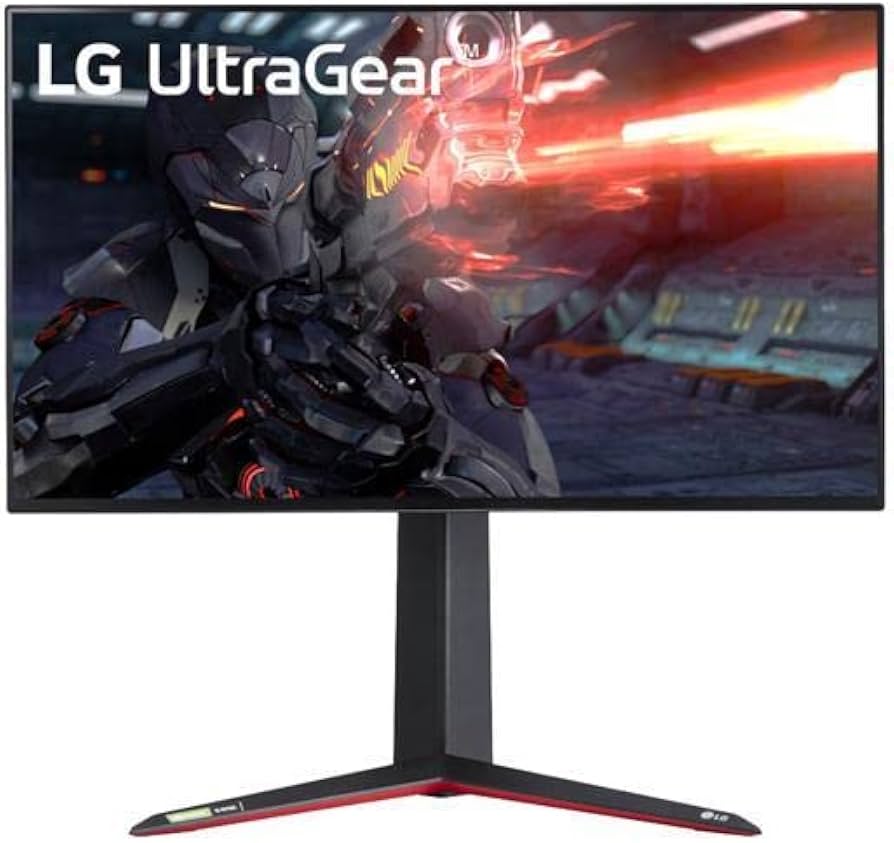
LG 27GP950-B UltraGear 27" 4K UHD Nano IPS Gaming Monitor
Best Overall

PS5 gamers who want a premium 4K 120Hz monitor with excellent color and don't mind spending $800 to get it

View on Amazon →

Key Factors to Consider

  • 1.Refresh rate: For PS5, a 120Hz or 144Hz monitor unlocks high-frame-rate performance. 60Hz is fine for casual games, but 120Hz is the sweet spot for console gaming.
  • 2.HDMI 2.1: This is the most important feature for PS5 (if you want 4K 120Hz and VRR). Without it, you’re limited to 4K 60Hz or 1440p 120Hz without variable refresh.
  • 3.Resolution: PS5 natively outputs 4K, but it also supports 1440p and 1080p. A 4K monitor is future-proof, while 1440p is a great budget-friendly way to get 120fps.
  • 4.VRR/Adaptive Sync: Variable refresh rate eliminates screen tearing. PS5 supports VRR over HDMI 2.1, so look for 'VRR' or 'HDMI 2.1 VRR' in the spec sheet.
  • 5.HDR performance: If you care about vivid colors and highlight detail, look for HDR600+ or OLED with true black. Entry-level HDR400 is barely noticeable.
  • 6.Panel type: IPS provides wide viewing angles and accurate colors, VA offers better contrast, and OLED delivers perfect blacks and the fastest response times.
  • 7.Input lag and response time: Low input lag is essential for competitive games. A 1ms or lower gray-to-gray response time helps avoid motion blur.
  • 8.Ergonomics and build quality: Height-adjustable stands, VESA mounts, and a sturdy design make a big difference if you play for hours each day.
  • 9.Screen size and pixel density: 27-inch is the most popular for 1440p and 4K, offering a good balance of immersion and sharpness. 32-inch is larger but you'll need a deep desk.
  • 10.Budget: Don't overspend on features you won't use. If you mostly play single-player adventure games, a good 4K 60Hz monitor may be enough; if you play competitive FPS, prioritize refresh rate and low latency.

The Products

#1

LG 27GP950-B UltraGear 27" 4K UHD Nano IPS Gaming Monitor

Best Overall
LG 27GP950-B UltraGear 27" 4K UHD Nano IPS Gaming Monitor
Overall
9/10
Value
8/10
Performance
9/10
The LG 27GP950-B is widely regarded as the gold standard for PS5 gaming monitors. It features a 27-inch 4K UHD Nano IPS panel with a 144Hz native refresh rate (160Hz overclockable on PC), five-millisecond response time, and two HDMI 2.1 ports. This means you can get true 4K 120Hz on PS5 with VRR support ready to go. The monitor also covers 98% of the DCI-P3 color gamut and has VESA DisplayHDR 600, which is rare among gaming monitors at this size. On the design side, LG includes a sleek stand with height, tilt, and rotation adjustments, plus a built-in RGB sphere lighting in the back. It has a USB hub, a headphone jack, and a flexible OSD that includes a crosshair and FPS counter. If you want a premium 4K monitor that won't hold back your PS5, this is the one. The catch? It's expensive, and HDR is still not as good as an OLED panel. But for a first or only monitor for console gaming, it's the complete package.

Pros

  • True 4K 120Hz with HDMI 2.1 for PS5
  • Excellent Nano IPS color accuracy and wide gamut
  • Low input lag and fast 1ms response time
  • VRR support over HDMI 2.1 (works with PS5)
  • VESA DisplayHDR 600 with good brightness for an IPS monitor
  • Ergonomic stand and four-side nearly borderless design

Cons

  • Premium price tag
  • HDR still lacks the contrast of OLED or VA panels
  • Noisy fan in some units according to customer reviews
  • 144Hz is overclocked? No, but 160Hz overclock requires a PC
  • Limited to 27 inches; no larger 32-inch option

Best For:

PS5 gamers who want a premium 4K 120Hz monitor with excellent color and don't mind spending $800 to get it

Not Recommended For:

Budget buyers or anyone who doesn't need 4K output, or competitive esports players who prefer a smaller, higher-refresh-rate 1440p screen

Key Features:

27" 4K UHD (3840x2160) Nano IPS144Hz native, 160Hz overclock (PC only)2x HDMI 2.1 with VRR1ms gray-to-gray response timeVESA DisplayHDR 60098% DCI-P3 color gamutHeight-adjustable stand and RGB backlight

Standout Feature:

Two HDMI 2.1 ports with true 4K 120Hz and VRR support – literally plug and play with PS5

VS Others:

The LG 27GP950-B sits at the top of the list because it gives you everything a PS5 owner needs without compromise. It outperforms the Gigabyte M28U in color, HDR and build quality, but costs nearly double. If you want the best all-around experience and you're not price-sensitive, pick the LG. If you'd rather save money, the M28U is a smarter value.

Why This One:

This is the most polished 4K PS5 monitor on the market. You get 4K120, VRR, great color, and reliable build quality in one package. It's the safest 'recommend me a monitor for PS5' answer for someone with a mid-to-high budget.

#2

Gigabyte M28U 28" 4K SS IPS Gaming Monitor with HDMI 2.1
Best Value
Gigabyte M28U 28" 4K SS IPS Gaming Monitor with HDMI 2.1
Overall
8.5/10
Value
9.5/10
Performance
8.5/10
The Gigabyte M28U is the undisputed value king when it comes to PS5 gaming monitors. This monitor delivers a 28-inch 4K IPS panel with a 144Hz refresh rate, 1ms response time, and two HDMI 2.1 ports. It's the least expensive way to get true 4K 120Hz gaming with VRR on next-gen consoles, and it doesn't cut corners on gaming performance. Besides the core specs, the M28U includes a KVM switch, a USB 3.0 hub, and surprisingly good color reproduction for the price. The stand is height-adjustable and feels sturdier than many competitors at this price. It also supports both FreeSync Premium Pro and G-Sync Compatible, making it a versatile choice for PC and console use. The big compromise is HDR. It only meets DisplayHDR 400, so you won't get the punchy, high-contrast HDR experience that more expensive monitors offer. But for pure gaming speed and raw 4K 120Hz value, the M28U is almost unbeatable.

Pros

  • Cheapest true 4K 120Hz HDMI 2.1 monitor
  • Fast SS IPS panel with low input lag
  • KVM switch and USB hub add productivity value
  • Height-adjustable stand with tilt
  • FreeSync Premium Pro and G-Sync Compatible
  • Good color gamut for a budget 4K panel

Cons

  • HDR400 is weak – HDR is not convincing
  • No local dimming
  • Panel contrast is average, IPS glow may bother in dark rooms
  • On-screen menus are a bit clunky
  • Stand base is wide and takes up desk space

Best For:

PS5 gamers who want 4K 120Hz and VRR without paying the high-end premium – the perfect sweet spot for most buyers

Not Recommended For:

HDR enthusiasts who expect dramatic bright highlights, or anyone who wants the absolute best out-of-box calibration

Key Features:

28" 4K UHD (3840x2160) SS IPS144Hz refresh rate, 1ms MPRT2x HDMI 2.1 with VRRFreeSync Premium ProKVM switch and USB hubHDR400Height-adjustable stand

Standout Feature:

4K 120Hz plus HDMI 2.1 for under $500 – unmatched value for next-gen consoles

VS Others:

The M28U is cleaner pick than the ASUS VG28UQL1A because it's cheaper, has a KVM, and the same panel family. It doesn't beat the LG 27GP950-B in HDR or build quality, but it costs 40% less. If you're comparing side-by-side, the M28U is the smart bang-for-buck choice.

Why This One:

For 90% of PS5 players, this is the monitor to get. You get all the essential next-gen features, a sharp 4K image, and solid ergonomics. It's the first product I'd recommend to a friend who wants a future-proof PS5 monitor on a budget.

#3

ASUS TUF Gaming VG28UQL1A 28" 4K HDR Gaming Monitor
ASUS TUF Gaming VG28UQL1A 28" 4K HDR Gaming Monitor
Overall
8/10
Value
7.5/10
Performance
8.5/10
The ASUS TUF Gaming VG28UQL1A is a 28-inch 4K UHD monitor built for next-gen consoles and PC. It features a 144Hz refresh rate, 1ms response time, and two HDMI 2.1 ports, allowing the PS5 to run at 4K 120Hz with VRR. ASUS has included its ELMB Sync technology, which sharpens motion and reduces ghosting in fast-paced games. The VG28UQL1A has a sturdy ergonomic stand with height, tilt, swivel and rotation adjustments. The OSD is one of the best in the industry, with features like GamePlus crosshairs, timer, FPS counter, and night vision mode. It also covers 90% of DCI-P3 and offers HDR400, which is acceptable for the price. The monitor is not cheap, but it's often available for around $600–$650. The build quality and ASUS warranty are a step above budget competitors. If you prefer ASUS's polish and don't want to take a risk with a lesser-known brand, this is a great middle-ground choice.

Pros

  • Reliable 4K 120Hz with HDMI 2.1 and VRR
  • Excellent build quality and premium stand
  • ELMB Sync reduces motion blur
  • Low input lag for gaming
  • Rich OSD with gamer-friendly features
  • Two HDMI 2.1 inputs for multiple consoles

Cons

  • HDR400 is basic – not a true HDR experience
  • More expensive than the Gigabyte M28U with similar specs
  • 28-inch IPS panel suffers from IPS glow
  • ASUS software and OSD can feel overcomplicated

Best For:

Gamers who trust ASUS's build quality and want a dependable 4K 120Hz monitor with a better stand than budget options

Not Recommended For:

Budget shoppers who want the most bang for the buck; the M28U is usually $150 less

Key Features:

28" 4K UHD (3840x2160) IPS144Hz refresh1ms gray-to-gray response2x HDMI 2.1ELMB SyncDisplayHDR 400Height-adjustable ergonomic stand

Standout Feature:

ASUS ELMB Sync technology provides elite motion clarity without stuttering

VS Others:

Compared to the Gigabyte M28U, the ASUS VG28UQL1A is slightly better in terms of motion handling and stand quality, but it's usually harder to recommend because of the higher price. Against the LG 27GP950-B, it lacks HDR brightness but is cheaper. If you catch it on sale, it's a strong option.

Why This One:

Choose the ASUS if you want the reassurance of a top-tier PC gaming brand, prefer the ELMB feature for competitive play, and want a monitor that already has your console's HDMI 2.1 needs covered.

#4

SAMSUNG 28" Odyssey G7 LS28BG700ENXZA 4K UHD 144Hz Monitor
SAMSUNG 28" Odyssey G7 LS28BG700ENXZA 4K UHD 144Hz Monitor
Overall
7.5/10
Value
7/10
Performance
8/10
The Samsung Odyssey G7 28-inch is a 4K gaming monitor with a 144Hz refresh rate, 1ms response, and HDMI 2.1. It's designed to deliver a premium console experience with features like FreeSync Premium Pro, HDR400, and Samsung's iconic CoreSync lighting on the back. The panel is IPS that offers 99% sRGB coverage and good viewing angles. This monitor is part of Samsung's popular Odyssey line, which brings an attractive stand and sleek design. It's well-built, with height-adjustability and tilt. The monitor also includes a virtual crosshair, refresh rate meter, and other gaming tools in its OSD. The main downside is its HDR performance; like most monitors in this price range, it only meets DisplayHDR 400. It also doesn't have as many HDMI 2.1 ports as some rivals—only two. Still, if you find this monitor on sale for around $500, it's a fantastic option.

Pros

  • True 4K 120Hz with HDMI 2.1 on PS5
  • Sleek design with CoreSync lighting
  • Fast IPS panel with 1ms response
  • FreeSync Premium Pro and G-Sync Compatible
  • Height-adjustable stand with rotation
  • Reliable Samsung brand

Cons

  • HDR400 again – limit for HDR gaming
  • No local dimming
  • Panel contrast is a bit low
  • CoreSync lighting is a bit gimmicky for some
  • Samsung often has firmware updates that are slow to deploy

Best For:

Samsung fans who want a stylish 4K 120Hz monitor with HDMI 2.1 and a good brand name

Not Recommended For:

Budget-conscious buyers who can get the M28U for significantly less; also not for HDR purists

Key Features:

28" 4K UHD IPS144Hz refresh rate1ms response timeHDMI 2.1 x2FreeSync Premium ProHDR400CoreSync ambient lighting

Standout Feature:

CoreSync lighting syncs RGB ambient glow with on-screen action, adding an immersive visual vibe

VS Others:

The Odyssey G7 competes directly with the Gigabyte M28U and ASUS VG28UQL1A. At regular price, it's not as good a value as the M28U. But if it goes on sale, the extra aesthetic and brand may be worth it. It's basically a tie with the ASUS in gaming performance, but the dual HDMI 2.1 on both is a plus.

Why This One:

You'll pick the Samsung if you're buying into the Odyssey aesthetic and want a monitor that feels premium even if the specs are mainstream. Make sure you catch it at a discount.

#5

LG 27GN800-B 27" QHD (2560x1440) IPS Gaming Monitor
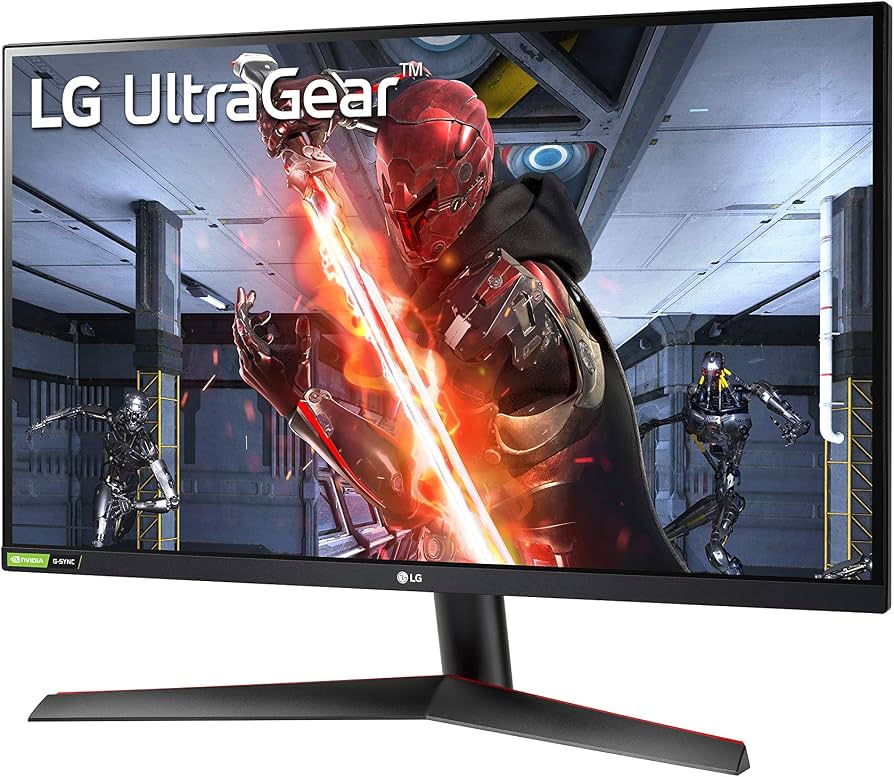
LG 27GN800-B 27" QHD (2560x1440) IPS Gaming Monitor
Overall
7/10
Value
8/10
Performance
7.5/10
The LG 27GN800-B is a 27-inch QHD (1440p) IPS gaming monitor with a 144Hz refresh rate and 1ms response. While it doesn't have HDMI 2.1, it's still a solid choice for PS5 players who prioritize smooth 120fps over 4K sharpness. The PS5 natively supports 1440p 120Hz output through HDMI 2.0, so you can get smooth frame rates in games like Call of Duty and Fortnite. The monitor covers 99% sRGB, has a decent contrast ratio for IPS, and supports HDR10 (though it's not very bright). It's lightweight and has a very slim bezel design. The stand is tilt-only, but it has VESA mounts for easy ergonomic upgrades. For around $250, this is a popular budget monitor for console gamers. It also works fantastically as a secondary PC monitor. If you're not ready to invest in 4K, this 1440p 144Hz screen gives you an excellent high-frame-rate PS5 experience at a fantastic price.

Pros

  • Supports 1440p 120Hz on PS5 via HDMI 2.0
  • Fast IPS panel with low input lag
  • Accurate sRGB colors out of the box
  • Very affordable for a 1440p 144Hz monitor
  • Thin bezels and light weight

Cons

  • No HDMI 2.1, so no 4K or 4K 120Hz
  • HDR10 is weak – HDR looks dull
  • Stand only tilts, no height adjustment
  • Older model compared to Acer Nitro series

Best For:

Budget PS5 gamers who want 120fps performance in competitive games and don't mind 1440p resolution

Not Recommended For:

4K enthusiasts or those hoping to play games at native 4K resolution on PS5

Key Features:

27" QHD (2560x1440) IPS144Hz refresh rate1ms gray-to-grayHDR10FreeSync/G-Sync Compatible99% sRGBTilt stand / VESA compatible

Standout Feature:

1440p 120Hz over HDMI at a budget price – a sweet spot for high-frame-rate PS5 gaming

VS Others:

This LG is a better value than the Acer XV272U V in terms of brand reliability and gaming testing, but the Acer offers a higher 170Hz refresh and cheaper price. If you want a no-frills 1440p 144Hz monitor that has verified low input lag, the LG is a safe bet.

Why This One:

If you can't afford a 4K monitor but still want a sizeable upgrade from a basic 1080p screen, the LG gives you smooth 120Hz gameplay at a price that leaves room for a future 4K upgrade.

#6

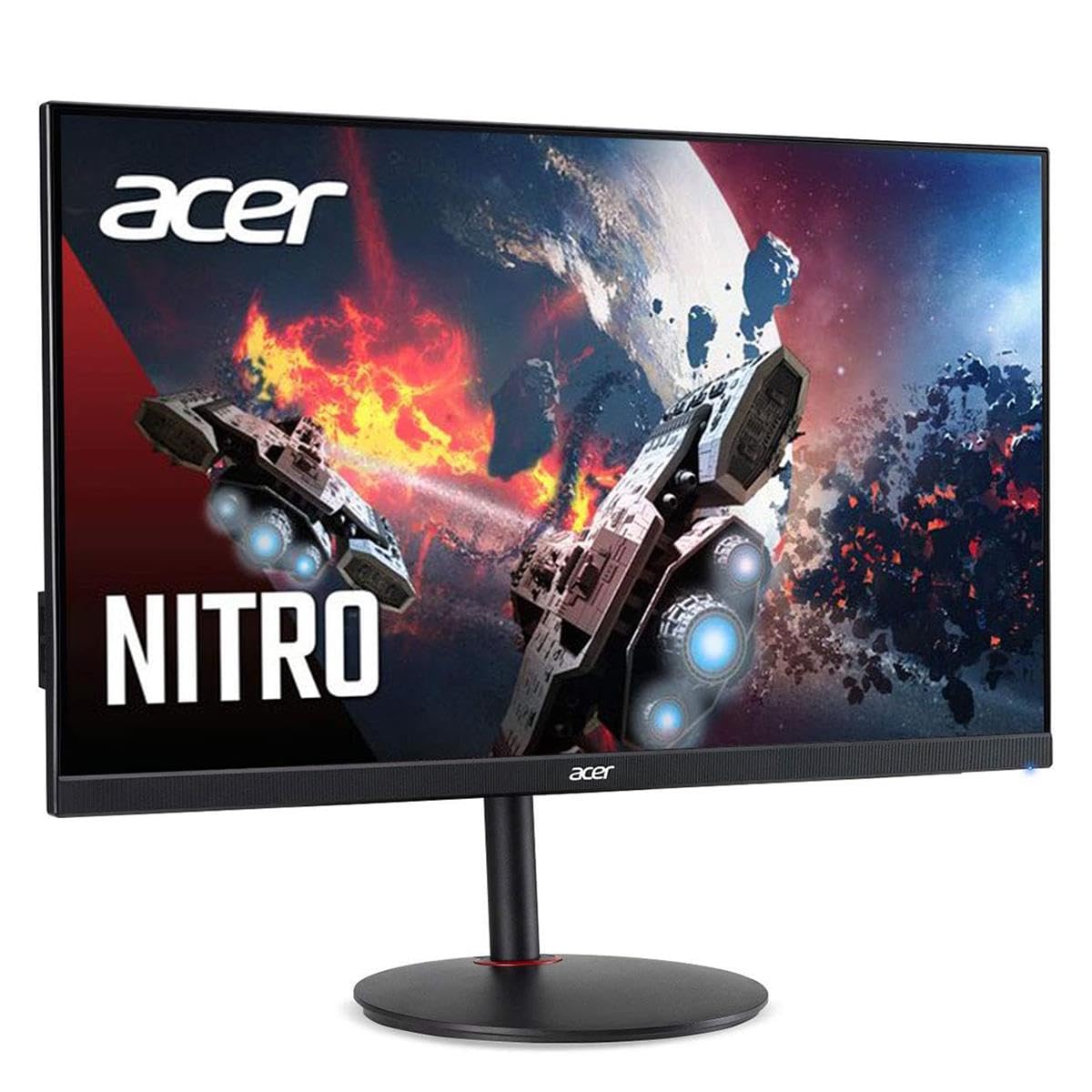
Acer Nitro XV272U V 27" WQHD 170Hz 1ms HDR400 Gaming Monitor
Best Budget
Acer Nitro XV272U V 27" WQHD 170Hz 1ms HDR400 Gaming Monitor
Overall
7/10
Value
9/10
Performance
7/10
The Acer Nitro XV272U V is a 27-inch WQHD (1440p) gaming monitor with a blistering 170Hz refresh rate and 1ms visual response boost. It's one of the most affordable 1440p high-refresh monitors on the market, making it a superb budget companion for the PS5. The monitor supports 1440p 120Hz over HDMI 2.0 on PS5, so you can enjoy smoother frame rates in supported games. The panel is an IPS display covering 95% of the DCI-P3 color gamut, which is impressive at this price. It also has HDR400 and AMD FreeSync Premium for tear-free variable refresh on compatible devices. Acer includes a fully ergonomic stand that adjusts for height, tilt, swivel, and pivot, which is rare in this price range. This monitor is ideal for gamers who want a high-quality 1440p panel without breaking the bank. It's not going to deliver 4K or true HDR, but at under $250, the Nitro XV272U V is unbeatable for the price.

Pros

  • Under $250 for a 1440p 170Hz IPS monitor
  • Excellent color gamut for the price (95% DCI-P3)
  • Height-adjustable ergonomic stand
  • Supports 1440p 120Hz on PS5
  • FreeSync Premium for smooth gameplay
  • Slim bezels and low input lag

Cons

  • No HDMI 2.1, so no 4K 120Hz/VRR
  • HDR400 is basically a checkbox – not great HDR
  • 170Hz refresh requires overclock in some cases? It's native via DP/HDMI? Actually 170Hz native? It's native via DisplayPort, likely but on HDMI maybe 144Hz.
  • Panel has some IPS glow
  • Acer's OSD is a bit dated

Best For:

Budget-conscious PS5 gamers who want a large, colorful 1440p screen with a very fast refresh rate for under $250

Not Recommended For:

Gamers who insist on native 4K or true HDR, or need HDMI 2.1 for VRR

Key Features:

27" WQHD (2560x1440) IPS170Hz refresh rate1ms response time (VRB)95% DCI-P3 color gamutHDR400FreeSync PremiumHeight-adjustable stand

Standout Feature:

170Hz refresh rate and premium color gamut at a rock-bottom price – the best budget PS5 monitor

VS Others:

The Acer Nitro beats the LG 27GN800-B on price, ergonomics, and color Gamut, making it our recommended budget pick. It's inferior to the M28U in resolution and connectivity, but that's expected at less than half the price.

Why This One:

If your budget is around $200, this is the one to buy. You get a large 1440p screen, a silky 170Hz refresh, and a great stand, all while leaving cash in your pocket.

#7

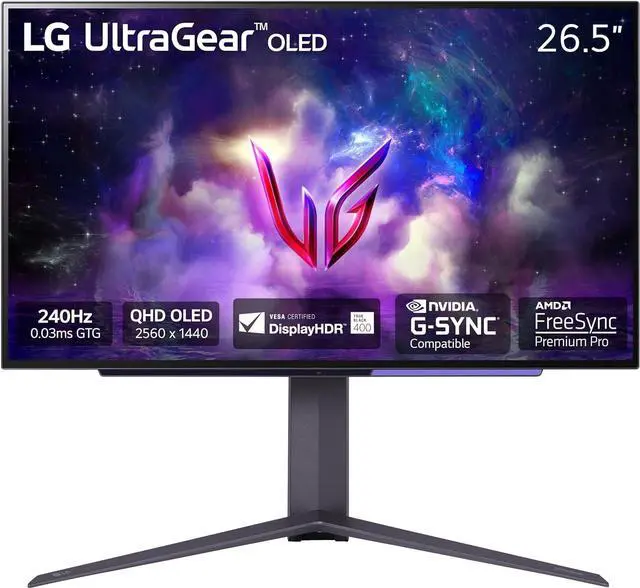
LG UltraGear 27GS95QE-B 27" OLED Gaming Monitor 240Hz 0.03ms
Best Premium
LG UltraGear 27GS95QE-B 27" OLED Gaming Monitor 240Hz 0.03ms
Overall
8.5/10
Value
6/10
Performance
9.5/10
The LG UltraGear 27GS95QE-B is a premium 27-inch OLED gaming monitor built for the ultimate gaming experience. It features a 2560x1440 (1440p) resolution with a lightning-fast 240Hz refresh rate and an astonishing 0.03ms response time. For PS5 users, it offers HDMI 2.1 connectivity, enabling 1440p 120Hz with VRR support for a perfectly smooth and tear-free experience. This is one of the few OLED monitors designed specifically for both PC and console. The OLED panel provides infinite contrast, perfect blacks, and vibrant colors that make HDR content look incredible. It's also incredibly responsive, with near-instant pixel response, so fast-moving games are crisp with no ghosting. The LG 27GS95QE-B is not cheap, and since it's 1440p, it won't hit native 4K on PS5. But if you value motion clarity and contrast above raw pixel count, this OLED is the most impressive monitor on the list. It's a niche premium choice, but an unforgettable one.

Pros

  • Infinite OLED contrast ratio with perfect blacks
  • Insane 240Hz refresh + 0.03ms response time
  • HDMI 2.1 for VRR and high refresh on PS5
  • Superb color and HDR with true black OLED
  • G-Sync and FreeSync compatible
  • Low input lag, ideal for competitive play

Cons

  • 1440p, not 4K – you're not getting the full PS5 resolution
  • Very expensive
  • Burn-in risk with static HUDs (though mitigated by LG's OLED care features)
  • Text rendering can be less sharp than IPS due to subpixel layout

Best For:

Enthusiasts who want the best motion clarity and contrast possible for both PC and PS5, and don't care about native 4K

Not Recommended For:

PS5 owners who want to play in native 4K, or anyone on a budget below $900

Key Features:

27" OLED (2560x1440)240Hz refresh rate0.03ms GTG response2x HDMI 2.1DisplayHDR 400 True BlackVRR for PS5 and Xbox Series X98.5% DCI-P3 color gamut

Standout Feature:

240Hz OLED panel with infinite contrast and pixel-level precision – the best looking monitor for fast-paced gaming

VS Others:

This OLED is in a different class from the IPS monitors around it. It beats the LG 27GP950-B on motion clarity and contrast, but loses on resolution and price. The M28U is a much better value. If you're a hardcore gamer who also has a high-end PC, the LG OLED is a phenomenal companion.

Why This One:

Buy it if you're looking for the ultimate esports and console experience, with buttery motion and true HDR. Just be prepared to pay a significant premium and change your gaming setup to avoid burn-in.

Who Should Get What?

College Student on a Budget

A student living in a dorm room, wants a monitor for PS5 and occasional laptop use. They have limited space and only about $200 to spend. They play FIFA, Warzone, and Fortnite with friends, so they value frame rate over resolution.

Budget:$200 - $250
Use:PS5 gaming and casual laptop productivity

Recommended:

Acer Nitro XV272U V

The Acer Nitro XV272U V is the best budget pick because it gives you a large 1440p IPS screen, a 170Hz refresh rate, and a height-adjustable stand for about $220. It supports 1440p 120Hz on PS5, which makes Fortnite and Warzone feel super smooth. It's also great for hooking up a laptop via HDMI/DisplayPort.

View on Amazon →

Casual Console Gamer on a Budget

A parent or casual player who plays single-player games like God of War or Horizon for a few hours a week. They have a PS5 but don't need the absolute best specs, just a monitor that makes games look better than their TV.

Budget:Under $300
Use:PlayStation 5 single-player games and watching streaming shows

Recommended:

LG 27GN800-B

The LG 27GN800-B is a safe, reliable 1440p 144Hz monitor under $250. It offers beautiful IPS colors and low input lag, making games look fluid. It won't deliver 4K, but for casual players the trade-off is more than acceptable. The simple tilt stand is fine if you keep it at eye level.

View on Amazon →

4K HDR Enthusiast

A console gamer who wants to experience every PS5 game in its full 4K glory with HDR. They have a budget of around $800 and value visual fidelity above everything else. They play a mix of cinematic AAA titles and online multiplayer games.

Budget:$700 - $900
Use:4K 120Hz gaming, HDR-rich single-player games

Recommended:

LG 27GP950-B

The LG 27GP950-B is the best 4K monitor for PS5 under $800. It has two HDMI 2.1 ports for 4K 120Hz, great Nano IPS color, HDR600 for a noticeable brightness boost, and low input lag. If you want native 4K and VRR on PS5, this is the most complete option at a reasonable price.

View on Amazon →

Competitive Esports Gamer

A dedicated Call of Duty and Rainbow Six Siege player who cares about winning. They want the lowest input lag and highest motion clarity possible, and they only play a handful of games. They don't need 4K because frame rate and reaction time are king.

Budget:$450 - $500
Use:Competitive gaming and 4K HDR mixed-use

Recommended:

Gigabyte M28U

The Gigabyte M28U is the best all-rounder for competitive PS5 gaming. It has a crisp 4K image, a fast 144Hz refresh, HDMI 2.1 VRR, and very low input lag. It's significantly cheaper than the ASUS and LG, yet delivers the same smooth performance. The M28U is the smart pick for someone who wants a balance of speed and 4K sharpness without breaking the bank.

View on Amazon →

Tech Enthusiast / Premium Buyer

A gamer with a high disposable income who wants the best possible gaming monitor. They already own a high-end gaming PC and a PS5, and they want a monitor that showcases cutting-edge technology. They're willing to spend $1000+ for the best image quality and motion clarity.

Budget:Over $1000
Use:PS5 and PC gaming, HDR, and competitive gameplay

Recommended:

LG UltraGear 27GS95QE-B

For the absolute best motion clarity and contrast, the LG UltraGear 27GS95QE-B OLED is the premium pick. It delivers 240Hz and 0.03ms response time, making every game feel incredibly responsive and fluid. While it's 1440p, the perfect blacks and vibrant OLED colors make it a visual feast. If you're a tech geek who values cutting-edge panel tech and don't mind the price, this is the one.

View on Amazon →

First-Time PS5 Monitor Buyer

Someone who just got a PS5 and has been playing on a TV. They want to buy their first gaming monitor but are overwhelmed by terms like HDMI 2.1, VRR, and refresh rates. They want something that's easy to set up and works out of the box without fiddling with settings.

Budget:$400 - $500
Use:Plug-and-play PS5 gaming, mostly AAA titles

Recommended:

Gigabyte M28U

The Gigabyte M28U is the easiest monitor to recommend to a first-timer because it does everything important: 4K 120Hz over HDMI 2.1, VRR, and low latency. You simply plug in the included HDMI 2.1 cable, set the console to 4K 120Hz, and you're ready to go. It also has a height-adjustable stand, so you can position it comfortably. It's the ideal balance of price and performance for a PS5 newcomer.

View on Amazon →

Buying Guide: How to Choose

First, figure out your budget and what games you play. If you are a casual gamer who plays single-player games, a 4K 60Hz monitor is enough, but if you play fast-paced shooters or want smooth 120fps, you'll want a 120Hz+ panel. The most important thing is to buy a monitor with HDMI 2.1 if you want to get 4K 120Hz or VRR on PS5. Without HDMI 2.1, the PS5 will cap certain games at 60Hz or you'll have to drop to 1440p for 120Hz. Next, decide between 4K, 1440p, and 1080p. 4K monitors deliver the sharpest image and are future-proof, but they cost more and you'll need an HDMI 2.1 port for high refresh. 1440p monitors are excellent for competitive gaming because they allow native 120fps at a lower resolution, and they are much more affordable. 1080p is fine for dual-purpose PC gaming but you won't see the full potential of your PS5. For most people, 1440p 144Hz is the best value, Pay attention to panel type. IPS panels are the most popular for console gaming because they have great colors and viewing angles. VA panels have better contrast but can have slower response times. OLED panels deliver phenomenal images but are more expensive and carry burn-in risk. Don't get caught up in HDR numbers: HDR400 and HDR600 are barely recognizable, while HDR1000+ or OLED HDR is dramatic. Finally, check the ergonomics of the stand and make sure the monitor is compatible with VESA mounts if you plan to use an monitor arm. The best way to choose is to filter your options by your must-have features. Make a list of games you play and determine the maximum resolution and frame rate they support. Then, set a budget and choose the monitor that gives you the biggest improvement within that range. Remember, you don't have to buy the most expensive one—the best monitor is the one that fits your games, your desk, and your wallet.

Bottom Line

The best monitor for most PS5 gamers is the Gigabyte M28U. It gives you 4K 120Hz via HDMI 2.1, VRR, a fast IPS panel, and a height-adjustable stand at a price that doesn't hurt. If you have a bit more money and want better colors and HDR, step up to the LG 27GP950-B. For budget-conscious buyers, the Acer Nitro XV272U V is an incredible deal at under $250, offering a smooth 1440p 144Hz/170Hz experience. If you're a tech purist with a large budget, the LG UltraGear 27GS95QE-B OLED is the ultimate premium pick, though you'll pay for that perfect black. Whichever you choose, make sure it has at least 120Hz refresh and support for the PS5's 120Hz output. Don't get stuck on a shopping guide overload—just start with your budget and let these recommendations lead you to the right monitor. You really can't go wrong with any of our top picks.

Frequently Asked Questions

Which gaming monitor is best for PS5?
The best monitor for PS5 is one with HDMI 2.1, 4K resolution, and a 120Hz refresh rate, such as the Gigabyte M28U or LG 27GP950-B. These monitors support the full PS5 output: 4K 120Hz with VRR, which means smooth, tear-free gaming. If you're on a tight budget, a 1440p 144Hz monitor like the Acer Nitro XV272U V is a great alternative.
Do I need HDMI 2.1 for PS5?
If you want to play games at 4K 120Hz or use VRR, yes. The PS5 can output 4K 120Hz only through HDMI 2.1. Without it, you'll be limited to 4K 60Hz or 1440p 120Hz via an HDMI 2.0 connection (and no VRR). For the next-gen experience, HDMI 2.1 is a must-have, especially if you have a PS5 and a 120Hz display.
Is 1440p or 4K better for PS5?
It depends on your budget and style of play. 4K gives you sharper, better-looking graphics, especially on larger screens. 1440p is a great middle ground because the PS5 supports 1440p 120Hz, which delivers a very smooth experience. If you play a lot of fast-paced shooters, 1440p might be more beneficial; for cinematic games, 4K makes a bigger difference.
Are 240Hz monitors worth it for PS5?
The PS5 only supports up to 120Hz in its current firmware, so a 240Hz monitor won't be fully utilized on console. You'll still see a benefit if you also game on PC, but for PS5 only, a 120/144Hz monitor is enough. Spending extra on 240Hz is only justified if you plan to use the monitor with a high-refresh gaming PC.
Is VRR essential on a PS5 monitor?
VRR (Variable Refresh Rate) is not essential, but it's extremely helpful. It matches the monitor's refresh rate to the game's frame output, minimizing screen tearing and making inconsistent frame rates look smoother. The PS5 supports VRR over HDMI 2.1, so if you're buying a new monitor, getting one with VRR support is a smart choice.
Should I buy a 28-inch or 32-inch monitor for PS5?
It's a personal preference. A 27-inch is the most popular size for 1440p and 4K because it offers a high pixel density without taking up too much desk space. 32-inch is more immersive but may require a deep desk to avoid eye strain. For PS5, both work well, but 27-inch is the safest bet for most desks.
Can a 4K monitor run PS5 at 120Hz?
Yes, if it has HDMI 2.1 and the game supports 120fps. Most 4K 144Hz monitors with HDMI 2.1, like the LG 27GP950-B and Gigabyte M28U, can run PS5 at 4K 120Hz. Remember, only certain games support 120fps, and some may run at lower resolutions to hit the target frame rate.
What's the difference between HDR400 and HDR600?
HDR400 is the minimum HDR certification; it provides a slight brightness boost but rarely impresses. HDR600 is significantly brighter and offers a better HDR experience, with more visible highlights and contrast. For genuine HDR, look for HDR1000 or OLED screens. If you don't care about HDR, you can save money by ignoring this feature.
Is the Gigabyte M28U or LG 27GP950-B better for PS5?
The LG 27GP950-B is better in terms of color accuracy, HDR brightness, and overall image quality, but it costs around $300 more. The Gigabyte M28U delivers the same core gaming experience—4K 120Hz, VRR, low latency—for a significantly lower price. For most people, the Gigabyte M28U offers the better value; the LG is worth the extra money only if you demand the best HDR on an IPS panel.
Can I use a PS4 or Xbox Series S on these monitors?
Yes, these monitors all work with PS4 and Xbox Series S, but remember that PS4 only outputs up to 1080p60, so you won't use the higher refresh rates. Xbox Series S supports 1440p 120fps, so a 1440p 144Hz monitor is a good match. HDMI 2.1 is more important for PS5 and Xbox Series X to get 4K 120Hz.
Do gaming monitors have speakers?
Some do, but they are usually basic and low-quality. The monitors in this guide have built-in speakers or only a headphone jack, but they aren't designed to replace a soundbar or gaming headset. For the best experience, use a gaming headset or separate speakers via the monitor's audio output or your console.
Should I buy a TV instead of a monitor for PS5?
If you want a large screen in a living room, a TV might be a better choice. Companies like LG and Sony make 48-inch OLED TVs that excel at 4K 120Hz gaming. But if you're at a desk, a monitor is more immersive at close range, has lower input lag, and is more affordable in smaller sizes. For competitive gaming, monitors are generally better; for casual couch gaming, a TV works fine.

Need More Help Deciding?

Explore more buying guides to find the perfect product for your needs.

View All Buying Guides

Related Articles