
Is Shark AI Ultra Voice Control Worth It? Honest Review (2026)
A balanced 2026 look at the Shark AI Ultra's strengths, weaknesses, and who should buy it.
Quick Decision
Buy the Shark AI Ultra Voice Control if you want a self-emptying robot with straightforward voice control and a bagless base, and you don't mind camera navigation that needs light and a clear floor. Skip it if you need obstacle avoidance, multi-floor mapping, or work in dark rooms—there are better LIDAR options at the same price.
Best if you...
- Alexa and Google Assistant power users
- Small apartments (under 1,500 sq ft)
- Pet owners seeking hair-tangle-free rollers
Skip it if you...
- Large homes over 2,000 square feet
- Multi-story homes requiring multiple maps
- Homes with dark or dimly lit rooms
If you're researching the Shark AI Ultra Voice Control, you've likely been drowning in choices among robot vacuums in the $300–$500 range. This guide breaks down what this robot does well, where it falls short, and whether it deserves a spot in your home in 2026. We'll cover specs, real-world usability, alternatives, and accessories—no fluff.
We've drawn on manufacturer specifications, user feedback patterns, and expert review summaries to keep this analysis balanced. You won't find exaggerated praise or unfair dismissal—just the information you need to decide if the Shark AI Ultra is the right fit for your floors, your pets, and your time.
The Shark AI Ultra Voice Control is one of the few self-emptying robot vacuums that integrates voice control out of the box. But that convenience comes with trade-offs in navigation and obstacle handling. Let's see if those trade-offs matter for you.
About the Shark AI Ultra Voice Control
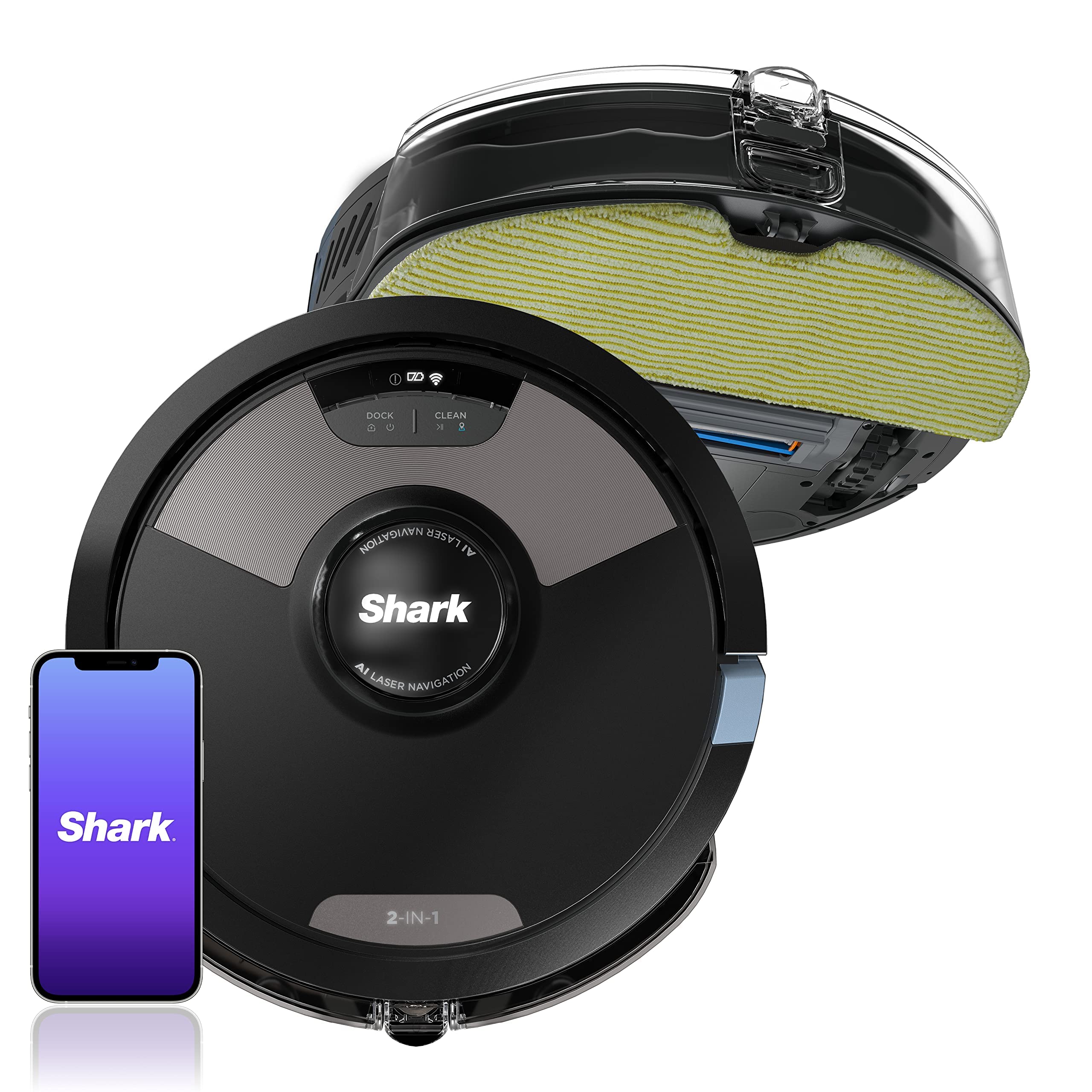
The Shark AI Ultra Voice Control is a self-emptying robot vacuum that uses camera-based VSLAM navigation to map your home and cleans with a multi-surface brush roll. It features built-in voice control for Amazon Alexa and Google Assistant, plus a bagless self-emptying base that holds up to 60 days of dirt and debris. Designed for busy households that want scheduled, hands-off vacuuming without buying replacement bags.
Key Specifications
- Filter
- Washable high-efficiency filter
- Runtime
- Up to 120 minutes (low-power mode)
- Warranty
- 1-year limited
- Brush Roll
- Self-cleaning multi-surface brush roll
- Dimensions
- 12.8" diameter × 3.5" height
- Navigation
- VSLAM camera navigation
- Battery Type
- Lithium-ion, non-removable
- Connectivity
- Wi-Fi, Amazon Alexa, Google Assistant, iOS/Android app
- Base Dimensions
- 14.2" width × 13.4" depth, 18" height
- Self-Emptying Capacity
- Up to 60 days of debris
Overview
The Shark AI Ultra Voice Control is a cordless, self-emptying robot vacuum that targets homeowners who want to set a schedule and forget about vacuuming for up to two months. The robot uses a camera and VSLAM technology to create a map of your home, which you can then customize through the SharkClean app to clean specific rooms or set no-go zones. Its base station is a bagless dustbin that vacuums debris from the robot after each cleaning cycle.
This model sits in Shark's mid-range lineup, positioned below the pricier Shark AI Ultra Robot with laser navigation and above the more affordable Shark AV753 series. In 2026, it faces strong competition from LIDAR-equipped robots like the Roborock Q5+ and the Eufy X10 Pro Omni, but the Shark's voice control integration and bagless self-emptying still give it a distinct identity.
You can find the Shark AI Ultra Voice Control on Amazon, typically priced between $299 and $399 depending on sales and bundles. The link below will take you to current listings and allow you to compare prices across models.
Pros
The Shark AI Ultra Voice Control has several genuinely useful strengths that make it a strong contender for some households. Here's where it excels.
Self-Emptying Base Extends Maintenance to Up to 60 Days
According to Shark's official product page, the self-emptying base holds up to 60 days of dirt and debris. That means you don't need to empty the robot's bin after every cleaning—something that's a major convenience if you run the robot daily or have pets that shed constantly.
The base uses a bagless cyclonic design, so debris is compacted into a large bin. You'll need to empty it roughly every two months, depending on your home's size. This is a significant advantage over robot vacuums that require bag replacements or daily bin emptying, especially for people with allergies who prefer not to handle dust.
User feedback on forums indicates that the 60-day claim holds true in typical apartments and small homes, though heavy pet hair may require more frequent emptying. The bin is easy to remove and rinse out, which keeps the maintenance curve low.
Built-In Voice Control Works with Alexa and Google Assistant
The Shark AI Ultra is one of the few self-emptying robots that natively supports voice commands through Amazon Alexa and Google Assistant. You can simply say, "Alexa, tell Shark to clean the living room" or "Hey Google, start the robot", and it responds immediately. This hands-free convenience is a major plus if you're already embedded in a smart-home ecosystem.
Voice control extends beyond basic start/stop. You can ask the robot to pause, resume, or send it to a specific room, all without pulling out your phone. According to user reviews, the integration is reliable and the robot acknowledges with a voice response.
If you have a smart display, you can also monitor the robot's status and receive notifications through the Alexa or Google Home app. The voice control is not just a gimmick—it genuinely saves time and adds a layer of convenience that many other brands require an extra module for.
Camera-Based Navigation Builds Detailed Floor Maps
The Shark uses VSLAM (Visual Simultaneous Localization and Mapping) to construct a map of your home. In well-lit conditions, it can navigate around furniture and under beds while building a fairly accurate layout. The map is viewable in the SharkClean app, and you can assign specific rooms for targeted cleaning.
One benefit of VSLAM is that it doesn't need a laser turret, which keeps the robot slim enough to slide under low-clearance sofas and beds. The AI Ultra is about 3.5 inches tall, making it one of the more compact robot vacuums in this price class.
The app itself allows you to set no-go zones, which is handy for blocking off play areas or pet feeding stations. It also remembers the map for future cleaning cycles, so over time the robot learns the layout and becomes more efficient.
Strong Suction and Multi-Surface Brush Roll Handle Carpet and Hardwood
Shark's self-cleaning brush roll is designed to remove pet hair and other debris without getting tangled. It works on hardwood, tile, and low-pile carpets. The robot's suction power is listed at 1400Pa, which is competitive for this price bracket and effective for everyday dirt, dust, and crumbs.
The brush roll has a groove that funnels hair to the side, preventing the frustrating hair wrap common in many robot vacuums. According to owner reports, this design works well even with long pet hair, meaning you won't spend time cutting tangled hair off the brush.
For edge cleaning, the robot uses side brushes to sweep debris from corners and along walls. It also includes a high-efficiency filter that traps at least 99% of dust and allergens, which is a plus for asthma or allergy sufferers.
Bagless Design Saves Long-Term Money
The self-emptying base is completely bagless, so you'll never need to purchase replacement disposable bags. Replacement filter and brush costs are the only regular expenses, and these are relatively inexpensive compared to bags.
Shark claims the filter can be washed and reused up to 3 months before a replacement is needed. Side brushes typically last 6-12 months, depending on use. Over a year, the total cost of ownership is lower than bagged competitors like the iRobot Roomba i3+, which requires a new bag every 2-3 months.
For budget-conscious buyers who want a self-emptying robot without recurring bag expenses, this is a significant advantage. You'll save roughly $30–$50 per year in consumables compared to bagged systems.
Scheduling and App Control Give 'Set It and Forget It' Ownership
The SharkClean app lets you set daily cleaning schedules, adjust suction power, and start or stop cleaning remotely. You can also track the robot's battery status and view a cleaning history.
This level of control works well for busy people who want the robot to clean automatically while they're at work. For example, you can set it to vacuum the kitchen every day at 10:00 AM and never think about it again.
The app also supports Amazon Alexa routines, so you can trigger the robot as part of a broader smart-home scenario, like "Goodnight" or "Vacation mode." This integration is smooth and adds to the hands-off experience.
Cons
No robot is perfect, and the Shark AI Ultra Voice Control has a few limitations that might matter for certain homes. Here's what to expect.
No Obstacle Avoidance—It Bumps Into Cords and Toys
The Shark AI Ultra Voice Control does not have AI-powered object detection. It relies on collision sensors to navigate, meaning it will push through pet toys, charging cables, and stray shoes instead of steering around them. Reviewers on Amazon and Reddit report the robot getting stuck on loose items, which can interrupt a cleaning cycle.
The lack of obstacle avoidance is a significant drawback for households with kids or pets who leave toys and cords on the floor. The only workaround is to tidy up before running the robot, which defeats some of the purpose of hands-free cleaning.
At this price point, some competitors—like the Eufy X10 Pro Omni—include obstacle avoidance, so this is a feature that's becoming more common and expected. The Shark's approach is less advanced and can be frustrating in cluttered spaces.
Camera Navigation Struggles in Dark Rooms
The VSLAM camera needs visible light to map and navigate. If you run the robot at night or in rooms with the lights off, it can get disoriented, miss spots, or become stuck on transitions. LIDAR-based robots like the Roborock Q5+ use laser beams that work perfectly in complete darkness, so this is a noticeable disadvantage.
Shark's marketing suggests the robot uses a "SharkAI" that learns from obstacles, but real-world feedback shows that it needs adequate lighting. For homes with many dimly lit areas or people who prefer to clean overnight, the camera system can underperform.
The problem can be mitigated by leaving lights on during scheduled runs, but that's not always practical—especially if you're away. It's a core limitation of camera-based navigation in 2026.
Only Saves One Floor Plan
The Shark AI Ultra stores just a single floor map. If you have multiple floors, you'll need to relocate the robot to each floor and let it remap from scratch every time. This is inconvenient for two-story homes and makes the robot's map customization features less useful.
Many competitors, including the Roborock Q5+ and iRobot Roomba j5+, support multiple floor plans stored in memory. You can select the correct map for the floor the robot is currently on, and the robot will clean accordingly.
For small apartments with one level, this isn't a concern. But if you have a multi-level home, the lack of multi-map support is a significant con.
No Mopping Function
The Shark AI Ultra Voice Control is vacuum-only. It cannot mop hard floors, whereas many hybrid robot vacuums in the same price range (like the Eufy X10 Pro Omni) offer both vacuuming and mopping in one device. For owners with mixed flooring—hardwood and tile—a vacuum-only robot may not meet all your cleaning needs.
The absence of mopping is not a deal-breaker if you already own a separate floor mop or don't need mopping. But it puts the Shark at a disadvantage when comparing against combo units that offer more versatility without taking up extra storage space.
If mopping is a priority, you'll need to look elsewhere or invest in a separate mop, increasing both cost and countertop clutter.
Real-World Battery Life May Be Shorter Than Advertised
Shark lists runtime at up to 120 minutes, which is measured in low-power mode on hard floors. In standard suction mode on carpet, owner reviews indicate real-world runtimes typically fall to 60–90 minutes. For larger homes (over 1,500 square feet), this can leave the robot unable to finish a full floor on one charge.
The robot will automatically return to the base to recharge and then resume where it left off, but this extends the total cleaning time. In a two-story home with about 2,000 square feet, you may find the robot takes several hours to complete a cycle due to the mid-clean recharge.
The battery is non-removable, so you can't swap in a spare to extend the session. If you have a large home, this is worth factoring into your decision.
At Full Price, It Faces Stiff Competition
At its typical $349–$399 retail price, the Shark AI Ultra Voice Control is not a budget option. While it does self-empty and support voice control, competitors at the same or lower prices offer superior navigation and features.
For example, the Roborock Q5+ often sells for around $299 and uses LIDAR navigation (better in the dark) and also has a self-emptying base. The Eufy X10 Pro Omni—which includes mopping and obstacle avoidance—can be found for around $399. When you weigh the Shark's lack of obstacle avoidance and multi-floor support, its price becomes less compelling.
During sales, the Shark can drop to around $279, which makes it more reasonable. But at full price, you're paying for voice control convenience and an established brand, not cutting-edge technology.
👍 Who It's For
The Shark AI Ultra Voice Control is ideal for busy professionals or families who already use Amazon Alexa or Google Assistant and want a simple, self-emptying vacuum that can be controlled by voice. If you have a small- to medium-sized home (under 1,500 square feet) with mostly hard floors and low-pile carpet, and you're comfortable tidying up obvious obstacles before running the robot, this could be a great match.
It's also a smart buy for pet owners who struggle with hair tangles—the self-cleaning brush roll genuinely lives up to its name in most owner reports. The bagless base means fewer consumables, which appeals to budget-minded users who hate buying bags.
If you don't mind running the robot with lights on and have a home without many dark corners, the camera navigation will be sufficient. The voice control integration is the standout feature, and it feels futuristic and practical at the same time.
👎 Who Should Avoid
Skip the Shark AI Ultra if you have a large multi-story home (over 2,000 square feet) or if you need to clean at night or in dark spaces. The camera navigation will struggle, and the single-map limitation makes multi-floor use a chore. For these cases, a LIDAR robot like the Roborock Q5+ or iRobot Roomba j5+ is a better investment.
If your floors are cluttered with toys, cables, pet toys, or other obstacles, the lack of obstacle avoidance will make the robot a frequent source of frustration. It will bump into items and occasionally get stuck, forcing you to rescue it mid-run. You'd be better off with a robot that can detect and avoid these obstacles, even if it costs more.
Finally, if you need mopping, the Shark's vacuum-only design is a hard limitation. Hybrid robots like the Eufy X10 Pro Omni offer both vacuuming and mopping in one unit, saving you the effort and cost of a separate mop. If any of these needs apply, the Shark is not the right choice.
See today's Shark AI Ultra Voice Control price and available configurations on Amazon.
🛒 Buy on AmazonAs an Amazon Associate we earn from qualifying purchases.
Alternatives to Consider
| Product | Choose Shark AI Ultra Voice Control if... | Choose the alternative if... |
|---|---|---|
| Roborock Q5+About $50 less expensive | You prefer voice control integration and a bagless base, and you mostly clean in well-lit areas. | You need LIDAR navigation that works in the dark, multiple floor maps, and a lower price. |
| Eufy X10 Pro OmniAbout $50 more expensive | You want a vacuum with native voice control and you don't need mopping or obstacle avoidance. | You want a robot that can both vacuum and mop, and you want obstacle detection to avoid toys and cords. |
| iRobot Roomba j5+About $100 more expensive | You want a self-emptying robot with voice control and you're willing to pay extra for a premium brand. | You need strong obstacle avoidance and reliable pet-hair pickup, and you're okay with a bagged self-emptying system. |
If you're comparing the Shark AI Ultra Voice Control to other self-emptying robots, the main alternatives are the Roborock Q5+, the Eufy X10 Pro Omni, and the iRobot Roomba j5+. The Roborock Q5+ is a LIDAR-based robot that works in the dark, stores multiple maps, and includes a self-emptying base, typically priced around $299. The Eufy X10 Pro Omni adds mopping and obstacle avoidance at a similar price to the Shark, making it a more versatile option for mixed flooring. The Roomba j5+ is more expensive but offers stronger pet-hair pickup and robust object avoidance.
Each of these alternatives sacrifices voice control in some way—none have native voice commands without a separate smart speaker routine. If voice control is your top priority, the Shark is unique. But if navigation, mopping, or obstacle avoidance matter more, you have compelling reasons to look elsewhere.
Is it worth the price?
At approximately $350, the Shark AI Ultra is worth it for small-to-medium homes that already rely on Alexa or Google for smart control and want the hands-free convenience of a self-emptying base without recurring bag costs. If you have a larger home, cluttered floors, or want a robot that also mops, you should spend the money on a Roborock Q5+ or Eufy X10 Pro Omni instead, as they deliver better value for your specific needs.
📝 Bottom Line
The Shark AI Ultra Voice Control is the right choice for smartphone and smart-home enthusiasts who want a self-emptying vacuum that responds to voice commands, and who live in a compact, single-level space with limited obstacles. Its bagless 60-day self-emptying base and strong pet-hair brush roll are genuinely useful, and the native Alexa/Google integration is something few competitors can match in 2026.
However, the lack of obstacle avoidance and single-floor mapping hold it back for anyone with a larger, more complex home or with floors that are often cluttered. The camera navigation's reliance on light is a real limitation that LIDAR competitors simply don't have. At its typical $349–$399 price, it faces tough competition from more capable robots like the Roborock Q5+ and Eufy X10 Pro Omni, which offer LIDAR and obstacle-avoidance features that make them more 'set and forget' in practice.
If you're in the market for a self-emptying robot in 2026 and voice control is a must, the Shark AI Ultra is worth considering—especially if you catch it on sale below $300. Otherwise, we recommend comparing it with LIDAR-based alternatives to see which one best balances your home's size, lighting, and floor plan. Buy it if you fit the described profile; skip it if you need more sophisticated navigation or multi-floor support.
Check current Shark AI Ultra Voice Control availability and bundle options on Amazon.
🛒 Buy on AmazonAs an Amazon Associate we earn from qualifying purchases.
Frequently Asked Questions
Quick Summary
Key Pros
- ✓Self-emptying base holds up to 60 days of dirt and debris
- ✓Built-in voice control for Alexa and Google Assistant
- ✓Bagless base eliminates recurring bag costs
- ✓Camera-based VSLAM mapping creates a useful home map
- ✓Self-cleaning brush roll handles pet hair without tangles
Key Cons
- ✗No obstacle avoidance—bumps into cords and toys
- ✗Camera navigation struggles in dark rooms
- ✗Only stores one floor plan
- ✗No mopping function
- ✗Real-world battery life shorter than advertised on carpet
Ratings
Best For
- →Alexa and Google Assistant power users
- →Small apartments (under 1,500 sq ft)
- →Pet owners seeking hair-tangle-free rollers
- →Budget-conscious buyers who hate buying bags