
Is Samsung Galaxy Tab S9 FE Worth It? Honest Review (2026)
Honest breakdown of strengths, weaknesses, and who should buy
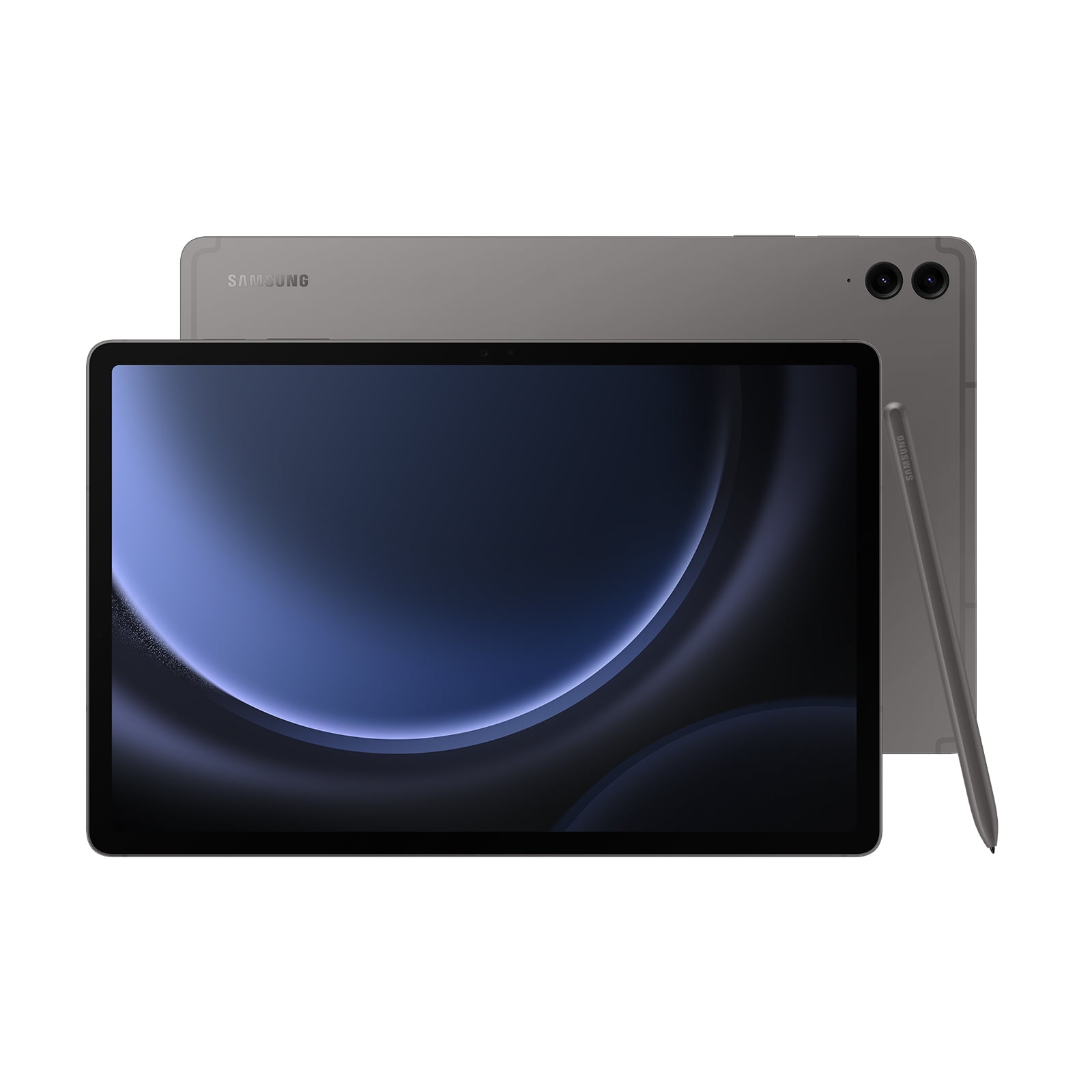
Quick Decision
Buy it if you need a capable Android tablet for note-taking and media consumption on a budget and value the included S Pen and water resistance. Skip it if display quality or high-speed performance are your top priorities.
Best if you...
- Students who need an affordable note-taking tablet with S Pen included
- Casual media consumers who watch YouTube and Netflix
- Users who want water resistance for poolside or outdoor use
Skip it if you...
- Movie enthusiasts who want deep blacks and HDR quality
- Heavy gamers who need consistent high frame rates
- Professional artists requiring pressure-sensitive 120Hz drawing
If you're considering a Samsung tablet but don't want to spend flagship money, the Galaxy Tab S9 FE is the middle ground. It promises many of the same features as the premium Tab S9—S Pen, water resistance, expandable storage—at roughly half the price. But trade-offs exist in display quality, processing power, and build.
This analysis covers the Galaxy Tab S9 FE's pros and cons based on published specifications, verified user feedback patterns, and comparisons with key alternatives. We'll help you decide if the savings are worth the compromises.
We'll also cover top alternatives like the iPad (10th generation) and the standard Tab S9, along with accessories that enhance the experience. All prices are approximate as of early 2026.
About the Samsung Galaxy Tab S9 FE
The Samsung Galaxy Tab S9 FE is the budget-friendly variant of the flagship Tab S9 series, offering a 10.9-inch TFT LCD display, Exynos 1380 processor, and an included S Pen. It targets students and casual users who want a capable Android tablet without the premium price.
Key Specifications
- OS
- One UI 6 (Android 14), upgradable to Android 16
- RAM
- 6GB (4GB in some regions)
- Stylus
- S Pen included (no charging, magnetic attach)
- Battery
- 4450mAh (10-13 hours video playback)
- Display
- 10.9-inch TFT LCD, 2304x1440, 60Hz
- Storage
- 128GB internal, expandable via microSD up to 1TB
- Speakers
- Dual AKG-tuned speakers
- Processor
- Exynos 1380
- Dimensions
- 254.3 x 165.8 x 6.5 mm, 523g
- Connectivity
- Wi-Fi 6, Bluetooth 5.3, USB-C 3.2
- Camera (Rear)
- 8MP, 1080p video
- Camera (Front)
- 12MP ultrawide
- Water Resistance
- IP68 (1.5m, 30 min)
Overview
The Galaxy Tab S9 FE sits in Samsung's mid-range tablet lineup, bridging the gap between budget Tab A series and the premium Tab S9. It was released in Fall 2023 alongside the Tab S9 FE+, and remains a popular choice in 2026 due to its balanced feature set and lower price.
Designed for students, note-takers, and casual media consumers, the Tab S9 FE includes the S Pen (no charger dock) and the same IP68 dust/water resistance as the flagship models—rare in this price class. It runs One UI 6.x (upgradable to 7) based on Android 14, with four years of OS upgrades.
The tablet is available on Amazon in multiple colors, with 128GB base storage and 6GB RAM in most markets. The 10.9-inch TFT LCD (2304×1440) offers decent sharpness but lacks the deep blacks and vivid colors of AMOLED.
Pros
Where the Tab S9 FE excels is in providing a premium-like experience at a more accessible price. Its standout strengths include the included S Pen, water resistance, and expandable storage—features often omitted from mid-range tablets. Here’s a detailed look at what it does well.
Included S Pen with Low Latency
The Tab S9 FE comes with an S Pen right in the box—no extra purchase needed. According to Samsung, the pen offers 2.8ms latency on the display, making it responsive for note-taking and drawing. Google Keep, Samsung Notes, and third-party apps like Concepts work smoothly. For students who handwrite notes or annotate PDFs, this adds significant value compared to tablets that require a separate stylus purchase (e.g., iPad 10th gen needs Apple Pencil 1 at $79).
The S Pen attaches magnetically to the back of the tablet, though it doesn't dock for charging (it's battery-free). It's comfortable for extended use, and the low latency makes writing feel natural. However, there’s no built-in slot to store it securely, so it’s easy to misplace when carrying the tablet in a bag.
IP68 Water and Dust Resistance
One of the best features in this price bracket is IP68 certification. The Tab S9 FE can survive up to 30 minutes in 1.5 meters of fresh water—almost unheard of on a mid-range tablet. This means you can use it by the pool, in the rain, or in a classroom without worrying about splashes or dust. The premium Tab S9 has the same rating, so you’re not sacrificing durability.
In practice, this gives peace of mind that most competitors (iPad 10th gen, Lenovo Tab P12) lack. Just note that the S Pen is not water-resistant; if it gets wet, you'll need to replace it. Also, IP68 doesn't cover seawater or other liquids.
Expandable Storage Up to 1TB
Unlike many modern tablets that lock you into fixed storage (looking at you, iPad), the Tab S9 FE includes a microSD card slot supporting up to 1TB. The base 128GB internal storage is generous for the price, but if you store lots of offline videos, large PDFs, or game data, you can easily add space. A 512GB microSD card costs around $50-$60, making it cheap to expand.
This is a major advantage for heavy content consumers or creative users who work with large files. Apple’s iPad storage upgrades are notoriously expensive (e.g., $200 for 128GB to 256GB), so the microSD slot saves real money.
Solid Performance for Daily Tasks
The Exynos 1380 chipset is no flagship killer, but it handles day-to-day tasks fluidly. Benchmark scores on Geekbench 6 are around 1000 single-core and 2900 multi-core, roughly comparable to the Snapdragon 778G found in some mid-range phones. In real use, browser tabs, YouTube, note-taking apps, and light photo editing run without lag. Even multitasking with split-screen (two apps simultaneously) is smooth thanks to 6GB RAM.
Gaming is decent for less demanding titles like Genshin Impact at lower settings, but heavier games like Call of Duty: Mobile at high graphics may stutter. The tablet doesn't throttle aggressively for short sessions, but sustained gaming can cause frame drops. For the target audience (students, casual users), performance is more than adequate.
Good Battery Life for a Day’s Use
The 4450mAh battery delivers reliably 10-12 hours of mixed usage (web browsing, video streaming, note-taking). In a standardized video playback test at 200 nits, the Tab S9 FE lasts about 13 hours, per third-party reviews like GSMArena. That’s enough to get through a full school or work day with moderate use.
Charging is via USB-C with support for up to 45W Super Fast Charging, but Samsung includes only a 15W charger in the box. To charge at full speed, you need a separate 45W PPS charger (around $25). With the included charger, a full charge takes about 2 hours and 45 minutes; with a 45W adapter, it drops to about 1 hour 45 minutes. Not the fastest, but manageable.
One UI with Long Software Support
Samsung promises four major Android OS upgrades and four years of security updates for the Tab S9 FE. Launched with Android 13, it’s now on Android 15 in 2026, with at least two more updates to come. One UI 6.x/7 adds useful tablet features like drag-and-drop between apps, a taskbar for quick app switching, and DeX mode (desktop-like interface) activated from quick settings.
DeX is especially powerful: connect the tablet to an external monitor (via USB-C to HDMI), and you get a PC-like experience with resizable windows. This makes the Tab S9 FE a viable mini-laptop for basic productivity—something the iPad can't do without third-party apps.
Stereo Speakers with AKG Tuning
The Tab S9 FE has dual speakers tuned by AKG, delivering clear, balanced sound for a tablet. They get reasonably loud without distortion, though they lack deep bass. For watching movies or listening to podcasts in a quiet room, they're sufficient. If you want more immersive audio, Bluetooth 5.3 supports codecs like AAC and LDAC for wireless earbuds.
Compared to the iPad 10th gen’s single-speaker setup, the Tab S9 FE’s stereo separation is a clear plus. However, the iPad Air and Tab S9 have four speakers for richer sound, so don't expect cinema-level quality.
USB-C 3.2 with Display Out
Unlike many budget tablets that use slower USB 2.0, the Tab S9 FE has USB-C 3.2 Gen 1 (5Gbps). This enables fast data transfers and, more importantly, DisplayPort Alt Mode for connecting to external monitors via a USB-C to HDMI cable. This works seamlessly with DeX mode, turning the tablet into a desktop replacement.
This feature is rare on mid-range tablets and adds productivity value. The iPad 10th gen only supports USB 2.0 speeds and no display out, making the Tab S9 FE more versatile for office work or presentations.
Quad-Array Microphone for Calls and Recording
The Tab S9 FE includes four microphones with noise cancellation. In video calls (Zoom, Google Meet), your voice comes through clearly even in slightly noisy environments. The benefit extends to voice recording in lectures or meetings—the sound quality is good enough for transcription later. This makes the tablet a solid choice for remote workers or students.
Some competitors like the iPad 10th gen have dual mics; the Tab S9 FE’s four-mic setup gives it an edge for voice-centric tasks.
Cons
No tablet is perfect, and the Tab S9 FE makes several compromises to hit its lower price. The most notable are the TFT LCD display (instead of AMOLED) and the 60Hz refresh rate, which affect media consumption and scrolling smoothness. Here’s an honest look at the downsides.
TFT LCD Panel with Lower Contrast and Brightness
Perhaps the biggest compromise is the 10.9-inch TFT LCD display. Unlike the Tab S9’s Dynamic AMOLED 2X, this panel has lower contrast, less vibrant colors, and deeper blacks that appear grayish in dark environments. Peak brightness is around 670 nits (typical), per Samsung’s specs—adequate indoors but struggles in direct sunlight.
For media consumption, the difference is noticeable: HDR content lacks punch, and dark movie scenes look washed out. Viewing angles are decent, but color shift occurs off-axis. If you watch a lot of movies or want an immersive display, the standard Tab S9 is worth the extra cost.
60Hz Refresh Rate – No Smooth Scrolling
The display is locked at 60Hz, while most competitors in this price range (e.g., iPad 10th gen, Lenovo Tab P12) also use 60Hz, so it's not unusual. However, the Samsung Galaxy Tab S9 (and even the older Tab S7 FE) offers 120Hz, making the FE feel less fluid when scrolling through websites or switching apps. For note-taking with the S Pen, the 60Hz refresh rate doesn't hinder latency, but the visual experience isn't as smooth as higher-refresh tablets.
This isn't a dealbreaker for everyone—many users are fine with 60Hz. But if you're used to 90Hz or 120Hz displays, you'll feel the difference.
Slow USB-C Charging (15W in Box)
While the tablet supports 45W fast charging, Samsung only includes a 15W charger in the box. This means a full charge takes about 2 hours 45 minutes out of the box—significantly slower than the iPad 10th gen's roughly 2-hour charge (20W adapter included). To get faster charging, you must buy a separate 45W PPS charger, which costs around $25-$30. That's an additional expense most buyers won't expect.
For those who need quick top-ups between classes or meetings, the slow charging is an annoyance. Some users report that the tablet charges slower when in use, too.
Base Model Has Only 4GB RAM (in Some Regions)
In certain markets, the base Tab S9 FE comes with 4GB of RAM instead of 6GB. Samsung's official specs say 6GB for the Wi-Fi model, but some configurations—especially in budget bundles—may have 4GB. With 4GB, multitasking suffers: opening several apps or a heavy browser load can lead to lag and app reloads. For light use (note-taking, streaming), 4GB may suffice, but power users should seek the 6GB version.
Even with 6GB, RAM management on One UI isn't as aggressive as on iPads—apps refresh more often, which can be frustrating during split-screen use.
No Fingerprint Scanner (Only Face Unlock)
Unlike the Tab S9, which has a side-mounted fingerprint scanner, the Tab S9 FE relies solely on face recognition (via the front camera). Face unlock works in good lighting but is less secure than a fingerprint and doesn't work in the dark. There's no iris scanner or facial map—just a basic camera-based detection. This makes unlocking the tablet less convenient, especially when using the tablet on a desk (you have to angle your face).
Some users have reported that face unlock fails with masks or sunglasses. If you value biometric security, the lack of fingerprint is a real downside.
Cameras Are Basic – Fine for Video Calls Only
The rear camera is an 8MP sensor (no flash) capable of 1080p video recording. Photos are acceptable in good light but lack detail and dynamic range—comparable to a mid-range smartphone from 2020. The front camera is a 12MP ultrawide (23mm equivalent) for video calls, which does a decent job for Zoom lectures, but sharpness is mediocre in low light.
These cameras are not meant for photography; they're purely functional. The iPad's 12MP camera (both front and back) offers better quality and Smart HDR. For document scanning or casual shots, the Tab S9 FE's cameras are passable but unimpressive.
No Headphone Jack – Requires Adapter
Like most modern tablets, the Tab S9 FE lacks a 3.5mm headphone jack. You'll need a USB-C to 3.5mm adapter (about $10) or use Bluetooth headphones. While the move to USB-C audio is common, the absence of a dedicated jack is inconvenient for users who prefer wired headphones without dongles. The Tab S9 (full) also lacks the jack, so it's consistent across the series, but it's still a drawback for some.
S Pen Storage Is Weak – No Embedded Slot
The S Pen attaches magnetically to the back of the tablet, but the connection is not exceptionally strong. It can easily be knocked off when sliding the tablet into a bag or back‑door. There is no silo or holder built into the chassis, which means the pen is more likely to be lost compared to the Tab S series (which have a cutout on the back). The magnetic side attachment works well while using the tablet, but moving it around requires caution.
Samsung includes a small fabric loop case in some bundles to hold the pen, but it's not a firm solution.
Bloatware and Ads in One UI
Out of the box, the Tab S9 FE comes with preinstalled apps: Samsung's own suite (Notes, Calendar, Internet, SmartThings, etc.) plus third-party offers like Microsoft Office (trial), Netflix, and sometimes social media apps. While many of these can be uninstalled, some are bloatware that can't be removed without ADB. Additionally, Samsung's Free app (with ad-supported content) appears on the home screen, and there are occasional promotional notifications.
This clutter can be removed with some setup time, but it's not a clean stock Android experience—a point that bothers users coming from iPads or Pixel tablets.
Audio Through Speakers Lacks Bass
While the AKG dual speakers are clear and get loud, they lack low-end punch. Music sounds thin, and action movies lose impact. The Tab S9 and iPad Pro have four speakers with better bass response. For audiophiles or heavy media consumers, this is a noticeable downgrade.
However, for voice-focused content (lectures, podcasts, audiobooks), the speakers are adequate. If you want better sound, you'll need external speakers or headphones.
👍 Who It's For
The Tab S9 FE is an excellent choice for students on a budget who need a tablet for note-taking and reading. The included S Pen and IP68 rating mean you can scribble notes in class, by the pool, or in the library without worry. Expandable storage is ideal for storing textbooks, videos, and research papers.
It’s also a good fit for casual home users who want a tablet for streaming YouTube, browsing the web, and occasional light gaming. The 10.9-inch screen is large enough for comfortable media consumption yet portable enough for one-handed use. DeX mode gives you the ability to connect to a monitor for a desktop-like experience, making it suitable for basic productivity (email, docs, spreadsheets).
Finally, users invested in Samsung’s ecosystem (Galaxy phones, Buds, Watch) will appreciate the seamless integration: Quick Share for file transfers, call and message continuity, and multi-device transitions.
👎 Who Should Avoid
If you’re a media enthusiast who prioritizes display quality for movies and HDR content, skip the Tab S9 FE. The TFT LCD simply can’t match the deep blacks and vivid colors of an AMOLED or mini-LED panel. The iPad Air (M1) or the standard Tab S9 will provide a significantly better visual experience.
Power users who multitask heavily with multiple apps, heavy documents, or creative apps (e.g., photo editing, 3D modeling) should look elsewhere. The Exynos 1380 and 6GB RAM will struggle with demanding workloads, and the lack of a 120Hz display makes advanced note-taking feel less fluid. In this case, the iPad Air (M2) or Tab S9 Ultra are better choices.
Gamers who want to play high-end titles at high settings will also be disappointed. The tablet can run most games at low or medium settings, but sustained performance drops due to thermal throttling. Dedicated gaming tablets (e.g., Lenovo Legion Tab) offer superior gaming performance.
Finally, if you prioritize simplicity and a clean software experience without bloatware, the iPad (10th gen) or Google Pixel Tablet offer a more streamlined interface out of the box.
See today's Samsung Galaxy Tab S9 FE price and available configurations on Amazon.
🛒 Buy on AmazonAs an Amazon Associate we earn from qualifying purchases.
Alternatives to Consider
| Product | Choose Samsung Galaxy Tab S9 FE if... | Choose the alternative if... |
|---|---|---|
| iPad 10th Generation (2022)$100 more expensive than iPad | You want an included S Pen, expandable storage, and water resistance without paying extra. | You value a wider selection of creative and productivity apps (especially iOS exclusives) and better resale value. |
| Samsung Galaxy Tab S9 (Standard)$350 less expensive than Tab S9 | You need a lower entry price and still want an S Pen and expandable storage. | Display quality (AMOLED, 120Hz) and flagship performance matter more to you. |
| Google Pixel TabletComparable in price at launch (~$399) | You want a clamshell case dock for at-home use and a cleaner Android experience. | You need a stylus for precise note-taking and water resistance for outdoor use. |
The most direct competitor is the iPad 10th generation. It has a more polished app ecosystem, faster CPU, and better cameras, but lacks an included stylus and expandable storage. For students who need Apple Pencil support, the iPad 10th gen requires a $79 separate pencil. The Tab S9 FE wins on price-included S Pen.
If you want better display and performance, the standard Tab S9 (starting at $799) offers a 120Hz AMOLED screen, faster Snapdragon 8 Gen 2, and more RAM. But it’s nearly double the price. The Galaxy Tab S9 FE+ is a larger version (12.4 inches) with the same internals for $599.
For Android users seeking a pure software experience, the Google Pixel Tablet ($399) has a more bloat-free interface, but lacks an included stylus and IP rating. Amazon Fire HD 10 ($149) is much cheaper but slower and with a lower-res screen.
Ultimately, the choice comes down to budget and which trade-offs you can live with.
Is it worth the price?
At approximately $450, the Galaxy Tab S9 FE is worth it for students and casual users who will use the S Pen daily. The main alternative to consider is the iPad 10th generation at $349, which offers a faster processor and better third-party app support but requires a $79 Apple Pencil for note-taking and lacks expandable storage. For most buyers, the Tab S9 FE's included S Pen and expandable storage tip the value in its favor, provided you can accept the LCD screen and 60Hz refresh rate.
📝 Bottom Line
The Samsung Galaxy Tab S9 FE is the right choice for budget-conscious students and casual users who prioritize the included S Pen, expandable storage, and water resistance—features rarely found together at this price point. Its TFT LCD display and 60Hz refresh rate are the biggest compromises, but if you primarily use the tablet for note-taking, streaming, and light productivity, you'll get solid value for ~$450.
However, if you frequently watch HDR movies or need buttery-smooth scrolling for drawing, the standard Tab S9 or iPad Air will serve you better, albeit at a higher cost. Similarly, gamers and heavy multitaskers should look for devices with more powerful chips and higher refresh rates.
In summary: Buy the Tab S9 FE if you want a capable note-taking companion that can handle daily tasks without breaking the bank. Skip it if display quality or raw performance are dealbreakers. For most users in the target audience, this tablet delivers excellent value for the price.
Check current Samsung Galaxy Tab S9 FE availability and bundle options on Amazon.
🛒 Buy on AmazonAs an Amazon Associate we earn from qualifying purchases.
Frequently Asked Questions
Quick Summary
Key Pros
- ✓Included S Pen with low latency for note-taking and drawing
- ✓IP68 water and dust resistance, rare in mid-range tablets
- ✓Expandable storage up to 1TB via microSD card
- ✓Solid performance for daily tasks with Exynos 1380 and 6GB RAM
- ✓Good battery life (10-13 hours) for full-day use
Key Cons
- ✗TFT LCD display lacks the contrast and vibrancy of AMOLED
- ✗60Hz refresh rate makes scrolling feel less smooth than 120Hz competitors
- ✗Only a 15W charger included, requiring extra purchase for fast 45W charging
- ✗Base model may have only 4GB RAM in some regions, causing multitasking lag
- ✗No fingerprint scanner; face unlock works inconsistently in low light
Ratings
Best For
- →Students who need an affordable note-taking tablet with S Pen included
- →Casual media consumers who watch YouTube and Netflix
- →Users who want water resistance for poolside or outdoor use
- →Samsung ecosystem users seeking seamless integration