
Is Kindle Paperwhite (11th Gen) Worth It? Honest Review (2026)
A detailed look at the Kindle Paperwhite's real strengths, limitations, and who should buy it in 2026.
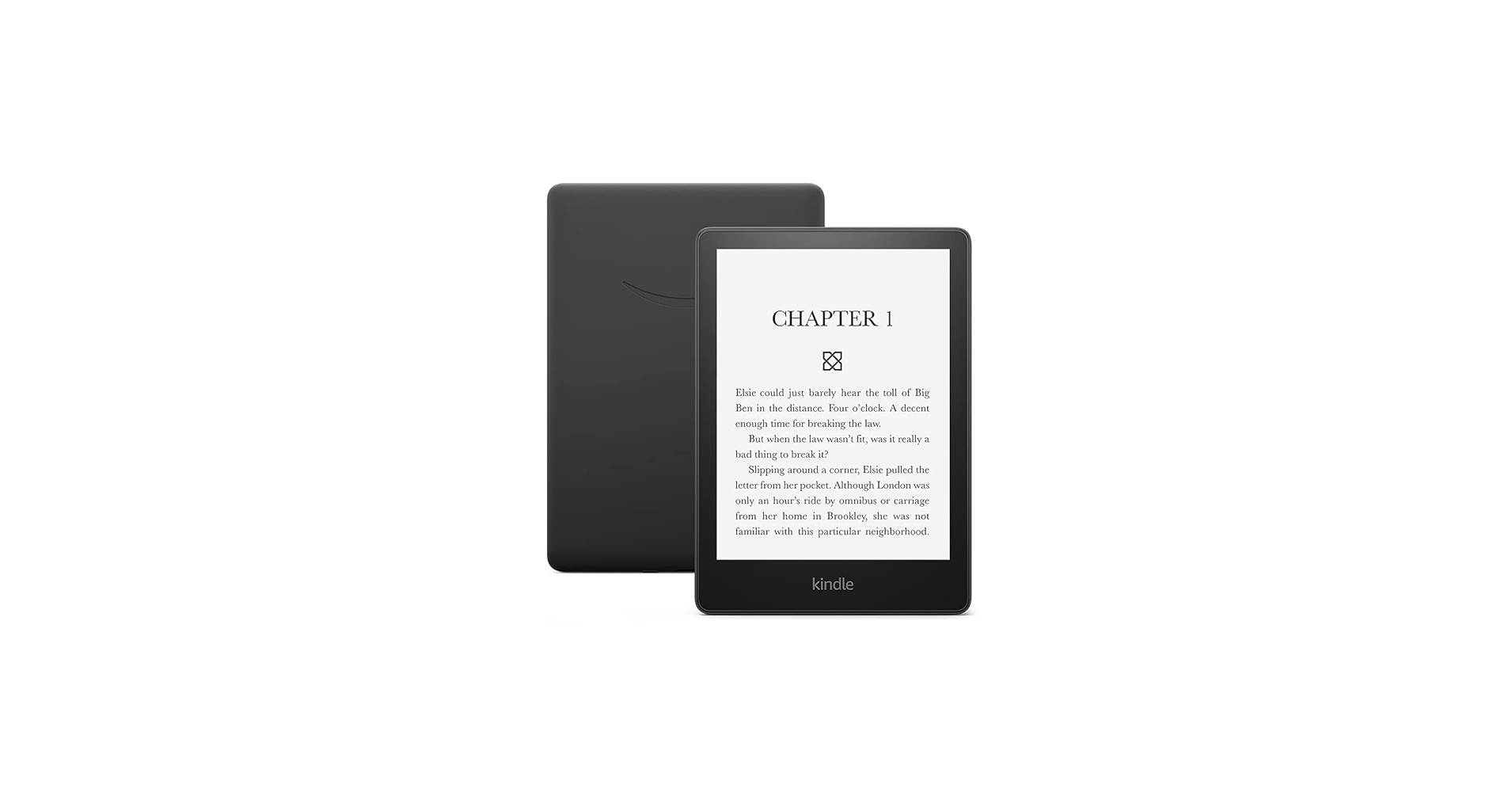
Quick Decision
Buy it if you are a regular reader who wants a waterproof, warm-lit display and also wants to stop charging a device every few days. Skip it if you read only occasionally or need a tablet with full apps. The display and battery make it the best value mid-range e-reader for most book lovers.
Best if you...
- Daily commuters who read on the train or bus
- Bedtime readers who need warm light and low blue light
- Travelers who want weeks of battery life
Skip it if you...
- People who read mostly PDFs or academic papers
- Comic and manga readers who need color
- Note-takers who want to write in margins
The Kindle Paperwhite has long been the default recommendation for e-reader shoppers, and the 11th generation model, first released in 2021, still holds that position in 2026. Amazon refined the formula with a larger 6.8-inch screen, brighter LEDs, warm light, and USB-C charging, making it a more polished reading device. If you're researching this model, you're likely weighing whether the premium over the base Kindle justifies the features, or whether a competitor like Kobo makes more sense for your library habits.
This guide examines the Paperwhite's strengths and weaknesses based on published manufacturer specifications, verified customer feedback patterns, and comparisons with the main alternatives. You'll get a direct answer on who should buy it, who should skip it, and where it falls short. We'll also cover practical comparisons and accessories that pair naturally with this device.
About the Kindle Paperwhite (11th Gen)
The Kindle Paperwhite (11th Gen) is a dedicated e-reader with a 6.8-inch 300 ppi E Ink display, adjustable warm light, and IPX8 waterproofing. It's designed for readers who want a lightweight, distraction-free device that lasts weeks on a single charge. It supports Kindle ebooks, Audible audiobooks via Bluetooth, and Amazon's Whispersync syncing.
Key Specifications
- Weight
- 205 g / 7.1 oz
- Battery
- Up to 10 weeks (30 min/day reading with wireless off)
- Display
- 6.8-inch E Ink Carta, 300 ppi, 17 LEDs
- Storage
- 8 GB (approximately 6 GB available)
- Charging
- USB-C
- Dimensions
- 6.9 x 4.9 x 0.32 in
- Connectivity
- Wi-Fi, Bluetooth
- Water Resistance
- IPX8, 2 meters fresh water for up to 60 minutes
Overview
The Kindle Paperwhite (11th Gen) sits in the middle of Amazon's e-reader lineup, between the roughly $99.99 base Kindle and the $189.99 Signature Edition. It's widely available on Amazon for around $149.99, though discount events often drop it to $119.99–$129.99. Since its launch in 2021, it has remained one of the best-selling e-readers because it delivers the most necessary reading features without the premium extras of the Signature model.
The device is built around a flush 6.8-inch E Ink Carta display with 300 ppi pixel density, which is identical in sharpness to the flagship Kindle Oasis. It has 17 LEDs for even front lighting, a manually adjustable warm light, and dark mode. Combined with IPX8 waterproofing and USB-C charging, it's a well-rounded package for readers who want a device that works in any lighting and around water. The Paperwhite is a dedicated reading tool, not a mini tablet, so it intentionally does one thing and does it well.
Pros
The Paperwhite earns its reputation because of the details: a sharper, larger screen, a long battery, and small quality-of-life improvements that make reading feel effortless. These are the areas where it genuinely shines.
Sharp 6.8-Inch 300 PPI Display
The Paperwhite's 6.8-inch screen packs 300 pixels per inch, which makes text look crisp and crisp enough to mimic a printed page. The 17 front LEDs produce even, glare-free lighting that works in bright sunlight and dark bedrooms. According to Amazon's product specs, the display is glare-free, which matters if you read outdoors or near a window.
This larger panel also means fewer page turns per chapter and more comfortable reading for longer sessions. The text stays sharp from edge to edge, and the flush front makes it easy to swipe. If you're upgrading from an older 6-inch Kindle or reading on a phone, the difference is immediately noticeable.
Up to 10 Weeks of Battery Life
Amazon rates the battery at up to 10 weeks based on 30 minutes of reading per day with wireless off and brightness at a default level. In practice, most users report charging every month or two, depending on backlight use and whether they keep Wi-Fi on. That kind of endurance eliminates the 'battery anxiety' that comes with phones and tablets.
For travelers, this is a major advantage. You can take the Paperwhite on a two-week vacation and never bring a charger. Similarly, if you forget to charge it for a few nights, the device will still work the next day.
IPX8 Waterproofing
The Paperwhite is rated IPX8, meaning it can be submerged in up to 2 meters of fresh water for 60 minutes. Amazon's official specifications confirm this, making it safe for reading in the bath, at the beach, or by the pool. That's a feature the base Kindle lacks, and it's a big deal for anyone who reads around water.
The waterproofing means you don't have to zip your e-reader into a plastic bag or nervously hold it away from the water. It also adds peace of mind if you fall asleep while reading in bed or accidentally spill a drink.
USB-C Charging
The 11th generation Paperwhite was one of the first Kindles to switch to USB-C, which is now the common standard for phones and laptops. You can charge it with the same cable you use for your Android phone or laptop, reducing clutter. A full charge takes a few hours, though the low power draw means you'll rarely think about it.
For anyone replacing an older Kindle with a micro-USB port, this is a welcome simplification. It's also useful when traveling, since you likely already have a USB-C cable in your bag.
Warm Light and Dark Mode for Comfortable Night Reading
The Paperwhite lets you shift the front light from cool blue to warm amber, which can reduce eye strain and make reading in the dark more comfortable. The warm light is especially helpful for late-night readers who want to avoid the harsh blue light that can affect sleep. The base Kindle does not offer warm light, so this is a key differentiator.
Dark mode flips the UI to white text on a black background, which some people find easier on the eyes in dim rooms. Both features work smoothly and are built directly into the quick-settings menu. For evening readers, these are more than gimmicks; they make long reading sessions more pleasant.
Distraction-Free by Design
The Paperwhite does not have app notifications, social media feeds, or a vibrant color display that tempts you into scrolling. It's a dedicated e-reader, so the experience is intentionally focused on books. If you easily get pulled into apps on your phone, the Paperwhite acts as a separation between digital noise and reading time.
The device does have a basic experimental web browser, but it is slow and clunky, making it unusable for actual browsing. That limitation is a feature for readers who want to stay focused. You can read entire chapters without the urge to check Twitter or email.
Seamless Kindle Ecosystem Integration
Whispersync automatically syncs your page, bookmarks, and notes across your Kindle devices and the Kindle app. If you switch from your Paperwhite to your phone, you can pick up exactly where you left off. The Kindle Store, Kindle Unlimited, and Send to Kindle all make it easy to get new books into your hands.
For anyone already using Amazon's ecosystem, the integration is frictionless. Sample chapters can be sent straight to the device, and ebooks purchased with one click appear within seconds. This seamless experience is one of the biggest reasons people stay with Kindle rather than switching to Kobo or Nook.
Cons
No product is perfect, and the Kindle Paperwhite has real limitations that show up in day-to-day use. These are the drawbacks worth considering before you spend money.
Higher Price Than the Base Kindle
At roughly $149.99, the Paperwhite costs about $50 more than the $99.99 base Kindle. You get a larger 6.8-inch screen, warm light, waterproofing, and more LEDs, but text sharpness is identical because both have 300 ppi. If you read only indoors in good lighting and never near water, the extra cost may not be justified.
This con matters most to budget-conscious shoppers. The base Kindle offers the same core reading experience for 33% less money, and many people will be perfectly happy with it. The Paperwhite only makes financial sense when you'll actually use the warm light or waterproofing.
8GB Base Storage Is Not Expandable
The Paperwhite comes with 8GB of storage, leaving roughly 6GB usable. That's enough for thousands of standard ebooks, but large files like audiobooks, manga, comics, and PDFs consume space quickly. There is no microSD slot, so you cannot add more storage later.
If you plan to use the Paperwhite for Audible audiobooks, the storage becomes tight after a handful of downloads. The alternative is paying $40 more for the 32GB Signature Edition, which brings auto-brightness and wireless charging too. For most fiction readers, the storage is fine, but it's a real concern for media-heavy users.
No Physical Page-Turn Buttons
Every Kindle Paperwhite requires you to tap or swipe the screen to turn pages. Some readers strongly prefer physical buttons, which are present on the Kindle Oasis and the Kobo Libra 2. Physical buttons can be easier to use with gloves, in the bath, or when you want a more tactile feel.
If you have hand mobility issues or simply hate tapping the screen, the Paperwhite may frustrate you. The lack of buttons is not a fatal flaw, but it's a deliberate design choice that a minority of readers will miss. The Kobo Libra 2 is one of the few modern e-readers that still offers buttons.
Poor Experience With PDFs and Complex Documents
The 6.8-inch e-ink screen can display PDFs, but it's not ideal for them. PDFs with small text require constant zooming and panning, and text cannot be reflowed as cleanly as native Kindle formats. Low-resolution scans look even worse on the e-ink display.
This con mostly affects students, academics, or professionals who want to read research papers, white papers, or technical manuals. For those users, a tablet or a larger e-ink device like the Kindle Scribe is a better investment. The Paperwhite is optimized for standard ebooks, not complex layouts.
It's an E-Reader, Not a Tablet
The Paperwhite has no color, no video, no external app store beyond Kindle, and no touchscreen responsiveness that compares to a tablet. The built-in web browser is painfully slow and not recommended for actual use. If you want to read color comics, watch videos, or use newspapers in a web-capable format, this is the wrong device.
For some people, these limitations are exactly why they buy a Kindle. For others, the single-purpose nature feels restrictive. It's not a replacement for a tablet, and anyone expecting an iPad-like experience will be disappointed.
Ads on the Lock Screen (Unless You Pay Extra)
The standard ad-supported version of the Paperwhite shows sponsored screensavers and the occasional lock-screen ad. Some find it annoying because it breaks the immersive feeling of an e-reader. Removing the ads costs $20 more, either at checkout or later through your Amazon account.
This effectively raises the price of the Paperwhite to around $170 if you want an ad-free experience. The base Kindle also has ads, so it's an industry pattern, but it's still a hidden cost. If lock-screen ads bother you, factor the $20 into your budget from the start.
Audiobook Playback Requires Bluetooth Headphones
The Paperwhite supports Audible audiobooks, but it has no headphone jack. To listen, you need Bluetooth headphones or earbuds. Additionally, the 8GB storage is quickly consumed by audiobook files, and the device's audio interface is basic compared to a dedicated music player.
If you listen to a lot of audiobooks, a phone or a small dedicated audio player will likely serve you better. The Paperwhite's audiobook feature is a convenient extra, not a core reason to buy.
👍 Who It's For
The Kindle Paperwhite is ideal for committed readers who finish several books a month and read in varied environments. If you read on your commute, during lunch, or in bed, the 6.8-inch screen and warm light make longer sessions more comfortable. The waterproofing matters if you've ever wanted to read in the bath or by the pool without stressing about splashes.
It's also a strong choice for travelers, since the 205g weight and 10-week battery mean you can pack it and forget about a charger. The distraction-free design helps people who want to read more and scroll less. And if you already buy ebooks from Amazon or subscribe to Kindle Unlimited, the integration is so smooth that it makes the purchase an easy call.
👎 Who Should Avoid
Skip the Paperwhite if your primary reading material is PDFs, academic papers, or visually complex documents. The 6.8-inch e-ink screen is too small for comfortable text reflow, and there's no stylus support for annotations. It's also the wrong tool if you expect a tablet that can handle video, color magazines, or a full app store.
Readers who need physical page-turn buttons or want to borrow library ebooks directly through OverDrive should look at the Kobo Libra 2. Likewise, if you only read occasionally and want to spend as little as possible, the $99.99 base Kindle gives you the same text quality at a much lower price.
See today's Kindle Paperwhite (11th Gen) price and available configurations on Amazon.
🛒 Buy on AmazonAs an Amazon Associate we earn from qualifying purchases.
Alternatives to Consider
| Product | Choose Kindle Paperwhite (11th Gen) if... | Choose the alternative if... |
|---|---|---|
| Kindle (11th Gen, 2022)Roughly $50 more expensive | You read for hours and want waterproofing plus a larger warm-lit display | You only read indoors in good light and want to spend as little as possible |
| Kindle Paperwhite Signature Edition$40 less expensive | You want 32GB of storage, auto-brightness, and wireless charging without paying for the larger Oasis | You don't need extra storage or auto-adjusting light and prefer to save $40 |
| Kobo Libra 2Roughly $30 more expensive | You want the Kindle Store, Whispersync, and waterproofing at a lower price | You want physical page-turn buttons and direct OverDrive library borrowing, even if it costs more |
The most obvious alternative is the standard Kindle (2022), which shares the same 300 ppi text quality in a smaller 6-inch body for about $50 less. The trade-offs are notable: it lacks the Paperwhite's waterproofing, warm light, and larger screen, so indoor reading in a well-lit room feels nearly identical, while outdoor and bathtub reading do not.
From the premium side, the Kindle Paperwhite Signature Edition adds auto-brightness, wireless charging, and 32GB for $40 more. Outside the Amazon ecosystem, the Kobo Libra 2 is the strongest competitor with physical page-turn buttons, USB-C charging, and built-in OverDrive support for borrowing library ebooks. For readers who rely on their local library and dislike Amazon's ad offerings, the Libra 2 is genuinely tempting.
Is it worth the price?
At around $149.99, the Kindle Paperwhite is worth buying for anyone who reads several hours per week or more. The key differentiators — IPX8 waterproofing, adjustable warm light, and a 300 ppi display — justify the roughly $40–50 premium over the base Kindle. If you rarely read outdoors or at night, the standard Kindle gets you the same core reading experience for less, so the Paperwhite only makes sense when those features actually improve your reading habits.
📝 Bottom Line
The Kindle Paperwhite (11th Gen) is the best all-around e-reader for most people because it combines a sharp, warm-lit display, waterproofing, and weeks-long battery life at a reasonable price. It's not the cheapest Kindle, but the extra $40–50 buys real improvements that matter to frequent readers.
The 300 ppi screen is crisp enough to feel like a printed page, the IPX8 rating makes it safe for reading by the pool, and the 10-week battery life means you'll rarely think about charging. The biggest drawbacks are the base 8GB of storage, the lack of physical page-turn buttons, and the fact that complex PDFs remain a poor experience. None of these will bother the typical fiction reader, but they matter if you plan to read technical documents or manga.
Verdict: Buy the Paperwhite if you read at least several hours a week and want a dedicated device that works in any lighting and around water. Skip it if you're a light reader or need a multipurpose tablet — in that case, the base Kindle or a cheap tablet is a better use of your money.
Check current Kindle Paperwhite (11th Gen) availability and bundle options on Amazon.
🛒 Buy on AmazonAs an Amazon Associate we earn from qualifying purchases.
Frequently Asked Questions
Quick Summary
Key Pros
- ✓Sharp 300 ppi 6.8-inch display that looks like a printed page
- ✓Up to 10 weeks of battery life on a single charge
- ✓IPX8 waterproof rating for reading in the bath, pool, or beach
- ✓USB-C charging with a cable you already own
- ✓Adjustable warm light and dark mode for comfortable nighttime reading
Key Cons
- ✗About $40–50 more expensive than the base Kindle
- ✗8GB base storage isn't expandable and fills quickly with audiobooks
- ✗No physical page-turn buttons
- ✗Poor handling of PDFs and complex documents
- ✗No color, no video, and no app ecosystem
Ratings
Best For
- →Daily commuters who read on the train or bus
- →Bedtime readers who need warm light and low blue light
- →Travelers who want weeks of battery life
- →People who read in the bath or by the pool