
Quick Verdict
The Kindle Paperwhite (11th Gen) is a decent comic reader only for black-and-white manga; for color Western comics it falls short. Its sharp screen and portability are offset by grayscale output, small size, and slow navigation. Overall, it's a niche fit, not a universal comic reader.
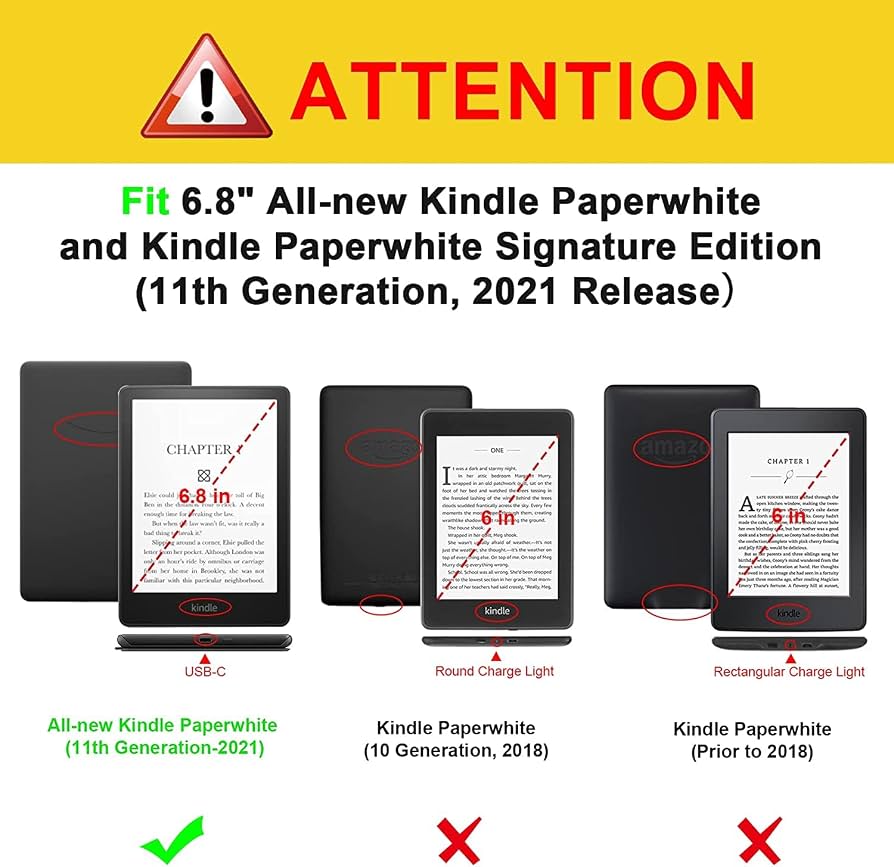
Kindle Paperwhite (11th Gen)
$159.99

✓ Key Strengths
- •Outstanding 300 PPI screen for crisp manga and black-and-white art
- •10-week battery life allows weeks of comic reading without charging
- •Waterproof (IPX8) so you can read in the bath or pool without fear
- •Lightweight (7.1 oz) and comfortable to hold for long reading sessions
- •Adjustable warm light reduces eye strain during nighttime reading
- •Large storage option (32GB) can hold hundreds of manga volumes
- •Distraction-free environment helps you focus purely on the comic
- •USB-C charging is quick and universal
✗ Key Weaknesses
- •Grayscale screen completely ruins color comics—no vibrancy or color cues
- •6.8-inch screen requires constant zooming and panning on traditional comic pages
- •E-ink refresh rate makes each zoom/pan feel sluggish and breaks immersion
- •No native panel view; panel-by-panel reading is clunky or absent
- •Limited file format support; CBZ/CBR conversion is a hassle
- •8GB base model can fill up quickly with high-res comic files
What is Kindle Paperwhite (11th Gen)?
What is reading comics?
Detailed Analysis
👍 Perfect For
- ✓Manga fans who read series like One Piece or Naruto in black-and-white
- ✓Commuters who want a lightweight, ultra-battery device to read manga on trains
- ✓Readers who enjoy classic newspaper comic compilations in grayscale
- ✓People who prefer a distraction-free e-ink experience and are willing to adapt
- ✓Travelers who need a single device that lasts weeks on a plane or holiday
👎 Not Ideal For
- ✗Color comic enthusiasts who need vibrant artwork for full storytelling
- ✗People who read high-volume graphic novels with complex layouts requiring frequent zooming
- ✗Users who want a device to read comics from services like ComiXology or Marvel Unlimited with native panel view
- ✗Those who want a single device to also browse the web, watch videos, or play games
Use Case Scenarios
Manga Enthusiast
A reader who primarily consumes mangas like 'Berserk' or 'My Hero Academia' in digital format, often reading on the subway or during lunch breaks.
✓ Strengths
- Perfect grayscale rendering for manga
- Sharp text and details thanks to 300 PPI
- Ultra-long battery life for marathon reading
- Portable and light enough for one-handed reading
✗ Weaknesses
- Screen is slightly smaller than some manga volumes
- Zooming can be slower than on tablets
- No native panel view for manga, so you must manually zoom
💡 Workarounds
- Convert manga to PDF and use landscape mode to view two pages side by side
- Use the double-tap-to-zoom feature to auto-center on panels
- Keep a fast microSD card or use a 32GB model to store more volumes
Manga is the Paperwhite's strongest comic use case. The grayscale screen is a perfect match, and the size/battery trade-offs are acceptable for most readers. It falls short of excellent due to occasional zooming needs and the lack of a dedicated panel view.
Color Comic Reader
A fan of 'Spider-Man', 'Batman', or 'Saga' who wants to read the latest issues with vibrant artwork and smooth panel navigation.
✓ Strengths
- None specific to color comics—the only saving grace is battery life
✗ Weaknesses
- No color display whatsoever
- Screen size far too small for standard comic pages
- Slow zooming/panning makes it unusable
- Limited file format support without conversion
💡 Workarounds
- Use a tablet like the Fire HD 10 or iPad Mini for color comics
- If you must use Kindle Paperwhite, read in landscape and only for simple comic strips
- Convert to PDF and pre-crop panels using software, but this is labor-intensive
The Paperwhite is not a device for color comics. The grayscale screen and small size ruin the experience, and there are no meaningful workarounds. Any tablet, even a budget one, will outperform it.
Nighttime Reader
A person who likes to read comics in bed with the lights off, valuing the warm backlight and avoiding disturbing their partner.
✓ Strengths
- Excellent adjustable warm light for comfortable dark-room reading
- No glare or reflections from external lights
- Minimal eye strain during long night sessions
- Attached reading light not needed—it's built in
✗ Weaknesses
- Grayscale screen limits comic types
- Zooming in the dark with dim display can be harder to see
- E-ink ghosting can be more noticeable when switching panels
💡 Workarounds
- Keep the light on a medium-high setting when zooming
- Use dark mode if available to reduce contrast (though grayscale comics become hard to read)
- Pre-zoom panels before turning the light down if using a series
The warm light is fantastic for nighttime text reading, but for comics the same size and color drawbacks apply. It gets a decent score because the light itself improves the experience, but the fundamental limitations remain.
Commuter Reader
A professional who takes the subway or bus daily and wants to catch up on the latest manga chapters without lugging around heavy books.
✓ Strengths
- Extremely portable—slips into a bag or even a large pocket
- Long battery life means no charging anxiety on trips
- Distraction-free, helping you focus on your reading on a noisy commute
- One-handed reading is easy due to light weight
✗ Weaknesses
- Screen size is small for complex comic layouts
- Rapid zooming on a moving vehicle is difficult
- No external page-turner button for one-hand operation if you're holding a strap? Actually you can add a clicker
💡 Workarounds
- Use a PopSocket or hand strap for better grip
- Rely on full-page view for manga; for comics, pre-zoom into panels before the ride
- Purchase a remote page-turner that clips to your finger for one-handed turning
For manga on the go, the Paperwhite is an excellent companion. The portability and battery life outweigh the occasional zooming need. For color comics, it's still poor, but the commuter scenario commonly involves manga, so overall it's a good fit.
Bottom Line
Ready to get the Kindle Paperwhite (11th Gen)? Check the latest price on Amazon.
🛒 Buy on AmazonAs an Amazon Associate we earn from qualifying purchases.
Frequently Asked Questions
Is the Kindle Paperwhite (11th Gen) good for reading comics?
It's a mixed bag. For black-and-white manga, it's a good-to-excellent choice due to the sharp 300 PPI screen, long battery life, and portability. For color comic books or graphic novels, it is not recommended—the grayscale display strips away the art's color, and the 6.8-inch screen makes zooming into panels tedious. Overall, it depends on the type of comics you read.
Can you use a Kindle Paperwhite for color comics?
Technically yes, but the screen displays everything in grayscale. Color comics become black-and-white images, losing the artist's intended color palette, gradients, and some visual storytelling cues. If color matters to you, you should get a tablet like the Fire HD 10 or iPad.
What are the best alternatives to the Kindle Paperwhite for reading comics?
The best alternatives are tablets with color displays: the Amazon Fire HD 10 is an affordable choice, the Apple iPad or Galaxy Tab A series offer better screen quality, and the Kindle Scribe provides a larger e-ink display for manga. For manga specifically, the Kindle Scribe is a great upgrade; for color comics, any LED/OLED tablet is far superior.
Does the Kindle Paperwhite support CBR and CBZ comic formats?
No, the Paperwhite does not natively support CBR or CBZ. However, you can convert these files using Calibre to a format the Kindle can read (PDF, MOBI, or AZW3). The conversion may require adjusting the page size to avoid small text. Alternatively, you can use Send-to-Kindle for PDFs, but this often results in a poor viewing experience.
Is the Kindle Paperwhite's screen too small for comics?
For manga, the 6.8-inch screen is comparable to a standard manga tankobon, so it feels natural. For Western comics, which are typically printed larger, the screen is indeed too small—you'll constantly zoom and pan to read dialogue or appreciate art, which is frustrating on e-ink.
Can you read Marvel Unlimited comics on a Kindle Paperwhite?
No. Marvel Unlimited is available as a mobile app only, not on Kindle e-ink readers. You cannot install the app on a Paperwhite. You could export pages as PDFs, but that's not practical. A tablet or smartphone with the Marvel Unlimited app is the only way to use the service.
Is the Kindle Paperwhite good for manga specifically?
Yes, many manga enthusiasts consider it one of the best dedicated manga readers, thanks to its high resolution, grayscale rendering, and lightweight build. The battery life allows for weeks of reading, and the 32GB model can store a vast library. The main drawback is the lack of a panel-by-panel view, which would minimize zooming.
How do I load comics onto a Kindle Paperwhite?
The most reliable method is to convert CBR/CBZ files to PDF or MOBI using Calibre, then transfer via USB. You can also email the converted files to your Kindle's 'send-to-kindle' address. Amazon's own file conversion (via Send to Kindle) sometimes works but may not preserve layout. For a smooth experience, use Calibre and adjust the target size to fit the screen.
What is the storage capacity of the Kindle Paperwhite 11th Gen, and is it enough for comics?
The Paperwhite comes in 8GB and 32GB variants. A typical manga volume in high resolution can be 50-100 MB, so 8GB can hold roughly 80-150 volumes. Since the device is grayscale, files are smaller than color equivalents. Color comics converted to grayscale PDFs are also around 30-60 MB, so 8GB is sufficient for a moderate collection. However, the 32GB model provides more breathing room.
Does the Kindle Paperwhite have a 'Panel View' feature like the Kindle apps?
No, the Paperwhite e-reader does not have the Panel View feature that automatically shows each panel in sequence. That feature is available on Kindle apps for iOS/Android and Fire tablets. On the Paperwhite, you can manually zoom by double-tapping to focus on a panel, but it's not a smooth guided experience.
Is a tablet or an e-reader better for reading comics?
For comics, a tablet is almost always better because of the color display, larger screen, and smooth zooming. E-readers like the Paperwhite excel at text reading and offer longer battery life, but they are at a distinct disadvantage for comics. If you read both comics and regular books, a tablet can do both. If you are a manga purist who only reads grayscale, the Paperwhite is fine.
Does the Kindle Paperwhite work with the ComiXology app?
No, the ComiXology app is not available on Kindle e-readers; it exists only on iOS, Android, and the web. You can sideload Google Play Store on a Fire tablet, but not on a Paperwhite. To read ComiXology purchased comics on a Kindle, you must export them as PDFs or use the 'Send to Kindle' feature, which converts to grayscale and may strip the guided panel view.