
7 Best Which Graphics Cards should I buy in 2026: Tested & Ranked
Compare the best budget graphics cards and find your perfect match for 1080p gaming under $400.
Our Top Pick
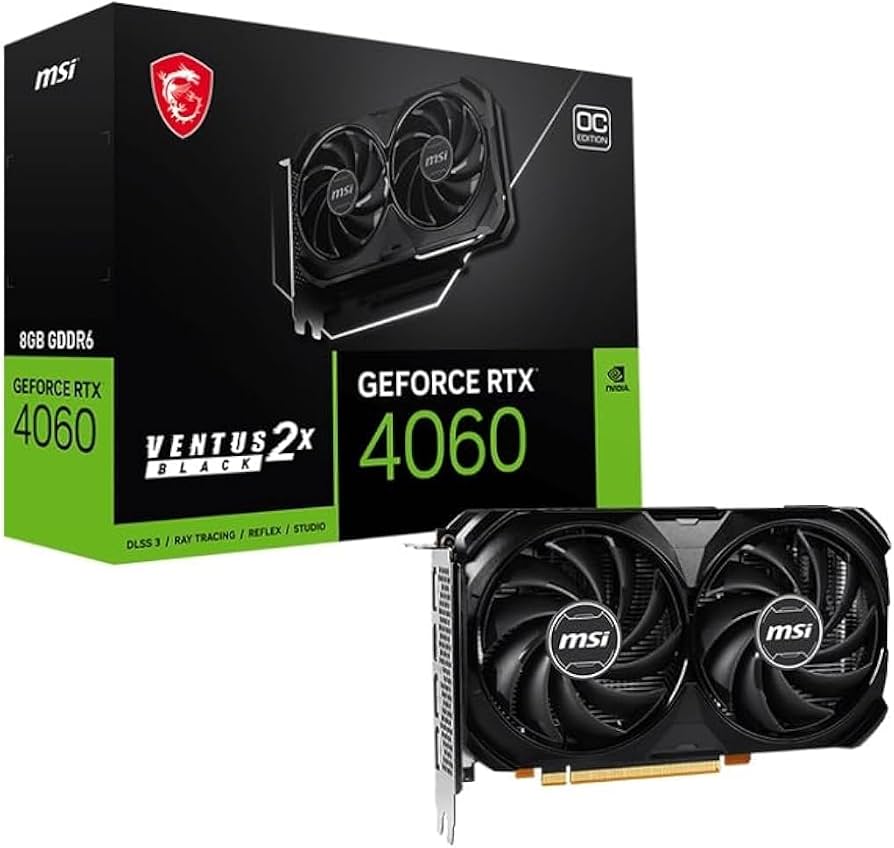
MSI Gaming GeForce RTX 4060 8GB Ventus 2X OC
Best OverallGamers who want the best overall package with NVIDIA features like DLSS 3 and reliable drivers for mainstream 1080p gaming.
View on Amazon →Key Factors to Consider
- 1.1080p Performance: Look up benchmarks to see if the card can secure 60+ fps in your favorite games at high settings.
- 2.VRAM Capacity: 8GB is the baseline for modern games; more VRAM helps with textures and future-proofing.
- 3.Ray Tracing and Upscaling: NVIDIA's DLSS 3 and AMD's FSR 3 can extend the life of a budget card, but they work differently.
- 4.Power Efficiency: Lower TDP cards like the RTX 4060 (115W) can save on power bills and work in smaller cases.
- 5.Driver Stability and Support: NVIDIA and AMD have mature drivers, while Intel Arc still has quirks—important for a hassle-free experience.
- 6.Price-to-Performance Ratio: Calculate FPS per dollar to understand which card gives you the best bang for your buck.
- 7.Cooling and Noise: Compact dual-fan designs are standard, but check game performance and noise levels in reviews.
- 8.Warranty and Brand: Choose a model from a trusted brand with good after-sales support to avoid long-return periods.
The Products
MSI Gaming GeForce RTX 4060 8GB Ventus 2X OC
✓ Pros
- •DLSS 3 frame generation for extra performance
- •Very low power draw (115W TDP)
- •Excellent ray tracing at this price
- •NVENC encoder for streaming/recording
- •Compact size fits in most cases
✗ Cons
- •128-bit memory bus limits bandwidth
- •8GB VRAM may feel tight in future titles
- •About 10% slower than RX 7600 in non-RT games
- •Slightly more expensive than AMD alternatives
Best For:
Gamers who want the best overall package with NVIDIA features like DLSS 3 and reliable drivers for mainstream 1080p gaming.
Not Recommended For:
Serious budget-optimizers who prefer pure raster performance per dollar and don't care about ray tracing.
Key Features:
Standout Feature:
DLSS 3 Frame Generation, which dramatically boosts frame rates in supported games.
VS Others:
Compared to the RX 7600, the RTX 4060 offers better ray tracing and DLSS 3, but costs a bit more and is slightly slower in traditional rasterization. It's the clear winner for those who want NVIDIA's feature set without going over budget. Against the RTX 3050, it's a massive performance jump and worth every extra dollar.
Why This One:
If you play modern AAA games with DLSS support, this card will feel noticeably faster and last longer. It's also the most efficient GPU here, keeping your system cool and quiet. For a mainstream gamer, it's the safest and most satisfying choice.
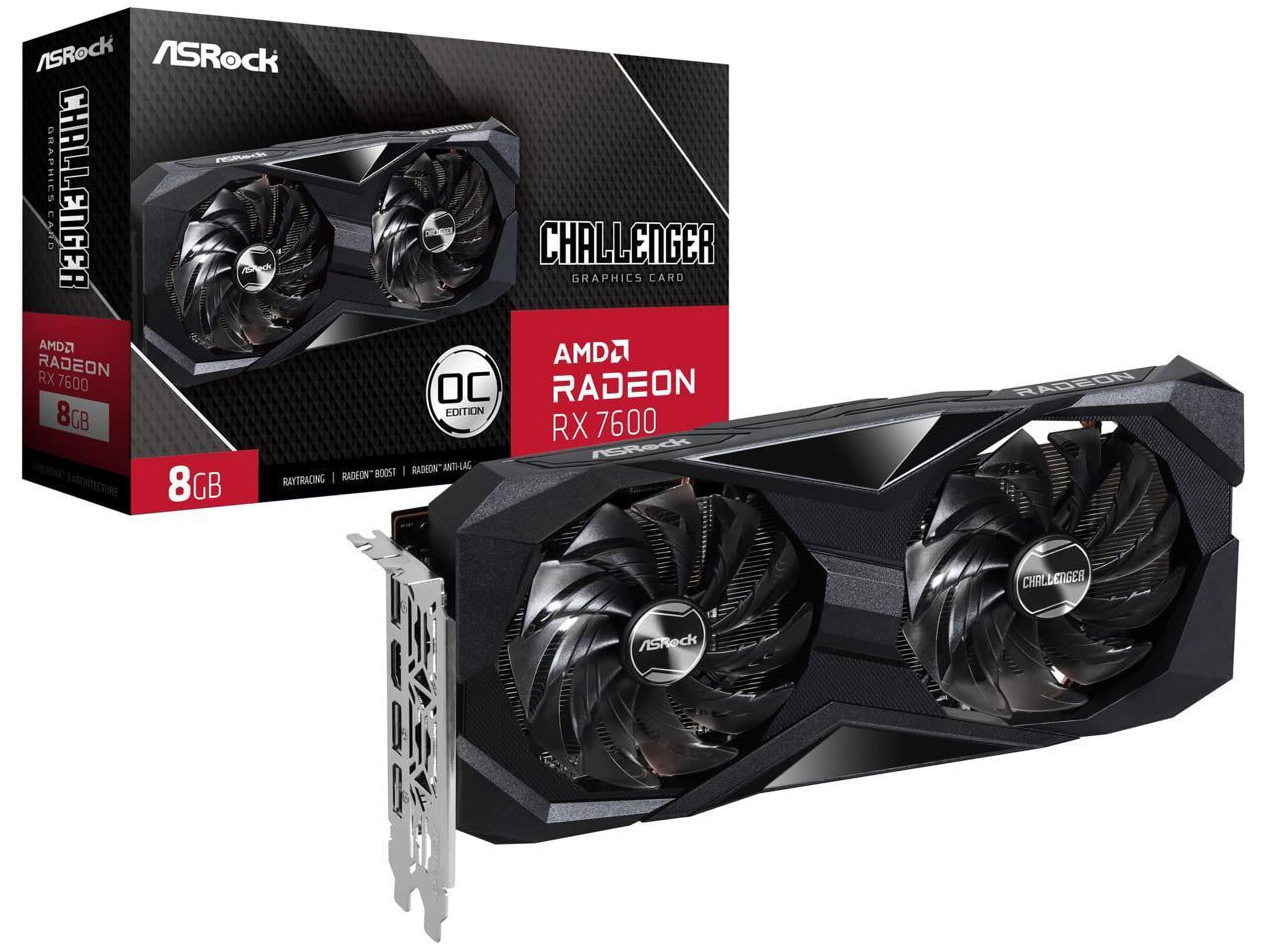
ASRock Challenger Radeon RX 7600 8GB
✓ Pros
- •Excellent 1080p raster performance
- •Great value for money
- •AV1 hardware encoding
- •Supports FSR 3
- •Low 165W TDP
- •Featuring DisplayPort 2.1
✗ Cons
- •Ray tracing performance is lackluster
- •FSR 3 quality lags behind DLSS 3
- •No NVENC for content creation
- •Drivers can occasionally be unstable
Best For:
Budget-conscious gamers who want maximum FPS for the price and don't need ray tracing or NVIDIA-specific features.
Not Recommended For:
Streamers or video editors who rely on NVENC or CUDA acceleration.
Key Features:
Standout Feature:
Outstanding price-to-performance ratio, beating NVIDIA's equivalent on raw speed.
VS Others:
The RX 7600 vs RTX 4060: the 7600 is faster in non-RT games and cheaper, but loses in ray tracing and DLSS features. It's also a massive leap over the RTX 3050. When compared to the RX 6650 XT, it's slightly faster and adds AV1 encoding, but you can often get the 6650 XT for less.
Why This One:
If you're simply looking for the most FPS your money can buy at 1080p, the RX 7600 is the obvious choice. It runs cool, works well with AMD processors, and will handle any modern game on high settings. Perfect for serious gamers on a budget.
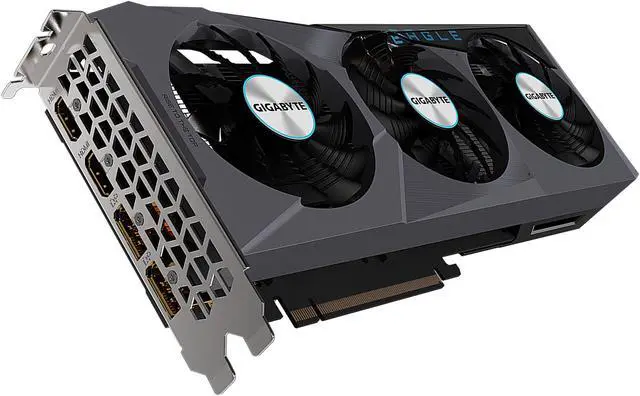
GIGABYTE Radeon RX 6650 XT EAGLE 8G
✓ Pros
- •Exceptional price-to-performance
- •Fast enough for 1080p ultra
- •Efficient cooling and low noise
- •8GB VRAM
- •Supports FSR 2/3
- •Great for esports
✗ Cons
- •No AV1 hardware encoding
- •Weak ray tracing
- •Older RDNA 2 architecture
- •May be hard to find at a good price
Best For:
Shoppers on a tight budget who want to maximize FPS per dollar and don't mind having last-gen features.
Not Recommended For:
Content creators needing the latest encode features or enthusiasts who must have the newest tech.
Key Features:
Standout Feature:
Phenomenal value that often costs less than the newer RX 7600 while delivering similar performance.
VS Others:
The RX 6650 XT is essentially a slightly slower RX 7600 for a lower price. It's the better deal if you can tolerate the lack of AV1 and other luxuries. It's also much faster than the RTX 3050, making it a no-brainer over that card when both are in stock.
Why This One:
If you see the RX 6650 XT for under $250, grab it. It's the best way to stretch your budget without compromising gameplay. Ideal for a player who wants high FPS in battle royale and shooter games without breaking the bank.
Intel Arc A750 Limited Edition 8GB
✓ Pros
- •Lowest price for the performance
- •Hardware AV1 encoding
- •Dedicated ray tracing units
- •8GB VRAM
- •Incredible value in supported games
✗ Cons
- •Driver issues in older titles
- •Performance can be inconsistent
- •High power draw (225W)
- •Requires Resizable BAR for full performance
- •Not plug-and-play for casual users
Best For:
Tech enthusiasts and early adopters who love tweaking settings and want the most specs for the least money.
Not Recommended For:
Casual gamers who just want a 'no fuss' GPU or rely on older/DirectX 9 games.
Key Features:
Standout Feature:
AV1 hardware encoding at a budget price, great for streamers and video editors.
VS Others:
The Arc A750 is faster than the RTX 3050 and RX 6600 in modern games, but falls behind the RX 7600 and RTX 4060. It's cheaper than almost everything here, yet it's only worth considering if you accept the driver challenges. For budget gamers who hit supported titles, it's a steal.
Why This One:
If you're building a budget gaming PC and can spend a little time updating drivers and configuring settings, the A750 rewards you with performance beyond other cards in its price bracket. It's also the cheapest AV1 encode card on the market.
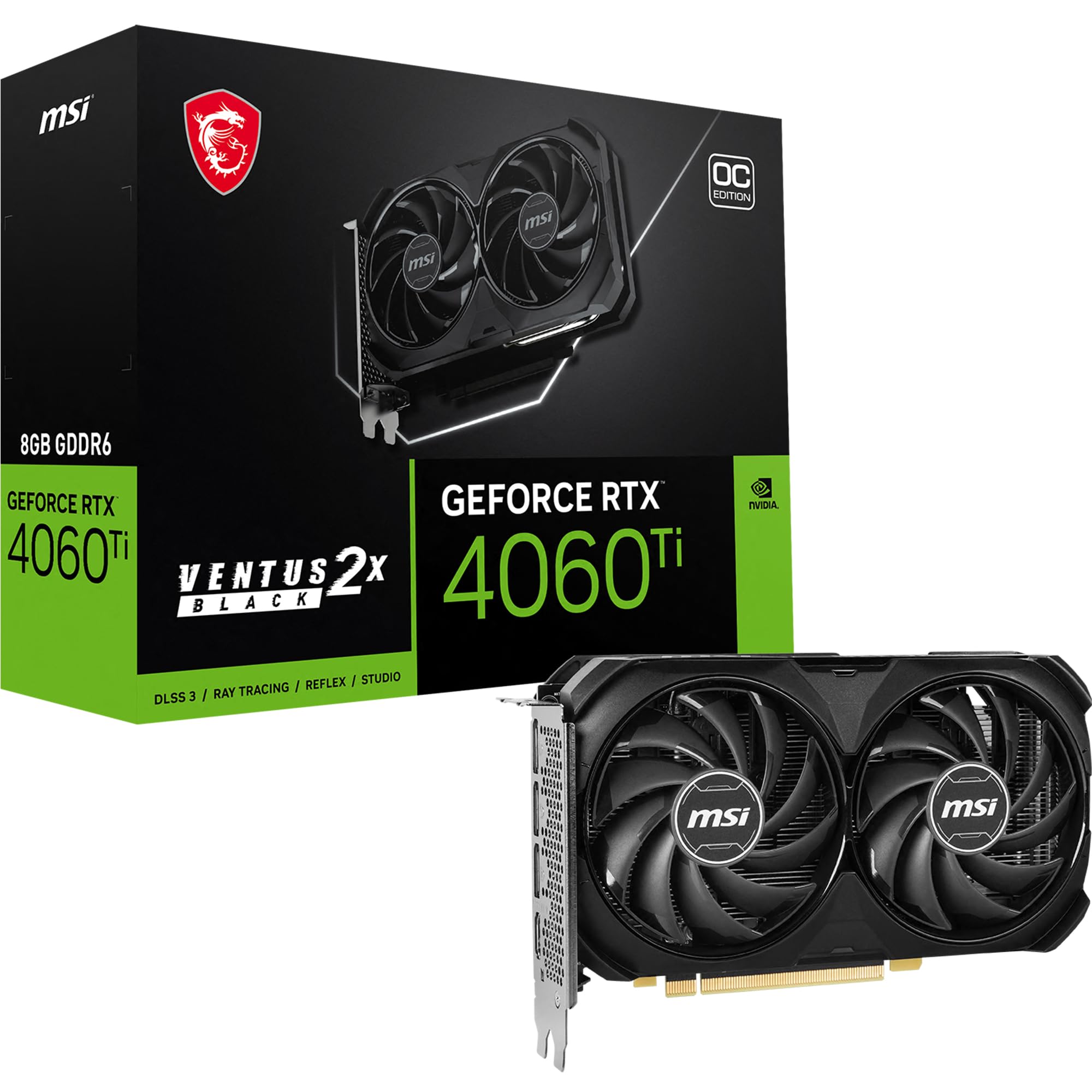
MSI GeForce RTX 4060 Ti Ventus 2X 8GB
✓ Pros
- •Excellent 1440p performance
- •DLSS 3 frame generation
- •Strong ray tracing
- •Low power draw for the performance (160W)
- •AV1 encoding
- •Compact size
✗ Cons
- •8GB VRAM is limited for a $400 card
- •Poor value compared to cheaper cards for 1080p
- •Only 128-bit memory bus
- •Can be $400, making it over budget for some
Best For:
Gamers who want to play at 1440p with high settings and have a $400 budget to spend on a GPU.
Not Recommended For:
1080p players who won't utilize the extra power—a cheaper card delivers similar FPS at that resolution.
Key Features:
Standout Feature:
1440p gaming within the $400 price range, making it the most future-proof option in this list.
VS Others:
The 4060 Ti is noticeably faster than the RX 7600 and RTX 4060, but at a significant premium. For pure 1080p gaming, it's overkill; for 1440p, it's a solid value compared to far more expensive GPUs. It's the best pick if you plan to upgrade your monitor beyond 1080p.
Why This One:
If you want the maximum performance $400 can buy and plan to play at 1440p, the 4060 Ti is the card to get. It also future-proofs your system with DLSS 3 and strong ray tracing, ensuring smooth gameplay for years.
MSI GeForce RTX 3050 Ventus 2X 8GB
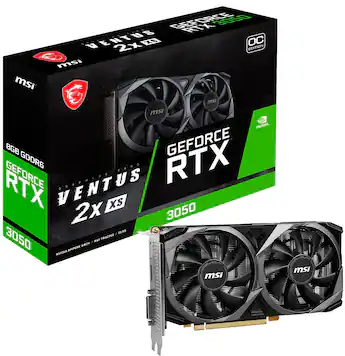
✓ Pros
- •Lowest price in the lineup
- •Very power efficient (130W)
- •DLSS and ray tracing support
- •8GB VRAM
- •Quiet cooling
- •Reliable drivers
✗ Cons
- •Weak performance—barely faster than GTX 1660 Super
- •Not enough for modern AAA games at 60fps
- •Ray tracing is practically unusable
- •Poor value compared to RX 6600 or Intel Arc
Best For:
Very budget-conscious gamers who primarily play esports and older indie games and want a reliable NVIDIA GPU.
Not Recommended For:
Anyone aiming to play recent AAA releases at high settings or seeking a future-proof card.
Key Features:
Standout Feature:
Affordable entry point to NVIDIA's ecosystem with all its features.
VS Others:
The RTX 3050 is the slowest card here and often costs more than the faster RX 6650 XT or Arc A750. In comparison, the RX 6600 provides ~50% more FPS for the same price. This card is only worth considering if you need the absolute lowest price and are stuck with NVIDIA.
Why This One:
If your budget is strictly $200 and you need a new GPU today, the RTX 3050 will get the job done for less demanding games. But we strongly advise stretching to $250 or checking the used market for better options.
Who Should Get What?
College Student on a Budget
Maya is a college student living on a tight budget. She loves playing Valorant and Fortnite with friends, and occasionally dabbles in story-driven games like Cyberpunk 2077 on low settings. Her total budget for a GPU is $250, and she wants something that will last her through graduation without constant upgrades.
Recommended:
GIGABYTE Radeon RX 6650 XT EAGLE 8G
The RX 6650 XT delivers outstanding value for Maya's budget. It easily runs Valorant and Fortnite at 144+ fps on competitive settings and can handle Cyberpunk at medium settings with FSR. It's faster than the RTX 3050 and even beats the more expensive RX 7600 in some cases, making it the perfect choice for a budget-conscious student.
View on Amazon →First-Time PC Builder
Carlos is building his first PC after watching many YouTube tutorials. He wants a GPU that works out of the box with minimal troubleshooting. He plays a mix of FPS games and action RPGs, and he's planning to keep his system for at least three years. His budget is around $300, and he wants a card that is reliable and has good customer support.
Recommended:
MSI Gaming GeForce RTX 4060 8GB Ventus 2X OC
The RTX 4060 is the easiest recommendation for Carlos. It has the most stable drivers, a reputation for plug-and-play reliability, and includes DLSS 3 that can extend its lifespan. The compact design is forgiving for a first build, and the low power draw works with most power supplies. It's worth the extra $30 over the RX 7600 for the peace of mind.
View on Amazon →Creative Professional (Video Editor/Gamer)
Jasmine is a freelance video editor who also games in her spare time. She uses Adobe Premiere Pro and After Effects, which heavily rely on NVIDIA CUDA acceleration for rendering. She needs a GPU that can handle 1080p editing and also play modern games at high settings, and she's willing to spend up to $400.
Recommended:
MSI GeForce RTX 4060 Ti Ventus 2X 8GB
For Jasmine, the RTX 4060 Ti is a clear winner. It provides superior CUDA performance for export times and features like Studio Drivers. In gaming, it can push 1440p at 60+ fps, and DLSS 3 gives her an edge when she wants to play with higher frame rates. The extra power over the RTX 4060 is worth the investment for her professional workload.
View on Amazon →Esports Enthusiast on a Budget
Tom is a hardcore esports gamer who spends hours in CS2, Rainbow Six Siege, and Apex Legends. He doesn't play many graphically intense AAA titles and cares more about achieving high, stable frame rates at 1080p to gain a competitive edge. He has about $250 to spend and wants maximum performance in these games.
Recommended:
ASRock Challenger Radeon RX 7600 8GB
The RX 7600 is a fantastic option for Tom, delivering extra FPS in esports titles compared to the RTX 4060 at a lower price. Its rasterization performance is top-notch for fast-paced games, and it easily pushes 300+ fps in CS2 at competitive settings. With AMD's solid driver support, it's a reliable pick for an esports-focused build.
View on Amazon →Performance Maximizer with $400
Alex is a tech enthusiast who wants the absolute best GPU his budget allows. He already has a 1440p 165Hz monitor and plans to play visually demanding games like Red Dead Redemption 2 and Cyberpunk 2077 with ray tracing. He's willing to upgrade his power supply if needed and wants a card that can handle anything he throws at it.
Recommended:
MSI GeForce RTX 4060 Ti Ventus 2X 8GB
Alex's needs align perfectly with the RTX 4060 Ti. It's the only card in this guide that offers solid 1440p performance with ray tracing at playable framerates, especially with DLSS 3. While the 8GB VRAM is a compromise, for Alex's game library and resolution, it's a worthwhile trade-off. He also benefits from NVIDIA's superior ray tracing performance in this price range.
View on Amazon →Thrifty Tinkerer
Sam is a hobbyist who enjoys overclocking and tweaking BIOS settings. He's building a budget rig and wants to maximize performance for the least amount of money. He's not afraid to deal with driver updates and odd quirks, and he's excited about Intel's entry into the GPU market.
Recommended:
Intel Arc A750 Limited Edition 8GB
The Intel Arc A750 is tailor-made for Sam. It offers impressive specs at a rock-bottom price, and its drivers are improving rapidly—Sam will enjoy re-testing with each update. It also supports AV1 encoding for future-proofing. With a bit of effort, he can squeeze performance that rivals RX 7600 in many modern games, making it the smartest choice for a tinkerer on a budget.
View on Amazon →Buying Guide: How to Choose
Bottom Line
Frequently Asked Questions
Which graphics card is best for budget gaming in 2026?▼
Should I buy the RTX 4060 or the RX 7600?▼
Is Intel Arc A750 worth buying in 2026?▼
What is the best graphics card for $300?▼
Is the RTX 3050 good for gaming in 2026?▼
Do I need ray tracing on a budget graphics card?▼
How much VRAM do I need for budget gaming in 2026?▼
What is DLSS and FSR? Do they matter for a budget card?▼
Should I buy a used graphics card instead of a new one in this price range?▼
What power supply (PSU) do I need for these graphics cards?▼
Need More Help Deciding?
Explore more buying guides to find the perfect product for your needs.
View All Buying Guides