
7 Best Which Graphics Cards should I buy in 2026: Tested & Ranked
Compare the best budget GPUs for gaming and productivity and find your perfect match.
Our Top Pick
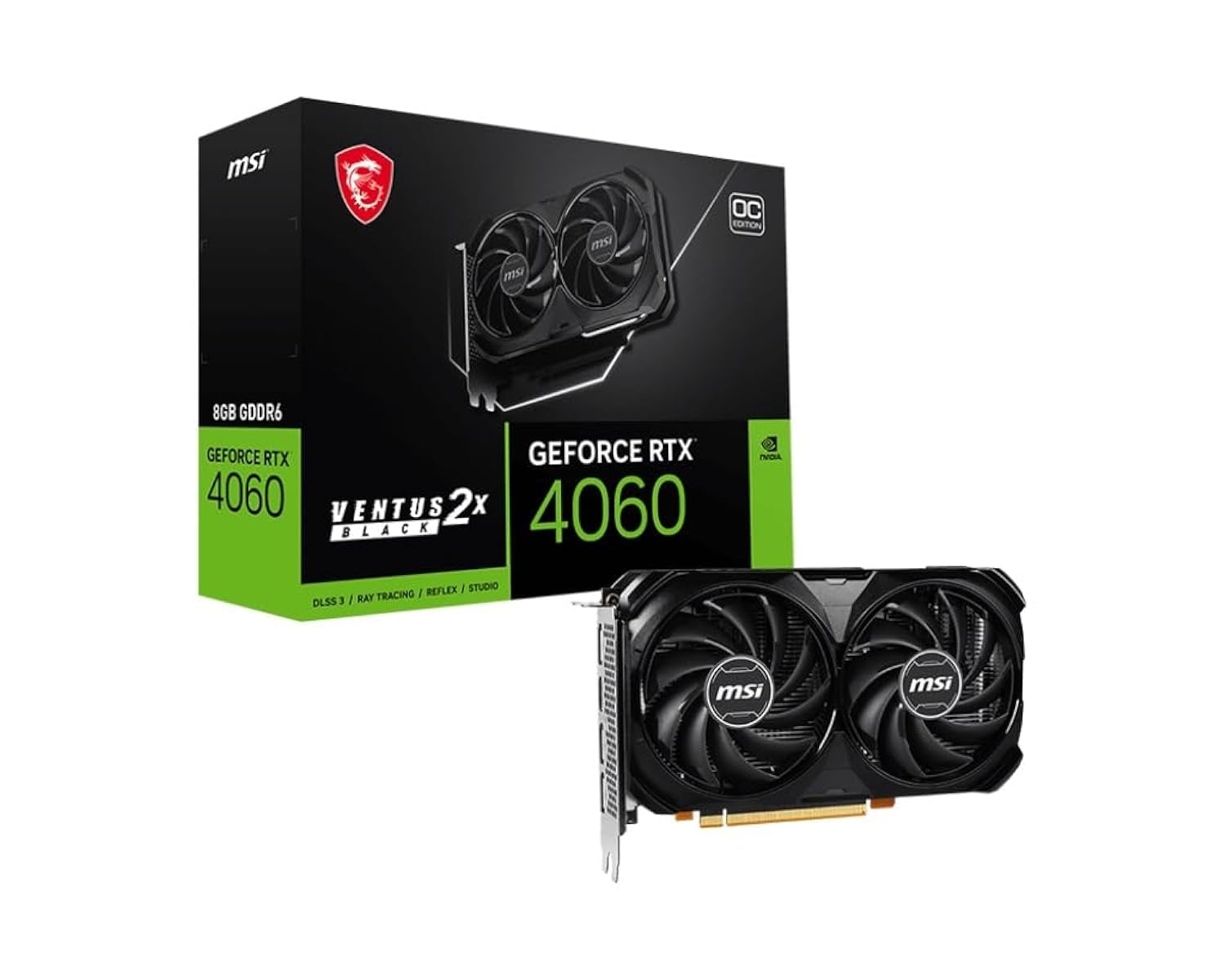
MSI Gaming GeForce RTX 4060 Ventus 2X OC
Best OverallFirst-time PC builders and most gamers who want a worry-free 1080p/1440p experience with Nvidia perks.
View on Amazon →Key Factors to Consider
- 1.Performance tier: Match the GPU to your monitor resolution and target frames—1080p and 1440p mid-range are this guide's sweet spot.
- 2.VRAM capacity: 8GB is the minimum for modern titles; 12GB or 16GB gives you extra texture buffer and headroom for creative apps.
- 3.Power draw and PSU requirements: The RTX 4060 draws only 115W while an Arc A770 can pull up to 225W; make sure your PSU and cables align.
- 4.Nvidia vs AMD vs Intel software: Nvidia has broadest driver stability, AMD mature and improving, Intel still inconsistent in older game libraries.
- 5.Upscaling technology: DLSS 3 (FPS boosting), FSR 3 (open-source), and XeSS (Intel) can all extend usefulness, but native rasterization matters most.
- 6.Ray tracing: Nvidia leads at this price point; AMD offers lighter RT; Intel Arc does decent RT but with more driver caveats.
- 7.Creative / productivity features: NVENC good for all Nvidia cards, AV1 encoding on RTX 40/Intel Arc and AMD RX 7600; CUDA support for GPU rendering.
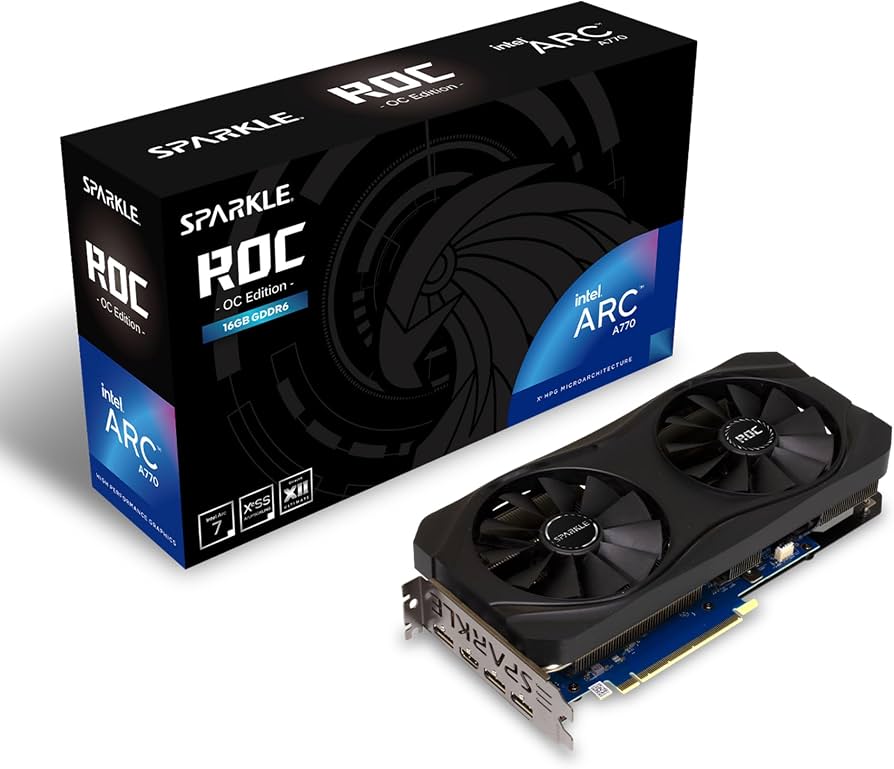
- 8.Card size and clarity: Check length (e.g., Arc A770 is over 10 inches) against your case and clearance for cooling.
- 9.Price-to-performance: Street prices fluctuate; use current Amazon deals and compare price per FPS from reputable benchmarks.
- 10.Future-proofing: A larger VRAM buffer, PCIe 4.0, and support for new codecs can delay your next upgrade.
The Products
MSI Gaming GeForce RTX 4060 Ventus 2X OC
✓ Pros
- •Very power efficient at 115W—works with most PSUs
- •DLSS 3 Frame Generation gives a big FPS boost in supported games
- •Excellent NVENC/AV1 encoder for streaming and editing
- •Runs cool and quiet in most cases
- •Nvidia drivers are reliable and GeForce Experience simplifies usage
- •Compact size: fits most budget cases
✗ Cons
- •8GB VRAM may feel limiting in future AAA titles
- •128-bit memory bus restricts 1440p ultra performance
- •RX 7600 offers more raw rasterization for less money
- •Not ideal if you need to run heavy ray tracing at higher resolutions
Best For:
First-time PC builders and most gamers who want a worry-free 1080p/1440p experience with Nvidia perks.
Not Recommended For:
Those who care more about raw FPS per dollar than ray tracing or DLSS.
Key Features:
Standout Feature:
DLSS 3 Frame Generation: it can make games smoother than the card's native FPS suggests.
VS Others:
Compared to the RX 7600, the 4060 is slightly slower in normal rasterization but makes up for it with DLSS 3, higher power efficiency, and better ray tracing. Against the RTX 4060 Ti, it's about 10-15% slower but costs $80 less. It's the 'safe' answer for most people.
Why This One:
It's the most balanced GPU in the $200-$400 bracket: exceptional software support, great efficiency, and enough performance for 90% of budget builders.
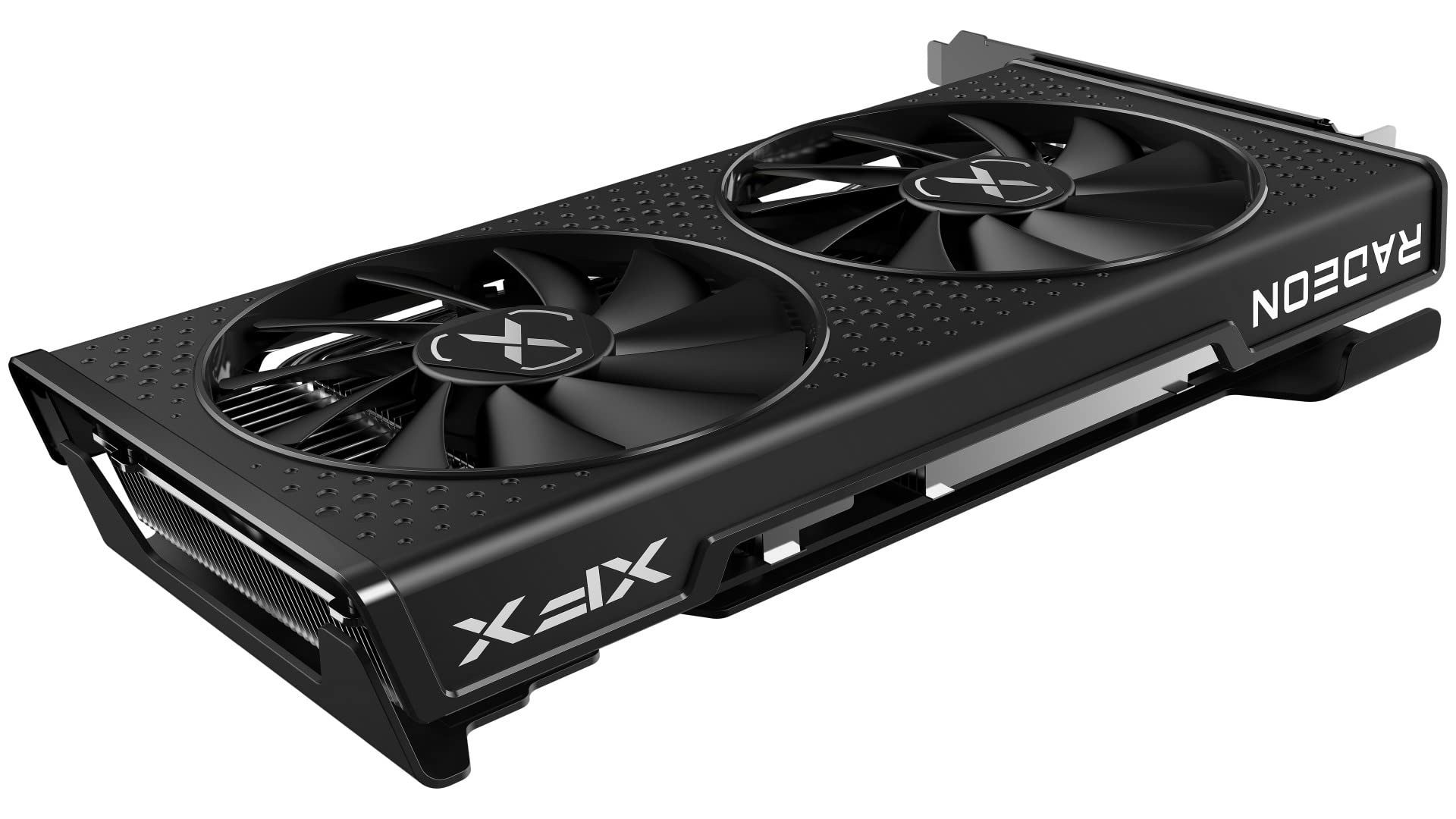
XFX Speedster SWFT 210 Radeon RX 7600
✓ Pros
- •Better value than RTX 4060 for traditional rasterization
- •Great 1080p performance, capable at 1440p
- •RDNA 3 supports FSR 3 and AV1 encode/decode
- •Lower street price than RTX 4060 in most region
- •Efficient and runs cool enough for most cases
- •Good for price-per-frame in esports titles
✗ Cons
- •Ray tracing is much weaker than RTX 4060
- •8GB VRAM is the same modern concern as 4060
- •No direct alternative to DLSS Frame Generation—FSR 3 is hit-or-miss
- •AMD software can be slightly less smooth than Nvidia's GeForce Experience
Best For:
Budget-conscious gamers and competitive players who want max FPS for their money and don't prioritize ray tracing.
Not Recommended For:
Ray tracing enthusiasts and users heavily reliant on Nvidia CUDA apps.
Key Features:
Standout Feature:
Best pure rasterization performance per dollar in this budget range.
VS Others:
The RX 7600 often costs $20-$30 less than the RTX 4060 while offering similar or better raw FPS in most non-ray-traced games. It lacks DLSS 3, but FSR 3 helps close that gap in supported titles. It's the value play, while the 4060 is the safer overall package.
Why This One:
If you're building a cost-conscious gaming rig and want the most FPS for every dollar, this is the GPU to buy.
Intel Arc A770 Limited Edition 16GB
✓ Pros
- •16GB VRAM—double that of the RTX 4060/RX 7600
- •Excellent AV1 hardware encoder for video creators
- •XeSS upscaling improves performance and image quality
- •Strong price-to-VRAM ratio for productivity
- •Growing driver support; improvement potential continues
- •Good 1080p/1440p rasterization in modern APIs
✗ Cons
- •Inconsistent performance in older DirectX 11 games
- •Power draw is high (up to 225W)
- •Long card—check case clearance
- •Ray tracing performance varies and isn't always an advantage
- •Intel drivers sometimes require workarounds for certain games
Best For:
Video editors, 3D artists, and AI hobbyists who need loads of VRAM and AV1 hardware encoding on a budget.
Not Recommended For:
Gamers playing older esports titles with DirectX 11 or those who want a simple, hands-off gaming experience.
Key Features:
Standout Feature:
16GB VRAM at a $300 price point—unmatched for creators and certain professional workloads.
VS Others:
The A770 is an outlier: it can outperform the RTX 4060 in VRAM-heavy productivity tasks, but its gaming track record is less consistent than both the 4060 and RX 7600. For a content creator who also games, it's an enticing wildcard; for a gamer only, the 4060 or 7600 are safer picks.
Why This One:
If your priority is creator workloads and you're okay with occasional driver tinkering, 16GB of VRAM makes this the value pick for creative pros.
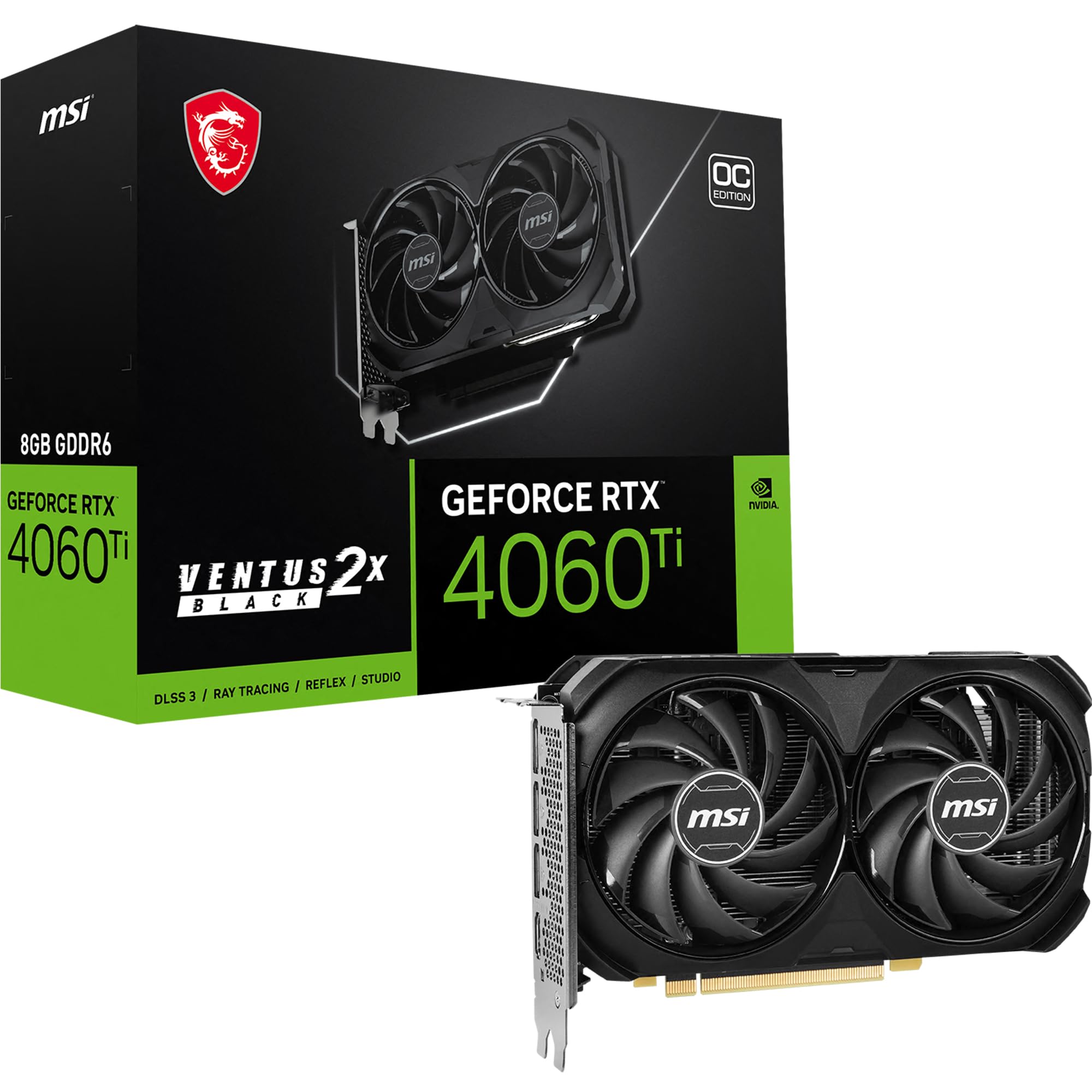
MSI Gaming GeForce RTX 4060 Ti Ventus 2X OC
✓ Pros
- •Significant rasterization improvement over RTX 4060
- •DLSS 3 Frame Generation is very effective
- •Best gaming/ray tracing performance under $400
- •NVENC encoder is excellent for streaming and recording
- •Typically 2-3 times faster than integrated graphics in productivity tasks
✗ Cons
- •Only 8GB VRAM still, which might be limiting for 1440p textures
- •Price premium over 4060/RX 7600 is not always worth it for 1080p
- •Power draw is higher than the base 4060 (up to 160W vs 115W)
- •Ray tracing performance still isn't enough for heavy RT in AAA titles
Best For:
PC builders with a $400 budget who want the strongest GPU in that bracket—especially suitable for 1440p, streaming, and CUDA-based apps.
Not Recommended For:
Casual gamers who won't see the extra performance at 1080p and would rather save $80.
Key Features:
Standout Feature:
The best all-round performance you can get before breaking the $400 psychological barrier.
VS Others:
The RTX 4060 Ti is the closest competitor to step-up cards like the RX 6700 XT? Actually at this price, AMD's RX 7600 XT or RX 6700 XT may offer more raster strength, but the 4060 Ti brings DLSS 3 and Nvidia drivers. It clearly beats the 4060 and the A770 in gaming, but loses on price-per-frame.
Why This One:
You should pick the 4060 Ti if you want the premium experience within your $400 budget: it's the fastest for gaming, streaming, and CUDA work.
XFX Speedster SWFT 210 Radeon RX 6600
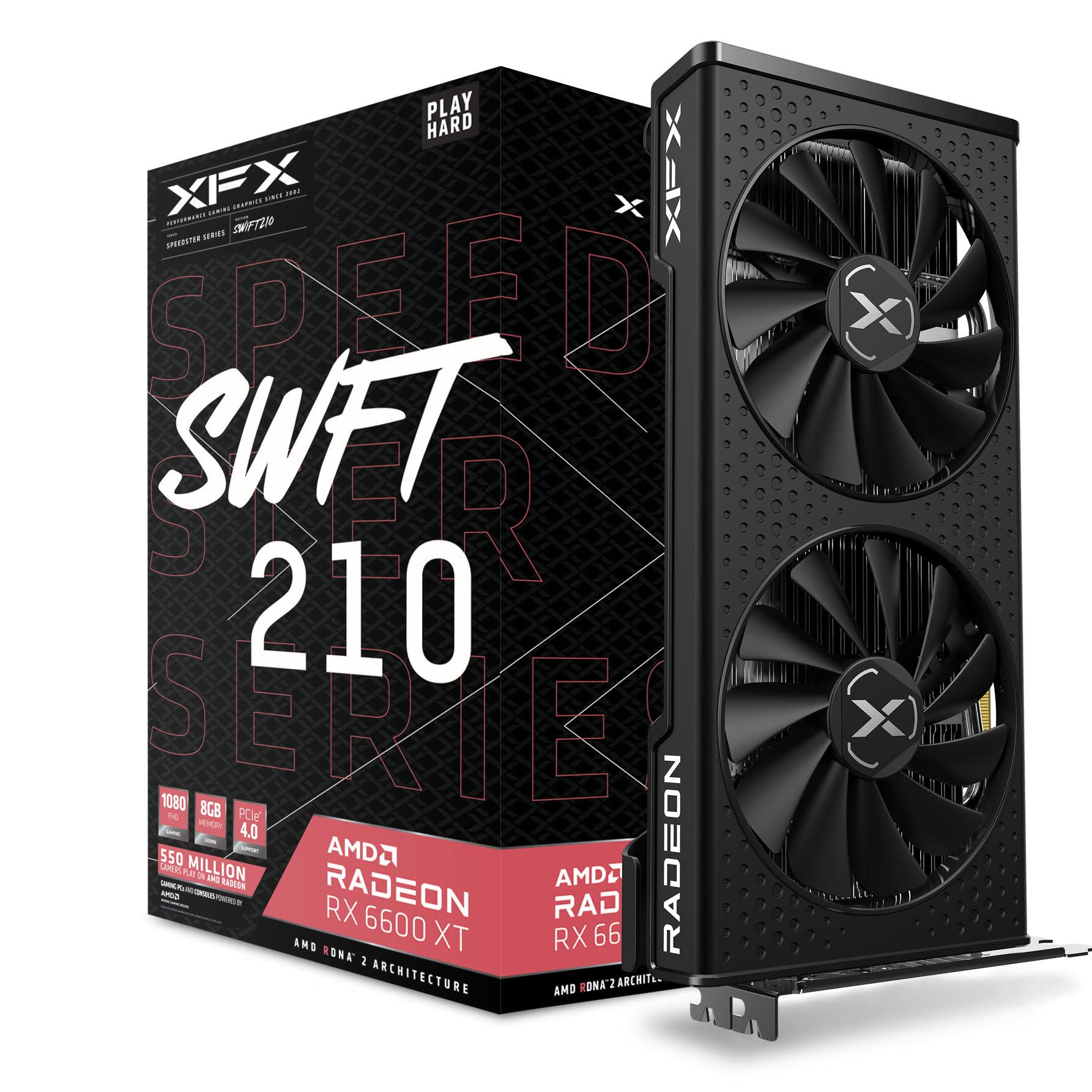
✓ Pros
- •Outstanding price-to-performance for under $200
- •Very low power draw (132W)
- •8GB VRAM is enough for 1080p gaming
- •FSR support improves performance in supported titles
- •Works with most 450W+ PSUs
- •One of the best value upgrades from integrated graphics
✗ Cons
- •No AV1 hardware encoding
- •Performance is noticeably lower than RX 7600 and RTX 4060
- •Ray tracing is nearly unusable in most games
- •Older PCIe 4.0 card; still fine on older boards
- •Not ideal for 1440p gaming beyond medium settings
Best For:
Budget students and first-time builders who want a reliable 1080p gaming card at the lowest possible cost.
Not Recommended For:
People planning to play demanding AAA games at 1440p or do heavy 4K video editing.
Key Features:
Standout Feature:
Probably the best $200 GPU deal available: solid 1080p performance with super low power usage.
VS Others:
Compared to the RTX 3050, the RX 6600 is about 10-20% faster at the same price, with better FSR support. It's a no-brainer over the 3050 for pure budget gaming. But it is not in the same performance class as the RX 7600 or the RTX 4060, so if you have another $50-100, upgrading is worthwhile.
Why This One:
If your absolute budget is $200, the RX 6600 gives you the most gaming performance possible without stepping into RTX 3050 territory.
ASUS Dual GeForce RTX 3050 8GB OC Edition
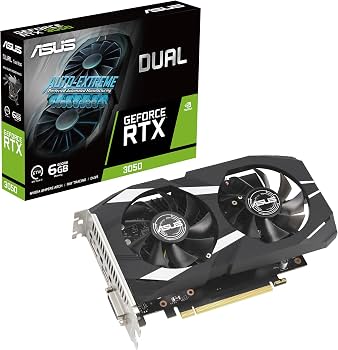
✓ Pros
- •Nvidia DLSS 2 support (though not DLSS 3)
- •Very power-efficient at 130W
- •Great value when found at deep discounts
- •Compact and fits almost any case
- •NVENC encoder (non-AV1) useful for streaming
- •Reliable Nvidia drivers
✗ Cons
- •Significantly weaker than RX 6600 and even RX 7600 in rasterization
- •Ray tracing is far too slow to use
- •Still often $200+, which is too expensive for what it offers
- •8GB VRAM is now budget-minimum, not future-proof
- •No AV1 encoding
Best For:
Nvidia loyalists on a strict budget, who value DLSS 2 and NVENC, or anyone who finds it on a steep sale.
Not Recommended For:
Most PC builders because the RX 6600 delivers more FPS for the same or lower price.
Key Features:
Standout Feature:
It's the only card here that is not worth buying at MSRP in 2026—tight shelf life.
VS Others:
The RX 6600 beats it by a clear margin at the same $200 price. It's only worth considering if you find it at $150 or less, or if you absolutely need Nvidia-specific software for an old PC that requires low power.
Why This One:
You shouldn't pick this unless you have a specific reason for Nvidia (CUDA, Nvidia Broadcast) at maximum savings—otherwise get the RX 6600.
Who Should Get What?
College Student on a Budget
A college student building their first PC with a tight budget. They want a card that handles 1080p gaming (Fortnite, Valorant, Minecraft) and occasionally Photoshop or Lightroom for classes. They can't afford to replace a GPU for a few years.
Recommended:
XFX Speedster SWFT 210 Radeon RX 6600
The RX 6600 costs around $200 and delivers excellent 1080p framerates while staying very power-efficient. It lacks ray tracing hardware that's fast enough to matter at this price anyway, but it will play the games you care about now and handle basic creative work without breaking a sweat. Your PSU won't need to be expensive, and you won't be paying for brand names you never really needed.
View on Amazon →First-Time PC Builder
A first-timer who wants an easy, stress-free build. They're not tech-savvy and want something that's known to work with popular software, has reliable drivers, and can play a mix of modern games at decent settings without lots of tinkering.
Recommended:
MSI Gaming GeForce RTX 4060 Ventus 2X OC
The RTX 4060 is the easiest to recommend for a first-timer: Nvidia's GeForce Experience simplifies driver updates and game settings, DLSS 3 can boost performance in supported titles, and the card runs cool and quiet under load. It's plug-and-play with almost any modern PSU and won't demand aggressive power cables. Plus, if you get stuck, online forums are full of RTX 4060 users who share trouble-shooting tips.
View on Amazon →Creative Professional / Video Editor
A freelance videographer works in Premiere Pro and DaVinci Resolve, eats 4K footage for breakfast, and needs reliable hardware acceleration plus AV1 encoding for efficient file exports. They also want to play the occasional game, but content creation comes first.
Recommended:
Intel Arc A770 Limited Edition 16GB
The Arc A770 offers 16GB of VRAM— far more than anything else near this price—and Intel's AV1 hardware encoder is excellent for video work, producing high-quality compressed files quickly. Its XeSS upscaling helps with gaming too, and native support in DaVinci Resolve has improved. It may not top charts everywhere, but for a creative who values memory and codecs over pure gaming FPS, it's a compelling and affordable choice.
View on Amazon →Budget Esports / Competitive Gamer
A very price-conscious gamer who mainly plays competitive esports titles like Valorant, CS2, Apex Legends, and Overwatch 2 at 1080p–1440p. They want the absolute highest framerate for the lowest cost and couldn't care less about ray tracing or DLSS.
Recommended:
XFX Speedster SWFT 210 Radeon RX 7600
The RX 7600 is the best sheer rasterization value in the $250-$300 segment. It beats the RTX 4060 in many non-ray-traced games at 1080p and hits huge framerates in esports titles, while costing a bit less. If your main goal is winning matches on budget, the money you save won't cost you much performance in those games.
View on Amazon →Streamer on a Budget
A gamer who wants to stream games from one PC without spending a fortune on a capture card. They need a card with a solid hardware encoder to avoid dropping frames, and they also play narrative titles where DLSS or FSR is welcome.
Recommended:
MSI Gaming GeForce RTX 4060 Ti Ventus 2X OC
Nvidia's NVENC encoder is a streamer's best friend—it captures smooth video without hammering your CPU, and the RTX 4060 Ti's extra CUDA cores also speed up game overlays and background encoding. With DLSS 3, you can maintain high framerates while broadcasting at 1080p. It is more expensive than a svelte 4060, but if streaming is a priority and your budget stretches to $400, the 4060 Ti is a dependable workhorse.
View on Amazon →Tech Enthusiast Who Maxes Out Budget
A PC enthusiast who enjoys tinkering, wants the most capable GPU under $400, and is willing to spend extra for features like ray tracing, DLSS, and solid 1440p performance in modern AAA titles. They might also play with rendering or AI tools.
Recommended:
MSI Gaming GeForce RTX 4060 Ti Ventus 2X OC
The RTX 4060 Ti is the fastest card in this budget range, with a big jump in rasterization over the base 4060 and access to Nvidia's DLSS 3 and CUDA tech. It's perfect if you're willing to stretch to $400 and want maximum performance for games and CUDA-accelerated side projects. It's not the value king, but it's the most accomplished within this price ceiling.
View on Amazon →Buying Guide: How to Choose
Bottom Line
Frequently Asked Questions
Which graphics card is best for budget gaming and productivity in 2026?▼
Should I buy an RTX 4060 or RX 7600?▼
Is the RTX 4060 Ti worth $400 compared to the RTX 4060?▼
Which budget graphics card should I buy for 1080p gaming?▼
Is Intel Arc A770 good for gaming in 2026?▼
Is 8GB of VRAM enough in 2026?▼
Should I buy a used graphics card instead of a new one in this budget?▼
Do I need a GPU with ray tracing at this price?▼
Which graphics card has the best value?▼
Do I need to upgrade my power supply for a $300 GPU?▼
Which is better for streaming: AMD or Nvidia?▼
Can the Intel Arc A770 handle 1440p gaming?▼
Need More Help Deciding?
Explore more buying guides to find the perfect product for your needs.
View All Buying Guides