Review Atlas
Review AtlasYour guide to a better purchase

Menu

Shop by Category

Get the App

Better experience on mobile

????????????????????????

Should I Buy Apple Vision Pro? Complete 2026 Guide

Should you spend $3,499 on Apple's spatial computer? We help you decide with pros, cons, alternatives, and honest guidance.

Recommendation: depends
🛒 Buy on AmazonAs an Amazon Associate we earn from qualifying purchases.

Quick Answer

The Apple Vision Pro is a groundbreaking product, but its $3,499 price tag makes it a 'depends' recommendation. It's perfect for creative professionals, developers, and well-heeled enthusiasts. Most others should wait for a better or cheaper version, or choose the Meta Quest 3 as a budget-friendly alternative.

The Apple Vision Pro is one of the most polarizing tech purchases you can make. At $3,499, it costs more than many laptops and vacation packages, yet it's still a first-generation product in a category that's still finding its footing. If you're asking "Should I buy Apple Vision Pro?" you're not alone—it's a serious financial question that deserves an honest answer.

People consider the Vision Pro for many reasons: the promise of a new computing paradigm, the ability to watch movies on a virtual IMAX screen, spatial photography, productivity boosts, and developer creativity. But at this price, you need more than enthusiasm. Common concerns include the high price, whether it will become obsolete quickly, comfort issues, and whether it will end up sitting in a drawer like so many other hardware experiments.

This guide is designed to help you make a confident decision. We'll break down the key reasons to buy and not buy, analyze the alternatives, identify who it's best for, and walk through specific scenarios. By the end, you'll know if the Vision Pro is a "yes," "no," or "depends" for your specific situation.

What is Apple Vision Pro?

Apple Vision Pro is a spatial computer—Apple prefers that term over VR headset—that blends digital content into your physical surroundings. It uses a visionOS interface controlled by your eyes, hands, and voice: you look at an app to select it, pinch your fingers to click, and flick your wrist to scroll. Inside, an M2 chip and a dedicated R1 processor handle inputs from 12 cameras, 5 sensors, and 6 microphones with remarkably low latency.

The hardware is genuinely impressive: dual 4K micro-OLED displays deliver over 23 million pixels, making text and movies look breathtaking. It's a standalone device that doesn't need to be tethered to a Mac or iPhone. You can use it for immersive film watching, spatial photos and videos, FaceTime, Safari, productivity with your Mac mirrored into AR, and a growing library of spatial apps.

Apple Vision Pro is made by Apple and sold through Apple.com and Apple Stores, with in-store demo appointments available. It is not officially sold on Amazon, though third-party accessories are. It launched in the US in February 2024 starting at $3,499 and has expanded to more countries since. The Vision Pro matters because it's the first serious attempt at spatial computing from a major tech company—unlike gaming-focused VR headsets such as the Meta Quest 3.

Why the Hesitation?

Let's be honest: the Apple Vision Pro is an expensive, first-generation product. For most people, the hesitation comes down to several key concerns:

  • Price: $3,499 is a lot of money. For some, it's a week's paycheck; for others, it's a month of mortgage payments. The price alone makes the decision feel risky.
  • Fear of buyer's remorse: Many people worry they'll buy it, use it for two weeks, and then watch it collect dust. This is a legitimate fear—many premium gadgets end up this way.
  • Uncertainty about fit and need: Is this a "nice to have" or a "must have"? Most people don't know if they'll truly use it until they've spent the money.
  • Timing concerns: Apple released the Vision Pro in early 2024, and rumors of a cheaper model or Vision Pro 2 have already circulated. Buying a first-gen product when an update is coming feels risky.
  • Better alternatives: For a fraction of the cost, the Meta Quest 3 offers VR gaming, media consumption, and mixed reality for $500 or less. You could also buy several other gadgets for the same price as one Vision Pro.

From real conversations on Reddit's r/VisionPro, MacRumors forums, and YouTube reviews, actual buyers express hesitation like: "I have $3,500, but should I spend it on this or save it?" and "I tried a demo at the Apple Store and was blown away, but I can't justify the price for my use case." Others mention headaches, comfort, or missing the feel of a physical keyboard and mouse.

Key Reasons TO Buy

  • Revolutionary display: Watch movies on a virtual 100-foot screen with micro-OLED quality that beats most TVs and projectors.
  • Genuine spatial computing: Eye and hand tracking feel like the future—an incredibly polished and immersive interface.
  • Productivity powerhouse: Place multiple virtual Mac desktops around you for an expansive, customizable workspace.
  • Unmatched spatial photography: Capture and re-live memories in immersive 3D.
  • Seamless Apple ecosystem integration: AirDrop, Handoff, FaceTime, and Mac mirroring work flawlessly together.
  • Privacy: The Vision Pro is a private, personal screen that only you can see.
  • Long-term Apple support: Active visionOS development means the platform will keep improving.
  • Essential developer tool: If you're building spatial apps, you need this hardware to test.

Key Reasons NOT to Buy

  • Extremely expensive: $3,499 is hard to justify when a Meta Quest 3 costs $500.
  • First-gen issues: Heavy, limited battery life (~2 hours), and potential eye strain or headaches.
  • Limited content library: Fewer native apps and immersive experiences than the iPhone or Meta Quest.
  • Poor for gaming: No motion controllers, and the game ecosystem is far behind the Meta Quest 3.
  • Isolation: Wearing a headset cuts you off from family and the world around you.
  • Fast-moving product cycle: Vision Pro 2 or a cheaper "SE" model might arrive soon, making your first-gen device feel dated.
  • Glasses wearers pay extra: Zeiss inserts start at $149, and AppleCare+ adds $499.
  • Huge opportunity cost: What else could you do with $3,500?

Should YOU Buy? Different Scenarios

Creative Professional (Designer)

✓ YES

Maya is a 3D designer with a $90,000 salary. She works on complex 3D modeling and wants a huge virtual workspace. She can write it off as a business expense.

Budget: $3,000-$4,000

Usage: Daily use for work, Mac mirroring, and 3D reviews.

Why: For Maya, the Vision Pro is a genuine productivity tool. The ability to expand her desktop into virtual space and review 3D models immersively saves time and improves workflow. As a business expense, the cost is more justifiable.

Consider instead: If she wants a cheaper option, an ultra-wide monitor or a Meta Quest 3 could still help.

Budget-Conscious Student

✗ NO

Jon is a college student who wants to watch movies and play games. He has a $1,500 total budget, works part-time, and already has a MacBook.

Budget: Under $1,500

Usage: Occasional use for entertainment and maybe note-taking.

Why: The Vision Pro is far out of Jon's budget and would consume his entire entertainment fund. A Meta Quest 3S or Quest 3 gives him excellent VR and mixed reality experiences for a fraction of the cost, leaving money for games and accessories.

Consider instead: Consider the Meta Quest 3S (299) or Meta Quest 3 (499).

Tech Enthusiast with Disposable Income

✓ YES

Sarah loves Apple, earns $200k/year, and has tried the Vision Pro demo. She's excited about owning it for movies, FaceTime, and meditation.

Budget: $3,000-$4,500

Usage: Several times a week for entertainment and relaxation.

Why: With ample disposable income, the financial risk is low. Sarah enjoyed the demo and has a clear entertainment use case. While she could wait for the next version, she'll probably get plenty of enjoyment from the current one. We recommend adding AppleCare+ for peace of mind.

Consider instead: If she's unsure, she could wait for the next version or buy a used one to save money.

Professional Gamer

✗ NO

Marcus primarily plays PC VR games like Half-Life: Alyx and wants a headset for SteamVR. He's excited by the Vision Pro's hardware but is concerned about game support.

Budget: $1,500-$3,500

Usage: Daily gaming sessions, mostly in the evening.

Why: The Vision Pro is a poor choice for gamers. It lacks motion controllers, doesn't support SteamVR natively, and has a very limited game library. The Meta Quest 3, on the other hand, is an excellent SteamVR-compatible headset with controllers and a massive library, all for around $500.

Consider instead: Get the Meta Quest 3 for gaming and VR experiences.

Family Person

✗ NO

Alex is a parent of two young kids with $3,500 in disposable income. They want a fun family product for movie nights and games, but only one person can use a headset at a time.

Budget: $3,000-$4,000

Usage: Family weekends, movies, and occasional solo use.

Why: The Vision Pro is a solo experience, so it doesn't fit a family entertainment use case. For the same money, Alex could buy a great 65-inch OLED TV for the living room or get two Meta Quest 3 headsets (one for each parent) and still have money left over for games.

Consider instead: Consider a Meta Quest 3 for each family member, or a large OLED TV.

Key Factors to Consider

  • Budget and affordability: Can you spend $3,500+ (plus accessories and AppleCare+) without financial stress?
  • Actual need vs want: Are you buying for a concrete use case or just because it's new and exciting?
  • Usage frequency: Would you use it at least 10 hours a week, or would it be a monthly novelty?
  • Available alternatives: Have you considered the Meta Quest 3 or 3S, or even a new MacBook/iPad?
  • Timing (now vs later): Are you comfortable buying first-gen when the 2nd generation may be imminent?
  • Future needs: Will your workflow or entertainment habits still benefit from spatial computing in 2 years?
  • Total cost of ownership: Add $499 AppleCare+, $149+ Zeiss inserts (if you wear glasses), case, and accessories.
  • Opportunity cost: What else could this money do—travel, investments, a new computer?
  • Comfort and health: Have you tried it on? Do you get motion sickness or headaches easily?
  • Social impact: Will wearing a headset isolate you from family or friends in a negative way?

Questions to Ask Yourself

  • ?Can I comfortably afford the Apple Vision Pro without compromising my savings or other financial goals?
  • ?What specific activities will I use it for at least 10 hours a week? If I can't answer, is it worth the cost?
  • ?Have I tried a demo at an Apple Store? Did I experience any discomfort?
  • ?Am I buying this for a genuine need, or because I want the 'wow' factor?
  • ?How much do I actually use my current gadgets—will this get as much use as my phone or laptop?
  • ?What is my backup plan if I don't use it? Can I resell it, and would I be okay with the loss?
  • ?Do I already have a Meta Quest 3? Is the Vision Pro worth a $3,000 upgrade?
  • ?Am I okay with wearing a heavy headset for long periods, and does it fit my glasses if I wear them?
  • ?Should I wait for the Vision Pro 2 or a cheaper Vision SE?
  • ?If I spent this money on a trip, a new MacBook, or investments, would I regret it more or less?

Detailed Analysis

Who is the Apple Vision Pro actually for? The honest answer is that it's for early adopters, professionals with real spatial computing needs, and people with substantial disposable income who love immersive media. Apple is not targeting a mass market here; it's refining the technology for a future, more affordable version. For most people, the "should I buy this?" question is answered by price alone: no.

Real-world usage tells a mixed story. From extensive reading of r/VisionPro, YouTube reviews, and owner forums, many buyers are genuinely delighted with media consumption and productivity. The Mac mirroring feature, for example, turns a cramped plane seat into an expansive multi-screen office. But there's also a recurrent theme of the device being put away after the honeymoon phase, pulled out mostly for movie nights or when they want to isolate themselves from family. There is no single "killer app" yet that justifies the price for a general consumer.

When compared to alternatives, the picture gets clearer. The Meta Quest 3 ($499.99) delivers about 80% of the experience for less than 15% of the cost. It has controllers, a huge game library, and a larger immersive content ecosystem. The Vision Pro wins on display quality, polish, and Mac integration, but those advantages are only meaningful if you really need them. Alternatively, for the same money you could buy a new MacBook Pro or an iPad Pro, which solve daily problems in ways a headset simply doesn't.

Long-term ownership is another consideration. The battery pack is separate and tethered, and frequent heavy use requires regular charging, which can be annoying. Resale value has already shown signs of weakness—used units sold on eBay dropped below $2,500 within months of launch, reflecting both the hype cycle and uncertainty about first-gen longevity. On the bright side, Apple's consistent visionOS updates indicate the company plans to support the device well into the future, which makes the purchase a bit less risky for committed Apple fans.

Expert reviews (The Verge, MKBHD, WSJ) generally praise the hardware as unmatched while describing the software as still "beta" and the use cases as still being discovered. Negative reviews focus on the price-to-value ratio: "It's the best headset ever made, but it's $3,500 for a product that doesn't yet know what it wants to be." This perfectly captures the dilemma for a would-be buyer—you're buying potential as much as product.

Market context in 2026 matters too. Meta's Quest 3 and Quest 3S dominate the affordable end of the market, while Apple is expected to release a lighter, faster Vision Pro 2 and possibly a more affordable Vision SE. If you're someone who likes to wait for technologies to mature, this is a strong reason to hold off. But if you see the current Vision Pro as a tool that solves a specific problem today, the risk of waiting may not be worth it.

Related Products & Alternatives

Meta Quest 3 128GB VR Headset
#1
alternative

Meta Quest 3 128GB VR Headset

$499.99

Meta Quest 3 is a mixed reality headset that offers VR gaming, media streaming, and homeworkouts for less than 15% of the Vision Pro's price. It has controllers and a huge content library, though its display quality and Mac integration are not as polished.

💡 Why We Recommend It

If the Vision Pro is too expensive or you're a gamer, this is the most compelling budget alternative.

Best For

Gamers, budget-conscious buyers, and anyone who wants a solid VR experience without the Apple price tag.

🛒 Check Price on Amazon →
Zeiss Lens Cleaning Wipes
#2
protection

Zeiss Lens Cleaning Wipes

$16.99

Pre-moistened, individually wrapped lens wipes that safely clean the Vision Pro's delicate micro-OLED lenses without scratching or leaving streaks. They also work on glasses, camera lenses, and phone screens.

💡 Why We Recommend It

Keeping the lenses clean is essential for the best visual experience, and these wipes are safe for AR/VR headsets.

Best For

Any Vision Pro owner who wants to maintain clear, smudge-free lenses.

🛒 Check Price on Amazon →
Anker 737 Power Bank
#3
accessory

Anker 737 Power Bank

$99.99

A 24,000mAh, 140W portable power bank that can charge the Vision Pro's external battery pack via USB-C, extending usage during long flights or work sessions. It also charges your MacBook, iPhone, and other USB-C devices.

💡 Why We Recommend It

The Vision Pro's battery lasts about 2 hours; an external power bank is essential for heavy users who want to work or watch movies without hunting for an outlet.

Best For

Frequent travelers, remote workers, and anyone who uses the Vision Pro for extended periods.

🛒 Check Price on Amazon →
SanDisk Extreme 1TB Portable SSD
#4
complement

SanDisk Extreme 1TB Portable SSD

$109.99

A fast, rugged, pocket-sized portable SSD that's perfect for storing spatial videos, 4K movies, and large files you want to access with your Vision Pro. It offers up to 1050MB/s read speeds and works seamlessly with USB-C.

💡 Why We Recommend It

The Vision Pro's internal storage fills up quickly with spatial content; a portable SSD gives you extra capacity and makes it easy to transfer large files.

Best For

Creative professionals and media enthusiasts who work with large video files.

🛒 Check Price on Amazon →
Apple AirPods Pro 2
#5
accessory

Apple AirPods Pro 2

$189.99

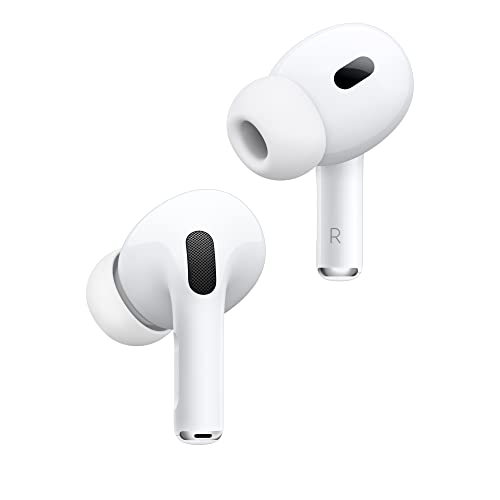
AirPods Pro 2 deliver high-quality spatial audio, which enhances the immersive experience when watching movies or using spatial apps on the Vision Pro. They also integrate seamlessly with Apple devices and provide active noise cancellation.

💡 Why We Recommend It

Audio is half the experience in mixed reality. AirPods Pro 2 provide excellent sound quality and Apple ecosystem integration.

Best For

Vision Pro owners who want an immersive audio experience without disturbing others.

🛒 Check Price on Amazon →
AppleCare+ for Vision Pro
#6
protection

AppleCare+ for Vision Pro

$499

Apple's extended warranty for the Vision Pro covers accidental damage (including front glass repair for just $799) and extends coverage to 2 years. It's not an Amazon product, but it's essential protection for a $3,500 device.

💡 Why We Recommend It

Repair costs without AppleCare+ can be astronomical; this is peace of mind for a fragile first-gen product.

Best For

Anyone buying the Vision Pro new; especially those prone to drops or accidents.

🛒 Check Price on Amazon →

Bottom Line

So, should you buy the Apple Vision Pro? For most people, the answer is a clear "no." It's an astonishing piece of engineering, but $3,499 is too much for the average consumer, and the current hardware has enough caveats—weight, battery, limited content, and rumors of a better version—to give anyone pause. If you have the money and a genuine use case (professional spatial computing, creative work, deep Apple ecosystem integration), it can be worth every penny. But if you have to ask "should I buy it?" and feel anxious about the cost, that's a red flag.

If you're on the fence, the best advice is to book a free demo at an Apple Store, try it for yourself, and then go home and wait two weeks. If you're still thinking about it and financially comfortable, buy it with AppleCare+ and a good case. If you decide it's too expensive or not useful enough, pick up a Meta Quest 3 for around $500—you'll get a surprisingly good mixed reality experience without the financial sting.

Ultimately, the Vision Pro is a luxury item and a peek into the future, not a necessary purchase. There's no FOMO worth $3,500. Buy it because it solves a real problem for you, not because it's cool. Or wait for the next version—and if history is any guide, it will be worth the wait.

Best For

  • Creative professionals (3D designers, video editors, photographers) who need a large virtual workspace and can expense it.
  • Digital nomads who want an ultra-portable home theater and Mac mirroring for hotel rooms and coffee shops.
  • Apple power users with disposable income who love early adoption and already own everything else Apple makes.
  • Spatial app developers who need to test their visionOS creations on real hardware.
  • High-income entertainment enthusiasts who want a private IMAX cinema that fits in a backpack.
  • Enterprise and medical professionals using spatial computing for visualization, training, and collaboration.
  • People who have tried the demo, loved it, and can articulate a specific weekly use case that justifies the price.

Not Recommended For

  • Budget-conscious buyers: if $3,500 is a meaningful chunk of your savings, don't force it.
  • Casual users who just want to watch videos or browse: get a Meta Quest 3 or a great TV instead.
  • Gamers: the lack of motion controllers and a small game library make it a poor choice.
  • People prone to motion sickness or eye strain: always try a demo before buying.
  • Those who dislike the idea of blocking out the world for hours at a time.
  • Tech-waiters: if you prefer to let others test first and wait for prices to drop, this is not for you.
  • People who are happy with a traditional monitor + laptop setup and see no need for spatial computing.
  • Privacy-sensitive individuals who feel uneasy about cameras and sensors in their living space.

Frequently Asked Questions

Should I buy Apple Vision Pro in 2026?

It depends on your budget and use case. If you have $3,500+ in disposable income and a specific reason to use it (creative work, spatial apps, or as a dedicated entertainment device), it can be worth it. For most people, however, the price is too high for the current feature set. Try a demo first, then decide.

Is the Apple Vision Pro worth $3,500?

The hardware is exceptional, but the value depends on how often you'll use it. If it becomes your go-to for movies, work, and spatial apps, the price is easier to justify. If it's a occasional novelty, then no—a Meta Quest 3 at $500 is a better value.

Should I buy Apple Vision Pro or Meta Quest 3?

For gaming and budget buyers, the Meta Quest 3 is the clear winner. For the best display quality, Apple ecosystem integration, and productivity features, the Vision Pro wins—but you pay a massive premium. If you're not a professional needing spatial computing, go with the Quest 3.

Should I wait for the Apple Vision Pro 2?

If you're hesitant about the price or first-gen limitations, waiting is a reasonable choice. Rumors suggest a lighter, faster model with a lower price (or a cheaper 'Vision SE') may be on the horizon. However, if you have a concrete use case now, the current Vision Pro is still capable.

Can I use Apple Vision Pro with my Mac?

Yes. The Vision Pro can mirror your Mac's display into your virtual space, allowing you to arrange multiple screens around you. This is one of the strongest productivity features and a major reason many professionals buy the device.

Is the Apple Vision Pro good for gaming?

No. It lacks dedicated motion controllers, and its game library is very small compared to the Meta Quest ecosystem. If gaming is your main priority, the Meta Quest 3 or 3S is a much better choice.

Do I need AppleCare+ for the Vision Pro?

Given the high repair costs (the front glass alone is $799 with AppleCare+ and $2,399 without), AppleCare+ is strongly recommend. It's an extra $499, but it protects a $3,500 investment.

Can I watch Netflix on Apple Vision Pro?

Yes, but not through a native app. Netflix did not initially release a dedicated visionOS app, but you can still stream it in the Safari browser. The library of native streaming apps is growing slowly.

How long does the Vision Pro battery last?

About 2 to 2.5 hours of typical use. The external battery pack is tethered via a cable, so you can also plug the battery into a power source for all-day use. A portable power bank is a useful accessory.

What is the Apple Vision Pro used for?

It's used for immersive media watching (movies, panoramas, spatial videos), productivity (floating displays, Mac mirroring), video calls (FaceTime), web browsing, and a growing set of spatial apps for design, education, and entertainment.

Is the Apple Vision Pro better than my MacBook?

No, it's not a laptop replacement. For typing, editing, and general productivity, a MacBook or Mac still wins. The Vision Pro is a supplementary device that can enhance your Mac experience by giving you more virtual screen space and immersive capabilities.

Will the Apple Vision Pro lose value quickly?

Yes, early resale prices suggest the Vision Pro depreciates quickly. Within months of launch, used units were selling for under $2,500. If resale value is important to you, consider buying used or waiting for a later generation.

Ready to Make Your Decision?

We hope this guide helped you decide whether Apple Vision Pro is right for you.

🛒 Buy Apple Vision Pro on AmazonAs an Amazon Associate we earn from qualifying purchases.
Browse More Guides

Related Articles