
Is Dell XPS 15 9530 Worth It? Honest Review (2026)
Honest breakdown of strengths, weaknesses, and who should buy in 2026
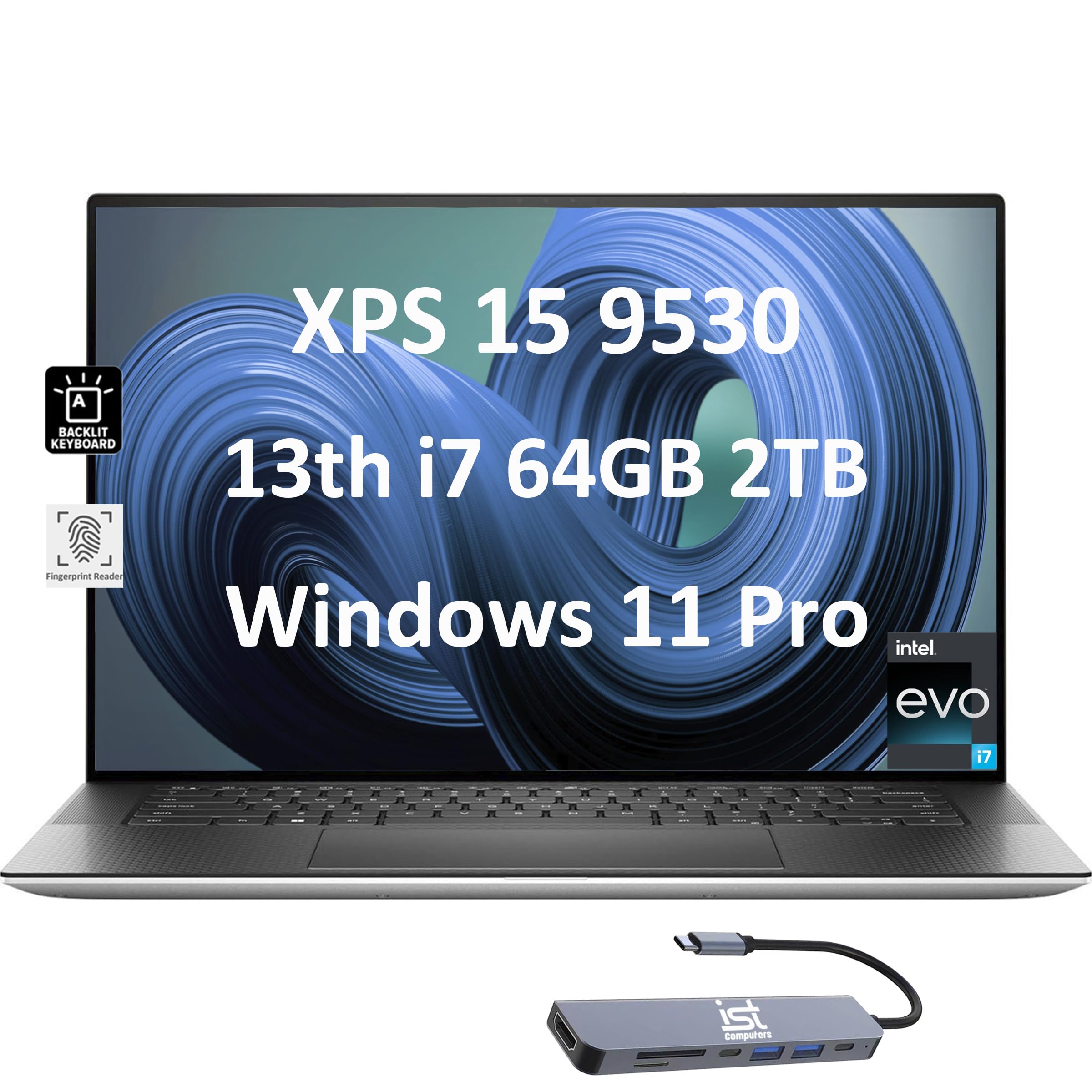
Quick Decision
Buy the Dell XPS 15 9530 if you need a stunning OLED display for color-critical work and value a premium, upgradable build. Skip it if you need long battery life, high-refresh-rate gaming, or want the best value for your money in 2026.
Best if you...
- Photographers needing color-accurate OLED
- Video editors on a budget for a portable workstation
- Programmers who want a large, sharp display
Skip it if you...
- Gamers wanting high frame rates
- Frequent travelers needing all-day battery
- Users wanting the best performance per dollar
If you're researching the Dell XPS 15 9530 in 2026, you're likely looking for a powerful yet portable laptop for creative work, programming, or premium everyday use. This analysis cuts through the marketing hype to give you an honest look at where this machine excels and where it falls short compared to current competitors. We'll cover everything from real-world battery life to thermal throttling, and help you decide if it's worth your money in a market that has evolved significantly since its launch.
About the Dell XPS 15 9530
The Dell XPS 15 9530 is a premium 15.6-inch laptop powered by 13th Gen Intel Core processors and discrete NVIDIA GeForce RTX 40-series graphics. It's designed for creative professionals and power users who need a blend of performance, portability, and a stunning display, often available with a 3.5K OLED touchscreen option. Originally released in 2023, it remains a strong contender in the ultrabook market in 2026.
Key Specifications
- Ports
- 2x Thunderbolt 4, 1x USB-C 3.2 Gen 2, SD card, 3.5mm, wedge lock
- Memory
- 8/16/32/64 GB DDR5-4800 (2 SODIMM slots)
- Battery
- 86 Wh, slim 3.5K OLED: 5-7 hours real-world
- Display
- 15.6-inch FHD+ (1920x1200) IPS or 3.5K (3456x2160) OLED touch
- Storage
- 256/512/1024 GB PCIe NVMe SSD (2 M.2 slots)
- Graphics
- Intel Iris Xe or NVIDIA GeForce RTX 4050/4060/4070
- Processor
- 13th Gen Intel Core i5/i7/i9 (up to i9-13900H)
- Dimensions
- 0.73 x 13.6 x 9.1 in, 4.48 lbs (2.03 kg)
- Operating System
- Windows 11 Home/Pro
Overview
The Dell XPS 15 9530 is part of Dell's flagship XPS line, known for its nearly bezel-less InfinityEdge display and premium build quality. It targets users who need more power than a typical ultrabook but still want a relatively slim and light package. The 9530 offers up to a 13th Gen Core i9-13900H, NVIDIA RTX 4070, up to 64GB DDR5 RAM, and a choice between FHD+ and 3.5K OLED displays. In 2026, it competes with newer models like the MacBook Pro 16 M3 Pro, ASUS ROG Zephyrus G16, and Lenovo ThinkPad X1 Extreme Gen 5. While it's no longer the newest, its build quality and display options keep it relevant. You can find the Dell XPS 15 9530 on Amazon with various configurations; we recommend checking the latest price there.
Pros
The Dell XPS 15 9530 brings several strengths to the table that still hold up well in 2026, particularly for those who prioritize display quality and build over raw gaming performance. Here's what it does exceptionally well.
Stunning 3.5K OLED Display Option
The 3.5K OLED touchscreen (3456x2160) is one of the best displays you can get on a 15-inch Windows laptop. It covers 100% of the DCI-P3 color gamut and reaches up to 400 nits brightness, making it ideal for photo and video editing. According to manufacturer specs, the OLED panel delivers true blacks and vibrant colors that beat most IPS laptops. The 16:10 aspect ratio also provides extra vertical space for productivity. However, note that the base FHD+ (1920x1200) IPS display is good but not exceptional.
Premium Build Quality and Ultra-Slim Design
The XPS 15 9530 features a CNC-machined aluminum chassis with a carbon fiber or woven glass fiber palm rest, giving it a solid, premium feel. It measures just 0.73 inches thick and weighs under 4.5 pounds, making it relatively portable for a 15-inch laptop with discrete graphics. The nearly borderless InfinityEdge display gives it a modern, high-end look that still rivals newer models.
Strong Performance for Creative and Productivity Tasks
With up to a Core i9-13900H (14 cores) and RTX 4070, the XPS 15 handles demanding applications like Adobe Premiere Pro, AutoCAD, and software development with ease. The combination of fast DDR5 RAM and PCIe Gen 4 SSDs ensures snappy multitasking and quick file transfers. In CPU-heavy tasks, it competes well with the MacBook Pro 16 M2 Pro, though not the M3 Max.
Good Port Selection for a Slim Laptop
While many ultrabooks have moved to USB-C only, the XPS 15 retains two Thunderbolt 4 ports, one USB-C 3.2 Gen 2, a full-size SD card slot, a 3.5mm headphone jack, and a wedge lock. The SD card slot is a huge plus for photographers and videographers, saving them from carrying dongles. The Thunderbolt 4 ports support up to 40Gbps data transfer and external GPU enclosures.
Solid Keyboard and Trackpad Experience
The XPS 15 9530 features a comfortable backlit keyboard with good key travel (1.3mm) and a large Precision touchpad. While not as satisfying as a ThinkPad keyboard, it's adequate for long typing sessions. The touchpad is smooth and accurate, with palm rejection that works well.
Upgradable RAM and Storage (Partial)
Unlike many modern laptops, the XPS 15 has socketed DDR5 RAM (two SODIMM slots) and two M.2 NVMe slots, allowing users to upgrade memory and storage post-purchase. This extends the laptop's lifespan and value, especially for users who buy the base model and upgrade later. However, the RAM is not soldered, so you can replace it. Note that some configurations have one slot empty, so check before buying.
Cons
Despite its strengths, the Dell XPS 15 9530 has several drawbacks that have become more noticeable in 2026, especially compared to newer competitors. These cons might be deal-breakers depending on your priorities.
Thermal Throttling Under Extended Loads
The XPS 15's slim chassis struggles to cool the Core i9-13900H and RTX 4070 simultaneously. Under sustained heavy loads like gaming or long video exports, the CPU and GPU can throttle, leading to performance drops. Third-party reviews (Notebookcheck, PCWorld) show that the laptop runs hot and loud, with fan noise that can be distracting in quiet environments. The performance is not as consistent as chunkier gaming laptops like the ASUS ROG Zephyrus G16.
Mediocre Battery Life for a 2026 Laptop
With the 86Wh battery and the high-resolution OLED display, real-world battery life averages around 5-7 hours of mixed use, according to user reports. This is below average for a premium laptop in 2026, especially when compared to MacBook Pro 16 M3 Pro (12+ hours) or even the ASUS ROG Zephyrus G16 (8-10 hours). The power-hungry Intel processor and dedicated GPU are the main culprits. If you need all-day battery, this is not the best choice.
Price Premium Over Competitors with Similar Specs
The XPS 15 9530 was originally priced between $1,500 and $2,600, and in 2026, good configurations still hover around $1,400-$1,800. Meanwhile, a similarly spec'd ASUS ROG Zephyrus G16 or Lenovo Slim Pro 9i often costs $200-$400 less while offering better gaming performance and similar build quality. The Dell brand premium is real.
60Hz Display Refresh Rate (Even on OLED)
The OLED panel is limited to 60Hz, which is disappointing for a 2026 laptop aimed at creative professionals who might also game. Even the MacBook Pro has ProMotion 120Hz, and many Windows competitors now offer 120Hz or higher. Scrolling and animations feel less smooth, and fast-paced games suffer from motion blur.
No Wi-Fi 7 or Bluetooth 5.4 Support
As a 2023 model, the XPS 15 9530 only supports Wi-Fi 6E and Bluetooth 5.3. In 2026, Wi-Fi 7 routers are becoming common, and this laptop lacks future-proofing for faster wireless speeds. This is a minor con for most users but worth noting if you plan to keep the laptop for 3+ years.
Fingerprint Magnet Chassis
The aluminum and carbon fiber surfaces show fingerprints and smudges easily, especially on the dark color options. You'll likely need to wipe it down frequently to keep it looking clean. This is cosmetic but annoying for those who prefer a pristine look.
Lack of a Full-Sized USB-A Port
While the port selection is decent, there is no Type-A USB port, which is still common for many peripherals like mice and flash drives. You'll need a dongle or hub, which can be inconvenient on the go.
👍 Who It's For
The Dell XPS 15 9530 is best suited for creative professionals (photographers, video editors, graphic designers) who prioritize display quality and build over maximum battery life. It's also a good fit for programmers who need powerful CPU performance for compiling code and a large, color-accurate screen for working in high resolution. If you value a premium, portable design and the ability to upgrade RAM/storage, this laptop remains a strong option in 2026.
👎 Who Should Avoid
This laptop is not ideal for gamers who need consistent high frame rates, as the 60Hz display and thermal throttling limit the experience. Similarly, anyone who needs all-day battery life for travel or work on the go should look elsewhere—a MacBook Pro or a more efficient AMD-based laptop would serve better. Budget-conscious buyers will find better value in the ASUS ROG Zephyrus G16 or Lenovo Slim Pro 9i, which offer comparable or better performance for less money.
See today's Dell XPS 15 9530 price and available configurations on Amazon.
🛒 Buy on AmazonAs an Amazon Associate we earn from qualifying purchases.
Alternatives to Consider
| Product | Choose Dell XPS 15 9530 if... | Choose the alternative if... |
|---|---|---|
| ASUS ROG Zephyrus G16 (2024)$200 less expensive | You need a brighter, higher-refresh-rate display and better sustained performance for gaming or GPU tasks | You prioritize display color accuracy, SD card slot, and upgradable RAM |
| MacBook Pro 16 M3 Pro$200 more expensive | You need Windows-specific software or want to upgrade RAM/SSD yourself | You want superior battery life, a 120Hz ProMotion display, and quieter operation |
| Lenovo Slim Pro 9i (2024)$150 less expensive | You want a similar OLED experience with better speakers and a lower price | You prefer Dell's support and upgradable memory slots |
In 2026, the Dell XPS 15 9530 faces stiff competition. If you prioritize performance and don't mind a slightly larger footprint, the ASUS ROG Zephyrus G16 offers faster GPU performance, a higher refresh rate display, and better cooling at a similar price. For those who need excellent battery life and seamless ecosystem integration, the MacBook Pro 16 M3 Pro is the clear winner, though you sacrifice Window-specific apps and upgradability. The Lenovo Slim Pro 9i is another solid choice, with a mini-LED display and comparable build quality, often at a lower price. Each alternative trades off something—choose based on your priorities.
Is it worth the price?
At approximately $1,400, the Dell XPS 15 9530 is worth it for creative professionals who will actually utilize the OLED display and who prefer Windows over Mac. However, the ASUS ROG Zephyrus G16 offers similar build quality, a 120Hz display, and better gaming performance for around $1,200, making it a stronger value for most users. The XPS 15's longevity (upgradable RAM/SSD) is a plus, but its battery and thermal limitations are harder to ignore in 2026.
📝 Bottom Line
The Dell XPS 15 9530 is a well-built, good-looking laptop with an exceptional display, but its age shows in battery life, thermals, and status. In 2026, it's the right choice for creative professionals who absolutely need a 15-inch OLED panel and upgradable components. Its strongest pros are the gorgeous 3.5K OLED screen and the inclusion of an SD card slot and Thunderbolt 4. However, the 60Hz refresh rate, weak battery, and thermal throttling are significant cons. If you can live with its shortcomings, you'll get a premium Windows laptop that still turns heads. If not, consider a more modern alternative. Ultimately, buy it if you value display and build over everything else; otherwise, skip it.
Check current Dell XPS 15 9530 availability and bundle options on Amazon.
🛒 Buy on AmazonAs an Amazon Associate we earn from qualifying purchases.
Frequently Asked Questions
Quick Summary
Key Pros
- ✓Stunning 3.5K OLED display with excellent color accuracy and contrast
- ✓Premium aluminum build with minimal bezels and lightweight design
- ✓Strong CPU and GPU performance for creative and productivity workloads
- ✓Includes full-size SD card slot and two Thunderbolt 4 ports
- ✓Comfortable keyboard and large Precision touchpad
Key Cons
- ✗CPU/GPU throttling under sustained load due to slim cooling
- ✗Battery life of 5-7 hours trails competitors like MacBook Pro
- ✗High price relative to similarly spec'd rivals
- ✗60Hz display refresh rate limits smoothness and gaming
- ✗No Wi-Fi 7 or Bluetooth 5.4, missing latest standards
Ratings
Best For
- →Photographers needing color-accurate OLED
- →Video editors on a budget for a portable workstation
- →Programmers who want a large, sharp display
- →Users who plan to upgrade RAM/SSD later