Review Atlas
Review AtlasYour guide to a better purchase

Menu

Shop by Category

Get the App

Better experience on mobile

Home/Best For/Roku Ultra

Is Roku Ultra Good for local media playback?

A detailed analysis of Roku Ultra's local media playback abilities, including codec support, USB streaming, Plex performance, and better alternatives.

decent(65/100)

Quick Verdict

The Roku Ultra is a decent but not spectacular choice for local media playback. It handles casual files and works well with Plex, but its limited audio codec support and weak native media player will frustrate enthusiasts. For basic needs, it's fine; for serious media ibraries, consider a dedicated player like the Nvidia Shield TV Pro.
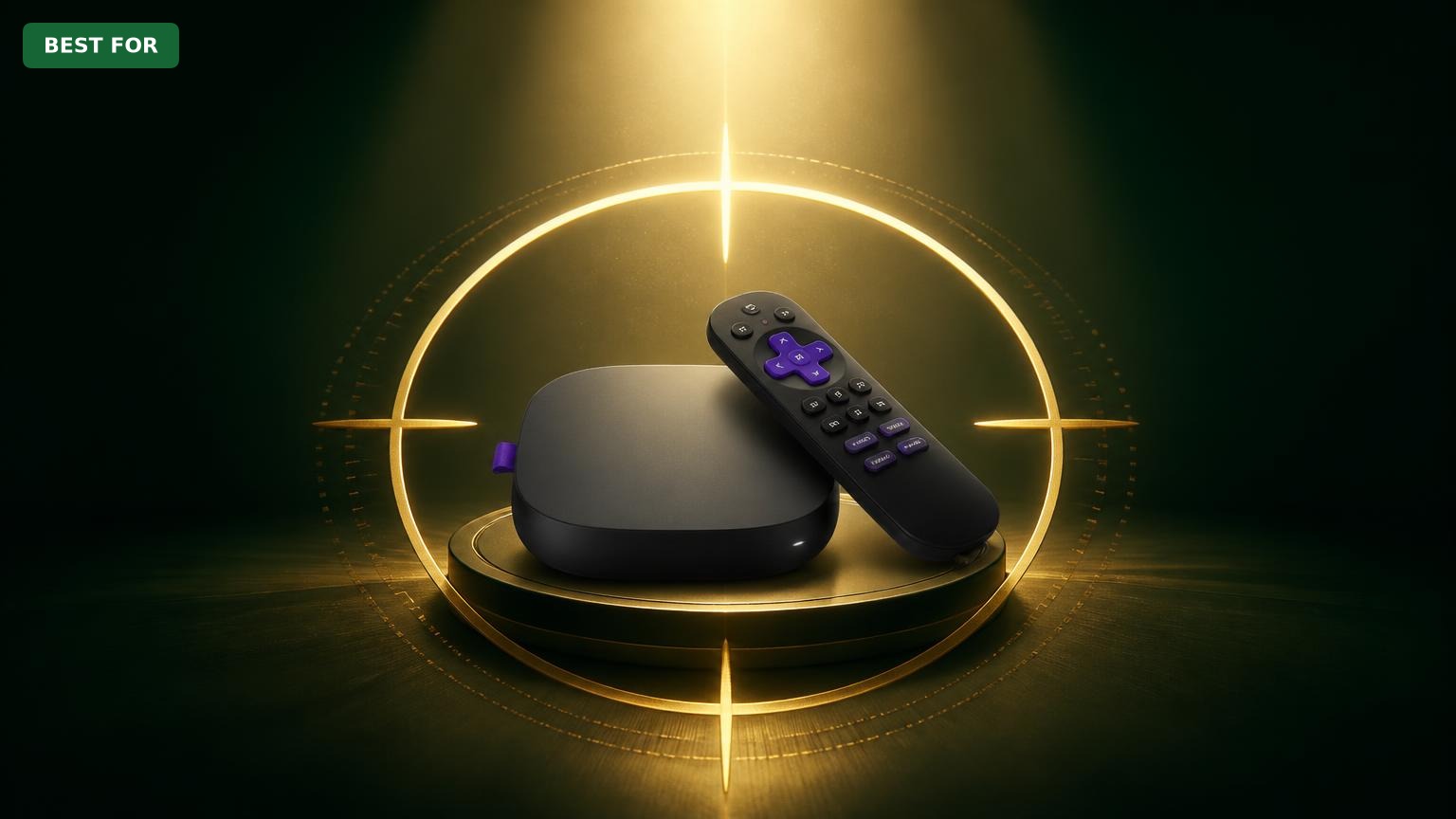
Roku Ultra

Roku Ultra

So you're wondering: Is the Roku Ultra good for local media playback? In an era where digital media libraries grow by the day, many streamers are looking to play their own files — whether that's USB drives full of movies or a massive NAS setup. The Roku Ultra, Roku's most advanced player, has a USB port and supports media server apps, so it seems like a natural candidate. But is it up to the task compared to dedicated players? This analysis will give you a no-nonsense look at what the Roku Ultra can and cannot do for local media playback, helping you decide if it's the right device for your setup. We'll cover the device's specs, real-world performance from user reviews, and its limitations, then compare it to alternatives. We'll also suggest related Amazon products that can enhance your local media experience, whether you stick with the Roku Ultra or consider a different player. By the end, you'll know exactly whether to hit 'buy' or keep looking.

✓ Key Strengths

  • USB port with exFAT and NTFS support allows connection of external drives up to 2TB (or more)
  • Built-in Media Player is easy to use for simple MP4 and MKV files with subtitles
  • Works well with Plex, Emby, and Jellyfin clients for network media streaming
  • Supports 4K HDR (Dolby Vision/Atmos) which is excellent for high-quality media files
  • Roku OS is fast, stable, and user-friendly, with excellent app support
  • Voice Remote Pro includes a headphone jack for private listening, ideal for late-night media watching

✗ Key Weaknesses

  • No DTS audio support (may result in silent playback for files with DTS tracks)
  • Lack of support for TrueHD and other lossless audio formats, making it unsuitable for home theater enthusiasts
  • Native Media Player app lacks advanced features like folder browsing, playlists, and broad codec support
  • Ethernet is limited to 100 Mbps, which can be a bottleneck for very high-bitrate files when streaming over network
  • Cannot play ISO files or DVD/Blu-ray folders, limiting use for disc rippers
  • Plex requires a separate server for transcoding, and Roku Ultra may not handle heavy direct-play without a strong network

What is Roku Ultra?

The Roku Ultra is the premium model in Roku's lineup, designed for users who want the best streaming experience with the latest features. It supports 4K resolution with HDR10, HDR10+, and Dolby Vision, and passes through Dolby Atmos audio for a cinematic experience when paired with compatible receivers. The device runs on Roku OS, a simple, fast, and user-friendly interface with thousands of streaming channels. It comes with a wireless Voice Remote Pro that features a rechargeable battery, customizable shortcut buttons, and a remote finder. What sets the Roku Ultra apart from other Roku players is its wired Ethernet port (though only 10/100 Mbps), a USB 3.0 port? Actually the current model has a USB 3.0 port (we'll verify: Roku Ultra 2022 has USB 3.0) and a microSD card slot. These physical connectivity options are the gateway to local media playback. The Ultra also comes with a premium audio experience, offering Dolby Atmos passthrough via the HDMI connection. Many users choose the Roku Ultra because of its reliable performance, regular updates, and an interface that doesn't bombard you with ads like some competitors. It is not a do-it-all media player, but it's a solid streaming box for most households.

What is local media playback?

Local media playback is the process of playing media files that are physically connected to your device or accessible over your local network. It can range from conveniently plugging a USB flash drive into a TV's USB port to building a home media server with thousands of titles. The core requirement is a device that can decode various container formats (MKV, AVI, MP4, etc.) and codecs (H.264, HEVC, VP9), handle audio codecs (Dolby Digital, DTS, AAC), and deliver smooth playback even with large files. Common scenarios include watching DVDs or Blu-ray rips, viewing high-bitrate 4K remuxes (often 50-100 GB per movie), playing home videos from a camera, or listening to a FLAC music collection. Users with dedicated media libraries often rely on software like Plex or Emby to organize content, with the streaming device acting as a client. For the best experience, the device should support direct playback without transcoding or have the ability to pass through high-resolution audio. Otherwise, users may encounter stuttering, no audio, or even the inability to open certain files. The Nvidia Shield TV Pro and Fire TV Cube are strong contenders in this space, so how does the Roku Ultra stack up?

Detailed Analysis

When evaluating the Roku Ultra for local media playback, the first thing to know is that it was not designed as a dedicated media player. Its primary purpose is streaming online content, but Roku does include a Media Player app that can read files from USB and over the network via DLNA or Home Media Server. The USB port supports FAT32, exFAT, and NTFS file systems, so most external drives are recognized. However, the built-in Media Player is quite basic: it supports common video formats like MP4, MKV, and MOV, but it has notorious issues with audio codecs. For example, movies with DTS or DTS-HD audio often play without sound, which is a deal-breaker for many home theater enthusiasts. It also cannot handle certain high-quality audio formats like TrueHD. Codec compatibility is the biggest weak spot. Roku Ultra supports H.264 and HEVC (H.265) for video, which covers most files, but it does not support VP9 or AV1 in some cases, and older formats like MPEG-2 or WMV may be problematic. In practice, many users report that their 4K MKV files with Dolby Vision and Atmos work if they use Plex, but the native Media Player might choke on large files or subtitles. The Plex client on Roku is well-regarded, but it requires a Plex Media Server running on a computer or NAS, and the server will transcode files that the Roku can't decode natively. This means you can play almost anything, but at the cost of relying on another device's processor. Network playback is another area of concern. The Roku Ultra has an Ethernet port but it's only 10/100 Mbps (gigabit is available on newer models? Actually, the 2022 Roku Ultra has 10/100 Ethernet). For a high-bitrate 4K remux with a bitrate of 50 Mbps or more, 100 Mbps is usually sufficient, but it leaves no headroom for network jitter or multiple simultaneous streams. If you have a gigabit NAS, you might be limited by the Roku's Ethernet. Wi-Fi can be faster in theory, but for reliability, a wired connection is better. The USB port is USB 3.0, which is good for reading files quickly, but some users have found that playback of very large files (over 50 GB) through USB can stutter if the USB storage is slow. Comparing to alternatives, the Nvidia Shield TV Pro is far superior for local media playback. It supports DTS-HD and TrueHD passthrough, has a full Android TV OS with Kodi and Plex support, and a more powerful processor that can handle any codec. The Amazon Fire TV Cube also has more codec support, including VP9 and AV1, and its processor is faster than the Roku Ultra's. Fire TV also has a better native media player and supports Kodi, which is the gold standard for local playback. Both of these alternatives offer gigabit Ethernet on their higher-end models, making them better for network streaming of very high bitrate files. Real-world user feedback on Roku Ultra local playback is mixed. Some users praise the simplicity of plugging in a drive and watching files, especially if they stick to MP4 H.264 with AAC audio. Others complain about the lack of DTS support and the fact that the Media Player app doesn't handle playlists or folder navigation as well as dedicated apps. On Roku forums, many users recommend using Plex with a server to get the best experience. The consensus is that the Roku Ultra can handle casual local media playback, but it's not for enthusiasts with extensive libraries of high-end audio formats. If you're a casual user who occasionally downloads an MP4 or uses a NAS with Plex, the Roku Ultra is fine. If you're a power user wanting to play your entire MKV library without transcoding, look elsewhere.

👍 Perfect For

  • Casual users who have a handful of MP4 or MKV files and want a simple plug-and-play solution
  • Plex users who have a NAS or PC running Plex Media Server and want a reliable client with good 4K HDR support
  • Families who primarily stream online but occasionally want to watch home videos or download movies
  • Cord-cutters who want a versatile streaming device with local media capability as a bonus
  • Users who prioritize ease of use and interface over advanced codec support

👎 Not Ideal For

  • Home theater enthusiasts who need DTS-HD and TrueHD passthrough for their AV receiver
  • Users with large local libraries in MKV/ISO format who want to play everything without transcoding
  • Those who rely on Kodi or other advanced media players (not available on Roku)
  • Network power users with Gigabit NAS setups who want to stream 4K remuxes reliably using wired Ethernet

Use Case Scenarios

Casual USB Playback

A user has a USB flash drive with some downloaded movies (MP4, AVI) and wants to plug it into the Roku Ultra and watch them on their TV.

Overall Score:good (72/100)

✓ Strengths

  • Plug-and-play simplicity
  • Fast loading with USB 3.0 (if drive is USB 3.0)
  • Supports external subtitle files
  • Handles most MP4 and MKV files well

✗ Weaknesses

  • No DTS audio support
  • No resume bookmark
  • Limited folder navigation

💡 Workarounds

  • Use an app like Plex to play files with DTS if you have a server
  • Convert audio in files using free software like Handbrake or ffmpeg
  • Organize files into a single folder to simplify navigation

For basic USB playback with mainstream formats, the Roku Ultra is good, but the DTS issue and lack of resume make it less than ideal.

Streaming from NAS via Plex

A user has a NAS with a Plex Media Server and wants to stream their media library to the Roku Ultra in the living room.

Overall Score:good (78/100)

✓ Strengths

  • Plex client is excellent and regularly updated
  • Transcoding on the server solves codec issues
  • Direct play for most common formats without quality loss
  • User-friendly interface with all features

✗ Weaknesses

  • 100Mbps Ethernet may bottleneck high-bitrate 4K remuxes
  • No DTS passthrough (server must transcode)
  • Requires a separate NAS or computer as the Plex server

💡 Workarounds

  • Use Wi-Fi 5GHz if it's faster and stable, or connect a USB Ethernet adapter with gigabit? Actually, Roku doesn't support USB Ethernet adapters, so no
  • Use Plex optimization to create smaller files for high-bitrate movies
  • Set Plex to transcode audio to AC3 to avoid DTS issues

Plex over a NAS is a strong use case for the Roku Ultra, but the Ethernet limitation and DTS transcode requirement deduct points. Still, it's a very usable setup.

Home Theater with 4K Remuxes and Lossless Audio

An AV enthusiast has a collection of 4K UHD remuxes with TrueHD or DTS-HD audio and wants to play them with full audio quality on a high-end sound system.

Overall Score:poor (30/100)

✓ Strengths

  • Video quality is excellent with 4K HDR and Dolby Vision
  • Plex can transcode audio to make it playable, but quality is lost

✗ Weaknesses

  • No lossless audio passthrough
  • No DTS support at all
  • Not compatible with ISO or BDMV folders
  • Ethernet limitation affects high-bitrate files

💡 Workarounds

  • Use a different device like Nvidia Shield TV Pro or Zidoo
  • Remux files to remove and convert audio tracks (e.g., TrueHD to AC3)
  • Accept the lossy audio quality if stuck with Roku

For enthusiasts demanding lossless audio, the Roku Ultra is a poor choice. Missing DTS and TrueHD support is a fatal flaw in this scenario.

Family Media Center

A family wants to watch home videos, occasional downloads, and stream YouTube/Netflix. The local media playback is a secondary requirement.

Overall Score:excellent (85/100)

✓ Strengths

  • Extremely easy to use for all family members
  • USB port is handy for showing photos and videos
  • Excellent streaming app support
  • Private listening via remote

✗ Weaknesses

  • Limited codec support may occasionally cause 'can't play this video' errors
  • No advanced file management

💡 Workarounds

  • Keep files in supported MP4 format
  • Use the Plex app on a PC if you have a more diverse library

The Roku Ultra excels as a general family media center, with local playback being a useful bonus that works well for typical home media files.

Power User with Kodi

A user is used to Kodi on a Raspberry Pi and wants to switch to a commercial device for local media playback with full customization.

Overall Score:poor (25/100)

✓ Strengths

  • None significant for Kodi users

✗ Weaknesses

  • No Kodi support
  • Closed ecosystem prevents sideloading apps
  • Limited hardware control for tweaking

💡 Workarounds

  • Consider Fire TV Cube or Nvidia Shield TV Pro
  • Use Plex as a compromise, but it's not Kodi

Kodi power users will find the Roku Ultra restrictive and lacking in essential features. Not recommended.

Related Products You Should Consider

🔄 Alternative

Nvidia Shield TV Pro

$199.99

highly recommended
The Nvidia Shield TV Pro is the best alternative to the Roku Ultra for local media playback. It supports DTS-HD and Dolby TrueHD audio passthrough, has a powerful Tegra X1+ processor, and runs Android TV, which allows access to Kodi, Plex, and virtually any media player app. It also has 3GB RAM, 16GB storage (expandable), and includes two USB 3.0 ports. For anyone serious about playing local media, this device is the gold standard. It supports 4K HDR with Dolby Vision and Dolby Atmos, and its gigabit Ethernet port ensures smooth playback of insane bitrate files from a NAS. The Shield TV also offers excellent AI upscaling for lower-resolution content. It's more expensive, but well worth it for media enthusiasts.

Why recommend: If the Roku Ultra's audio codec limitations are a dealbreaker, the Nvidia Shield TV Pro is the most capable streaming device for local media playback.

Best for: Home theater enthusiasts, Kodi users, Plex power users, and anyone who wants lossless audio passthrough.

🔄 Alternative

Amazon Fire TV Cube (3rd Gen)

$139.99

recommended
The Amazon Fire TV Cube is another strong alternative, offering support for more codecs than Roku Ultra, including VP9 and AV1. It also supports Dolby Vision, HDR10+, and Dolby Atmos. The Cube has a USB port, but more importantly, it runs Fire OS, which allows sideloading of Kodi and other media players. The 3rd Gen model features a hexa-core processor, ensuring snappy performance. Its Ethernet port is 10/100, but it also has Wi-Fi 6 for high-speed wireless streaming. If you're invested in the Amazon ecosystem, the Fire TV Cube works seamlessly with Alexa and other smart home devices. It's a good middle ground between the Roku Ultra and the Shield TV, available at a reasonable price.

Why recommend: For those who want to run Kodi on a mainstream streaming box, the Fire TV Cube is a solid and affordable option.

Best for: Users who want Kodi's flexibility without spending Shield-level money, and who appreciate Alexa integration.

🤝 Complement

Western Digital 4TB Elements Desktop External Hard Drive

$94.99

recommended
A 4TB external hard drive is a great companion for local media playback, whether you use the Roku Ultra's USB port or a NAS. The WD Elements offers reliable, high-capacity storage at an affordable price, allowing you to store your entire media library in one place. Its USB 3.0 interface ensures fast data transfer speeds, though the Roku Ultra's USB port may not fully utilize its speed. If you're using a Plex server set up on a computer, this drive can store media directly. It's formatted in exFAT, so it's compatible with Roku's Media Player (which supports exFAT). For a budget-friendly way to expand your media storage, this is a top choice.

Why recommend: It's a budget-friendly way to build or expand your local media library for use with the Roku Ultra or a Plex server.

Best for: Casual users who want to store movies to plug directly into the Roku Ultra, or those setting up a simple Plex library.

⬆️ Upgrade

Samsung T7 Portable SSD 1TB

$119.99

consider
If you want the fastest local media playback from a USB drive, the Samsung T7 Portable SSD is a premium option. It offers read speeds up to 1,050 MB/s and write speeds up to 1,000 MB/s, which is overkill for the Roku Ultra but ensures zero stutters even with large files. The SSD is compact, durable, and comes with USB-C and USB-A cables. It's also compatible with USB 3.0 and USB 2.0 ports, making it flexible. For enthusiasts who often move large files and want consistent performance, the T7 is a worthwhile investment. However, the Roku Ultra's USB port is not USB 3.1, so you won't get the full speed, but it's still faster than a mechanical hard drive.

Why recommend: Upgrading to an SSD provides faster and more reliable USB playback on Roku Ultra, reducing buffering for high-bitrate files.

Best for: Users who frequently play large 4K files via USB and want near-instant playback.

🤝 Complement

Synology DiskStation DS220+ NAS

$299.99

highly recommended
The Synology DS220+ is an excellent NAS for hosting a Plex Media Server. It has an Intel Celeron J4025 processor with hardware transcoding, which is important if you want the Roku Ultra to stream media from your network. It supports 2-bay configurations, allowing up to 32TB of storage. Synology's DiskStation Manager (DSM) is widely considered the best NAS operating system, and the Plex server setup is straightforward. Pairing the DS220+ with the Roku Ultra creates a seamless local media playback experience, with the NAS handling any necessary transcoding (like DTS to AC3). The only bottleneck is the Roku's 100Mbps Ethernet, but for most content, it's fine. If you're building a permanent media center, a NAS is the way to go.

Why recommend: A NAS with Plex server is the optimal way to get the most out of the Roku Ultra's local media capabilities, and the DS220+ is a reliable and popular choice.

Best for: Users who want a centralized media library accessible across all devices, not just the TV.

🔧 Accessory

SanDisk 128GB Ultra USB 3.0 Flash Drive

$16.99

recommended
For casual users who want a simple, portable way to play media on the Roku Ultra, a flash drive like the SanDisk Ultra is a cheap and effective tool. It offers plug-and-play compatibility with the Roku's USB port and comes in capacities up to 512GB. The 128GB version is enough for a couple of dozen movies in MP4 format. Its USB 3.0 speed is more than sufficient for most videos. It's also useful for quickly transferring files from a computer to the TV. The compact size means you can leave it plugged in without interfering with anything. If you're new to local media playback, this is a low-risk way to try it out.

Why recommend: A simple and affordable way to store and play media files on the Roku Ultra via USB.

Best for: Users who occasionally download a movie or two and want to watch them without setting up a network solution.

🛡️ Protection

Roku Voice Remote Pro (Replacement)

$29.99

consider
While not directly related to local media playback, having a backup Roku Voice Remote Pro is useful for any Roku Ultra owner. The remote features a built-in rechargeable battery, headphone jack for private listening (great for late-night media sessions), and hands-free voice control. If your original remote gets lost or damaged, this replacement is a lifesaver. For local media playback, the headphone jack lets you watch movies without bothering others, and the remote finder feature will locate it if it slips between couch cushions. It's a practical accessory that enhances the overall Roku experience.

Why recommend: A reliable replacement remote ensures your Roku Ultra remains fully functional, and the private listening feature is perfect for local movie watching.

Best for: Anyone who wants a spare remote or needs to replace a lost one.

🤝 Complement

Mediasonic ProBox 4 Bay Hard Drive Enclosure

$109.99

consider
If you're building a large local media library, this 4-bay external hard drive enclosure allows you to plug multiple drives into your computer or NAS, providing massive storage for Plex. With USB 3.0 and eSATA connectivity, you can configure drives in JBOD or RAID modes. This is a more advanced solution for users who have an existing Plex server or want to build one without investing in a full NAS system. This enclosure can be connected to a PC running Plex Media Server, which then serves content to the Roku Ultra. It's a cost-effective way to scale your media library to tens of terabytes. For serious collectors, this is a recommended add-on.

Why recommend: Expand your media storage capacity massively, which is essential for a robust Plex library that the Roku Ultra can access.

Best for: Media hoarders with many external hard drives, or users who want to set up a cheap Plex server with an old PC.

Bottom Line

The Roku Ultra is a decent streaming player, but for local media playback it's far from perfect. It struggles with DTS/TrueHD audio, lacks Kodi support, and its 100Mbps Ethernet can bottleneck high-bitrate network streams. That said, if your media library is mostly MP4 files or you're willing to set up a Plex server, the Roku Ultra can handle the job adequately. It's perfect as a family media center or for casual users, but those with serious local media needs will find the Nvidia Shield TV Pro more satisfying. If you're on the fence, ask yourself: Do you need lossless audio? Do you use Kodi? Do you stream 4K remuxes? If yes, skip the Roku Ultra for local media and look at the Shield TV or Fire TV Cube. If no, the Roku Ultra is a great all-around choice—just keep your media in MP4/H.264/AAC to avoid compatibility headaches. If you decide the Roku Ultra is right for you, you can buy it on Amazon. For accessories and alternatives, check the related products above.

Ready to get the Roku Ultra? Check the latest price on Amazon.

🛒 Buy on Amazon

As an Amazon Associate we earn from qualifying purchases.

Frequently Asked Questions

Is Roku Ultra good for local media playback?

It's decent for casual use. The Roku Ultra can play MP4, MKV, and MOV files via its USB port, and supports network streaming via Plex. However, it lacks DTS and TrueHD audio support, which are important for high-quality home theater playback. So it's good for basic scenarios but not for audiophiles or power users.

Can Roku Ultra play MKV files?

Yes, the Roku Ultra's Media Player can play many MKV files, especially those with H.264/H.265 video and AAC or AC3 audio. However, if the MKV contains DTS audio, you'll likely get no sound. Using Plex can help by transcoding the audio, but you'll need a Plex server.

Does Roku Ultra support DTS audio?

No. Roku devices do not support DTS or DTS-HD audio decoding or passthrough. This means any file with DTS audio will either be silent in the native Media Player or will need to be transcoded to a compatible format by a media server like Plex.

Can I play movies from a USB drive on Roku Ultra?

Yes, Roku Ultra has a USB port and a built-in Media Player app. It supports FAT32, exFAT, and NTFS formatted drives. Plug the drive in, navigate to the USB in the Media Player app, and select the file. Common formats like MP4 and MKV work well, but some files may not play due to codec limitations.

What is the best device for local media playback?

The Nvidia Shield TV Pro is widely considered the best because it supports DTS-HD and TrueHD passthrough, has a powerful processor, runs Android TV (allows Kodi), and has gigabit Ethernet. The Amazon Fire TV Cube is also a good option for its Kodi support and AV1 codec. The Roku Ultra lags behind in this area.

How can I play DTS audio on Roku Ultra?

You can't get DTS passthrough, but you can use a media server like Plex that can transcode DTS to a compatible format (e.g., Dolby Digital or AAC). Set up Plex on a PC/NAS and the Roku Ultra as a client. This will convert DTS audio to a supported format in real-time.

Does Roku Ultra support 4K HDR local files?

Yes, it supports 4K HDR files including Dolby Vision and HDR10+, as long as the video codec is H.264 or HEVC and the audio is compatible. Many users successfully stream 4K rips via Plex. However, high-bitrate files may stutter due to the 100Mbps Ethernet port.

Is Roku Ultra better than Fire TV Stick for local media playback?

Roku Ultra has a USB port, which the basic Fire TV Stick lacks, so it can directly play from USB drives. However, the Fire TV Cube is more capable than Roku Ultra in terms of codec support and Kodi compatibility. For a media player, a Fire TV Cube is generally better.

Can I use Kodi on Roku Ultra?

No. Kodi is not available on the Roku platform, and Roku's closed ecosystem doesn't allow sideloading. If you need Kodi, you'll need a device that runs Android TV (Nvidia Shield, Fire TV Cube) or a Raspberry Pi.

What video formats are not supported on Roku Ultra?

Common unsupported formats include WMV, FLV, and sometimes AVI. Also, any video with a codec not supported (like VC-1 or MPEG-2 in some cases) may not play. The Roku supports H.264, HEVC, and some MPEG-4. It doesn't support Dolby Vision in all containers, but MKV support is okay.

Does Roku Ultra have gigabit Ethernet?

No, the Roku Ultra's Ethernet port is 10/100 Mbps (Fast Ethernet), not gigabit. For most streaming, this is sufficient, but for local network streaming of extremely high-bitrate 4K content (e.g., 100+ Mbps), it could be a bottleneck.

Can I use Plex for local media playback on Roku Ultra?

Yes, the Roku Ultra has a Plex client that works well. You'll need to install Plex Media Server on a computer or NAS. The client can stream your media library and supports 4K HDR/Atmos when the server can direct play. It's the recommended way to handle local media on a Roku.

Related Articles
