
Quick Verdict
The Roku Ultra is a solid, affordable Plex client that excels in video quality and network stability, but its lack of lossless audio passthrough and occasional app quirks prevent it from being an ideal choice for audiophiles or Plex power users. For the majority of households, it's a very good Plex streamer.
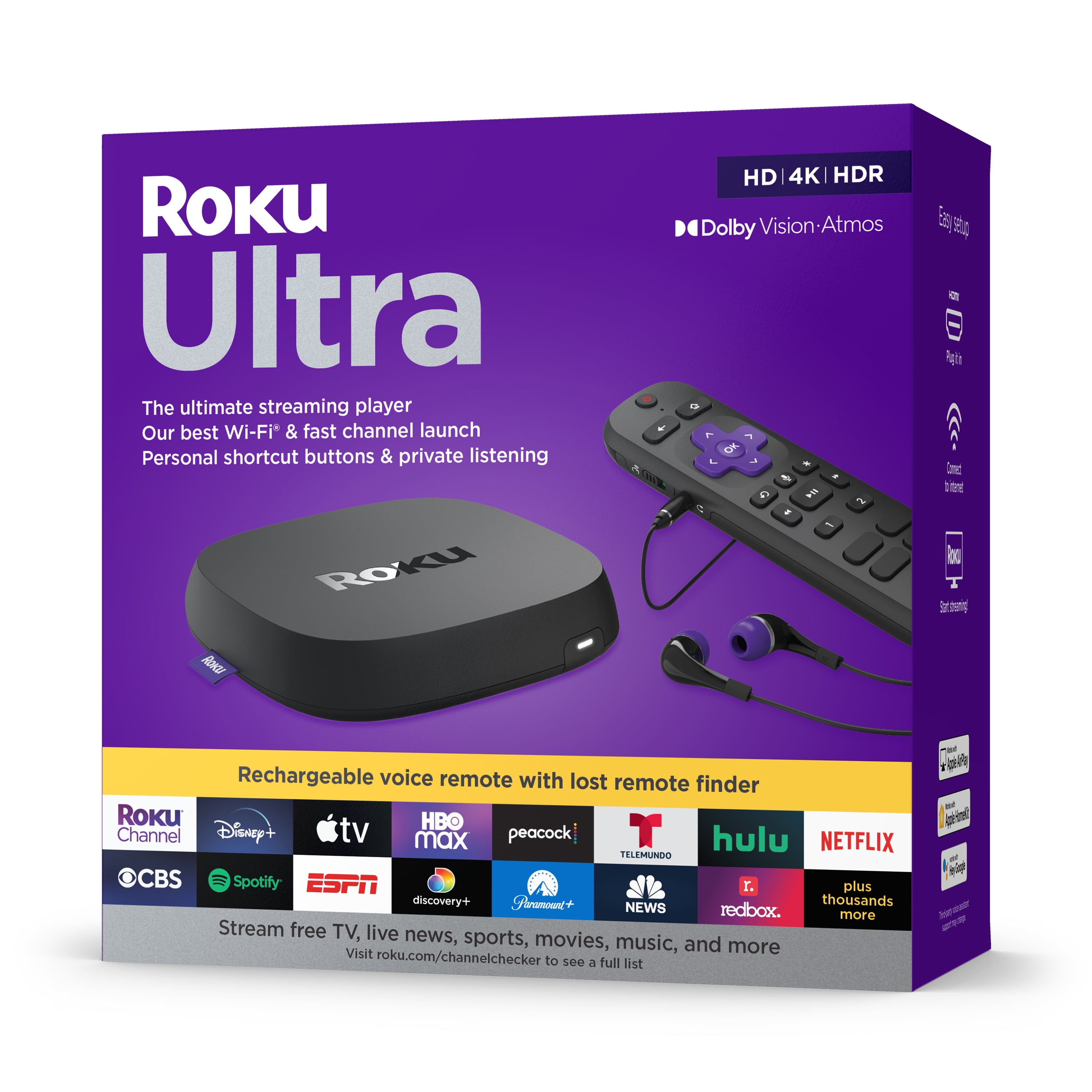
Roku Ultra
$99.99

✓ Key Strengths
- •Excellent 4K HDR playback with Dolby Vision and HDR10+ support for visually stunning Plex content
- •Built-in Gigabit Ethernet provides rock-solid network connectivity for high-bitrate 4K streams without buffering
- •Fast quad-core processor makes the Plex app feel responsive for browsing large libraries
- •Voice remote with 'What should I watch?' integration can search across your Plex library hands-free
- •Affordable price compared to higher-end Plex players like Nvidia Shield TV Pro
- •USB port allows direct playback of media files from external drives via a separate media player app
- •Dolby Atmos support (lossy) for compatible soundbars and receivers when using Dolby Digital Plus
- •Compact, well-built design with reliable Roku OS that receives frequent updates
✗ Key Weaknesses
- •No support for lossless audio (Dolby TrueHD/DTS-HD MA) which breaks passthrough to A/V receivers for Blu-ray rips
- •Plex app occasionally has issues with subtitle rendering and can struggle with some subtitle formats (e.g., PGS)
- •No built-in Plex Media Server functionality (unlike Nvidia Shield), so it can only act as a client
- •Does not support AV1 decoding, which may become a problem for future video codecs
- •Remote's headphone jack only outputs stereo, so private listening for multichannel audio isn't possible
- •Search integration doesn't let you filter by library type (movies, shows) as easily as native Plex apps
What is Roku Ultra?
What is Plex streaming?
Detailed Analysis
👍 Perfect For
- ✓Casual Plex users who primarily watch TV shows and movies in common codecs like H.264/HEVC and want a simple, reliable device
- ✓Cord-cutters who use a mix of streaming services (Netflix, Hulu) and occasional Plex content, and appreciate the easy-to-use Roku OS
- ✓Users with a stable Ethernet connection who want to stream 4K HDR remuxes that use DD+/DTS audio without spending on a premium device
- ✓People with moderate-sized Plex libraries (< 2,000 items) who want an affordable client for every room in the house
- ✓Users who value a wired connection over Wi-Fi to avoid buffering and want a premium remote with private listening for late-night watching
👎 Not Ideal For
- ✗Home theater enthusiasts with a dedicated A/V receiver that supports lossless DTS:X or Dolby TrueHD Atmos—they'll lose audio quality and should consider Nvidia Shield TV Pro
- ✗Plex users with large libraries and heavy metadata browsing—the Roku's Plex app is decent but not as fluid as on Apple TV 4K or Shield TV
- ✗Users who need a Plex Media Server running 24/7—the Roku Ultra cannot host a server, so they'd need a separate device
- ✗Those who rely on advanced features like user profiles, advanced audio downmix controls, or custom Plex settings—these are more limited on Roku
Use Case Scenarios
Casual Plex Streamer in a Family Theater
You watch movies and TV shows from your Plex server a few nights a week on a 4K TV with a soundbar. Most of your content is in H.264 or HEVC with AAC or AC-3 audio. You want a device that just works and isn't expensive.
✓ Strengths
- Direct plays common formats ensuring smooth playback with no server-side transcoding load
- Ethernet delivers reliable 4K streaming even with a busy home network
- Intuitive Plex app with quick resume and continue watching row
- Voice remote works great with Plex search, letting you find content quickly
- Compact, unobtrusive form factor fits nicely in a home theater setup
✗ Weaknesses
- Occasional subtitle issues that force manual selection
- Plex app can lag slightly when scrolling through very large libraries
- No support for lossless audio if you ever upgrade to a full surround sound system
💡 Workarounds
- Use the 'Auto-select subtitle' setting in Plex to minimize issues
- Organize your library into folders and use the 'Poster' view to keep scrolling stylish and lightweight
- If you later add a surround sound system, consider a separate audio extractor or switch to Shield TV for lossless audio
For a family that streams on a standard TV with a soundbar, the Roku Ultra provides everything needed: high-quality video, stable network, and an easy-to-use interface. It's a no-brainer choice at this price.
Home Theater Enthusiast with 4K Blu-ray Remuxes
You have a large Plex library of full 4K Blu-ray duplicates, complete with DTS-HD MA or Dolby TrueHD audio. Your system includes a 5.2.4 speaker setup and a capable A/V receiver. You care about bit-perfect audio.
✓ Strengths
- Video quality is impeccable; HDR/Dolby Vision output is reference-level
- Gigabit Ethernet handles the monster bitrate of 4K remuxes without stuttering
- Fast processor ensures smooth timeline scrubbing on even the largest files
✗ Weaknesses
- No passthrough for DTS-HD MA, DTS:X, or Dolby TrueHD; all audio is lossy
- Some remuxes are absent because they require the MKV container's ability to handle special tracks—nearly all are fine, but true lossless isn't possible
- No bitstreaming of lossless audio to AVR via HDMI
💡 Workarounds
- You could try using the USB port to connect an external drive and use a dedicated media player app, but that still doesn't support lossless audio
- Use a second device like the Nvidia Shield TV Pro solely for Plex remux playback
- Opt for Blu-ray play instead of streaming it via Plex and use the physical player for full audio quality
The Roku Ultra cannot satisfy the requirements of a serious home theater setup because it eliminates lossless audio, which is arguably more important than video for many enthusiasts. It's simply the wrong tool for the job.
Media Collector with a Large Multi-User Server
You run a Plex server for your family and friends. Your library has over 20,000 items, with multiple profiles, managed users, and advanced tags. You frequently stream to the TV in your living room and occasionally share with others.
✓ Strengths
- Ethernet allows for simultaneous local high-bitrate streams without network congestion
- Plex app supports multiple profiles, with a 'Manage Users' section in settings
- The interface is readable from the couch, and posters load quickly with a fast server
- Voice search works across all libraries, even with large metadata
✗ Weaknesses
- Navigating very large libraries is slower than on the Apple TV or Shield due to the Roku's OS overhead
- User profile switching is not as intuitive; there isn't a quick switcher on the home page
- Search doesn't allow filtering by library type (movies vs. TV) without extra key presses
💡 Workarounds
- Use the Plex companion app on your smartphone to cast/play to the Roku? Actually, you can't cast to Roku directly; you'd need to open the app and control it with a phone using the 'Remote' feature in the Plex app to browse and select content
- Create 'Collections' or use custom folder sorting to create smaller sub-libraries for easier browsing
- Keep your television's Roku firmware updated to ensure the Plex app's performance is optimized
The Roku Ultra can handle a large media server with multiple users, but it lacks the speed and polish of more expensive clients. It's a solid choice if you're on a budget, but heavy users will appreciate a faster device.
Traveler Wanting Plex in a Hotel Room
You often travel and want to watch your Plex library on the go. You bring a small streaming device or rely on a portable setup. You're considering the Roku Ultra because it has Ethernet, but you're not sure if it's worth hauling around.
✓ Strengths
- Compact size compared to full theater boxes, but still bulky
- Ethernet port can be helpful in the rare hotel with wired internet
- Durable build can handle being tossed into a carry-on
✗ Weaknesses
- No offline playback - Plex client does not support 'Downloads' on Roku
- Hotel Wi-Fi portals often block Roku from connecting without a workaround
- Requires a separate travel router as a workaround, adding to the hassle
- Heavier and bulkier than using a Fire TV Stick or a smartphone/tablet
💡 Workarounds
- Get a travel router like the GL.iNet GL-AR150 to handle hotel Wi-Fi authentication
- Use a phone as a hotspot, though this consumes your mobile data
- Alternatively, leave the Roku Ultra at home and use a tablet or laptop for Plex while traveling
The Roku Ultra is not designed for travel. Its lack of offline playback and hotel Wi-Fi issues make it a poor companion on the road. A lightweight streaming stick or portable device is a much better choice for travel Plex.
Bottom Line
Ready to get the Roku Ultra? Check the latest price on Amazon.
🛒 Buy on AmazonAs an Amazon Associate we earn from qualifying purchases.
Frequently Asked Questions
Is Roku Ultra good for Plex streaming?
Yes, the Roku Ultra is a good Plex client for most users. It supports 4K HDR, Dolby Vision, and has a Gigabit Ethernet port, ensuring smooth playback of high-bitrate content. However, it lacks support for lossless audio codecs (Dolby TrueHD/DTS-HD MA), which matters for home theater enthusiasts with surround sound setups.
Can you use Roku Ultra for Plex streaming?
Absolutely. The Roku Ultra has a dedicated Plex app available on the Roku Channel Store. You can connect it to your Plex Media Server and stream your media library to your TV. It also supports voice search for Plex content if you use the Roku Voice Remote.
Is Roku Ultra suitable for Plex streaming?
Suitable for most, but not ideal for audiophiles. The Roku Ultra can direct-play common formats like H.264, HEVC, and AC-3, and supports Ethernet for stable streaming. However, it cannot passthrough lossless audio tracks, so it will downmix them to lossy formats. If you have a sound system that decodes TrueHD/DTS-HD MA, you're better off with an Nvidia Shield TV Pro.
What's better than Roku Ultra for Plex streaming?
The NVIDIA Shield TV Pro is widely considered the best Plex player. It supports all audio codecs, including lossless Dolby TrueHD and DTS-HD MA, has a built-in Plex Media Server, and runs Android TV with a fast processor. It's more expensive but ideal for serious Plex users. Other options like Apple TV 4K offer a sleek UI but still lack lossless audio.
Does Roku Ultra work for Plex streaming?
Yes, it works, but there are trade-offs. The Plex app is downloadable and feature-rich. The lack of lossless audio is the biggest downside. If your media files have standard audio like AAC or AC-3, you'll have a flawless experience. For 4K HDR content over Ethernet, it's fantastic.
Roku Ultra vs Nintendo Shield TV for Plex: which is better?
The Nvidia Shield TV Pro is significantly better for Plex due to full audio passthrough and server functionality. The Roku Ultra is more affordable and easier for everyday use, but it can't handle lossless audio. If you have a high-end home theater, Shield TV is worth the extra cost.
Does Roku Ultra support Dolby Vision and HDR for Plex?
Yes, the Roku Ultra supports both Dolby Vision and HDR10+, so Plex content in these formats will play with proper HDR metadata. This is a key strength for Plex users with HDR TVs.
Can I use the Roku Ultra as a Plex Media Server?
No, the Roku Ultra is a client-only device. It cannot run the Plex Media Server software. If you need a dedicated Plex server, options like the Nvidia Shield TV Pro or a NAS are better choices.
Does Roku Ultra support DTS audio for Plex?
The Roku Ultra supports DTS bitstreaming for core DTS tracks, but it cannot passthrough DTS-HD MA or DTS:X lossless formats. It also doesn't support Dolby TrueHD. These advanced formats are downmixed to lossy DTS or Dolby Digital.
Why does Plex on Roku Ultra buffer sometimes?
Buffering on Plex is usually network-related. Sure, the Roku Ultra has Ethernet, but if you're using Wi-Fi or your Plex server is under heavy load (transcoding), you may encounter buffering. Ensure your server can handle direct stream or use an Ethernet cable for the Roku.
Can I download Plex content on Roku Ultra for offline viewing?
No, the Roku platform does not support offline downloads for Plex. The Plex app on Roku lacks the 'Downloads' feature that is available on iOS, Android, and some smart TVs. You need a device with local storage if you want to play Plex content offline.
What accessories should I buy with Roku Ultra for Plex?
Essential accessories include an HDMI cable (the box doesn't include one) and a wired Ethernet connection via a Cat6 cable if possible. A microSD card can expand app storage, and the Roku Voice Remote Pro adds hands-free control and remote finder. For most Plex users, a simple HDMI and Ethernet cable are enough.