
Quick Verdict
The Nulaxy Laptop Stand is a solid, budget-friendly posture aid for coding—when used with an external keyboard and mouse. It lifts the display effectively but cannot fix typing posture on its own. For the right user, it's a great ergonomic first step.
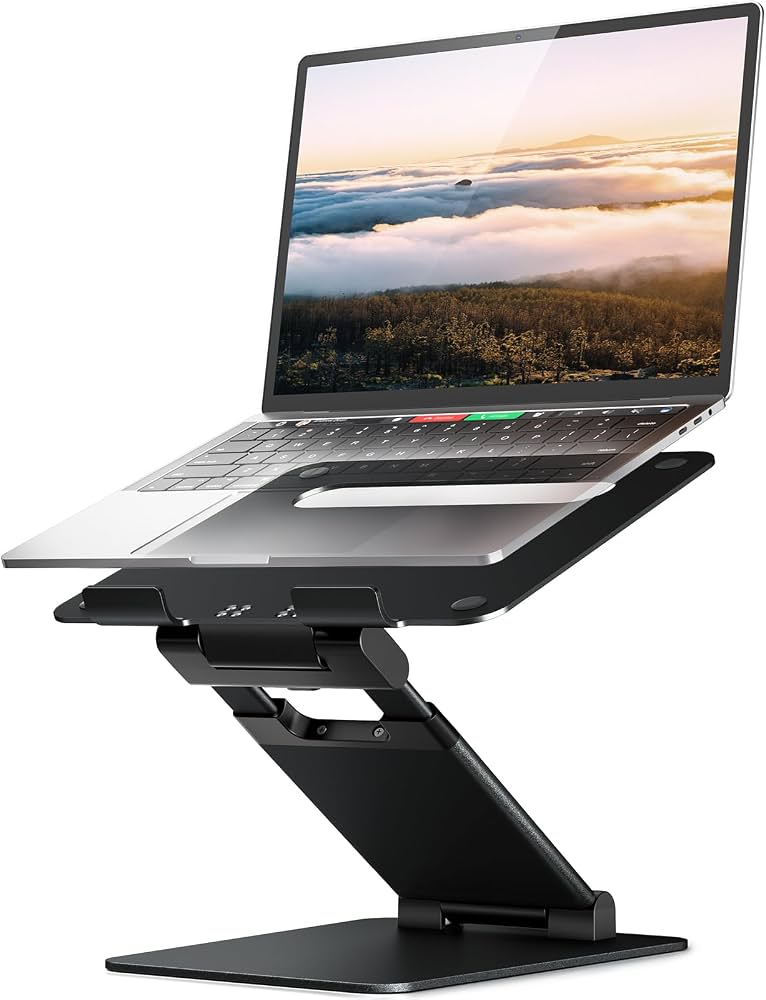
Nulaxy Laptop Stand

✓ Key Strengths
- •Raises laptop screen to a more neutral, eye-level height, directly reducing neck flexion
- •Five adjustable angles let you customize the incline to your sitting height visual range
- •Aluminum build with open ventilation keeps laptops cool during long compilation and dev server runs
- •Anti-slip silicone pads keep the laptop securely in place, even with a trackpad and keyboard case
- •Foldable and lightweight, making it easy to carry between home, office, and library
- •Low price point compared to monitor arms or standing desks, making ergonomics more accessible
- •Compatible with a broad range of 10–17.3 inch laptops including MacBooks and PC clamshells
✗ Key Weaknesses
- •If you type on the built-in keyboard, the elevated angle forces your wrists into an unnatural, extended position
- •Only offers five fixed angles, not continuous height adjustment for perfect alignment with different chairs
- •At the steepest angle, heavier 15 or 17-inch laptops can feel slightly unstable if you rest your hands on the laptop
- •The stand is not designed for use on soft or uneven surfaces like a couch, bed, or lap
- •Cable management is minimal, especially when you connect multiple peripherals and need to route cables cleanly
What is Nulaxy Laptop Stand?
What is improving posture while coding?
Detailed Analysis
👍 Perfect For
- ✓Programmers who already own a wireless keyboard and mouse and just need a cheap way to raise their laptop screen
- ✓Students learning to code in dorms or libraries, where desk space is limited and a portable, collapsible stand is convenient
- ✓Remote developers who work both at a home desk and at other locations, and want a compact solution for both
- ✓People experiencing neck pain from laptop use and willing to invest in a complete ergonomic setup
👎 Not Ideal For
- ✗Users who only use the laptop's built-in keyboard and are not willing to buy additional peripherals
- ✗People who primarily use their laptop on the couch, bed, or their lap, as the stand requires a stable hard surface
- ✗Professionals who need precise, continuous height adjustment beyond a range of angles, perhaps because they alternate between sitting and standing
Use Case Scenarios
Remote Developer with a Dedicated Home Desk
A full-time software engineer works from a home office with a desk and an external wireless keyboard and mouse. They want to elevate their 14-inch MacBook to the same level as their eyes to avoid neck strain.
✓ Strengths
- Screen lifted to eye level reduces neck flexion during 8-hour sessions
- Passive cooling prevents thermal throttling during intense builds
- Stable enough for daily use with a 14-inch laptop
- Compact and aesthetically pleasing on a home desk
✗ Weaknesses
- Fixed angles may not match every user's exact sitting height
- Some may need additional height if they use a very tall ergonomic chair
💡 Workarounds
- Place the Nulaxy on a 1-inch metal monitor riser if you need extra height
- Adjust your chair seat height so that your knees are at 90 degrees and your eyes align with the top half of the screen
The combination of a laptop stand with external peripherals directly addresses the ergonomic chain, and the Nulaxy's high quality/price ratio makes it excellent for a fixed home desk.
Student Learning to Code in a Dorm
A college student has a small dorm desk, a single 13-inch laptop, and no external keyboard. They code for a few hours after class and want to avoid back discomfort.
✓ Strengths
- Portable; easy to take to the library
- Reduces hunching while watching lectures and resting hands on the laptop
- Makes reading code on screen more comfortable because you don't have to look down so far
✗ Weaknesses
- Built-in keyboard at an angle worsens wrist posture
- Can take up a fair amount of space on a cramped dorm desk
💡 Workarounds
- Purchase a cheap wireless keyboard and mouse to use with the stand, even if space is tight
- Use the stand only for passive screen viewing, then lay the laptop flat when typing
- Place a buffer like a folded towel under the front of the laptop to slightly reduce the keyboard slope if the stand is on its lowest angle
The stand is useful for watching and reading, but the absence of an external keyboard means that actual coding time will still cause wrist strain. It's a decent partial upgrade, not a complete ergonomic solution.
Casual Café Coder with Laptop Alone
A developer takes their 13-inch laptop to a coffee shop and works on a side project for a couple of hours, using only the laptop's built-in keyboard and trackpad.
✓ Strengths
- Small enough to fit in a backpack next to the laptop
- Raises the screen for better visibility when you're reading docs
- Durable aluminum body can survive being tossed into a bag
✗ Weaknesses
- Built-in keyboard is angled, making typing less natural
- Potential wobble on small or uneven café tables
- No infinite adjustability to match varying café chair and table heights
💡 Workarounds
- Use the stand only for screen viewing and keep laptop flat while typing
- Find a café with a table at arm-wrestling height (about 28-30 inches) and set the stand to its lowest angle
- Carry a compact foldable keyboard like the iClever BK08 in your bag to get a proper typing position
For a two-hour coding session using only the laptop, the Nulaxy actually makes wrist posture worse and introduces stability concerns. It is not a good fit for this scenario unless combined with a portable keyboard.
Secondary Screen for a Desktop Programmer
An office programmer already works with a large external monitor and a desktop keyboard. They use their laptop as a second screen for Slack, documentation, and API references, and need to keep it at the same height as the primary monitor.
✓ Strengths
- Keeps both screens at a similar eye level, reducing neck rotation
- Uses the laptop as a true secondary display without the need for a bulky docking station
- Allows airflow under the laptop even in an extended vertical position
- Very stable because you are not touching the laptop's keyboard
✗ Weaknesses
- Not enough height if the primary monitor is elevated on a monitor arm
- Takes up desk space that could be used for a USB hub or notes
💡 Workarounds
- Place the Nulaxy on a solid wooden monitor riser for extra height
- Use a VESA laptop tray if you need a full-height mounting solution
The Nulaxy is effectively acting as a laptop monitor stand, which is exactly what it does best. Combined with an external keyboard already in place, it delivers strong ergonomic benefits for a multi-monitor setup.
Bottom Line
Ready to get the Nulaxy Laptop Stand? Check the latest price on Amazon.
🛒 Buy on AmazonAs an Amazon Associate we earn from qualifying purchases.
Frequently Asked Questions
Is Nulaxy Laptop Stand good for improving posture while coding?
Yes, but only when paired with an external keyboard and mouse. The stand raises the screen to eye level, which reduces neck strain. However, if you continue using the laptop's built-in keyboard, the elevated angle forces your wrists into an awkward position and may cause more harm than good.
Can you use Nulaxy Laptop Stand with any laptop?
It supports most laptops between 10 and 17.3 inches. However, very heavy or thick laptops (e.g. gaming laptops over 5 pounds) may be less stable at the steepest angles, and laptops with bottom vents may have their airflow partially blocked, though the open design generally helps cooling.
Does Nulaxy Laptop Stand come with a warranty?
The product listing typically offers a 30-day Amazon return policy. Manufacturer warranties vary and may not be explicitly stated; you can contact the seller for specific warranty claims.
What is the difference between Nulaxy and Soundance laptop stands?
Visually, the Nulaxy and Soundance stands are very similar—both are aluminum folding risers with rubber grips and angle adjustments. Some users say Soundance has a slightly thicker base and offers a few more color options. Functionally, they are nearly identical, and price is often the deciding factor.
Will the Nulaxy stand scratch my laptop?
No, the contact points are covered with soft rubber pads that protect the laptop's edges. Just make sure the pads are clean and not worn out. If the stand is dusty, wipe it down with a microfibre cloth.
How tall does the Nulaxy Laptop Stand lift the laptop?
The exact height varies depending on the angle setting, but it typically lifts the back of the laptop between 1.5 and 4 inches from the desk. The front remains flat on the desk, so the screen is tilted toward your eyes.
Can I use the Nulaxy stand with an external monitor?
No, the Nulaxy is designed specifically for laptops, not for desktop monitors. The grip brackets are too narrow to hold a monitor, so attempting to use it with a monitor could damage both the monitor and the stand.
Is the Nulaxy stand better than using books to raise a laptop?
Yes, in almost every way. The Nulaxy provides stability through rubber grips, allows airflow to cool the laptop, and folds into a compact shape. A stack of books is less stable, blocks vents, and can topple over easily. The Nulaxy is a worthwhile investment for daily use.
What's the main reason to avoid Nulaxy for coding posture?
The main drawback is that it makes the laptop keyboard less comfortable to type on. If you don't get an external keyboard, your wrist posture may worsen. So it's not a single-solution fix—it's a display-height tool that requires you to complete the ergonomic chain.
Do I need to buy an external keyboard and mouse for Nulaxy?
It is strongly recommended. A wireless keyboard and mouse are affordable and will make the elevated screen position feel natural. Without them, you'll be typing at a steep angle and will likely experience wrist and shoulder fatigue.
Can I use the Nulaxy with a standing desk?
Yes, you can place the Nulaxy on a standing desk, but you'll want to set it to the angle that brings the screen most closely to eye level. Since the Nulaxy's height range is limited, you may need a standing-desk converter to push the laptop even higher.
What are the best accessories for Nulaxy Laptop Stand?
The top accessories are a wireless keyboard and mouse, a USB-C hub for extra ports, a monitor riser for extra height, an ergonomic wrist rest, and a seat cushion for lower back support. These together create a fully posture-friendly coding setup.