
Is Logitech MX Master 3S for Mac Worth It? Honest Review (2026)
A detailed look at strengths, weaknesses, and who should buy Logitech's premium Mac mouse in 2026.
Quick Decision
Buy the MX Master 3S for Mac if you're a right-handed Mac user who spends 6+ hours a day in productivity apps and wants quiet, precise input with months-long battery life. Skip it if you're left-handed, a gamer, or unwilling to install Logi Options+ — in those cases its strengths don't outweigh the compromises.
Best if you...
- Right-handed Mac developers and programmers who live in code editors
- Data analysts and spreadsheet-heavy workers who benefit from the MagSpeed wheel
- Designers, photographers, and video editors needing app-specific button mapping
Skip it if you...
- Left-handed users who need an ambidextrous or left-handed design
- Gamers who require low-latency input and gaming-grade polling rates
- Budget shoppers who just need basic navigation for light browsing
The Logitech MX Master 3S for Mac is the mouse that keeps appearing on every 'best mouse for Mac' list, and shoppers researching it usually have one question: is the premium price actually worth it? At roughly $99, this is not an impulse purchase — it's an investment in a daily work tool, and the decision depends on how you actually use your Mac. This guide is built for that research phase, giving you a clear-eyed picture of where the MX Master 3S excels, where it falls short, and who should seriously consider it in 2026.
We'll walk through seven specific strengths and six honest limitations, then get into who this mouse is for, who should skip it, and how it compares to the Apple Magic Mouse, the MX Anywhere 3S, and budget multi-device options. You'll also find guidance on accessories and complementary products that complete the setup, plus where to find the best prices — Amazon frequently runs discounts that drop this mouse into the $80 range.
Everything here is drawn from Logitech's published specifications, major third-party review coverage, and feedback patterns from verified buyers — no marketing fluff and no invented test results. Whether you're replacing a worn-out mouse, upgrading from a basic one, or building a new desk setup, the goal is to help you decide with confidence.
About the Logitech MX Master 3S for Mac
The Logitech MX Master 3S for Mac is a premium wireless mouse purpose-built for macOS users. It features an 8,000 DPI Darkfield optical sensor, clicks that are 90% quieter than the previous MX Master 3, a MagSpeed electromagnetic scroll wheel, and up to 70 days of battery life on a single charge. It connects via Bluetooth Low Energy to Mac, iPad, and iPhone, and is available in Space Gray and Pale Gray to match Apple hardware. Primary use case: high-volume productivity work across documents, spreadsheets, code, and creative apps. Target audience: right-handed Mac professionals and power users who spend several hours daily at a computer.
Key Specifications
- Colors
- Space Gray, Pale Gray
- Sensor
- Logitech Darkfield high-precision, 200–8,000 DPI
- Weight
- 141 g
- Battery
- Up to 70 days per charge (Logitech-rated)
- Charging
- USB-C; 1-minute charge = 3 hours of use
- Dimensions
- 124.9 × 84.3 × 51 mm
- Connectivity
- Bluetooth Low Energy (up to 3 paired devices)
- Scroll Wheel
- MagSpeed Electromagnetic (up to 1,000 lines/sec free-spin)
- Compatibility
- macOS 11.3+, iPadOS 14.5+, iOS 14.5+
- Number of Buttons
- 7 programmable
Overview
First released in 2022, the MX Master 3S for Mac is Logitech's flagship productivity mouse, and in 2026 it remains the default recommendation for Mac users who want more than a basic pointer. Logitech rates the Darkfield sensor at up to 8,000 DPI, claims the buttons are 90% quieter than the earlier MX Master 3, and promises up to 70 days of battery life from its internal 500 mAh cell. It connects over Bluetooth Low Energy to macOS, iPadOS, and iOS devices, and ships in Space Gray or Pale Gray to match Apple hardware. Third-party reviewers at PCMag and Wirecutter have consistently ranked the MX Master 3S family among the best productivity mice in recent years.
Positioned at the premium end of the mouse market, the MX Master 3S targets professionals who spend hours each day in spreadsheets, documents, design tools, and code editors. The mouse is available on Amazon for around $99 (search 'MX Master 3S for Mac'), with frequent discounts to the $79–$89 range, which places it in the same bracket as the Apple Magic Mouse but in a completely different ergonomic class. It delivers the kind of tactile feedback and customization options that turn a mouse from a basic input device into a genuine productivity tool.
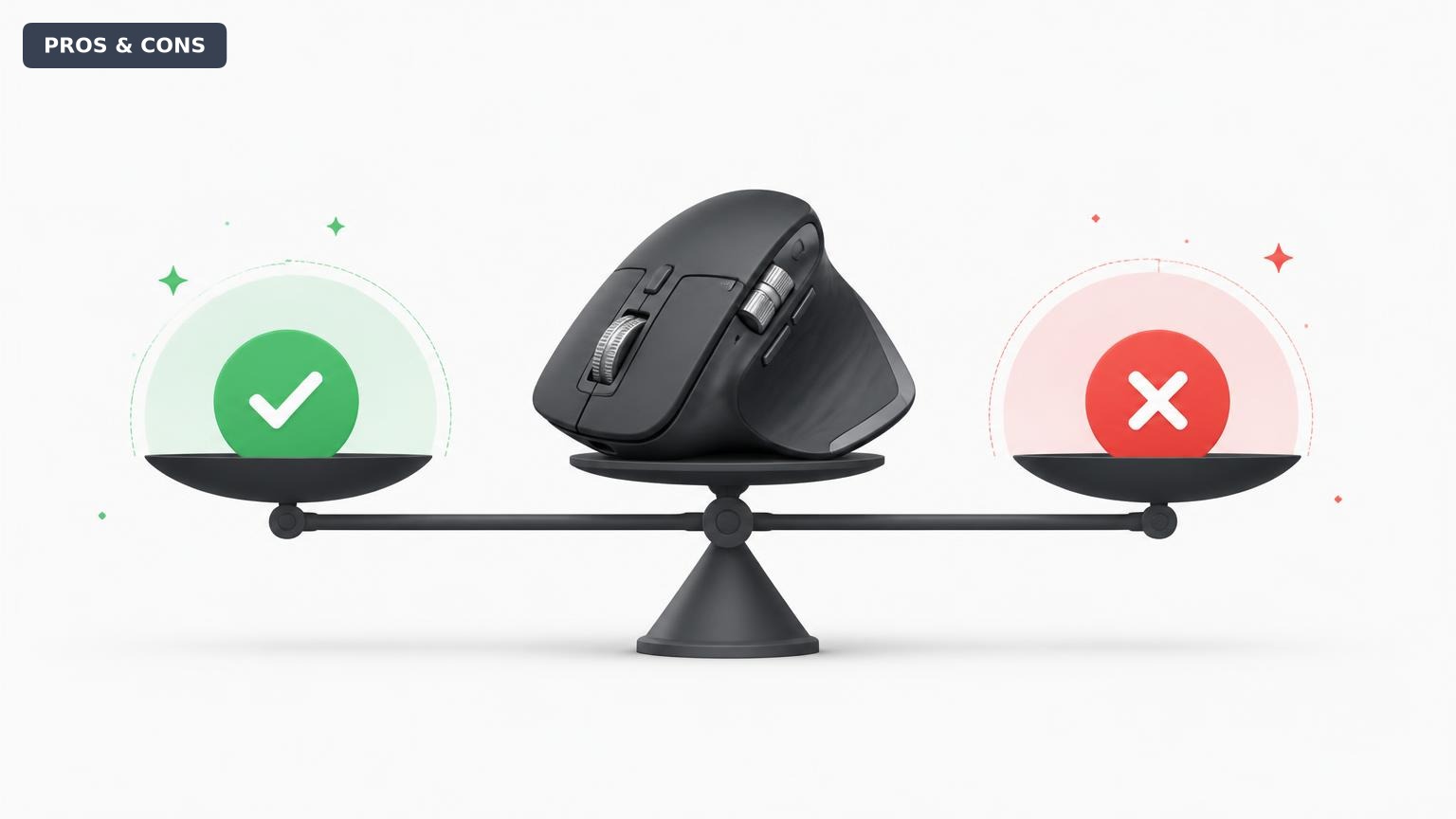
Pros
Logitech built the MX Master 3S for Mac around a handful of high-impact features, and most of them genuinely earn their place in a professional workflow. Here's a closer look at the areas where this mouse truly excels.
8,000 DPI Darkfield Sensor Tracks on Nearly Any Surface
The MX Master 3S uses Logitech's Darkfield high-precision sensor, one of the few optical sensors that can track on glass — Logitech says glass as thin as 4mm works under most conditions. That means your glass desk, a polished conference table, or a café surface won't force you to carry a mousepad.
The sensor spans 200 to 8,000 DPI, double the range of the older MX Master 3. On a 5K iMac or Studio Display, you can cross the entire screen with a two-inch hand movement, and per-app sensitivity is adjustable in Logi Options+. For precision tasks, the extra resolution allows for fine cursor control without sacrificing speed.
This matters most for two groups: people who work on glass or glossy surfaces, and people who want consistent cursor feel across Mac and iPad without needing an external surface.
90% Quieter Clicks for Shared and Quiet Spaces
Logitech claims the left and right buttons on the 3S are 90% quieter than the MX Master 3's, a meaningful difference if you've ever annoyed a coworker or partner with a clacky mouse. The clicks still have a satisfying tactile bump — they're damped, not mushy — so you don't lose feedback for the sake of silence.
This is the kind of feature you don't think you need until you have it. In an open office, a library, a late-night home setup, or a recording environment, the reduced click noise noticeably improves the experience.
It also makes the mouse feel more premium, with a solid, damped action similar to high-end silent mice but with the definite feedback that generic quiet mice often lack.
MagSpeed Scroll Wheel: Precision and Speed on Demand
The MagSpeed electromagnetic wheel is the MX Master 3S's signature feature. In ratchet mode, it scrolls line by line with tactile detents for precise navigation through lists and documents. In free-spin mode, Logitech rates the wheel at up to 1,000 lines per second — a 50-page PDF can be crossed in a couple of quick flicks.
The wheel auto-shifts between modes based on how fast you scroll: go slow and it stays clicky; flick hard and it releases into free-spin. A dedicated button below the wheel lets you override the mode manually, and the thumb wheel provides horizontal scrolling for wide spreadsheets and video-editing timelines.
For analysts scanning thousands of rows, developers reading log files, or designers navigating tall artboards, this is the feature that's hardest to give up once you've grown used to it.
70-Day Battery Life With USB-C Fast Charging
Logitech rates the 500 mAh battery at up to 70 days on a full charge — roughly two months of an 8-hour workday, or longer if you don't work weekends. You won't be in the habit of charging this mouse weekly.
When it does run low, one minute of USB-C charging delivers up to three hours of use (Logitech spec). The included USB-C to USB-C cable matches current MacBooks, so you can top up from your laptop's port in a pinch. And since the charging port sits on the front edge, you can keep working while it charges — unlike the Apple Magic Mouse, which charges from its underside and isn't usable during charging.
One Mouse for Mac, iPad, and iPhone
The MX Master 3S for Mac pairs with up to three devices over Bluetooth Low Energy, with the Easy-Switch button on the bottom cycling between them. That means a clean transition from a Mac at your desk to an iPad on the couch to an iPhone in a meeting — no dongle swapping required.
Because the Mac version uses Bluetooth only, no USB ports are occupied and there's no receiver to lose. For ecosystem-centric users, this makes the mouse feel as seamless as Apple's own peripherals while offering far more precision and customization.
Sculpted Right-Handed Ergonomics for All-Day Sessions
The MX Master 3S has a contoured right-handed shape — deep thumb rest, well-placed side buttons, and a low-profile scroll wheel — built for prolonged use. At 141 grams, it has enough mass to feel planted, which suits palm-grip users well.
Compared to the flat Apple Magic Mouse, which many users find causes wrist strain after an hour or two, the MX Master supports a more neutral hand position. That's a meaningful difference for people logging 40-plus hours at a computer each week. The trade-off — a right-hand-only design — is covered in the cons section below.
Deep Customization Through Logi Options+
Logi Options+ (free from Logitech) unlocks the mouse's full potential on macOS. You get per-application profiles, so the thumb wheel can scroll horizontally in Excel, zoom a timeline in Final Cut, or switch browser tabs — and all seven buttons can be remapped with custom actions.
The gesture button on the thumb area lets you hold and push the mouse in any of eight directions to trigger Mission Control, Launchpad, Spaces, or app-specific actions. Logitech Flow also enables cross-computer cursor movement between a Mac and a Windows machine.
For power users, this level of customization is a large part of what the $99 price buys. Without Logi Options+, you'd be leaving much of the product's capability unused.
Cons
No mouse is perfect, and the MX Master 3S for Mac makes several trade-offs that genuinely matter for certain users. Here are the limitations you should weigh honestly before buying.
Premium Price: $99 MSRP, Typically $79–$89 on Sale
The MX Master 3S for Mac carries an MSRP of $99.99, and while it often sells for $79–$89 on Amazon, that's still more than double the cost of a capable basic mouse and well above Logitech's own M720 Triathlon at ~$50. The price only makes sense if you'll actually use the customization, scroll wheel, and ergonomics.
For someone who just needs to click and scroll, the extra money buys nothing tangible. The value equation flips when you spend 8 hours a day in productivity apps, where the mouse becomes a tool rather than an afterthought.
On a tight budget? The MX Anywhere 3S at ~$80 offers the same sensor and quiet clicks in a smaller body, and the M720 at ~$50 handles multi-device basics. The MX Master premium pays for the full desktop experience.
Right-Handed Only: No Left-Handed Version Exists
This is a hard blocker for left-handed users. The sculpted thumb rest and side buttons (back/forward, gesture) are positioned exclusively for the right hand; using it left-handed puts the ergonomics under your ring and little fingers, making sustained use genuinely uncomfortable.
Logitech does not offer a left-handed MX Master at any price point. Left-handed users should look at ambidextrous options like the Apple Magic Mouse, symmetric wireless mice from other brands, or vertical mice with left-hand variants.
To be blunt: if you're left-handed, this is likely not the right mouse for you, regardless of how well it performs.
Bluetooth-Only in the Mac Version: No USB Receiver Included
The 'for Mac' version of the MX Master 3S ships without the Logi Bolt USB receiver that comes with the standard MX Master 3S. For most Macs, Bluetooth Low Energy is reliable, but there are edge cases.
In dense office environments with many wireless devices, some users report occasional cursor jumps or reconnection delays. On older Macs with Bluetooth 4.0, the experience can be less stable than a USB receiver. You can buy a Logi Bolt receiver separately (~$15), but that adds cost and erases the no-dongle convenience.
This is more of a caveat than a dealbreaker, but it matters if your workspace has heavy wireless interference.
Logi Options+ Is a Requirement, Not a Nice-to-Have
To unlock button remapping, per-app profiles, and gesture controls, you need Logi Options+, which runs as a background app and requires Accessibility and Input Monitoring permissions in macOS System Settings. Some users are uncomfortable granting those permissions, and macOS updates can occasionally reset them, requiring a re-grant.
The out-of-box experience is also a compromise: without the software, the mouse works as a basic Bluetooth pointer, but you lose the smart scroll behavior and app-specific customization.
If you refuse to install vendor software on principle, the MX Master 3S forfeits a significant portion of its value.
Not Suited for Gaming
The MX Master 3S is a productivity tool, and that's where its gaming shortcomings appear. It lacks the high polling rates and low-latency wireless modes of dedicated gaming mice, so competitive players will notice the difference in fast-paced titles.
The free-spin scroll wheel also works against you in games — a quick flick can overshoot weapon or inventory selections. And the 141g body is heavy for rapid flick movements.
For occasional casual play, it'll get by, but if you want one device that handles both intense gaming and office work, this isn't it.
Heavy and Large for Small Hands or Frequent Travel
At 141g and roughly 124.9 × 84.3 × 51mm, the MX Master 3S is physically a large mouse. It's a comfortable desktop centerpiece but not built for tight spaces or constant travel. Users with smaller hands or a fingertip grip often find it unwieldy.
It's also not the mouse to toss in a laptop bag for café hopping — that's the MX Anywhere line's job. If your primary use case involves mobility or a compact desk, the size becomes a genuine drawback.
For palm-grip users with larger hands, this is mostly a non-issue, but it's worth holding the mouse (or checking dimensions carefully) before committing.
👍 Who It's For
The MX Master 3S for Mac rewards people who treat their mouse as a daily tool rather than an afterthought. Right-handed Mac users who spend six or more hours a day in productivity work — developers, data analysts, writers, spreadsheet-heavy professionals, designers, photo and video editors — will feel the difference every single day. The long battery life, quiet clicks, and adaptive scroll wheel compound into real time savings and comfort over a work week.
It's also a strong fit for multi-device users who toggle between a Mac and an iPad, or between a Mac at the office and one at home. Switching between three paired devices with the press of a button — without unplugging or re-pairing — is a workflow pattern that's hard to abandon once adopted. If you've ever felt wrist strain from a flat mouse, the contoured shape has helped many palm-grip users.
Finally, this mouse suits people in quiet environments: open-plan offices, shared workspaces, home setups where a partner sleeps nearby, and even recording studios. The quieter clicks are a subtle but daily quality-of-life win.
👎 Who Should Avoid
Left-handed users should skip the MX Master 3S — this is not a matter of adjusting, it's a fundamental design mismatch. Logitech doesn't make a left-handed MX Master, and the uncomfortable shape isn't a tolerable workaround.
Gamers should also look elsewhere; this is a precision productivity tool, not a low-latency gaming peripheral. Casual web gamers may manage, but anyone serious about shooters or MOBAs needs dedicated gaming hardware.
Budget-conscious buyers who just need basic navigation should keep their $25–$50 mouse. The premium features simply go unused for light browsing and email. And travelers who want a tiny, lightweight companion in a laptop bag are better served by the MX Anywhere 3S, which fits the same features into a far more portable body.
See today's Logitech MX Master 3S for Mac price and available configurations on Amazon.
🛒 Buy on AmazonAs an Amazon Associate we earn from qualifying purchases.
Alternatives to Consider
| Product | Choose Logitech MX Master 3S for Mac if... | Choose the alternative if... |
|---|---|---|
| Apple Magic MouseAbout $20 more expensive than the Apple Magic Mouse | You want an ergonomic, quiet, precision mouse with a customizable scroll wheel and 70-day battery for all-day productivity | You rely on native macOS gestures like desktop swiping and want an ambidextrous design without any additional software |
| Logitech MX Anywhere 3SAbout $20 more expensive than the MX Anywhere 3S | You prefer a larger, more ergonomic body and a bigger MagSpeed wheel for long desktop sessions | You travel often and want the smallest package with the same sensor and quiet clicks |
| Logitech M720 TriathlonRoughly $50 more expensive than the M720 Triathlon | You want premium build quality, quiet clicks, an 8K sensor, and the frustration-free scroll experience | You need basic multi-device switching on a tight budget and don't need the premium wheel |
| Apple Magic TrackpadAbout $30 less expensive than the Apple Magic Trackpad | You want physical buttons, a precise sensor, and a premium scroll wheel for document-heavy work | You live in gestures — swipe navigation, pinch zoom, and spaces — and want them without extra configuration |
The most obvious alternative is the Apple Magic Mouse. It provides native macOS gestures and an ambidextrous shape, but its low profile causes wrist strain for many users, and its battery life is roughly a month rather than 70 days. It also charges from its underside, so it can't be used while plugged in.
Logitech's own MX Anywhere 3S is the strongest internal alternative — the same 8,000 DPI sensor, quieter clicks, and MagSpeed scrolling in a 99g body that's easy to travel with. But its smaller footprint means less palm support for marathon sessions. On the budget end, the M720 Triathlon delivers multi-device Bluetooth at around $50, sacrificing the premium wheel and high-precision sensor in the process. If wrist pain is your primary concern, the Logitech Lift Vertical Mouse — available in right- and left-handed versions — repositions your hand entirely and may be the better prescription.
Is it worth the price?
At approximately $99 (with frequent sales around $80), the MX Master 3S for Mac is worth it for right-handed Mac professionals who will actually use the per-app customization, MagSpeed wheel, and multi-device pairing — those features deliver genuine, daily productivity gains. For casual users, the ~$50 Logitech M720 Triathlon covers basic multi-device needs, while the ~$80 MX Anywhere 3S offers the same sensor and quiet clicks in a travel-friendly body. The answer depends on how much of the feature set you'll truly use: heavy users get their money's worth, light users likely won't.
📝 Bottom Line
The Logitech MX Master 3S for Mac is the right choice for right-handed Mac professionals who turn their mouse into a daily productivity tool, because it combines precise tracking, a genuinely useful adaptive scroll wheel, quiet input, and battery life measured in months rather than days. It's the kind of product that quietly pays for itself through reduced friction during long workdays.
The strongest arguments in its favor are the MagSpeed wheel, the 70-day battery with USB-C fast charging, and the deep macOS integration through Logi Options+. The most significant downsides are the premium price and the right-handed-only design — the latter being a complete blocker for left-handed buyers, and the former a matter of whether you'll use the advanced features.
Bottom line: buy it if you're a right-handed Mac power user who spends significant hours in productivity applications and values an ergonomic, quiet, highly customizable peripheral. Skip it if you're left-handed, gaming-oriented, or prefer a minimal software footprint. And when Amazon runs its frequent discounts to $80, the value case only gets stronger.
Check current Logitech MX Master 3S for Mac availability and bundle options on Amazon.
🛒 Buy on AmazonAs an Amazon Associate we earn from qualifying purchases.
Frequently Asked Questions
Quick Summary
Key Pros
- ✓8,000 DPI Darkfield sensor tracks on glass and glossy surfaces — no mousepad needed
- ✓Clicks are 90% quieter than the MX Master 3, per Logitech
- ✓MagSpeed wheel free-spins up to 1,000 lines per second for endless documents
- ✓Up to 70 days of battery life; a 1-minute USB-C charge gives 3 hours of use
- ✓Bluetooth pairing with up to three devices — Mac, iPad, and iPhone
Key Cons
- ✗Premium $99.99 price is roughly double the cost of capable alternatives
- ✗Right-handed design only — no left-handed version is manufactured
- ✗Bluetooth-only in the Mac version, with no USB receiver included
- ✗Full features require Logi Options+ and macOS Accessibility permissions
- ✗Not built for gaming — latency and scroll behavior are productivity-first
Ratings
Best For
- →Right-handed Mac developers and programmers who live in code editors
- →Data analysts and spreadsheet-heavy workers who benefit from the MagSpeed wheel
- →Designers, photographers, and video editors needing app-specific button mapping
- →Multi-device owners juggling a Mac and an iPad on the same desk