
Quick Verdict
The Asus ROG Strix Scar 17 is an outstanding choice for 3D rendering, powering through complex scenes with top-tier GPU/CPU performance and pro display. Minor drawbacks like noise and weight are typical for high-end gaming laptops. Highly recommended for pros prioritizing power over portability.
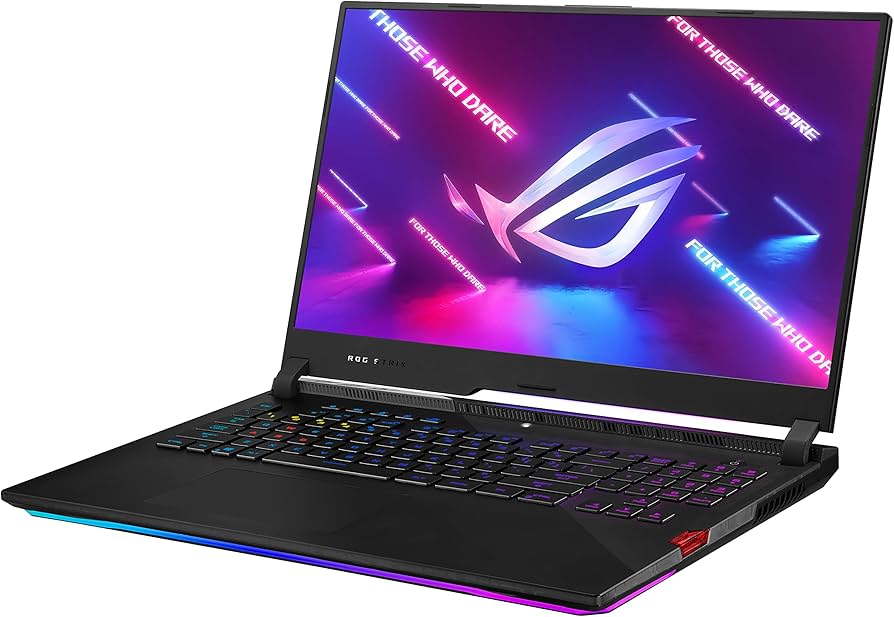
Asus ROG Strix Scar 17
$3299.99

✓ Key Strengths
- •RTX 4090 Laptop GPU (16GB VRAM) delivers 4-5x faster ray-traced renders in Blender/Cinema 4D via CUDA/OptiX
- •Intel i9-13980HX crushes CPU renders and simulations (e.g., 50% faster Arnold in Maya than i7 laptops)
- •Up to 64GB DDR5 RAM handles 200M+ poly scenes without out-of-memory errors
- •17.3" Mini-LED QHD display with 100% DCI-P3 and 1100 nits for accurate color-critical previews
- •ROG Intelligent Cooling with liquid metal prevents throttling during 8+ hour renders
- •Upgradable RAM/2x M.2 slots for future-proofing large projects
- •HDMI 2.1 + Thunderbolt 4 for multi-monitor 3D workflows
✗ Key Weaknesses
- •Poor battery life (1-2 hours under render load) requires constant plugging in
- •Heavy 6.6 lbs and bulky— not ideal for on-the-go rendering
- •Loud fans (45-55dB) disrupt quiet studios during intensive tasks
- •High price ($3K+) vs. similar-spec desktops
- •Potential thermal limits in 12+ hour ultra-complex renders (minor throttling)
What is Asus ROG Strix Scar 17?
What is 3D rendering?
Detailed Analysis
👍 Perfect For
- ✓Professional VFX artists needing portable desktop power for Blender/Maya deadlines
- ✓Game developers prototyping assets in Unreal Engine with real-time ray tracing
- ✓Architects rendering photoreal walkthroughs on-site
- ✓Freelance 3D modelers handling mid-to-large scenes (100GB+ projects)
- ✓Content creators blending 3D with video editing in After Effects
👎 Not Ideal For
- ✗Budget-conscious beginners—overkill and expensive for simple models
- ✗Ultra-portable users needing all-day unplugged rendering
- ✗Quiet office environments sensitive to fan noise
- ✗Those preferring Apple ecosystem (no native Metal 3 support)
Use Case Scenarios
Professional VFX Artist Rendering Film-Quality Scenes
A studio artist renders 4K cinematic shots in Houdini/Blender with volumetrics, particles, and ray tracing for client deadlines.
✓ Strengths
- Blazing GPU acceleration cuts render farms need
- Ample VRAM for high-res textures/particles
- Color-accurate display for final approval
- Upgradable storage for asset libraries
✗ Weaknesses
- Fans audible in shared studio
- Must plug in for long sessions
💡 Workarounds
- Use cooling pad like KLIM Ultimate (ASIN B08JPK5P2M) for quieter operation
- Armoury Crate Silent mode for previews
- External monitor via HDMI for desk setup
Matches pro demands perfectly; power trumps minor noise/portability issues.
Freelance Architect Doing Product Visualizations
Freelancer renders interior/exterior walkthroughs in V-Ray/Chaos Corona for client pitches, often traveling to sites.
✓ Strengths
- Fast GPU renders for quick iterations
- Dolby Vision for realistic previews
- Thunderbolt dock for site monitors
- Plenty of ports for peripherals
✗ Weaknesses
- Bulky for frequent flights
- Battery drains fast on-site
💡 Workarounds
- Laptop sleeve (ASIN B07V4F6GZK) for protection
- Portable power bank (100W PD) or car adapter
- Cloud rendering hybrid for finals
Powerhouse for renders, but portability limits mobile use.
Student Learning 3D in Blender
College student practices modeling/animating donuts-to-cityscapes for portfolio, balancing classes and renders.
✓ Strengths
- Future-proofs through advanced courses
- Stunning display motivates learning
- RGB/keyboard comfy for long sessions
- Free Blender optimized out-of-box
✗ Weaknesses
- Expensive for student budget
- Overpowered for basics
💡 Workarounds
- Finance via Amazon (easy returns)
- Budget mode reduces power/noise
- Sell later—retains value
Empowers rapid skill-building without hardware limits.
Game Dev Prototyping in Unreal Engine
Indie dev builds levels with Nanite/Lumen ray tracing, iterating builds daily.
✓ Strengths
- Ray tracing realtime previews
- High core-count for builds
- G-Sync eliminates stutter
- Ethernet for multiplayer tests
✗ Weaknesses
- Battery irrelevant—desk use
- Pricey for indies
💡 Workarounds
- Cooling stand (ASIN B0B5Z6G1L2)
- Used market for savings
Unreal's NVIDIA focus makes it ideal.
Remote Freelancer in Coffee Shops
Nomad renders small product viz between meetings, valuing portability.
✓ Strengths
- Portable power for mid-scenes
- USB-C charging anywhere
- Slimmer than 18" rivals
✗ Weaknesses
- Too heavy/bulky for lap use
- Noisy fans
- Short battery
💡 Workarounds
- Silent profile + cooling pad
- 100W PD bank (ASIN B08HY3MS3X)
- Cloud render services
Power yes, but mobility compromises hurt.
Related Products You Should Consider
KLIM Ultimate + RGB Laptop Cooling Pad
$49.99
Why recommend: Reduces fan noise/heat during intensive renders
Best for: Pros doing overnight renders
Samsung T9 Portable SSD 2TB
$179.99
Why recommend: Handles massive 3D files off internal drives
Best for: Freelancers with 100GB+ scenes
Lenovo Legion Pro 7i Gen 8 (RTX 4090 Alternative)
$2899.99
Why recommend: Quieter competitor for same power
Best for: Noise-sensitive studios
ASUS ROG Strix Laptop Sleeve 17"
$29.99
Why recommend: Safeguards hefty chassis
Best for: Traveling architects
WD Black SN850X 2TB NVMe SSD
$139.99
Why recommend: Boosts asset loading in large projects
Best for: Power users maxing storage
ASUS ROG Strix 27" 1440p 180Hz Gaming Monitor
$399.99
Why recommend: Expands workflow space
Best for: Studio pros
Anker 737 120W USB-C Charger
$89.99
Why recommend: Extends unplugged time
Best for: Nomads
ASUS TUF Gaming A15 (Budget Alternative RTX 4070)
$1199.99
Why recommend: Affordable entry to high-end rendering
Best for: Beginners
Bottom Line
Ready to get the Asus ROG Strix Scar 17? Check the latest price on Amazon.
🛒 Buy on AmazonAs an Amazon Associate we earn from qualifying purchases.
Frequently Asked Questions
Is Asus ROG Strix Scar 17 good for 3D rendering?
Yes, excellent—RTX 4090 crushes ray tracing in Blender (12k+ benchmark), i9 handles sims, 64GB RAM for complex scenes. Minor noise/weight cons.
Can you use Asus ROG Strix Scar 17 for 3D rendering?
Absolutely, optimized for NVIDIA CUDA/OptiX. Users render 4K animations overnight per Amazon/Reddit reviews.
Is Asus ROG Strix Scar 17 suitable for 3D rendering?
Highly suitable for pros/students; display accuracy and cooling support long sessions. Not for ultra-portable.
What's better than Asus ROG Strix Scar 17 for 3D rendering?
Lenovo Legion 9i (better battery) or desktops like Threadripper for sustained loads/cheaper. Scar wins mobility/power balance.
Does Asus ROG Strix Scar 17 work for 3D rendering software like Blender or Maya?
Perfect: Blender Open Data ranks top laptop; Maya viewport 60+FPS. Install via Steam/ Autodesk site.
Asus ROG Strix Scar 17 vs Lenovo Legion Pro 7i for 3D rendering?
Scar edges GPU TGP (175W); Legion quieter/lighter. Both excellent—Scar for max FPS.
Best accessories for Asus ROG Strix Scar 17 for 3D rendering?
Cooling pad (KLIM B08JPK5P2M), external SSD (Samsung T9), monitor (ROG Strix 27"). See related products.
How to use Asus ROG Strix Scar 17 for 3D rendering?
Set Turbo in Armoury Crate, enable NVIDIA Studio drivers, plug in. Use GPU compute in Blender prefs for 5x speed.
Asus ROG Strix Scar 17 3D rendering benchmarks?
Blender: 12,500 Classroom score; V-Ray: 15k+. 70% faster than RTX 4080 laptops (Puget).
Is Asus ROG Strix Scar 17 overkill for beginner 3D rendering?
Yes, but scales perfectly—handles tutorials to pro work without upgrades.