Review Atlas
Review AtlasYour guide to a better purchase

Menu

Shop by Category

Get the App

Better experience on mobile

7 Best Which Podcast Microphones should I buy in 2026: Tested &…

Compare 7 broadcast-quality USB podcast mics from $79 to $279 and find the one that fits your voice, your room, and your budget — no mixer required.

Podcast MicrophonesBroadcast-quality voice capture without a mixerNew podcasters and solo creators$70–$350
Shopping for your first podcast microphone is weirdly stressful. You have plenty of budget, you have no mixer, and every forum thread either says "just get a Shure" or insists you need an audio interface, a boom arm, and a treated closet before you're allowed to hit record. Meanwhile the spec sheets use words like "cardioid" and "self-noise" without explaining whether any of it changes how you actually sound. The real problem is that USB podcast mics are not interchangeable. A large-diaphragm condenser that sounds gorgeous in a carpeted studio will pick up your laptop fan and your neighbor's dog in a bare apartment. A cheap dynamic mic that ignores your room noise will also demand that you lean in and speak up. Some mics include built-in processing that genuinely replaces a mixer; others expect you to do everything in your recording software. Choosing wrong usually means either a hissy, echoey recording or a mic that fights you every time you sit down. This guide is written for solo podcasters and new creators who want one cable, one mic, and audio that sounds like a real show. We'll walk through the seven USB microphones that come up most often in that $70–$350 range, explain the trade-offs honestly (including the ones reviewers gloss over), match specific buyer situations to specific mics, and finish with a decision framework so you can stop researching and start recording.

Our Top Pick

Shure MV7+ Podcast Microphone (USB-C/XLR, Dynamic)

Best Overall

Solo podcasters in imperfect rooms who want broadcast-quality sound with minimal editing and a future path to XLR.

View on Amazon →

Key Factors to Consider

  • 1.Capsule type — dynamic vs condenser: dynamic mics (Shure MV7+, Samson Q2U, Rode PodMic USB) reject room echo and background noise, while condensers (Rode NT-USB+, AT2020USB-X, Blue Yeti, QuadCast S) capture more detail but also more of your room.
  • 2.Room acoustics: hard floors, bare walls, and large windows favor dynamic mics; carpeted, furnished rooms let a condenser shine without extra treatment.
  • 3.Onboard DSP and processing: auto level, noise reduction, EQ, and digital pop filters (MV7+, NT-USB+, PodMic USB) genuinely reduce mixer dependence, but often require installing the manufacturer's app.
  • 4.USB vs dual USB/XLR connectivity: dual-connection mics let you start cable-simple and move to an interface later without buying a new microphone.
  • 5.Headphone monitoring and mix control: a zero-latency headphone jack with a mic/playback blend dial lets you hear yourself properly and catch plosives and room noise before recording.
  • 6.Mounting and vibration isolation: built-in shock mounts and boom-arm-ready designs prevent keyboard and desk thumps; short plastic desk stands are the most common cause of ruined takes.
  • 7.Recording resolution and headroom: 24-bit/96kHz (AT2020USB-X) offers more editing headroom; 16-bit/48kHz (QuadCast S, Blue Yeti) is fine for spoken word but leaves less room for error.
  • 8.Mic technique requirements: dynamic mics reward speaking close (2–6 inches) and consistently, while condensers work further back but demand a quieter, more controlled space.
  • 9.Software ecosystem and simplicity: some mics are true plug-and-play, others depend on apps for their best features — pick based on whether you want configuration or convenience.
  • 10.What's in the box: cables, stands, pop filters, and mounts are frequently extra, and a $79 mic with everything included can beat a $169 mic that needs $60 of accessories.

The Products

#1

Shure MV7+ Podcast Microphone (USB-C/XLR, Dynamic)

Best Overall
Shure MV7+ Podcast Microphone (USB-C/XLR, Dynamic)
Overall
9.2/10
Value
8.3/10
Performance
9.4/10
The MV7+ is Shure's second-generation hybrid podcast mic: a dynamic capsule that connects by USB-C or XLR, with a built-in digital signal processing suite designed to replace the outboard gear a solo creator doesn't own. The voice-isolating design and tight cardioid pattern mean it hears your mouth far more than it hears your room, which is exactly what most home recording setups need. The processing is the headline. Auto Level adjusts gain as you move around, a real-time denoiser reduces steady background noise like fans and air conditioning, a digital popper stopper softens plosives, and tone controls let you darken or brighten the voice. There's also a touch-sensitive LED panel on the front for mute and monitor control, a 3.5mm headphone jack with blend control, and an integrated yoke mount. It's built like a piece of broadcast hardware, all metal and pleasantly heavy. It costs more than almost everything else in this category, and some of its best features require the ShurePlus MOTIV desktop or mobile app. But as a single purchase that turns a normal room into a usable recording space without a mixer, interface, or plugin chain, it's the most complete package here.

✓ Pros

  • •Dynamic capsule with strong off-axis rejection makes untreated rooms sound far better
  • •Auto Level, real-time denoiser, and digital pop filter remove the need for a mixer or plugin chain
  • •USB-C and XLR outputs give a clear upgrade path to an interface without replacing the mic
  • •Touch-panel mute and headphone monitoring with mic/playback blend
  • •Rugged all-metal body and integrated yoke mount feel genuinely professional

✗ Cons

  • •The most expensive option in this guide at around $279
  • •Full DSP access depends on the ShurePlus MOTIV app, which adds a setup step
  • •Heavier and bulkier than most desk-mounted USB mics
  • •Dynamic character is tight and controlled rather than airy — singers may prefer a condenser

Best For:

Solo podcasters in imperfect rooms who want broadcast-quality sound with minimal editing and a future path to XLR.

Not Recommended For:

Buyers on a tight budget, or musicians who want the bright detail of a condenser for singing.

Key Features:

Dynamic cardioid capsule with voice-isolating designUSB-C and XLR dual connectivityAuto Level mode with real-time denoiser and digital popper stopperTouch-sensitive LED mute and monitor panel3.5mm headphone output with mic/playback mix controlShurePlus MOTIV app support for EQ, compression, and tone shapingIntegrated yoke mount with 5/8-inch threadingUp to 48kHz digital recording over USB

Standout Feature:

A real-time denoiser and auto-level system that eliminates most of the reason beginners are told they need a mixer.

VS Others:

It costs roughly $100 more than the Rode PodMic USB and $110 more than the NT-USB+, but it's the only mic here that combines dynamic room rejection with genuinely useful automatic processing. Choose it over the PodMic USB if you want the DSP and a desk-friendly mount; choose the PodMic USB if you already own a boom arm and want to save money.

Why This One:

It solves the actual problem most new podcasters have — an untreated room and no mixing skills — in a single box. If your budget reaches $279, it's the purchase least likely to leave you troubleshooting audio instead of publishing episodes.

#2

Samson Q2U Recording and Podcasting Pack (Dynamic, USB/XLR)

Best Budget
Samson Q2U Recording and Podcasting Pack (Dynamic, USB/XLR)
Overall
8.6/10
Value
9.6/10
Performance
8/10
The Q2U is the microphone that quietly underpins a huge number of first podcasts. It's a handheld-style dynamic mic with both USB and XLR outputs, and it ships as a pack: desk stand, USB cable, XLR cable, and a foam windscreen are all in the box. For around $79, that's an unusually complete starting kit. Because it's a dynamic capsule, it's naturally resistant to room echo, keyboard clatter, and distant traffic — the exact problems that make cheap condensers sound amateur. It records at 16-bit/44.1 or 48kHz over USB, has a 3.5mm headphone jack for monitoring, and includes a physical mute switch on the body. The trade-off is that it offers no processing at all: no EQ, no compressor, no noise reduction. What you record is what you get. That simplicity is also the point. It's plug-and-play on Mac, Windows, and most mobile devices with the right adapter, and the XLR output means it can graduate to an interface later. It won't win a shootout against a Shure MV7+ on refinement, but it will get a new podcaster publishing immediately for the price of a nice dinner.

✓ Pros

  • •Genuinely complete kit — stand, USB cable, XLR cable, and windscreen included
  • •Dynamic capsule rejects room noise, echo, and keyboard sound better than budget condensers
  • •Dual USB and XLR outputs allow an easy path to an audio interface later
  • •Physical mute switch and headphone monitoring jack on the body
  • •Plug-and-play with no software, drivers, or account setup

✗ Cons

  • •No onboard DSP — levels, EQ, and noise cleanup are entirely on you
  • •Plastic body and lightweight stand feel budget compared with metal alternatives
  • •Requires close mic technique (roughly 2–6 inches) to sound full
  • •16-bit recording and modest self-noise limits how much you can push gain in editing

Best For:

First-time podcasters who want a complete, room-forgiving kit for under $100 with an upgrade path to XLR.

Not Recommended For:

Creators who want built-in processing, or anyone recording in a professionally treated studio where a condenser's detail would be wasted.

Key Features:

Dynamic cardioid capsule with handheld form factorUSB and XLR outputs for dual-use workflowsIncludes desk stand, USB cable, XLR cable, and foam windscreen3.5mm headphone jack for live monitoringPhysical mute switch16-bit/44.1kHz or 48kHz USB recordingWorks with Mac, Windows, and mobile via adapterIntegrated 5/8-inch mount thread for boom arms

Standout Feature:

It's the only mic here that gives you a usable USB podcast setup out of the box for under $80 — stand and cables included.

VS Others:

It costs less than half the Shure MV7+ and a third of the Rode PodMic USB, yet it shares their dynamic, room-rejecting character. It lacks their processing and build quality, but nothing else in this guide comes close on dollars-per-usable-episode.

Why This One:

Because it removes every excuse. There's no interface to buy, no app to learn, and no accessories to order — you unbox it, plug it in, and record. For a new podcaster testing whether they'll actually keep doing this, that's the right first purchase.

#3

Rode NT-USB+ Condenser USB Microphone

Best Value
Rode NT-USB+ Condenser USB Microphone
Overall
8.9/10
Value
8.8/10
Performance
9/10
The NT-USB+ is Rode's updated USB condenser, built around the same capsule family that made the NT1 and NT-USB studio staples. It's a side-address condenser with a cardioid pattern, an internal pop filter, and a metal body that feels considerably more expensive than its price. It connects over USB-C and includes a desk tripod and pop shield. What separates it from the original NT-USB is onboard processing: Rode's Revolution Preamp plus DSP that includes the APHEX Aural Exciter and Big Bottom processors, accessible through Rode's apps. There's also a zero-latency 3.5mm headphone jack with a mix dial so you can hear yourself against backing audio, and a gain control on the body. It records clean, detailed 24-bit audio that flatters the human voice. The catch is inherent to condensers: the NT-USB+ hears your room. In a carpeted, furnished space it sounds warm, present, and expensive. In a bare room with hard floors, it will faithfully capture the bounce. If your recording environment is quiet and soft, this is one of the best-sounding mics in this guide at any price.

✓ Pros

  • •Rich, detailed condenser sound that flatters spoken voice and vocals
  • •Onboard DSP including APHEX Aural Exciter and Big Bottom processing
  • •Zero-latency headphone monitoring with a mic/playback mix dial
  • •Metal body, integrated pop filter, and included desk tripod
  • •Simple USB-C connection with no interface required

✗ Cons

  • •Condenser capsule picks up room echo, fans, and background noise readily
  • •The included short desk stand transmits desk thumps — a boom arm helps a lot
  • •No XLR output, so it can't move to an interface later
  • •Onboard DSP is accessed through Rode's software rather than hardware controls

Best For:

Podcasters recording in quiet, furnished rooms who want the warm, detailed tone only a condenser delivers.

Not Recommended For:

Anyone recording in a bare, echoey, or noisy space where a dynamic mic would be far more forgiving.

Key Features:

Cardioid condenser capsule with internal pop filterUSB-C connectivity with Revolution PreampOnboard APHEX Aural Exciter and Big Bottom DSPZero-latency 3.5mm headphone output with mix controlBody-mounted gain adjustment24-bit digital recordingIncludes desk tripod and pop shieldCompatible with Rode Connect and Rode Central apps

Standout Feature:

Studio-grade condenser tone with APHEX processing built in — the warmest, most detailed voice sound in this guide.

VS Others:

It's $110 cheaper than the Shure MV7+ and sounds noticeably richer in a good room, but it's far less forgiving in a bad one. Against the AT2020USB-X it's warmer and more processed; the AT is flatter and better suited to instruments.

Why This One:

If you've listened to a podcast and wondered why the host sounds so smooth and close, it's often a condenser in a treated room. The NT-USB+ gets you that sound for $169 with almost no setup friction.

#4

Rode PodMic USB Dynamic Podcasting Microphone

Best for Noisy Rooms
Rode PodMic USB Dynamic Podcasting Microphone
Overall
8.7/10
Value
8.4/10
Performance
8.8/10
The PodMic USB takes Rode's popular broadcast-style dynamic microphone and adds a USB-C output alongside the original XLR connection. It's an end-address dynamic mic with a dense metal body, an internal pop filter, and a tight cardioid pattern designed to stay locked on a voice while ignoring everything else in the room. As a USB mic it includes Rode's onboard DSP — noise gate, compressor, EQ, and APHEX processing — plus a zero-latency headphone jack with mix control and a high-pass filter to cut rumble. As an XLR mic it's a straightforward dynamic that works with any interface or mixer. That dual personality is rare at this price and makes it one of the most future-proof options in this guide. What it doesn't include is a desk stand. The PodMic USB is built to live on a boom arm, and that's an extra $25–$60 if you don't already own one. If you do, it delivers a thick, broadcast-radio voice character that holds up next to mics costing considerably more.

✓ Pros

  • •Broadcast-style dynamic sound with excellent off-axis rejection for noisy rooms
  • •Both USB-C and XLR outputs for today's simplicity and tomorrow's upgrade
  • •Onboard DSP with noise gate, compressor, EQ, and APHEX processing
  • •Internal pop filter and integrated swing mount reduce accessory costs
  • •Heavy all-metal construction built to survive daily use

✗ Cons

  • •No desk stand included — a boom arm is effectively required
  • •Heavier than most USB mics, which stresses lightweight arms
  • •End-address design demands deliberate positioning directly in front of the mouth
  • •Costs $120 more than the Samson Q2U for a similar dynamic character

Best For:

Creators who already own a boom arm and want a durable, broadcast-voiced dynamic mic with both USB and XLR outputs.

Not Recommended For:

Buyers who want an all-in-one desk setup out of the box, since it ships without a stand.

Key Features:

End-address dynamic cardioid capsuleUSB-C and XLR dual outputsOnboard DSP: noise gate, compressor, EQ, and APHEX effectsZero-latency headphone output with mix controlInternal pop filter and integrated swing mountHigh-pass filter to reduce rumble and handling noiseAll-metal body with 5/8-inch mounting24-bit USB recording

Standout Feature:

True dual-output design — the same microphone works as a plug-and-play USB mic today and a studio dynamic on an interface tomorrow.

VS Others:

It's $80 cheaper than the Shure MV7+ and sounds similarly broadcast-like, but it lacks the MV7+'s auto-level system and ships without a stand. Against the Samson Q2U it's a clear step up in build and processing for roughly $120 more.

Why This One:

It's the purest 'radio voice' option here for people who already have mounting sorted, and the dual output means you'll never need to replace it, only add to it.

#5

Audio-Technica AT2020USB-X Cardioid Condenser USB Microphone

Best for Singer-Podcasters
Audio-Technica AT2020USB-X Cardioid Condenser USB Microphone
Overall
8.5/10
Value
8.7/10
Performance
8.6/10
The AT2020USB-X is the USB version of Audio-Technica's long-running AT2020 studio condenser, updated with USB-C and 24-bit/96kHz recording. It's a side-address cardioid condenser in a metal body, with a smooth, neutral character that's as comfortable capturing an acoustic guitar as it is a spoken interview. On the front you'll find a headphone jack with volume control, a mix dial for balancing mic and playback, and a touch-sensitive mute button. It includes a desk stand and a stand mount, so it's usable immediately. There's no onboard DSP or EQ — Audio-Technica keeps the signal path clean and expects you to shape tone in software, which many creators prefer. Its neutrality is its strength and its limitation. Where the Rode NT-USB+ flatters a voice with warmth, the AT2020USB-X reproduces it honestly, which means it also reproduces sibilance and room reflections honestly. In a quiet, soft-furnished room it's an excellent, flexible recording tool for people whose podcast includes music or instruments.

✓ Pros

  • •24-bit/96kHz recording gives extra headroom for editing and cleanup
  • •Clean, neutral condenser character works for voice, guitar, and percussion
  • •Headphone monitoring with volume and mic/playback mix control
  • •Touch-sensitive mute button for quick interruptions
  • •Includes desk stand and mount — usable straight out of the box

✗ Cons

  • •No onboard DSP, EQ, or noise reduction
  • •Condenser capsule is sensitive to room reflections and background noise
  • •Less flattering on voice than the Rode NT-USB+ in a direct comparison
  • •Included desk stand is short and prone to picking up desk vibration

Best For:

Podcasters who also record instruments or vocals and want one honest, high-resolution condenser for everything.

Not Recommended For:

Anyone in a noisy or echoey room, or creators who want the mic to handle EQ and levels internally.

Key Features:

Cardioid condenser capsule with neutral voicingUp to 24-bit/96kHz USB-C recording3.5mm headphone jack with volume controlMic/playback mix dial for zero-latency monitoringTouch-sensitive mute buttonIncludes desk stand and stand mountMetal body with 5/8-inch threadingPlug-and-play on Mac and Windows

Standout Feature:

24-bit/96kHz recording — the highest resolution in this guide, giving more room to fix problems in editing.

VS Others:

It's $20 cheaper than the Rode NT-USB+ and more versatile for instruments, but it lacks the Rode's warmth and onboard processing. Compared with the Blue Yeti it's more accurate and better built, with higher recording resolution.

Why This One:

For creators whose podcast includes music, jingles, or live performances, one honest condenser that handles everything beats a voice-specific mic. The AT2020USB-X is that workhorse.

#6

HyperX QuadCast S RGB USB Condenser Microphone

Best for Streamers
HyperX QuadCast S RGB USB Condenser Microphone
Overall
8.2/10
Value
8/10
Performance
8.1/10
The QuadCast S is HyperX's streaming-focused USB condenser, and it solves two problems that plague desk recorders better than almost anything else at this price: vibration and mute access. The entire capsule assembly floats on an internal shock mount, so keyboard taps and desk bumps stay out of the recording, and tapping the top of the mic mutes it instantly with a visible LED change. It's a four-pattern condenser — cardioid, omnidirectional, stereo, and bidirectional — so it can handle a solo podcast, a two-person interview across a desk, or a room recording. There's a gain dial on the bottom, a headphone jack on the body, and addressable RGB lighting that's genuinely useful for streamers who want a visual mute indicator on camera. Recording is 16-bit/48kHz over USB-C. It's tuned for streaming rather than broadcasting: the voice sound is slightly scooped and bright compared with a Rode or Shure, and 16-bit recording leaves less editing headroom. But for a creator whose podcast is an extension of a video channel, the practical conveniences are hard to beat.

✓ Pros

  • •Built-in shock mount effectively eliminates keyboard and desk vibration noise
  • •Tap-to-mute top sensor with clear RGB status indication on camera
  • •Four polar patterns for solo, co-hosted, and room recording
  • •Body-mounted gain control and headphone jack
  • •USB-C plug-and-play with no software required for core features

✗ Cons

  • •Streaming-tuned sound is brighter and less natural than Rode or Shure alternatives
  • •Limited to 16-bit/48kHz, leaving less headroom for editing
  • •RGB gaming aesthetic isn't for everyone and can't be fully disabled on all units
  • •Optional HyperX NGENUITY software is heavier than it needs to be

Best For:

Streamers adding a podcast to their channel who want tap-to-mute, vibration isolation, and on-camera visual feedback.

Not Recommended For:

Audio-first podcasters chasing the most natural voice tone, or anyone who dislikes gamer styling on their desk.

Key Features:

Four polar patterns: cardioid, omni, stereo, bidirectionalInternal shock mount for vibration isolationTap-to-mute sensor with RGB status lightingBody-mounted gain dial and 3.5mm headphone jackUSB-C connectivity, 16-bit/48kHz recordingDetachable mount compatible with boom armsAdjustable RGB lighting via HyperX NGENUITYHeadphone monitoring with no latency

Standout Feature:

An internal shock mount plus a tap-to-mute top sensor — the two most useful features for anyone recording at a keyboard.

VS Others:

It's $10 cheaper than the Rode NT-USB+ and $20 more than the Blue Yeti, and it beats both on vibration isolation and mute convenience. It loses to the Rode and Shure mics on natural voice tone and recording resolution.

Why This One:

If your podcast is filmed or streamed live, the QuadCast S's mute indicator and shock mount prevent the two most common on-air disasters. It's built for that workflow rather than for pure audio purists.

#7

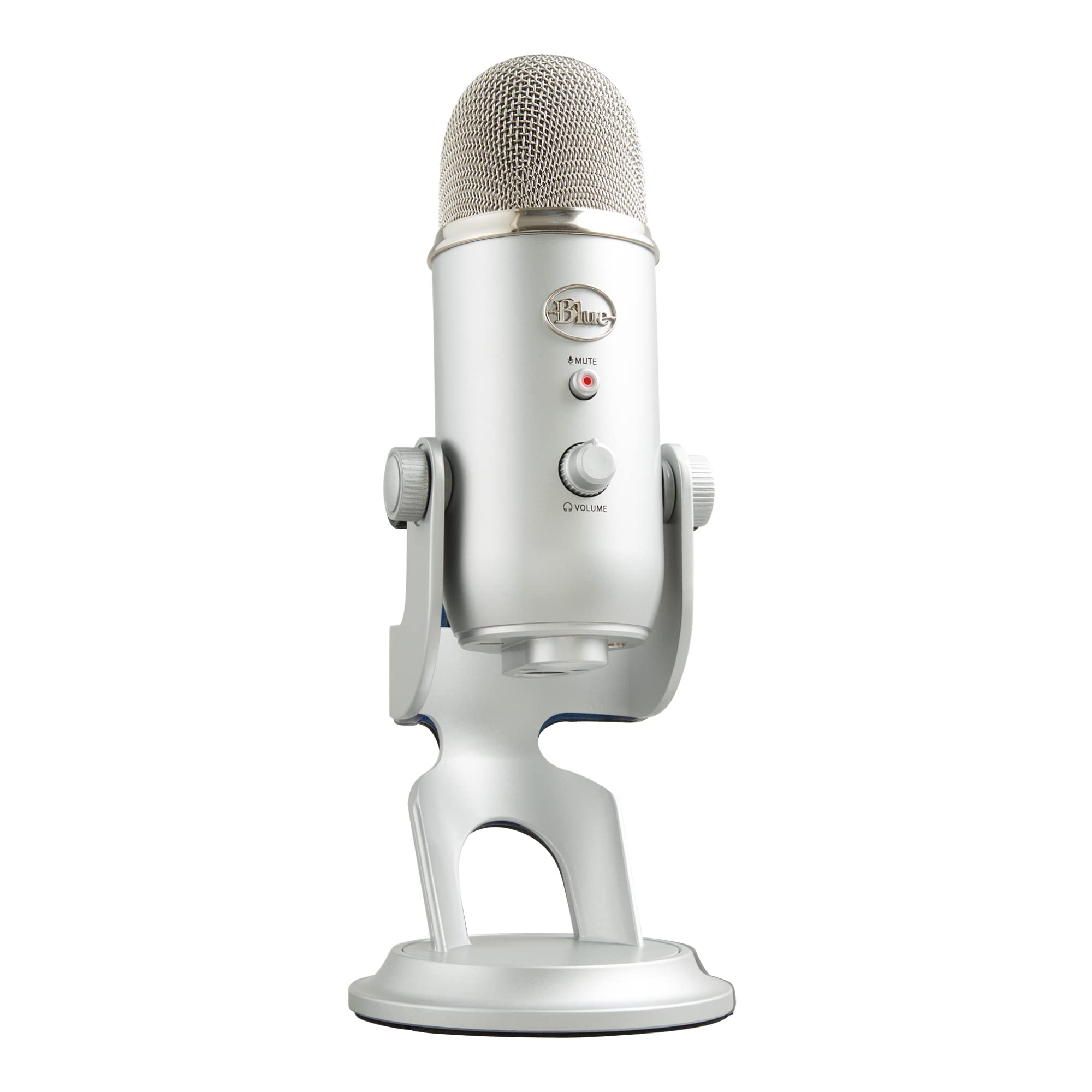
Blue Yeti USB Condenser Microphone

Blue Yeti USB Condenser Microphone - Image 1 of 11
Overall
7.8/10
Value
7.9/10
Performance
7.5/10
The Blue Yeti is the microphone that made USB podcasting mainstream, and it's still one of the most widely used mics in the category. It's a large tri-capsule condenser with four pickup patterns, a front-panel mute button, a headphone jack, and a gain knob, all in a distinctive stand-mounted metal body that sits heavily on a desk. Its greatest practical advantage is flexibility. Cardioid handles solo recording, bidirectional lets two people sit across from each other, omnidirectional captures a room, and stereo is handy for ambient or musical content. The headphone jack provides zero-latency monitoring, and setup is genuinely plug-and-play with no app required for the core functions. What the Yeti doesn't have is anything designed for modern podcasting workflows. It's a condenser, so it hears the room and any desk vibration, and its heavy metal stand transmits thumps directly into the capsule. It records at 16-bit/48kHz. It remains a good mic at a frequent sale price, but it's been surpassed on room rejection, monitoring quality, and onboard processing by newer designs.

✓ Pros

  • •Four pickup patterns cover solo, co-hosted, room, and stereo recording
  • •Widely available at frequent discounts, often well under list price
  • •Front-panel mute button, gain knob, and headphone jack on the body
  • •Plug-and-play with no software required
  • •Long track record and extensive troubleshooting resources online

✗ Cons

  • •Condenser capsule picks up room echo and background noise easily
  • •No shock mount — the heavy stand transmits desk and keyboard vibration
  • •Headphone amplifier is quiet compared with newer mics
  • •16-bit/48kHz only, with no onboard DSP or processing

Best For:

Budget-conscious creators who want multi-pattern flexibility and a familiar, heavily documented microphone.

Not Recommended For:

Anyone in a noisy or echo-prone room, or creators who want built-in processing and better monitoring.

Key Features:

Tri-capsule condenser with four pickup patternsCardioid, bidirectional, omnidirectional, and stereo modesFront-panel mute button and gain control3.5mm zero-latency headphone output16-bit/48kHz USB recordingHeavy metal desk stand with 5/8-inch threadingPlug-and-play on Mac and WindowsCompatible with Blue Sherpa and VO!CE software on select setups

Standout Feature:

Four pickup patterns at a price that frequently drops below $100 — the most recording flexibility per dollar in this guide.

VS Others:

It's cheaper than every other mic here except the Samson Q2U, and it's the most flexible for multi-person recording. But the QuadCast S beats it on vibration isolation, the Rode NT-USB+ beats it on voice tone, and both beat it on noise rejection.

Why This One:

The Yeti still makes sense if you need multiple pickup patterns on a small budget or you find it on a steep sale. Just budget for a boom arm to escape the desk-thump problem.

Who Should Get What?

Total Beginner in a Noisy Apartment

A first-time podcaster recording at a kitchen table in a shared apartment with street noise, a humming fridge, and a roommate who watches TV. They have no audio interface, no acoustic treatment, and no interest in learning a DAW before episode one.

Budget:$70–$120
Use:Solo interview-style podcast recorded at a desk

Recommended:

Samson Q2U Recording and Podcasting Pack

The Q2U's dynamic capsule ignores most of the room noise that would wreck a condenser in this space, and it includes a stand, a USB cable, and an XLR cable in the box for around $79. It's the lowest-risk way to start recording this week, and it leaves budget for a boom arm and a moving blanket.

View on Amazon →

Serious Solo Creator Who Wants It Handled

A creator publishing a weekly solo show who records in a normal bedroom and wants the mic to manage levels, tame room noise, and sound polished without a mixer or a plugin chain. They can spend up to about $300 and would rather buy once than upgrade in a year.

Budget:$250–$350
Use:Weekly solo podcast plus video voiceover

Recommended:

Shure MV7+

The MV7+ pairs a dynamic capsule with auto level, real-time noise reduction, and a digital pop filter, so the recording is largely finished when it lands in the editor. Its USB-C and XLR outputs also mean it survives a future upgrade to an interface.

View on Amazon →

Quiet-Room Storyteller

A narrative podcast creator who records in a carpeted spare bedroom with bookshelves, curtains, and no street noise. They care about warmth, detail, and an intimate close-mic sound, and they're comfortable doing light cleanup in editing software.

Budget:$130–$200
Use:Narrative and interview podcast with music beds

Recommended:

Rode NT-USB+

In a treated-feeling room, the NT-USB+'s condenser capsule delivers the richness and air that dynamic mics can't match, and its onboard APHEX processing plus zero-latency monitoring keeps the workflow simple. It's the best-sounding option here when the room cooperates.

View on Amazon →

Podcaster Who Already Owns a Boom Arm

Someone who has been recording with a headset or a borrowed mic, already owns a boom arm and headphones, and wants a durable broadcast-style dynamic microphone that works over USB now and XLR later. They record in a home office with a hard floor and a noisy HVAC vent.

Budget:$180–$260
Use:Two-person in-person interviews and solo episodes

Recommended:

Rode PodMic USB

The PodMic USB is a broadcast-voiced dynamic with strong off-axis rejection, an internal pop filter, and both USB-C and XLR outputs, so it handles noisy rooms and future gear upgrades. Since it ships without a desk stand, it suits buyers who already have mounting sorted.

View on Amazon →

Singer-Songwriter Podcaster

A musician who wants one microphone for spoken interviews and occasional acoustic guitar or vocals, recording in a quiet home studio with some treatment. They need detail and versatility more than noise rejection.

Budget:$120–$180
Use:Spoken podcast plus acoustic instrument and vocal recording

Recommended:

Audio-Technica AT2020USB-X

The AT2020USB-X records at up to 24-bit/96kHz with a clean, neutral condenser character that flatters both voice and acoustic instruments, and it includes a stand and mount. It's the most versatile choice here for creators who record more than talking.

View on Amazon →

Streamer-Turned-Podcaster

A Twitch or YouTube streamer adding a podcast to their channel, recording in a room with RGB lighting and a mechanical keyboard. They want tap-to-mute convenience, vibration isolation, and a mic that looks the part on camera.

Budget:$130–$180
Use:Live streaming plus a weekly video podcast

Recommended:

HyperX QuadCast S

The QuadCast S has a built-in shock mount that keeps keyboard noise out of the recording, a tap-to-mute top sensor that's easy to hit mid-stream, and addressable RGB that suits on-camera setups. Four polar patterns add flexibility for co-hosts, even if its voice tone is less refined than a Rode or Shure.

View on Amazon →

Buying Guide: How to Choose

Start with your room, not the spec sheet. The single biggest factor in how your podcast sounds is how much of your room the microphone hears. If you record in a carpeted bedroom with bookshelves and soft furniture, a condenser mic like the Rode NT-USB+ or Audio-Technica AT2020USB-X will reward you with detail and presence. If you record in a kitchen, a glass-walled home office, or a shared apartment with street noise, a dynamic mic like the Samson Q2U, Shure MV7+, or Rode PodMic USB will reject far more of that environment and give you a tighter, more broadcast-sounding voice. The common mistake is buying the most detailed mic you can afford and then discovering it captures everything else in the room too. Next, decide whether you want the mic to do the work or your software to. Mics with onboard DSP — the Shure MV7+ and Rode NT-USB+ and PodMic USB — include things like auto level, noise reduction, tone shaping, and a digital pop filter. These are genuinely useful for solo creators who don't want to learn a compressor before episode one. Mics without DSP (the Samson Q2U, Blue Yeti, AT2020USB-X) sound fine but expect you to control levels manually and clean up in editing. Neither path is wrong, but if you know yourself well enough to admit you won't learn a DAW, pay for a mic that handles the basics internally. Physical setup is the factor people underestimate most. A mic on a short desk stand transmits every keyboard keystroke and coffee-cup thump into the recording. Mics with built-in shock mounting (HyperX QuadCast S) or those designed to live on a boom arm (Rode PodMic USB, Shure MV7+) solve this better than a $130 condenser balanced on a plastic tripod. Budget an extra $25–$60 for a boom arm or a decent desk stand if your chosen mic doesn't include one — that accessory will improve your audio more than the price difference between two similar mics. Also check what's in the box: cables, pop filters, and mounts vary wildly, and a "cheaper" mic that includes everything can beat a "better" mic that needs three add-ons. Finally, be honest about whether you'll ever use XLR. Dual-connection mics (Samson Q2U, Shure MV7+, Rode PodMic USB) let you start on USB today and move to an interface or mixer later without replacing the microphone. If you're confident you'll stay solo and USB-only forever, that flexibility is worth less. When choosing between two close options, pick the one whose weaknesses you can live with rather than the one with the longest feature list: a mic that's slightly less detailed but sits comfortably in your space and workflow will get used every week, and consistency beats theoretical quality.

Bottom Line

For most solo podcasters, the Shure MV7+ is the safest single purchase in this range. It's a dynamic microphone that flatters untreated rooms, it runs on plain USB-C with no interface, and its auto-level and noise-reduction processing does the job a mixer would have done. If $279 is comfortable, buy it and stop shopping. If it isn't, the Samson Q2U at around $79 is the best pure value in podcasting and the recommendation we'd make to anyone starting from zero. It's dynamic, it rejects room noise, it includes a stand and both cables, and it gives you a genuine upgrade path to XLR. The Rode NT-USB+ is the pick for warm, detailed vocals in a quiet room, the Rode PodMic USB is the best broadcast-tone dynamic for people who already own a boom arm, and the AT2020USB-X is the best all-rounder for creators who also record instruments or sing. So: quiet room and a love of detail — go condenser (NT-USB+, AT2020USB-X). Noisy room or shared space — go dynamic (MV7+, Q2U, PodMic USB). Tight budget or total beginner — Q2U. Want it handled for you — MV7+. Any of these seven will produce audio that sounds intentional and professional. The difference between them is fit, not failure, so pick the one that matches your room and your patience level and start publishing.

Frequently Asked Questions

Which podcast microphone should I buy first if I've never recorded anything before?▼
Start with the Samson Q2U. It's around $79, includes a stand and both cables, and its dynamic capsule forgives the imperfect rooms most beginners record in. You'll be publishing episodes the same day, and if you later want better processing or build quality, the XLR output means the mic can still be used with an interface.
Do I need a mixer or audio interface to use these microphones?▼
No. Every microphone in this guide connects directly over USB and handles its own analog-to-digital conversion. A mixer or interface only becomes relevant if you later want to use the XLR outputs on the Shure MV7+, Samson Q2U, or Rode PodMic USB for multi-mic setups or lower-latency monitoring.
Is the Shure MV7+ worth the extra money over the Rode PodMic USB?▼
It depends on whether you want automatic processing and a desk-ready mount. The MV7+ adds auto level, real-time noise reduction, and a digital pop filter that the PodMic USB doesn't fully match, plus it includes a yoke mount. The PodMic USB is around $80 cheaper and sounds similarly broadcast-like, but assumes you already own a boom arm.
Dynamic or condenser — which is better for podcasting?▼
Dynamic mics (MV7+, Q2U, PodMic USB) are better for untreated or noisy rooms because they reject echo and background sound. Condensers (NT-USB+, AT2020USB-X, QuadCast S, Blue Yeti) capture more detail and warmth but also capture your room. If you record in a carpeted bedroom with soft furniture, a condenser is lovely. If you record near a street, a shared wall, or a hard floor, go dynamic.
Will a better microphone fix background noise in my recordings?▼
Partly. A dynamic mic will reject more of the room, and the Shure MV7+'s denoiser helps with steady sounds like fans. But nothing removes a barking dog or a passing truck as effectively as recording in a softer, quieter space and getting the mic closer to your mouth. Treat the room before you upgrade the mic.
Do I need a boom arm, or is the included stand fine?▼
For most people, a boom arm is the single best accessory purchase. Short desk stands transmit keyboard taps and desk bumps directly into the microphone, and they force you to lean in. A basic arm costs $25–$60 and improves audio more than the price gap between most mics in this guide. The Rode PodMic USB effectively requires one since it ships without a stand.
Which of these microphones sounds best in a small, echoey room?▼
The Rode PodMic USB and Shure MV7+ handle echoey rooms best thanks to their tight dynamic patterns and, in the MV7+'s case, real-time noise reduction. The Samson Q2U is the budget-friendly version of the same approach. Avoid the Blue Yeti and the condensers in bare rooms unless you add soft furnishings, curtains, or a blanket behind you.
What's the best budget podcast microphone under $100?▼
The Samson Q2U, comfortably. It's the only option under $100 that combines a room-rejecting dynamic capsule, USB and XLR outputs, a headphone jack, and a complete accessory kit. You'd have to spend roughly $120 more to get a meaningful step up.
Can I record two people with one of these microphones?▼
Yes, but with trade-offs. The Blue Yeti and HyperX QuadCast S offer bidirectional patterns designed for two people facing each other across a desk, though the room has to be quiet. For a two-person podcast with any ambition, two separate dynamic mics (Q2U or PodMic USB) recorded on separate tracks is a better long-term setup.
Do these microphones work with phones and tablets?▼
Several do with the right adapter. USB-C mics like the Rode NT-USB+, Shure MV7+, and Audio-Technica AT2020USB-X generally work with modern USB-C iPads and Android devices. The Samson Q2U works with mobile devices using a USB-C or Lightning adapter. Check the manufacturer's compatibility notes before relying on mobile recording.
How much should I budget in total for a first podcast setup?▼
A realistic entry setup is $110–$150: the Samson Q2U at about $79 plus a boom arm and a set of closed-back headphones for monitoring. A mid-tier setup lands around $200–$250 with the Rode NT-USB+ or PodMic USB and an arm. A premium solo setup with the Shure MV7+ and good mounting runs $300–$350.
Will my recordings sound professional without any editing?▼
Close, with the right mic. The Shure MV7+ and Rode NT-USB+ apply level control, tone shaping, and noise reduction as you record, so the raw file is largely usable. With any mic, a few minutes of editing per episode — trimming silence, normalizing loudness, and a light high-pass filter — will make a bigger difference than upgrading hardware.

Need More Help Deciding?

Explore more buying guides to find the perfect product for your needs.

View All Buying Guides

Related Articles