
Which Compact Mechanical Keyboard to Buy in 2026?
Compare top compact mechanical keyboards and pick the perfect one for your desk, budget, and typing needs—no more decision paralysis.
Our Top Pick
Keychron K3 Version 2 Wireless Mechanical Keyboard
Best OverallTypists and coders wanting a slim, customizable daily driver.
View on Amazon →Key Factors to Consider
- 1.Layout Size (60%/65%/75%): Determines function keys and space savings—60% is tiniest, 75% adds arrows.
- 2.Switches: Linear (smooth/gaming), Tactile (feedback/typing), Clicky (loud/noisy)—hot-swappable for customization.
- 3.Connectivity: Bluetooth (multi-device), 2.4GHz dongle (low latency), Wired (reliable)—battery life key for wireless.
- 4.Build Quality: Plastic (light/cheap) vs Aluminum (stable/premium)—impacts typing feel and durability.
- 5.Low-Profile vs Standard: Slimmer for portability/laptops, standard for deeper key travel.
- 6.Battery Life: 50-200+ hours—crucial for cordless use.
- 7.Customization: QMK/VIA software, RGB lighting, PBT keycaps for longevity.
- 8.Price/Value: $40 budget beats vs $140 premium—focus on needs not specs.
- 9.OS Compatibility: Mac/Windows layouts, easy switching.
- 10.Reviews & Warranty: 4.4+ stars, reliable support.
The Products
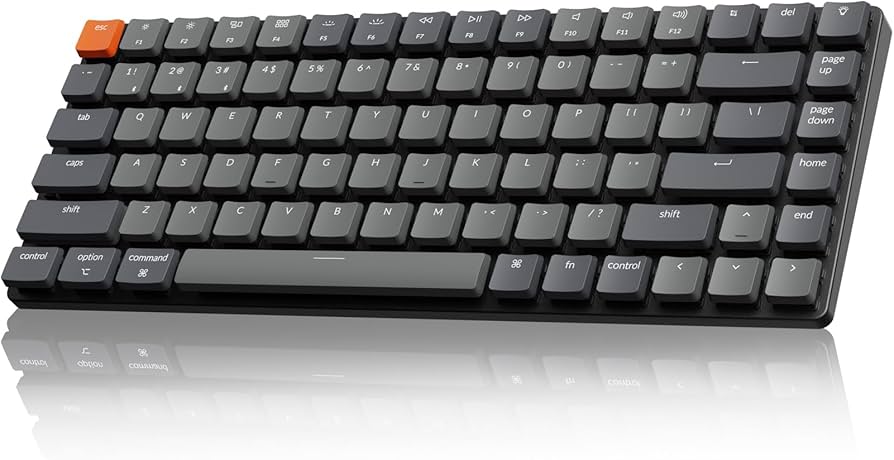
Keychron K3 Version 2 Wireless Mechanical Keyboard
✓ Pros
- •Hot-swappable low-profile switches for easy customization
- •Multi-device Bluetooth pairing (3 devices)
- •QMK/VIA programmable for macros/remapping
- •Long battery (34h RGB on, 200h off)
- •Excellent build for price—minimal wobble
- •Mac-specific layout included
✗ Cons
- •Low-profile may feel shallow for heavy typists
- •No 2.4GHz dongle in base model (add-on needed)
- •RGB is basic, not per-key
- •Plastic frame flexes slightly under hard typing
Best For:
Typists and coders wanting a slim, customizable daily driver.
Not Recommended For:
Gamers needing ultra-low latency or heavy clicky sounds.
Key Features:
Standout Feature:
Seamless Mac/Windows switchable legends.
VS Others:
Beats RK61 in build/customization but costs more; vs Logitech, better value and battery without premium price. Pick K3 over NuPhy if you prefer hot-swap and QMK.
Why This One:
Balances portability, features, and typing feel perfectly for most users. Top reviews praise its versatility—no compromises for 80% of buyers. Seriously consider if desk space is tight.
NuPhy Air60 V2 Low Profile 60% Mechanical Keyboard

✓ Pros
- •Gasket mount for cushioned, thocky sound
- •Tri-mode wireless (low latency 2.4G)
- •Excellent battery (200h+)
- •Per-key RGB and VIA software
- •Premium aluminum top plate
- •Choc-profile PBT keycaps
✗ Cons
- •60% layout lacks arrows/function row
- •Low-profile travel (2.5mm) not for everyone
- •Software can be finicky on Windows
- •Higher price for size
Best For:
Minimalists seeking premium typing and portability.
Not Recommended For:
Users needing numpad or full function keys.
Key Features:
Standout Feature:
Gasket mount for unique soft, premium typing feel.
VS Others:
Smoother typing than Keychron K3, but smaller layout; premium alternative to Logitech at lower cost. Choose over Epomaker for build quality.
Why This One:
If sound and feel matter, this delivers luxury in a tiny package. Enthusiasts love the customization—great upgrade from budget options.
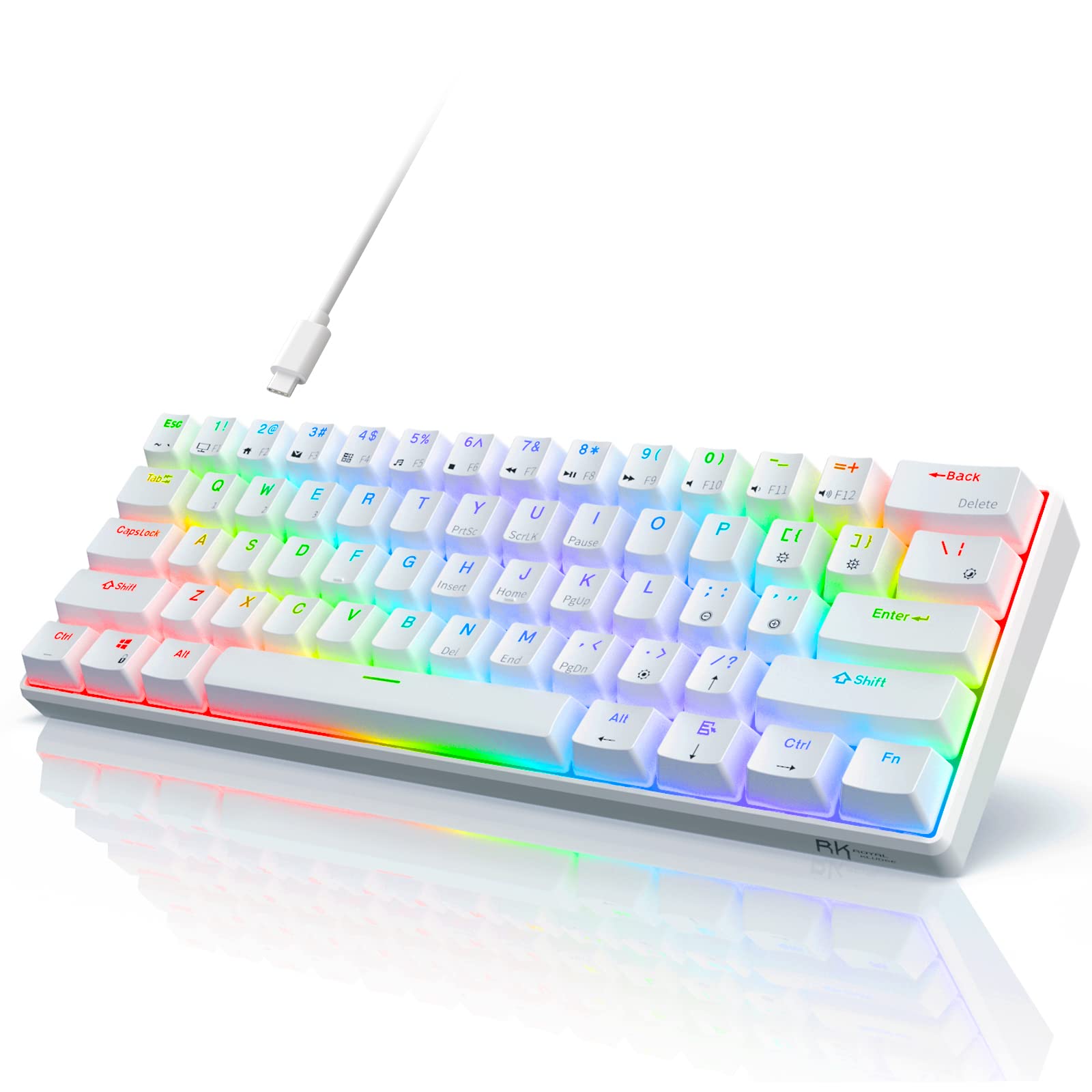
RK Royal Kludge RK61 60% Wired/Wireless Mechanical Keyboard
✓ Pros
- •Incredible value—full features under $40
- •Hot-swappable 3/5-pin switches
- •Tri-mode with dongle included
- •Long battery life
- •South-facing RGB
- •Compact and lightweight
✗ Cons
- •Plastic build feels cheap/flexy
- •ABS keycaps shine over time
- •Software is basic
- •Noisy stabilizers out of box
Best For:
Budget buyers new to mechanical keyboards.
Not Recommended For:
Premium seekers wanting metal build or quiet typing.
Key Features:
Standout Feature:
Tri-mode connectivity at rock-bottom price.
VS Others:
Cheaper than all but sacrifices build; beats MageGee in features. Upgrade to Keychron if flex bothers you.
Why This One:
Can't beat for entry-level—thousands of 4.5+ reviews. Ideal starter before splurging.
Epomaker TH66 65% Mechanical Keyboard

✓ Pros
- •Gasket mount for great sound/acoustics
- •Aluminum build at mid-price
- •VIA/QMK customization
- •PBT keycaps
- •Tri-mode + long battery
- •65% layout with arrows
✗ Cons
- •Switches need lubing for best feel
- •RGB not as bright
- •Slightly heavier (800g)
Best For:
Value hunters wanting metal and modding potential.
Not Recommended For:
Ultra-portable needs (not low-profile).
Key Features:
Standout Feature:
Aluminum gasket at budget price.
VS Others:
Better build than RK61, cheaper than NuPhy; similar to Keychron but gasket edge. Pick for sound.
Why This One:
Sweet spot price/features—modders' favorite. Solid for years with tweaks.
Logitech MX Mechanical Mini Tactile Switches

✓ Pros
- •Premium aluminum feel
- •Low-profile tactile switches
- •Seamless multi-device switching
- •Logitech Flow software
- •Backlit (auto-adjust)
- •Mac/Windows optimized
✗ Cons
- •Short battery (10-15 days)
- •Not hot-swappable
- •Expensive for features
- •Shallow travel
Best For:
Office pros in Apple/Logitech ecosystem.
Not Recommended For:
Modders or gamers (no hot-swap/low latency).
Key Features:
Standout Feature:
Perfect multi-device office integration.
VS Others:
More polished than Keychron but less customizable/value; pricier than NuPhy. For ecosystem over tinkering.
Why This One:
Plug-and-play premium for pros. Reliable brand support.
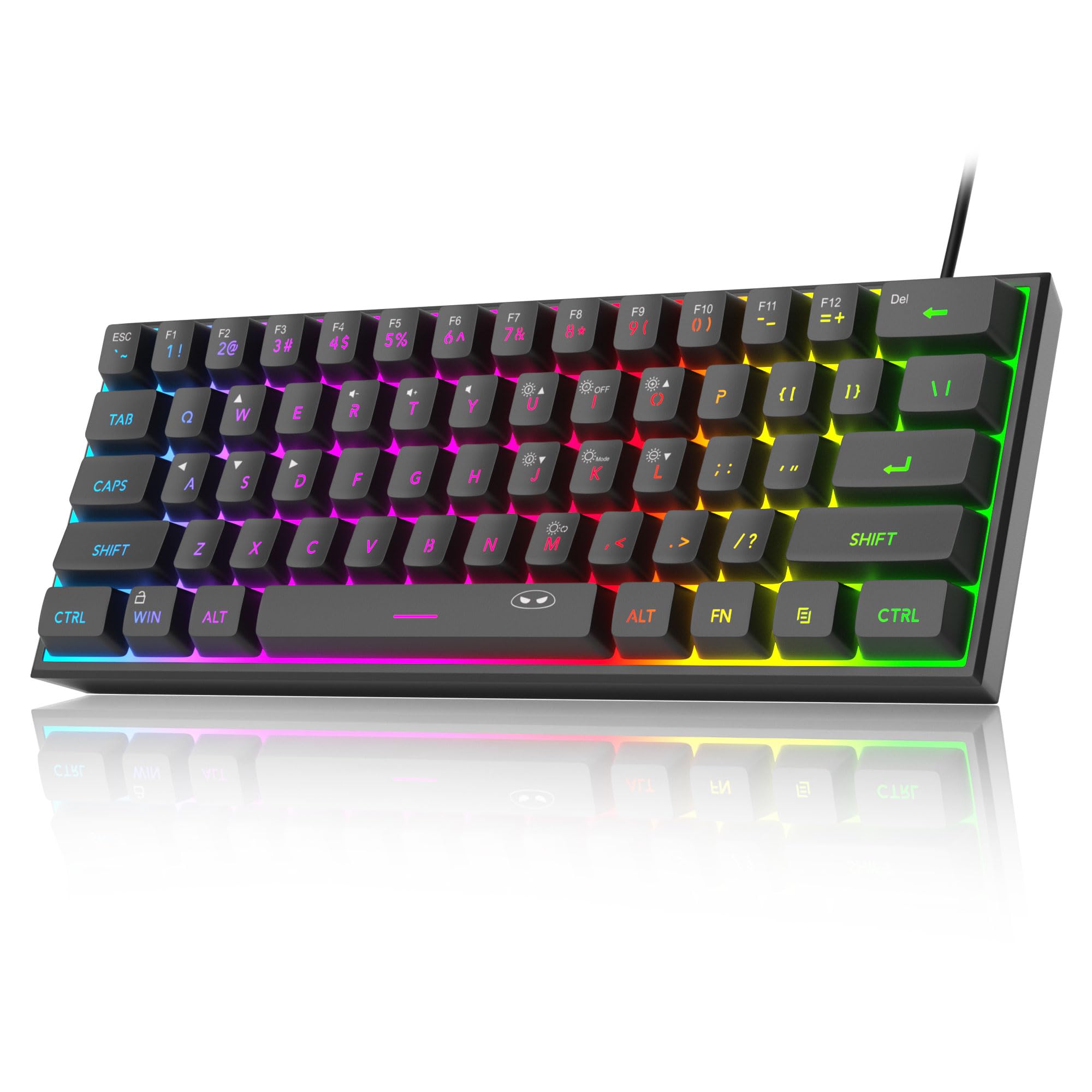
MageGee Mini 60% Mechanical Keyboard
✓ Pros
- •Cheapest hot-swap option
- •Full RGB
- •Compact and simple
- •Decent for price
✗ Cons
- •Wired only
- •Poor build quality
- •Shiny keycaps fast
- •No wireless/software
Best For:
Absolute beginners testing waters.
Not Recommended For:
Daily drivers or wireless users.
Key Features:
Standout Feature:
Hot-swap under $30.
VS Others:
Cheaper than RK61 but fewer features; niche starter.
Why This One:
Gateway drug to mechs—swap switches and upgrade later.
Who Should Get What?
College Student on a Budget
You're juggling classes, part-time job, and dorm life with limited desk space. Need a reliable compact keyboard for note-taking, coding assignments, and late-night gaming sessions without breaking $50.
Recommended:
RK Royal Kludge RK61 60% Wired/Wireless Mechanical Keyboard
RK61 offers wireless freedom, hot-swap for future upgrades, and solid battery at unbeatable price—perfect for portability. Beats wired budgets without flex issues ruining homework marathons.
View on Amazon →Creative Professional
Freelance designer or writer working 8+ hours daily on MacBook in coffee shops or home office. Prioritize slim profile, quiet typing, multi-device switching, and premium feel under $100.
Recommended:
Keychron K3 Version 2 Wireless Mechanical Keyboard
Low-profile slimness matches laptop, Mac layout + Bluetooth pairs seamlessly with phone/tablet. QMK customization for shortcuts boosts productivity without bulk.
View on Amazon →Casual Home User
Remote worker typing emails, browsing, and Netflix—first mechanical keyboard. Want wireless, quiet, good battery, no steep learning curve, around $60.
Recommended:
Epomaker TH66 65% Mechanical Keyboard
65% layout adds usability arrows, gasket for comfy typing, long battery—plug-and-play value. Aluminum stability without overwhelming features.
View on Amazon →Tech Enthusiast/Gamer
PC builder into mods, low-latency gaming, and custom RGB setups. Desk gamer with space constraints, budget $100+, loves tinkering.
Recommended:
NuPhy Air60 V2 Low Profile 60% Mechanical Keyboard
2.4G low latency + gasket/hot-swap for perfect switches/RGB tuning. Premium sound/build satisfies enthusiasts over basic options.
View on Amazon →First-Time Buyer
Office newbie switching from membrane—want easy wireless compact for emails/calls, reliable brand, no mods needed, $100-150.
Recommended:
Logitech MX Mechanical Mini Tactile Switches
Foolproof multi-device + software, tactile feedback introduces mechs gently. Premium build ensures longevity without hassle.
View on Amazon →Power User on Tight Budget
Developer coding marathons, needs hot-swap/custom but can't spend over $40—willing to mod.
Recommended:
MageGee Mini 60% Mechanical Keyboard
Hot-swap entry lets you experiment cheaply; compact for focus. Step up from nothing, mod to match needs.
View on Amazon →Buying Guide: How to Choose
Bottom Line
Frequently Asked Questions
Which compact mechanical keyboard should I buy?▼
Keychron K3 vs RK61: Which is better?▼
What's the best budget compact mechanical keyboard?▼
NuPhy Air60 vs Logitech MX Mechanical Mini?▼
Is the Epomaker TH66 worth it?▼
Best compact mechanical for gaming?▼
Do I need low-profile switches?▼
Which has the best value?▼
Wireless or wired for compact mechs?▼
Best for Mac users?▼
Need More Help Deciding?
Explore more buying guides to find the perfect product for your needs.
View All Buying Guides