
Which Gaming Keyboards Should I Buy in 2026?
Compare top gaming keyboards from budget to premium, find your perfect match based on size, switches, wireless needs, and budget.
Our Top Pick
Logitech G915 TKL Lightspeed Wireless RGB Mechanical Gaming Keyboard
Best OverallGamers wanting wireless freedom with pro-grade performance.
View on Amazon →Key Factors to Consider
- 1.Switch Type: Linear (smooth/fast for gaming), Tactile (feedback), Clicky (audible)—optical switches like Razer's are fastest.
- 2.Layout/Size: Full (numpad), TKL (no numpad, compact), 60%/75% (ultra-portable for mouse space).
- 3.Connectivity: Wired (reliable, cheap), Wireless (low-latency Lightspeed/2.4GHz for freedom).
- 4.RGB Lighting: Per-key vs zone—customizable via software for immersion.
- 5.Build Quality: Aluminum frame, PBT keycaps for durability vs plastic.
- 6.Battery Life: 20-40 hours with RGB for wireless models.
- 7.Polling Rate/Response: 1000Hz+ for minimal input lag.
- 8.Software Customization: Macros, profiles—Razer Synapse, Corsair iCUE, etc.
- 9.Price/Value: Balance features vs cost—avoid overpaying for unused RGB.
- 10.Brand Reliability: Warranty, customer support from Logitech, Razer, etc.
The Products
Logitech G915 TKL Lightspeed Wireless RGB Mechanical Gaming Keyboard

✓ Pros
- •Ultra-low latency wireless rivals wired keyboards
- •Low-profile switches feel premium and responsive
- •40-hour battery with quick charge
- •Aircraft-grade aluminum build
- •Excellent software for macros/RGB
- •Multi-device Bluetooth switching
✗ Cons
- •Expensive for wireless category
- •Low-profile keys take adjustment
- •No dedicated media keys (uses Fn)
- •PBT keycaps wear faster than doubleshot
- •Battery drains quicker with full RGB
Best For:
Gamers wanting wireless freedom with pro-grade performance.
Not Recommended For:
Budget buyers under $100 or clicky switch fans.
Key Features:
Standout Feature:
Low-profile mechanical switches with wireless latency under 1ms.
VS Others:
Beats Razer's Huntsman Mini in wireless range and battery; premium over Redragon but worth it for pros. Vs Corsair K70 TKL, superior wireless but higher price.
Why This One:
Choose this if wireless is key—top latency and build make it the best daily driver. Ideal upgrade from wired for streamers.
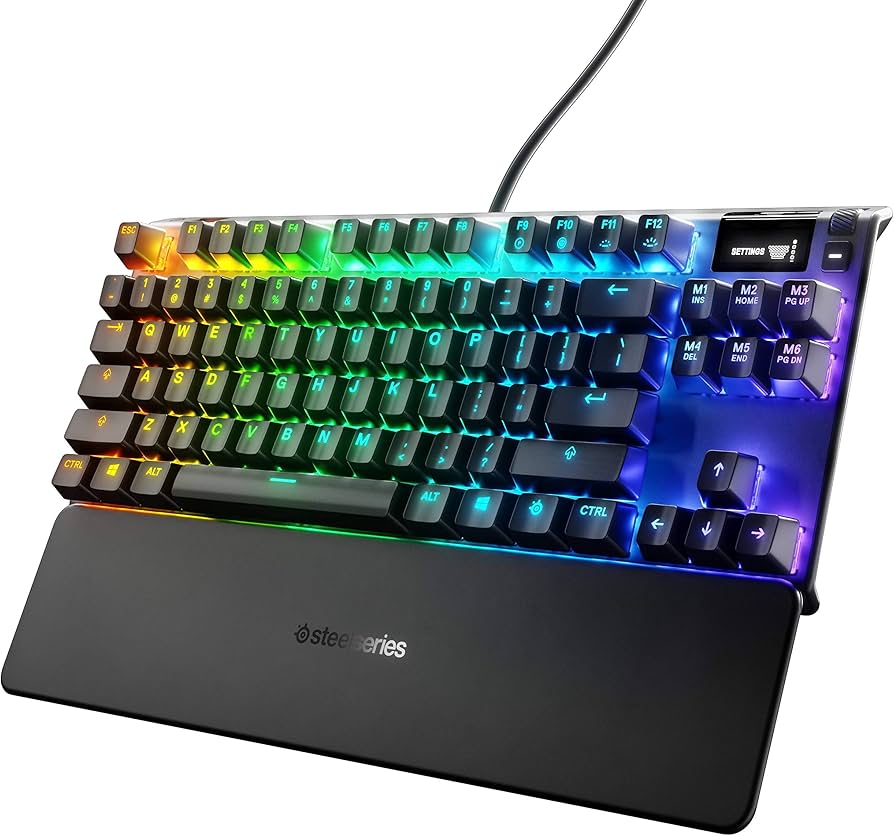
SteelSeries Apex 7 TKL Red Linear Switch Mechanical Gaming Keyboard
✓ Pros
- •OLED display for game stats/settings
- •Rapid trigger for adjustable actuation
- •Per-key RGB with 16.8M colors
- •Spill-resistant durable build
- •Smooth QX2 linear switches
- •Excellent value software features
✗ Cons
- •Wired only—no wireless
- •Switches feel mushy to some
- •No hot-swappable switches
- •Display can be gimmicky
- •Louder than low-profile options
Best For:
Competitive gamers wanting customizable actuation on a mid-range budget.
Not Recommended For:
Wireless users or ultra-compact desk setups.
Key Features:
Standout Feature:
OLED smart display for real-time info.
VS Others:
Better value than Logitech G915 for wired users; faster actuation than Corsair K70. Outshines Redragon in build/software.
Why This One:
Top pick for speed-focused gamers—OLED and rapid trigger give edge in competitive play without premium price.
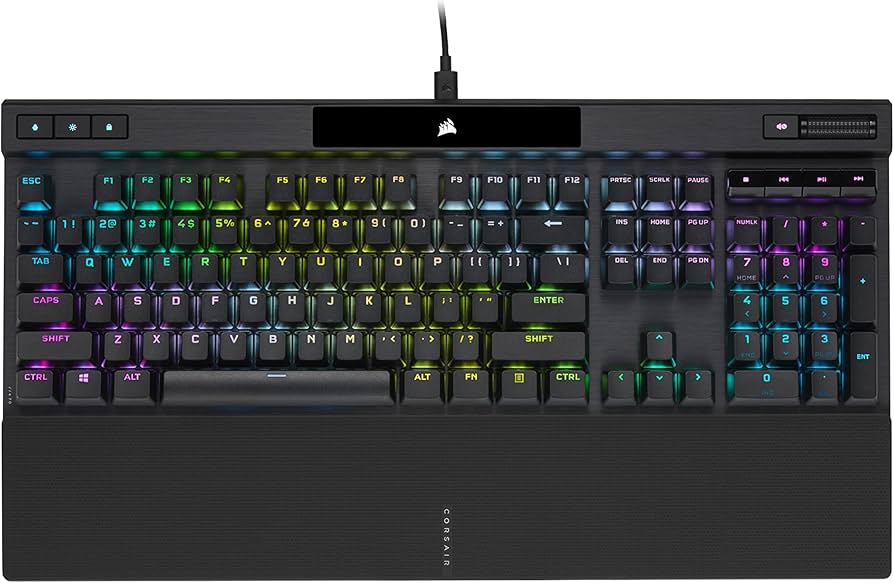
Corsair K70 RGB PRO TKL Cherry MX Speed Linear Mechanical Gaming Keyboard
✓ Pros
- •Lightning-fast Cherry MX Speed switches
- •Doubleshot PBT keycaps (durable)
- •OPX optical-magnetic polling
- •Included plush wrist rest
- •Robust iCUE customization
- •Spill-proof design
✗ Cons
- •Wired only
- •Heavy (907g)
- •No wireless or display
- •Pricey for TKL
- •Linear switches not for tactile fans
Best For:
Gamers prioritizing switch speed and keycap quality.
Not Recommended For:
Portable or budget-conscious buyers.
Key Features:
Standout Feature:
8000Hz polling rate for minimal latency.
VS Others:
Faster polling than SteelSeries Apex 7; better keycaps than Razer. Solid mid-tier vs Logitech's wireless.
Why This One:
If wired speed is everything, this edges competitors with Cherry switches and high polling.
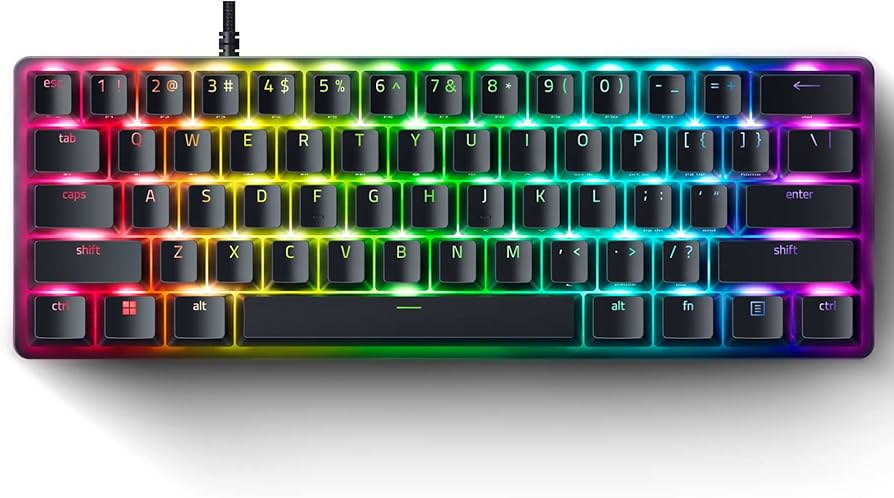
Razer Huntsman Mini 60% Analog Optical Gaming Keyboard
✓ Pros
- •Analog switches for variable actuation
- •Super compact 60% layout
- •PBT doubleshot keycaps
- •Chrome-plated stabilizers
- •On-the-fly actuation tuning
- •Razer Synapse macros
✗ Cons
- •No dedicated arrow/function keys
- •Learning curve for 60% layout
- •Wired only
- •Expensive for size
- •Optical switches divisive
Best For:
Mouse-heavy gamers needing max desk space.
Not Recommended For:
Beginners or numpad users.
Key Features:
Standout Feature:
Adjustable analog actuation for precision.
VS Others:
More compact than Corsair K70; analog beats SteelSeries for fine control. Less versatile than full TKL.
Why This One:
Perfect for competitive play where every inch matters—analog tech future-proofs it.
Redragon K552 Kumara Mechanical Gaming Keyboard

✓ Pros
- •Incredible price for mechanical
- •Full-size with numpad
- •Hot-swappable switches (some models)
- •Solid metal build
- •Detachable cable
- •Anti-ghosting
✗ Cons
- •Zone RGB only (not per-key)
- •Louder Blue switches
- •Basic software
- •Plasticky feel
- •No wireless
Best For:
Budget gamers entering mechanical world.
Not Recommended For:
Premium RGB or wireless seekers.
Key Features:
Standout Feature:
Full mechanical features under $50.
VS Others:
Cheaper than all others but lacks polish; great starter vs pricier Razers.
Why This One:
Best entry point—proves you don't need $150+ for good gaming.
Ducky One 2 SF Mini 60% Cherry MX Red Mechanical Keyboard

✓ Pros
- •Genuine Cherry MX switches
- •PBT PBT keycaps
- •Excellent stabilizers
- •South-facing RGB (shine-through)
- •Multiple vibrant color options
- •Top-tier build quality
✗ Cons
- •No software customization
- •60% layout intimidating
- •Wired only
- •Higher price for basics
- •Limited macros
Best For:
Mechanical enthusiasts wanting pure typing/gaming feel.
Not Recommended For:
RGB customizers or wireless fans.
Key Features:
Standout Feature:
Flawless stabilizers and PBT for premium feel.
VS Others:
Better build than Redragon; purer than Razer's optical. Niche vs Logitech's versatility.
Why This One:
For switch purists—Cherry quality shines in compact form.
Keychron K2 Wireless Mechanical Keyboard (75% Layout)

✓ Pros
- •Triple connectivity modes
- •Hot-swappable switches
- •Up to 240-hour battery (no backlight)
- •QMK programmability
- •Compact 75% with arrows
- •Affordable wireless
✗ Cons
- •White backlight only (no RGB)
- •Gateron switches not Cherry
- •Bulkier than 60%
- •App not as polished
- •Gaming latency slightly higher
Best For:
Hybrid work/gaming with wireless portability.
Not Recommended For:
RGB-heavy gamers or ultra-competitive play.
Key Features:
Standout Feature:
Multi-OS wireless with hot-swap.
VS Others:
Cheaper wireless alt to G915; more keys than Huntsman Mini. Lacks RGB vs SteelSeries.
Why This One:
Great wireless budget option for casual/multi-device users.
Razer BlackWidow V4 75% Pro Analog Mechanical Gaming Keyboard

✓ Pros
- •Analog Gen-2 for mouse-like control
- •75% with dedicated media
- •Plush magnetic wrist rest
- •Hot-swappable
- •Command dial + wheel
- •Excellent RGB
✗ Cons
- •Premium price
- •Wired only
- •Heavy (1.1kg)
- •Analog learning curve
- •Overkill for basics
Best For:
Feature-rich compact setups.
Not Recommended For:
Budget or simple needs.
Key Features:
Standout Feature:
Command dial for volume/zoom.
VS Others:
More features than Huntsman Mini; pricier than Ducky but analog edge.
Why This One:
If you want analog + extras in 75%, this tops charts.
Who Should Get What?
College Student on a Budget
You're a dorm-dwelling student gaming League of Legends after classes, with limited desk space and $50 max to spend. Need reliable mechanical feel without bells and whistles.
Recommended:
Redragon K552 Kumara Mechanical Gaming Keyboard
At $40, it delivers true mechanical switches and full layout—perfect starter without skimping on anti-ghosting. Beats membrane keyboards for gaming feedback, saving money for other gear.
View on Amazon →Competitive FPS Gamer
Hardcore Valorant/CS:GO player with $150 budget, prioritizing low latency, adjustable actuation, and compact TKL for max mouse movement. Wired is fine.
Recommended:
SteelSeries Apex 7 TKL Red Linear Switch Mechanical Gaming Keyboard
Rapid Trigger and OLED display give competitive edge over basic keyboards. QX2 switches are smooth/fast, and value crushes pricier analogs for pure speed.
View on Amazon →Professional Streamer
Twitch streamer with unlimited budget, multi-PC setup, needing wireless for camera angles, long battery, and stunning RGB. Comfort for 8+ hour sessions.
Recommended:
Logitech G915 TKL Lightspeed Wireless RGB Mechanical Gaming Keyboard
Wireless freedom + multi-device switching is streamer gold; low-profile reduces fatigue. Premium build/RGB impresses viewers over wired options.
View on Amazon →First-Time Mechanical Buyer
Casual Fortnite player upgrading from membrane, $100 budget, wants wireless versatility for laptop/desktop, simple setup, no steep learning curve.
Recommended:
Keychron K2 Wireless Mechanical Keyboard (75% Layout)
Triple connectivity and hot-swap make it forgiving for newbies; 75% layout includes arrows without full-size bulk. Great intro to wireless mech without overwhelming features.
View on Amazon →Tech Enthusiast with Small Desk
PC builder/modder with tiny desk, $150 budget, loves tinkering—needs compact 60%, customizable switches, and RGB for aesthetic builds.
Recommended:
Razer Huntsman Mini 60% Analog Optical Gaming Keyboard
Analog switches allow deep tweaking; 60% maximizes mouse space. PBT caps and RGB fit enthusiast vibe better than bulkier TKLs.
View on Amazon →Mechanical Purist
Veteran gamer seeking 'perfect' feel, $130 budget, prioritizes Cherry switches and build over RGB/software. Compact preferred.
Recommended:
Ducky One 2 SF Mini 60% Cherry MX Red Mechanical Keyboard
Authentic Cherry MX + PBT/stabilizers deliver unmatched quality. No bloatware—pure mechanical joy for purists tired of gimmicks.
View on Amazon →Buying Guide: How to Choose
Bottom Line
Frequently Asked Questions
Which gaming keyboard should I buy in 2026?▼
Best budget gaming keyboard?▼
Logitech G915 TKL vs SteelSeries Apex 7 TKL?▼
Corsair K70 RGB PRO TKL vs Razer Huntsman Mini?▼
Is wireless gaming keyboard worth it?▼
Best gaming keyboard under $100?▼
Razer Huntsman Mini worth the price?▼
Best for small desk?▼
Do I need optical switches?▼
Best value gaming keyboard?▼
Need More Help Deciding?
Explore more buying guides to find the perfect product for your needs.
View All Buying Guides