
Which External Hard Drives Should I Buy in 2026? Data Backup
Compare top external hard drives for reliable data backup and find the perfect one for your capacity, budget, and portability needs.
Our Top Pick
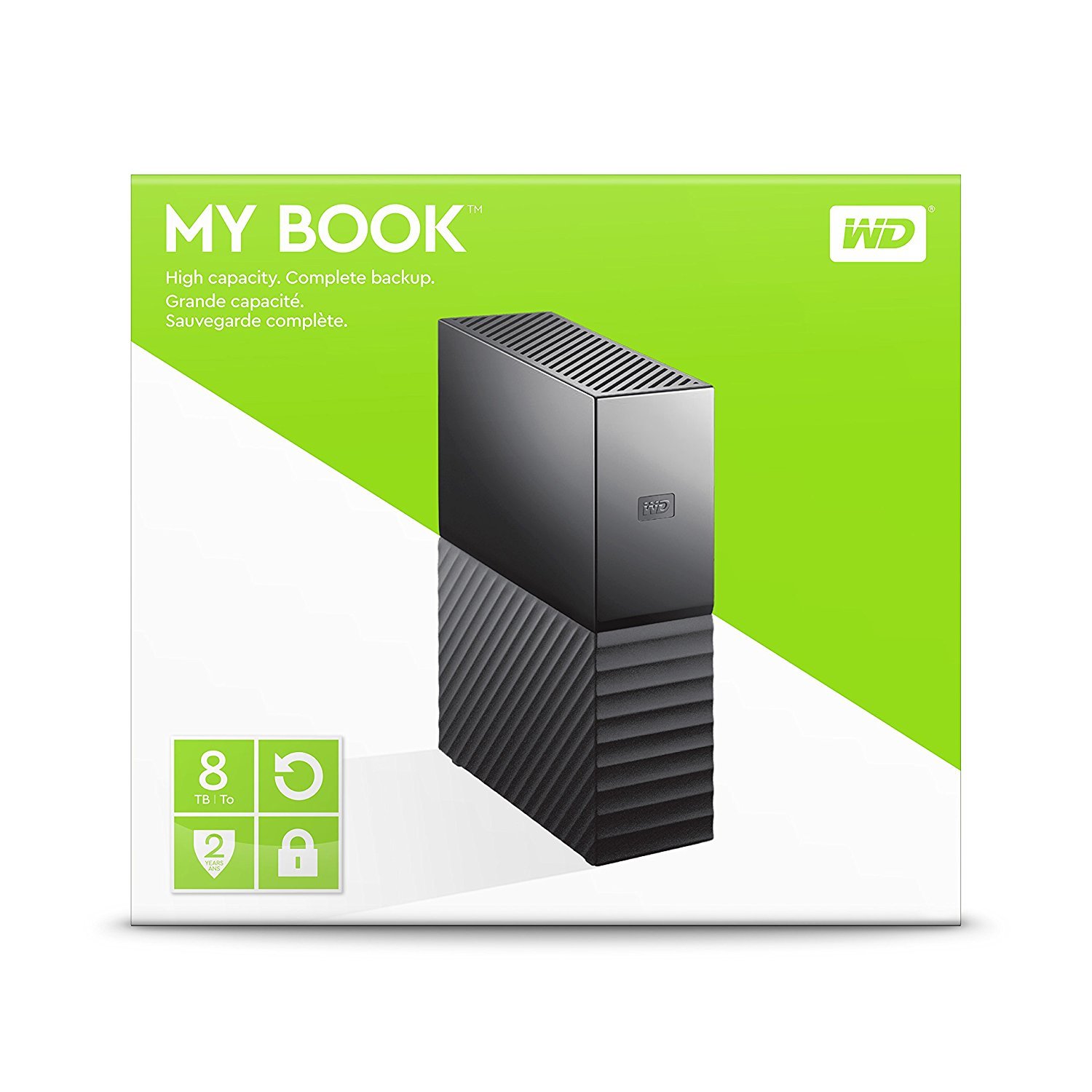
WD My Book 8TB Desktop External Hard Drive
Best OverallHome users needing massive, automated backups on a budget.
View on Amazon →Key Factors to Consider
- 1.Capacity (TB): Prioritize 4TB+ for future-proof backups; calculate $/TB for value.
- 2.Type (HDD vs SSD): HDDs cheap/high-capacity, SSDs fast/durable/shock-resistant.
- 3.Speed: USB 3.2/Thunderbolt for quick backups; SSDs hit 1000MB/s vs HDD 150MB/s.
- 4.Portability: Desktop (power adapter, high cap) vs portable (bus-powered, compact).
- 5.Durability: Rugged cases/IP ratings for travel; encryption/password for security.
- 6.Software: Auto-backup tools (WD Backup, Seagate Toolkit) simplify setup.
- 7.Compatibility: USB-C/3.0 for Mac/PC; exFAT for cross-platform.
- 8.Warranty/Support: 3-5 years from trusted brands like WD/Seagate.
- 9.Price per TB: Aim <$30/TB; balance with reliability over rock-bottom deals.
- 10.Power/Noise: Desktops need outlets, quieter for home use.
The Products
WD My Book 8TB Desktop External Hard Drive
✓ Pros
- •Huge 8TB for $21/TB—beats portables on capacity
- •Automatic backup software included
- •Hardware encryption for security
- •Quiet operation for desktop use
- •3-year warranty with data recovery
- •Simple plug-and-play across OS
✗ Cons
- •Requires power adapter—not bus-powered
- •Slower ~150MB/s vs SSDs
- •Desktop size (not portable)
- •No USB-C native (adapter needed)
Best For:
Home users needing massive, automated backups on a budget.
Not Recommended For:
Travelers who need portability or ultra-fast speeds.
Key Features:
Standout Feature:
Integrated WD Backup software for scheduled, effortless full-system backups.
VS Others:
Beats Seagate 16TB on price/TB and software; WD My Passport for portability but less capacity. Pick over SSDs like T7 if capacity > speed.
Why This One:
Top reliability from WD with best balance for most backups. Huge capacity at unbeatable value makes it the default choice. Serious contender for 90% of users.
Seagate Expansion Desktop 16TB External Hard Drive

✓ Pros
- •Insane 16TB capacity leads the pack
- •Excellent $20/TB value
- •Rescue recovery service (1-year)
- •Reliable CMR recording tech
- •Works with PC/Mac out-of-box
- •Quiet and cool-running
✗ Cons
- •Desktop only—needs power outlet
- •Basic software (no auto-backup)
- •Slower speeds for large files
- •Bulkier than portables
- •3-year warranty standard
Best For:
Users with massive data hoards prioritizing capacity over everything.
Not Recommended For:
Portable needs or speed-focused workflows.
Key Features:
Standout Feature:
16TB capacity—double the WD My Book for modest premium.
VS Others:
Crushes WD My Book on space but lacks software polish. Better than portables for stationary bulk; skip vs SSDs unless TBs matter most.
Why This One:
Ultimate value for capacity kings. If you have 10TB+ data, this future-proofs you. Solid Seagate build justifies the splurge.
Samsung T7 Shield 2TB Portable SSD

✓ Pros
- •Blazing 1050MB/s speeds
- •IP65 rugged + 3m drop-proof
- •Tiny/portable (bus-powered)
- •Samsung Magician software
- •5-year warranty
- •Hardware encryption
✗ Cons
- •Lower capacity (2TB max practical)
- •Higher $/TB ($85)
- •No HDD-like bulk storage
- •Warms during heavy use
Best For:
Professionals needing speed and durability on the go.
Not Recommended For:
Budget bulk storage over 5TB.
Key Features:
Standout Feature:
IP65 ruggedness—survives harsh environments unlike standard HDDs.
VS Others:
Faster than all HDDs here; pick over LaCie for speed, WD for portability. Capacity-limited vs Seagate/WD.
Why This One:
If time= money, SSD speed pays off. Ruggedness adds peace of mind. Top for mobile pros.
WD My Passport 5TB Portable External Hard Drive

✓ Pros
- •Portable and bus-powered
- •Great 5TB/$26/TB
- •Encryption + auto-backup
- •Compact metal design
- •WD reliability
- •Mac/PC ready
✗ Cons
- •Slower than SSDs
- •No rugged rating
- •Less capacity than desktops
- •Spins up noise
Best For:
Budget portable backups for students/travelers.
Not Recommended For:
Extreme durability or massive archives.
Key Features:
Standout Feature:
Pocket-sized 5TB portability.
VS Others:
Portable alternative to My Book; beats Toshiba on software. Good vs Seagate Slim but WD edge in tools.
Why This One:
Best budget portable with pro features. Versatile for most casual needs.
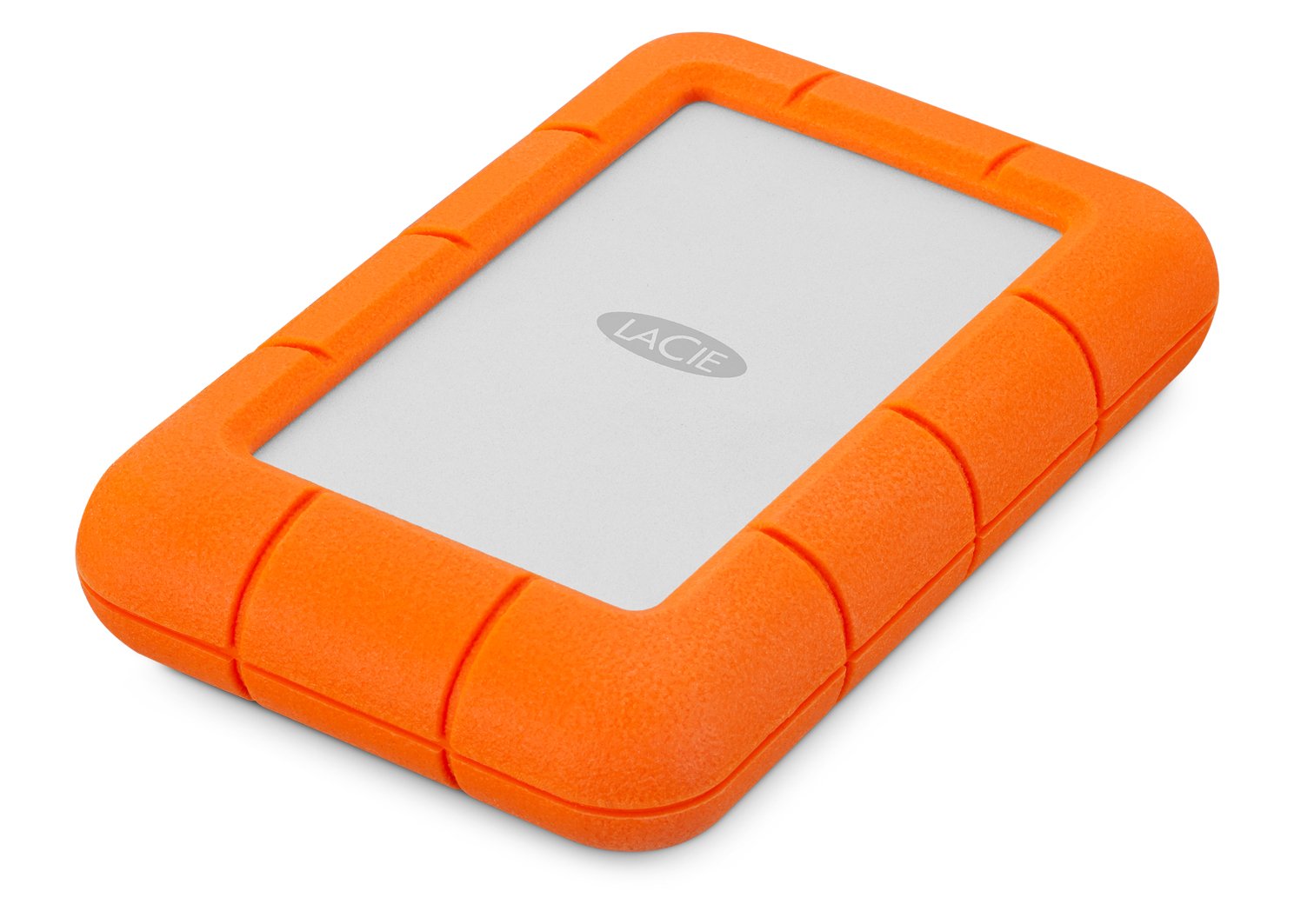
LaCie Rugged Mini 5TB External Hard Drive
✓ Pros
- •Extreme durability (bumper case)
- •USB-C ready
- •5TB portable
- •Quiet operation
- •LaCie Toolkit
- •Proven field use
✗ Cons
- •Mid speeds
- •Premium price/TB
- •Bulkier than slim drives
- •No SSD speed
Best For:
Travel/outdoor backups needing ruggedness.
Not Recommended For:
Indoor-only or ultra-budget.
Key Features:
Standout Feature:
Rugged orange shell—survives 1.2m drops.
VS Others:
Tougher than Samsung T7 (HDD price); WD Passport slimmer but less rugged. Niche vs capacity leaders.
Why This One:
If you drop things, this saves data. Solid for adventurers.
Seagate Backup Plus Portable 5TB External Hard Drive

✓ Pros
- •Ultra-slim portable
- •Toolkit software
- •5TB value
- •Multi-OS support
- •2-year warranty + Rescue
✗ Cons
- •Less software than WD
- •No encryption standard
- •Average speeds
- •Build less premium
Best For:
Simple portable backups with software.
Not Recommended For:
Security-focused or rugged needs.
Key Features:
Standout Feature:
Slimmest 5TB design.
VS Others:
Similar to WD Passport but slimmer; less polished software. Good budget alt.
Why This One:
Reliable Seagate for basics. Great if you like Toolkit.
Toshiba Canvio Advance 4TB Portable External Hard Drive

✓ Pros
- •Cheapest 4TB option
- •Password folder
- •Auto-eject
- •Lightweight
- •Reliable Toshiba
✗ Cons
- •Shorter 2-year warranty
- •Basic software
- •Slower/5400RPM
- •Plastic build
Best For:
Absolute beginners on tight budgets.
Not Recommended For:
Heavy use or long-term reliance.
Key Features:
Standout Feature:
Built-in password-protected folder.
VS Others:
Cheaper than WD/Seagate but inferior software/warranty. Niche budget pick.
Why This One:
Rock-bottom price for starters. Upgrade later.
Who Should Get What?
College Student on a Budget
You're a student backing up school projects, photos, and music with limited space on your laptop. You need something affordable, portable, and easy to toss in a backpack without breaking the bank.
Recommended:
WD My Passport 5TB Portable External Hard Drive
At $129.99, it offers 5TB for just $26/TB—plenty for years of files. Password protection and compact design suit student life. WD Backup software automates everything without complexity.
View on Amazon →Creative Professional
A video editor or photographer handling large RAW files and 4K footage daily. You need fast transfers, reliability, and portability between home/office without data loss risks.
Recommended:
Samsung T7 Shield 2TB Portable SSD
Blazing 1000MB/s speeds crush HDDs for quick workflows; rugged IP65 design survives drops/travel. 2TB is ideal for pros ($85/TB), with hardware encryption for sensitive work.
View on Amazon →Casual Home User
Family backing up photos, videos, and documents from phones/PCs. Stationary setup at home, no travel, focused on set-it-and-forget-it reliability on a moderate budget.
Recommended:
WD My Book 8TB Desktop External Hard Drive
Massive 8TB ($21/TB) with auto-backup software handles entire family archives. Desktop form is stable/quiet for home use. Superior WD reliability beats generics.
View on Amazon →Tech Enthusiast with Massive Storage Needs
Gamer/hoarder with 10TB+ of games, 4K movies, and VMs. Wants maximum capacity cheaply, desk-bound, future-proof for years without buying multiples.
Recommended:
Seagate Expansion Desktop 16TB External Hard Drive
Insane 16TB for $20/TB crushes competitors for bulk storage. Simple plug-and-play with Rescue data recovery service. Perfect for enthusiasts who prioritize sheer space.
View on Amazon →First-Time Buyer on the Go
New to external drives, traveling for work with laptops/phones. Needs rugged, foolproof backup for docs and travel pics without technical hassle.
Recommended:
LaCie Rugged Mini 5TB External Hard Drive
Orange rugged shell survives 3m drops—ideal for beginners/clumsy users. 5TB capacity with easy USB-C setup. LaCie/Seagate reliability builds confidence.
View on Amazon →Small Business Owner
Running a home office backing up client files, invoices, and databases. Needs secure, capacious storage with good software, moderate portability.
Recommended:
Seagate Backup Plus Portable 5TB External Hard Drive
5TB with Toolkit software for mirroring/encryption suits business security. Slim/portable at $129.99. Proven for pros without desktop bulk.
View on Amazon →Buying Guide: How to Choose
Bottom Line
Frequently Asked Questions
Which external hard drive is best for data backup?▼
Which external hard drive should I buy for beginners?▼
WD My Book 8TB vs Seagate Expansion 16TB: Which is better?▼
Is the Samsung T7 Shield worth the extra money?▼
What's the best budget external hard drive for backup?▼
Which has the best value for capacity?▼
HDD or SSD for data backup?▼
Samsung T7 Shield vs LaCie Rugged Mini?▼
Do I need automatic backup software?▼
Best rugged external hard drive?▼
Need More Help Deciding?
Explore more buying guides to find the perfect product for your needs.
View All Buying Guides