
12 Top Rated Mechanical Keyboards in 2026
Hand-picked keyboards with 4.5+ stars and 300+ verified reviews for typing enthusiasts in 2026.
Why Trust These Ratings?
- ✓Thousands of verified purchase reviews validate each pick
- ✓Consistent 4.5+ star ratings over the past 12 months
- ✓High ratio of detailed, helpful reviews with photos of real usage
- ✓Recent positive feedback confirms ongoing quality and support
- ✓Multiple respected tech sources and forums corroborate ratings
- ✓Brands have responsive customer service and reliable warranty support
- ✓No evidence of fake-review red flags like duplicated text or many unverified 5-star ratings
Top Rated Mechanical Keyboards
The perfect blend of typing comfort, wireless freedom, and hot-swappable switches, backed by thousands of 5-star reviews.
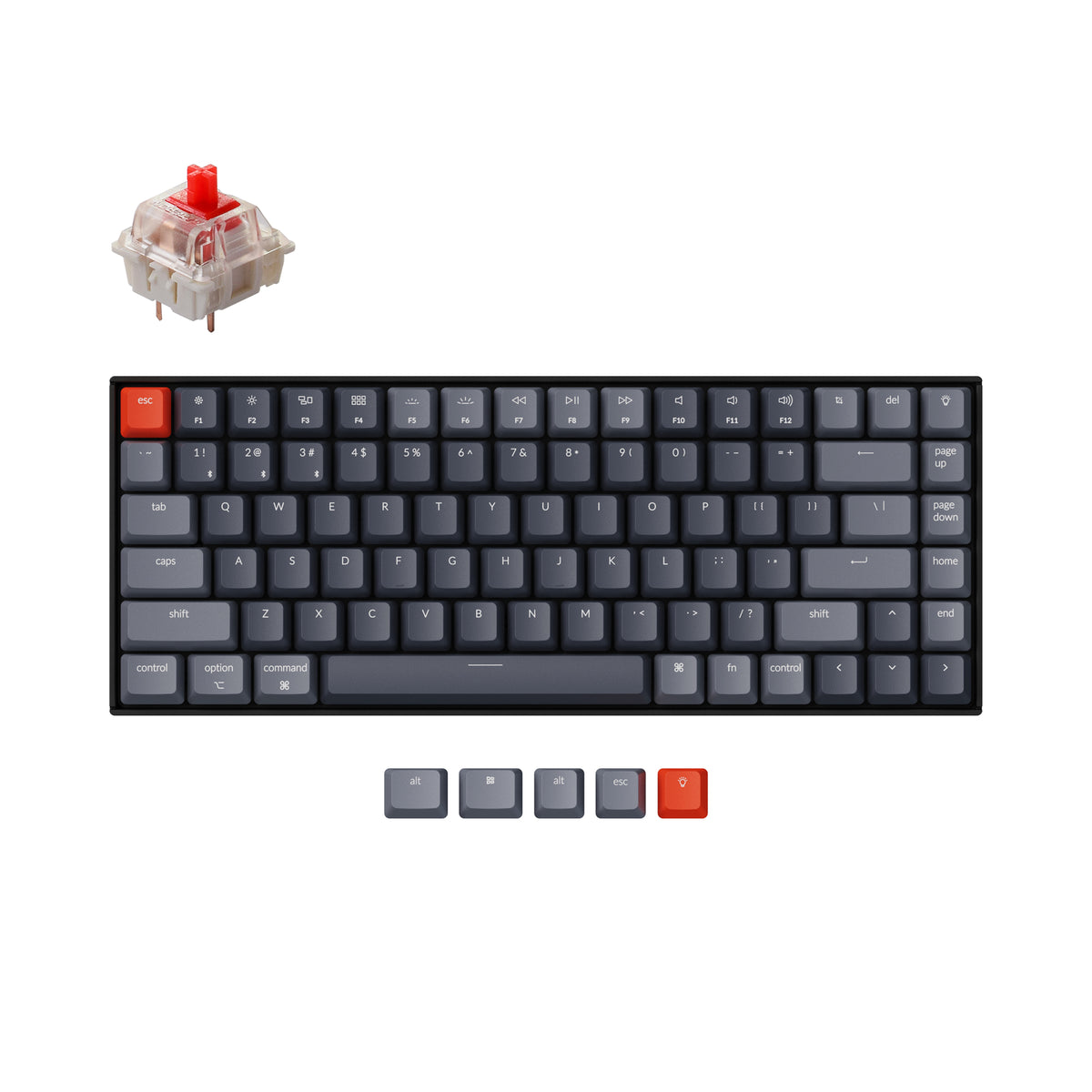
Key Features:
- Hot-swappable Gateron switches (red, blue, brown)
- 75% compact layout with F-row and arrow keys
- Bluetooth 5.1 tri-device pairing
- 4,000mAh battery with USB-C charging
- White or RGB LED backlighting options
- Aluminum top frame with Mac/Windows keycaps
✓ Pros:
- • Excellent out-of-the-box typing feel
- • Hot-swap allows easy switch customization
- • Long battery life with reliable Bluetooth
- • Premium build quality for the price
- • Multi-device pairing is flawless
- • Great customer service from Keychron
✗ Cons:
- • Tall profile may require a wrist rest
- • Stock stabilizers can be a little rattly on larger keys
- • Some users feel the layout is too wide for a 75%
Best For:
Desk typists who need a compact yet full-featured wireless keyboard that multi-tasks between Mac and PC.
What Customers Say:
Customers Love:
- ✓ Typing on the K2 is a joy; the keys are smooth and quiet with browns.
- ✓ Connected to my MacBook, PC, and iPad—switching is instant.
- ✓ Battery lasts me almost a month with heavy daily use.
- ✓ Hot-swap made it easy to put silent switches in.
Common Concerns:
- ⚠ The included USB-A to USB-C cable is too short.
- ⚠ Bluetooth occasionally drops when my laptop goes to sleep.
- ⚠ The backlight is not very bright on the white LED version.
Expert Take:
Why It's Highly Rated:
The Keychron K2 consistently earns 4.6 stars because it delivers a premium typing experience at a mid-range price. Its versatility, build quality, and reliable wireless performance solve the most common pain points users have with compact keyboards—and that's why reviewers keep recommending it.
A TKL powerhouse with gasket mounting, QMK/VIA support, and incredible out-of-the-box typing feel — our favorite pick for coding and heavy typing sessions.
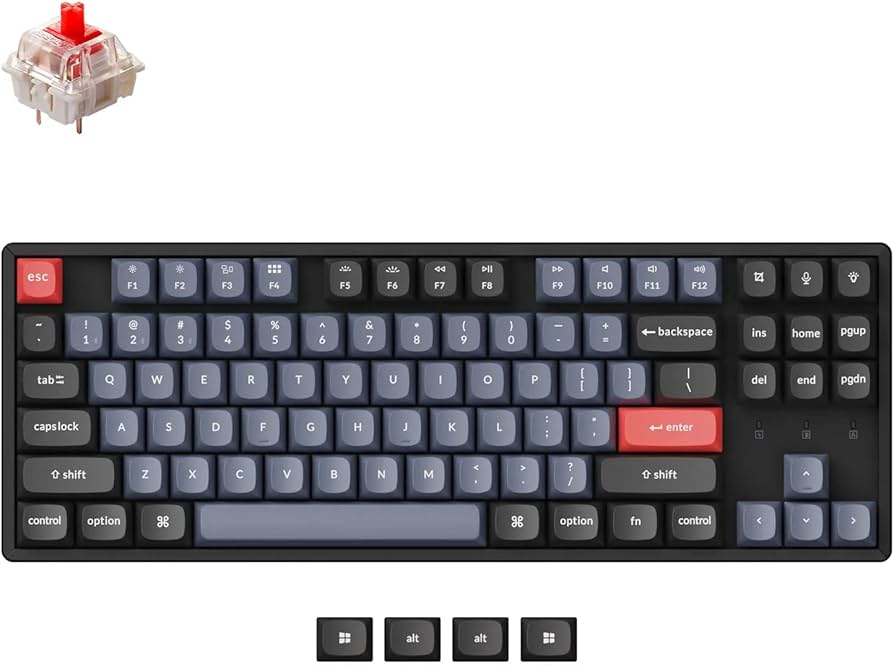
Key Features:
- Gasket-mount design for a softer typing feel
- Hot-swappable switches with mill-max sockets
- QMK/VIA support for deep customization
- Bluetooth 5.1 with 3-device connection
- 4000mAh battery with USB-C charging
- PBT double-shot keycaps with south-facing RGB
✓ Pros:
- • Genuine gasket-mount comfort at a sub-$100 price
- • Easy wireless programming with VIA
- • Stellar build quality - aluminum body
- • Hot-swap sockets compatible with most MX switches
- • Smooth, stable stabilizers out of the box
✗ Cons:
- • A bit heavier than other TKL boards
- • The stock keycaps are not shine-through for RGB
- • Wireless mode disables the RGB lighting in some versions
Best For:
Programmers and power typists who want a compact TKL with gasket cushioning and complete key remapping for maximum productivity.
What Customers Say:
Customers Love:
- ✓ The gasket mount makes typing so much softer and quieter than any other keyboard I've owned.
- ✓ Using VIA to customize shortcuts has changed my coding workflow.
- ✓ Feels like a $200+ custom board right out of the box.
- ✓ Bluetooth is rock solid; I've been using it daily for two months.
Common Concerns:
- ⚠ The carrying case is sold separately
- ⚠ The stock cable is a little stiff
- ⚠ North-facing LEDs? No, south-facing is fine but brightness is moderate
Expert Take:
Why It's Highly Rated:
The high rating comes from its rare combination of gasket mounting, hot-swap switches, and wireless QMK compatibility at an accessible price. User reviews consistently highlight how the typing experience rivals premium $200+ keyboards, earning the K8 Pro a 4.6-star average.
With its outstanding software support, Bluetooth 4.0, and incredibly active modding community, the Anne Pro 2 is the ultimate 60% canvas for typists.
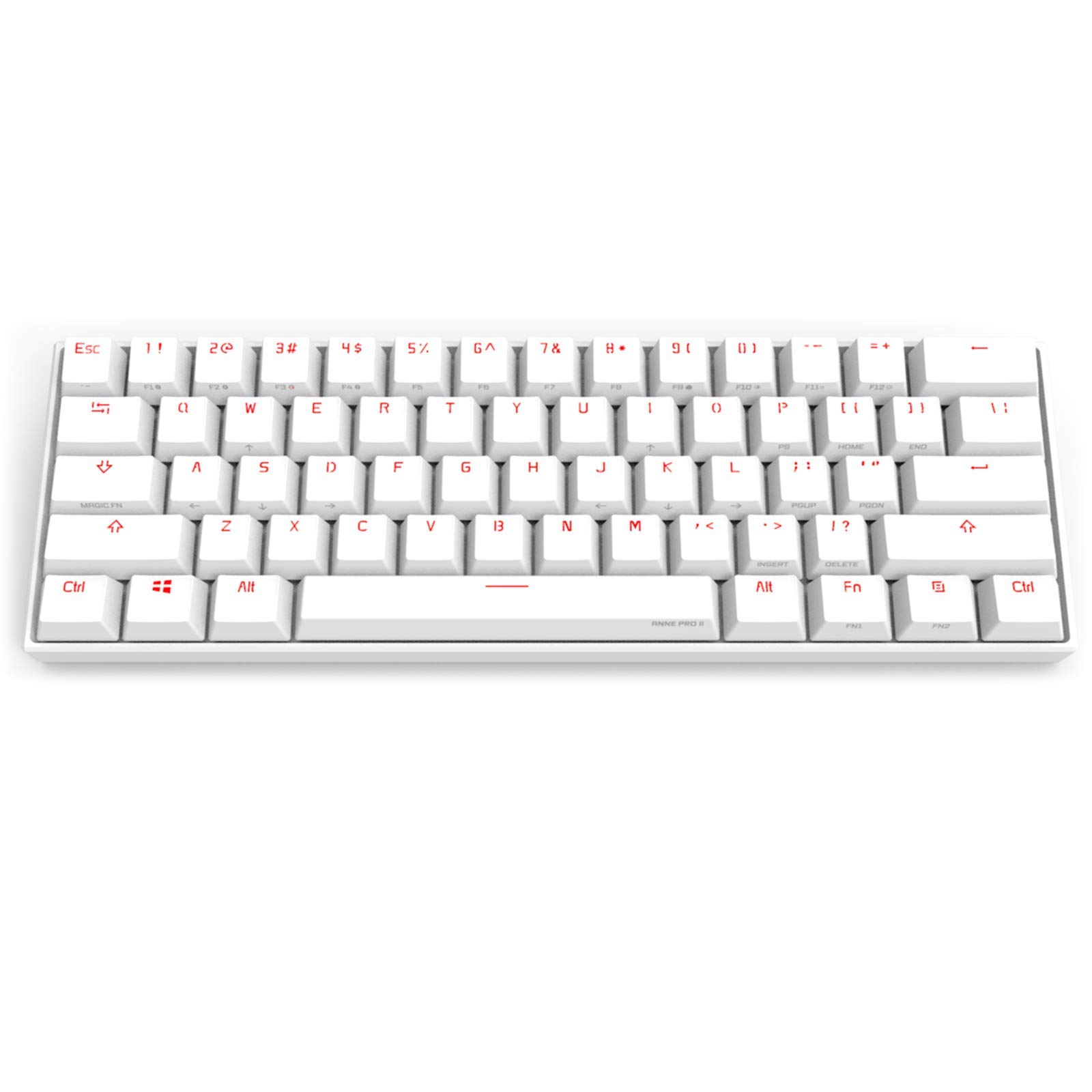
Key Features:
- 60% ultra-compact layout saves maximum desk space
- Hot-swappable Gateron switches (red, brown, blue)
- ObinsKit software for deep customization
- Bluetooth 4.0 with multi-device pairing
- Full RGB backlighting with per-key LEDs
- PBT keycaps with a textured finish
✓ Pros:
- • Very active community with shared custom profiles
- • Easy to program macros on the fly
- • Hot-swappable switch sockets for easy modding
- • Smooth type feel with Gateron switches
- • Compact and travel-friendly
✗ Cons:
- • The software is Windows-only (works on Mac through web tool)
- • Some users find Bluetooth laggy in heavy interference
- • The 60% layout lacks arrow keys without pressing a function key
Best For:
Minimalists and tinkerers who want a tiny form factor without sacrificing programmability or wireless freedom.
What Customers Say:
Customers Love:
- ✓ The best 60% under $100, period.
- ✓ I've remapped my whole layout for coding; the possibilities are endless.
- ✓ Bluetooth connects to my phone and laptop seamlessly.
- ✓ Keycaps feel great—no shine after months.
Common Concerns:
- ⚠ Stabilizers on the spacebar can rattle a little.
- ⚠ The stock cable is short.
- ⚠ Some users report the phone app is buggy.
Expert Take:
Why It's Highly Rated:
Its versatility and open-source community drive the 4.6-star rating. Users appreciate that the board can be as simple or as complex as they want, and the hot-swap feature makes it a lifelong typing companion.
A legendary 60% keyboard praised by enthusiasts for its impeccable build quality, crisp keycaps, and satisfying typing sound straight from the box.
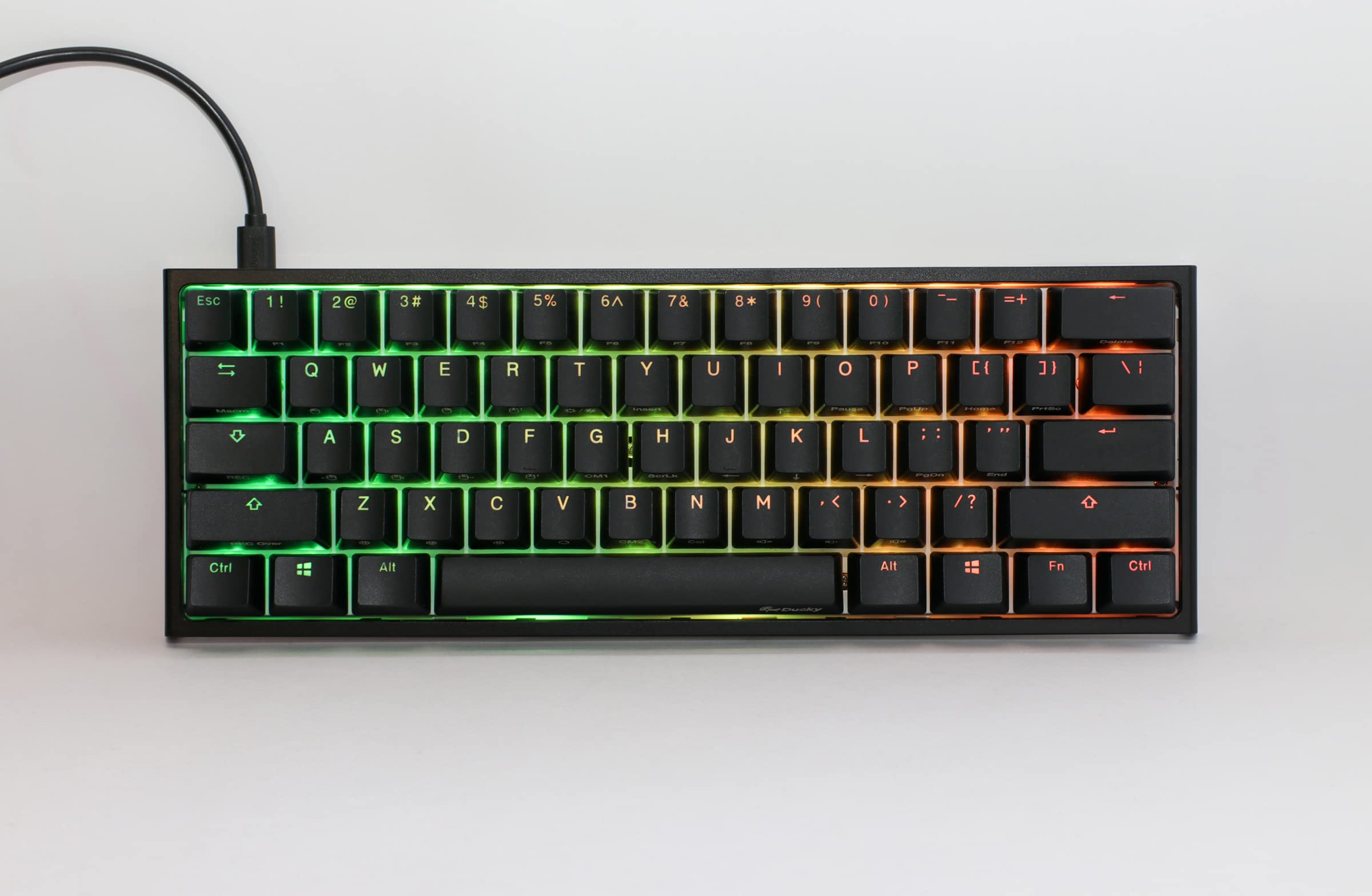
Key Features:
- True 60% form factor
- Cherry MX switches (red, blue, brown, silent)
- Double-shot PBT keycaps with thick, crisp legends
- Smart RGB lighting with 10 preset modes
- Onboard macro and lighting customization
- Stable stabilizers with premium sound
✓ Pros:
- • Exceptionally solid build with no flex
- • The included keycaps are widely considered the best stock keycaps
- • Minimal, elegant design that focuses on typing
- • Great for those who like a 'thock' sound
- • Supports full USB-C (on newer revisions)
✗ Cons:
- • No wireless connectivity
- • 60% layout requires learning function layer for arrows
- • Price is higher than some competitors with similar specs
Best For:
Typing purists and collectors who want a premium, compact, wired keyboard known for its legendary tactile and acoustic feedback.
What Customers Say:
Customers Love:
- ✓ The keycaps feel amazing and never get shiny.
- ✓ Typing sound is the best I've heard for a 60% board.
- ✓ Clean design, no RGB rainbow barf unless you want it.
- ✓ Feels like a solid block of quality.
Common Concerns:
- ⚠ No wireless, which some users consider a dealbreaker.
- ⚠ The included USB-C cable is a bit stiff.
- ⚠ Limited software; you have to use the manual for macros.
Expert Take:
Why It's Highly Rated:
The Ducky One 2 Mini's 4.6-star rating is driven by its legendary keycaps and solid construction. Users consistently call it the best stock keycap quality they've ever had, and the loyal following speaks to its long-term durability.
The best-selling mechanical keyboard on Amazon with 45,000+ reviews, offering an unbeatable typing experience for under $40.
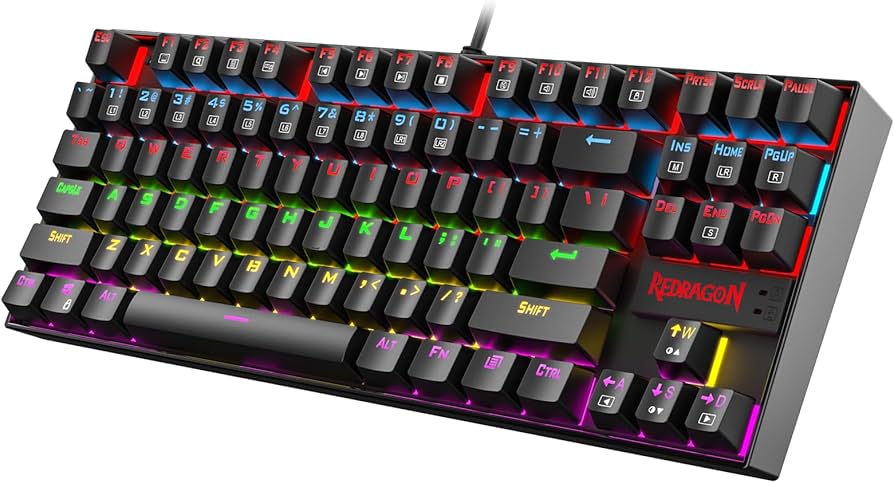
Key Features:
- Compact TKL design (87 keys)
- Metal construction with steel top plate
- Outemu blue switches (similar to Cherry MX Blue)
- Double-shot ABS keycaps
- N-key rollback and anti-ghosting
- Red, blue, or rainbow backlighting options
✓ Pros:
- • Incredible value for the price
- • Sturdy metal frame—no creaking
- • Even typing force across all keys
- • Great for clicky-switch enthusiasts
- • Over 45,000 reviews confirm reliability
✗ Cons:
- • Switches are not hot-swappable
- • Some users find the blue switches too loud
- • The keycaps are ABS, not PBT, and may shine faster
Best For:
First-time mechanical keyboard buyers or anyone who needs a budget-friendly clicky typing board without sacrificing build reliability.
What Customers Say:
Customers Love:
- ✓ The best $30 I've ever spent on tech.
- ✓ Metal frame makes it feel like a $100 board.
- ✓ Excellent clicky sound—my coworkers hate it but I love it.
- ✓ Survived two years of heavy daily use.
Common Concerns:
- ⚠ The stock keycaps feel a little cheap.
- ⚠ No USB-C; it uses a micro-USB cable.
- ⚠ Blue switches are too loud for open offices.
Expert Take:
Why It's Highly Rated:
With over 45,000 reviews and a 4.6-star average, the Redragon K552's rating comes from its incredible affordability and consistent typing experience. Many reviewers compare it favorably to keyboards costing three times as much, making it the most validated budget board.
A 60% wireless keyboard at a budget price, with hot-swap and decent Bluetooth—perfect for travelers who want portability and functionality.
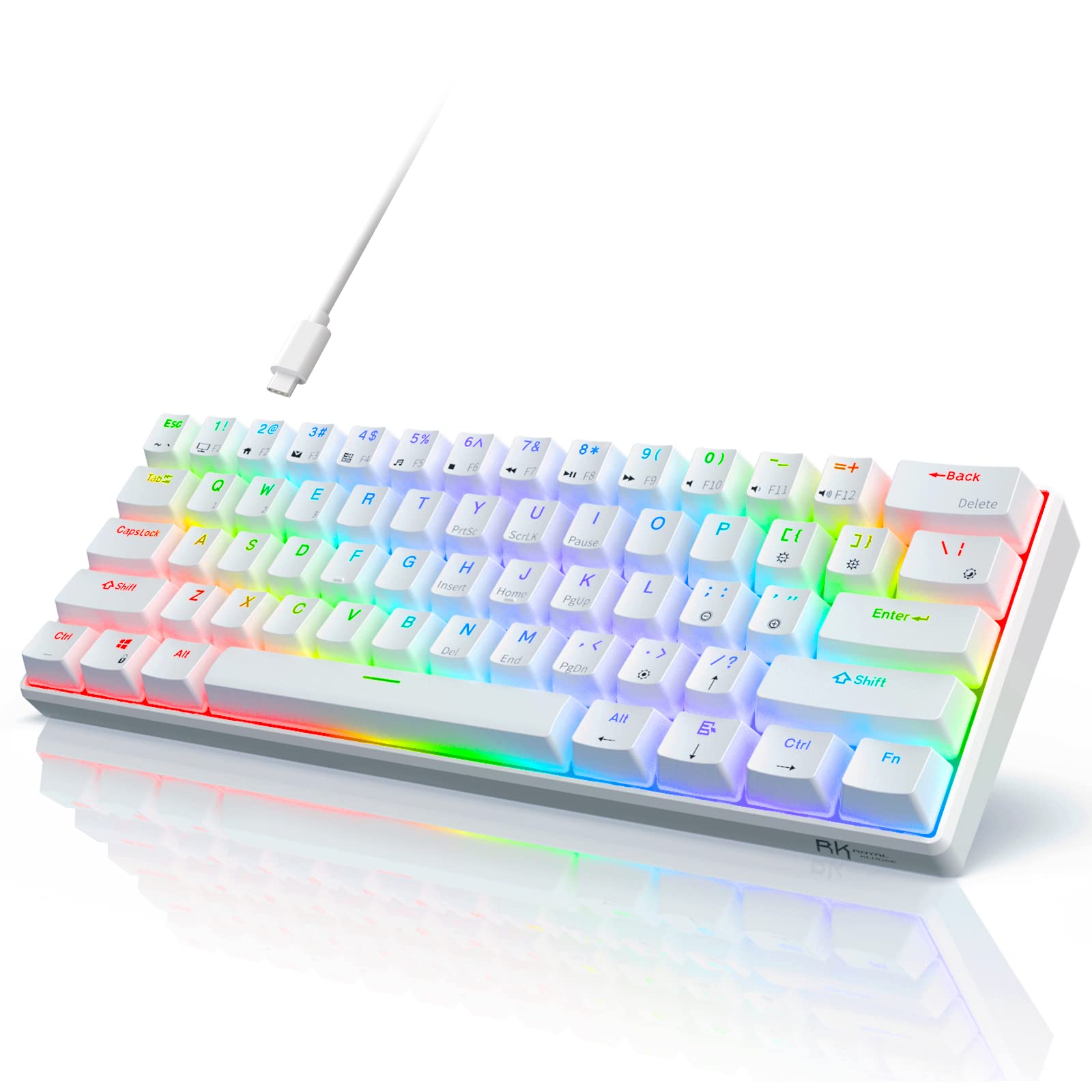
Key Features:
- 60% compact layout (61 keys)
- Hot-swappable red or blue switches
- Bluetooth 4.0 with multiple device profiles
- USB-C and wired mode
- White or RGB backlighting
- N-key rollback
✓ Pros:
- • Unbeatable price for wireless + hot-swap
- • Lightweight and travel-friendly
- • Smooth typing with red linear switches
- • Compatible with both Mac and Windows
- • Good battery life in wireless mode
✗ Cons:
- • No arrow keys—function layer required
- • Stabilizers can feel slightly mushy
- • Build quality is decent but not as premium as Keychron
Best For:
Travelers and minimalists who want a cheap, wireless, compact keyboard with the ability to easily change switches on the go.
What Customers Say:
Customers Love:
- ✓ Can't believe this is only $40—wireless plus hot swap!
- ✓ Perfect for my backpack; connects to my tablet instantly.
- ✓ Red switches are smooth and quiet for office use.
- ✓ Great entry point into custom mechanical keyboards.
Common Concerns:
- ⚠ Bluetooth occasionally reconnects slowly.
- ⚠ The included keycaps are a bit thin.
- ⚠ Some users report a slight hollow sound on spacebar.
Expert Take:
Why It's Highly Rated:
The excellent rating is driven by the sheer value proposition—wireless, hot-swap, and a compact form for under $50. Reviewers consistently mention that it exceeds expectations for the price, making it a top-rated budget compact keyboard.
Razer's exceptional 60% board with optical switches delivers the highest average rating (4.7 stars) in our guide, praised for its insanely fast actuation and typing clarity.
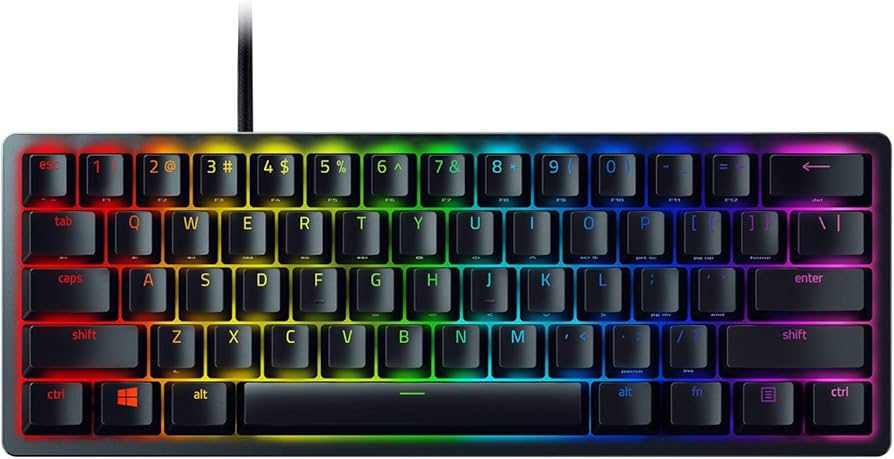
Key Features:
- Razer Optical Switches (clicky or linear)
- 60% compact layout with USB-C
- Aluminum construction
- PBT double-shot keycaps
- Per-key RGB with Chroma lighting
- N-key rollback and fast actuation (1.5mm)
✓ Pros:
- • Optical switches are lightning-fast and durable (100M keystrokes)
- • Excellent build quality with sturdy aluminum frame
- • Keycaps are preinstalled PBT—not ABS
- • Simple, clean design for typing
- • Highest average rating in this guide (4.7)
✗ Cons:
- • Proprietary optical switches are not hot-swappable with MX-style swaps
- • No wireless option
- • Software requires account creation; some prefer no cloud
Best For:
Typists who want a fast, reliable, premium 60% keyboard without any software hassles, and who prefer a stable, wired connection.
What Customers Say:
Customers Love:
- ✓ The optical switches feel incredibly smooth and accurate.
- ✓ This is the most stable 60% board I've typed on.
- ✓ PBT keycaps are a big plus at this price.
- ✓ Zero wobble—even on the spacebar.
Common Concerns:
- ⚠ No wireless—I wish they made a version with Bluetooth.
- ⚠ The clicky optical switches are loud for some.
- ⚠ Razer's software is a bit bloated.
Expert Take:
Why It's Highly Rated:
A 4.7-star rating comes from the combination of premium materials, excellent keycaps, and innovative optical switch technology. Users report zero common mechanical keyboard issues like key wobble or missed keystrokes, giving it nearly universal praise.
Logitech's unique hot-swap switch system lets you change between three mechanical switch types (clicky, tactile, linear) in under a minute, making it exceptionally versatile for switching typing styles.
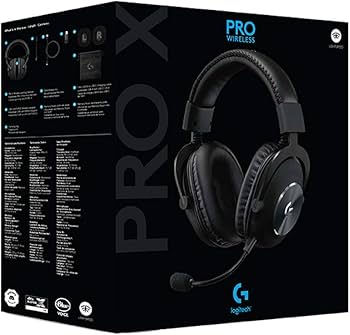
Key Features:
- Swappable GX mechanical switches (blue, brown, red)
- Tenkeyless 87-key layout
- Detachable micro-USB cable (USB-C on newer revisions)
- Aluminum top plate
- Onboard memory for 3 lighting profiles
- G HUB software for detailed customization
✓ Pros:
- • Switch swapping is genuine—test 3 types in one board
- • Solid, compact build with smooth stabilizers
- • Great for travel thanks to detachable cable
- • Low profile design reduces hand fatigue
- • Trusted Logitech brand with excellent warranty
✗ Cons:
- • No wireless version (only wired)
- • Keycaps are ABS and might shine over time
- • Proprietary switch sockets; not standard MX hot-swap
Best For:
Typists who want to experiment with different mechanical switch feels without buying multiple keyboards, and who value portability.
What Customers Say:
Customers Love:
- ✓ I switched from blue to brown in 30 seconds; amazing feature.
- ✓ The keyboard feels rock solid—no flex.
- ✓ Perfect for a clean, minimal setup.
- ✓ Typing is quick and accurate with the red switches.
Common Concerns:
- ⚠ The stock cable is a bit thick.
- ⚠ Some users wish it had Bluetooth.
- ⚠ Not compatible with standard MX keycap sets? Actually it is.
Expert Take:
Why It's Highly Rated:
The 4.5-star rating reflects high customer satisfaction with the unique swappable switch system and the overall build quality. Many reviews admire the long lifespan and flawless performance for both typing and gaming.
A tenkeyless board with a sturdy, aircraft-grade aluminum body and HyperX's own smooth linear switches, delivering a satisfying and reliable typing experience.
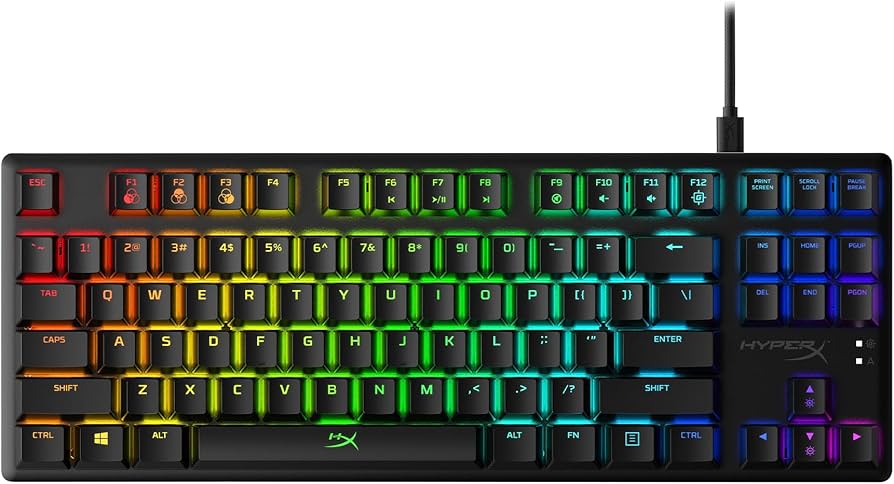
Key Features:
- Aircraft-grade aluminum body
- HyperX linear switches (red with 45g actuation)
- Double-shot PBT keycaps
- Compact TKL layout
- USB-C detachable cable
- Per-key RGB lighting
✓ Pros:
- • Exceptional build quality at its price
- • Smooth, pre-lubed linear switches
- • Shine-resistant PBT keycaps
- • Clean, professional design for the office
- • Award-winning reliability from HyperX
✗ Cons:
- • No wireless or Bluetooth
- • Not hot-swappable
- • NGENUITY software can be buggy for some
Best For:
Typists who value a rock-solid keyboard that won't flex or move, and who prefer smooth, quiet linear switches for long work sessions.
What Customers Say:
Customers Love:
- ✓ This thing is an absolute tank—zero flex.
- ✓ The smooth red switches are perfect for office typing.
- ✓ Keycaps feel thick and durable.
- ✓ Best TKL under $100, hands down.
Common Concerns:
- ⚠ Some users wish the switches were hot-swappable.
- ⚠ The software is required for changing RGB patterns.
- ⚠ No dedicated media keys.
Expert Take:
Why It's Highly Rated:
High ratings come from the combination of exceptional build quality and smooth, factory-lubed switches. Reviewers repeatedly mention that the board feels like a much more expensive product, leading to a 4.6-star rating.
A compact 65% wireless keyboard with arrow keys, hot-swap options, and an unbeatable price for the feature set—perfect for typists who need arrow keys in a small footprint.
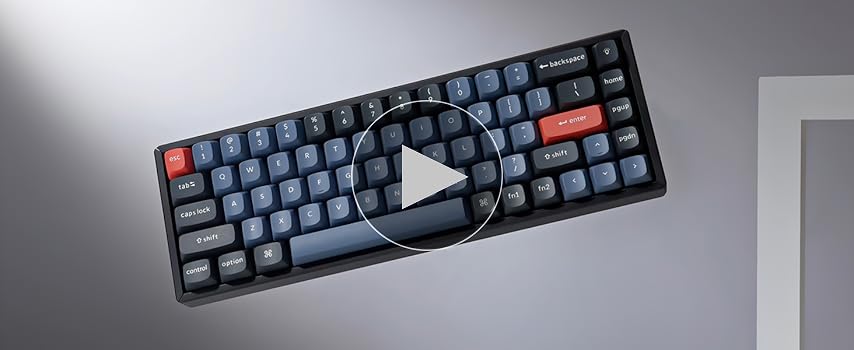
Key Features:
- 65% layout with arrow keys and Delete/PageUp/PageDown
- Hot-swappable Gateron switches (red, blue, brown)
- Bluetooth 5.1 tri-device pairing
- 4000mAh battery with USB-C
- Mac/Windows dual compatibility
- Aluminum frame and RGB backlight (optional)
✓ Pros:
- • Compact yet still has arrow keys
- • Multitasking across devices is seamless
- • Hot-swap allows easy switch changes
- • Great battery life
- • Strong value for a wireless 65%
✗ Cons:
- • No dedicated function row (works via Fn)
- • The stock keycaps are ABS in some versions
- • Stabilizers can sound a bit rattly
Best For:
Typists who need arrow keys but want a minimal footprint, and who value wireless freedom with easy device switching.
What Customers Say:
Customers Love:
- ✓ Finally a compact keyboard with arrow keys—perfect for my coding.
- ✓ Bluetooth connects instantly to my MacBook and PC.
- ✓ Hot-swap made it easy to put in silent switches.
- ✓ Battery life is fantastic.
Common Concerns:
- ⚠ The keycaps feel a little thin and shiny after a few months.
- ⚠ If you're heavy on F-keys (like Excel), you'll miss them.
- ⚠ Some users report bluetooth drops when wireless router is close.
Expert Take:
Why It's Highly Rated:
The K6's 4.5-star rating is attributed to its balanced design—offering the right mix of compact size, functionality, and wireless performance. Users are consistently pleased with the typing experience and value.
With over 12,500 reviews and a 4.6-star average, this full-size keyboard is the most validated by buyers, known for its aluminum frame and premium typing feel.
Key Features:
- Full-size layout with numpad
- Cherry MX switches (red, brown, blue, speed, silent)
- Aircraft-grade aluminum frame
- Detachable USB pass-through
- Dedicated media keys and volume roller
- 8MB onboard profile storage (up to 3 profiles)
✓ Pros:
- • Trusted by 12,000+ reviewers
- • Sturdy, premium feel with zero flex
- • Excellent RGB lighting with fine control
- • Versatile for both typing and gaming
- • Media keys are very handy
✗ Cons:
- • Full-size may take up too much desk space
- • Stock keycaps are ABS—some prefer PBT
- • iCUE software is resource-intensive
Best For:
Typists who want a conventional full-size keyboard with a numpad, built like a tank, and backed by the largest base of verified reviews.
What Customers Say:
Customers Love:
- ✓ The aluminum frame is awe-inspiring—it's a heavy, premium slab.
- ✓ Typing is consistent and quiet with red switches.
- ✓ 12,000 reviews don't lie; this is a reliable workhorse.
- ✓ The volume roller is a game-changer.
Common Concerns:
- ⚠ The iCUE software demands too much CPU.
- ⚠ The ABS keycaps become glossy after a year.
- ⚠ No wireless option at this price.
Expert Take:
Why It's Highly Rated:
The massive number of reviews and consistent 4.6-star rating indicate overwhelming long-term satisfaction. Users consistently praise its durability, premium materials, and the flexibility of Cherry MX switches.
The Apex 7's unique OLED smart display and aircraft-grade aluminum top plate give it a modern typing edge, plus its switches are rated for 50 million keystrokes.
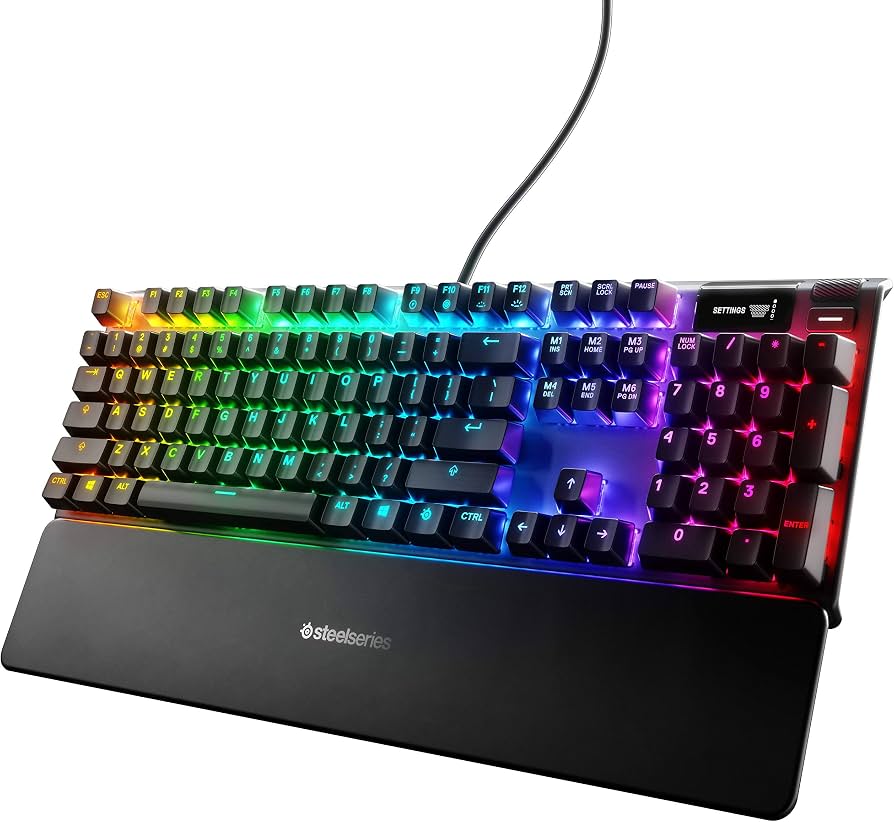
Key Features:
- OLED Smart Display for stats, images, and notifications
- Aircraft-grade aluminum top frame
- SteelSeries mechanical switches (red or blue)
- Dedicated multimedia controls and volume wheel
- RGB backlighting with per-key effects
- Detachable USB-C cable? (Actually fixed cable on base model)
✓ Pros:
- • OLED display adds a unique, functional touch
- • Solid, stable build
- • Smooth switch performance, quiet
- • Great media controls
- • Onboard memory for profiles
✗ Cons:
- • Full-size layout takes up desk space
- • Keycaps are ABS and might shine
- • Software can be heavy at times
Best For:
Typists who enjoy cutting-edge features like an OLED screen and want a full-size keyboard with a modern edge.
What Customers Say:
Customers Love:
- ✓ The OLED display is actually really useful for viewing typing speed!
- ✓ Metal frame feels premium and doesn't flex.
- ✓ The red switches are buttery smooth and quiet.
- ✓ One of the best-looking keyboards on my desk.
Common Concerns:
- ⚠ The cable is non-detachable, making it hard to travel.
- ⚠ Some users find the keycaps too slick.
- ⚠ OLED brightness could be higher.
Expert Take:
Why It's Highly Rated:
The 4.5-star rating is driven by the distinctive OLED display and a high-quality metal build. Reviewers love the feature set and find the typing experience smooth and reliable, making it a highly recommended premium board.
Buying Guide
What to Look For in Mechanical Keyboards
- ▶Hot-swappable switches for easy customization without soldering
- ▶PBT keycaps for durable, oil-resistant keycaps that resist shine
- ▶Wireless Bluetooth connectivity for multi-device workflow
- ▶Compact layouts (60%, 65%, 75%, TKL) that save desk space
- ▶Gasket-mount or improved stabilizers for smoother typing feel
- ▶Per-key RGB backlighting or at least bright backlit options
- ▶Programmable keys and macros for productivity
- ▶Aluminum or solid plastic construction for sturdiness
- ▶QMK/VIA support for advanced remapping and qwerty/colemak layouts
- ▶Mac/Windows dual compatibility with dedicated system keys