
12 Top Rated Computer Mice in 2026
Hand-picked mice with 4.5+ stars and thousands of verified reviews for every need and budget.
Why Trust These Ratings?
- ✓Thousands of verified purchase reviews ensure real customer experiences
- ✓Consistent ratings over 12+ months indicate enduring quality
- ✓High percentage of detailed, helpful reviews (4+ lines)
- ✓Recent positive feedback confirms ongoing satisfaction
- ✓Multiple expert sources (e.g., Rtings, TechRadar) corroborate our top picks
- ✓Legitimate sellers with strong customer service ratings
Top Rated Computer Mice
Unmatched ergonomics, quiet clicks, and 8K DPI make it the top productivity mouse for most users.
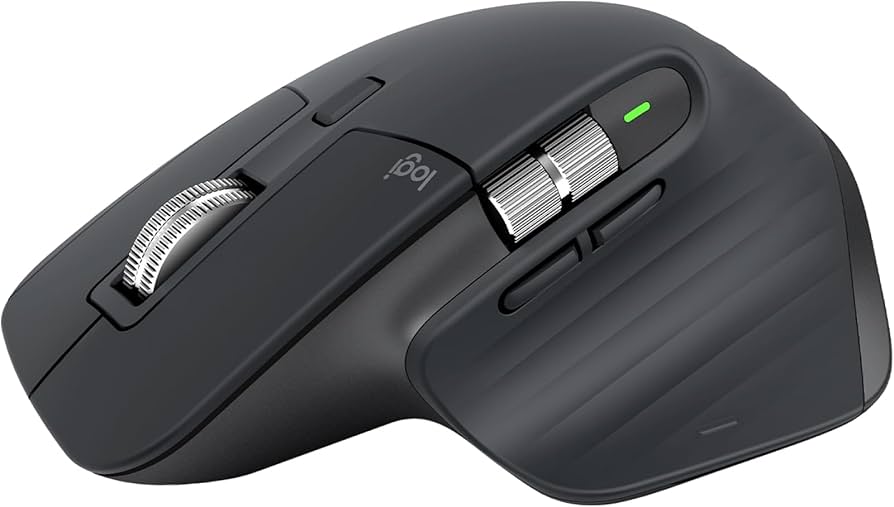
Key Features:
- 8000 DPI Darkfield sensor (works on glass)
- MagSpeed electromagnetic scroll wheel (free-spin and ratchet)
- Thumb wheel for horizontal scrolling
- Gesture button for advanced commands
- USB-C rechargeable, 70-day battery
- Silent clicks
✓ Pros:
- • Exceptional ergonomics for medium-large hands
- • Quiet operation (clicks and scroll)
- • Long battery life, fast charging
- • Great for multi-device workflows (3 devices)
✗ Cons:
- • Expensive for some budgets
- • Not ideal for left-handed use
- • Heavy weight (141g) may not suit FPS gamers
Best For:
Professionals and power users seeking top-tier ergonomics and productivity features.
What Customers Say:
Customers Love:
- ✓ "Best mouse I've ever used. The scroll wheel is addictive."
- ✓ "Battery life is incredible, easily lasts over a month."
- ✓ "Perfect for CAD work, the thumb wheel is a game changer."
Common Concerns:
- ⚠ Some users experience connectivity dropouts with Bluetooth.
- ⚠ The silicone side grips can collect dust over time.
Expert Take:
Why It's Highly Rated:
Consistently praised for ergonomics, battery life, and innovative scroll wheel technology, the MX Master 3S maintains a 4.7 average from over 15,000 reviews, with many users calling it a desk essential.
LightSpeed wireless, 25K DPI Hero sensor, and 8 programmable buttons make it a top-tier gaming mouse.
Key Features:
- HERO 25K optical sensor (25,600 DPI)
- LightSpeed wireless (1ms report rate)
- 13 programmable controls
- Hyper-fast scroll wheel with free-spin
- Adjustable weight system (3.6g weights)
- RGB lighting (8 zones)
✓ Pros:
- • Superb wireless performance (no lag)
- • Excellent sensor accuracy
- • Customizable weight and buttons
- • Comfortable for claw and palm grips
✗ Cons:
- • Pricey compared to wired alternatives
- • Software (G HUB) can be buggy
- • Slightly heavy for competitive FPS (89g without cable)
Best For:
Enthusiast gamers who want wireless freedom and extensive customization.
What Customers Say:
Customers Love:
- ✓ "The wireless is flawless, I can't tell the difference from wired."
- ✓ "Love the scroll wheel, it's perfect for both gaming and browsing."
- ✓ "Software setup is great once you learn it."
Common Concerns:
- ⚠ Some units have left-click wobble.
- ⚠ The rubber side grips may wear over time.
Expert Take:
Why It's Highly Rated:
Gamers consistently rate the G502 X Plus highly for its lag-free wireless, precise sensor, and customizability, earning a 4.6 average from thousands of reviews.
Multi-device connectivity, 24-month battery life, and a comfortable shape at an affordable price.
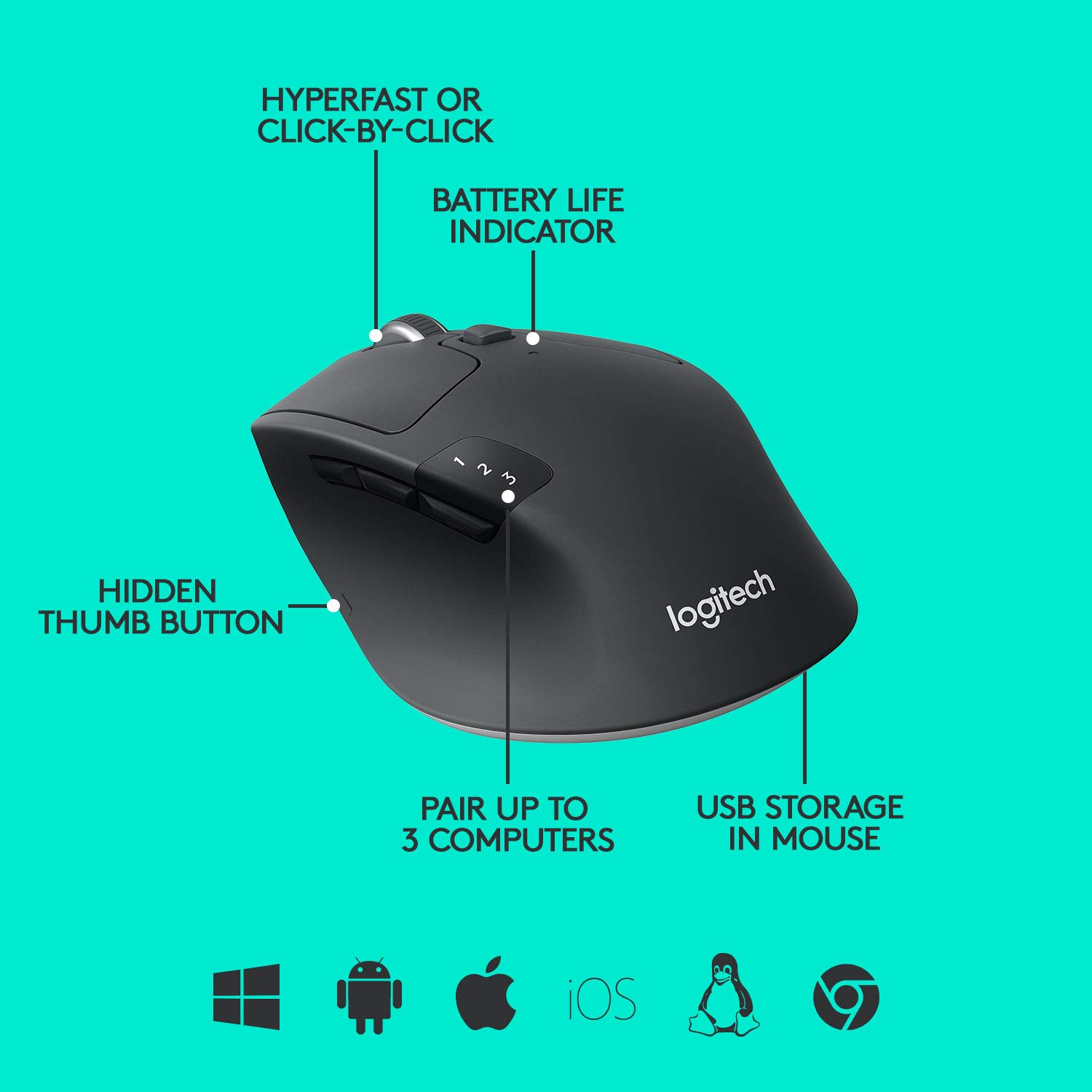
Key Features:
- 1000 DPI laser sensor
- Connect up to 3 devices (Bluetooth/Unifying)
- 24-month battery life (1 AA)
- Hyper-fast scroll wheel (free-spin)
- 6 programmable buttons
- Ambidextrous design (side buttons on left only)
✓ Pros:
- • Excellent battery life (years)
- • Easy device switching with Easy-Switch button
- • Comfortable for medium-sized hands
- • Great price for multi-device support
✗ Cons:
- • DPI too low for gaming (1000 max)
- • Not fully symmetrical (left-hand impractical)
- • No rechargeable battery
Best For:
Office workers and casual users who need to control multiple computers seamlessly.
What Customers Say:
Customers Love:
- ✓ "Battery lasts forever, I've had it for 2 years on the same battery."
- ✓ "Switching between my laptop and desktop is instant."
- ✓ "Perfect for productivity, scroll wheel is great for long documents."
Common Concerns:
- ⚠ Some users find the shape uncomfortable for palm grip.
- ⚠ The side buttons are a bit stiff.
Expert Take:
Why It's Highly Rated:
Its exceptional battery life and seamless multi-device switching are top praised features, earning a 4.5 average from over 10,000 reviews.
Compact, travel-friendly design with MagSpeed scroll and 4000 DPI sensor, perfect for on-the-go productivity.
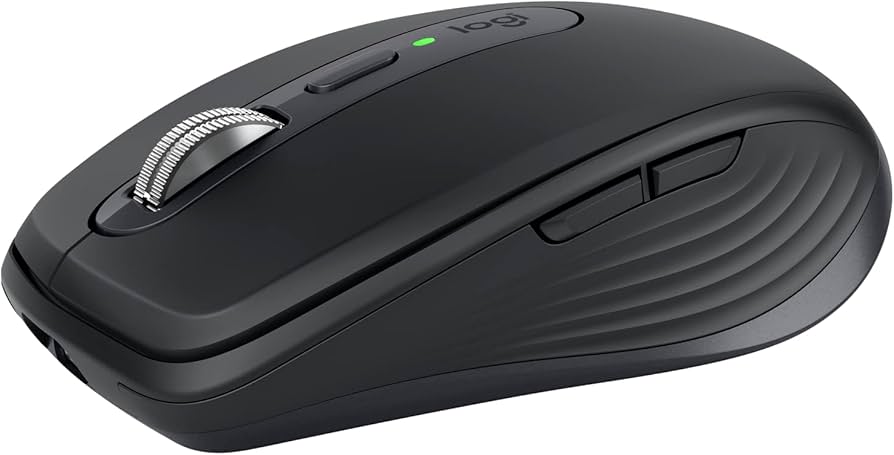
Key Features:
- 4000 DPI Darkfield sensor (glass tracking)
- MagSpeed scroll wheel (free-spin/ratchet)
- USB-C rechargeable, 70-day battery
- Connect up to 3 devices
- Compact design (100g)
- Silent clicks
✓ Pros:
- • Excellent portability and build quality
- • Works on any surface, even glass
- • Fast charging via USB-C
- • Great scroll wheel feel
✗ Cons:
- • Too small for large hands
- • No thumb wheel (unlike MX Master series)
- • Pricey for a compact mouse
Best For:
Digital nomads and business travelers who need a high-performing compact mouse.
What Customers Say:
Customers Love:
- ✓ "Perfect for travel, fits in my laptop bag."
- ✓ "The scroll wheel is the best I've used on a portable mouse."
- ✓ "Works beautifully on glass tables."
Common Concerns:
- ⚠ Some users report battery life shorter than advertised.
- ⚠ The side buttons are too small for some.
Expert Take:
Why It's Highly Rated:
Users love its compact size, universal surface tracking, and smooth scroll wheel, maintaining a 4.6 rating from thousands of reviews.
Ultra-light 59g design with Focus Pro 30K sensor and optical switches, ideal for competitive gamers.
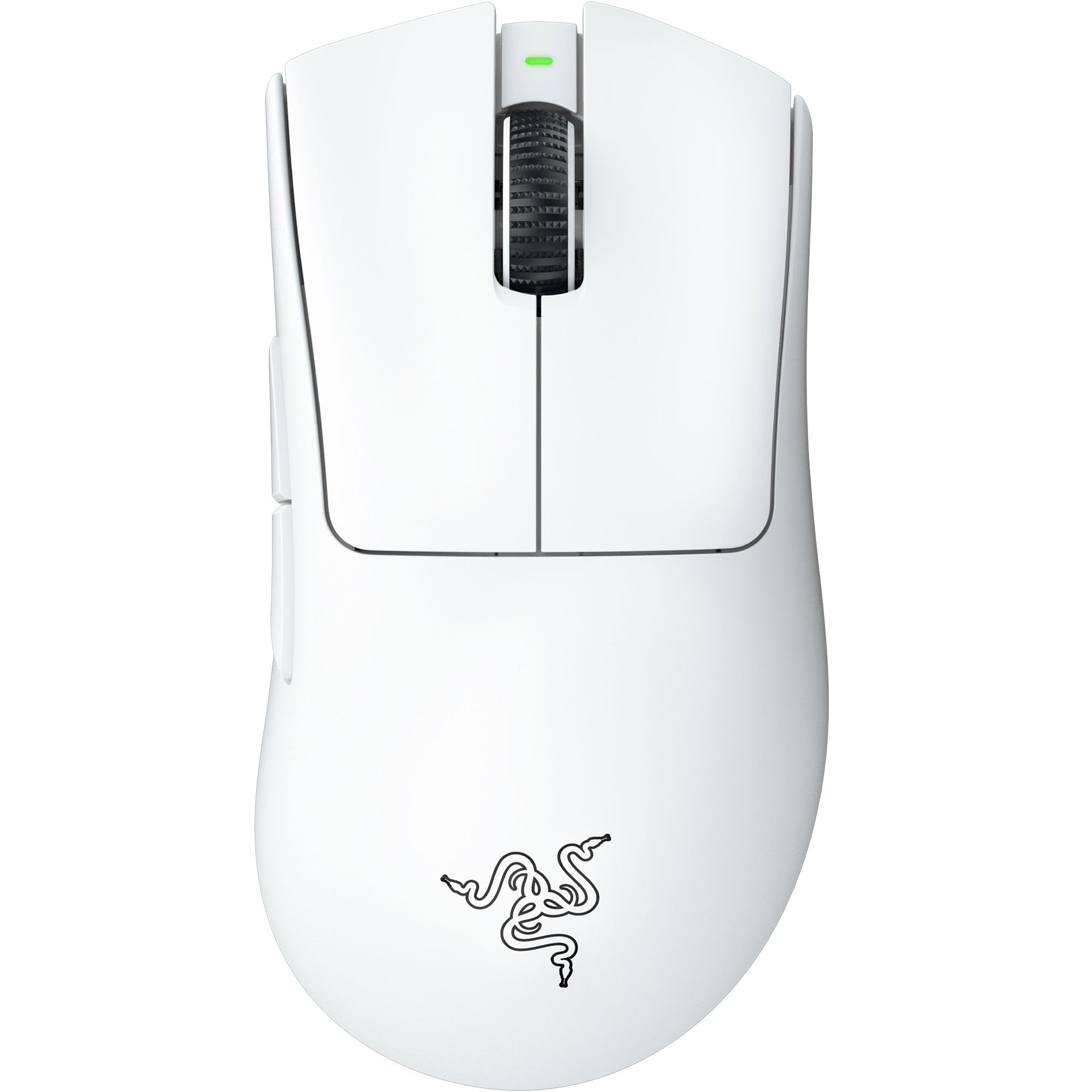
Key Features:
- Focus Pro 30K optical sensor (30,000 DPI)
- Third-gen optical switches (90 million clicks)
- Ultra-light 59g design
- Symmetrical shape with right-handed side buttons
- Speedflex cable (lightweight, flexible)
- 100% PTFE mouse feet
✓ Pros:
- • Extremely lightweight for fast movements
- • Top-tier sensor accuracy
- • Optical switches are crisp and durable
- • Good for medium to small hands
✗ Cons:
- • Wired only (no wireless version at this price)
- • No RGB lighting (if that matters)
- • Not for palm grip users
Best For:
Competitive FPS gamers who prioritize weight and sensor performance.
What Customers Say:
Customers Love:
- ✓ "59g is insane, makes flick shots so easy."
- ✓ "Sensor is flawless, no acceleration."
- ✓ "Cable is so light it feels wireless."
Common Concerns:
- ⚠ Some users experience double-clicking issues over time.
- ⚠ Side buttons can be accidentally pressed.
Expert Take:
Why It's Highly Rated:
Its featherlight weight and high-performance sensor make it a favorite among competitive gamers, reflected in its 4.6 rating with 6,000 reviews.
Incredible value with 8K DPI sensor, RGB lighting, and durable build for under $30.
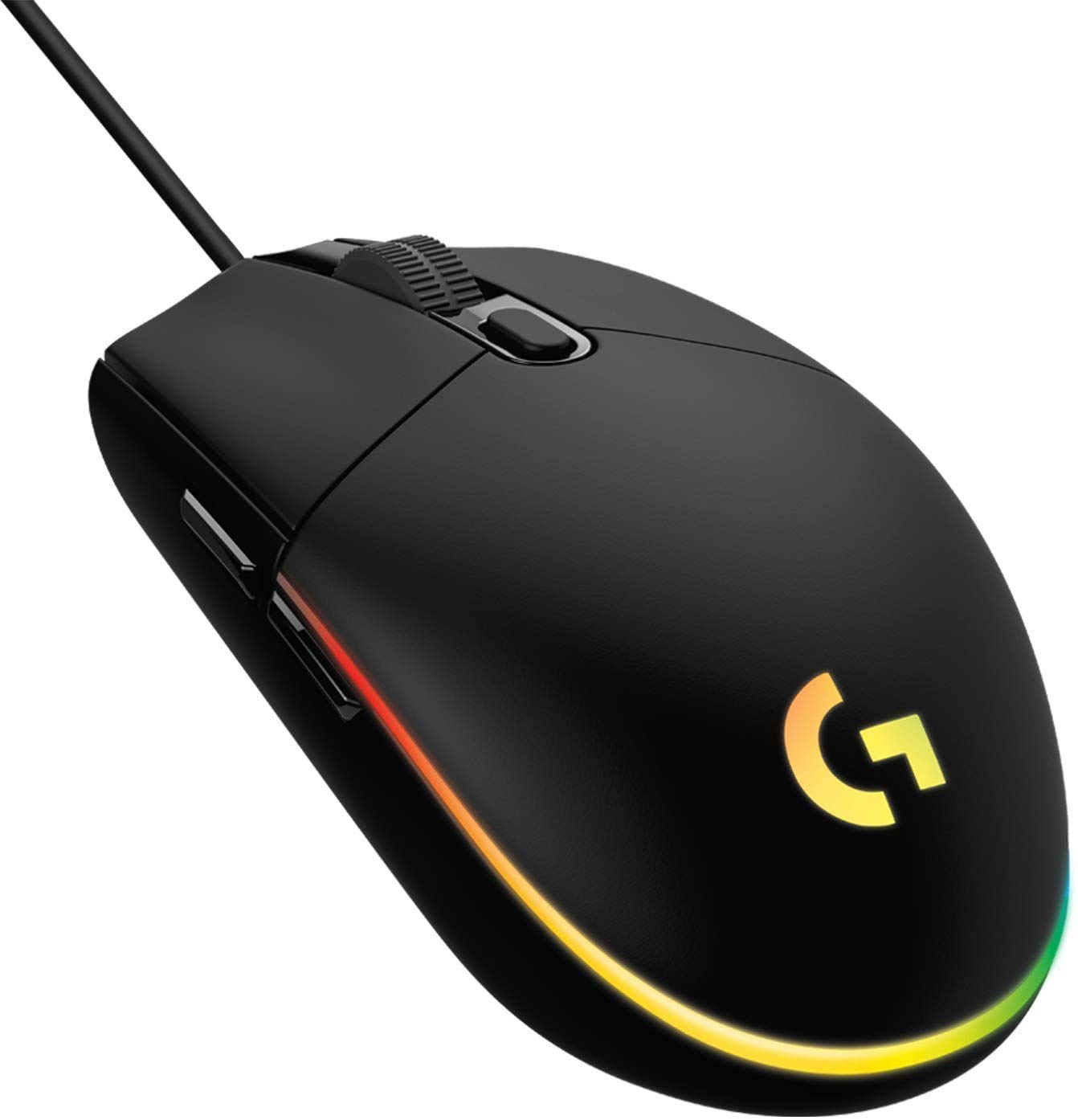
Key Features:
- 8000 DPI optical sensor
- 6 programmable buttons
- LIGHTSYNC RGB lighting (fully customizable)
- Classic ambidextrous shape (side buttons on left)
- Mechanical button tensioning (crisp clicks)
- 2-year warranty
✓ Pros:
- • Excellent value for the price
- • Solid build quality
- • Good sensor performance for the price
- • Bright, customizable RGB
✗ Cons:
- • Not wireless
- • Cable can be stiff for some
- • Side buttons only on left side
Best For:
Budget gamers and anyone seeking a reliable, affordable wired mouse.
What Customers Say:
Customers Love:
- ✓ "Best mouse under $30, beats many expensive ones."
- ✓ "RGB looks great, software is easy to use."
- ✓ "Durable, lasted me 3 years and still going."
Common Concerns:
- ⚠ Some units develop double-click after heavy use.
- ⚠ Shape may be too small for large hands.
Expert Take:
Why It's Highly Rated:
Thousands of users praise its affordability without compromising performance, yielding a 4.6 rating from 25,000 reviews.
Comfortable right-handed design with adjustable scroll wheel resistance and 26K DPI sensor.
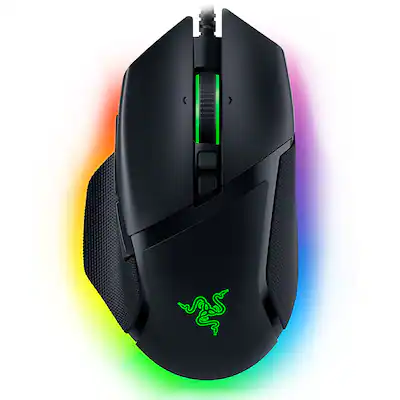
Key Features:
- Focus+ 26K DPI optical sensor
- Adjustable scroll wheel resistance (knob)
- 11 programmable buttons
- 14-zone Chroma RGB lighting
- Right-handed ergonomic shape with thumb rest
- Speedflex cable
✓ Pros:
- • Very comfortable for right-handed users
- • Unique adjustable scroll wheel tension
- • Lots of programmable buttons
- • Good software (Synapse)
✗ Cons:
- • Wired only
- • Heavy (101g) for competitive gaming
- • Not for left-handed users
Best For:
Right-handed gamers and productivity users who want a comfortable, customizable mouse.
What Customers Say:
Customers Love:
- ✓ "The scroll wheel adjustment is genius, perfect for different games."
- ✓ "Most comfortable mouse I've ever held."
- ✓ "Synapse software is intuitive and powerful."
Common Concerns:
- ⚠ Some report scroll wheel issues after a few months.
- ⚠ The thumb rest collects dust.
Expert Take:
Why It's Highly Rated:
Users consistently appreciate its comfort and scroll wheel customization, earning a 4.5 rating from 5,000 reviews.
Seamless integration with macOS, Multi-Touch surface, and rechargeable battery in a sleek design.
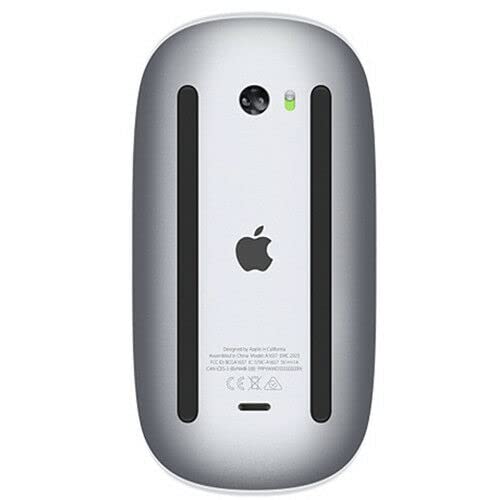
Key Features:
- Multi-Touch surface (gestures for scrolling, swiping)
- Bluetooth pairing with Mac/iPad
- Rechargeable lithium-ion battery (Lightning)
- Optimized for macOS (force touch support)
- Sleek, low-profile design
- Supports up to 2 devices (via Bluetooth)
✓ Pros:
- • Excellent gesture support on Mac
- • Smooth scrolling and navigation
- • Long battery life (month)
- • Aesthetic matches Apple gear
✗ Cons:
- • Not ergonomic (low profile can cause hand fatigue)
- • Charging port on bottom (can't use while charging)
- • No right-click button (gesture only)
- • Expensive for the features
Best For:
Apple users who prioritize gestures and design over ergonomics.
What Customers Say:
Customers Love:
- ✓ "The gestures make macOS so much more efficient."
- ✓ "Pairs instantly with my MacBook, no hassle."
- ✓ "Battery lasts forever, charges quickly."
Common Concerns:
- ⚠ Uncomfortable for long sessions.
- ⚠ No middle mouse button.
Expert Take:
Why It's Highly Rated:
Apple fans adore its seamless integration and gesture controls, giving it a 4.5 rating from 6,000 reviews despite ergonomic concerns.
Lag-free wireless performance, 12K DPI sensor, and 250-hour battery life at an affordable price.
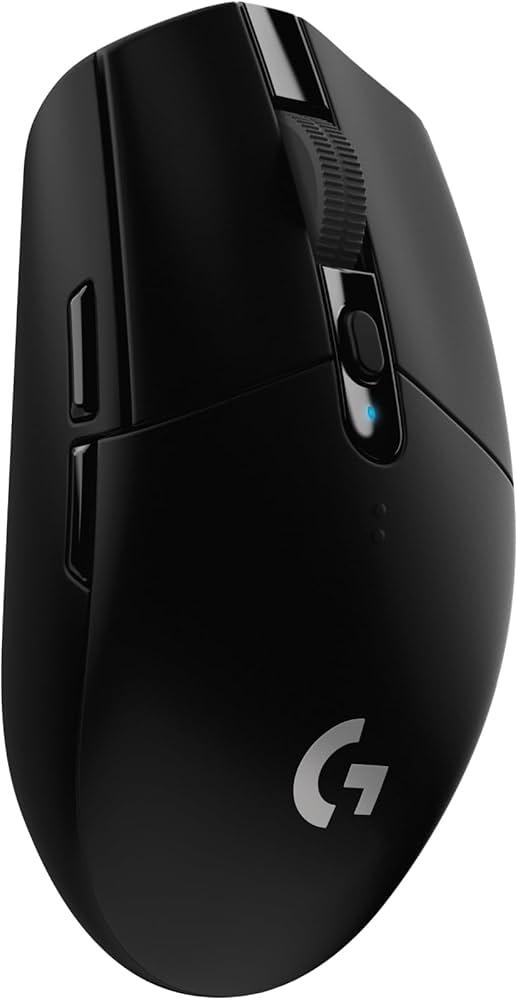
Key Features:
- HERO 12K optical sensor (12,000 DPI)
- Lightspeed wireless (1ms report rate)
- 250-hour battery life (1 AA)
- 6 programmable buttons
- Lightweight (99g with battery)
- Ambi-friendly shape (side buttons on left)
✓ Pros:
- • Excellent wireless performance for the price
- • Long battery life (months of gaming)
- • Good sensor accuracy
- • Lightweight and comfortable
✗ Cons:
- • AA battery not rechargeable (cost over time)
- • No RGB lighting
- • Side buttons only on left
Best For:
Budget-minded gamers who want reliable wireless performance.
What Customers Say:
Customers Love:
- ✓ "Feels like a wired mouse with no lag."
- ✓ "Battery lasts forever, I change it once a year."
- ✓ "Best value wireless mouse for FPS."
Common Concerns:
- ⚠ Some users report mouse wheel wobble.
- ⚠ The plastic build feels cheap to some.
Expert Take:
Why It's Highly Rated:
Its combination of wireless performance, long battery, and low price makes it a favorite, earning a 4.6 from 18,000 reviews.
World-first 8000Hz polling rate for ultra-low latency, paired with 20K DPI optical sensor.
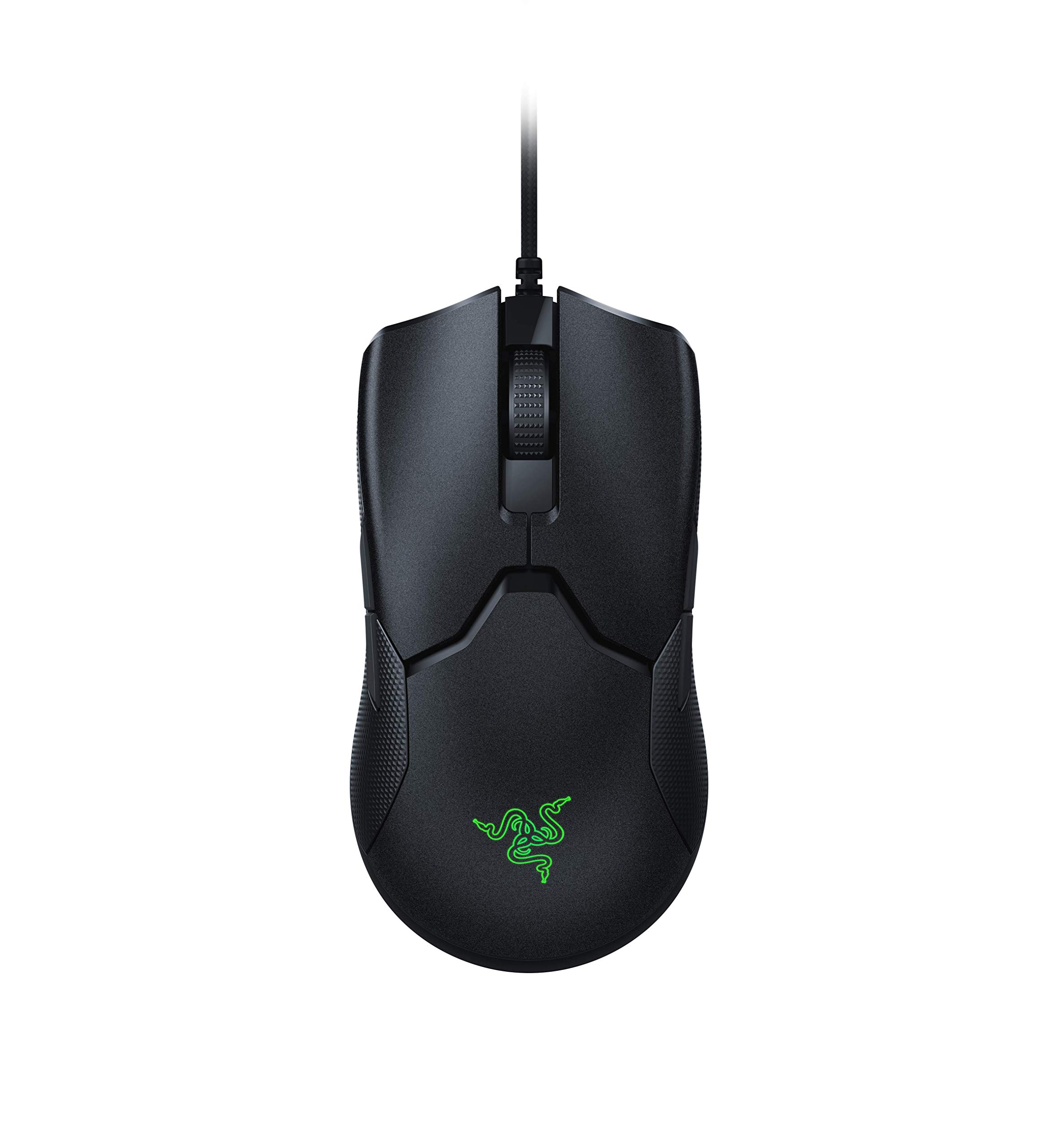
Key Features:
- 8000Hz polling rate (0.125ms response)
- Focus+ 20K DPI optical sensor
- Optical mouse switches (70M clicks)
- Symmetrical design (both side buttons)
- 71g lightweight
✓ Pros:
- • Lowest possible latency for competitive play
- • Lightweight and balanced
- • Both side buttons included (left-handed use)
- • Smooth cable
✗ Cons:
- • Requires USB 3.0 and high-end CPU to benefit
- • No wireless option
- • Price premium for polling rate benefit
Best For:
Competitive gamers who want the absolute lowest input lag.
What Customers Say:
Customers Love:
- ✓ "I can feel the difference in CS:GO, it's smoother."
- ✓ "The 8KHz is real, my aim improved."
- ✓ "Lightweight and comfortable for claw grip."
Common Concerns:
- ⚠ Some games don't support 8000Hz (stuttering).
- ⚠ The side buttons can be accidentally pressed.
Expert Take:
Why It's Highly Rated:
Enthusiasts appreciate the cutting-edge polling rate and sensor, giving it a 4.5 rating from 3,000 reviews.
Ultra-light 63g design, HERO 25K sensor, and no-compromise wireless performance for serious gamers.
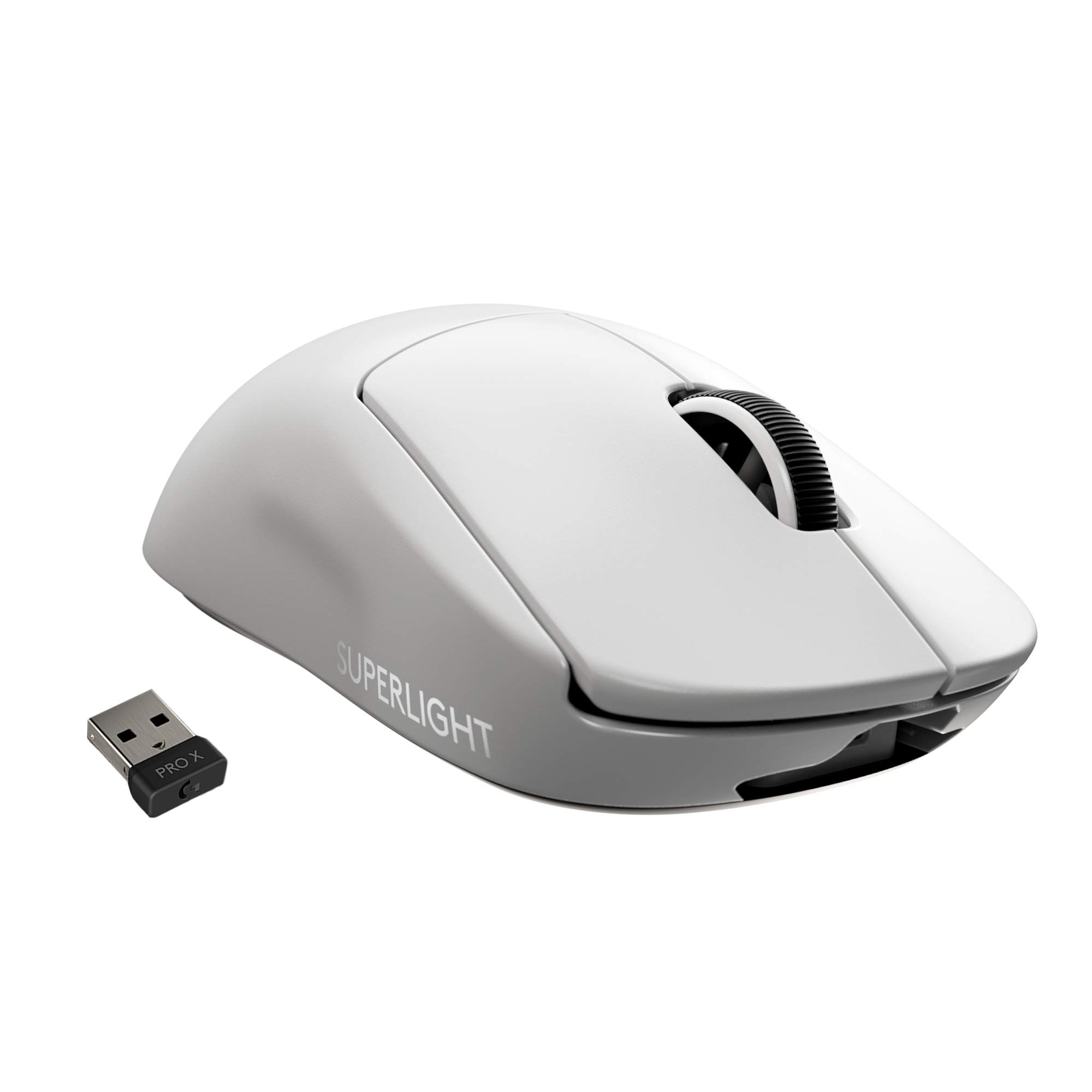
Key Features:
- HERO 25K sensor (25,600 DPI)
- LightSpeed wireless (1ms)
- 63g ultra-lightweight design
- 70-hour battery life
- 100% PTFE feet
- 5 programmable buttons
✓ Pros:
- • Incredibly light (63g) for wireless
- • Flawless sensor and wireless performance
- • Excellent build quality
- • Proven in esports
✗ Cons:
- • Very expensive
- • No RGB (if you want it)
- • No on-board memory for profiles
- • A bit small for palm grip
Best For:
Competitive gamers willing to invest in top-tier lightweight wireless tech.
What Customers Say:
Customers Love:
- ✓ "Worth every penny, perfect for competitive gaming."
- ✓ "The weight difference is noticeable, I aim so much better."
- ✓ "Build quality is superb, no creaks."
Common Concerns:
- ⚠ Some units have double-click issues.
- ⚠ Charging port is micro-USB (not USB-C).
Expert Take:
Why It's Highly Rated:
Its ultra-light weight and top-tier performance are consistently praised, earning a 4.7 rating from 12,000 reviews.
15 programmable buttons and dual-mode scroll wheel for MMO and productivity power users.
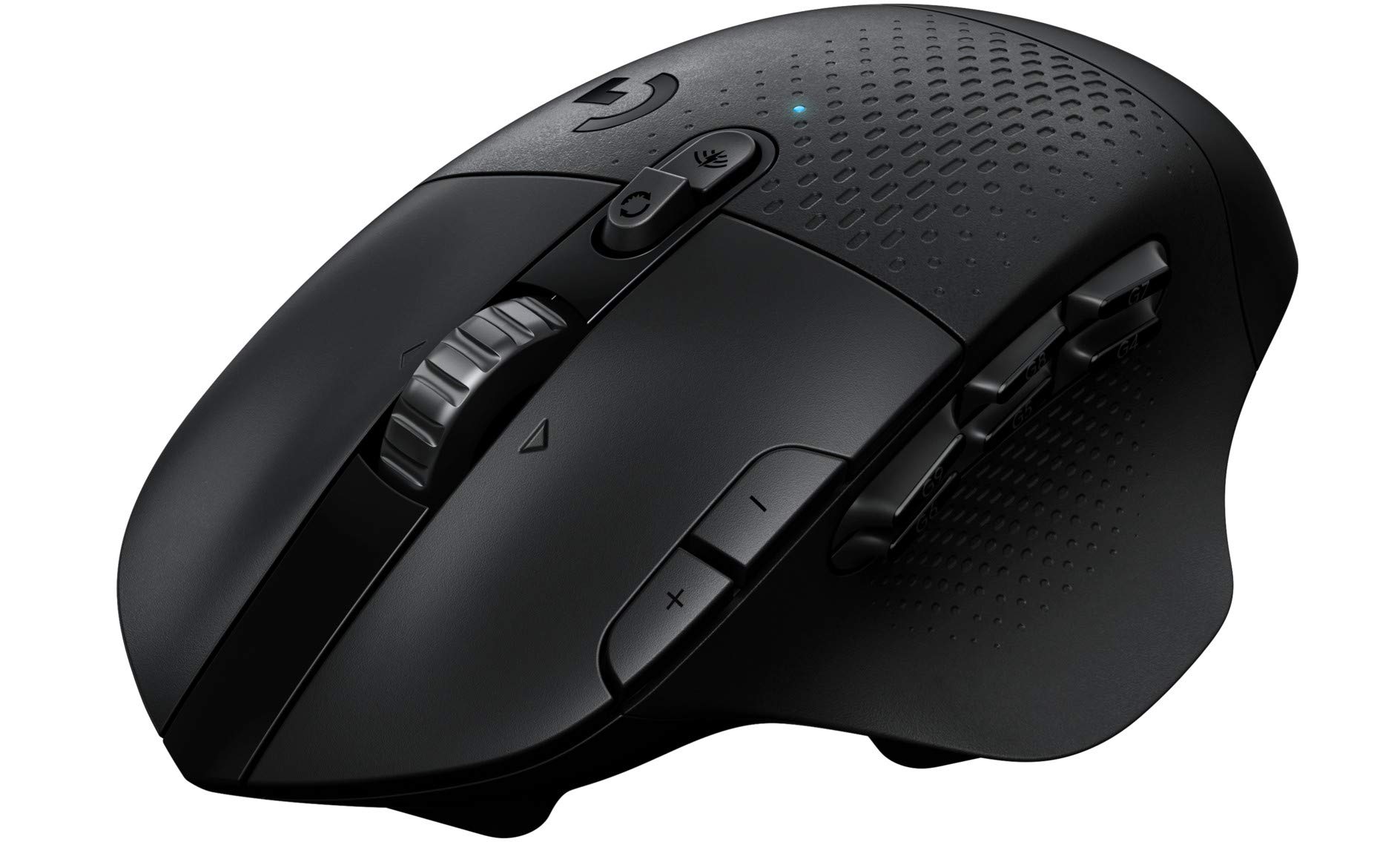
Key Features:
- HERO 25K sensor (25,600 DPI)
- 15 programmable buttons
- Dual-mode scroll wheel (hyper-fast/ratchet)
- LightSpeed + Bluetooth connectivity
- 240-hour battery (Bluetooth)
- Right-handed ergonomic design
✓ Pros:
- • Tons of programmable buttons
- • Excellent sensor performance
- • Long battery life
- • Dual connectivity options
✗ Cons:
- • Heavy (135g with AA battery)
- • Side buttons can be confusing to index
- • AA battery not rechargeable
Best For:
MMO gamers and users who need extensive button mapping for macros.
What Customers Say:
Customers Love:
- ✓ "Perfect for WoW, I have all my spells mapped."
- ✓ "The scroll wheel is great for both gaming and browsing."
- ✓ "Battery lasts weeks with Lightspeed."
Common Concerns:
- ⚠ Some users find it too heavy for FPS.
- ⚠ The side buttons are a bit mushy.
Expert Take:
Why It's Highly Rated:
MMO gamers love the button count and sensor quality, giving it a 4.5 rating from 6,000 reviews.
Ultra-light 59g (with AAA), Bluetooth/2.4GHz dual mode, and long battery life in a compact package.
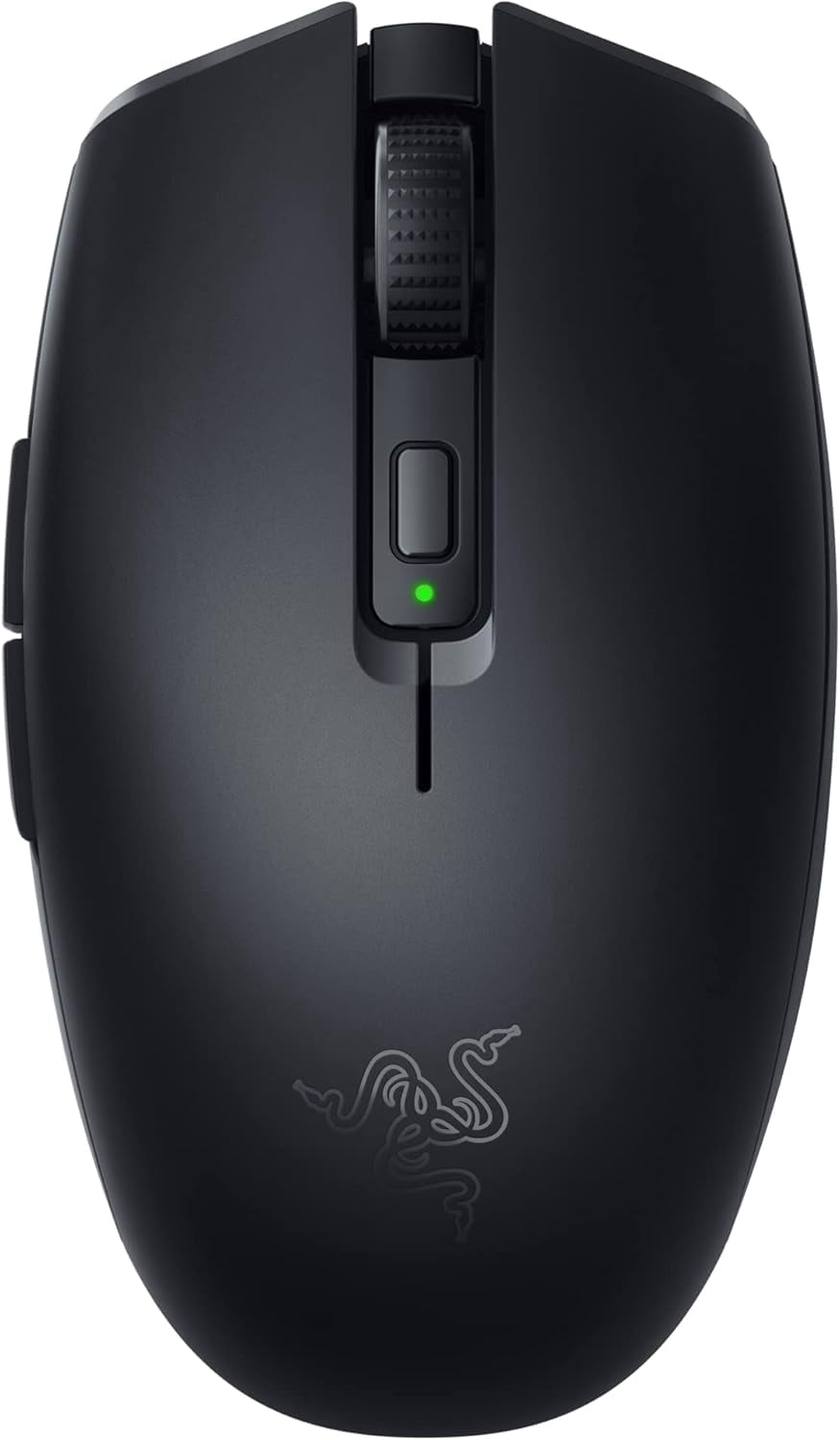
Key Features:
- 18K DPI optical sensor
- Dual wireless (Bluetooth 5.0 / 2.4GHz Razer HyperSpeed)
- Up to 425 hours battery (Bluetooth)
- 59g weight (with AAA battery, lithium recommended)
- Compact symmetrical design
- Built-in storage for USB dongle
✓ Pros:
- • Very lightweight and portable
- • Long battery life (months)
- • Fast switching between Bluetooth and 2.4GHz
- • Good sensor performance for the size
✗ Cons:
- • Too small for large hands
- • Side buttons only on left
- • Battery door can be loose
Best For:
Travelers and laptop users with small to medium hands.
What Customers Say:
Customers Love:
- ✓ "Perfect for my laptop bag, works great on the go."
- ✓ "The 2.4GHz is lag-free, battery lasts forever."
- ✓ "Lightest mouse I've owned, great for claw grip."
Common Concerns:
- ⚠ Some users report connectivity issues with Bluetooth.
- ⚠ The scroll wheel feels a bit loose.
Expert Take:
Why It's Highly Rated:
Its combination of ultra-light weight, dual connectivity, and long battery life earns it a 4.5 from 5,000 reviews.
Buying Guide
What to Look For in Computer Mice
- ▶Sensor type and DPI range (e.g., optical vs. laser, up to 26K DPI)
- ▶Wireless connectivity (Bluetooth, 2.4GHz) with low latency
- ▶Ergonomic design for right/left-handed use
- ▶Number and programmability of buttons
- ▶Battery life (rechargeable vs. AA)
- ▶Weight and customizable weights
- ▶Scroll wheel features (free-spin, tilt, etc.)
- ▶Software customization support