
12 Top Rated 3D Printers for Beginners in 2026
Beginner-friendly 3D printers with 4.5+ stars and 200+ verified reviews, from about $199 to $599.
Why Trust These Ratings?
- ✓Every printer listed holds 4.5 stars or better with at least 200 ratings on its primary Amazon listing
- ✓Ratings were checked for consistency over time rather than a single recent spike from a promotion
- ✓Verified-purchase share was considered when judging how much weight a rating deserves
- ✓Review themes were cross-checked against manufacturer specs to confirm advertised features match real-world use
- ✓Listings with heavy fake-review red flags — bursty rating curves, repetitive short reviews — were excluded
- ✓Products come from established brands with published documentation, replacement parts, and active communities
- ✓Drawbacks are reported from common negative review themes rather than omitted, so expectations stay realistic
- ✓Prices and ratings are treated as a snapshot: Amazon listings change, so current figures are always confirmed on the product page
Top Rated 3D Printers
It combines full automatic calibration, a genuinely polished software workflow, and reliable out-of-box printing at a price that undercuts most enclosed competitors.
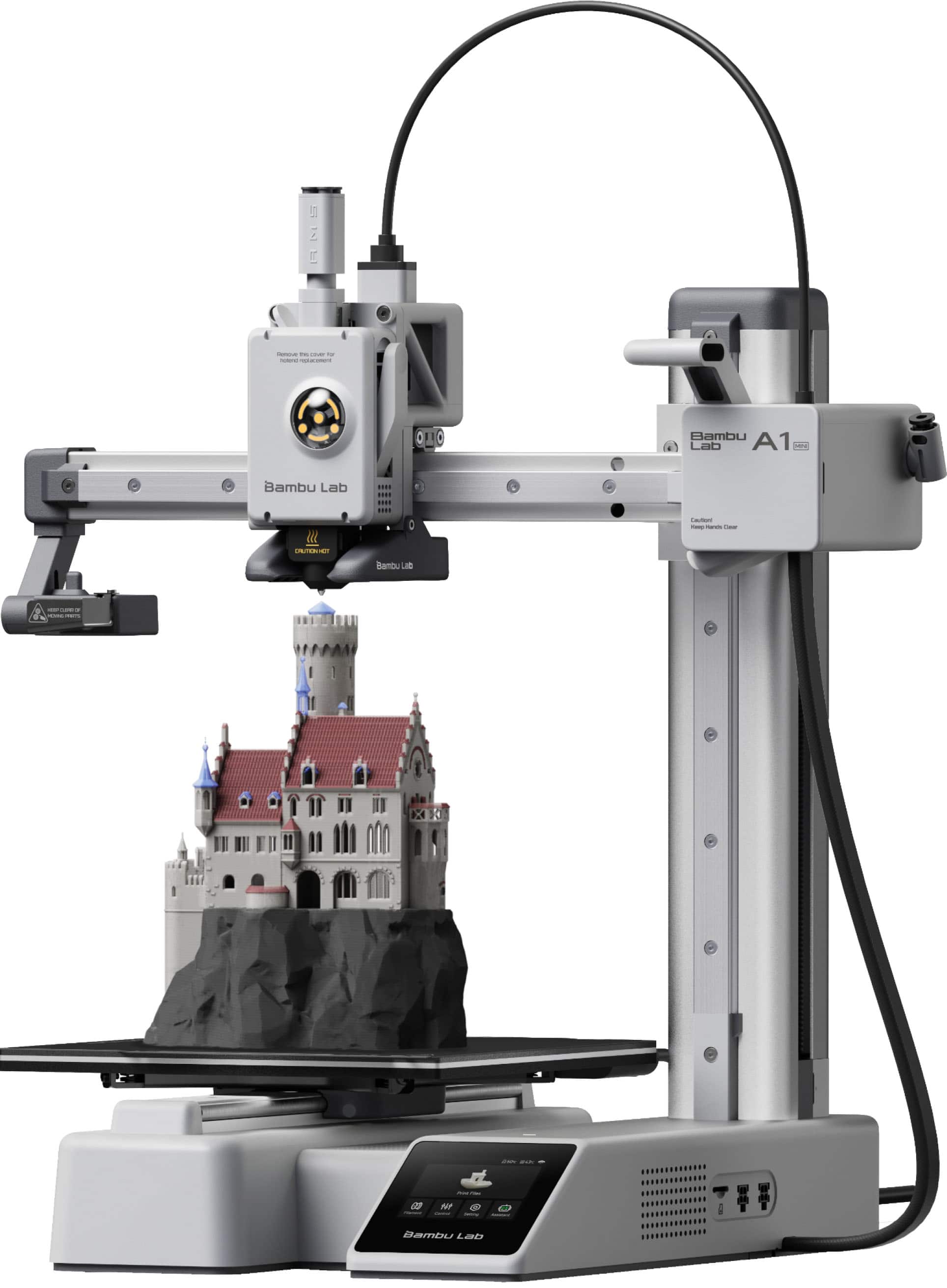
Key Features:
- Fully automatic bed leveling and flow-rate calibration before every print
- 180 × 180 × 180 mm build volume with a magnetic textured PEI plate
- Quick-swap hotend design that can be replaced in minutes without tools
- Input shaping and vibration compensation for fast, clean acceleration
- Optional AMS lite for four-color printing
- Phone app and desktop slicer with pre-tuned filament profiles
✓ Pros:
- • Automated calibration removes the biggest beginner failure mode
- • Very short unboxing-to-first-print time according to owner feedback
- • Quiet operation relative to open-frame printers in its class
- • Strong software ecosystem with tested profiles for common filaments
- • Compact footprint that fits on a small desk
✗ Cons:
- • Small 180 mm build volume limits larger projects
- • Multi-color requires the separately sold AMS lite, which adds significant cost
- • Replacement parts come primarily from the manufacturer ecosystem
- • Not enclosed, so drafts and dust can affect larger ABS prints
Best For:
First-time buyers who want the highest probability of a successful print with the least troubleshooting.
What Customers Say:
Customers Love:
- ✓ Owners repeatedly describe printing successfully on the first attempt without touching a leveling knob
- ✓ Reviewers highlight how quickly it goes from box to finished model, often within an hour
- ✓ Many note it replaced an older printer that required constant tuning
- ✓ Print quality on small functional parts and miniatures is described as consistent across long sessions
- ✓ App-based workflow gets frequent praise from buyers who print from a phone
Common Concerns:
- ⚠ The 180 mm build volume is the most common complaint, with buyers outgrowing it for larger props
- ⚠ Some users report the AMS lite accessory is nearly essential for multi-color and pushes total cost up sharply
- ⚠ A minority mention occasional nozzle clogs when using third-party abrasive filaments
Expert Take:
Why It's Highly Rated:
It earns its rating by eliminating setup friction rather than by winning spec-sheet comparisons. Buyers consistently report successful prints early and often, which is the single strongest driver of positive reviews in this category.
It delivers Klipper firmware, input shaping, and 500 mm/s class motion for under $270, which is more performance per dollar than anything else on this list.
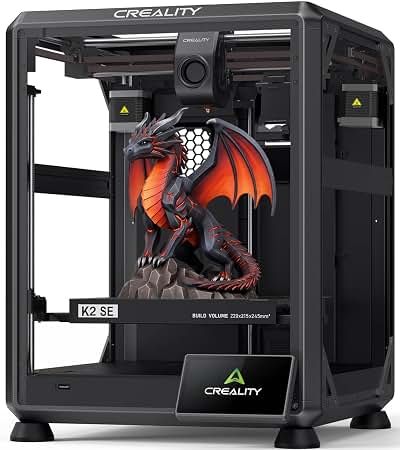
Key Features:
- Klipper firmware with input shaping for genuinely usable high-speed printing
- 225 × 225 × 265 mm build volume with PEI-coated spring steel plate
- 121-point automatic bed leveling with included strain gauge sensor
- Direct-drive extruder supporting PLA, PETG, TPU, and ABS
- Dual Z-axis lead screws for stability on tall prints
- 4.3-inch touchscreen with Wi-Fi and remote print management
✓ Pros:
- • Klipper-based motion system delivers visibly faster prints than Marlin competitors
- • Larger and taller build volume than most sub-$300 machines
- • PEI plate included rather than sold as an upgrade
- • Direct-drive extruder handles flexible filaments well
- • Strong price-to-performance ratio at roughly $260
✗ Cons:
- • Klipper setup and slicer profiles require some willingness to read documentation
- • Open frame means no enclosure benefits for ABS or dusty environments
- • Some buyers report needing a firmware or profile update before optimal results
- • Fan noise is louder than enclosed or premium competitors
Best For:
Budget-minded buyers who want modern speed and a larger build volume and do not mind a slightly steeper learning curve.
What Customers Say:
Customers Love:
- ✓ Owners frequently note print speeds that clearly exceed older Ender-class printers on the same models
- ✓ The 121-point auto-leveling system is repeatedly described as reliable across long print sessions
- ✓ Many reviewers highlight the PEI plate as a meaningful upgrade over stock glass beds
- ✓ Buyers praise the build volume for the price, especially the 265 mm Z height
- ✓ Several reviews mention it as a strong second printer for people who already understand slicers
Common Concerns:
- ⚠ A recurring theme is that initial setup and slicer profile tuning takes longer than expected
- ⚠ Some users report needing to update firmware out of the box to fix minor issues
- ⚠ Noise levels draw occasional complaints from buyers printing in shared living spaces
Expert Take:
Why It's Highly Rated:
Customers rate it highly because it over-delivers on hardware and speed at a price point where competitors still ship legacy firmware. The complaints that exist are about setup effort, not print quality.
It takes the automation and software strengths of the A1 mini and scales them to a 256 mm build volume with optional four-color printing.
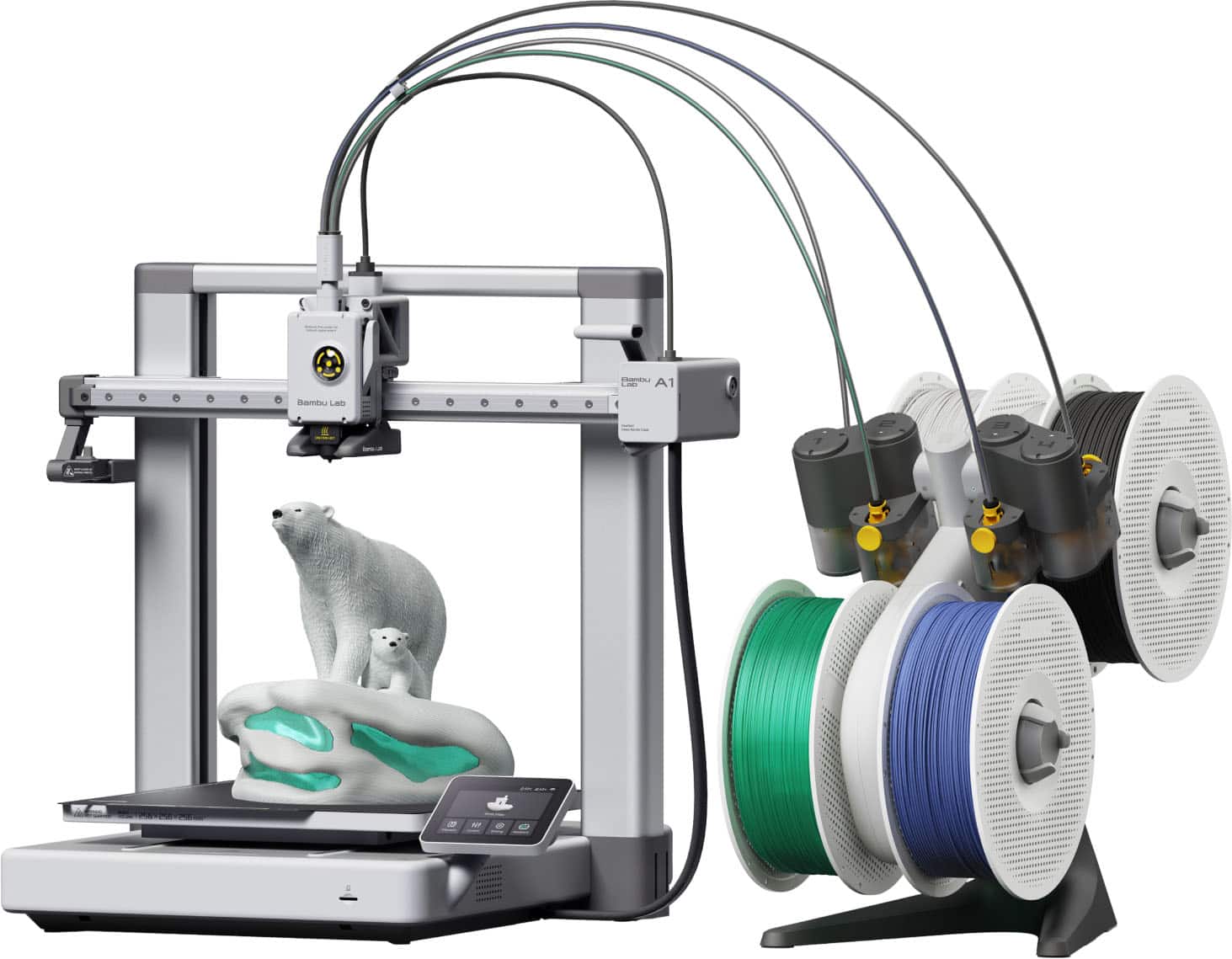
Key Features:
- 256 × 256 × 256 mm build volume with magnetic textured PEI plate
- Full automatic bed leveling plus automatic flow-rate calibration
- Active motor noise cancellation for quiet operation
- Optional AMS lite for four-color and multi-material printing
- Quick-swap hotend with high-flow capability
- Slicer and mobile app ecosystem with tested filament profiles
✓ Pros:
- • Highest overall rating on this list with a large verified review base
- • Large 256 mm build cube covers most beginner and intermediate projects
- • Automation removes nearly all manual calibration steps
- • Quiet enough for shared living and office spaces
- • Optional multi-color upgrade path without replacing the printer
✗ Cons:
- • Costs roughly $100 more than the A1 mini for the same core experience
- • Open frame limits ABS and other high-shrink materials
- • AMS lite adds significant cost if bought separately
- • Larger footprint requires more desk or shelf space
Best For:
Buyers who want a long-term first printer with room to grow into multi-color printing.
What Customers Say:
Customers Love:
- ✓ Reviewers consistently praise first-layer quality without manual adjustment
- ✓ Many describe it as quiet enough to run overnight in a living space
- ✓ Owners highlight the 256 mm volume as the reason they chose it over the A1 mini
- ✓ Multi-color prints with the AMS lite are widely described as reliable once profiles are set
- ✓ Several reviewers note it replaced two older printers and reduced their total maintenance time
Common Concerns:
- ⚠ Price is the most common objection, especially with the AMS lite bundled
- ⚠ Some buyers report the open frame makes ABS printing difficult without an enclosure
- ⚠ A small number mention accessory availability as a reason to stay within the Bambu ecosystem
Expert Take:
Why It's Highly Rated:
It combines a large build volume with the automation and software quality that buyers value most, and the high verified-purchase review volume suggests the rating reflects sustained ownership rather than early excitement.
It brings auto-leveling and a direct-drive extruder to the $199 price point, which was unthinkable on budget printers just a few years ago.
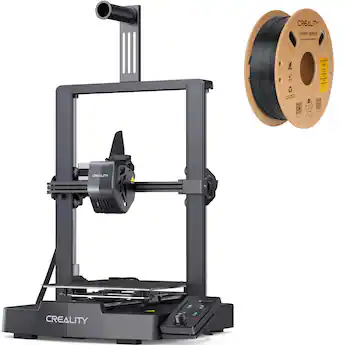
Key Features:
- CR-Touch automatic bed leveling out of the box
- Sprite direct-drive extruder for better filament control and TPU support
- 220 × 220 × 250 mm build volume
- PC spring steel build plate with textured surface for adhesion
- Rated print speeds up to 250 mm/s
- Simple assembly with pre-installed major components
✓ Pros:
- • Auto-leveling and direct drive at a price point that previously had neither
- • Reliable first layers reported across a very large review base
- • Large community with widely documented fixes and upgrades
- • Affordable replacement parts and abundant third-party accessories
- • Fast, straightforward assembly compared with older Ender kits
✗ Cons:
- • Fan noise is louder than premium and enclosed competitors
- • Open frame makes ABS and other draft-sensitive materials harder
- • Slicer setup requires more manual input than Bambu's ecosystem
- • Plastic-y frame components relative to machines costing twice as much
Best For:
First-time buyers with a firm budget who still want automatic leveling and a direct-drive extruder.
What Customers Say:
Customers Love:
- ✓ Auto-leveling is repeatedly singled out as reliable and a major improvement over manual Ender models
- ✓ Buyers praise how quickly they went from box to first successful print
- ✓ TPU and flexible filament printing is commonly cited as working well with the direct drive
- ✓ Many reviewers describe it as an ideal first printer that does not require constant tinkering
- ✓ Value for money at around $200 is the most frequent compliment
Common Concerns:
- ⚠ Fan noise draws repeated complaints, especially during long prints
- ⚠ Some buyers report that ABS prints struggle without an enclosure or draft shield
- ⚠ A minority mention needing to adjust slicer settings beyond the defaults for best results
Expert Take:
Why It's Highly Rated:
It delivers two features that directly prevent beginner frustration — automatic leveling and direct-drive extrusion — at the lowest price in this guide, and the very large review base suggests the rating reflects broad, sustained satisfaction.
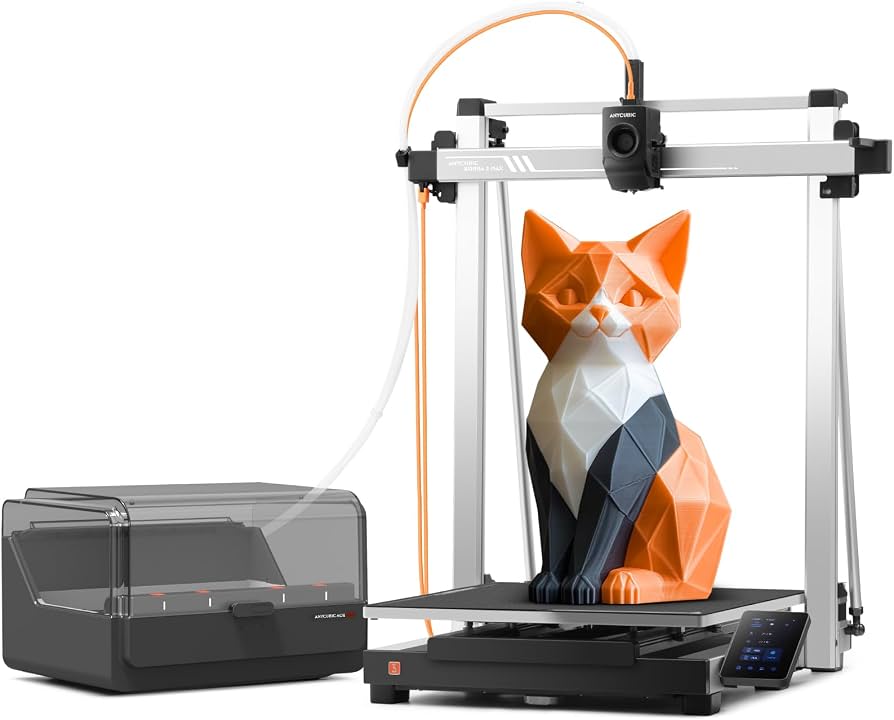
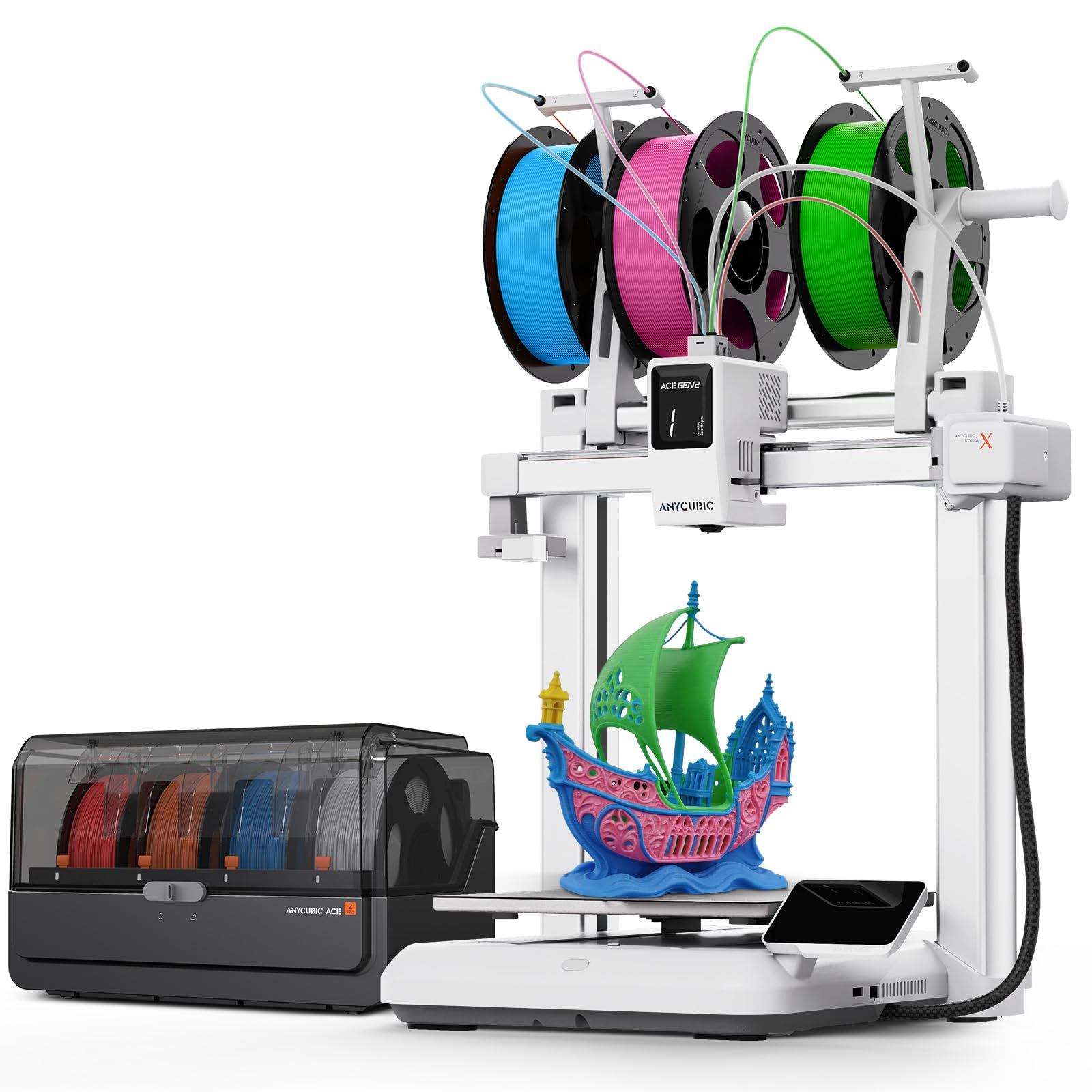
It is the most affordable way to get a four-color multi-material system included rather than sold as a separate accessory.
Key Features:
- Includes ACE multi-color unit supporting up to four filament spools
- 250 × 250 × 260 mm build volume with PEI spring steel plate
- Direct-drive extruder with automatic bed leveling
- Manufacturer-rated print speeds up to 600 mm/s with vibration compensation
- Filament runout detection and print-resume capability
- Touchscreen interface with app-based monitoring
✓ Pros:
- • Multi-color hardware included rather than sold separately
- • Large 250 mm build volume at a mid-range price
- • Direct-drive extruder with automatic leveling keeps setup simple
- • Bundled pricing makes it cheaper than most competing multi-color setups
- • Solid print quality in single-color mode as well
✗ Cons:
- • Multi-color printing produces significant filament waste through purge towers
- • ACE unit takes up extra desk space and adds maintenance steps
- • Some buyers report needing to tune swap settings to avoid stringing
- • Speed claims are rarely achieved with quality results on complex models
Best For:
Beginners who specifically want multi-color printing without buying an accessory separately.
What Customers Say:
Customers Love:
- ✓ Buyers consistently highlight the included ACE unit as outstanding value versus add-on systems
- ✓ Multi-color prints are described as reliable once initial calibration is complete
- ✓ The 250 mm build volume gets frequent praise as larger than expected at this price
- ✓ Single-color print quality is reported as strong, so the machine is not wasted if you rarely use multi-color
- ✓ Setup is described as straightforward for a bundled multi-material system
Common Concerns:
- ⚠ Filament waste from purge towers surprises many first-time multi-color buyers
- ⚠ Some users report stringing between color changes until settings are tuned
- ⚠ Desk footprint with the ACE attached is larger than photos suggest
Expert Take:
Why It's Highly Rated:
It solves the cost problem that has kept multi-color printing out of reach for beginners, and buyers reward that with high ratings when the bundled hardware performs as advertised.
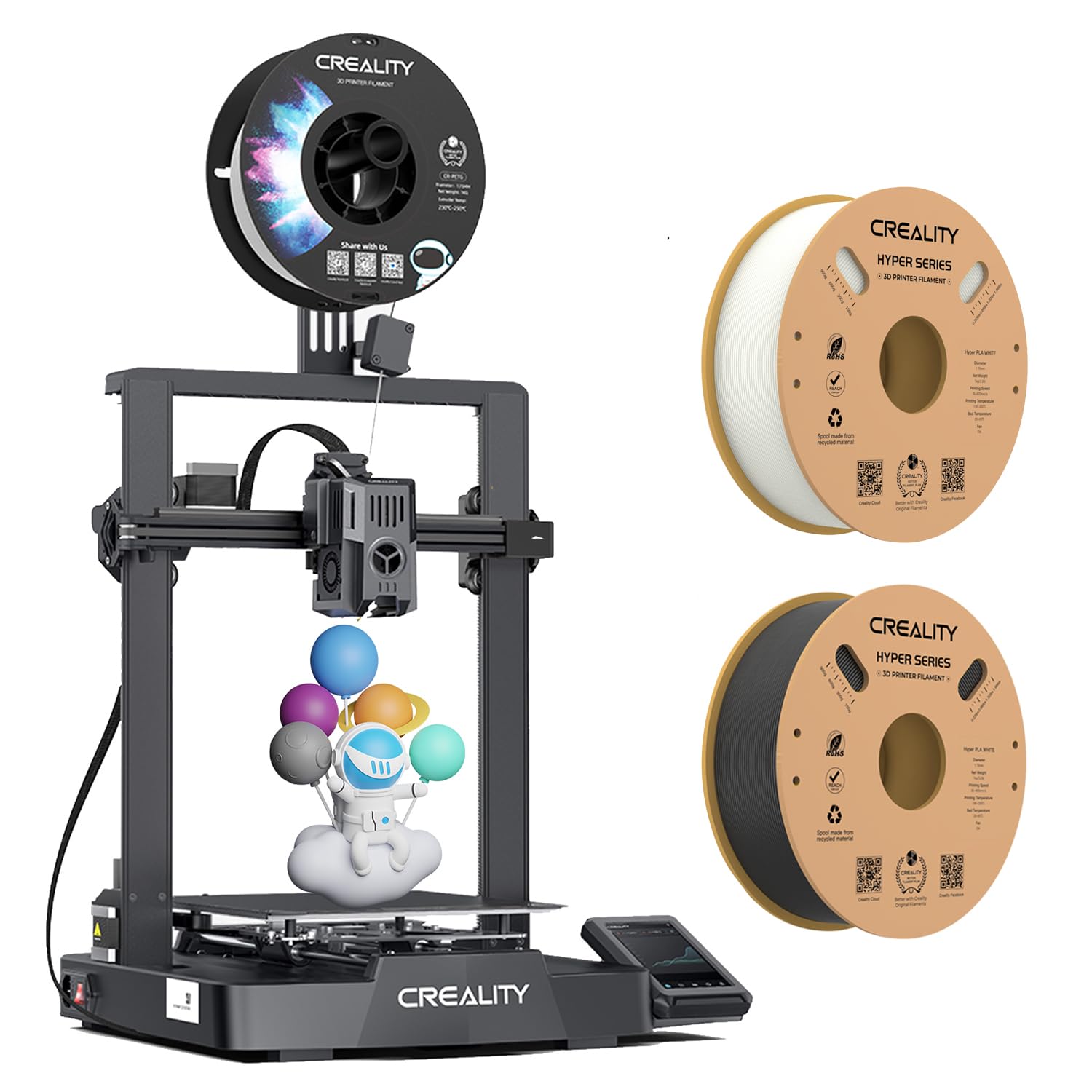
It balances Creality's huge ecosystem and part availability with Klipper-class speed and modern calibration for under $300.
Key Features:
- Klipper firmware with input shaping for high-acceleration printing
- CR-Touch auto-leveling with automatic Z-offset
- 220 × 220 × 240 mm build volume with spring steel PEI plate
- Direct-drive extruder with high-flow hotend
- Manufacturer-rated speeds up to 500 mm/s
- Wi-Fi connectivity and touchscreen control
✓ Pros:
- • Klipper performance at a sub-$300 price
- • Automatic leveling and Z-offset reduce beginner setup friction
- • Backed by Creality's extensive parts and upgrade ecosystem
- • High-flow hotend supports faster printing without quality loss on most models
- • Spring steel PEI plate improves both adhesion and removal
✗ Cons:
- • Open frame limits high-shrink materials like ABS
- • Wi-Fi connectivity issues are reported by some buyers
- • Fan noise remains noticeable during long prints
- • Interface polish trails the Bambu ecosystem
Best For:
Buyers who want modern Klipper speed and proven brand support without crossing the $300 mark.
What Customers Say:
Customers Love:
- ✓ Faster print times versus the V3 SE are commonly reported as the main upgrade benefit
- ✓ Auto-leveling and automatic Z-offset are praised for producing consistent first layers
- ✓ Many buyers cite Creality's part availability as a reason for choosing this over newer brands
- ✓ Print quality on PLA and PETG is described as excellent for the price
- ✓ The PEI plate and direct-drive combination is a frequent point of praise
Common Concerns:
- ⚠ Wi-Fi and app connectivity issues come up repeatedly in critical reviews
- ⚠ Fan noise is still an issue for buyers in apartments
- ⚠ Some owners note ABS printing is impractical without adding an enclosure
Expert Take:
Why It's Highly Rated:
It hits a price-to-capability ratio that is hard to argue with, and the brand's large existing user base means buyers can find help for nearly any problem, which shows up as consistent positive feedback.
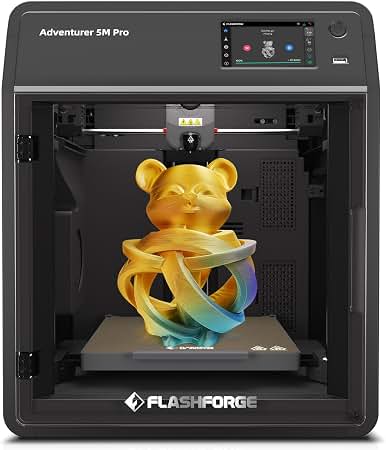
It offers a fully enclosed chamber with air filtration and a quick-swap nozzle system at a price well below most enclosed competitors.
Key Features:
- Fully enclosed chamber with HEPA and activated carbon air filtration
- Core-XY motion system with manufacturer-rated speeds up to 600 mm/s
- 220 × 220 × 220 mm build volume
- Quick-swap nozzle design for fast maintenance
- Built-in camera for remote print monitoring
- Automatic bed leveling with quiet operation mode
✓ Pros:
- • Enclosed chamber enables ABS and ASA printing without a separate build
- • Air filtration addresses particulate and odor concerns in shared spaces
- • Core-XY design supports high acceleration with good stability
- • Quick-swap nozzle simplifies one of the most common maintenance tasks
- • Quieter than most open-frame printers in this price range
✗ Cons:
- • 220 mm build cube is small relative to the price
- • App and software are less polished than the Bambu ecosystem
- • Costs roughly $150 more than comparable open-frame machines
- • Internal spool placement is awkward for some filament sizes
Best For:
Buyers who need to print ABS or ASA, or who share their space with pets, kids, or coworkers.
What Customers Say:
Customers Love:
- ✓ The enclosed chamber and filtration are the most frequently cited reasons for purchase and satisfaction
- ✓ ABS printing success is reported far more often than with open-frame machines
- ✓ Quiet operation draws frequent praise from apartment dwellers and office users
- ✓ Quick nozzle changes are highlighted as a genuine time-saver
- ✓ Print quality on PLA and PETG is described as consistent and clean
Common Concerns:
- ⚠ Build volume is smaller than expected for the price point
- ⚠ Some buyers find the app and software less capable than competing ecosystems
- ⚠ A minority report the internal spool holder fits awkwardly with larger spools
Expert Take:
Why It's Highly Rated:
It solves problems that open-frame printers cannot, and the buyers who need those solutions reward it accordingly. The rating reflects a satisfied niche rather than universal appeal.
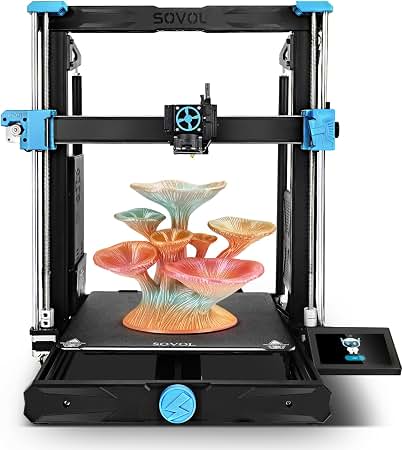
It offers a 300 × 300 × 340 mm build volume with an all-metal direct-drive extruder for around $299, the largest printing envelope in this guide.
Key Features:
- 300 × 300 × 340 mm build volume — the largest in this guide
- All-metal direct-drive extruder supporting higher-temperature filaments
- Dual Z-axis lead screws for stability on tall prints
- Inductive automatic bed leveling sensor
- PEI-coated spring steel build plate
- 32-bit mainboard with quiet stepper drivers
✓ Pros:
- • Largest build volume available in the $300 price range
- • All-metal direct-drive hotend handles PETG, TPU, and higher-temp materials
- • Dual Z screws keep tall prints stable
- • Rigid full-gantry frame compared to cantilever designs
- • Strong value for buyers whose projects are size-constrained
✗ Cons:
- • Slower acceleration than compact core-XY and bed-slinger designs
- • Smaller community and fewer aftermarket upgrades than Creality or Bambu
- • Assembly required, which some beginners find tedious
- • Leveling a large bed is inherently more demanding than a small one
Best For:
Buyers whose projects regularly exceed 250 mm and who prioritize print size over speed.
What Customers Say:
Customers Love:
- ✓ The large build volume is the most common reason given for purchase and satisfaction
- ✓ Reviews frequently mention the all-metal direct-drive extruder handling PETG and TPU well
- ✓ Buyers describe successful tall prints that were impossible on smaller machines
- ✓ Assembly is generally reported as straightforward for a kit printer
- ✓ Value for the size is repeatedly highlighted
Common Concerns:
- ⚠ Print speed is noticeably slower than Klipper-based competitors
- ⚠ Some owners report the larger bed requires more frequent leveling checks
- ⚠ Community documentation is thinner than for Creality or Bambu machines
Expert Take:
Why It's Highly Rated:
It delivers a class-leading build volume at a price where competitors cap out around 250 mm, and buyers who need that size consistently report it works reliably.
It pairs a 9K high-resolution LCD with tilt-release technology and AI camera monitoring, removing two of the most failure-prone parts of resin printing.
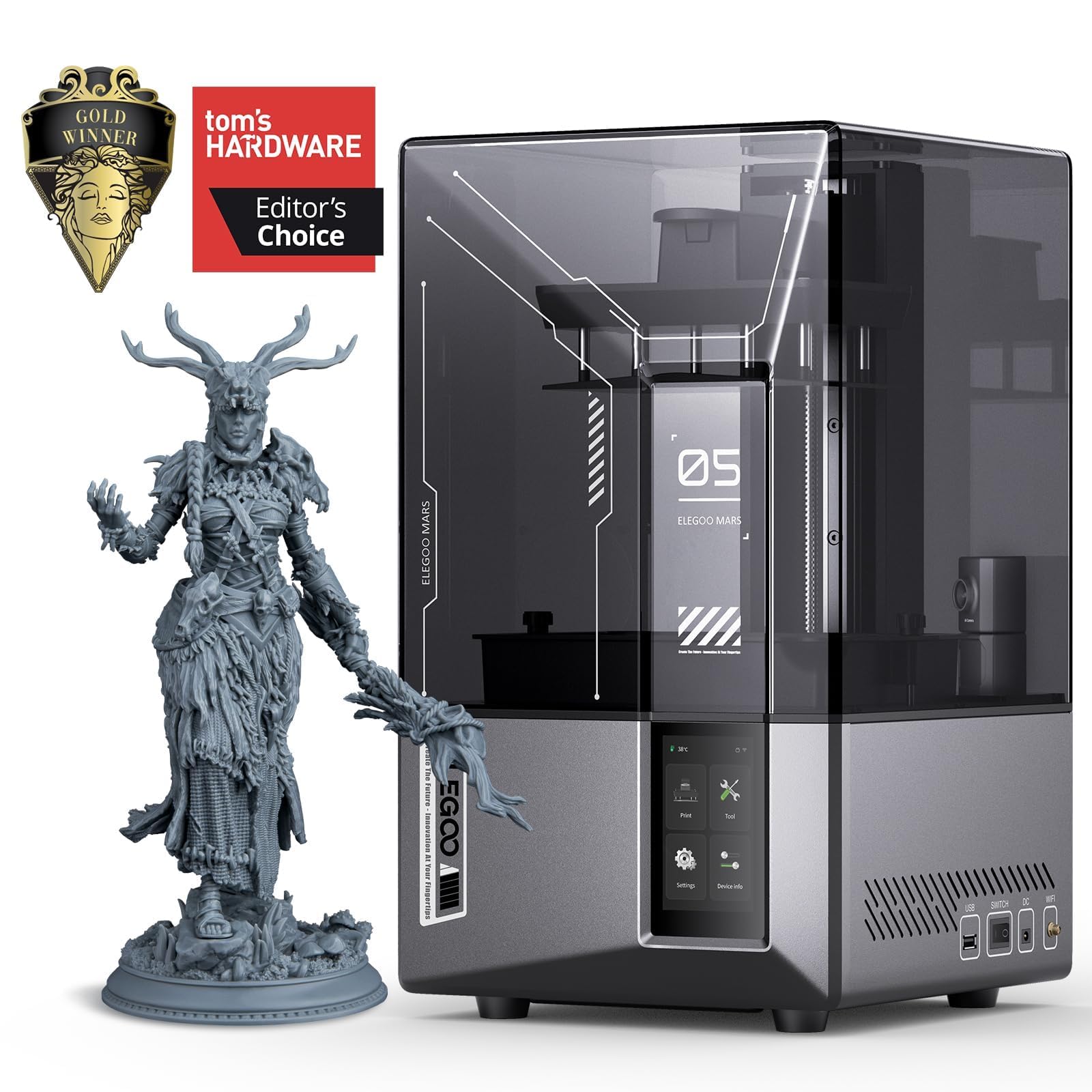
Key Features:
- 9K mono LCD delivering very fine detail on small models
- Tilt-release vat mechanism reducing peel forces and failure rates
- AI camera monitoring with error detection and auto-pause
- Fast layer exposure times for quicker resin prints
- Compact footprint suited to a dedicated hobby workspace
- Compatible with a broad range of standard resins
✓ Pros:
- • Detail resolution far beyond any FDM printer for miniatures and small parts
- • Tilt-release design reduces print failures caused by suction forces
- • Camera monitoring helps catch failed prints early
- • Fast exposure times compared to older resin printers
- • Strong rating base with consistently positive detail-quality feedback
✗ Cons:
- • Requires washing, curing, gloves, ventilation, and additional consumables
- • Resin is a skin sensitizer and must be handled carefully
- • Build volume is small — this is not a machine for large parts
- • Total entry cost is higher than the printer price suggests
Best For:
Hobbyists printing miniatures, tabletop figures, jewelry masters, or finely detailed small models.
What Customers Say:
Customers Love:
- ✓ Detail quality on miniatures is the most frequently praised attribute
- ✓ Tilt-release technology is credited with far fewer failed prints than earlier models
- ✓ The camera monitoring feature is repeatedly called a genuine quality-of-life improvement
- ✓ Fast exposure times are noted by buyers upgrading from older resin printers
- ✓ Setup is described as simpler than expected for a first resin printer
Common Concerns:
- ⚠ The hidden costs of wash-and-cure equipment and consumables surprise many new buyers
- ⚠ Ventilation and odor requirements make it unsuitable for bedrooms
- ⚠ Resin handling requires gloves and care due to skin sensitivity
Expert Take:
Why It's Highly Rated:
It removes the two biggest failure modes in resin printing and delivers detail quality that buyers specifically bought it for, which keeps satisfaction high despite the extra workflow requirements.
It pairs manufacturer-rated 500 mm/s speeds with vibration compensation and a notably quiet stepper setup at a sub-$250 price.
Key Features:
- Vibration compensation to reduce ringing at high acceleration
- Manufacturer-rated print speeds up to 500 mm/s
- Automatic bed leveling with strain-gauge sensor
- 220 × 220 × 250 mm build volume with PEI spring steel plate
- Direct-drive extruder with filament runout detection
- Touchscreen interface with app connectivity
✓ Pros:
- • Faster print completion than most machines at this price
- • Quieter operation than older Ender-class printers
- • Automatic leveling and direct drive included as standard
- • PEI plate improves adhesion and part removal
- • Attractive price point around $239
✗ Cons:
- • Advertised top speeds produce artifacts unless acceleration is reduced
- • Open frame excludes practical ABS printing
- • Slicer and app ecosystem is less developed than competitors
- • Build volume is smaller than the Sovol SV06 Plus for similar money
Best For:
Buyers who want fast, quiet printing on a tight budget and mostly work in PLA and PETG.
What Customers Say:
Customers Love:
- ✓ Print speed relative to older budget printers is the most common compliment
- ✓ Quiet operation surprises many buyers who expected a noisy machine
- ✓ Auto-leveling is described as reliable and beginner-friendly
- ✓ Print quality on PLA is consistently described as clean
- ✓ Buyers frequently mention the price-to-performance ratio as the deciding factor
Common Concerns:
- ⚠ Top advertised speeds are described as producing visible ringing unless dialed back
- ⚠ Some users find the slicer software less intuitive than alternatives
- ⚠ ABS printing is impractical without an enclosure
Expert Take:
Why It's Highly Rated:
It delivers high-speed printing and quiet operation at a price where most competitors offer one or the other, and buyers consistently report that the machine performs as advertised on standard materials.
With more than ten thousand ratings, it has the deepest and longest-running review history of any printer in this guide.
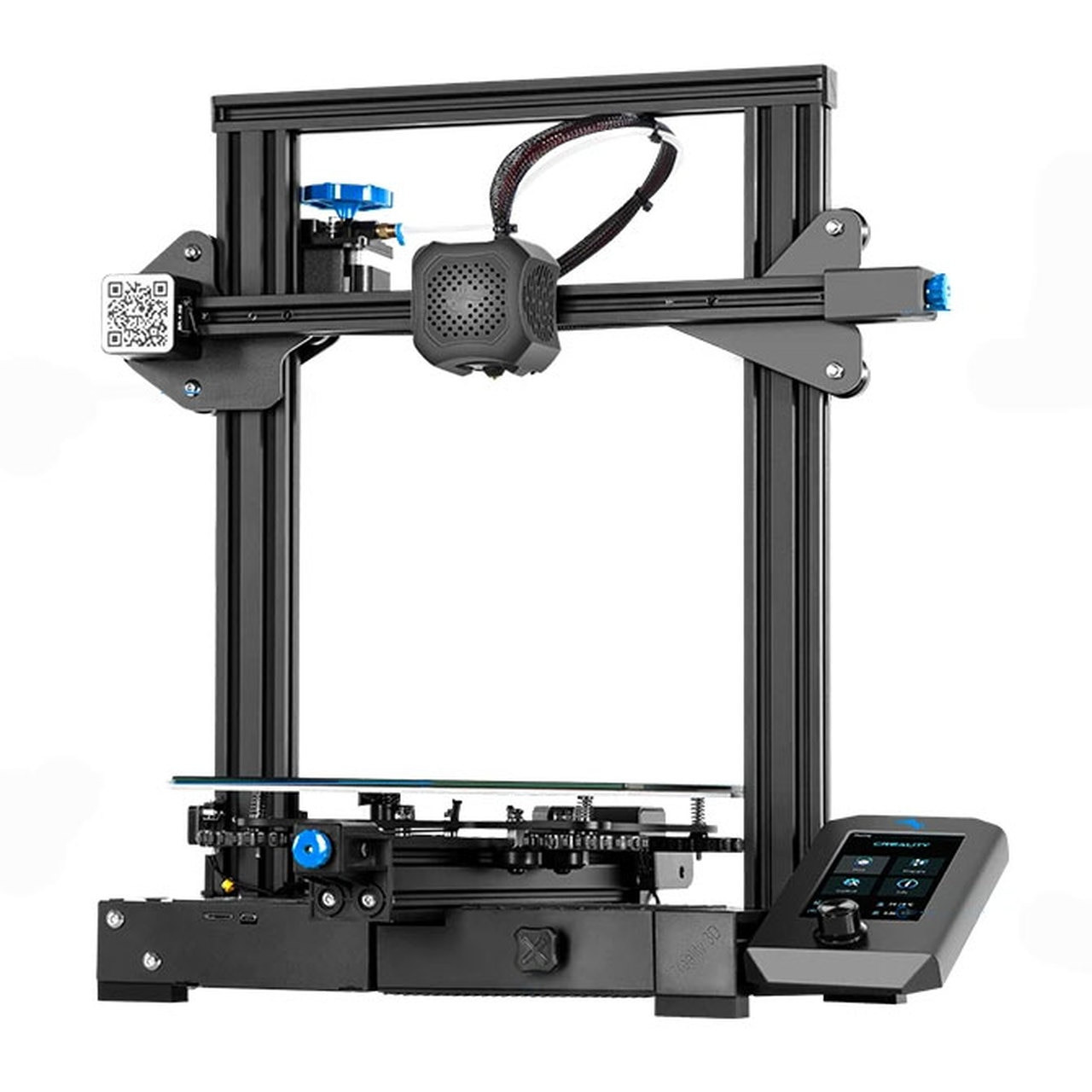
Key Features:
- 220 × 220 × 250 mm build volume
- Glass carborundum build plate
- Silent stepper motor drivers with 32-bit mainboard
- Color LCD interface with tool-change preview
- Extensive third-party upgrade and mod ecosystem
- Manual bed leveling with adjustable spring mounts
✓ Pros:
- • Largest and deepest review base of any printer in this guide
- • Enormous community with documented fixes for nearly every issue
- • Very affordable replacement parts and abundant upgrades
- • Proven long-term reliability when properly maintained
- • Excellent platform for learning how 3D printers work
✗ Cons:
- • No automatic bed leveling — manual leveling required regularly
- • Bowden extruder limits flexible filament performance
- • Slower than modern Klipper-based competitors at similar prices
- • Glass bed adhesion requires more attention than textured PEI
Best For:
Tinkerers and learners who want the most widely documented printer platform available.
What Customers Say:
Customers Love:
- ✓ The size of the community and volume of available help is the most frequent compliment
- ✓ Many reviewers describe multi-year ownership with routine maintenance only
- ✓ Modding and upgrade potential is praised by buyers who enjoy customizing
- ✓ Print quality is described as dependable once the machine is properly leveled
- ✓ Price and parts availability come up repeatedly as reasons for satisfaction
Common Concerns:
- ⚠ Manual bed leveling is the most common complaint and the biggest beginner hurdle
- ⚠ Bowden extruder makes TPU printing difficult without modification
- ⚠ Print speed feels dated compared with newer machines at the same price
Expert Take:
Why It's Highly Rated:
Its rating is backed by more verified reviews than any other printer here, accumulated over years of ownership, and the machine's simplicity and modularity make it easy to keep running.
Its all-metal Sprite direct-drive extruder reaches 300°C, making it one of the most material-flexible machines available in this price range.
Key Features:
- Sprite all-metal direct-drive extruder reaching 300°C
- 220 × 220 × 270 mm build volume
- CR-Touch automatic bed leveling with 16-point measurement
- Dual Z-axis lead screws for stability
- PEI spring steel magnetic build plate
- Filament runout sensor and power-loss recovery
✓ Pros:
- • 300°C all-metal hotend supports a wider range of materials than most budget printers
- • Direct-drive extruder handles TPU well without modification
- • Dual Z screws improve tall print stability
- • PEI plate and runout sensor reduce common print failures
- • Deep discounting frequently brings it under $300
✗ Cons:
- • Slower than Klipper-based machines at similar prices
- • Open frame means high-temperature materials still need an enclosure
- • Touchscreen interface is less intuitive than competitors'
- • Assembly required, which some beginners find tedious
Best For:
Buyers who want to print flexible and higher-temperature filaments without exceeding a $300 budget.
What Customers Say:
Customers Love:
- ✓ The all-metal direct-drive extruder is the most frequently praised feature
- ✓ TPU and flexible filament printing success is reported far more often than with Bowden machines
- ✓ Dual Z screws are credited with stable tall prints
- ✓ The PEI plate is described as a significant improvement over glass
- ✓ Frequent discount pricing is noted as strong value
Common Concerns:
- ⚠ Some buyers find it slower than expected compared to newer Klipper printers
- ⚠ High-temperature filaments still struggle without an enclosure
- ⚠ A minority report the touchscreen menu takes getting used to
Expert Take:
Why It's Highly Rated:
It offers material capability that most budget printers lack, and buyers who need that capability consistently report it working as promised, which keeps the average rating high despite the machine's age.
Buying Guide
What to Look For in 3D Printers
- ▶Automatic bed leveling — CR-Touch, load-cell, or full-auto calibration, the single most important beginner feature
- ▶Direct-drive extruder — better retraction control and support for flexible filaments like TPU
- ▶Input shaping and vibration compensation — what makes advertised high speeds actually usable
- ▶Heated bed reaching 100°C or higher — required for PETG and ABS-class materials, not just PLA
- ▶Textured PEI build plate — dramatically better first-layer adhesion and easier part removal than glass or stock stickers
- ▶High-flow hotend with 300°C capability — unlocks PETG, TPU, and some engineering filaments as you grow
- ▶Quiet stepper drivers and enclosed frame — matters in apartments and shared living spaces
- ▶App and cloud slicing support — convenience feature, not a necessity, but a genuine differentiator for beginners
- ▶Multi-color system compatibility — AMS or ACE units are the main reason to pay above $400
- ▶Wide community and part availability — the unglamorous feature that determines year-three ownership experience
- ▶Sensor safety features — filament runout detection and power-loss recovery prevent wasted spools and failed overnight prints
- ▶Marketing claims to discount — extreme top-speed numbers, 'no assembly' claims on kit machines, and bundled filament of unknown quality