Review Atlas
Review AtlasYour guide to a better purchase

Menu

Shop by Category

Get the App

Better experience on mobile

????????????????????????

Should I Buy Surface Pro 11? 2026 Guide

We break down if the $999 Surface Pro 11 fits your needs, budget, and workflow amid ARM compatibility fears and accessory costs.

Recommendation: depends
🛒 Buy on AmazonAs an Amazon Associate we earn from qualifying purchases.

Quick Answer

Surface Pro 11 excels as a premium 2-in-1 for mobile creators and pros, but ARM quirks and extras make it wrong for budgets or power users. Ideal if touch/battery trumps all—otherwise, alternatives like Lenovo Yoga shine. Test compatibility before committing.

You're eyeing the Surface Pro 11 but hesitating— is this $999 2-in-1 the ultimate portable powerhouse or an overpriced tablet with laptop compromises? Many consider it for its sleek design, insane battery life, and AI smarts, but worries about app compatibility on ARM, extra costs for keyboard/stylus, and comparisons to MacBooks or iPads stop them cold.

Common questions swirl: Will Windows apps run smoothly? Is it worth it over cheaper alternatives? Does it replace your laptop? This guide tackles these head-on with real user insights from Reddit, Amazon reviews, and forums. We'll cover pros, cons, and a decision framework. Preview: It depends—perfect for mobile pros, skip if you're budget-tight or gaming-heavy.

What is Surface Pro 11?

The Surface Pro 11 (11th edition, 2024) is a premium 2-in-1 device that kicks off Microsoft's Copilot+ PC lineup. It's a tablet that snaps onto a keyboard (sold separately) to become a full Windows 11 laptop, with a stunning 13-inch display (OLED option), Snapdragon X chips delivering MacBook-like battery (14+ hours), and AI tools like Recall and Cocreator.

Made by Microsoft, buy it from their store, Best Buy, or Amazon. It's popular for blending iPad portability with laptop power—ideal for note-taking, creative work, or travel. What sets it apart: Native ARM architecture for efficiency, kickstand for freestyle use, and seamless integration with Microsoft 365/OneDrive.

Why the Hesitation?

High price is the top hurdle—$999 base (128GB/16GB) jumps to $1,800+ with Flex Keyboard ($350) and Slim Pen ($130), feeling like a nickel-and-dime scheme. ARM-based Snapdragon means some x86 apps run via emulation (Prism), sparking fears of performance hiccups; Reddit users report Photoshop lags or VPN issues.

Buyer's remorse hits over 'tablet pretending to be a laptop'—no built-in ports beyond two USB-C, awkward for desk work without dock. Timing doubts: Wait for app maturity or Intel refresh? Many eye alternatives like iPad Pro (cheaper accessories) or Lenovo Yoga (full ports). Reviews cite repairability woes (glued SSD) and resale dips.

Key Reasons TO Buy

  • Exceptional battery life (14-20 hours) crushes traditional laptops, perfect for all-day unplugged work.
  • Versatile 2-in-1 form: Tablet for sketching/reading, laptop for productivity—Snapdragon X Elite matches M3 MacBook Air in benchmarks.
  • Copilot+ AI features like Live Captions, Studio Effects, and Recall boost creativity and efficiency.
  • Stunning 120Hz OLED display with touchscreen/stylus support excels for artists, designers, note-takers.
  • Lightweight (1.95 lbs without keyboard) and premium build for ultimate portability.
  • Seamless Windows ecosystem integration with Xbox, Office, and future AI updates.
  • Excellent webcam/mics for video calls; users rave about real-world speed post-Windows updates.
  • Strong future-proofing with 3-year support and improving ARM app ecosystem.

Key Reasons NOT to Buy

  • Accessories extra: $350+ for keyboard/stylus, inflating total cost to $1,500+.
  • ARM compatibility gaps: Emulation slows pro apps like AutoCAD, some games; not for heavy Adobe/gaming.
  • Limited ports (2x USB-C)—need dock ($200+) for HDMI/USB-A.
  • Base model skimps (16GB/256GB feels tight long-term; upgradable configs pricier).
  • Keyboard feels mushy vs mechanical laptops; tablet mode drains faster with heavy use.
  • Repair challenges: Soldered components, pricey Microsoft fixes.
  • Overheats under sustained loads; fans audible.
  • Better value elsewhere for pure laptop needs (e.g., Framework or Dell XPS).

Should YOU Buy? Different Scenarios

Budget-Conscious Student

✗ NO

College student on tight budget, uses for note-taking, Google Docs, light browsing; rarely edits video.

Budget: Under $800

Usage: 3-4 hours/day, mostly web/apps.

Why: Base model lacks storage; total cost exceeds budget with accessories. Better cheaper 2-in-1s handle schoolwork fine.

Consider instead: Lenovo IdeaPad Flex 5i Chromebook—solid touch, long battery, under $500.

Mobile Business Professional

✓ YES

Consultant traveling 3 days/week, heavy Excel/Teams/OneDrive user, needs all-day battery.

Budget: $1,200-$2,000

Usage: 8+ hours/day unplugged, presentations.

Why: Battery/portability/AI excel here; ARM fine for Office suite. Users love it for travel.

Creative Freelancer

✓ YES

Graphic designer using Photoshop/Illustrator, stylus sketching, occasional video.

Budget: $1,500+

Usage: Daily creative apps, pen input.

Why: OLED/stylus/AI tools boost workflow; improving ARM support via updates.

Gamer/Home Desktop User

✗ NO

Plays AAA games, stationary multi-monitor setup, video rendering.

Budget: $1,000+

Usage: Gaming/editing 4+ hours/day.

Why: Integrated graphics/ARM emulation falter; no ports for peripherals.

Consider instead: ASUS ROG Zephyrus G14—RTX GPU, full Windows x86.

Casual Remote Worker

✗ NO

Office worker hybrid schedule, emails/browsing/Zoom, wants simple laptop.

Budget: $800-$1,200

Usage: 4-6 hours/day desk-based.

Why: Overkill for basics; better keyboard/ports on clamshells save money.

Consider instead: Dell Inspiron 14 2-in-1—cheaper, Intel, full ports.

Key Factors to Consider

  • Budget: Can you swing $1,200-2,000 total with accessories?
  • Usage: Do you need touch/stylus 50%+ of time, or full laptop ergonomics?
  • Compatibility: Rely on ARM-optimized apps? Test via Windows on ARM trial.
  • Alternatives: Compared to MacBook/iPad/Dell?
  • Timing: Buy now for AI features or wait for Black Friday/ARM improvements?
  • Future needs: 3-5 years? Base storage upgrade essential.
  • Complements: Factor dock/keyboard costs.
  • Risk: Comfortable with potential emulation tweaks?
  • Opportunity cost: Skip travel perks for stationary power?
  • Priorities: Portability > raw power?

Questions to Ask Yourself

  • ?Do I need a 2-in-1 for touch/pen input, or would a clamshell laptop suffice?
  • ?Can I afford $1,500+ total including keyboard, stylus, and dock?
  • ?Will my key apps (e.g., Adobe, VPNs) run smoothly on ARM—have I checked compatibility?
  • ?How often will I use it unplugged? Need 14+ hour battery?
  • ?Am I upgrading from an old device, or is this a primary machine?
  • ?What's my tolerance for extra setup like emulation or docks?
  • ?Have I tried a Surface in-store for keyboard feel and form factor?
  • ?Is now the right time, or wait for sales/new ARM chips?
  • ?Do I value Microsoft ecosystem integration over Apple?
  • ?What's my return policy plan if compatibility disappoints?

Detailed Analysis

Surface Pro 11 shines for mobile creators, business pros, and students needing touch input—real users on r/Surface praise it as 'iPad Pro killer' for OneNote sketching and Teams calls. In daily use, browsing/Office flies; benchmarks show Geekbench parity with M3, but emulation hits multi-threaded tasks.

Vs alternatives: Beats iPad Pro in desktop apps but loses on iPadOS ecosystem/price. MacBook Air M3 ($1,099) wins portability/battery sans touch; Lenovo Yoga 9i ($1,200) offers better keyboard/ports. Amazon's B0D5HGY8L5 listings average 4.5 stars, lauding battery but docking compatibility.

Long-term: ARM Windows maturing (90% app compatibility now), good resale (~70% after 2 years). Experts (The Verge, Laptop Mag) call it 'best Surface yet' but note ecosystem lag. Trends: AI PCs rising; competition from Samsung Galaxy Book4 Edge. Future: Windows updates fix emulation; avoid if needing peak GPU.

Related Products & Alternatives

Microsoft Surface Pro 11 (Snapdragon X Elite, 16GB/512GB)
#1
upgrade

Microsoft Surface Pro 11 (Snapdragon X Elite, 16GB/512GB)

$999

The core product itself—start here if it fits. Configs vary; check OLED upgrade for creatives.

💡 Why We Recommend It

Direct match for your consideration; Amazon Prime shipping.

Best For

Primary buyers ready to pull trigger.

🛒 Check Price on Amazon →
Surface Pro Signature Keyboard with Slim Pen
#2
accessory

Surface Pro Signature Keyboard with Slim Pen

$349

Must-have to turn tablet into laptop. Slim Pen included for notes; backlit, haptic feedback.

💡 Why We Recommend It

Eliminates biggest hesitation—full productivity setup.

Best For

Anyone buying the Pro; bundle saves.

🛒 Check Price on Amazon →
Surface Slim Pen 2 (standalone)
#3
accessory

Surface Slim Pen 2 (standalone)

$129

Pressure-sensitive stylus with zero-force inking; charges magnetically on keyboard.

💡 Why We Recommend It

Unlocks drawing/notes; many regret skipping.

Best For

Artists/students.

🛒 Check Price on Amazon →
Surface Dock 2
#4
complement

Surface Dock 2

$259

Adds 2x DisplayPort, Ethernet, 4x USB-A—solves port woes for desk use.

💡 Why We Recommend It

Essential for multi-monitor/home office.

Best For

Hybrid workers.

🛒 Check Price on Amazon →
MoKo Surface Pro Case
#5
protection

MoKo Surface Pro Case

$25

Rugged folio case with kickstand; protects screen/edges affordably.

💡 Why We Recommend It

Cheap insurance vs $200 Microsoft sleeve.

Best For

Travelers on budget.

🛒 Check Price on Amazon →
Lenovo Yoga 7i 2-in-1 (Intel Core Ultra)
#6
alternative

Lenovo Yoga 7i 2-in-1 (Intel Core Ultra)

$849

Similar 14-inch touch/pen, but x86 Intel, included keyboard, more ports.

💡 Why We Recommend It

If ARM scares you—better compatibility.

Best For

Budget/compatibility-focused.

🛒 Check Price on Amazon →
Anker 553 USB-C Hub
#7
complement

Anker 553 USB-C Hub

$49

8-in-1 dock: HDMI, SD, Ethernet for Surface's USB-C.

💡 Why We Recommend It

Affordable port expansion.

Best For

Multi-monitor users.

🛒 Check Price on Amazon →
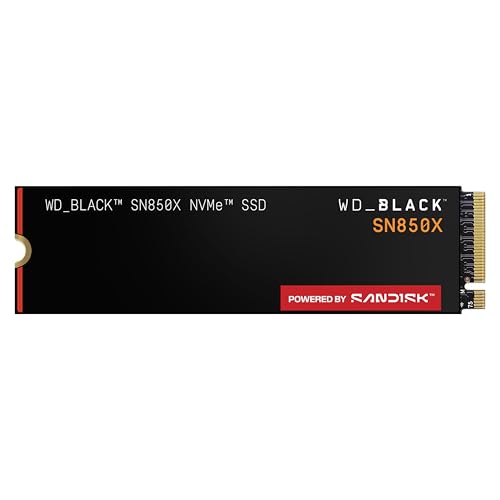
WD Black SN850X SSD (1TB External)
#8
complement

WD Black SN850X SSD (1TB External)

$89

Thunderbolt-speed external storage to offset base model's low capacity.

💡 Why We Recommend It

Future-proofs storage cheaply.

Best For

Media hoarders.

🛒 Check Price on Amazon →

Bottom Line

Surface Pro 11 is a depends verdict—buy if you're a mobile pro/artist valuing battery/touch/AI ($1,500+ total commitment). Skip if budget < $1,200, need gaming/ports, or ARM risks you. Weigh factors: Test apps, try in-store, buy during sales (expect 15% off holidays).

Alternatives: Yoga 7i (ASIN B0D4J9K2LM) for value, MacBook Air for seamlessness. Final advice: If it solves your portability pain without emulation headaches, grab the bundle (B0D5HGY8L5 + B09JHPXF1B). Return policy? Use it. Confident? Add to cart.

Best For

  • Mobile professionals (e.g., consultants traveling weekly, needing Office/Teams on battery).
  • Digital artists/students using OneNote/Clip Studio with stylus 5x/week.
  • Microsoft 365 power users upgrading from Surface Go/Pro 9 for AI boosts.
  • Remote workers prioritizing lightweight (under 2lbs) with excellent webcam.
  • Enthusiasts wanting Copilot+ AI for photo editing/captions.
  • Business buyers with IT support for ARM tweaks.
  • Note-takers/journalers leveraging touchscreen/kickstand.

Not Recommended For

  • Budget buyers under $800—storage/RAM skimps quickly.
  • Gamers or video editors needing discrete GPU/full Adobe optimization.
  • Desktop power users wanting mechanical keyboard/multiple ports.
  • Casual browsers who rarely use touch/pen.
  • Apple loyalists locked into iCloud/Mac apps.
  • Heavy multi-monitor setups without dock investment.
  • Linux tinkerers—ARM support spotty.
  • Families sharing one device—kid-proofing tough.

Frequently Asked Questions

Should I buy Surface Pro 11?

Depends: Yes for touch-heavy mobile work; no for gaming/budget. Assess your apps/budget first.

Is Surface Pro 11 a good buy in 2026?

Strong if ARM ecosystem matures (likely); great battery/AI. Check app compatibility updates.

Should I get Surface Pro 11 or MacBook Air?

Pro 11 for Windows/touch; Air for Apple ecosystem/better trackpad. Pro wins battery.

Is Surface Pro 11 worth buying?

Worth it for 2-in-1 fans ($1,500 total); overpriced for basic laptop needs.

Surface Pro 11 vs iPad Pro?

Pro 11 for full desktop apps; iPad for apps/ecosystem. Pro better for Office productivity.

When should I buy Surface Pro 11?

Now for AI features; wait for Prime Day/Black Friday if budget-tight or app concerns.

What should I consider before buying Surface Pro 11?

ARM compatibility, accessory costs, ports/dock needs, your workflow (touch vs keyboard).

Who should buy Surface Pro 11?

Travel pros, artists, MSFT users needing portable power.

Is Surface Pro 11 good for gaming?

No—integrated graphics/ARM limits AAA titles; pick NVIDIA laptops instead.

Does Surface Pro 11 have good battery life?

Yes, 14-20 hours light use; tops class.

Should I buy Surface Pro 11 base model?

No—upgrade to 512GB/16GB min for longevity.

Ready to Make Your Decision?

We hope this guide helped you decide whether Surface Pro 11 is right for you.

🛒 Buy Surface Pro 11 on AmazonAs an Amazon Associate we earn from qualifying purchases.
Browse More Guides