Review Atlas
Review AtlasYour guide to a better purchase

Menu

Shop by Category

Get the App

Better experience on mobile

????????????????????????

Should I Buy Ring Stick Up Cam Pro? 2026 Guide

We help you decide if this versatile outdoor/indoor security camera fits your home and budget.

Recommendation: depends
πŸ›’ Buy on AmazonAs an Amazon Associate we earn from qualifying purchases.

Quick Answer

The Ring Stick Up Cam Pro is an excellent choice for those who need advanced motion detection and are comfortable with a subscription. However, for most users, the standard Stick Up Cam or a budget alternative provides better value. Evaluate your ecosystem, budget, and feature needs before buying.

If you're shopping for a security camera, the Ring Stick Up Cam Pro likely caught your eye. It's one of the most popular models from Ring, but at $200, it's not cheap. Many buyers hesitate: Is it worth the premium over the standard Stick Up Cam? Do I need a Ring Protect plan for it to be useful? Will it work with my existing smart home? This guide cuts through the noise. We'll explore who benefits most, who should pass, and help you decide with confidence. Spoiler: For many, it's a solid buy, but it depends on your specific needs.

What is Ring Stick Up Cam Pro?

The Ring Stick Up Cam Pro is a versatile security camera that can be placed indoors or outdoors. It features 1080p HD video with HDR, enhanced infrared night vision, and a 140Β° field of view. The Pro model adds radar-based 3D motion detection, bird's eye view, and improved audio with noise cancellation. It works with Amazon Alexa and integrates with Ring's ecosystem. You can power it via the included rechargeable battery (removable) or hardwire it with a USB-C cable. It connects to Wi-Fi (2.4/5 GHz) and requires a Ring app for setup. The camera is weather-resistant (IP65) and can be mounted on walls, ceilings, or placed on a flat surface. It supports Ring Protect Plans for video recording and advanced features.

Why the Hesitation?

The main hesitation points are cost, subscription dependency, and comparison to alternatives. At $199.99, it's $50 more than the standard Stick Up Cam. Buyers worry that the added radar features aren't worth the extra. Many also fear that without a Ring Protect plan ($3.99/mo per device), the camera is limited to live view only and no recording. There's uncertainty about battery vs wired, and whether it works with non-Ring systems like HomeKit. Users on forums express concerns about false alerts from motion detection, occasional bugs, and the need for strong Wi-Fi. Some are considering cheaper options like Wyze or Blink, or the Arlo Pro vs Ring debate. Timing also factors in: Is it better to wait for a sale (often seen around Prime Day or Black Friday)?

Key Reasons TO Buy

  • βœ“Radar-based 3D motion detection reduces false alerts and provides bird's eye view.
  • βœ“Enhanced audio with noise cancellation for clearer two-way conversations.
  • βœ“Works both indoors and outdoors with weather-resistant design (IP65).
  • βœ“Flexible power options: battery, plug-in, or solar (sold separately).
  • βœ“Integrates well with Amazon Alexa for voice control and routines.
  • βœ“1080p HDR video with improved night vision delivers sharp footage.
  • βœ“Easy setup and user-friendly Ring app with customizable motion zones.

Key Reasons NOT to Buy

  • βœ—Requires a Ring Protect subscription ($3.99/mo) for video recording and alerts.
  • βœ—No support for Google Assistant or Apple HomeKit (only Alexa).
  • βœ—Battery life varies; high-traffic areas need frequent charging.
  • βœ—Expensive compared to standard Stick Up Cam or competitors like Wyze/Blinks.
  • βœ—Some users report occasional Wi-Fi connectivity issues or app bugs.
  • βœ—Limited field of view (140Β°) vs some rivals (e.g., Arlo Pro 4 160Β°).
  • βœ—Radar zone setup can be finicky and require multiple adjustments.

Should YOU Buy? Different Scenarios

New Smart Home User

βœ— NO

A renter living in an apartment who wants a simple camera to monitor the front door. No other smart devices.

Budget: $150-$250

Usage: Occasional live view and clips when away.

Why: Without a subscription, the Pro's advanced features are wasted. The standard Stick Up Cam or even the Blink Mini would cover basic needs at half the cost.

Consider instead: Consider the standard Ring Stick Up Cam (B0BTM6S6ZB) or Blink Video Doorbell.

Ring Ecosystem Enthusiast

βœ“ YES

A homeowner with a Ring doorbell, alarm, and multiple echoes. Wants a floodlight camera for the backyard.

Budget: Unlimited

Usage: Daily monitoring, motion alerts, integration with Alexa routines.

Why: The Pro's radar detection integrates perfectly with the Ring ecosystem and Alexa. The subscription is already in use, so no extra cost. Bird's eye view adds value for backyard security.

Consider instead: Also consider Ring Floodlight Cam Pro for better illumination.

Budget-Conscious Homeowner

βœ— NO

A family on a tight budget wants outdoor camera coverage without monthly fees.

Budget: Under $100

Usage: Occasional check-ins, wants local storage if possible.

Why: The Pro requires a subscription for recording. Cheaper alternatives like Wyze Cam v3 offer local storage and are under $40. Even the Blink Outdoor 4 offers free cloud storage for clips.

Consider instead: Look into Wyze Cam v3 (B07Y286QGQ) or Blink Outdoor 4 (B0BLQW9B6H).

Apple HomeKit User

βœ— NO

An Apple enthusiast with a HomeKit smart home, wants HomeKit Secure Video support.

Budget: $200-$300

Usage: Automated by location, wants privacy and local storage.

Why: Ring does not support HomeKit. Alternatives like eufyCam 2 Pro or Logitech Circle View doorbell integrate with HomeKit and offer local storage.

Consider instead: Consider eufyCam 2C Pro (B0B1N5YWG7) with HomeKit support.

Key Factors to Consider

  • β†’Budget: Can you afford $200 plus $48/year subscription?
  • β†’Ecosystem: Do you have other Ring devices or Alexa?
  • β†’Power source: Will you place it where battery charging is convenient?
  • β†’Motion sensitivity: Do you need advanced detection or can you tolerate some false alerts?
  • β†’Recording: Are you okay with no local recording option?
  • β†’Installation: Will you mount it or just place it?
  • β†’Usage area: Indoor, outdoor, or both?
  • β†’Future plans: Might you expand your smart home?
  • β†’Alternative cost: Compare with Wyze Cam v3 ($35) or Blink Outdoor 4 ($100).
  • β†’Sale timing: Are you willing to wait for a discount?

Questions to Ask Yourself

  • ?Do I already own other Ring products or an Alexa device?
  • ?Am I comfortable paying $48-100 per year for cloud recording?
  • ?Will this camera be placed where I can easily access it to recharge the battery?
  • ?Is radar-based motion detection important to reduce false alerts, or can I live with them?
  • ?Do I need the ability to talk through the camera with clear audio?
  • ?Is my home's Wi-Fi strong enough at the camera's proposed location?
  • ?Would a cheaper camera like the standard Stick Up Cam or Blink suffice for my needs?
  • ?Am I prepared to mount this securely if placing outdoors?
  • ?Do I value a bird's eye view of motion paths?
  • ?Have I considered the total cost of ownership over 2 years?

Detailed Analysis

The Ring Stick Up Cam Pro is designed for users who want a premium all-in-one security camera that can do both indoor and outdoor duty without drilling. The unique selling point is the radar-based 3D motion detection, which allows the camera to map the area and track movement. This reduces false alerts from swaying trees or passing cars, and provides a bird's eye view that shows the path of a person. In real-world use, this works well for driveways and backyards. However, the true value depends on your willingness to subscribe to Ring Protect to get video history and rich notifications. Without it, the camera is essentially a live-view-only device, which feels incomplete for the price. Compared to the standard Stick Up Cam, the Pro has better audio (noise cancellation) and HDR, making it better for detailed capture. Battery life is decent (6-12 months depending on activity), but if you live in a high-traffic area, you'll need to charge often. For smart home integration, it works seamlessly with Alexa but not with Google Assistant voice control (only basic). HomeKit support is absent, which is a dealbreaker for Apple loyalists. Alternatives like the Arlo Pro 4 offer similar features but require a different ecosystem. The Blink Outdoor 4 is cheaper but lacks the Pro's advanced detection and two-way audio quality. Overall, this camera is best for those already in the Ring ecosystem or wanting top-tier motion detection. For basic needs, the standard Stick Up Cam or a budget option may suffice.

Related Products & Alternatives

Ring Stick Up Cam (Standard)
#1
alternative

Ring Stick Up Cam (Standard)

$149.99

The standard Stick Up Cam lacks radar detection but is $50 cheaper. Still offers 1080p, two-way audio, and same mounting options.

πŸ’‘ Why We Recommend It

Best alternative if you don't need premium motion detection.

βœ“ Best For

Budget-minded buyers who still want Ring ecosystem.
πŸ›’ Check Price on Amazon β†’
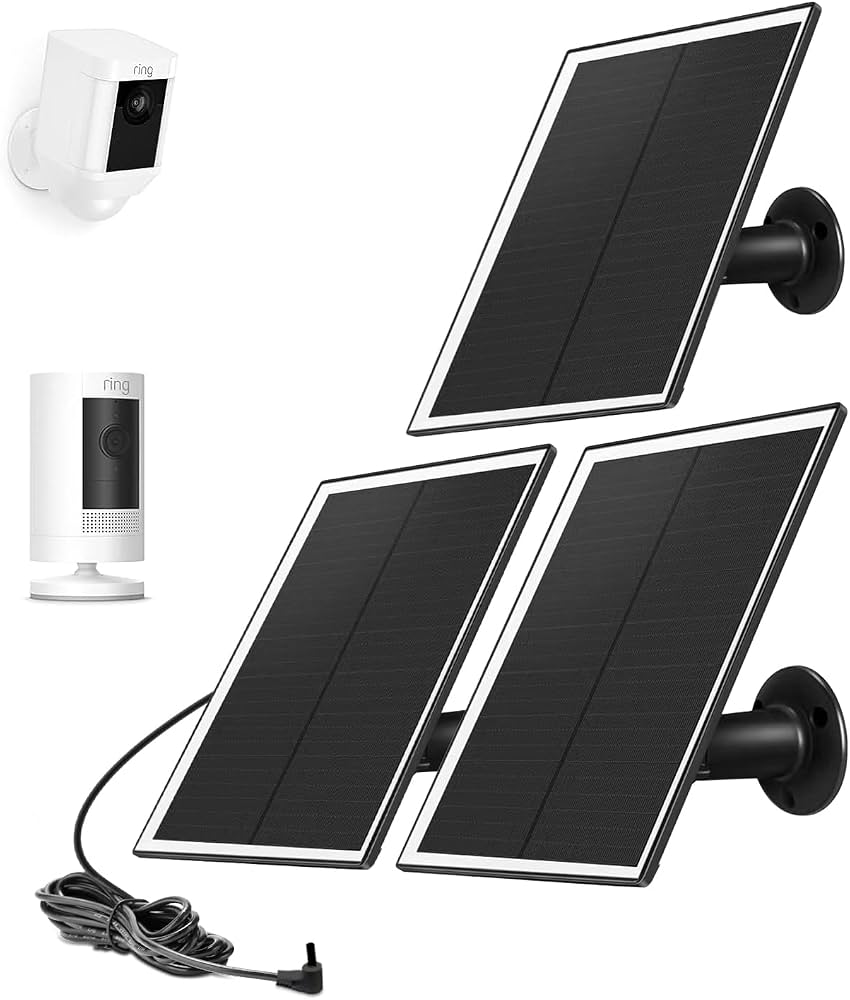
Ring Solar Panel for Stick Up Cam
#2
accessory

Ring Solar Panel for Stick Up Cam

$49.99

Keep your Stick Up Cam Pro battery charged with this solar panel. Perfect for outdoor placements with direct sunlight.

πŸ’‘ Why We Recommend It

Eliminates battery charging hassle for outdoor use.

βœ“ Best For

Users placing camera in sunny outdoor locations.

πŸ›’ Check Price on Amazon β†’
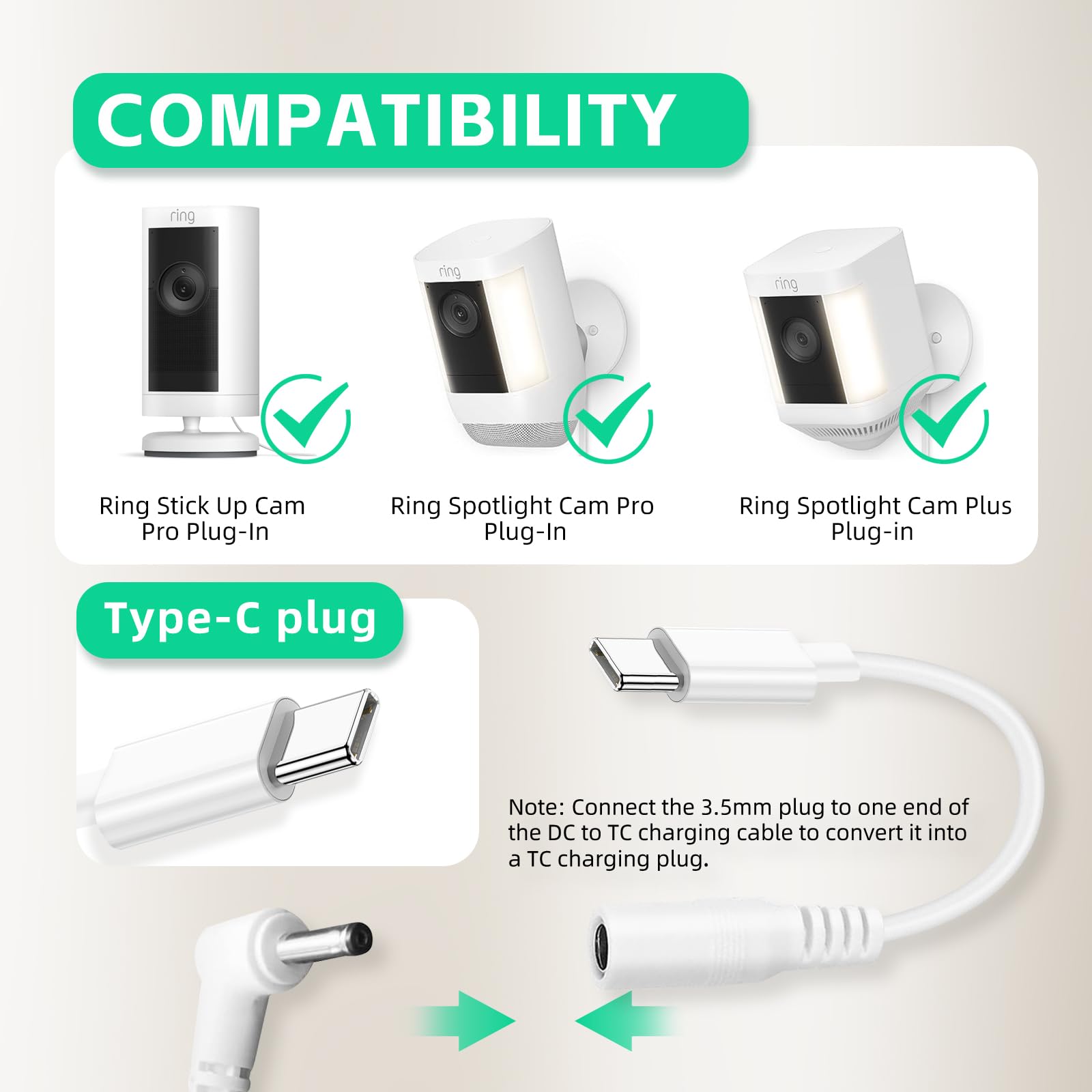
Ring Stick Up Cam Pro Plug-In Adapter
#3
accessory

Ring Stick Up Cam Pro Plug-In Adapter

$19.99

Power your camera continuously with this official plug-in adapter. Use instead of battery for high-traffic areas.

πŸ’‘ Why We Recommend It

Provides constant power, ideal for busy zones.

βœ“ Best For

Installations near an outlet where battery life is a concern.

πŸ›’ Check Price on Amazon β†’
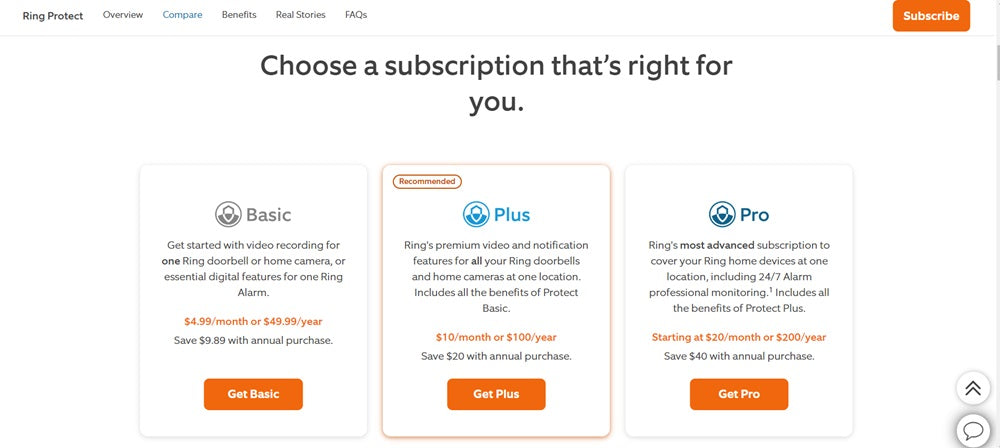
Ring Protect Plus Subscription (1 Year)
#4
complement

Ring Protect Plus Subscription (1 Year)

$99.99

Annual subscription for one camera: video recording for up to 180 days, rich notifications, and extended warranty.

πŸ’‘ Why We Recommend It

Required to unlock full features of the Pro.

βœ“ Best For

Anyone buying the Pro who wants recording and alerts.

πŸ›’ Check Price on Amazon β†’
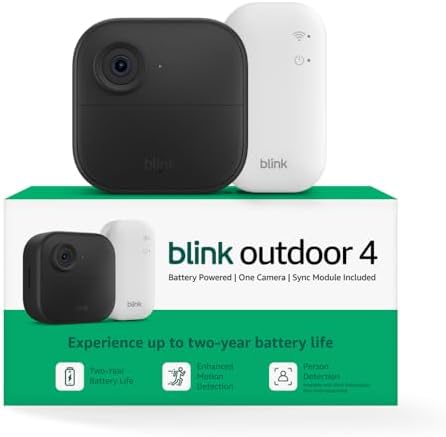
Blink Outdoor 4 (1 Camera Kit)
#5
alternative

Blink Outdoor 4 (1 Camera Kit)

$99.99

Budget-friendly outdoor camera with free cloud storage for clips. Offers 1080p, two-way audio, and simple setup.

πŸ’‘ Why We Recommend It

Great cheaper alternative if you don't want a Ring subscription.

βœ“ Best For

Budget-conscious buyers needing outdoor monitoring.

πŸ›’ Check Price on Amazon β†’
eufyCam 2C Pro (1-Cam Kit)
#6
alternative

eufyCam 2C Pro (1-Cam Kit)

$179.99

HomeKit-enabled outdoor camera with local storage (no subscription). 2K resolution and AI detection.

πŸ’‘ Why We Recommend It

Best alternative for HomeKit users and privacy-focused buyers.

βœ“ Best For

Apple HomeKit users wanting no subscription.

πŸ›’ Check Price on Amazon β†’
Wyze Cam v3
#7
alternative

Wyze Cam v3

$35.98

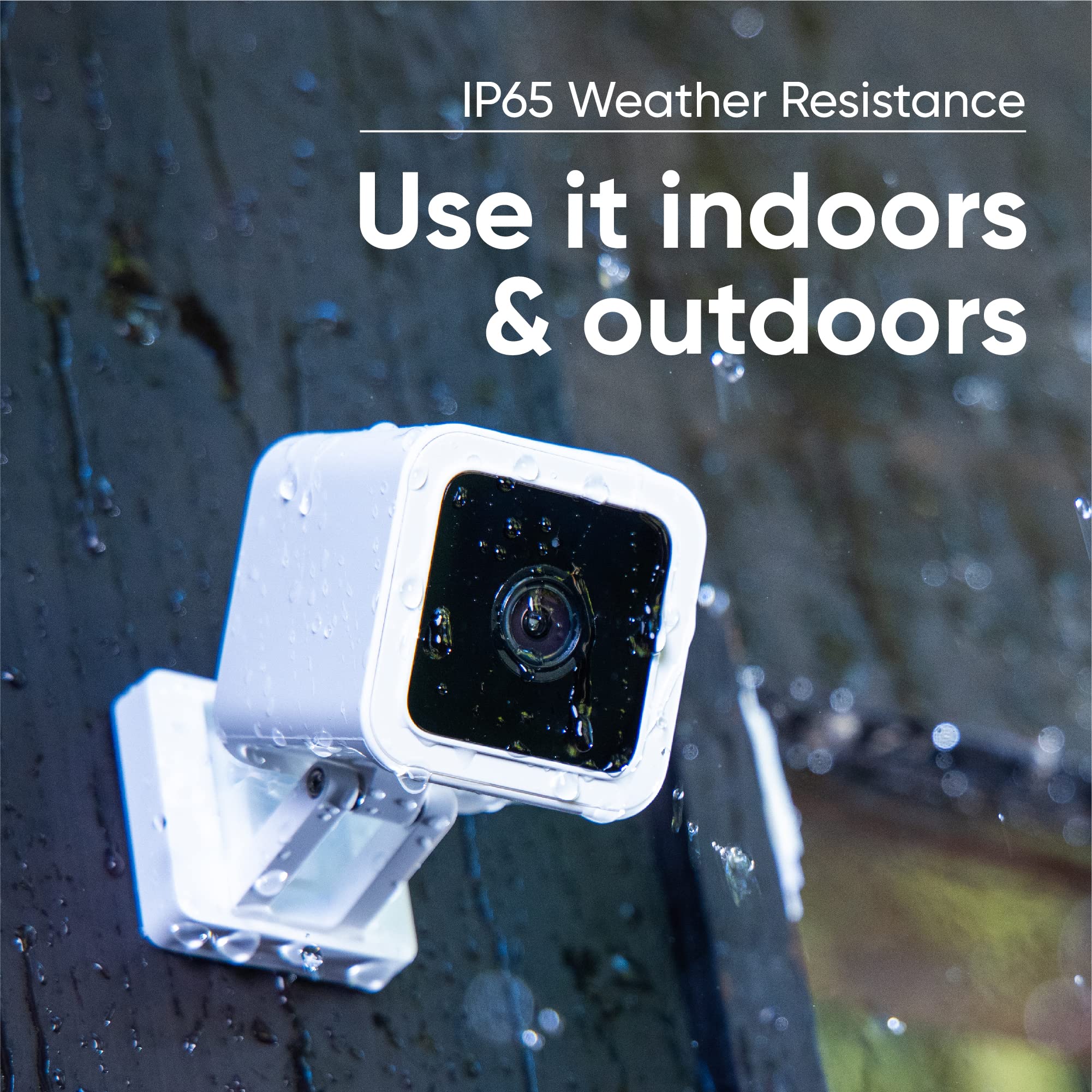
Indoor/outdoor camera with 1080p, night vision, two-way audio, and microSD slot for local storage. Works with Alexa/Google.

πŸ’‘ Why We Recommend It

Unbeatable value for basic security needs.

βœ“ Best For

Extreme budget buyers who want local storage.

πŸ›’ Check Price on Amazon β†’

Bottom Line

Deciding to buy the Ring Stick Up Cam Pro comes down to your priorities. If you value the best motion detection and clear two-way audio, and you're willing to pay for a subscription, it's a great choice. However, if you're on a tight budget, don't want monthly fees, or use HomeKit, look elsewhere. For most users, the standard Stick Up Cam is a smarter financial move, and you can save $50. But if you have a specific use case like monitoring a busy driveway or want to minimize false alerts, the Pro is worth the upgrade. Keep an eye out for sales; it often drops to $149-169. Ultimately, the decision is yours, but don't feel pressured to buy the Pro if the basics meet your needs.

Best For

  • βœ“Existing Ring customers who want consistent features and app integration.
  • βœ“Homeowners needing a camera for a busy driveway or front porch where false alerts are problematic.
  • βœ“Alexa users who want voice control and smart display integration.
  • βœ“Those who don't mind paying a monthly subscription for recording and alerts.
  • βœ“People who want a flexible camera that can be moved between indoor and outdoor easily.
  • βœ“Security-conscious users who appreciate radar mapping and bird's eye view for incident review.

Not Recommended For

  • βœ—Apple users relying on HomeKit – this camera doesn't support it.
  • βœ—Budget shoppers who can't justify the subscription costs– look at Blink or Wyze.
  • βœ—Google Assistant diehards – the camera only offers basic support, no voice control.
  • βœ—Users who just need a simple live view camera – the standard Stick Up Cam is fine.
  • βœ—Those with limited Wi-Fi range – the camera needs strong 5 GHz signal for best performance.
  • βœ—People averse to cloud subscriptions – no local storage option without recording plan.

Frequently Asked Questions

Should I buy Ring Stick Up Cam Pro?

If you want premium motion detection and are already in the Ring/Alexa ecosystem, yes. If you're on a budget or don't want a subscription, consider alternatives.

Is Ring Stick Up Cam Pro a good buy?

It's a good buy for those who value advanced features like radar detection and bird's eye view. For basic needs, the standard version or other brands offer better value.

Should I get Ring Stick Up Cam Pro or the standard Stick Up Cam?

Get the Pro if you need fewer false alerts and better audio. Save $50 with the standard if you just need 1080p and two-way talk.

Is Ring Stick Up Cam Pro worth buying without a subscription?

No, without a subscription you lose video recording and rich alerts. The camera becomes a live-view-only device, which feels overpriced.

When should I buy Ring Stick Up Cam Pro?

Wait for major sales (Prime Day, Black Friday) where it can drop to $149-169. Otherwise, it's available year-round.

What should I consider before buying Ring Stick Up Cam Pro?

Consider your need for a subscription, power source, smart home ecosystem, and whether you really need radar motion detection.

Who should buy Ring Stick Up Cam Pro?

Existing Ring users, Alexa households, and people monitoring high-activity areas like driveways. Also those who want minimal false alerts.

Does Ring Stick Up Cam Pro work with Google Home?

Only basic support: you can view the live feed on Google Nest Hub but no voice control.

How long does the battery last on Ring Stick Up Cam Pro?

Typically 6-12 months depending on settings and activity. Less if used in high-traffic areas.

Can I use Ring Stick Up Cam Pro without Wi-Fi?

No, it requires a Wi-Fi connection for setup and operation.

Ready to Make Your Decision?

We hope this guide helped you decide whether Ring Stick Up Cam Pro is right for you.

πŸ›’ Buy Ring Stick Up Cam Pro on AmazonAs an Amazon Associate we earn from qualifying purchases.
Browse More Guides