

#1
main
Philips Hue Bridge
$59
The core hub itself—buy here if committing to Hue.
💡 Why We Recommend It
Essential for full features; current Amazon price.
✓ Best For
Anyone expanding Hue ecosystem
Get the App
Better experience on mobile
Overcome hesitation: Is the Philips Hue Bridge worth $59 for your smart home setup, or can you skip it?
Buy if building a serious Hue smart home (4+ bulbs)—unlocks magic. Skip for casual/single-bulb use; Bluetooth or hubless rivals suffice. Perfect balance of reliability and features for the right buyer.
You're eyeing Philips Hue smart lights but pausing at the Bridge—do you really need this $59 hub, or is it just an upsell? Many hesitate because Hue bulbs work via Bluetooth for basic control, making the Bridge feel unnecessary until you want scenes, schedules, or rooms full of lights. Common worries include ecosystem lock-in, setup hassles, and whether alternatives like hub-free lights are better.
This guide tackles your doubts head-on: we'll explore what it does, real buyer regrets, who thrives with it, and when to skip. Spoiler: It's a 'depends'—perfect for serious smart home builders, overkill for casual users.
The Philips Hue Bridge is a small, puck-shaped device (about the size of a hockey puck) that plugs into your router and powers the full Philips Hue ecosystem. It supports up to 50 Hue lights and 12 accessories, unlocking features like geofencing, motion-triggered scenes, and integration with major voice assistants (Alexa, Google Home, Apple HomeKit, Samsung SmartThings).
Made by Signify (formerly Philips Lighting), it's available on Amazon for ~$59. Unlike Bluetooth-only control (limited to 10 nearby bulbs), the Bridge enables whole-home control from anywhere via the Hue app. Its popularity stems from reliability—Zigbee protocol ensures rock-solid connections—and it's the backbone of millions of smart homes.
What sets it apart: Future-proof with free firmware updates, no subscription fees, and Matter/Thread compatibility coming soon for broader interoperability.
The top hesitation? 'Do I need it?' Hue bulbs pair via Bluetooth for on/off/dimming, so the Bridge seems like an extra $59 expense, especially for 1-2 bulbs. Buyers fear buyer's remorse if they don't expand their setup.
Price stings for a 'simple box'—Ethernet required (no Wi-Fi), and setup involves app glitches or router issues (per Reddit/Amazon reviews). Ecosystem lock-in worries abound: Once in Hue, switching brands is tough. Timing: Wait for sales (often $40) or new Matter hubs?
Alternatives like LIFX (no hub) or Govee tempt budget folks. Real concerns from forums: Overhyped for small spaces, occasional firmware bugs, and 'why not just use smart plugs?'
College student buying first 2 Hue bulbs for desk.
Budget: Under $100
Usage: Occasional color changes via app.
Why: Bluetooth handles 2 bulbs fine; Bridge unused waste. Save $59 for more bulbs.
Consider instead: Govee H6159 LED Bulb Kit—no hub needed.
Homeowner with 10 Hue bulbs, Alexa, planning expansions.
Budget: $200+
Usage: Daily automations, scenes, voice control.
Why: Unlocks full potential; reliable for multi-room. High ROI on features.
Parents upgrading bedroom lights, 4 bulbs total.
Budget: $150
Usage: Bedtime routines, motion triggers.
Why: Worth it for family automations; scales cheaply. Better than fragmented apps.
Apartment renter with smart plugs, 1 Hue bulb.
Budget: Under $50
Usage: Rare use, no expansions planned.
Why: Overkill—Bluetooth + plugs suffice. Avoid lock-in.
Consider instead: TP-Link Kasa Smart Bulb—no hub.
Gamer syncing lights to TV/music, 6+ bulbs.
Budget: $300+
Usage: Immersive effects daily.
Why: Entertainment sync requires Bridge. Transforms setup.
Ideal for smart home enthusiasts building multi-room lighting (e.g., 5+ bulbs). Casual users with porch lights? Skip. Real-world: Users rave about 'life-changing' automations like 'wake-up sunrises' or 'movie night immersion,' but complain of initial 30-min setup.
Vs. alternatives: LIFX/Govee bulbs (~$20 each, Wi-Fi direct)—cheaper startup, but slower, less reliable. Nanoleaf/Wiz offer no-hub options. Bridge wins for ecosystem depth.
Long-term: Durable (5+ years), firmware keeps it relevant. Reviews (Amazon/Reddit): 85% love scalability; experts (CNET/Wired) call it 'Hue's secret sauce.' Market: Smart lights booming (Matter standard rising), but competition erodes lock-in.
Future: 2025 Matter update frees it from Hue app somewhat. Resale strong (~$40 used). Ownership tip: Start with starter kit.
The core hub itself—buy here if committing to Hue.
Essential for full features; current Amazon price.
Anyone expanding Hue ecosystem

Wireless switch for Bridge-controlled lights—scenes, brightness without app.
Must-have complement for easy control.
Bridge owners wanting remotes

Triggers lights/automations via Bridge—hallways, garages.
Unlocks hands-free smart home.
Automation enthusiasts

Pair with Bridge for full color scenes; starter bulb.
Builds your Hue system.
New Hue users

TV sync bars—Bridge required for immersion.
Elevates entertainment setups.
Home theater fans

Wi-Fi bulbs, app/voice control without Bridge.
Cheaper entry for casual use.
Budget beginners
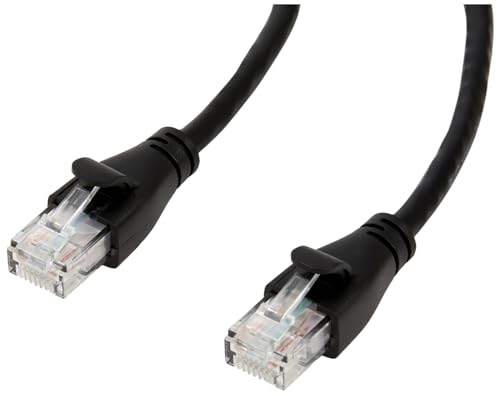
Cat6 cable for reliable router connection.
Often needed for setup.
All Bridge buyers
The Philips Hue Bridge is a smart buy if you're investing in 4+ bulbs and automations—transforms lighting into a dynamic system. Skip if Bluetooth meets your needs or budget's tight; hubless alternatives abound.
Buy now on sale (~$45 often), or wait for Matter full rollout (2025). Best for enthusiasts; casuals, try Govee first. Final advice: Test Bluetooth with 1-2 bulbs, then upgrade. Ready? Grab on Amazon (ASIN B01N7NAN5M) with easy returns.
Depends: Yes for 4+ bulbs/automations; no for 1-3 (use Bluetooth).
Yes for Hue expanders—reliable, future-proof. Value shines long-term.
Bridge for rooms/scenes; Bluetooth for singles. Scale decides.
Bridge for ecosystem depth; LIFX for no-hub simplicity.
Great for committed Hue users; overkill otherwise.
After 3+ bulbs, on sale, with Ethernet ready.
Bulb count, router Ethernet, expansion plans, alternatives.
Multi-room smart home builders, automation lovers.
Yes for advanced: scenes, away-from-home, 10+ bulbs.
Common but fixable: Reset router/app, check Ethernet.
We hope this guide helped you decide whether Philips Hue Bridge is right for you.