Review Atlas
Review AtlasYour guide to a better purchase

Menu

Shop by Category

Get the App

Better experience on mobile

????????????????????????

Should I Buy Logitech G Pro X Superlight? Complete Guide 2026

We help you decide if Logitech G Pro X Superlight is the right purchase for your needs and budget.

Recommendation: depends
🛒 Buy on AmazonAs an Amazon Associate we earn from qualifying purchases.

Quick Answer

The Logitech G Pro X Superlight is an outstanding mouse but not for everyone. Competitive gamers and enthusiasts will love its lightweight design and flawless performance. Casual users or those with ergonomic preferences may find better alternatives at lower prices. Our overall verdict is 'depends' because it's a premium product that excels in specific use cases.

You've heard the hype around the Logitech G Pro X Superlight—the mouse used by esports pros, praised for its featherweight design and flawless wireless performance. Yet you're still hesitating: Is it worth the steep price? Will it actually improve my aim? Am I just being influenced by marketing? These are normal questions. This guide dives deep into the Superlight to help you decide if it's the right mouse for your needs, grip style, and budget.

We'll explore both the pros and the cons, consider who should buy it and who should skip it, and offer practical advice for different buyer scenarios. We've researched user reviews, expert opinions, and current market alternatives to give you a balanced, honest perspective. By the end, you'll know whether the Superlight is a 'yes,' 'no,' or 'it depends' for you.

Our bottom line: this mouse is best for competitive FPS players and enthusiasts who value weight and performance above all else. If you fall into that category, it's an excellent buy. If you're a casual gamer or on a tight budget, there are better options.

What is Logitech G Pro X Superlight?

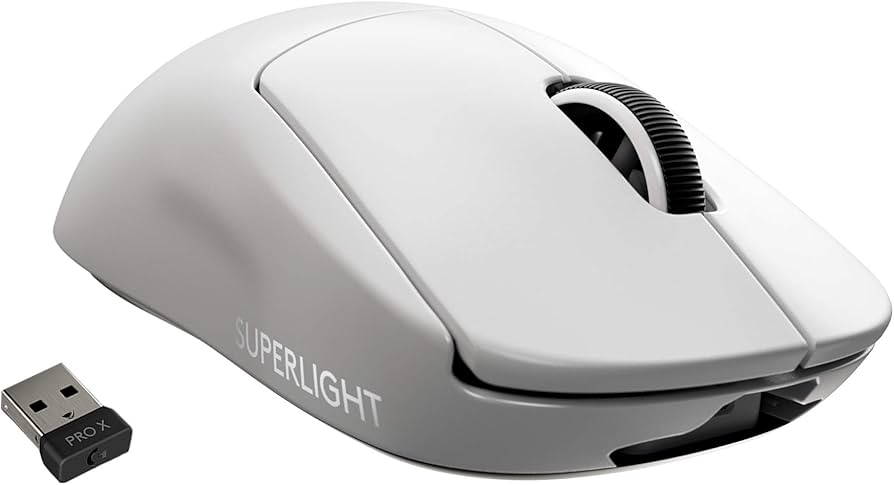
The Logitech G Pro X Superlight is a wireless gaming mouse engineered with professional esports players in mind. Its main selling point is its incredibly low weight—just 63 grams—achieved by removing RGB lighting, reducing button count, and sculpting the shell to be as thin as possible without compromising durability. The mouse uses Logitech's HERO optical sensor, which offers up to 25,600 DPI (or HERO 2 with 32,000 DPI on the Superlight 2) and is extremely power-efficient, providing up to 70 hours of battery life on a single charge.

The Superlight's shape is symmetrical and fairly low-profile, making it suitable for claw and fingertip grips, though it also works for some palm grippers with small to medium hands. It features five programmable buttons (including left/right click, scroll wheel click, and two side buttons on the left side), a PTFE feet for low friction, and a 2.4GHz wireless receiver for lag-free connectivity. The Superlight 2 adds USB-C charging, a 2,000Hz polling rate (upgradable to 4,000Hz with faster performance), and a more responsive click mechanism.

Logitech G is a well-known brand in the gaming peripheral world, and the Superlight has become a staple in the esports scene, often cited as the best wireless mouse for competitive shooters. It's available on Amazon, Best Buy, and Logitech's official website, making it easy to purchase and return if needed.

Why the Hesitation?

One of the biggest hesitations is price. At around $130, the Superlight isn't cheap—and you can get excellent wireless mice like the Logitech G305 or Razer DeathAdder V2 X for under $50. Many buyers wonder if the performance difference justifies a nearly three-fold price increase. There's also the concern about the 'gimmick' of weight reduction: does a 0.5-ounce difference really matter in gameplay?

Another common concern is shape and comfort. The Superlight has a one-size-fits-most design, but it's not ergonomic and lacks a right-handed or left-handed variant. If you have larger hands or prefer a contoured mouse, the symmetrical shape may feel cramped or uncomfortable over long sessions. Additionally, the side buttons are only on the left side, which makes it awkward for left-handed users.

There's also the fear of buyer's remorse: you spend $130 and then find out you don't like the feel. While Amazon's return policy helps, it's still a hassle. And some users report long-term issues like double-clicking (especially on the original Superlight) or battery degradation after a year or two. Finally, the market is full of alternatives with similar specs at lower prices, so timing your purchase and comparing options is important.

Key Reasons TO Buy

  • Extremely lightweight (63g) reduces fatigue and improves flick accuracy in FPS games.
  • Flawless wireless performance with Logitech Lightspeed technology – no noticeable latency.
  • Excellent HERO sensor with high DPI and low power consumption, lasting up to 70 hours per charge.
  • Proven shape that suits claw and fingertip grips, trusted by many esports professionals.
  • Simple, clean design without RGB makes it look professional and understated.
  • Solid build quality and durability, with a 2-year warranty in many regions.
  • Great battery life and a USB-C port on the Superlight 2 for quick charging.
  • Holds its value well; can be resold at a decent price if you decide to upgrade.

Key Reasons NOT to Buy

  • High price compared to other gaming mice with similar specs.
  • Not ergonomic; symmetrical shape may be uncomfortable for palm grip or large hands.
  • No Bluetooth support – uses a 2.4GHz dongle, so it won't connect to multiple devices.
  • Only left-side buttons, making it unsuitable for left-handed users.
  • No RGB lighting, which is a dealbreaker for some gamers.
  • Some users report double-click issues (especially on the original model) within a few months.
  • Overkill for casual gamers who won't notice the performance benefits.
  • Requires optional accessories like PowerPlay to charge while gaming, adding to cost.

Should YOU Buy? Different Scenarios

Competitive FPS Player

✓ YES

A 22-year-old gamer who plays Valorant 4-6 hours daily and participates in amateur tournaments. They currently use a 120g wired mouse and want to improve their flicks and tracking.

Budget: $100 - $200

Usage: Daily competitive gaming, 4-8 hours per session

Why: The Superlight's 63g weight will significantly reduce fatigue during long play sessions, and the wireless performance is flawless for high-level play. The investment is justified by the hours of use it will get.

Consider instead: If the price is still too high, consider the Logitech G305 for half the price, but it's heavier (99g) and uses a similar sensor.

Budget-Conscious Casual Gamer

✗ NO

A college student who plays Fortnite and Minecraft on weekends, maybe 5 hours a week, and wants a reliable wireless mouse without breaking the bank.

Budget: Under $50

Usage: Weekend gaming, 2-3 hours per session

Why: The Superlight is overkill for casual play and would eat a significant chunk of their budget. A cheaper mouse like the Logitech G305 provides 80% of the performance for a third of the price.

Consider instead: Logitech G305 Lightspeed Wireless Gaming Mouse

Large-Handed Palm Grip User

✗ NO

A 30-year-old software developer who plays FPS games occasionally but prefers an ergonomic mouse to support his large hands and prevent wrist strain.

Budget: $100 - $150

Usage: Evening gaming sessions, 2-3 times a week

Why: The Superlight's symmetrical, low-profile shape is not designed for palm grip with large hands and could cause discomfort. An ergonomic mouse like the Razer DeathAdder V3 Pro would be a better fit.

Consider instead: Razer DeathAdder V3 Pro - ergonomic wireless gaming mouse

Tech Enthusiast Upgrader

✓ YES

A tech nerd with a 5-year-old gaming mouse that works fine but wants to experience the latest ultralight trend and has money to spend.

Budget: $150 - $250

Usage: Mixed gaming and productivity, about 15 hours a week

Why: For a tech enthusiast who appreciates the engineering and wants the latest tech, the Superlight 2 is a fantastic toy. It's also a functional upgrade that will feel noticeably different due to the weight reduction.

Consider instead: If they want similar performance with a slightly different shape, the Razer Viper V2 Pro is a strong competitor.

Key Factors to Consider

  • Budget: Can you comfortably spend $130 on a mouse, or would that money be better used elsewhere?
  • Gaming frequency: How many hours per week do you play competitive games?
  • Grip style: Do you use claw, fingertip, or palm grip? The Superlight favors the first two.
  • Hand size: Check if the dimensions fit your hand. It's ideal for small to medium hands.
  • Current mouse: Is your current mouse heavy or laggy? If not, the upgrade may be minimal.
  • Need for wireless: Do you dislike cable drag? Wireless freedom matters if you play with low sensitivity.
  • Future-proofing: Are you willing to invest in USB-C and high polling rates now?
  • Accessories: Do you plan to buy extra items like skates or grip tape to enhance the experience?
  • Opportunity cost: For the same money, you could buy a mouse + a decent desk pad or other peripherals.

Questions to Ask Yourself

  • ?Can I comfortably afford this without financial stress?
  • ?Will I actually use this for at least 10 hours per week in competitive games?
  • ?Have I researched all alternatives, like the Razer Viper V2 Pro or the Logitech G502 X?
  • ?Am I buying this because I genuinely need better performance, or just because pros use it?
  • ?Does my grip style and hand size match the symmetrical shape of the Superlight?
  • ?Am I comfortable with no Bluetooth and no RGB?
  • ?What's my plan if I don't like the feel? Does Amazon's return policy cover me?
  • ?Would I be better off buying a cheaper mouse and investing in a good mousepad or keyboard?
  • ?Is the Superlight 2 worth the premium over the original, or should I save money with the older version?

Detailed Analysis

The Logitech G Pro X Superlight is not just a mouse; it's a tool designed to give professional players an edge. Its weight reduction is a genuine feature, not a gimmick: moving a lighter mouse requires less physical effort, which reduces fatigue during long tournaments and allows for faster flick adjustments. The wireless performance is flawless—Logitech's Lightspeed technology has virtually no latency, and many pros trust it over wired mice. However, for the average gamer, the difference between this and a quality wired mouse may be imperceptible.

In real-world usage, the Superlight shines in FPS games like Valorant, CS:GO, and Apex Legends. Players appreciate the smooth glide, the lack of cable drag, and the simple shape that supports precise gripping. It's less suited for MMO or MOBA players who need extra buttons, or for those who prefer ergonomic relief. The Superlight 2 improves upon the original with a better sensor, USB-C, and higher polling, but the original remains a solid alternative at a lower price.

Comparing to competitors: the Razer Viper V2 Pro is equally light (58g) and offers a similar performance, but some find its shape slightly different. The Razer DeathAdder V3 Pro is ergonomic and beloved by palm grippers, but heavier (63g). The Finalmouse Starlight-12 is even lighter and more expensive but hard to buy. The Logitech G502 X Plus offers more buttons and features but is much heavier (100g+). So the Superlight sits nicely in the balanced category: lightweight, reliable, and respectably priced within the high-end segment.

Long-term ownership involves replacing the mouse feet after months of heavy use and potentially dealing with battery capacity reduction over time. The Superlight 2's USB-C charging makes it more future-proof than the original's Micro-USB. User reviews echo these points: the majority praise its materials and connectivity, while some criticize the lack of left-handed support and the premium cost. Expert reviewers consistently rank it among the best wireless gaming mice, validating its performance credentials.

Market context: as of 2025, the gaming mouse market is saturated with premium ultralights, driving prices down. The Superlight 2 has dropped to $129.99 regularly, making it a more attractive buy than at launch. If you're not in a hurry, you might see it drop to ~$99 during major sales like Prime Day or Black Friday. The resale value is decent, as used units still sell for $80-90.

Related Products & Alternatives

Logitech G Pro X Superlight (Original - 2020)
#1
alternative

Logitech G Pro X Superlight (Original - 2020)

$129.99

The original Superlight is the predecessor to the Superlight 2. It uses the same 63g shell, HERO 25K sensor, and 1000Hz polling, but charges via Micro-USB and has slightly different internals. It's a cost-effective alternative if you catch a sale.

💡 Why We Recommend It

If the Superlight 2 is out of your budget or you're not concerned about USB-C, the original offers the same core experience and is often available for $20-30 less.

Best For

Budget-conscious competitive gamers who want the classic Superlight shape.

🛒 Check Price on Amazon →
Logitech G PowerPlay Wireless Charging System
#2
complement

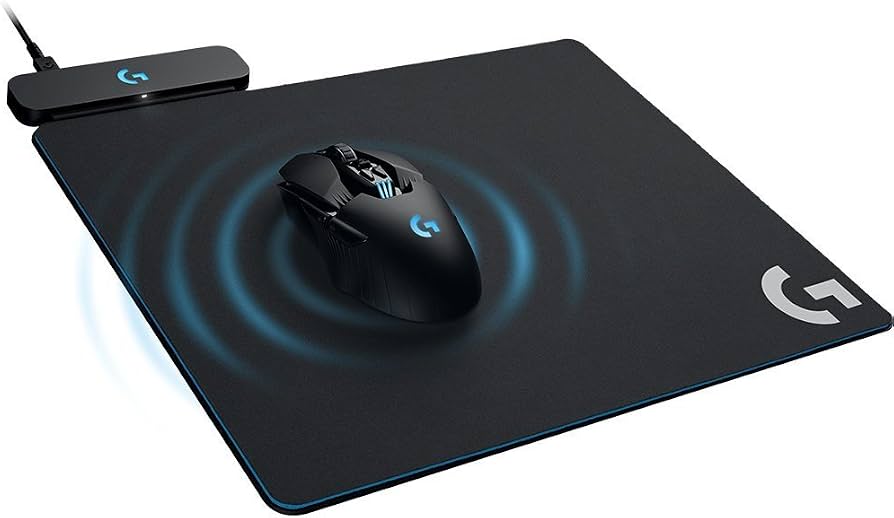
Logitech G PowerPlay Wireless Charging System

$119.99

The PowerPlay mousepad uses electromagnetic resonance to wirelessly charge the Superlight while you play, keeping it topped up at all times. It eliminates the need to ever plug in the mouse, but adds a significant cost.

💡 Why We Recommend It

If you game for long hours and hate managing battery cables, the PowerPlay turns the Superlight into an 'infinite battery' mouse, enhancing the premium experience.

Best For

Hardcore gamers and professionals who never want to think about charging.

🛒 Check Price on Amazon →
Logitech G640 Large Cloth Gaming Mouse Pad
#3
complement

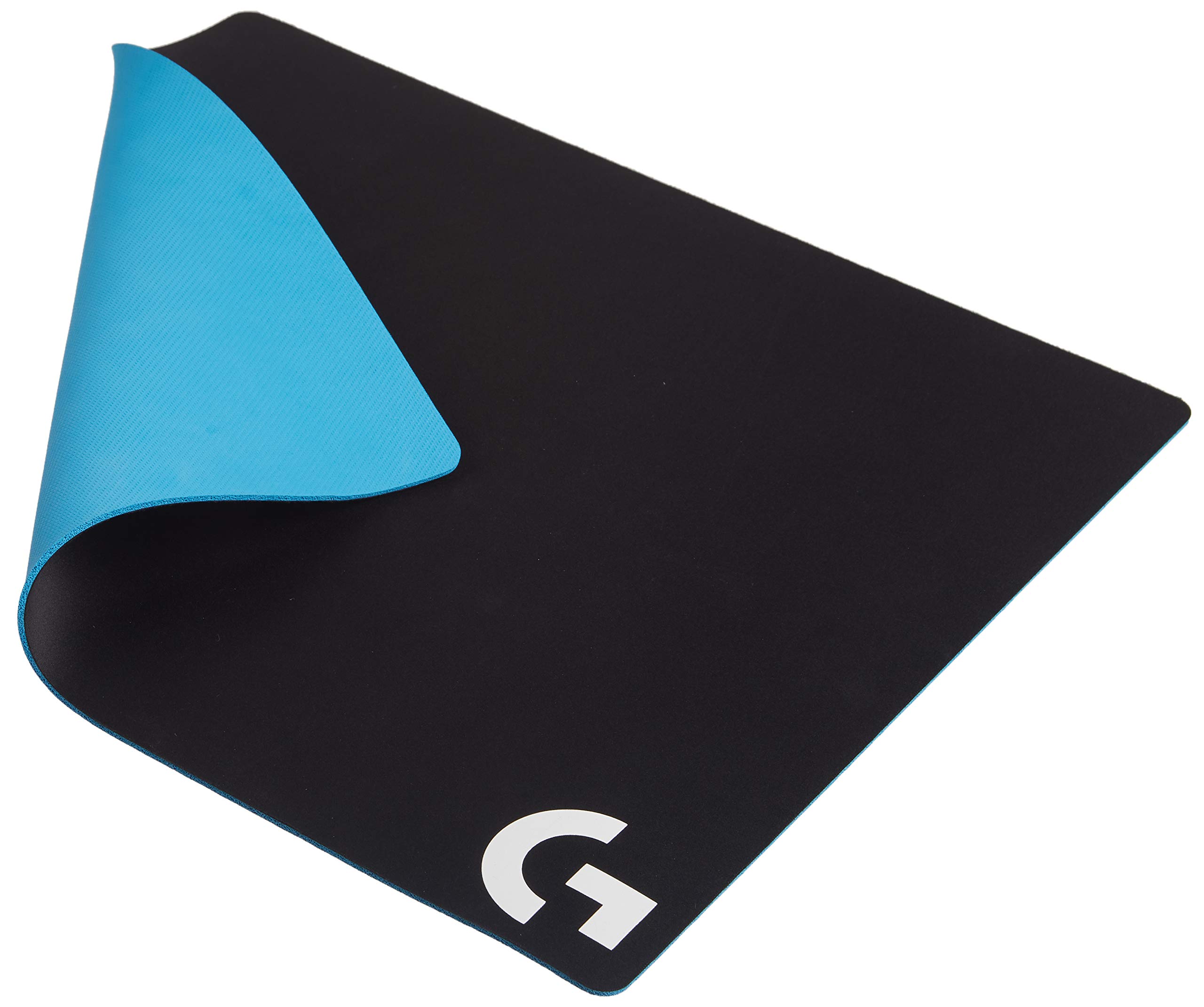
Logitech G640 Large Cloth Gaming Mouse Pad

$44.99

A reliable, large mouse pad surfaces, perfect for an ultralight mouse with sensitive feet. The G640 offers balanced glide and comfort, matching the Superlight's control-oriented design.

💡 Why We Recommend It

A high-quality mousepad ensures consistent tracking and helps you get the most out of the Superlight's sensor.

Best For

Players who use low sensitivity and need a large surface area.

🛒 Check Price on Amazon →
Tiger Ice V2 Mouse Skates for Logitech G Pro Superlight
#4
upgrade

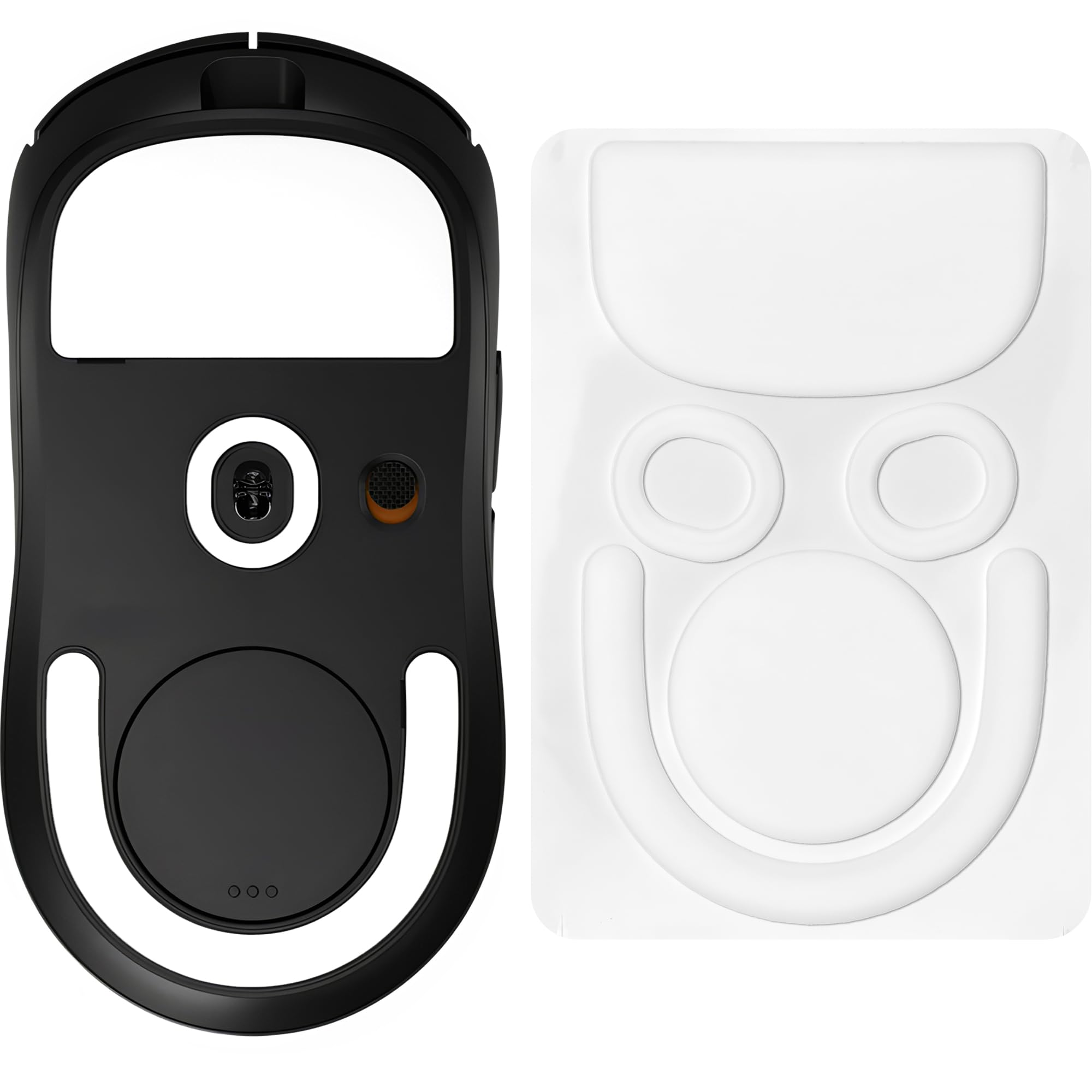
Tiger Ice V2 Mouse Skates for Logitech G Pro Superlight

$12.99

Replacement PTFE feet for the Superlight. The pre-installed feet are decent, but Tiger Ice skates are known for a smoother and faster glide, reducing friction and increasing durability.

💡 Why We Recommend It

After months of heavy use, replacing the skates can restore the mouse's glide. They're affordable and easy to install.

Best For

Heavy users who want to maintain or improve the feel of their Superlight.

🛒 Check Price on Amazon →
Razer Viper V2 Pro Wireless Gaming Mouse
#5
alternative

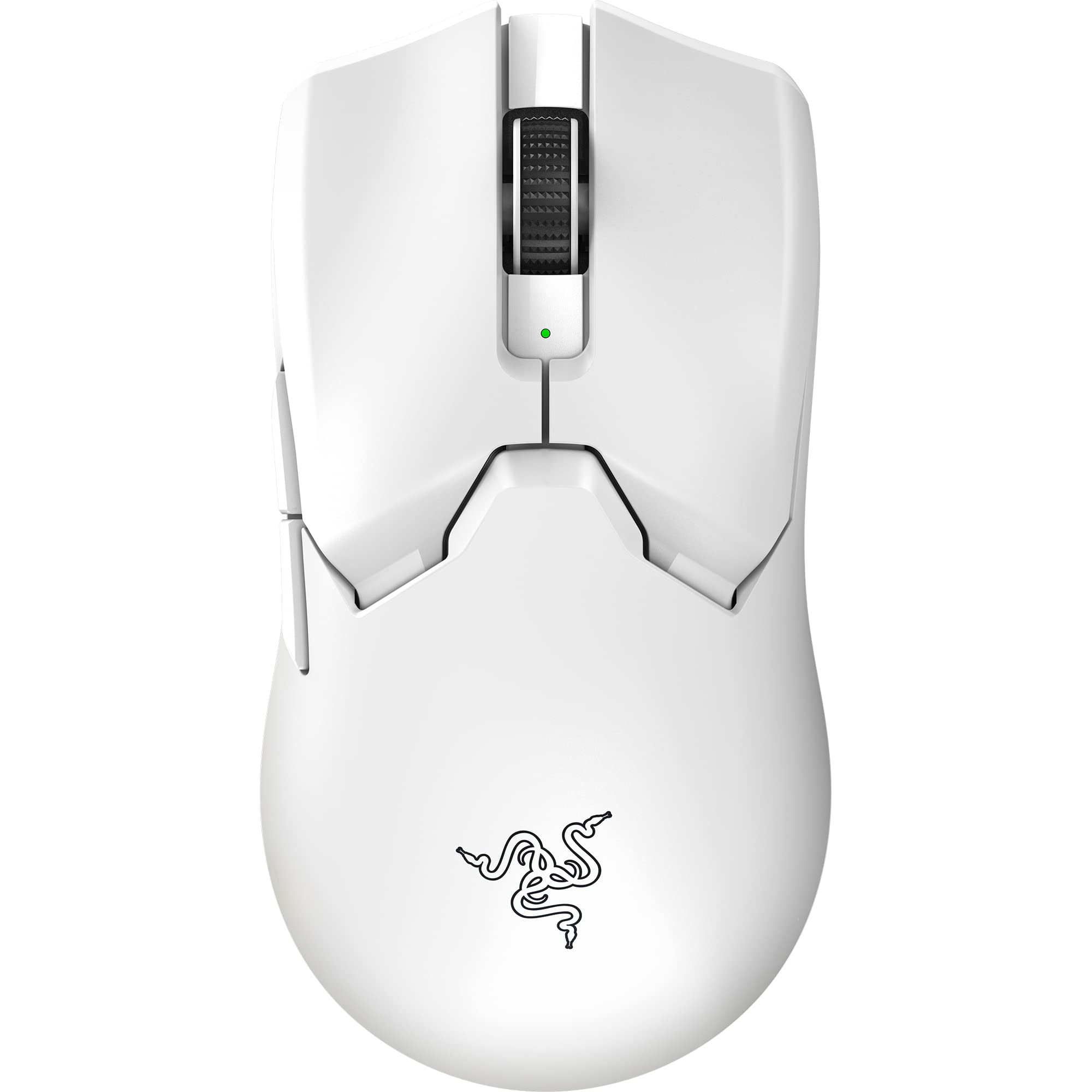
Razer Viper V2 Pro Wireless Gaming Mouse

$99.99

A direct competitor to the Superlight 2, the Viper V2 Pro weighs just 58g, features Razer's optical switches (no double-click issues), and has a similar symmetrical shape. The price is often lower, making it a strong contender.

💡 Why We Recommend It

If you want a mouse with a proven sensor and a slightly better price, or if you've had issues with Logitech's mechanical switches, the Viper V2 Pro is an excellent choice.

Best For

FPS gamers looking for a lightweight, durable alternative with optical switches.

🛒 Check Price on Amazon →

Bottom Line

So, should you buy the Logitech G Pro X Superlight? If you are a serious gamer who plays fast-paced shooters for hours daily, the answer is a resounding yes. The weight, sensor, and wireless reliability will measurably improve your experience, and the investment is justified by the years of use you'll get. Similarly, if you're an enthusiast who appreciates premium gear and can afford it, the Superlight is a safe choice—it's a proven classic.

However, if you're a casual gamer who only plays occasionally, or if you're on a budget, the Superlight may be overkill. The money could be better spent on a more affordable mouse like the Logitech G305 or the Razer Viper 8K, or even a wired option that offers great performance for half the price. Also, if you have large hands or a strict ergonomic need, the Superlight's shape might not be for you, so try it out in a store first if possible.

Timing-wise, if you can wait for a sale, you might save $30-50. But if you need a mouse now and you've confirmed this fits your grip, buying at $129.99 is perfectly fair. Don't forget to check our related products for accessories, like the PowerPlay charging pad or new skates, to get the most out of your purchase.

Best For

  • Competitive FPS players who play daily and want every possible advantage in aim.
  • Claw or fingertip grippers with small to medium hands who prefer a lightweight, low-profile shape.
  • Gamers upgrading from heavy office mice or older wireless mice and seeking a top-tier upgrade.
  • Esports enthusiasts who follow pro gaming and want the same gear as their favorite players.
  • Travelers or esports competitors who value portability and long battery life.
  • Tech enthusiasts who appreciate minimalist design and high-performance components.
  • Anyone who has tried the shape at a friend's or store and loved the feel.

Not Recommended For

  • Casual gamers who play a few hours a week and don't notice mouse latency or weight.
  • Left-handed gamers who need symmetrical side buttons or an ergonomic left-handed shape.
  • Palm grippers with large hands who need a fuller, more supportive mouse.
  • MMO or MOBA players who need extra programmable buttons for abilities.
  • Budget-conscious buyers who can get a similarly performing wired mouse for $50.
  • Users who require Bluetooth for multi-device productivity work.
  • Those who dislike the idea of buying replacement feet or worrying about battery health.
  • Someone who already owns the original G Pro X Superlight and isn't impressed by the minor upgrades of the 2.

Frequently Asked Questions

Should I buy the Logitech G Pro X Superlight?

If you're a competitive FPS gamer who values lightweight design and wireless reliability, yes. If you're a casual gamer or on a budget, you might be better off with a cheaper mouse. Our guide provides a full breakdown to help you decide.

Is the Logitech G Pro X Superlight a good buy in 2026?

It remains one of the best wireless gaming mice on the market, even with newer competitors. The Superlight 2 brings USB-C and 4,000Hz polling, making it a future-proof choice. If you can find it on sale, it's an excellent investment.

Should I get the Superlight 2 or the original Superlight?

If you care about USB-C, faster polling, and a slightly better sensor, get the Superlight 2. If you want to save money and don't mind Micro-USB, the original is nearly identical in feel and performance. The original can often be found for under $100.

Is the Logitech G Pro X Superlight worth buying for casual gamers?

Probably not. The benefits of weight and wireless are less noticeable outside of competitive shooters. A mouse like the Logitech G305 provides similar comfort and reliability at a fraction of the price.

Who is the Logitech G Pro X Superlight designed for?

It's designed for esports professionals and competitive gamers who need an ultralight mouse with flawless wireless performance. It also appeals to tech enthusiasts who appreciate high-end gear.

What should I consider before buying the Logitech G Pro X Superlight?

Consider your hand size, grip style, budget, and gaming habits. Also think about whether you mind the lack of Bluetooth/ RGB, and whether you're willing to buy optional accessories like a mousepad or skates.

Does the Superlight have double-click issues?

Some users reported double-click problems on the original Superlight due to the mechanical switches. The Superlight 2 uses updated optical switches (though Logitech calls them 'lightforce'), which are less prone to this issue.

Is 63g really that much lighter than other mice?

Yes, the average gaming mouse weighs 80-100g. Dropping to 63g (or 58g on the Viper V2 Pro) reduces the force needed to flick, which can be felt during intense aiming. It's a significant change for competitive play.

Can I use the Superlight for work/productivity?

It works as a regular mouse, but the shape and lack of wireless range aren't special for productivity. It's best for gaming; for work, an ergonomic mouse with Bluetooth would be more practical.

How long does the battery last?

Up to 70 hours with the Superlight and 95 hours on the Superlight 2 (with 1000Hz polling). Actual battery life depends on DPI settings and polling rate. It charges via USB-C (Superlight 2) or Micro-USB (original).

Should I wait for a Superlight 3?

There's always a new release around the corner, but the Superlight 2 is still current in 2026. If you need a mouse now, the Superlight 2 is a safe bet. If you can wait and want the latest, check for news, but don't delay your purchase indefinitely.

Where can I buy the Logitech G Pro X Superlight?

It's available on Amazon, Best Buy, Logitech's official store, and other retailers. Ensure you buy from a reputable source to avoid counterfeit products.

Ready to Make Your Decision?

We hope this guide helped you decide whether Logitech G Pro X Superlight is right for you.

🛒 Buy Logitech G Pro X Superlight on AmazonAs an Amazon Associate we earn from qualifying purchases.
Browse More Guides