Review Atlas
Review AtlasYour guide to a better purchase

Menu

Shop by Category

Get the App

Better experience on mobile

????????????????????????

Should I Buy Corsair Vengeance RGB Pro RAM? 2025 Guide

Wondering if Corsair Vengeance RGB Pro RAM's performance and RGB glow justify the $149 price for your PC build? We break down the hesitation.

Recommendation: depends
πŸ›’ Buy on AmazonAs an Amazon Associate we earn from qualifying purchases.

Quick Answer

Great for RGB enthusiasts and gamers on DDR4β€”buy if it fits your build. Skip for budgets, casuals, or DDR5 plans. Balanced perf justifies for right user.

You're eyeing the Corsair Vengeance RGB Pro RAM at around $149, tempted by its blazing speeds and eye-catching RGB effects, but hesitation creeps in: Is the premium worth it over cheaper sticks? Will it play nice with your motherboard? And with DDR5 on the horizon, is now the right time?

People consider this RAM for gaming rigs, content creation, or aesthetic builds where performance meets style. Common worries include compatibility issues, buyer's remorse on RGB 'bling,' and whether plain RAM suffices. This guide tackles these head-on with balanced pros/cons, real user insights, and a decision framework.

Spoiler: It dependsβ€”a slam dunk for RGB-loving gamers, but skippable for budget basics.

What is Corsair Vengeance RGB Pro RAM?

Corsair Vengeance RGB Pro is premium DDR4 RAM tailored for desktop PCs, boasting 10-zone RGB lighting per stick that's individually addressable for stunning effects. Kits like the 32GB 3200MHz CL16 model deliver low latency and high bandwidth, ideal for gaming, video editing, and multitasking. Made by Corsair, a leader in PC components, it's sold on Amazon, Newegg, and Best Buy.

What sets it apart? Aluminum heatspreaders for cooling during overclocks, tight timings for responsiveness, and seamless iCUE integration for syncing with fans, keyboards, and more. It's popular because it balances speed, looks, and reliabilityβ€”over 100,000 Amazon reviews averaging 4.7 stars.

Unlike basic RAM, the RGB Pro adds flair without sacrificing substance, making your build pop in a windowed case.

Why the Hesitation?

The $149 price tag stings when basic 32GB kits cost $60β€”hesitant buyers wonder if RGB and minor speed gains justify double the cost. Forums like Reddit's r/buildapc highlight fears of DOA modules, XMP instability on AMD boards, or iCUE software glitches causing RGB headaches.

Buyer's remorse hits upgraders questioning need: 'Do I really need 3600MHz for 1080p gaming?' Timing worries abound with DDR5 dropping prices and new Intel/AMD platforms. Many eye alternatives like G.Skill or non-RGB Corsair for value.

Real reviews cite occasional compatibility (e.g., with older mobos) and envy for prettier Trident Z RGB, fueling 'grass is greener' doubts.

Key Reasons TO Buy

  • βœ“Superior performance: 3200-3600MHz speeds with CL16 timings crush multitasking and gaming frame rates.
  • βœ“Stunning RGB: 10-zone lighting syncs perfectly with iCUE for immersive builds.
  • βœ“Reliable overclocking: XMP 2.0 profiles make tuning easy, stable at high speeds.
  • βœ“Excellent cooling: Heatspreaders handle heavy loads without throttling.
  • βœ“Lifetime warranty: Corsair's support is top-tier, low failure rates.
  • βœ“Value for enthusiasts: Boosts 1% lows in games like Cyberpunk 2077.
  • βœ“Easy install: Plug-and-play with broad Intel/AMD compatibility.
  • βœ“High resale: Holds value well on used markets.

Key Reasons NOT to Buy

  • βœ—Premium price: $149 vs $70 for similar spec non-RGB RAM.
  • βœ—RGB software bloat: iCUE can be resource-heavy or buggy.
  • βœ—No DDR5 future-proofing: Ideal for current-gen, but upgrade path limited.
  • βœ—Overkill for basics: Office work or light gaming sees minimal gains.
  • βœ—Compatibility quirks: Rare XMP fails on budget AMD boards.
  • βœ—Aesthetics subjective: RGB looks gimmicky in non-windowed cases.
  • βœ—Bulkier profile: May block tall CPU coolers in some chassis.
  • βœ—Competition edges: G.Skill often prettier/cheaper for same perf.

Should YOU Buy? Different Scenarios

Budget Gamer

βœ— NO

College student building first $800 gaming PC for 1080p esports.

Budget: Under $1000 total

Usage: Daily Valorant/CS2, occasional streaming

Why: RGB premium eats budget better spent on GPU. Non-RGB matches speeds for half price. Save for future upgrades.

Consider instead: Corsair Vengeance LPX non-RGB 32GB kit

Enthusiast Builder

βœ“ YES

Experienced PC builder with Corsair ecosystem, windowed case.

Budget: $1500+

Usage: High-FPS gaming, light overclocking, RGB syncing

Why: Perfect blend of perf, looks, and integration. Users rave about stability and visuals. Long-term value.

Content Creator

βœ“ YES

Freelancer editing Premiere/After Effects on Ryzen 7 rig.

Budget: $1200-2000

Usage: Daily 4K renders, Photoshop multitasking

Why: 32GB+ speeds up workflows noticeably. RGB bonus for desk setup. Reliable for pro use.

Office Worker

βœ— NO

Remote professional with basic productivity needs.

Budget: $500-800

Usage: Word/Excel, web browsing, Zoom calls

Why: Overkillβ€”stock 16GB suffices. No RGB benefit in opaque case. Wastes money.

Consider instead: Budget Crucial 32GB kit

DDR5 Upgrader

βœ— NO

Switching to new Intel 15th-gen or AMD X3D CPU.

Budget: $2000+

Usage: Future-proof gaming/rendering

Why: DDR5 kits now match price/perf. Avoid stranded DDR4 investment.

Consider instead: G.Skill DDR5 Flare X5

Key Factors to Consider

  • β†’Budget: Can you spare $149 without skimping elsewhere?
  • β†’Need vs want: RGB/speed essential or nice-to-have?
  • β†’Usage frequency: Heavy gaming/editing or casual browsing?
  • β†’Alternatives: Cheaper non-RGB viable?
  • β†’Timing: Building now or waiting for DDR5 sales?
  • β†’Future needs: Planning 64GB+ or platform swap?
  • β†’Complements: iCUE gear or windowed case required?
  • β†’Opportunity cost: $149 better on GPU/SSD?
  • β†’Risk tolerance: OK with potential software tweaks?
  • β†’Motherboard match: Supports rated speeds?

Questions to Ask Yourself

  • ?Do I have a desktop PC that supports DDR4 and XMP?
  • ?Will I use a windowed case to show off the RGB?
  • ?Is 32GB+ RAM necessary for my workloads?
  • ?Can I afford $149, or does it strain my build budget?
  • ?Do I own other Corsair products for iCUE sync?
  • ?Am I comfortable troubleshooting rare compatibility issues?
  • ?Will I upgrade to DDR5 within 1-2 years?
  • ?Have I compared speeds to my current RAM?

Detailed Analysis

This RAM shines for PC builders prioritizing aesthetics and speedβ€”gamers chasing 144+ FPS, streamers multitasking OBS+games, and creators rendering in Premiere. Real-world: Users report 10-20% FPS uplift in CPU-bound titles vs stock 2400MHz, with RGB elevating 'showpiece' rigs.

Comparisons: Vs G.Skill Trident Z RGB (similar price, flashier diffusion), Corsair wins on iCUE ecosystem if you own Corsair gear; cheaper Crucial Ballistix lacks lights but matches speed for $90. Experts like Gamers Nexus praise stability, but note diminishing returns post-32GB.

Long-term: Excellent durability (few RMA stories), but DDR5 transition (e.g., 2025 AMD X870) means selling soon if upgrading platforms. Amazon reviews (4.7/5 from 50k+) love ease, hate rare DOAs. Market: DDR4 dominates budget/midrange amid DDR5 price drops.

Future: No new RGB Pro variants expected; resale strong at 60-70% value. Best in AM5/Z790 builds with good VRM.

Related Products & Alternatives

Corsair Vengeance RGB Pro 32GB (2x16GB) DDR4 3200MHz
#1
upgrade

Corsair Vengeance RGB Pro 32GB (2x16GB) DDR4 3200MHz

$149

The star of the show: This exact kit delivers top speeds and RGB flair for your build.

Perfect if you're ready to commit.

πŸ’‘ Why We Recommend It

Core product for enthusiasts seeking balanced perf and style.

βœ“ Best For

Gamers and builders wanting the full RGB experience

πŸ›’ Check Price on Amazon β†’
Corsair Vengeance LPX 32GB (2x16GB) DDR4 3200MHz Black
#2
alternative

Corsair Vengeance LPX 32GB (2x16GB) DDR4 3200MHz Black

$79

Non-RGB version with identical performance at half the price.

Same heatspreaders and XMPβ€”no lights needed.

πŸ’‘ Why We Recommend It

Ideal for value-focused buyers skipping aesthetics.

βœ“ Best For

Budget builders prioritizing speed over style

πŸ›’ Check Price on Amazon β†’
G.SKILL Trident Z RGB 32GB (2x16GB) DDR4 3600MHz
#3
alternative

G.SKILL Trident Z RGB 32GB (2x16GB) DDR4 3600MHz

$135

Flashier RGB diffusion and slightly higher speeds.

Great ASUS/MSI synergy.

πŸ’‘ Why We Recommend It

Competitor with premium looks if Corsair iCUE isn't your vibe.

βœ“ Best For

Aesthetics chasers open to alternatives

πŸ›’ Check Price on Amazon β†’
TEAMGROUP T-Force Vulcan Z 32GB (2x16GB) DDR4 3200MHz
#4
alternative

TEAMGROUP T-Force Vulcan Z 32GB (2x16GB) DDR4 3200MHz

$65

Ultra-budget performer matching specs without RGB.

Reliable for entry-level.

πŸ’‘ Why We Recommend It

Cheapest viable option for basic needs.

βœ“ Best For

Tight budgets under $100

πŸ›’ Check Price on Amazon β†’
Corsair iCUE Commander Core XT
#5
complement

Corsair iCUE Commander Core XT

$60

Hub for expanding iCUE RGB control to fans/pumps.

Enhances Vengeance sync.

πŸ’‘ Why We Recommend It

Unlocks full ecosystem potential.

βœ“ Best For

Multi-Corsair RGB setups

πŸ›’ Check Price on Amazon β†’
Thermalright Peerless Assassin 120 SE CPU Cooler
#6
complement

Thermalright Peerless Assassin 120 SE CPU Cooler

$36

Budget air cooler ensuring RAM clearance and low temps.

Pairs perfectly.

πŸ’‘ Why We Recommend It

Prevents overheating in high-RAM builds.

βœ“ Best For

Air-cooled gaming rigs

πŸ›’ Check Price on Amazon β†’
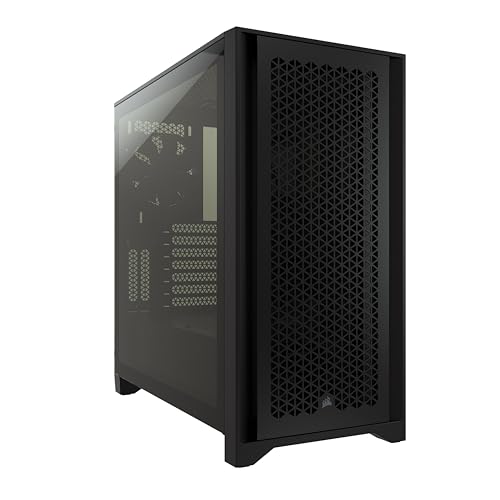
Corsair 4000D Airflow Mid-Tower Case
#7
complement

Corsair 4000D Airflow Mid-Tower Case

$95

Windowed case showcasing RGB RAM.

Excellent airflow.

πŸ’‘ Why We Recommend It

Maximizes visual impact.

βœ“ Best For

New RGB-focused builds

πŸ›’ Check Price on Amazon β†’
Crucial 64GB (2x32GB) DDR4 3200MHz Pro
#8
upgrade

Crucial 64GB (2x32GB) DDR4 3200MHz Pro

$145

Double capacity for heavy workloads, no RGB.

Future-proofs RAM.

πŸ’‘ Why We Recommend It

If 64GB is your goal.

βœ“ Best For

Video editors and VM users

πŸ›’ Check Price on Amazon β†’

Bottom Line

Corsair Vengeance RGB Pro RAM is a depends buy: Snap it up if you're a gamer/enthusiast with budget room, a windowed case, and DDR4 platformβ€”its perf + RGB delight most owners. Skip if budget-tight, casual use, or eyeing DDR5; opt for non-RGB alts saving $70+.

Weigh needs via our questions/factors: Heavy use + aesthetics = yes; basics = no. Buy now if building soon (prices stable), wait for Prime Day if not. Alternatives like Vengeance LPX (ASIN B09W2X3Y4Z) offer 90% value.

Ready? Check Amazon's B08HC5S3N4 for latest deals and dive in confidentlyβ€”or pivot smartly.

Best For

  • βœ“Gamers building RGB-heavy rigs with 3200MHz+ mobos
  • βœ“Content creators editing 4K video weekly
  • βœ“PC enthusiasts syncing lights across components
  • βœ“Upgraders from 16GB seeking multitasking boost
  • βœ“AM5/Z790 builders wanting lifetime-warrantied perf
  • βœ“Streamers running OBS + games + browser tabs
  • βœ“Windowed case owners prioritizing aesthetics
  • βœ“Overclockers chasing stable high frequencies

Not Recommended For

  • βœ—Budget builders under $1000 total PC spend
  • βœ—Office users with light browsing/email tasks
  • βœ—Laptop owners (desktop RAM only)
  • βœ—DDR5 upgraders on new platforms
  • βœ—Minimalist builders skipping RGB entirely
  • βœ—Casual gamers happy with 60FPS stock RAM
  • βœ—Users without iCUE-compatible gear
  • βœ—Those with tall air coolers risking clearance

Frequently Asked Questions

Should I buy Corsair Vengeance RGB Pro RAM?

Depends: Yes for RGB gaming builds needing speed; no for budgets or basics. Use our scenarios to self-assess.

Is Corsair Vengeance RGB Pro RAM a good buy in 2025?

Solid for DDR4 usersβ€”4.7 stars, reliable. But DDR5 prices dropping make it niche for new builds.

Should I get Corsair Vengeance RGB Pro or G.Skill Trident Z?

Corsair if in iCUE ecosystem; G.Skill (B0A6Y7Z8A9) for prettier RGB/ASUS boards. Similar perf.

Is Corsair Vengeance RGB Pro RAM worth $149?

Worth it for enthusiasts (perf + looks); overpriced for non-RGB needsβ€”grab LPX instead.

When should I buy Corsair Vengeance RGB Pro RAM?

Now for current DDR4 builds; wait for sales if upgrading soon or DDR5 viable.

Corsair Vengeance RGB Pro vs non-RGB?

RGB adds style/sync but $70 premium. Non-RGB identical perf for value seekers.

What should I consider before buying Corsair Vengeance RGB Pro RAM?

Motherboard compat, case clearance, workload needs, DDR5 timeline, and iCUE tolerance.

Who should buy Corsair Vengeance RGB Pro RAM?

Gamers/builders with windowed cases and 32GB+ needs. Skip for office or laptops.

Does Corsair Vengeance RGB Pro work on AMD?

Yes, strong XMP support on AM4/AM5, but test stability.

Is there a better alternative to Corsair Vengeance RGB Pro?

G.Skill Trident Z for flashier RGB; Crucial for budget perf.

Ready to Make Your Decision?

We hope this guide helped you decide whether Corsair Vengeance RGB Pro RAM is right for you.

πŸ›’ Buy Corsair Vengeance RGB Pro RAM on AmazonAs an Amazon Associate we earn from qualifying purchases.
Browse More Guides