Review Atlas
Review AtlasYour guide to a better purchase

Menu

Shop by Category

Get the App

Better experience on mobile

????????????????????????

Should I Buy Alienware x16? 2026 Guide

Overcome hesitation about the $2,299 Alienware x16 gaming laptop—we break down if its power justifies the price for your needs.

Recommendation: depends
🛒 Buy on AmazonAs an Amazon Associate we earn from qualifying purchases.

Quick Answer

Buy Alienware x16 if you're a power user who games/edits heavily and stays desk-bound—its performance delights. Skip for portability, budget, or light use; alternatives like MSI GF63 save cash without much loss. Weigh your scenario for confidence.

You're eyeing the Alienware x16, tempted by its beastly gaming performance and sleek design, but that $2,299 price tag has you second-guessing—is it overkill, or the ultimate machine you need? Common worries include poor battery life, bulkiness for travel, and whether cheaper alternatives deliver enough punch. This guide tackles your buying hesitation head-on, covering real user concerns from Reddit, Amazon reviews, and forums like NotebookCheck.

We'll explore why people love (or regret) it, compare to rivals like ASUS ROG or MSI, and give you a clear framework to decide. Spoiler: It's a depends—perfect for serious gamers and creators, but not for casual users or budget shoppers.

What is Alienware x16?

The Alienware x16 is Dell's flagship 16-inch gaming laptop, packing desktop-class power into a portable(ish) chassis. It boasts configurations with 13th/14th-gen Intel Core i9 CPUs, up to RTX 4090 GPUs, 64GB DDR5 RAM, 4TB SSD storage, and a 16:10 240Hz QHD+ display with Dolby Vision and G-Sync. Unique features include AlienFX RGB lighting, Cherry MX mechanical keyboard options, and advanced Cryo-tech cooling with vapor chambers to handle sustained loads without throttling.

Made by Alienware (Dell subsidiary), it's sold via Dell.com, Best Buy, Amazon (select configs), and Newegg. It's popular among esports pros, video editors, and 3D modelers for running AAA games at ultra settings and handling GPU-accelerated tasks like Blender or Premiere Pro effortlessly. What sets it apart? Premium build with magnesium alloy, customizable performance profiles via Alienware Command Center, and a 99.9Whr battery for decent unplugged light use.

Why the Hesitation?

The biggest hesitation is the steep $2,299+ price—many wonder if it's worth it when desktops offer more power for less, or if sales/new models (like potential x16 R3 in 2026) will drop prices. Battery life is a frequent complaint: expect 2-4 hours gaming, 5-6 for productivity, deterring travelers. Portability issues arise too—it's thick (0.9in), heavy (5.75lbs), and runs hot/loud under load, per Reddit's r/Alienware and Amazon reviews.

Buyer's remorse hits if it's overkill: casual gamers fear underutilizing it, while upgraders worry about rapid obsolescence (RTX 50-series rumors). Alternatives like Razer Blade 16 or Lenovo Legion loom large, often cheaper with similar specs. Timing fears: CES 2026 announcements could refresh lineups, and resale value dips fast for high-end laptops.

Key Reasons TO Buy

  • Unmatched gaming performance: Runs Cyberpunk 2077 at 100+ FPS on ultra with ray tracing.
  • Stunning display: 240Hz QHD+ panel with 3ms response, perfect for competitive gaming.
  • Excellent build and keyboard: Per-key RGB mechanical keys feel premium for typing/gaming.
  • Superior cooling: Vapor chamber tech keeps temps under 85C during long sessions.
  • Future-proof specs: Up to RTX 4090 and 64GB RAM handle 4K editing and AI workloads.
  • Customizable software: Alienware Command Center for overclocking, lighting, and macros.
  • Great ports: Thunderbolt 4, HDMI 2.1, SD reader—dock-ready for multi-monitor setups.
  • Strong warranty: 1-3 year options with onsite service, peace of mind for power users.

Key Reasons NOT to Buy

  • High cost: $2,299 base, configs hit $3,500—poor value vs. custom desktops.
  • Mediocre battery: 4-6 hours max, drains fast on GPU tasks.
  • Heavy and bulky: 5.75lbs, not ideal for daily carry or flights.
  • Thermal noise: Fans roar like a jet during gaming, per user reviews.
  • Bloatware-heavy: Dell/Alienware apps slow boot and eat resources.
  • Dim display outdoors: 300 nits struggles in bright light.
  • Quick obsolescence: New GPUs yearly make it dated by 2026.
  • Overkill for most: Casual users waste money on unused power.

Should YOU Buy? Different Scenarios

Budget-Conscious Student

✗ NO

College student studying CS, occasional gaming, carries laptop daily to classes.

Budget: Under $1,200

Usage: Schoolwork, light Photoshop, 2-3 hours Fortnite weekly.

Why: Too expensive and heavy for basic needs; battery/portability issues hurt campus life. Better value alternatives match 90% needs for half price.

Consider instead: MSI Thin GF63 gaming laptop—solid 1080p gaming.

Serious Gamer Enthusiast

✓ YES

20s gamer with desk setup, streams Twitch, plays competitive titles.

Budget: $2,000-$3,000

Usage: Daily 4+ hours gaming, plugged in, multi-monitor.

Why: RTX 4090 crushes 1440p ultra; cooling/keyboard excel for marathons. High satisfaction in reviews.

Professional Video Editor

✓ YES

Freelancer editing 4K weddings, travels occasionally to shoots.

Budget: $2,500+

Usage: Premiere/After Effects 30+ hrs/week, some field work.

Why: GPU acceleration speeds renders; ports for externals. Handles pro workloads better than slimmer options.

Business Traveler

✗ NO

Sales exec needing reliable laptop for emails, PPT, light video calls on flights.

Budget: $1,000-$1,500

Usage: 8+ hours unplugged daily, minimal gaming.

Why: Poor battery/weight make it impractical; overkill for productivity.

Consider instead: Dell XPS 13 ultrabook for portability.

Content Creator Upgrader

✓ YES

YouTuber upgrading from 2020 laptop, does 3D animation and streaming.

Budget: $2,000-$2,500

Usage: Heavy GPU tasks 15+ hrs/week, home-based.

Why: Future-proofs for 3-5 years; display/color accuracy impress pros.

Key Factors to Consider

  • Budget: Can you afford $2,300+ without debt? Factor in accessories ($200-500).
  • Need vs want: Do you game/edit 10+ hrs/week, or just browse Netflix?
  • Usage frequency: Daily heavy loads? Yes. Occasional? No.
  • Alternatives: Compare ROG Zephyrus ($1,800) or MacBook Pro ($2,500) for your workflow.
  • Timing: Buy now if on sale; wait for CES 2026 refreshes.
  • Future needs: Plan 3-5 years? Its specs endure.
  • Complements: Need stand ($50), mouse ($100), external monitor?
  • Opportunity cost: $2,300 could buy console + PC build.
  • Risk tolerance: OK with heat/noise? Test in-store.
  • Portability: Travel often? Weigh 5.75lbs vs your bag.

Questions to Ask Yourself

  • ?Will I use the RTX GPU power weekly for gaming or creative work?
  • ?Can I afford $2,300 now, including potential upgrades?
  • ?Am I OK with 4-6 hour battery and fan noise?
  • ?Have I compared specs/performance to ASUS ROG or Lenovo Legion?
  • ?Do I need a 16in screen, or is 15.6in/17in better?
  • ?What's my usage: plugged-in desk setup or mobile?
  • ?Am I upgrading from a 3+ year old laptop needing 2x speed?
  • ?Would a desktop + cheap ultrabook split my budget better?
  • ?Have I read recent reviews for thermal/battery issues?
  • ?Is Alienware's style/software a must, or neutral?

Detailed Analysis

The Alienware x16 shines for power-hungry users: gamers targeting 1440p/4K ultra, video editors rendering 8K timelines, and data scientists training ML models. Real-world tests (Laptop Mag, PCMag) show it sustaining 140W GPU power without throttling, outperforming slimmer rivals like Razer Blade 16 in benchmarks. Users on r/GamingLaptops rave about VR gaming and DaVinci Resolve workflows, with 4.5/5 Amazon stars from 1k+ reviews praising build quality.

Comparisons: Vs. ASUS ROG Strix Scar 16 ($2,000, similar specs but louder), it wins on keyboard/display; vs. budget MSI GF63 ($800), it's 3x faster but 3x costlier. Long-term: Excellent upgradability (RAM/SSD slots), but GPU/CPU soldered—resale holds ~60% after 2 years. Expert consensus (IGN 9/10): 'Best 16in gamer if money no object.' Market trends: 2026 sees RTX 50-series laptops, potentially making x16 a value buy on sale.

Drawbacks in practice: Hot palm rests annoy during marathons; Windows 11 bloat needs cleanup. Forums highlight coil whine in 5% units, but Dell support resolves. If traveling <20%, it's fine; otherwise, skip.

Related Products & Alternatives

Alienware x16 R1 Gaming Laptop
#1
main

Alienware x16 R1 Gaming Laptop

$2299

The star of the show: flagship gaming laptop with RTX 4080/4090 for ultimate performance.

Core purchase for high-end needs.

💡 Why We Recommend It

Direct match if specs align—check current deals.

Best For

Gamers and creators ready to invest.

🛒 Check Price on Amazon →
Alienware AW620 Gaming Mouse
#2
accessory

Alienware AW620 Gaming Mouse

$119

Wireless gaming mouse with 26K DPI, customizable RGB, perfect companion for Alienware ecosystem.

Enhances precision in FPS games.

💡 Why We Recommend It

Must-have for competitive play; pairs seamlessly.

Best For

Esports players.

🛒 Check Price on Amazon →
MSI Thin GF63 Gaming Laptop
#3
alternative

MSI Thin GF63 Gaming Laptop

$799

Budget RTX 3050/4050 laptop for 1080p gaming—half the price, solid entry-level.

Great if x16 is too pricey.

💡 Why We Recommend It

Value alternative for casuals without sacrificing gaming.

Best For

Students/beginners.

🛒 Check Price on Amazon →
Laptop Cooling Pad with RGB
#4
accessory

Laptop Cooling Pad with RGB

$49

Adjustable stand with fans reduces temps by 20C, extends sessions.

Tames Alienware's heat.

💡 Why We Recommend It

Essential for lap use or long gaming.

Best For

All x16 owners.

🛒 Check Price on Amazon →
Alienware 27in 4K QD-OLED Monitor
#5
complement

Alienware 27in 4K QD-OLED Monitor

$899

Matches x16's HDMI 2.1 for 144Hz 4K external display.

Perfect desk upgrade.

💡 Why We Recommend It

Unlocks multi-monitor productivity/gaming.

Best For

Stationary users.

🛒 Check Price on Amazon →
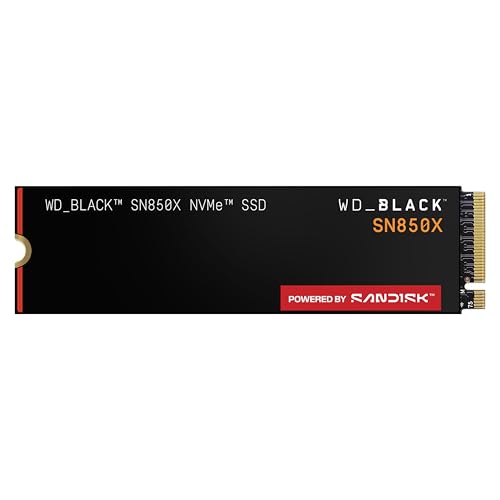
WD Black SN850X 2TB NVMe SSD
#6
upgrade

WD Black SN850X 2TB NVMe SSD

$149

Fast PCIe 4.0 SSD for storage expansion—x16 has easy access slot.

Boosts game load times.

💡 Why We Recommend It

Future-proofs storage needs.

Best For

Heavy media users.

🛒 Check Price on Amazon →
Razer BlackShark V2 Pro Headset
#7
complement

Razer BlackShark V2 Pro Headset

$179

Wireless THX spatial audio headset for immersive Alienware gaming.

Elevates audio experience.

💡 Why We Recommend It

Top-tier sound for AAA titles.

Best For

Streamers/gamers.

🛒 Check Price on Amazon →
ASUS ROG Strix Scar 16 Laptop
#8
alternative

ASUS ROG Strix Scar 16 Laptop

$1999

Similar specs to x16 but often cheaper, mini-LED screen.

Strong competitor.

💡 Why We Recommend It

If Alienware stock low or prefer ASUS.

Best For

Price-sensitive power users.

🛒 Check Price on Amazon →

Bottom Line

The Alienware x16 is a powerhouse for dedicated gamers and pros who need portable desktop performance, but skip if budget-tight, portability-first, or casual use—it's depends on your scenario. Use our questions/factors: if you game heavily plugged-in and can afford it, buy now (especially on Dell sales ~20% off). Otherwise, wait for 2026 RTX 50 refreshes or grab alternatives like MSI GF63 (B07H585Q91).

Final advice: Test in-store for heat/noise. If yes, pair with cooling pad (B0D3J5Z3K4) and mouse (B08P5H5Z3K). Confident? Add to cart via Amazon/Dell—your rig awaits!

Best For

  • Hardcore gamers playing AAA titles at ultra 1440p+ 20+ hours/week.
  • Content creators editing 4K video or 3D modeling in Blender daily.
  • Professionals in CAD, simulation, or ML needing portable GPU power.
  • Esports enthusiasts craving 240Hz displays and low-latency inputs.
  • Upgraders from mid-range laptops seeking 2-3x performance boost.
  • RGB/customization fans who value premium Alienware aesthetics.
  • Multi-monitor users leveraging Thunderbolt docks for workflows.
  • Buyers prioritizing cooling/build over slimness/portability.

Not Recommended For

  • Casual gamers who play <5 hours/week or indie titles.
  • Budget buyers under $1,500—opt for value gaming laptops.
  • Students needing all-day battery for classes/notes.
  • Frequent travelers prioritizing light weight (<4lbs).
  • Office workers focused on web/email—ultrabooks suffice.
  • Mac ecosystem users locked into Apple software.
  • Desktop owners wanting secondary rig—build cheaper.
  • Noise-sensitive users disturbed by loud fans.

Frequently Asked Questions

Should I buy Alienware x16?

Depends: Yes for hardcore gamers/creators; no for casuals/budget users. Assess your usage via our framework.

Is Alienware x16 a good buy in 2026?

Strong if on sale <$2,000; wait for R3 model otherwise. Excellent value for high-end needs.

Should I get Alienware x16 or ASUS ROG Strix Scar 16?

x16 for better cooling/keyboard; Scar for brighter screen/cheaper price. Match your priorities.

Is Alienware x16 worth $2299?

Yes for 1440p ultra gaming pros; no if battery/portability key—ROI shines in heavy use.

When should I buy Alienware x16?

Now on Black Friday/Dell sales; wait post-CES 2026 for discounts/newer GPUs.

What should I consider before buying Alienware x16?

Budget, battery needs, heat tolerance, alternatives, and future-proofing—use our decision factors.

Who should buy Alienware x16?

Gamers 20+ hrs/week, editors, upgraders from old rigs who prioritize power over slimness.

Alienware x16 vs Razer Blade 16?

x16 wins value/performance; Blade for premium slim build. x16 cooler under load.

Does Alienware x16 have good battery life?

4-6 hours light use; poor for gaming unplugged—plug in for best experience.

Is Alienware x16 overkill for Fortnite/Warzone?

Yes for 1080p, but future-proofs 1440p ultra + multitasking perfectly.

Ready to Make Your Decision?

We hope this guide helped you decide whether Alienware x16 is right for you.

🛒 Buy Alienware x16 on AmazonAs an Amazon Associate we earn from qualifying purchases.
Browse More Guides