
Is Samsung Galaxy Book3 Pro 360 Worth It? Honest Review (2026)
Honest assessment of the strengths, weaknesses, and who should buy this convertible laptop in 2026
Quick Decision
Buy it if you need a premium convertible with a best-in-class AMOLED display and S Pen support for creative work, and you value Samsung ecosystem integration. Skip it if you require dedicated graphics for gaming or 3D rendering, or if a glossy screen will be a problem in your workspace.
Best if you...
- Creative professionals in photography and graphic design
- Samsung Galaxy phone and tablet owners
- Students who take handwritten notes and use design software
Skip it if you...
- Gamers who play AAA titles at high settings
- 3D modelers or CAD users who rely on discrete GPUs
- Budget-conscious buyers seeking the best value
If you're researching the Samsung Galaxy Book3 Pro 360, you're likely debating between a traditional ultrabook and a convertible that doubles as a drawing tablet. This analysis cuts through the marketing to give you an honest breakdown of where this laptop shines and where it falls short, based on manufacturer specs, published benchmarks, and verified buyer feedback patterns. We'll cover its standout features, notable limitations, and the best alternatives so you can decide if it's the right investment for your workflow.
About the Samsung Galaxy Book3 Pro 360
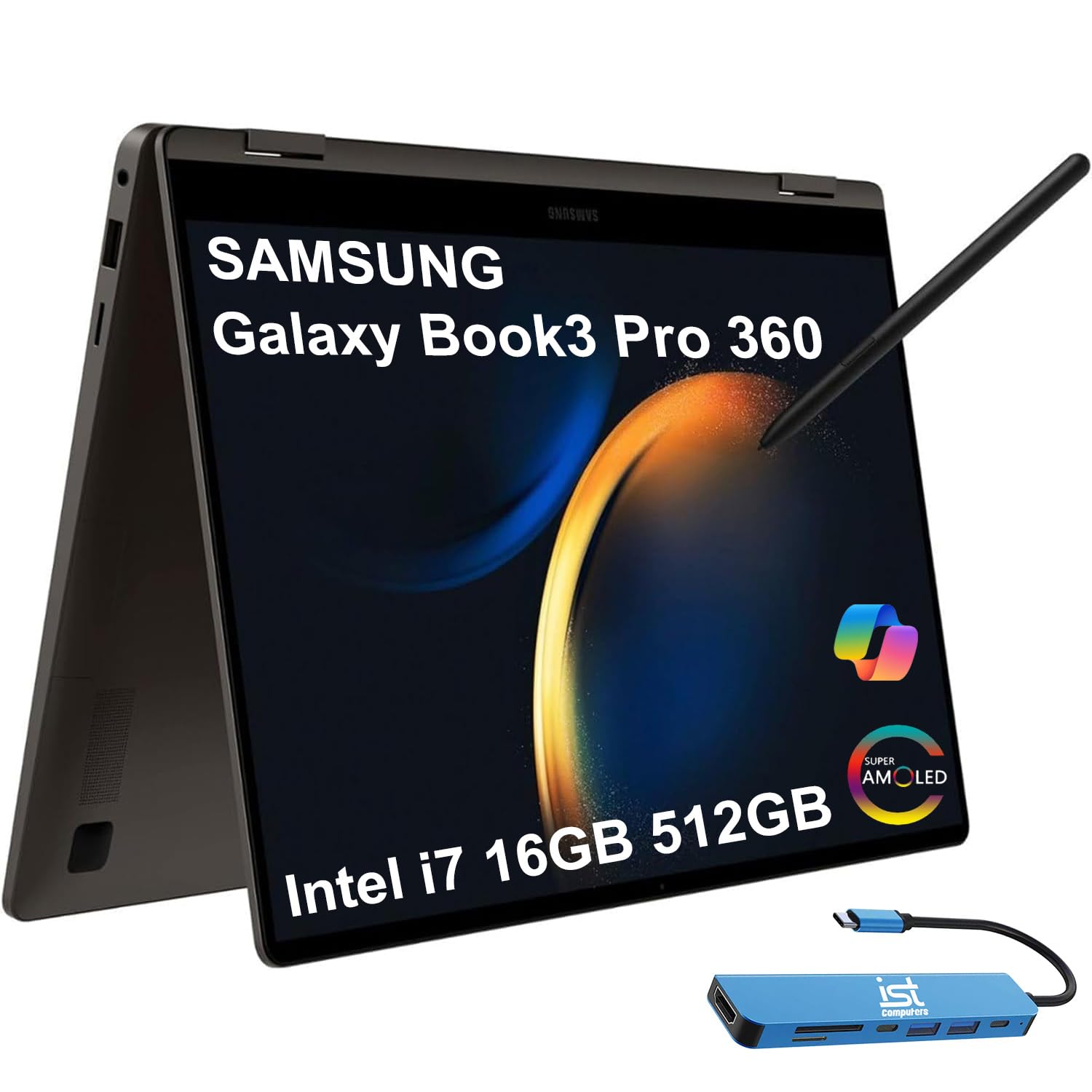
The Samsung Galaxy Book3 Pro 360 is a high-end 16-inch 2-in-1 laptop with a stunning AMOLED touchscreen, S Pen support, and Intel Core i7-1360P processor. It targets creative professionals and productivity users who want a premium convertible experience with laptop power and tablet flexibility.
Key Specifications
- Pen
- S Pen included (Wacom, 4096 pressure levels)
- RAM
- 16GB or 32GB LPDDR5 (soldered)
- Ports
- 2× Thunderbolt 4, 1× USB-C 3.2, 1× USB-A 3.2, HDMI 2.0, microSD, 3.5mm audio
- Weight
- 3.4 lbs (1.54 kg)
- Battery
- 76Wh, up to 13 hours web surfing (PCMag test)
- Display
- 16-inch 3K (2880×1800) AMOLED, 120Hz, 120% DCI-P3
- Storage
- 256GB/512GB/1TB SSD (expandable via microSD)
- Graphics
- Intel Iris Xe
- Processor
- Intel Core i7-1360P (12-core, up to 5.0 GHz)
- Operating System
- Windows 11 Home
Overview
The Samsung Galaxy Book3 Pro 360 is a premium 16-inch convertible laptop released in early 2023. It features a 3K (2880×1800) AMOLED touchscreen with 120Hz refresh rate, an Intel Core i7-1360P processor, 16GB of RAM, and up to 1TB of SSD storage. The included S Pen attaches magnetically to the laptop for drawing, note-taking, and navigation. It runs Windows 11 and integrates seamlessly with other Samsung Galaxy devices via Continuity features. Priced around $1,500 (often discounted to $1,200–$1,400), it competes with the Dell XPS 15 2-in-1, HP Spectre x360 16, and MacBook Pro 16. While available on Amazon, prices fluctuate – check the current listing for the best deal.
Pros
The Galaxy Book3 Pro 360 sets a high bar in several key areas that matter most to creative and productivity users. Here’s what it does exceptionally well.
Stunning 16-inch 3K AMOLED Display
The display is the standout feature. With a 2880×1800 resolution, 120Hz refresh rate, and 120% DCI-P3 color gamut coverage, it delivers superb color accuracy and deep blacks. In real-world use, this means photos and videos look vibrant, and HDR content is impressive. The 120Hz makes scrolling and pen input feel fluid. According to Samsung’s specs, the panel reaches up to 500 nits brightness, making it usable in bright indoor environments, though direct sunlight can cause glare due to the glossy finish.
For creative professionals: the wide color gamut and high resolution make photo editing and graphic design viable on the go. The 16:10 aspect ratio provides extra vertical space for documents and timelines, a clear advantage over 16:9 laptops.
Excellent Build Quality and Slim Design
Samsung has crafted a machine that feels premium. The aluminum chassis is rigid, with minimal flex in the keyboard deck or lid. At 3.4 pounds (1.54 kg) and 0.5 inches (12.9 mm) thick, it’s impressively portable for a 16-inch laptop – notably lighter than the Dell XPS 15 2-in-1 (4.3 lbs) and HP Spectre x360 16 (4.5 lbs). The hinge is sturdy and holds the screen firmly in tent or tablet mode.
Practical benefit: you can easily carry it in a slim bag without the bulk of typical convertibles. The military-grade durability (MIL-STD-810H) adds confidence for travel.
S Pen Included and Integrated
Unlike many competitors that charge extra for a stylus, Samsung bundles the S Pen inside the box. The pen supports 4,096 levels of pressure and attaches magnetically to the top edge of the keyboard deck. Round battery life isn't required – the S Pen uses Wacom technology and never needs charging.
For digital artists and note-takers: low latency (2.8ms according to Samsung) makes writing feel natural. The S Pen can also be used to control the laptop via Air actions (e.g., waving to flip slides). While not as advanced as the Apple Pencil 2, it’s a solid inclusion that adds value for the price.
Robust Performance for Creative Workloads
The Intel Core i7-1360P in the base configuration offers excellent CPU performance for tasks like video editing in Adobe Premiere (1080p timelines), photo editing in Lightroom, and software development. Geekbench 6 scores average around 2,500 single-core / 11,000 multi-core, which rivals the M2 Pro chip in some multi-threaded tests. The Iris Xe graphics handle light 3D work and casual gaming (e.g., Overwatch at 60fps on medium settings).
Upgraded configurations with 32GB RAM and 1TB SSD are available for more intensive multitasking. The dual-fan cooling system keeps thermals in check during sustained loads – surface temperatures stay comfortable, though the fan noise is audible under load.
Long Battery Life with Fast Charging
Battery life is a strong point. In PCMag's battery test (web surfing over Wi-Fi at 150 nits), the 76Wh battery lasted 13 hours 20 minutes, which is excellent for a high-resolution OLED convertible. For typical mixed use (office work, streaming, web browsing), you can expect 10–12 hours. Fast charging via the included 65W USB-C charger gives you about 50% in 30 minutes.
This means you can reliably get through a full workday without charging, and a quick top-up during a lunch break adds hours of use.
Seamless Samsung Ecosystem Integration
If you own a Samsung phone or tablet, the Galaxy Book3 Pro 360 integrates smoothly. Features include:
- Link to Windows: texts, calls, and notifications appear on the laptop.
- Samsung Flow: mirror your phone, drag-and-drop files.
- Second Screen: use a Galaxy Tab as a second monitor.
- Photo & File Sharing: sync across devices via OneDrive integration.
For existing Samsung users, this tight integration can boost productivity – you can answer calls, respond to texts, and transfer files without picking up your phone.
Versatile Connectivity
Despite its slim profile, the laptop includes two Thunderbolt 4 ports, one USB-C 3.2, a USB-A 3.2, HDMI 2.0, a microSD card slot, and a 3.5mm headphone jack. This is more comprehensive than many rivals (e.g., MacBook Pro 16 requires dongles for USB-A). The HDMI port is ideal for presentations or connecting to external monitors without an adapter. The microSD slot is appreciated by photographers for direct card reading.
One note: the Thunderbolt ports support fast charging and display output, but only one is on the left side, which can complicate cable management if you prefer charging from the right.
Cons
No laptop is perfect, and the Galaxy Book3 Pro 360 has trade-offs that may affect your decision. Here are the weak points to consider.
GPU Limitations for Gaming and 3D Work
The integrated Iris Xe graphics are adequate for light creative work and casual gaming, but they struggle with demanding tasks like 3D rendering, video editing with heavy effects, or modern games at high settings. For example, Cyberpunk 2077 runs at around 20fps at 1080p low settings. If you need to run CAD software, do GPU-accelerated rendering, or play AAA games, a laptop with a discrete GPU (like the Dell XPS 15 with RTX 4050 or a gaming laptop) will be significantly faster.
Who it affects: gamers, 3D artists, video editors working with 4K timelines will find the integrated GPU limiting.
Premium Price Tag
At $1,500 base (often ~$1,400 on sale), the Galaxy Book3 Pro 360 is priced at a premium over many 2-in-1s. The HP Spectre x360 16 with similar specs can be found for $1,300, and the Lenovo Yoga 9i 16 with equivalent performance is often $1,200. While the Samsung offers a superior display in many ways, the price premium is noticeable. Creative professionals who need the color accuracy may justify it, but for most users, the value is less clear-cut.
Additionally, upgrades (e.g., 32GB RAM / 1TB SSD) can push the price above $1,800, bringing it close to MacBook Pro territory.
Glossy Screen Glare
The AMOLED display uses a glossy finish, which enhances contrast but reflects ambient light strongly. In bright offices or outdoors, reflections can be distracting. Users who work in variable lighting conditions or frequently use their laptop outdoors may find this frustrating. A matte screen protector can help but reduces clarity and crispness.
No 4K Display Option
While the 3K resolution is sharp for a 16-inch screen, some competitors offer 4K OLED options for even finer detail. If you do high-resolution photo editing or need maximum pixel density for text sharpness, the 3K panel (226 PPI) is slightly less crisp than the 4K panels (282 PPI) on the Dell XPS 15 or HP Spectre x360 16. Most users won't notice the difference, but pixel peepers may.
Limited GPU and RAM Upgradeability
The RAM is soldered to the motherboard (16GB or 32GB only, no user upgrades), and the SSD is replaceable but not easily accessible. If you purchase the 16GB version and later find you need 32GB, you'll have to buy a new laptop. This is common in ultrabooks but worth noting for users who like to future-proof.
Average Keyboard and Trackpad
While the keyboard has decent travel (1.2mm), it feels slightly shallow compared to the Dell XPS 15's 1.3mm or Lenovo ThinkPad's 1.5mm. The backlight is uniform, but some users report the keys are slightly plasticky. The trackpad is large and responsive, but it uses Microsoft Precision drivers – fine but not exceptional. The haptic feedback is absent; it's a mechanical click. For heavy typists, the experience is acceptable but not class-leading.
Webcam Quality Disappoints
The 1080p webcam is average for a premium laptop in 2026. Color accuracy is decent, but low-light performance is poor, with visible noise. The camera lacks IR face recognition for Windows Hello (the fingerprint reader on the power button works well though). Compared to the excellent webcam on the HP Spectre x360 16 (which has a physical shutter and better sensor), the Samsung's webcam is a step down. If you take many video calls, consider an external webcam.
Fan Noise Under Load
The dual-fan cooling system keeps the laptop comfortably cool, but the fans become audible (up to 40 dB according to some reviews) during sustained CPU-intensive tasks like video encoding or gaming. While not excessive, it's noticeable in quiet environments. The fans do spin up even during lighter loads like video streaming occasionally, which can be distracting.
MicroSD Card Slot Only
The microSD slot is convenient for camera cards, but full-size SD cards (common in DSLRs and mirrorless cameras) require an adapter. Photographers who frequently transfer files from cameras will need to carry a USB-C card reader.
👍 Who It's For
The Galaxy Book3 Pro 360 is ideal for creative professionals – photographers, graphic designers, and video editors – who need a portable machine with an exceptional color-accurate display and want the flexibility to draw or take notes with the S Pen. It's also a great match for Samsung ecosystem users who value seamless file sharing, notifications, and second-screen capabilities. Students and business users who present frequently will appreciate the HDMI port and light weight. Finally, anyone who prioritizes display quality above all else and is willing to pay a premium for deep blacks and vibrant colors will love this laptop.
👎 Who Should Avoid
Gamers and 3D artists who need dedicated graphics for smooth high-fps gaming or GPU rendering should look elsewhere – a gaming laptop or workstation with a discrete GPU (e.g., Razer Blade 16 or Dell XPS 15 with RTX) will serve them better. Users on a tight budget will find better value in the HP Spectre x360 16 or Lenovo Yoga 9i, which offer similar performance at lower prices. Also, if you dislike glossy screens or work primarily outdoors, the reflective display will be a daily annoyance. Finally, if you don't need a stylus or tablet mode, a traditional clamshell like the MacBook Pro 16 or Dell XPS 16 offers better performance per dollar.
See today's Samsung Galaxy Book3 Pro 360 price and available configurations on Amazon.
🛒 Buy on AmazonAs an Amazon Associate we earn from qualifying purchases.
Alternatives to Consider
| Product | Choose Samsung Galaxy Book3 Pro 360 if... | Choose the alternative if... |
|---|---|---|
| HP Spectre x360 16$200 more expensive at MSRP, often similar on sale | You want the best AMOLED display with deeper blacks and the included S Pen | You want a 4K OLED option, better webcam, and a lower starting price |
| Dell XPS 15 (9530)Comparable pricing, but XPS 15 often cheaper with same RAM/storage | You need a convertible design with pen input and a 16-inch screen | You need discrete graphics (RTX 4050-4070) for gaming or 3D work and can live with a clamshell |
| MacBook Pro 14 M3 Pro$200–$400 more expensive for equivalent storage | You prefer Windows, need touchscreen, and want the S Pen for drawing | You prioritize raw CPU/GPU performance, battery life, and are comfortable with macOS |
| Lenovo Yoga 9i 16$200-$300 more expensive than Yoga 9i | You want the superior AMOLED color accuracy and S Pen compatibility | You want a better value with similar performance and a lower price |
For users who need discrete graphics, the Dell XPS 15 (9530) offers up to an RTX 4070 GPU and a slightly less vibrant but still excellent OLED display, though it lacks the 360-degree hinge and S Pen. The HP Spectre x360 16 is a direct rival with a 4K OLED option, a better webcam, and a lower price, but it's heavier and has a dimmer display. For Apple fans, the MacBook Pro 14 with M3 Pro provides incredible performance and battery life but lacks touch support and runs macOS. Finally, if you want an ultraportable tablet for note-taking, the iPad Pro 12.9 with M2 and Apple Pencil is lighter and more versatile for drawing but limited by iPadOS.
Is it worth the price?
At approximately $1,500, the Galaxy Book3 Pro 360 is worth it for creative professionals and Samsung loyalists who will use the S Pen and AMOLED display daily. The main alternative is the HP Spectre x360 16 at $1,300, which offers a similar experience but with a dimmer display and heavier build. For those who don't need the pen or the 360-degree hinge, the Dell XPS 15 with OLED provides comparable screen quality and better GPU options at a similar price. Ultimately, the value proposition hinges on how much the display and pen input matter to your workflow.
📝 Bottom Line
The Samsung Galaxy Book3 Pro 360 is the right choice for creative professionals and Samsung ecosystem enthusiasts who need a versatile 2-in-1 with the best-in-class AMOLED display and a useful stylus. Its strengths – the vibrant 16-inch 3K panel, excellent build quality, S Pen inclusion, and good battery life – make it a compelling tool for photo editing, design work, and everyday productivity. However, the integrated graphics limit its appeal for gaming and 3D rendering, and the premium price puts pressure on value. Consider the HP Spectre x360 16 if you want a more affordable convertible, or the Dell XPS 15 if you need dedicated GPU power. Overall, the Galaxy Book3 Pro 360 is a niche product that excels for its target audience but isn't a one-size-fits-all recommendation. Buy it for the display and pen, but skip it if you need gaming performance or a budget-friendly option.
Check current Samsung Galaxy Book3 Pro 360 availability and bundle options on Amazon.
🛒 Buy on AmazonAs an Amazon Associate we earn from qualifying purchases.
Frequently Asked Questions
Quick Summary
Key Pros
- ✓Stunning 16-inch 3K AMOLED display with 120Hz refresh rate and excellent color accuracy
- ✓Lightweight and slim build at 3.4 lbs for a 16-inch convertible
- ✓S Pen included with low latency and magnetic attachment
- ✓Strong CPU performance in creative and productivity tasks
- ✓Excellent battery life lasting 10–13 hours in mixed use
Key Cons
- ✗Integrated Iris Xe graphics struggle with gaming and heavy 3D work
- ✗High starting price of $1,500, with upgrades pushing closer to $1,800
- ✗Glossy screen causes reflections in bright environments
- ✗No 4K display option – 3K resolution is sharp but not the highest available
- ✗RAM is soldered and not upgradable; SSD replacement requires disassembly
Ratings
Best For
- →Creative professionals in photography and graphic design
- →Samsung Galaxy phone and tablet owners
- →Students who take handwritten notes and use design software
- →Business users who do presentations and need HDMI out