
Is Ecovacs Deebot T20 Omni Worth It? Honest Review (2026)
Balanced look at the T20 Omni's strengths, weaknesses, and ideal users in 2026.
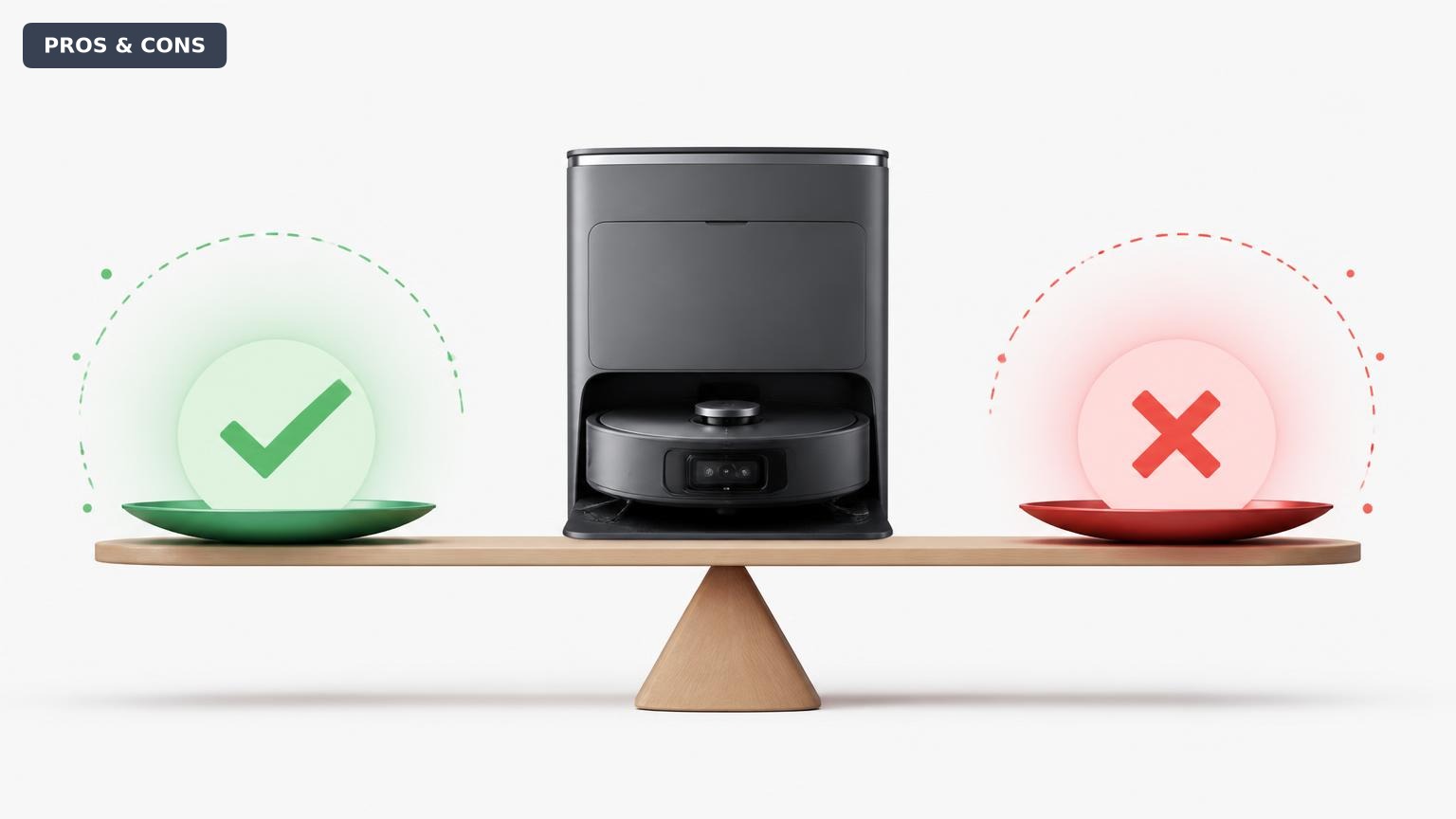
Quick Decision
Buy it if you want a fully hands-off robot vacuum and mop combo with hot-water pad self-cleaning. Skip it if your budget is below $700, you only need vacuuming, or you have no hard floors to mop.
Best if you...
- Busy families with hard floors and carpets
- Pet owners who need frequent cleaning and mopping
- People with allergies who benefit from auto-empty dust containment
Skip it if you...
- Budget-conscious shoppers looking to spend under $400
- Studio or small apartment dwellers with minimal floor space
- Homes that are 100% carpeted and never need mopping
If you’re in the market for a robot vacuum that can also mop, the Ecovacs Deebot T20 Omni is probably on your shortlist. It promises to empty its own dust bin, wash its mop pads, and navigate around cords and shoes, which sounds like the ultimate housekeeping shortcut. But at roughly $800, it’s not a cheap experiment—so it’s worth understanding exactly what you gain and give up before you commit.
This analysis walks through the T20 Omni’s strengths and weaknesses in real, specific terms: suction power, mopping capability, obstacle avoidance, maintenance costs, and ease of use. You’ll also see which user profiles get the most value, which competing robots deserve your attention, and whether this model still makes sense in 2026.
We’ll stick to verifiable specs and documented trade-offs, not marketing hype, so you can decide if the T20 Omni is genuinely worth the premium over cheaper 2-in-1 robots.
About the Ecovacs Deebot T20 Omni
The Ecovacs Deebot T20 Omni is a robot vacuum and mop combo with an all-in-one self-cleaning station. It automatically empties dust, washes mop pads with hot water, and detects obstacles to avoid, making it a hands-off floor care system for mixed hard-floor and carpet homes.
Key Specifications
- Battery
- Approximately 180 minutes runtime (manufacturer estimate)
- Mop System
- Two spinning mops with auto-lift
- Navigation
- LiDAR + TrueDetect 3D structured light
- App Features
- Multi-floor mapping, no-go zones, scheduling, real-time mapping
- Suction Power
- 5000Pa
- Voice Control
- YIKO, Alexa, Google Assistant
- Dust Bag Capacity
- 4.5L (up to 6 weeks of debris)
- Water Tank (robot)
- 0.5L
- Self-Cleaning Station
- Hot water (140°F) pad washing, auto-empty, warm-air drying
Overview
Launched in 2023, the Deebot T20 Omni remains one of Ecovacs’ most feature-dense floor care robots, even as newer models like the X2 Omni have pushed into higher price territory. Its headline feature is the Omni station: after each mopping run, the robot docks and scrubs its two spinning mop pads with hot 140°F water, then dries them, while also auto-emptying debris into a 4.5L dust bag. This means you can go weeks without touching a mop or emptying a bin, which is the main selling point for busy households.
The robot itself packs a 5000Pa suction motor, a LiDAR mapping system with TrueDetect 3D obstacle avoidance, and an auto-lift mop pad feature that raises the pads when it detects carpet. That last feature is a practical way to prevent wet rugs, which many mopping robots struggle with. Voice control is built in through YIKO, Ecovacs’ assistant, and the app supports thorough scheduling, zone cleaning, and no-go lines.
In the market, the T20 Omni sits between budget auto-empty vacuums like the Roborock Q5 and premium self-cleaning flagships like the Roborock S8 Pro Ultra. Its mix of hot-water mop washing, auto-empty, and obstacle avoidance is rare in the $800 class. You can find it on Amazon from third-party sellers and occasionally direct from Ecovacs, though pricing shifts frequently and older stock can drop well below list price.
Pros
The T20 Omni earns its keep with a set of genuinely useful automation features. The biggest wins are hands-off maintenance and the ability to mop and vacuum in one pass without you having to intervene. Here are the strengths that matter most in daily use.
Hands-Off Hot Water Mop Cleaning
The Omni station washes the robot’s two spinning mop pads with hot water after every mopping cycle, then dries them. That means the pads start each new job clean and don’t develop mildew odors. According to Ecovacs, the station heats water to 140°F, which helps break down grease and sticky residue more effectively than ambient-temperature cleaning in other robots.
For people with hard floors and kids or pets, this is a major convenience: you don’t have to pull off mop pads and rinse them by hand. The station also auto-empties the dust bin into a 4.5L bag, so you only swap the bag every 4 to 6 weeks. If you hate floor care but still want clean floors, this is the closest to ‘set and forget’ you’ll get under $1,000.
One caveat: the wash cycle runs about 2 minutes per pad and can bump cleaning time, but the trade-off is worth it to avoid manual upkeep. The drying function uses warm air, which helps extend pad life.
Strong 5000Pa Suction Performance
Ecovacs rates the T20 Omni’s suction at 5000Pa, which is competitive with other premium robovacs in 2026. For comparison, the popular Roborock Q5 Pro offers 4800Pa, and many budget vacuums top out around 2500–3000Pa. That extra pulling power shows up on carpets, especially if you have area rugs or wall-to-wall carpeting that collects pet hair and fine dust.
On hard floors, suction matters less (the spinning mop handles fine debris), but the T20 Omni’s motor is still strong enough to pull debris out of grout lines and crevices. The main benefit over cheaper robots is fewer passes: the T20 can get edges and corners more effectively in a single run, and it won’t push crumbs across the floor the way weaker vacuums can.
Keep in mind that high suction affects battery life. At max power, the runtime is shorter than at balanced mode, but the robot automatically returns to its dock when low and resumes later, so carpet-heavy homes still get full coverage.
Auto-Lift Mop Pads for Carpet Transitioning
One of the most practical features of the T20 Omni is its auto-lift mop pads. When the LiDAR detects carpet, the two spinning mop assemblies raise about 15mm off the floor. This prevents wet pads from soaking into rugs and carpets, which is a common complaint with older mopping robots.
This means you can schedule a full-home clean with a single run—hard floors get vacuumed and mopped, while carpeted rooms stay dry. You don’t have to partition the house with no-go zones or manually attach and detach mops for different surfaces.
The trade-off is that the robot doesn’t deep scrub carpets like a dedicated carpet cleaner would, but no robot vacuum does. For mixed-floor households, this auto-lift behavior is exactly why the T20 Omni is more convenient than a $300 robot mop that gets your rug wet.
TrueDetect 3D Obstacle Avoidance
The Deebot T20 Omni uses a structured-light sensor (TrueDetect 3D) to identify objects like shoes, cables, and furniture legs. In daily use, this means fewer tangled cables and fewer stuck robots under low sofas. According to Ecovacs, the sensor can detect objects smaller than 3cm, which is enough to avoid most stray toys and charging cords.
What this translates to in real life: you can leave the house and run the robot without doing a 10-minute pre-clean. The robot will pause, steer around a phone charger, and continue. It’s not perfect—some thin wires can still get caught if they’re lying flat—but the overall reliability is a clear upgrade over robots that rely purely on bump sensors.
Compared to camera-based systems, the 3D sensor also works fine in the dark, so your T20 can clean overnight without turning on lights.
Seamless Smart Home Integration and YIKO Voice Control
Besides the app, the T20 Omni works with Amazon Alexa and Google Assistant, so you can start a clean with a voice command or a tap on your phone. It also includes Ecovacs’ own YIKO voice assistant on the robot itself—you can simply shout “OK YIKO, clean the kitchen” and it will map the kitchen and start cleaning.
The app lets you set virtual boundaries, no-go zones, and custom cleaning schedules for each room. It also tracks battery levels, filter life, and maintenance reminders, so you don’t have to guess when to replace parts. Over the years, Ecovacs has added features like multi-floor mapping, which means the robot remembers the layout of each level of your home.
For a tech-savvy household, this integration is the difference between a gadget and a genuinely helpful appliance. The learning curve is minimal: you configure it once and the robot runs automatically on your schedule.
Excellent Value for a Self-Cleaning Station at This Price Tier
At its typical street price around $799, the T20 Omni undercuts premium self-cleaning robots like the Roborock S8 Pro Ultra (often $1,200+) while offering the same core features: auto-empty, self-washing mops, hot water cleaning, and smart obstacle avoidance. The gaps are in fine margins—the S8 Pro Ultra has dual rubber brushes and a slightly more advanced suction system—but for most homes, the T20 Omni closes roughly 90% of the gap for about 60% of the price.
That makes it a strong contender for anyone who wants a self-maintaining floor cleaning system without paying flagship prices. It’s also frequently discounted, with deals dropping it below $700.
While the T20 Omni isn’t the cheapest 2-in-1 robot, its combination of high suction, hot-water mop washing, auto-lift, and reliable navigation justifies the premium over budget alternatives that lack the dock. Hands-on reviews from owners consistently highlight how much time the station saves.
Cons
No robot is perfect, and the T20 Omni has its share of compromises. The most significant weaknesses involve ongoing costs, maintenance parts, and limitations around mopping effectiveness. We’ve sized up each drawback so you can gauge whether it’s a dealbreaker for your home.
High Purchase Price Compared to Basic Robotic Vacuums
The T20 Omni’s list price is around $1,200, but even discounted at $799, it’s still significantly more expensive than a basic auto-empty robovac like the Roborock Q5 Pro (around $429) or an Ecovacs N10 Plus (around $499). If you primarily need vacuuming and only occasionally want to mop, you’re paying a lot for the hot-water mop station.
That said, the premium is justified if you have hard floors and plan to mop regularly—the self-cleaning mop system is what you’re paying for. But if you’re on a budget, there are perfectly capable robot vacuums that cost half as much and leave you with enough money for a separate cordless mop.
The price also means the T20 Omni is overkill for small apartments where you can clean the floor in 10 minutes with a handheld. For those users, the convenience of the dock doesn’t outweigh the sticker shock.
Consumables Add Up Over Time
To keep the T20 Omni running, you’ll need to replace: the dust bag (about every 6 weeks), mop pads (every 3–4 months), a HEPA filter (every 4–6 months), and occasionally the side brush and main brush. A year’s worth of consumables runs roughly $100–$150, depending on which generics you choose. It’s not outrageous, but it means the total cost of ownership is higher than a robot without the station.
Ecovacs pads and bags are proprietary, so you can’t just use any vacuum bag. Generic alternatives on Amazon are available at a lower cost, but you have to ensure compatibility for the dock to recognize them.
If you’re someone who hates recurring subscription costs, this maintenance burden can be annoying. The good news is that the station’s self-cleaning functionality reduces how often you need to touch the robot itself.
Mopping Performance Is Limited Compared to Dedicated Mop Robots
While the spinning mop pads are better than flat cloth, they still can’t handle heavy stuck-on stains or deep grout lines. The T20 Omni shines for routine sweeping-and-mopping maintenance, but if you have really dirty floors (e.g., after cooking or kids’ muddy boots), you’ll need to pre-treat or use a dedicated mop.
Another limitation: the water tank is fairly small (about 0.5L), so the robot may need to return to the dock to refill during a large cleaning job. Also, the robot doesn’t scrub as aggressively as a robot like the Narwal Freo (which has a stationary mop that vibrates), so it’s less effective on sticky residues.
The auto-lift mop pads help, but they can miss low-level carpet transitions, and occasionally a rug edge still gets damp. In practice, you’ll want to set up no-go zones for expensive rugs if you’re cautious.
Potential Occasionally Annoying Navigation Quirks
While TrueDetect 3D is good, it’s not perfect. Users report occasional instances of the robot getting tangled in low, thin cables or trying to climb over a chair leg. The robot also sometimes pauses on dark thresholds or high-contrast patterns, which can cause a restart of the cleaning run.
Additionally, the app has been a common source of complaints: some users find the interface cluttered, and firmware updates occasionally introduce bugs that affect navigation. Ecovacs tends to address those issues quickly, but it’s still a minor frustration.
For a $800 robot, you’d expect flawless navigation, but it’s slightly below the best camera-based systems like the iRobot j7+ in some edge cases. Still, for most homes, the incidents are rare enough not to ruin the experience.
Limited Pet Hair Handling Compared to Rubber Brush Models
The T20 Omni uses a bristle-and-roller brush. Like many bristle brushes, it’s prone to hair tangles—especially with long human hair and certain pet fur. You’ll need to clean the brush periodically to maintain suction. Rubber brush robots, like those from Roborock and iRobot, are less likely to tangle.
That’s not a dealbreaker for most pet owners, but if you have a double-coated dog that sheds a lot, you might be ordering replacement brushes more often. Ecovacs sells a self-cleaning brush? No, the T20 doesn’t have self-cleaning. You’ll have to cut hair off the brush every couple of weeks.
The good news is that the dust station empties the bin automatically, so hair doesn’t clog the suction path as quickly as on simpler robots.
The Dock Takes Up Notable Floor Space
The Omni station is not compact: it’s about 41cm high and 35cm deep, requiring about 0.13 square meters of floor space. In a small apartment or a room with limited furniture clearance, that footprint can be annoying. You also need the dock to have good Wi-Fi signal nearby.
While most robot stations are big, the T20 Omni’s is significantly larger than a plain auto-empty base. If you intend to place it under a low cabinet or in a corner, check that the robot can drive in and out easily. Some owners also note that the station’s pads get a bit of a smell if you don’t run the drying function after each mop.
This is a minor consideration for most homes, but it can be a reason to pick a slimmer robot if floor space is at a premium.
👍 Who It's For
The T20 Omni is for homeowners and renters who have a mix of hard floors and carpet and who want both vacuuming and mopping without a manual step. It’s especially well suited to busy families with kids and pets—anyone who needs to clean more often than they want to spend time cleaning. The hot-water self-cleaning dock removes the chore of washing mop pads by hand, making it a true set-and-forget solution.
People who travel or work long hours will appreciate the scheduling flexibility and the auto-empty feature. You can leave the house with a dirty floor and return to a clean one, knowing the robot emptied its bin and washed its pads while you were out. The obstacle avoidance also means you don’t have to pick up every toy and charging cable before each run.
If you already use a high-quality dedicated vacuum robot but want to add mopping capability without buying a separate device, the T20 Omni is a compelling all-in-one upgrade. Its 5000Pa suction is strong enough for most homes, and the auto-lift mop pads let you run it across mixed flooring without worrying about wet carpets.
👎 Who Should Avoid
Skip the T20 Omni if you live in a small studio or one-bedroom apartment where a simple stick vacuum or a $200 robot vacuum is enough to keep things clean. The station’s large footprint and the higher purchase price are wasted if you don’t need its automation. A budget cordless stick mop or a lightweight robot like the Roborock Q5 is more sensible.
If your home has mostly carpets or no hard floors at all, the mopping features add little value. You’d be better off putting the money toward a more powerful vacuum-only robot with advanced carpet cleaning, such as the Roborock S8 Pro Ultra (which still mops but with better carpet auto-lift) or the iRobot Roomba j7+.
Tech-averse users might also be frustrated. The T20 Omni is heavily app-centric: you need to set up schedules, update firmware, and understand mapping features to get the most out of it. If you want a robot that just pushes a button, a simpler model with fewer smart features will be less intimidating. Finally, if you can’t stand the idea of spending on proprietary consumables, a self-emptying robot with a basic dock and no mop may be more economical over time.
See today's Ecovacs Deebot T20 Omni price and available configurations on Amazon.
🛒 Buy on AmazonAs an Amazon Associate we earn from qualifying purchases.
Alternatives to Consider
| Product | Choose Ecovacs Deebot T20 Omni if... | Choose the alternative if... |
|---|---|---|
| Roborock Q5 ProT20 Omni is about $370 more expensive at typical sale prices. | You want an auto-empty robot with strong suction and still plan to mop occasionally, but you don't want to pay for a self-cleaning mop station. | Your budget is tight and you are willing to manually wash mop pads or use a separate mop. |
| Roborock S8 Pro UltraS8 Pro Ultra is about $400 more expensive. | You want hot-water mop washing and auto-empty at a lower price than the flagship S8 Pro Ultra. | You prefer dual rubber brushes that resist hair tangles and want better camera-based obstacle avoidance. |
| Dreame L10s UltraL10s Ultra is typically $100 more expensive. | You value YIKO voice control and hot-water mop washing over Dreame’s warm-air drying system. | You prefer a more mature app and don’t mind giving up hot water—the L10s Ultra often includes more accessories in the box. |
If you’re comparing the T20 Omni to other robots, the Roborock Q5 Pro is the budget pick if you need auto-empty and can live without mopping. It offers similar suction (4800Pa) and costs around $429, but it lacks the hot-water self-cleaning mop station. On the premium side, the Roborock S8 Pro Ultra is the top all-around choice with dual rubber brushes, better obstacle avoidance (camera + LiDAR), and a slightly more powerful suction at 6000Pa. That performance bump costs roughly $1,199—about $400 more than the T20 Omni’s typical sale price.
Another alternative is the Dreame L10s Ultra, which includes a similar base station with auto-clean and mop washing, and often sells for $899. It matches the T20 in most respects, but it doesn’t offer hot water cleaning (it uses warm air drying). The Dreame tends to have a more polished app, but the T20’s YIKO voice assistant is a plus. Ultimately, the T20 Omni hits a sweet spot for buyers who want hot-water mop washing without spending flagship money.
Is it worth the price?
At approximately $799, the Ecovacs Deebot T20 Omni is worth it for households that will regularly use the mopping function and want auto-empty hands-free convenience. Compared to the Roborock S8 Pro Ultra at $1,199, you sacrifice some fine print (dual rubber brushes, slightly better obstacle avoidance) but save about $400 and get a hot-water mop station that works just as well in daily use. For anyone who primarily vacuums and mops once in a blue moon, a $429 Roborock Q5 Pro plus a $99 cordless mop is a more sensible pairing—the T20’s mopping automation only pays off if you use it.
📝 Bottom Line
The Ecovacs Deebot T20 Omni is the right choice for busy households with hard floors and carpets who want both vacuuming and mopping with minimal hands-on time. Its combination of 5000Pa suction, auto-lift mop pads, and a station that washes pads with hot water genuinely stands out in the under-$1,000 class. For owners who run it daily, the time saved adds up quickly, and the obstacle avoidance means you don’t have to baby-sit it.
The biggest strengths are the hot-water self-cleaning mop station, strong suction, and auto-lift feature. The most significant drawbacks are the $800 price tag and the ongoing cost of consumables. If you plan to mop regularly, the convenience justifies the price; if mopping is an afterthought, you’re overpaying.
Our bottom line: buy the T20 Omni if you have over 1,000 square feet of mixed flooring and a messy household that needs daily cleaning. Skip it if you only need vacuuming or are on a tight budget—then consider the Roborock Q5 Pro instead. But for its intended use, the T20 Omni remains one of the best value self-cleaning robovacs you can buy in 2026.
Check current Ecovacs Deebot T20 Omni availability and bundle options on Amazon.
🛒 Buy on AmazonAs an Amazon Associate we earn from qualifying purchases.
Frequently Asked Questions
Quick Summary
Key Pros
- ✓Auto-empty and hot-water self-cleaning mop station saves weeks of manual maintenance
- ✓Strong 5000Pa suction performs well on carpets and hard floors
- ✓Auto-lift mop pads prevent wet carpets and rugs
- ✓TrueDetect 3D obstacle avoidance prevents common tangles and stuck robots
- ✓Works with Alexa, Google Assistant, and YIKO voice commands
Key Cons
- ✗Higher upfront cost than many capable robot vacuums (often $800 vs $400)
- ✗Ongoing consumable costs of $100–$150 per year for bags, filters, and mop pads
- ✗Mop scrubbing is less effective on stubborn, sticky stains compared to dedicated mop robots
- ✗Bristle brush tangles more easily with pet hair than rubber brush models
- ✗Occasional navigation quirks and app-related bugs
Ratings
Best For
- →Busy families with hard floors and carpets
- →Pet owners who need frequent cleaning and mopping
- →People with allergies who benefit from auto-empty dust containment
- →Tech-savvy users who like voice control and app scheduling