Power surges from lightning, grid faults, or heavy appliances can fry your laptops, TVs, and chargers in seconds—costing hundreds in repairs. Multi-outlet adapters amplify the risk by handling multiple devices at once. This guide breaks down surge protection levels so you can choose wisely and safeguard your setup.
You'll learn key metrics (joules, clamping voltage, response time), how to match them to your needs, and real-world examples. No jargon overload—we explain everything with analogies and steps. Expect to spend 20-30 minutes reading and assessing your own outlets.
By the end, you'll confidently select a multi-outlet adapter that offers robust protection without overpaying, plus tips to test and maintain it.
▸What You'll Need
- •Inventory of devices you'll plug in (e.g., laptop, TV, router)
- •Basic knowledge of your home's electrical system (e.g., 120V outlets)
- •Optional: Outlet tester or multimeter for verifying wiring
- •Access to product specs (online or labels)
Estimated Time: 20-30 minutes
Difficulty: intermediate
▸Step-by-Step Instructions
Step 1: Understand What Surge Protection Does
Surge protection acts like a pressure valve for electricity. Normal voltage is 120V in the US; surges spike to 500V+. A protector diverts excess energy to ground, saving your gear.
Think of it as a dam: everyday current flows, but floodwaters (surges) are shunted away. Multi-outlet adapters need this because they cluster sensitive devices.
Why it matters: Without it, a single surge can chain-damage everything plugged in.
💡 Tips:
- •Start with UL 1449-listed protectors for verified safety.
Step 2: Decode Joule Rating: Energy Absorption Capacity
Joules measure how much surge energy the protector can absorb before failing. Like a sponge's capacity—bigger is better for frequent or strong surges.
Basic: 1000-2000J (light home use). Mid: 2000-4000J (offices, gamers). High: 4000J+ (storm-prone areas). Once joules are used up, protection drops—replace every 2-3 years.
Example: A 3000J unit handles multiple small surges or one big hit.
⚠️ Warnings:
- •Don't buy under 1000J for multi-outlets; too weak for clusters.
Step 3: Grasp Clamping Voltage: The Trigger Point
Clamping voltage (or let-through voltage) is the max voltage allowed to pass to devices. Lower is better—ideal 330V or less (vs. household 120V).
Analogy: A safety net with tighter mesh blocks smaller spikes. Most good units clamp at 330-400V; over 400V is risky for delicate electronics.
Check specs: Look for '330V clamping' on labels.
💡 Tips:
- •Pair low clamping with high joules for elite protection.
Step 4: Check Response Time: Speed of Defense
Response time is how fast it reacts—nanoseconds (ns). Top units: <1ns. Slower (1ms+) miss fast surges from appliances.
Like a ninja vs. a sloth: surges hit in billionths of a second. For multi-outlets, aim for <20ns.
Reality check: Most quality ones are 1ns; ignore vague claims.
Step 5: Verify Certifications and Features
Seek UL 1449 3rd Edition certification—tests real-world performance. Also, connected equipment warranty ($50k+ is gold).
Extras: LED indicators (protected/grounded), auto-shutoff when joules deplete, coaxial/ethernet ports for full-home protection.
Pro move: Avoid cheap no-name brands without ETL/UL.
⚠️ Warnings:
- •EMI/RFI filtering is nice but not surge protection—don't confuse.
Step 6: Assess Your Needs by Environment
Inventory devices: High-value (PC, TV) need 3000J+. Location: Stormy? 4000J+. Outlets: 6+? Prioritize.
Calculate risk: Frequent storms = high joules; apartment = mid. Use online surge calculators for precision.
Match example: Gamer setup—4000J, 330V clamp.
💡 Tips:
- •Add up device wattages; don't overload (15A max usually).
Step 7: Test Your Multi-Outlet Adapter
Plug in outlet tester: Check wiring, grounding. Simulate surge? Use surge tester tool (cheap on Amazon).
Monitor LEDs: If 'not protected' lights, replace. Annual test: Unplug/replug, check for warmth.
Expected: Stable lights, no trips.
⚠️ Warnings:
- •Never plug protectors into each other—daisy-chaining voids protection.
Step 8: Maintain and Replace on Schedule
Joules degrade over time/use. Replace every 2-3 years or post-major surge. Clean dust, avoid coiling cords tight.
Track with app reminders or labels. Upgrade if needs change (e.g., new 4K TV).
Longevity tip: Whole-home surge protector + point-of-use for ultimate defense.
💡 Tips:
- •Store spares for quick swap.
▸Pro Tips
- •Prioritize joules over outlet count—better 6 high-protected than 12 weak.
- •Use in pairs: One for computers, one for AV gear.
- •Look for 'non-sacrificial' modes that shut off before failing.
- •Mount under-desk for space-saving with multi-outlets.
- •Combine with UPS for blackouts (surge + battery).
- •Read warranties closely—some cover only direct surges.
- •Buy with long cords (6-10ft) to reach safely.
▸Common Mistakes to Avoid
- •Overloading with high-wattage appliances (e.g., space heaters)—trips breakers, skips protection.
- •Ignoring replacement: 'It still works' means degraded joules.
- •Buying by outlet count alone—cheap 12-outlet with 500J is useless.
- •Daisy-chaining strips—cascades failure risk.
- •Skipping ground check—ungrounded outlets bypass protection.
▸Troubleshooting
Problem: LED shows 'not protected' or grounded fail
Solution: Test outlet wiring; fix electrician if open ground. Replace strip if internal fault.
Problem: Devices not powering or flickering
Solution: Unplug all, reset strip (if button), test individually. Overload likely—spread load.
Problem: Burning smell or heat
Solution: Unplug immediately, inspect for damage. Discard and replace—fire hazard.
Problem: Protection seems weak post-storm
Solution: Joules expended—replace. Install whole-home unit for future.
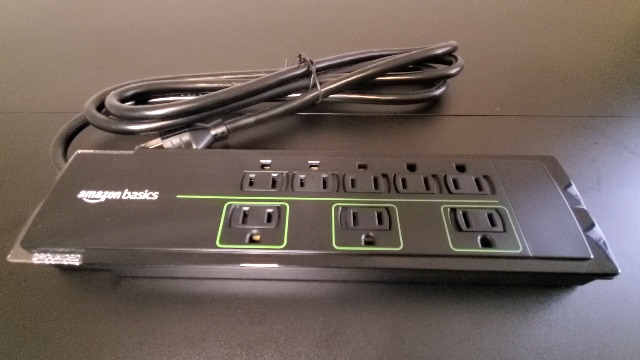
Amazon Basics 8-Outlet Surge Protector (ASIN: B01N4IGYRB), 2700 Joules
Balanced joules and clamping (400V) at budget price; UL-listed with warranty.
Best for: Everyday home/office with moderate devices like laptops/chargers.
Price Range: $15-$20
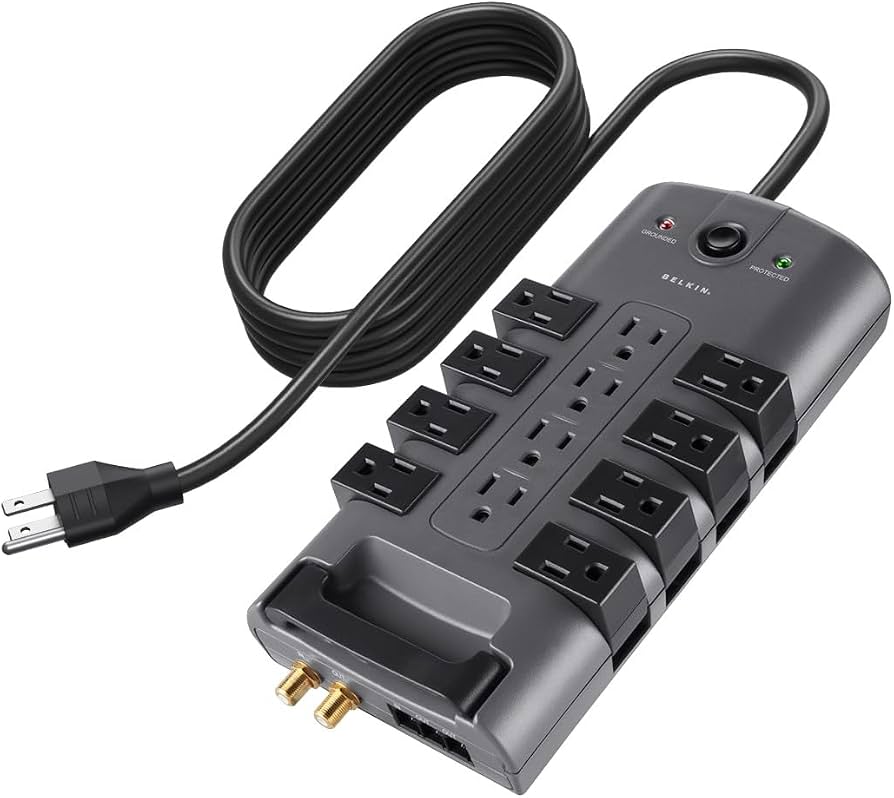
Belkin 12-Outlet Surge Protector (ASIN: B004G2ZWNA), 4320 Joules
High joules, 330V clamp, $150k warranty—top for value.
Best for: Gamers, home theaters with multiple high-end devices.
Price Range: $25-$35
APC SurgeArrest 11-Outlet (ASIN: B00NKH32P2), 3030 Joules
Excellent response time (<1ns), coaxial protection, reliable brand.
Best for: AV setups with cable/satellite needing full-line defense.
Price Range: $25-$30
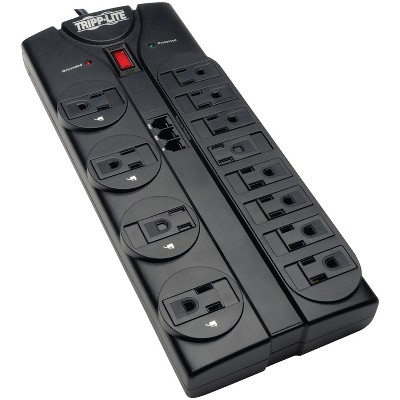
Tripp Lite 12-Outlet Surge Strip (ASIN: B0000517O1), 2880 Joules
Rugged build, diagnostic LEDs, right-angle plug for tight spaces.
Best for: Workshops or behind furniture with multi-outlet needs.
Price Range: $30-$40
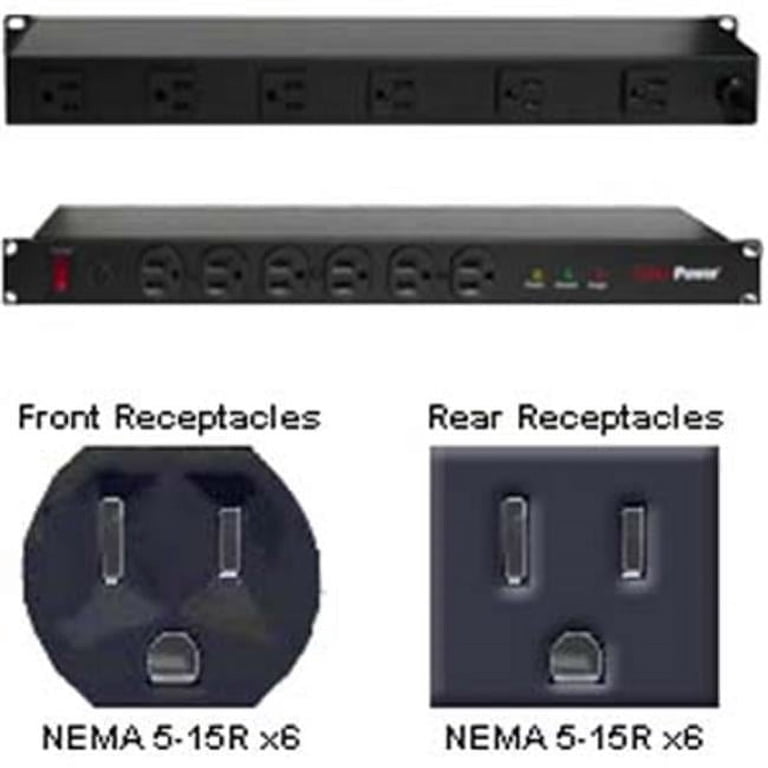
CyberPower 12-Outlet Power Center (ASIN: B08F7L3D2H), 3650 Joules
Premium filtering + high joules, AVR for voltage stability.
Best for: Stormy areas or sensitive audio/video equipment.
Price Range: $50-$60