

Corsair LS100 Smart LED Lighting Strip Kit
Ideal for case interiors or desks; up to 64 LEDs per strip.
$99.99-$119.99
Corsair LS100 Smart LED Lighting Strip Kit Excellent iCUE sync for PC games and music visualization with individual LED control.
Get the App
Better experience on mobile
Learn which RGB accent lights integrate seamlessly with your gaming PC's software for stunning synchronized effects.
Imagine your gaming PC pulsing with lights that react to your games, music, and CPU temps—creating an immersive battle station that turns heads. But mismatched RGB can lead to a chaotic light show or non-functional strips. This guide breaks down compatible RGB accent lights, sync protocols, and setup tips to unify your rig.
You'll understand major ecosystems like Aura Sync, iCUE, and Chroma, plus universal options. Whether adding strips, fans, or cables, get step-by-step explanations to choose and sync lights perfectly. Expect 15-20 minutes to read and plan your upgrade—no soldering required for most setups.
Estimated Time: 15-20 minutes to read; 1-2 hours for initial setup Difficulty: intermediate
RGB syncing links lights to your PC's software, creating effects like breathing, rainbow waves, or game-reactive pulses. Accent lights use 3-pin ARGB (addressable) headers on motherboards for individual LED control, unlike basic 4-pin RGB.
Why it matters: Syncing prevents color clashes. Expect software like ASUS Armoury Crate to control everything from one hub. Analogy: Like a conductor unifying an orchestra—your mobo or controller is the maestro.
💡 Tips:
Key protocols: ASUS Aura Sync (ROG, TUF boards), MSI Mystic Light, Gigabyte RGB Fusion, Corsair iCUE, Razer Chroma. These are brand ecosystems but often cross-compatible via adapters.
OpenRGB is a free universal tool for multi-brand sync. What to expect: Download software matching your mobo brand first.
⚠️ Warnings:
Boot into BIOS (Del/F2 key) and enable RGB headers. Install mobo software (e.g., Armoury Crate for ASUS). Test onboard RGB (fans, logo) to confirm sync works.
Why: Ensures hardware readiness. Pro tip: Update BIOS for latest protocol support.
💡 Tips:
ASUS Aura dominates with 100+ partners. Lights like ROG Strix strips sync natively. Connect to 3-pin header; software auto-detects. Expect seamless waves across case, keyboard, mouse.
Corsair iCUE powers LS100 strips and QL fans via Lighting Node hub (USB). Razer Chroma syncs with 500+ devices via Synapse. Daisy-chain up to 6 strips per header.
💡 Tips:
Power off PC, route cables through case grommets. Plug ARGB into mobo header (5V/D/GND pins align). Install software, scan for devices, apply effects.
Why tidy cables: Improves airflow and aesthetics.
⚠️ Warnings:
Run effects tests; adjust brightness (50-80% to avoid heat). Use OpenRGB for stubborn mixes. Expect full immersion once synced.
Problem: Lights not detected
Solution: Reseat cables, restart software, check BIOS RGB enable. Try different header.
Problem: Colors desynced or flashing
Solution: Close conflicting apps (e.g., Razer + Corsair). Reinstall drivers.
Problem: Dim or no power
Solution: Verify PSU SATA power to controller; test fewer strips.
Problem: Effects laggy
Solution: Lower polling rate in software; upgrade to USB 3.0 hub.
Excellent iCUE sync for PC games and music visualization with individual LED control.
Best for: Ideal for case interiors or desks; up to 64 LEDs per strip.
Price Range: $99.99-$119.99
Native Aura Sync and Chroma support; fluid link design for daisy-chaining.
Best for: Case fans needing cooling + sync; quiet operation.
Price Range: $79.99-$89.99
Universal ARGB with D-RGB connector; works with most mobo software.
Best for: Budget accent for ramps/panels; cuttable and bendable.
Price Range: $24.99-$34.99
ARGB PSU cables sync via controller; transforms boring cables into highlights.
Best for: High-end builds for visible cable glow.
Price Range: $49.99-$59.99
Expands headers to 8 ports with remote; OpenRGB compatible.
Best for: Syncing many lights without mobo limits.
Price Range: $19.99-$29.99
Ideal for case interiors or desks; up to 64 LEDs per strip.
Corsair LS100 Smart LED Lighting Strip Kit Excellent iCUE sync for PC games and music visualization with individual LED control.
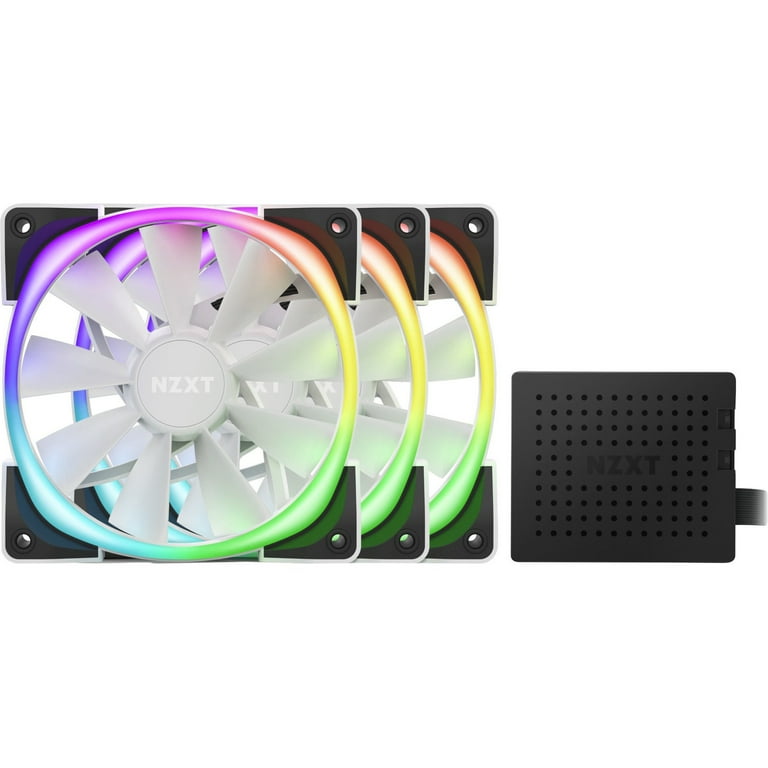
Case fans needing cooling + sync; quiet operation.
NZXT Aer RGB 2 120mm Fan Triple Pack Native Aura Sync and Chroma support; fluid link design for daisy-chaining.
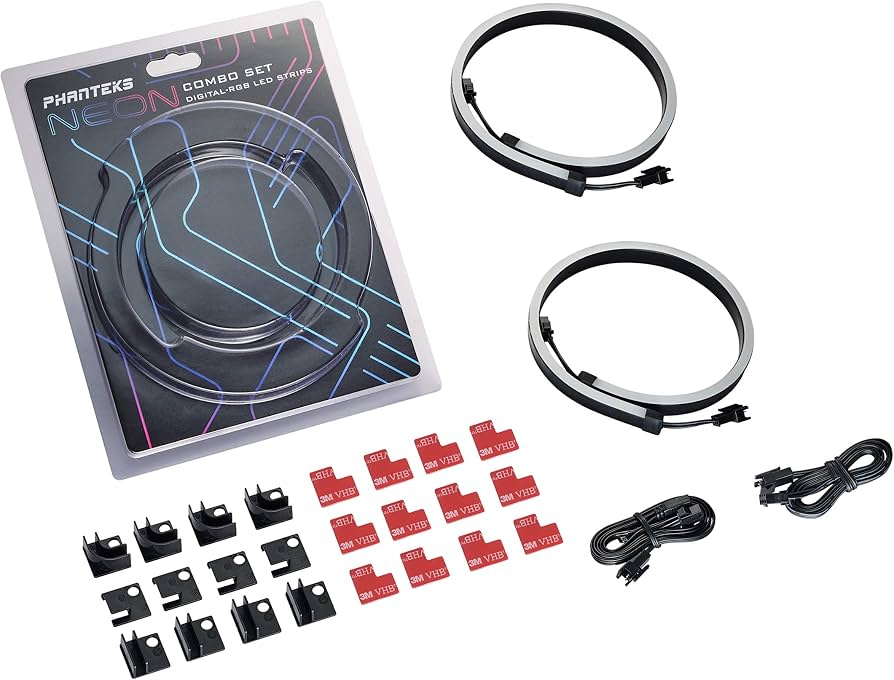
Budget accent for ramps/panels; cuttable and bendable.
Phanteks Neon Digital RGB LED Strip Universal ARGB with D-RGB connector; works with most mobo software.
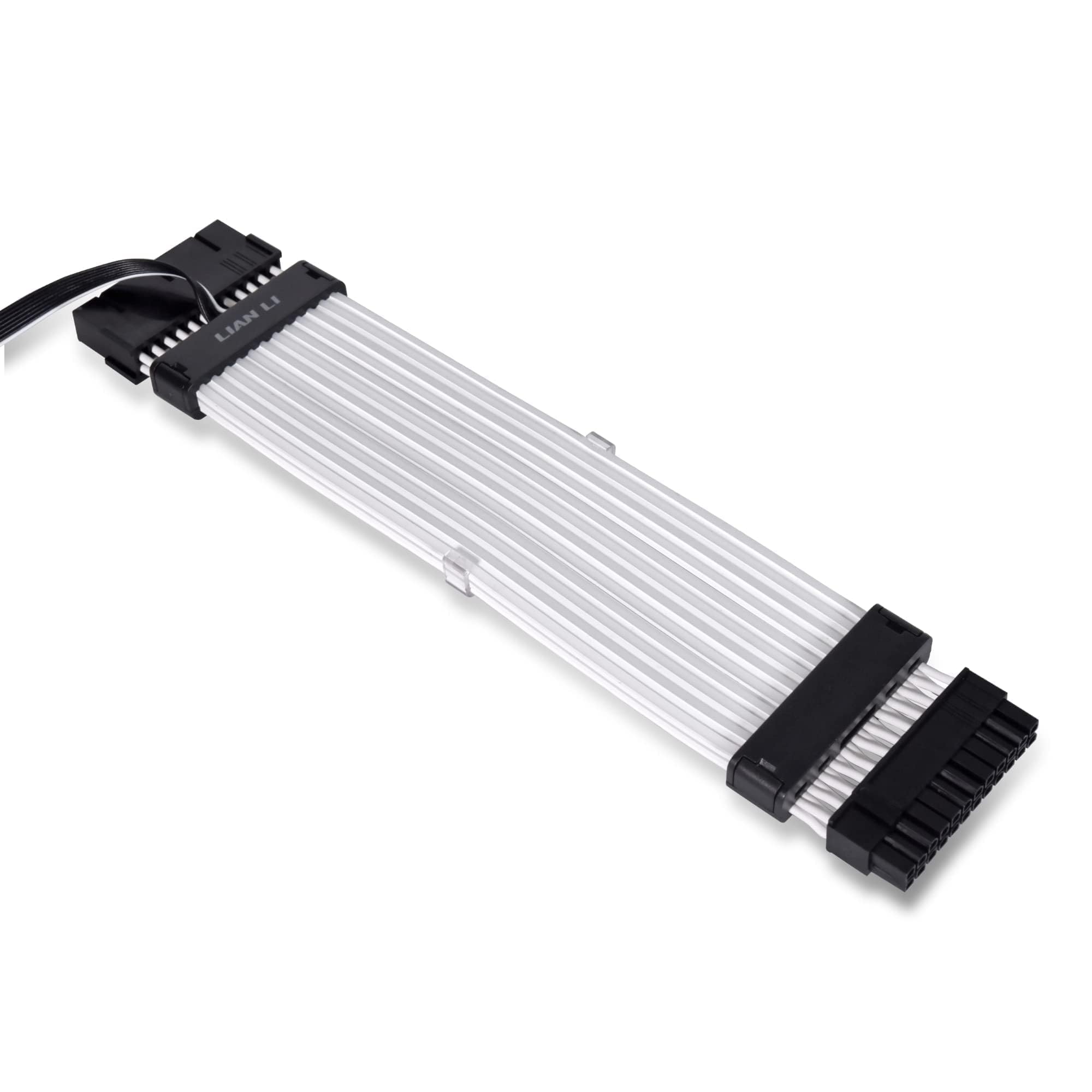
High-end builds for visible cable glow.
Lian Li Strimer Plus V2 24-pin PSU Cable ARGB PSU cables sync via controller; transforms boring cables into highlights.
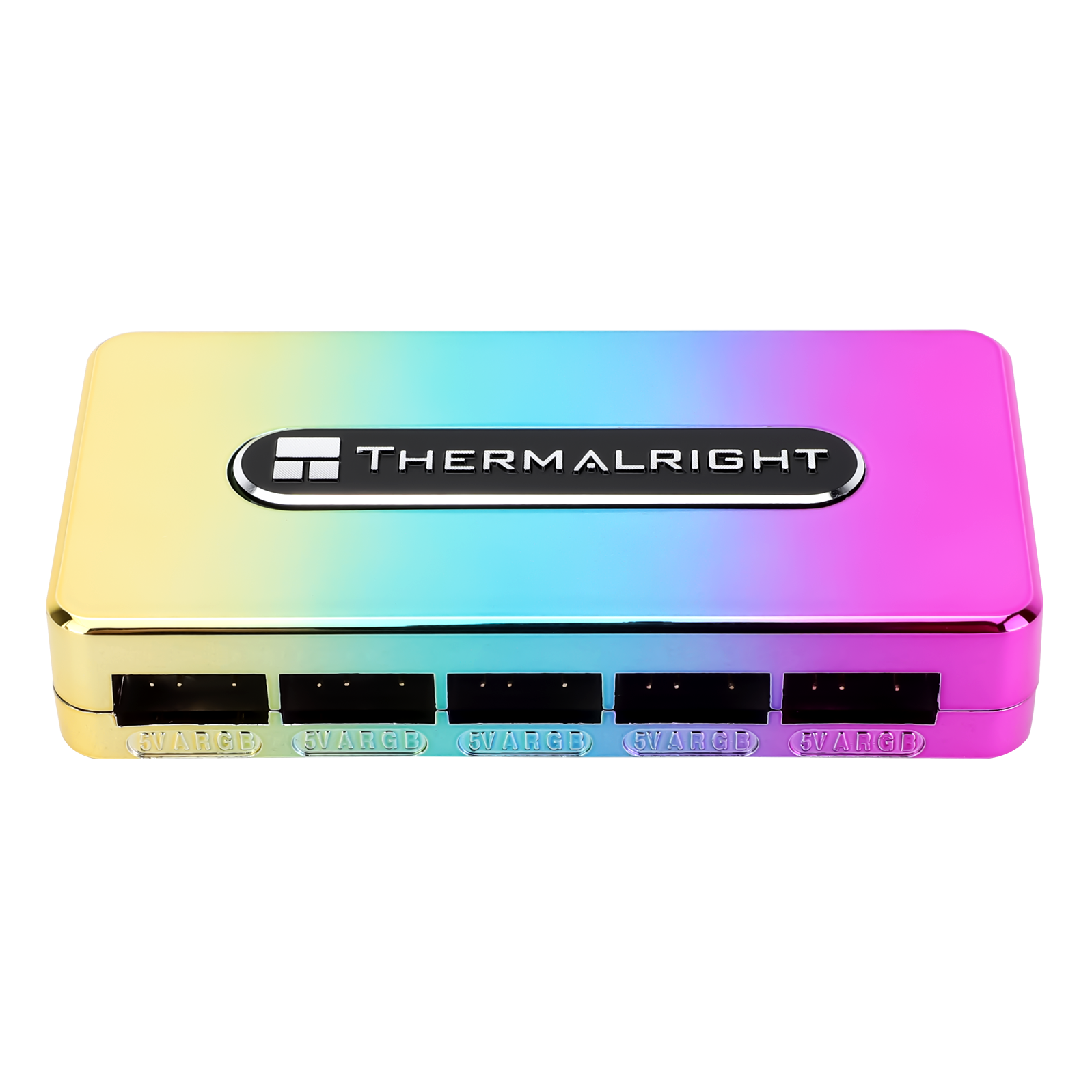
Syncing many lights without mobo limits.
Thermalright ARGB Controller Hub Expands headers to 8 ports with remote; OpenRGB compatible.