In an era where data breaches, surveillance, and targeted ads are everyday threats, protecting your online privacy has never been more crucial. Whether you're browsing on public Wi-Fi or concerned about your ISP tracking your activities, VPN software acts as your digital shield. But with countless options available, choosing the right one can feel overwhelming—especially if you're not sure what to look for.
This guide will break down what VPN software is, how it works, and the key factors to consider for privacy-focused selection. By the end, you'll understand the basics and be equipped to pick a VPN that fits your needs without falling for hype or scams. Expect a straightforward explainer suitable for intermediate users familiar with basic tech concepts; you'll spend about 15-20 minutes reading and reflecting.
We'll cover everything from core definitions to practical choice criteria, using simple analogies like comparing a VPN to a secure tunnel for your internet traffic. No prior VPN experience required, just curiosity about staying safe online.
▸What You'll Need
- •Basic knowledge of internet browsing and security concepts (e.g., what an IP address is)
- •Access to a computer or smartphone for researching VPN providers
- •Optional: A credit card or payment method for testing a VPN trial (many offer 30-day money-back guarantees)
Estimated Time: 15-20 minutes to read and understand
Difficulty: intermediate
▸Step-by-Step Instructions
Step 1: Understand What VPN Software Is
VPN stands for Virtual Private Network, a tool that creates a secure, encrypted connection between your device and the internet. Think of it like a private tunnel: your data travels through this tunnel instead of openly across the public web, hiding your activity from prying eyes such as hackers, ISPs, or governments.
At its core, VPN software reroutes your internet traffic through a remote server operated by the VPN provider. This masks your real IP address (your online 'home address') with the server's IP, making it appear as if you're browsing from another location. For privacy, this prevents tracking and censorship. Expect to grasp this as the foundation—it's not just about speed but security.
Why it matters: Without a VPN, your data can be intercepted on unsecured networks, leading to identity theft or surveillance. This step sets the stage for why privacy-focused VPNs are essential in 2024.
💡 Tips:
- •Use analogies like a VPN being a 'disguise' for your online identity to remember its purpose.
⚠️ Warnings:
- •Don't confuse VPNs with proxies; proxies don't encrypt data, offering less privacy.
Step 2: Learn How VPNs Work for Privacy
VPNs work by establishing a secure protocol to encrypt your data using standards like OpenVPN, WireGuard, or IKEv2. Encryption scrambles your information so only the intended recipient (the VPN server) can read it—hackers see gibberish. Once encrypted, your traffic is tunneled to the VPN server, which decrypts and forwards it to the destination site.
For privacy, look for features like a strict no-logs policy, where the provider doesn't record your activity. Servers in privacy-friendly jurisdictions (e.g., outside the US or EU's Fourteen Eyes alliance) add protection. You'll notice improved anonymity, but speeds may dip slightly due to encryption overhead—modern VPNs minimize this.
This process matters because it thwarts common threats: ISPs can't sell your browsing history, and public Wi-Fi becomes safer. Expect a 'before and after' mindset shift: pre-VPN, you're exposed; post-VPN, you're shielded.
💡 Tips:
- •Test encryption strength by checking if your VPN supports AES-256, the gold standard used by banks.
Step 3: Identify Key Privacy Benefits of VPNs
The primary privacy win is IP masking, which hides your location and identity from websites and trackers. VPNs also bypass geo-restrictions (e.g., accessing Netflix abroad) while preventing ISP throttling or monitoring. For intermediate users, note how kill switches automatically cut internet if the VPN drops, avoiding data leaks.
Another benefit: protection against DNS leaks, where your queries reveal activity despite the VPN. Privacy extends to secure file sharing or VoIP calls. In real-world terms, it's like wearing an invisibility cloak online—your habits stay private.
Why focus here? Many users overlook these, choosing VPNs for speed alone. Understanding benefits ensures you prioritize privacy over bells and whistles.
💡 Tips:
- •Enable features like split-tunneling to route only sensitive traffic through the VPN for better performance.
⚠️ Warnings:
- •Free VPNs often log data or inject ads—avoid them for true privacy.
Step 4: Evaluate Factors for Choosing a Privacy VPN
Start with the no-logs policy: Verify independent audits (e.g., by Deloitte or PwC) proving the provider doesn't store data. Check jurisdiction—providers in Switzerland or Panama offer better privacy than those in surveillance-heavy countries.
Next, encryption and protocols: Opt for WireGuard for speed or OpenVPN for robust security. Server network size matters for reliability (thousands of servers in 90+ countries ideal). For privacy, ensure obfuscated servers to hide VPN use from restrictive networks.
This evaluation is crucial as it filters out subpar options. Expect to spend time on provider sites reviewing policies—it's worth it for long-term protection.
💡 Tips:
- •Use tools like VPNMentor or That One Privacy Site for unbiased reviews.
Step 5: Compare Speed, Cost, and Compatibility
Privacy shouldn't sacrifice usability. Test speeds via provider trials—look for minimal slowdowns (under 10-20%). Cost: Premium VPNs range $3-12/month; avoid cheap ones lacking audits. Compatibility: Ensure apps for your devices (Windows, iOS, Android, routers).
For intermediate users, consider simultaneous connections (5-10 devices) and ease of setup. Why it matters: A slow VPN defeats daily use, while incompatible ones leave gaps in protection.
Balance these: High privacy + good speed = ideal. Expect variance—urban servers faster than remote ones.
💡 Tips:
- •Prioritize providers with 24/7 support for quick privacy queries.
⚠️ Warnings:
- •Don't choose based on ads; read user forums like Reddit's r/VPN for real experiences.
Step 6: Test and Finalize Your Choice
Sign up for a trial or money-back guarantee (most offer 30 days). Install the app, connect to servers, and test for leaks using sites like ipleak.net. Monitor privacy: Browse sensitive sites and check for issues.
Finalize by reviewing terms and enabling all privacy features. This hands-on step confirms fit—expect a seamless experience with good providers.
It matters for commitment: Testing avoids buyer's remorse and ensures privacy in practice.
💡 Tips:
- •Clear browser data before testing to simulate a clean privacy slate.
▸Pro Tips
- •Always enable the kill switch to prevent accidental data exposure during disconnects.
- •Choose VPNs with multi-hop routing for extra privacy layers on sensitive tasks.
- •Update VPN apps regularly for the latest security patches against emerging threats.
- •Use dedicated IP options if you need consistent access without triggering captchas.
- •Combine VPN with HTTPS Everywhere browser extension for layered privacy.
- •Opt for yearly subscriptions to save 40-50% on costs without skimping on features.
- •Research recent audits—providers like Mullvad refresh them annually for trust.
▸Common Mistakes to Avoid
- •Picking free VPNs: They often monetize by logging and selling data, undermining privacy—stick to paid, audited options.
- •Ignoring jurisdiction: Choosing US-based VPNs exposes you to subpoenas—prefer privacy havens like Panama.
- •Overlooking leaks: Not testing for DNS/IP leaks leaves you vulnerable—always verify post-setup.
- •Focusing only on speed: Sacrificing strong encryption for faster connections compromises core privacy.
- •Forgetting updates: Outdated software has known vulnerabilities—set auto-updates to stay protected.
▸Troubleshooting
Problem: Slow internet speeds after connecting
Solution: Switch to a closer server or WireGuard protocol; restart the app or device. If persistent, contact support—most premium VPNs optimize for speed.
Problem: VPN connection drops frequently
Solution: Enable the kill switch and try a different protocol like IKEv2 for stability. Check your internet connection; update the app.
Problem: Websites detect and block VPN use
Solution: Use obfuscated servers designed to mimic regular traffic. If blocked, switch providers—some like ExpressVPN excel here.
Problem: Privacy leak detected in tests
Solution: Reconfigure settings to route all traffic through VPN; disable IPv6 if enabled. Retest and consider a more secure provider if unresolved.
ExpressVPN
Top-rated for privacy with audited no-logs policy, AES-256 encryption, and servers in 105 countries; independently verified for zero data retention.
Best for: Ideal for users needing reliable privacy on public Wi-Fi or bypassing censorship while streaming.
Price Range: $8.32/month (annual plan)
NordVPN
Features double VPN for extra encryption layers, Threat Protection against malware, and regular audits; excellent for intermediate users seeking balance of privacy and speed.
Best for: Great for everyday browsing, torrenting, or protecting multiple devices with up to 10 simultaneous connections.
Price Range: $3.99/month (2-year plan)
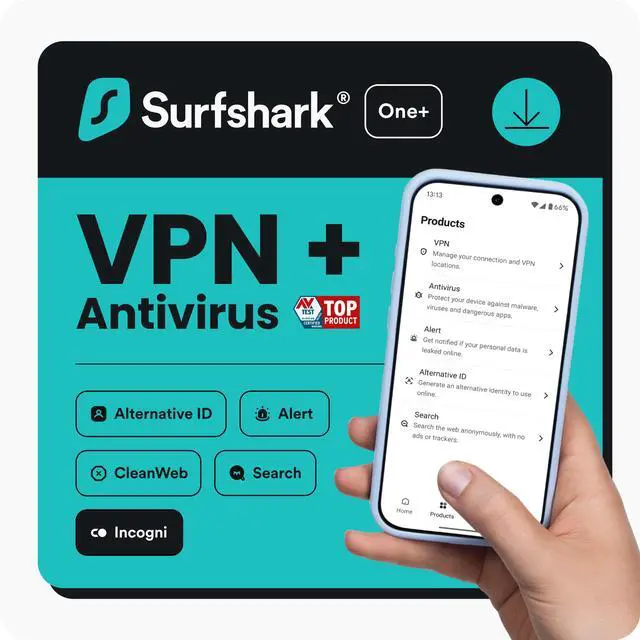
Surfshark
Unlimited device connections, CleanWeb ad-blocker, and no-logs audited in privacy-friendly Netherlands; budget-friendly without compromising security.
Best for: Perfect for families or heavy users wanting privacy across all gadgets without extra cost.
Price Range: $2.49/month (2-year plan)
Proton VPN
Open-source apps, strict no-logs from Swiss privacy laws, and Secure Core servers routing through hardened locations; free tier available for testing.
Best for: Best for privacy purists who value transparency and want integration with Proton's ecosystem like email.
Price Range: $4.99/month (annual plan)
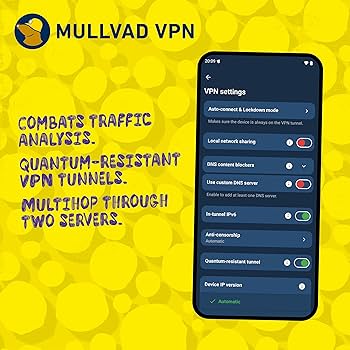
Mullvad VPN
Anonymous sign-up (no email needed), fixed pricing, and audited no-logs; focuses purely on privacy without marketing gimmicks.
Best for: Suited for advanced privacy needs like activism or avoiding all tracking, with WireGuard for fast, secure connections.
Price Range: €5/month (flat rate)