Imagine watching a movie where the sound of rain falls gently from above, footsteps echo around you, and whispers seem to come from behind— that's the magic of spatial audio. In a world dominated by flat stereo sound, spatial audio brings movies, music, and games to life with a three-dimensional experience, making it feel like you're right in the middle of the action. If you've ever felt limited by traditional audio, this technology is a game-changer for everyday listening.
In this guide, you'll learn what spatial audio is, how it works behind the scenes, and why it's becoming a must-have feature in modern headphones. We'll break it down step by step, using simple analogies and examples, so even if you're new to audio tech, you'll grasp the concepts easily. No technical expertise required—just curiosity about better sound.
Expect a straightforward read that takes about 10-15 minutes, leaving you ready to dive into spatial audio on your own devices. By the end, you'll know how to spot compatible gear and avoid common pitfalls.
▸What You'll Need
- •A compatible device like an iPhone (iOS 14+), iPad, Mac, or Android phone with spatial audio support
- •Headphones or earbuds that enable spatial audio (over-ear or in-ear with built-in sensors)
- •Apps or services like Apple Music, Netflix, or Disney+ that offer spatial audio content
- •Optional: Prerequisite knowledge of basic audio terms like stereo sound (we'll explain everything)
Estimated Time: 10-15 minutes to read and understand
Difficulty: beginner
▸Step-by-Step Instructions
Step 1: Understand the Basics of Spatial Audio
Spatial audio is a technology that creates a three-dimensional sound environment, simulating how sounds reach your ears in real life. Unlike traditional stereo audio, which plays sound from left and right channels, spatial audio adds height, depth, and directionality, making audio feel immersive and surround-like without needing multiple speakers.
Think of it like this: In a concert hall, you hear the drummer behind you, the singer in front, and echoes bouncing off walls. Spatial audio mimics this using software to place sounds in a virtual 3D space around your head. It's especially popular for music, movies, and gaming, enhancing emotional impact— for example, in a thriller, creaks might come from above, heightening tension.
This foundation matters because it transforms passive listening into an active, enveloping experience. Expect to feel more engaged with your content once you try it.
💡 Tips:
- •Start with familiar content like a favorite song to notice the difference immediately.
Step 2: Compare It to Traditional Stereo Sound
Stereo sound, the standard since the 1950s, uses two channels (left and right) to create a sense of width, like panning instruments across a stage. It's great for basic playback but lacks verticality and precise positioning— everything feels flat, as if on a single plane.
Spatial audio builds on this by incorporating binaural recording techniques, which capture sound as it naturally reaches human ears, including subtle cues like timing differences between your left and right ears (interaural time differences) and volume variations. An analogy: Stereo is like a 2D painting; spatial audio is a 3D hologram that wraps around you.
Why this step? Understanding the difference highlights spatial audio's value— it prevents confusion with 'surround sound' systems, which require room speakers. You'll notice how spatial audio makes vocals feel centered while effects swirl around.
⚠️ Warnings:
- •Don't confuse spatial audio with Dolby Atmos; while related, spatial audio is optimized for headphones.
Step 3: Explore the Core Technologies Behind It
At its heart, spatial audio relies on head-related transfer functions (HRTF), mathematical models that simulate how sound interacts with your head, ears, and torso. This creates realistic directionality. For dynamic experiences, head-tracking uses built-in sensors in headphones and devices to adjust sound as you move your head— if you turn left, the audio shifts so the 'source' stays fixed in space.
Another key element is object-based audio, where sounds are treated as individual 'objects' (like a car engine) placed in a 3D map, rather than fixed channels. Platforms like Apple's Spatial Audio with Dolby Atmos use this for music and video.
This tech matters for immersion; without it, sounds would feel static. Expect seamless playback on supported devices, but it requires processing power— older phones might struggle.
💡 Tips:
- •Enable head-tracking for the full effect; it's like being in a virtual reality audio world.
Step 4: Learn How Spatial Audio Processes Sound
The process starts with content creation: Producers mix audio in 3D space using tools like Dolby Atmos. When you play it, your device decodes the mix, applying HRTF filters to tailor it to headphone playback.
For example, in a song, the bass might 'drop' from below, guitars pan overhead. The headphones' accelerometers track your head movements, updating the sound field in real-time (up to 100 times per second). Binaural rendering ensures compatibility across devices.
Why understand this? It demystifies why not all audio works— only mixed-for-spatial content shines. You'll hear subtle details like reverb tails fading directionally, making ordinary tracks extraordinary.
Step 5: Set Up Spatial Audio on Your Devices
To experience it, ensure your device supports it (e.g., iPhone 7+ with iOS 14+). On Apple devices, go to Settings > Bluetooth, connect compatible headphones, then toggle Spatial Audio on. For Android, use apps like Tidal or YouTube with spatial support.
Play spatial-enabled content: Apple Music has a 'Dolby Atmos' badge; Netflix marks compatible shows. Adjust volume and test with head movement— sounds should anchor in place.
This practical step bridges theory to use. It matters for immediate gratification; expect a 'wow' moment when immersion kicks in, but start in a quiet room for best results.
💡 Tips:
- •Test with free spatial audio demos on YouTube to verify setup without subscriptions.
⚠️ Warnings:
- •Battery drain increases with head-tracking; disable when not needed.
Step 6: Experience Real-World Applications
In music, spatial audio revives albums— think Taylor Swift's tracks where instruments orbit you. For movies, it adds realism, like explosions rumbling from behind in action films. Gaming benefits too, with directional cues for immersion in titles like Fortnite.
Analogy: It's like upgrading from a postcard to a VR tour. Why it works: Combines psychoacoustics (how we perceive sound) with AI-driven rendering.
This wraps the 'how' by showing benefits. Expect personalized enjoyment— not everyone hears it the same due to ear shape variations in HRTF.
▸Pro Tips
- •Use over-ear headphones for better isolation and immersion during spatial audio sessions.
- •Experiment with different head positions to fully appreciate dynamic tracking.
- •Subscribe to services like Apple Music for a vast library of spatial mixes— start with playlists labeled 'Spatial Audio'.
- •Calibrate your device's audio settings for your room's acoustics if using speakers as a backup.
- •Combine with noise cancellation to block distractions and enhance the 3D effect.
- •Update your firmware regularly; new versions often improve spatial rendering accuracy.
- •Try user-generated content on apps like SoundCloud for creative spatial experiments.
▸Common Mistakes to Avoid
- •Assuming all headphones support it: Only models with gyroscopes do; check specs to avoid disappointment.
- •Playing non-spatial content: It won't sound 3D— stick to labeled tracks/movies for the full effect.
- •Ignoring device compatibility: Older phones lack the processing; upgrade if audio feels flat.
- •Overlooking head-tracking: Disabling it reduces immersion— always enable for videos.
- •Confusing it with virtual surround: Spatial is headphone-optimized; don't expect room-filling sound without proper setup.
▸Troubleshooting
Problem: No spatial audio option appears in settings
Solution: Ensure your headphones are compatible and connected via Bluetooth; restart your device and check for software updates.
Problem: Sound feels flat or not immersive
Solution: Verify content is spatial-enabled (look for Dolby Atmos badges); try different tracks or enable head-tracking.
Problem: Head-tracking doesn't respond to movement
Solution: Recalibrate sensors by removing and re-pairing headphones; test in an open space without obstructions.
Problem: Battery drains too fast
Solution: Disable spatial audio when not in use; use wired mode if available for longer sessions.
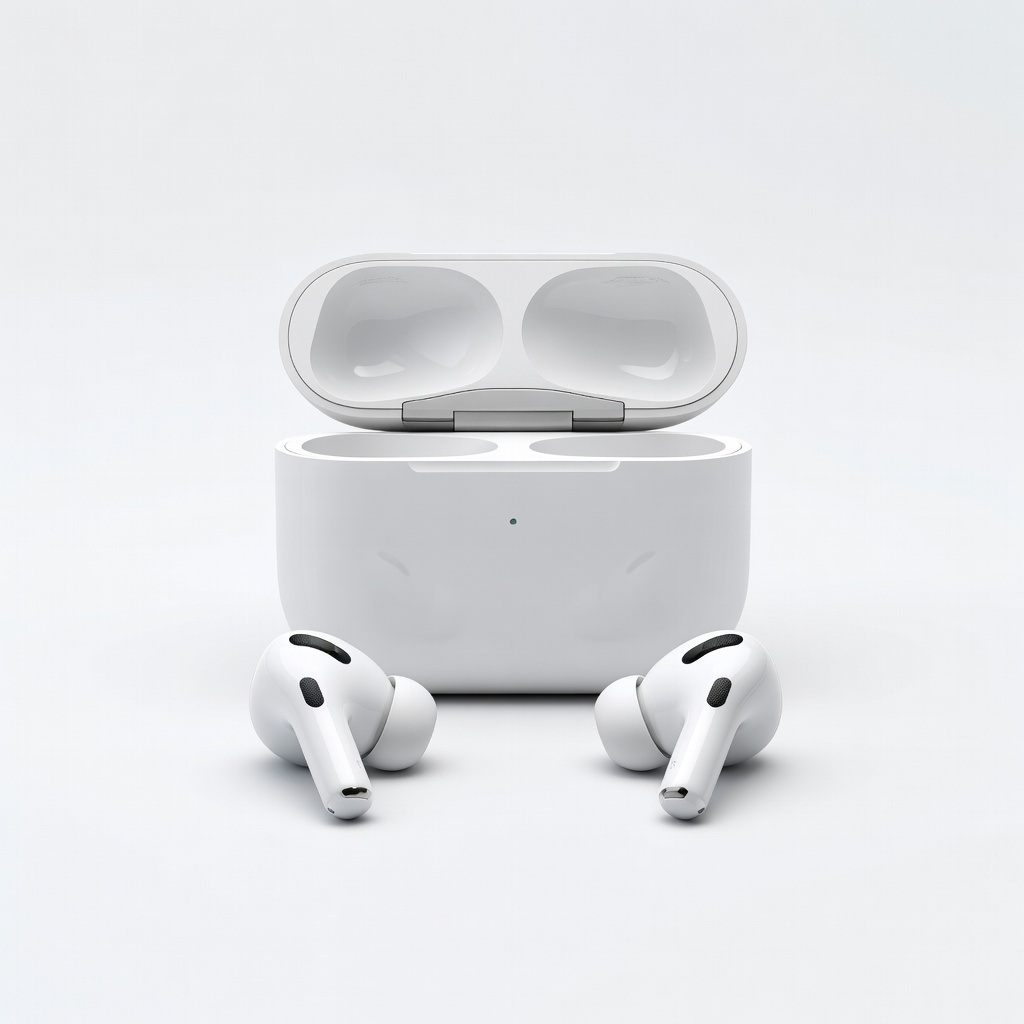
Apple AirPods Pro (2nd Generation)
These earbuds pioneered consumer spatial audio with built-in head-tracking and seamless Apple integration, delivering crystal-clear 3D sound.
Best for: Ideal for iPhone users streaming music or watching videos on the go; perfect for beginners wanting plug-and-play immersion.
Price Range: $249
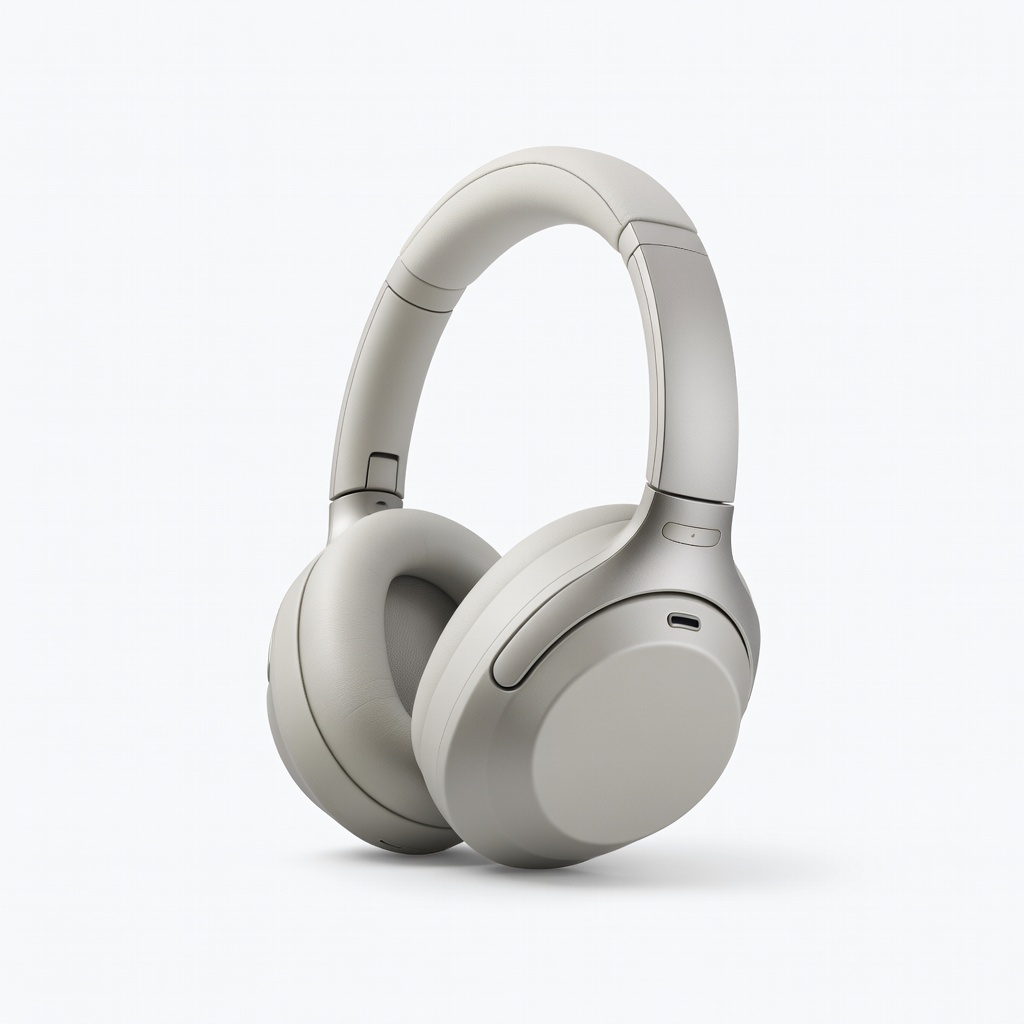
Sony WH-1000XM5 Wireless Noise-Canceling Headphones
Supports 360 Reality Audio for spatial experiences across platforms, with excellent ANC to enhance focus on 3D sound details.
Best for: Great for Android or cross-platform users enjoying music and movies at home or travel; over-ear design for prolonged comfort.
Price Range: $398
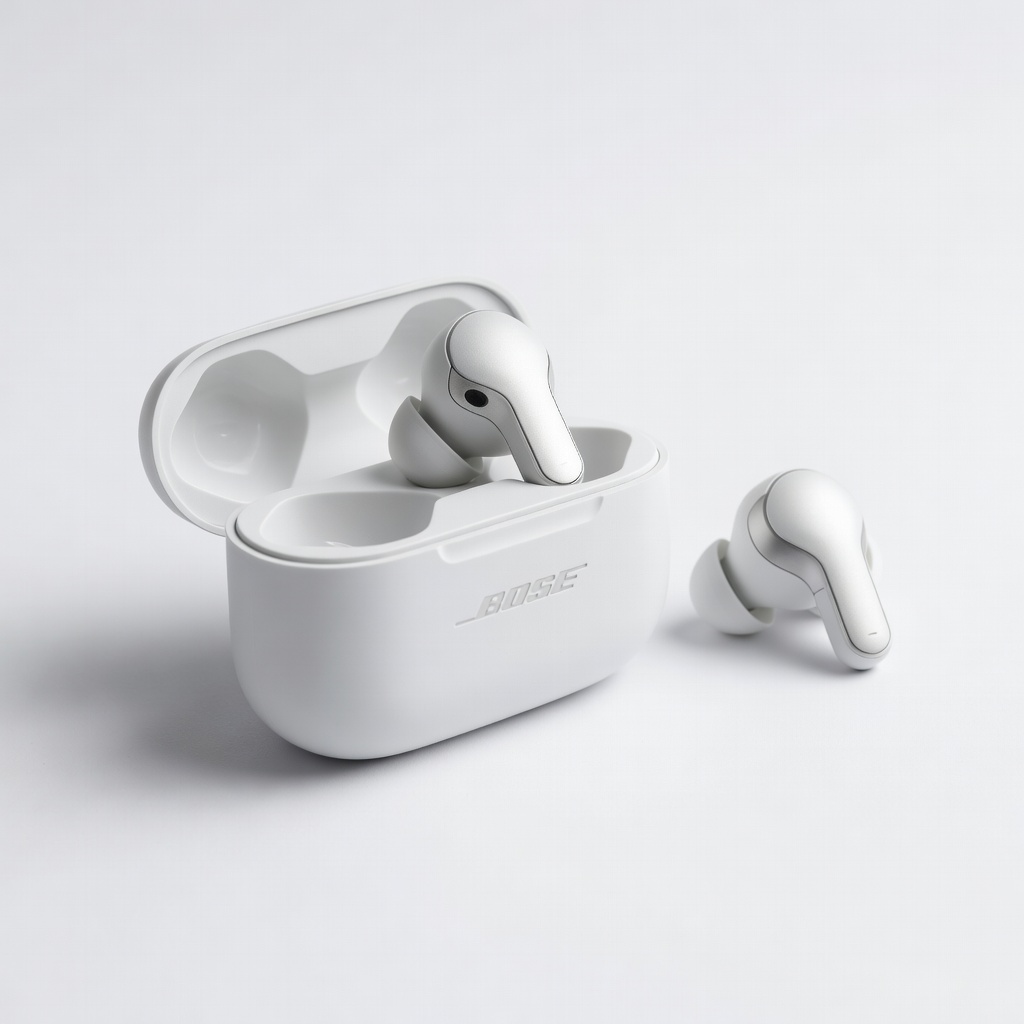
Bose QuietComfort Ultra Earbuds
Features Immersive Audio mode with head-tracking, providing rich spatial sound and top-tier noise cancellation for distraction-free listening.
Best for: Best for commuters or gamers needing portable, high-fidelity 3D audio in noisy environments.
Price Range: $299
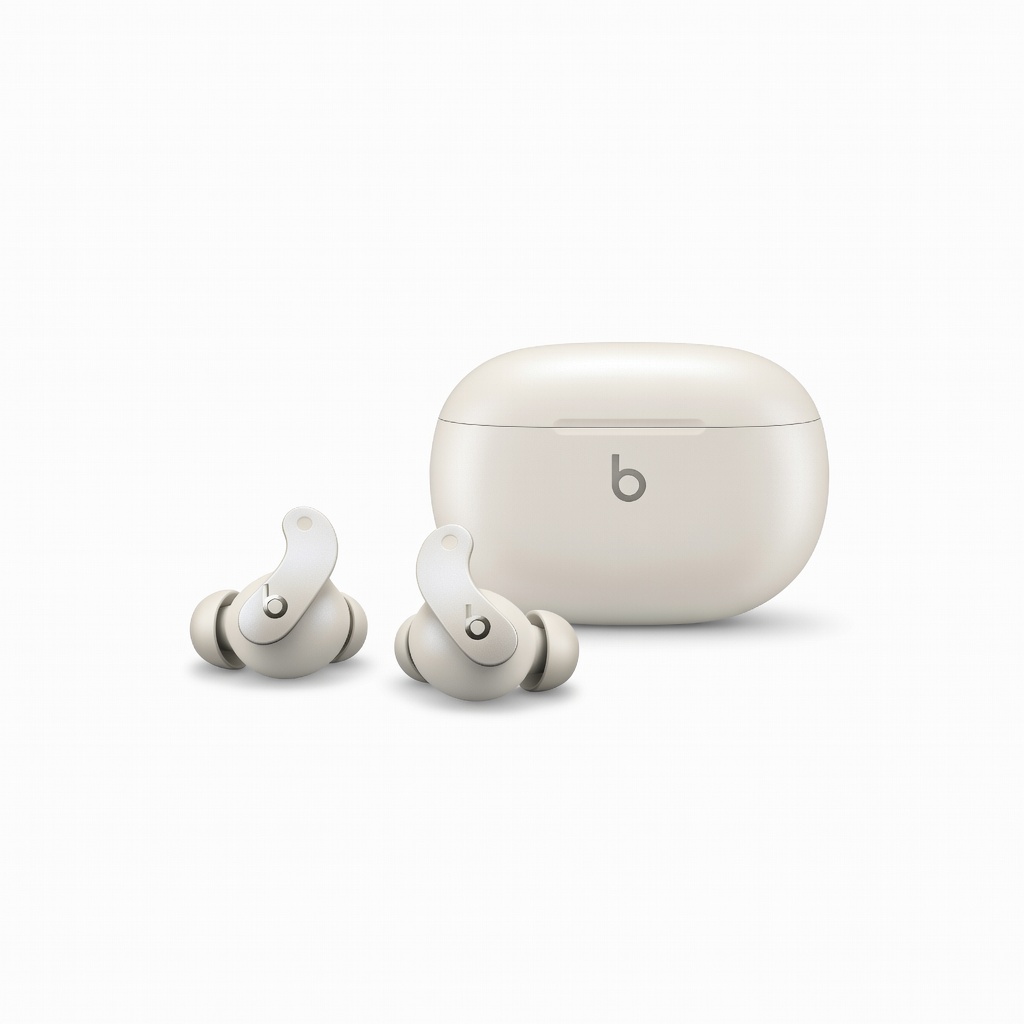
Beats Studio Buds +
Affordable entry to spatial audio with Apple compatibility, offering solid bass and easy setup for everyday use.
Best for: Budget-friendly option for beginners testing spatial audio with calls, workouts, or casual streaming.
Price Range: $169.99