In a world where streaming videos, gaming, and remote work are everyday essentials, slow mobile internet can be a major frustration. Enter 5G technology—the fifth generation of wireless networks promising lightning-fast speeds and seamless connectivity. If you've heard the buzz about 5G but aren't sure what it means for your phone, this guide is for you.
You'll learn the fundamentals of 5G, how it differs from previous generations, and its real-world effects on mobile devices. From downloading movies in seconds to enabling augmented reality apps, we'll break it down simply. No technical background required; this explainer is designed for beginners and takes just a short read to grasp the essentials.
By the end, you'll understand why upgrading to a 5G-compatible device might be worth it and how this tech is shaping the future of mobile communication.
▸What You'll Need
- •None required – this is a beginner explainer with no prerequisites
- •Optional: A smartphone or computer for checking your device's 5G compatibility via settings
Estimated Time: 10-15 minutes
Difficulty: beginner
▸Step-by-Step Instructions
Step 1: Understand the Evolution of Mobile Networks
Mobile technology has evolved through generations, or 'G's, each improving speed and reliability. 1G in the 1980s was basic voice calls, 2G added texting, 3G brought internet browsing, and 4G enabled video streaming and apps as we know them today. 5G builds on this foundation, aiming to connect not just people but everything—from cars to smart homes.
This progression matters because each generation solves limitations of the last. For beginners, think of it like upgrading from a bicycle (slow 2G) to a car (fast 4G) to a high-speed train (5G). Without understanding this history, 5G might seem like hype, but it's a logical next step.
Expect to see how 5G isn't just faster—it's designed for a more connected world. As you read on, you'll appreciate why mobile devices need to adapt.
💡 Tips:
- •Visualize generations with a timeline app to make it stick.
Step 2: Define What 5G Actually Is
5G stands for fifth-generation wireless technology, a standard for mobile networks that uses higher frequency radio waves to transmit data. Unlike 4G, which tops out at around 100 Mbps in ideal conditions, 5G can reach up to 10 Gbps—100 times faster. It's not one network but a combination of low-band (wide coverage), mid-band (balanced speed), and high-band (ultra-fast but shorter range) frequencies.
Why does this matter? Faster speeds mean less buffering on your phone, but 5G also reduces latency (delay) to under 1 millisecond, making real-time interactions like online gaming or video calls feel instant. For mobile devices, this opens doors to advanced features without wired connections.
You'll notice 5G icons on supported phones when connected, but coverage varies by location—urban areas get the best experience.
⚠️ Warnings:
- •Don't confuse 5G with Wi-Fi 5 or 6; 5G is cellular, not home wireless.
Step 3: Explore How 5G Works Technically (Simplified)
At its core, 5G uses small cells—tiny antennas placed closer together than 4G towers—to handle more data efficiently. These cells beam signals using millimeter waves for high speeds, combined with massive MIMO (multiple input multiple output) antennas that send data to many devices simultaneously. Imagine a busy highway: 4G is a few lanes, while 5G adds express lanes and smart traffic lights.
This setup matters for mobile devices because it supports more connections per square inch, ideal for crowded events or IoT (Internet of Things) gadgets. On your phone, it translates to smoother AR/VR experiences or cloud gaming without lag.
Expect some complexity here, but the key takeaway is efficiency: 5G optimizes spectrum use, making your device more capable without draining battery faster than expected.
💡 Tips:
- •Use analogies like highways to explain to friends— it simplifies tech talk.
Step 4: Highlight Key Benefits of 5G
The main perks include blazing speeds for quick downloads (a 2-hour HD movie in 10 seconds), ultra-low latency for responsive apps, and massive capacity to connect billions of devices. For everyday users, this means better video calls, faster app loading, and emerging tech like remote surgery or autonomous vehicles relying on mobile networks.
On mobile devices, benefits shine in battery life improvements (via efficient data handling) and support for high-res streaming. Why care? It future-proofs your phone, turning it into a portable powerhouse.
Real-world example: During live sports, 5G lets fans view multi-angle replays instantly on their devices without stuttering.
Step 5: Examine 5G's Impact on Mobile Devices
5G profoundly changes smartphones by enabling features like advanced AI processing offloaded to the cloud, extended reality (XR) apps, and seamless integration with wearables. Devices with 5G modems (like Qualcomm's Snapdragon) access these without compromise, but older 4G phones can't.
The impact includes longer battery life from optimized connections and new form factors, like foldables benefiting from high-bandwidth. However, it requires compatible hardware—your phone's chipset must support it. Expect enhanced gaming, where controls respond instantly, or telemedicine apps for health monitoring.
For beginners, this means 5G devices feel 'smarter' and more versatile, but rollout depends on carrier support.
💡 Tips:
- •Check your phone's specs in settings to see if it's 5G-ready.
⚠️ Warnings:
- •5G won't magically fix all slow internet; coverage is key.
Step 6: Address Challenges and Limitations
Despite hype, 5G has hurdles: high-frequency signals don't travel far, needing dense infrastructure, and rural areas lag in coverage. Security risks rise with more connected devices, and initial costs for 5G phones are higher.
This matters for realistic expectations—urban users see full benefits, while others might stick with 4G. On devices, higher speeds can increase data usage, so monitor plans.
Overall, challenges are temporary as networks expand, but understanding them prevents disappointment.
Step 7: Look at the Future of 5G on Mobile Devices
Looking ahead, 5G will evolve to 5G Advanced, integrating with 6G for holographic calls and AI-driven networks. Mobile devices will become central hubs for smart cities, with edge computing reducing latency further.
Why it matters: Your next phone could handle metaverse experiences or real-time translation effortlessly. Expect innovations like 5G-enabled health trackers or vehicle-to-phone communication.
As a beginner, stay informed via carrier updates to make smart upgrade choices.
💡 Tips:
- •Follow tech news sites for 5G rollout updates in your area.
▸Pro Tips
- •To maximize 5G, enable it in your phone's network settings and stay in coverage areas.
- •Use data saver modes to avoid burning through plans with high-speed streaming.
- •Test speeds with apps like Ookla Speedtest to see real 5G performance.
- •Pair 5G phones with unlimited plans for the best value.
- •Update your device's software regularly for 5G optimizations.
- •Consider Wi-Fi 6 routers at home to complement mobile 5G.
- •For travel, check international 5G roaming with your carrier.
▸Common Mistakes to Avoid
- •Assuming all 5G is the same: Low-band is slower but widespread; learn the bands for accurate expectations.
- •Upgrading without checking carrier coverage: You might not get benefits in unsupported areas—use coverage maps first.
- •Ignoring data caps: 5G's speed encourages heavy use, leading to overage fees; monitor usage.
- •Confusing 5G with mmWave only: Not all 5G is ultra-fast; mid-band is more common and practical.
- •Forgetting battery impact: While efficient, constant 5G searching can drain power—toggle to 4G when not needed.
▸Troubleshooting
Problem: Poor 5G signal or connection drops
Solution: Move to an open area, restart your phone, or toggle airplane mode. Check carrier coverage map; if persistent, contact support for SIM or plan issues.
Problem: 5G not appearing on compatible device
Solution: Ensure software is updated, enable 5G in settings (under Mobile Data > Preferred Network), and verify with carrier that your plan includes 5G access.
Problem: High data usage after switching to 5G
Solution: Enable data limits in phone settings and use Wi-Fi when possible. Review app permissions for background data to curb unnecessary consumption.
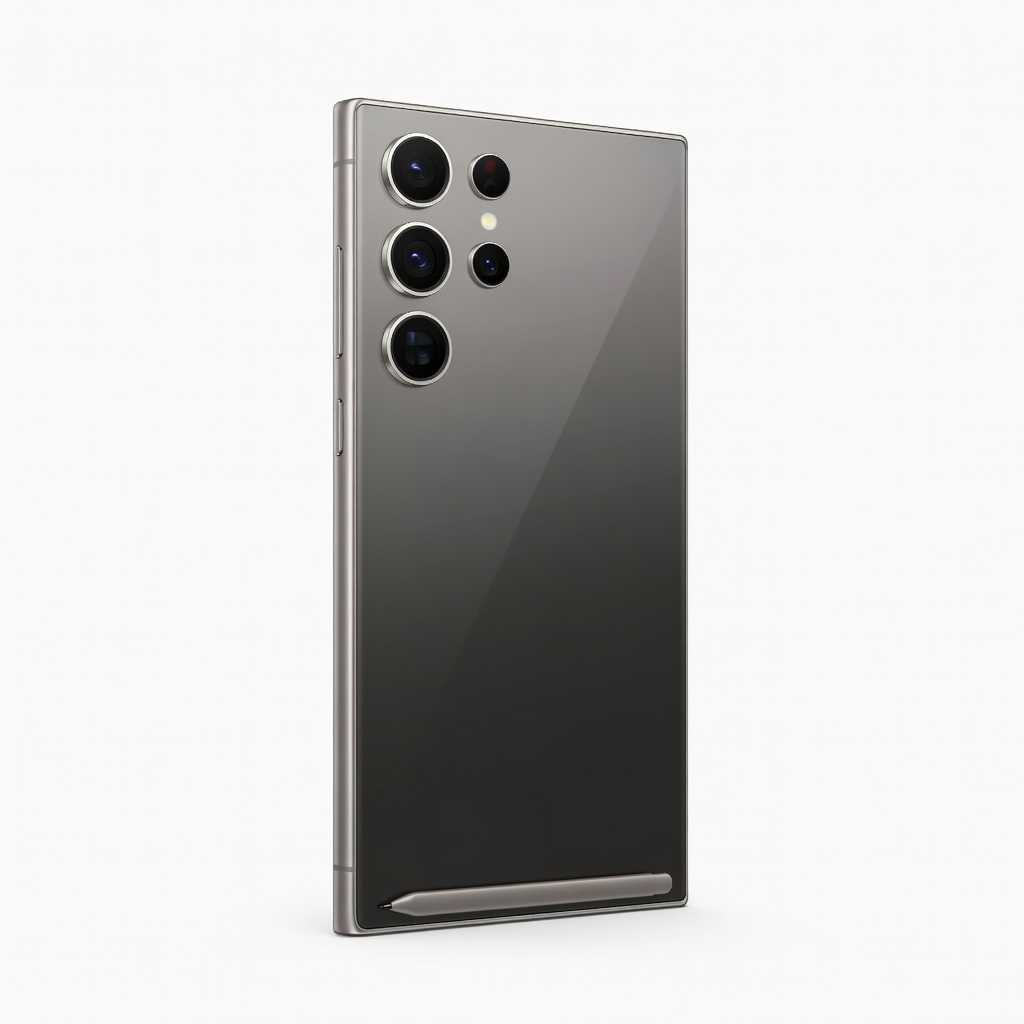
Samsung Galaxy S24 Ultra
This flagship phone excels in 5G performance with advanced antenna tech for reliable high-speed connections and low latency, perfect for streaming and gaming.
Best for: Ideal for users wanting top-tier 5G on a large screen for productivity and entertainment.
Price Range: $1,200-$1,300
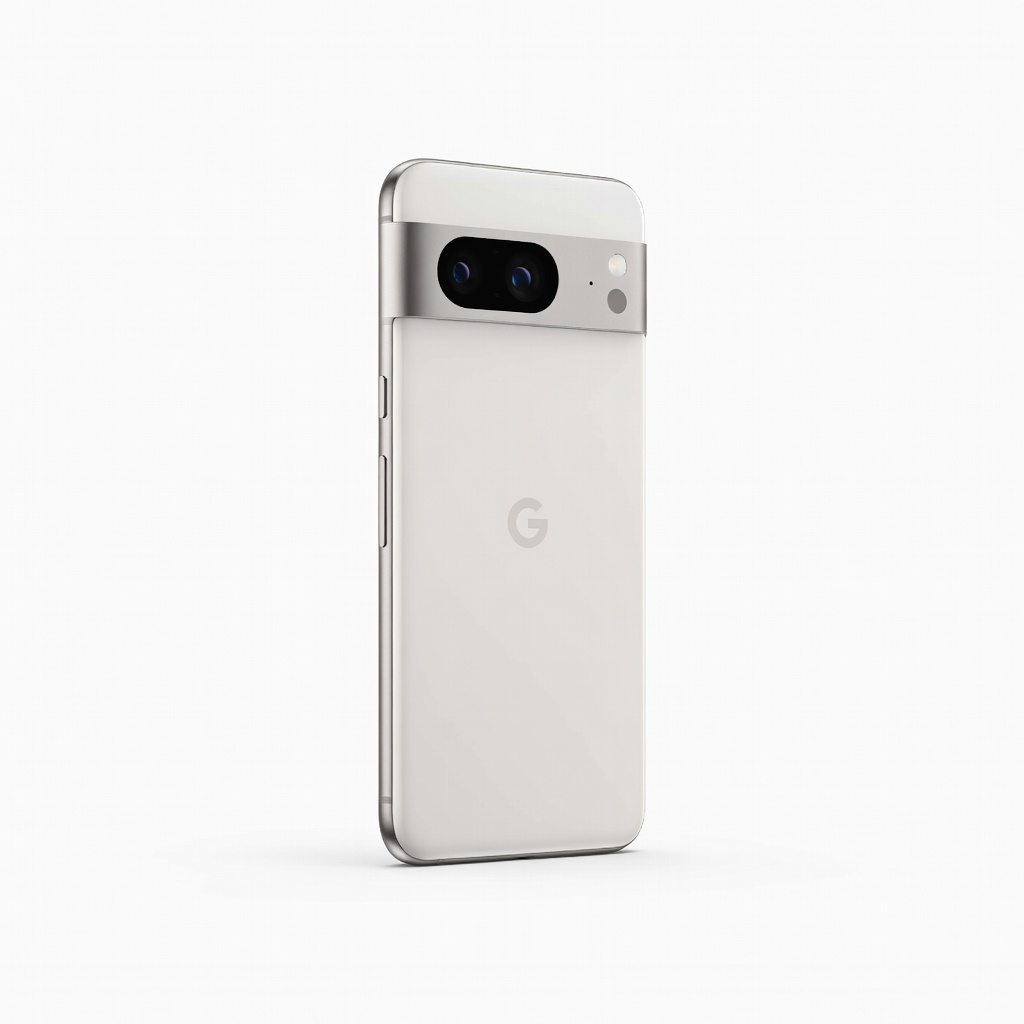
Google Pixel 8
Offers excellent 5G integration with Google's clean software, providing seamless updates and AI features that leverage fast networks.
Best for: Great for photography enthusiasts who benefit from quick cloud uploads via 5G.
Price Range: $600-$700
iPhone 15
Apple's 5G modem delivers consistent speeds and efficiency, with strong battery life optimized for 5G usage.
Best for: Best for iOS users upgrading from older models to experience 5G in apps like FaceTime or AR.
Price Range: $800-$900
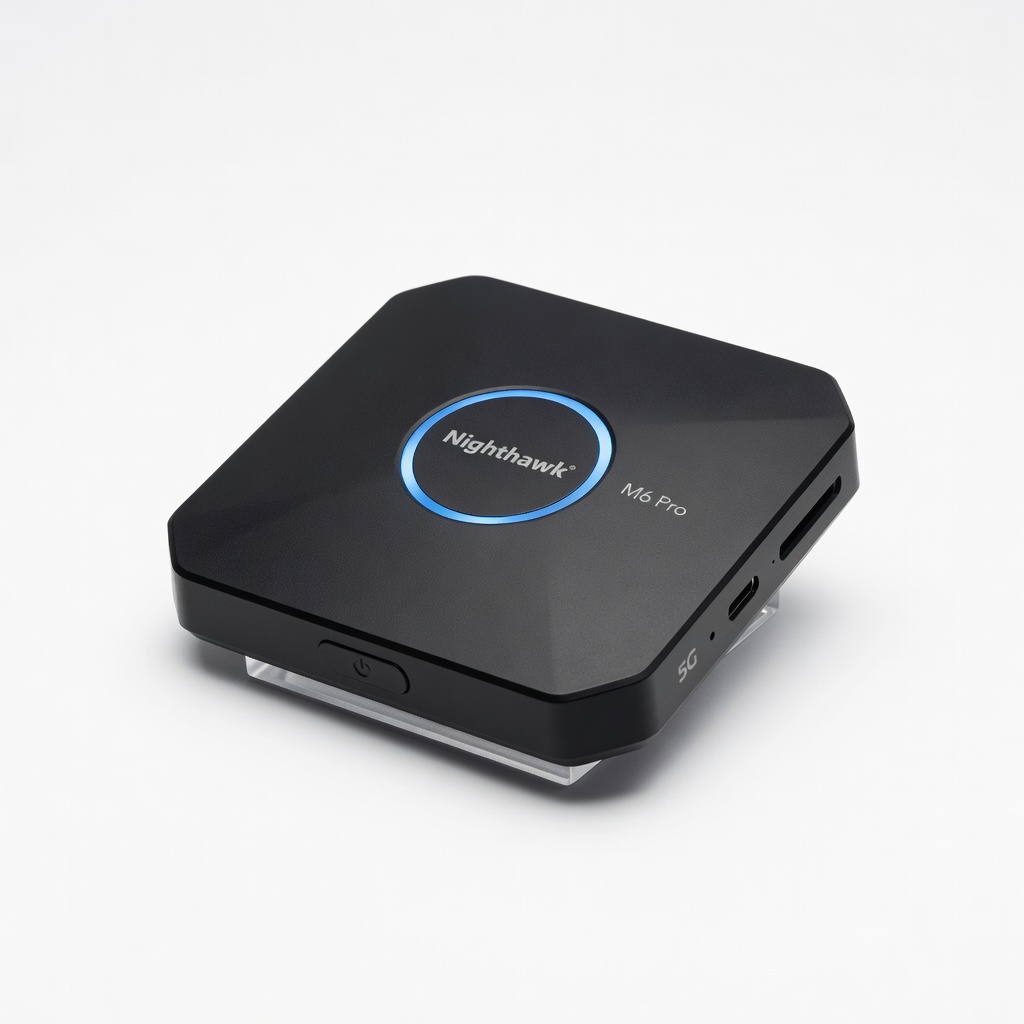
Netgear Nighthawk M6 Pro 5G Mobile Hotspot
Provides portable 5G Wi-Fi for multiple devices, extending mobile connectivity beyond your phone.
Best for: Useful for travelers or remote workers needing a dedicated 5G hotspot.
Price Range: $300-$400