
Amazon Basics 6-Outlet Surge Protector Power Strip
Everyday home/office setup with chargers and laptops.
$10-$12
Amazon Basics 6-Outlet Surge Protector Power Strip Wide outlet spacing fits bulky adapters easily; 1080 joules surge protection.
Get the App
Better experience on mobile
Learn which adapters safely match multi-outlet power strips to power your devices without overload risks or fire hazards.
Ever plugged in a bulky adapter only to find it blocks other outlets on your power strip? Multi-outlet power strips are lifesavers for charging phones, laptops, and lamps, but mismatched adapters can cause overcrowding, poor connections, or even safety issues like overheating.
In this guide, you'll learn the key types of outlets on power strips, compatible adapter standards, and how to spot safe fits. We'll break it down with simple analogies (like puzzle pieces) and real examples, so even beginners can confidently expand their outlets.
Expect a quick read (no tools needed) and actionable checks you can do in minutes to avoid common pitfalls.
Estimated Time: 10-15 minutes Difficulty: beginner
Most multi-outlet power strips in the US have NEMA 5-15R outlets—standard rectangular slots with two flat parallel blades and a round grounding pin hole. Check the label or look closely: if it's three holes (two slits + ground), it's grounded (Type B). Two flat slits? Ungrounded (Type A).
Why it matters: Adapters must match these shapes like puzzle pieces. Mismatched ones won't fit or could loosen over time.
Expect uniform outlets across the strip unless it's a specialty model (e.g., with USB ports).
💡 Tips:
Plugs follow NEMA standards:
Power strips accept both, but grounded is safer. Analogy: Grounded plugs are like cars with seatbelts—extra protection against shocks.
What to expect: 90% of household adapters are NEMA 5-15P.
⚠️ Warnings:
Polarized plugs have one wider blade (neutral) to ensure correct wiring. Power strip outlets are polarized.
Why it matters: Non-polarized adapters (symmetrical blades) fit but reduce safety in sensitive devices.
Test: If blades are same width, it's non-polarized—still ok for power strips but upgrade for appliances.
💡 Tips:
Adapters with thick bricks (e.g., Apple chargers) or right-angle designs save space. Power strips have outlet spacing—standard is 1.5 inches center-to-center.
Why: Bulky adapters block neighbors. Choose 'low-profile' or 'flat plug' types.
Expect: Surge protector strips often have wider spacing for bulky fits.
Grounded power strips accept both, but use grounded adapters for safety. Cheater adapters (3-prong to 2-prong) remove ground—avoid unless necessary.
Analogy: Like driving without airbags. Safe for low-power like lamps, risky for computers.
Power strips with surge protection require grounded plugs for full function.
⚠️ Warnings:
Many strips are surge protectors—they need properly grounded, rated adapters (check joule rating).
Adapters with built-in USB or extra outlets fit if they match NEMA 5-15P.
Why: Ensures surge suppression works. Expect indicator lights to stay on with good fits.
💡 Tips:
Plug in, wiggle—should be snug, no sparks or heat.
Why it matters: Loose fits cause arcing fires.
Final check: Don't exceed strip's total wattage (e.g., 1800W for 15A).
⚠️ Warnings:
Problem: Adapter doesn't fit or is loose
Solution: Confirm NEMA type; clean dust from slots; replace worn strip.
Problem: Outlets blocked by bulky plugs
Solution: Switch to right-angle or slim adapters; get wider-spaced strip.
Problem: Strip gets hot or trips breaker
Solution: Unplug high-draw items; check total watts; replace if damaged.
Problem: Surge light off
Solution: Use grounded adapter; test wall outlet with lamp.
Wide outlet spacing fits bulky adapters easily; 1080 joules surge protection.
Best for: Everyday home/office setup with chargers and laptops.
Price Range: $10-$12
90-degree design prevents blocking adjacent outlets; grounded and durable.
Best for: Tight spaces behind desks or TVs.
Price Range: $9.99
Extra-wide spacing and pivoting outlets accommodate multiple large adapters.
Best for: Power-hungry setups like gaming rigs or home offices.
Price Range: $25-$30
Low-profile design slides into tight spots; UL-listed for safety.
Best for: Behind furniture or in crowded strips.
Price Range: $8-$10
Built-in USB ports reduce need for extra adapters; compact and surge-protected.
Best for: Charging phones/laptops without wall hogs.
Price Range: $30-$35
Everyday home/office setup with chargers and laptops.
Amazon Basics 6-Outlet Surge Protector Power Strip Wide outlet spacing fits bulky adapters easily; 1080 joules surge protection.
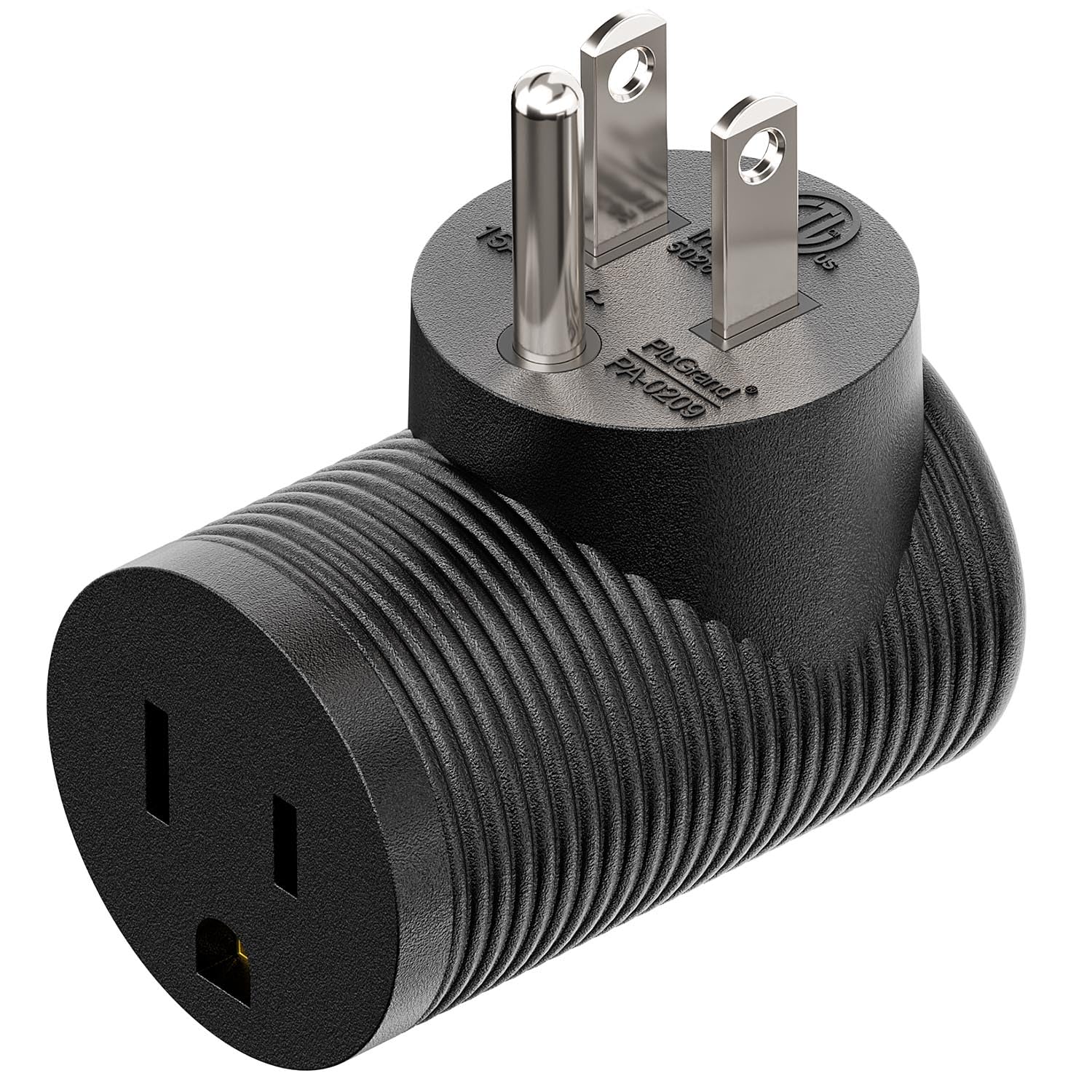
Tight spaces behind desks or TVs.
Slendor Right Angle Power Adapter (NEMA 5-15P to 5-15R) 90-degree design prevents blocking adjacent outlets; grounded and durable.
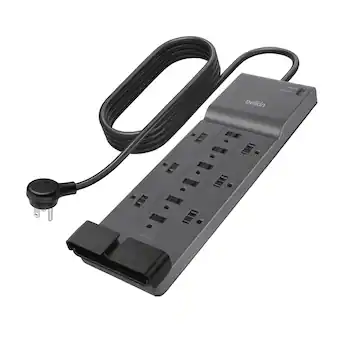
Power-hungry setups like gaming rigs or home offices.
Belkin 12-Outlet Surge Protector Power Strip Extra-wide spacing and pivoting outlets accommodate multiple large adapters.
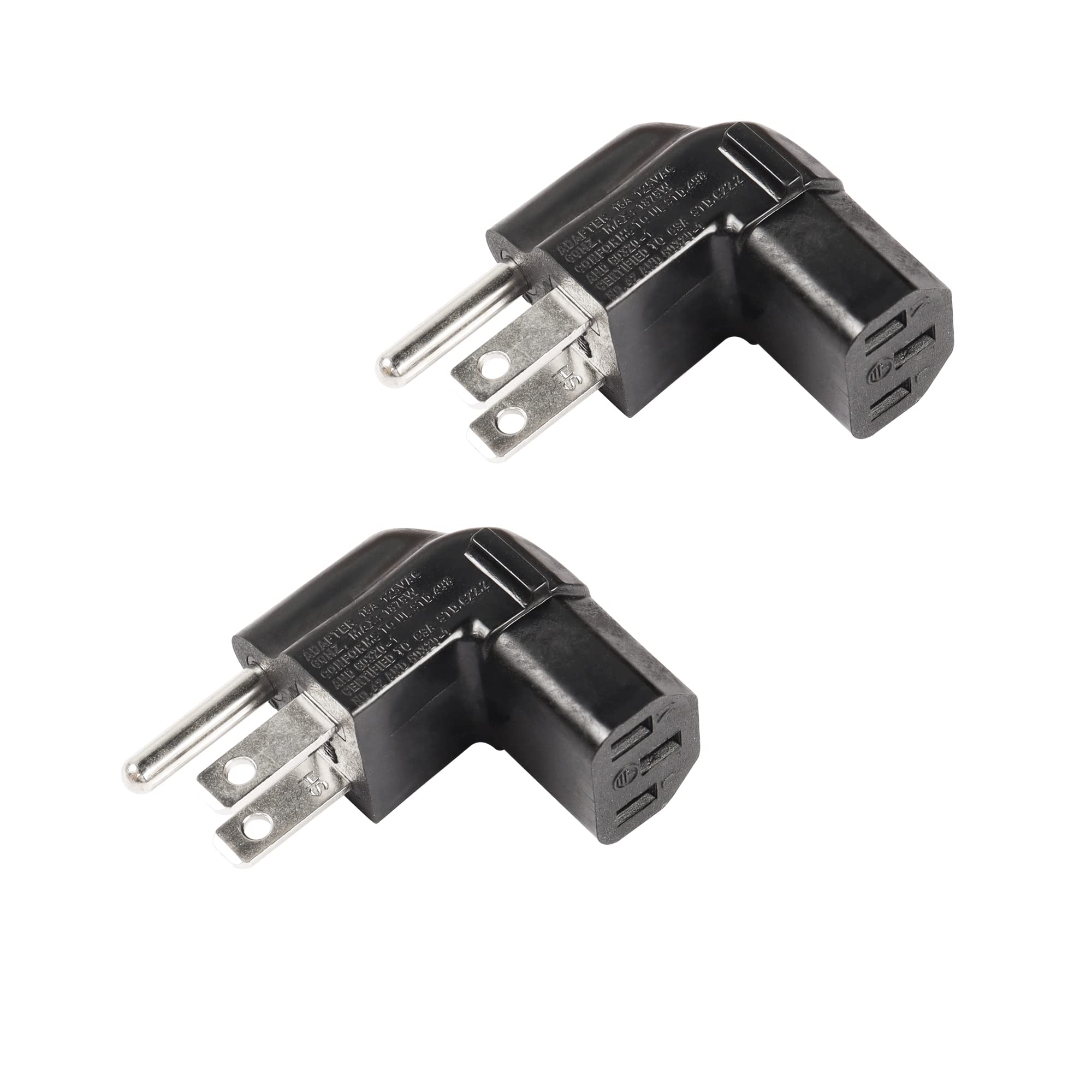
Behind furniture or in crowded strips.
CERRXIAN 3-Prong Flat Plug Adapter Low-profile design slides into tight spots; UL-listed for safety.
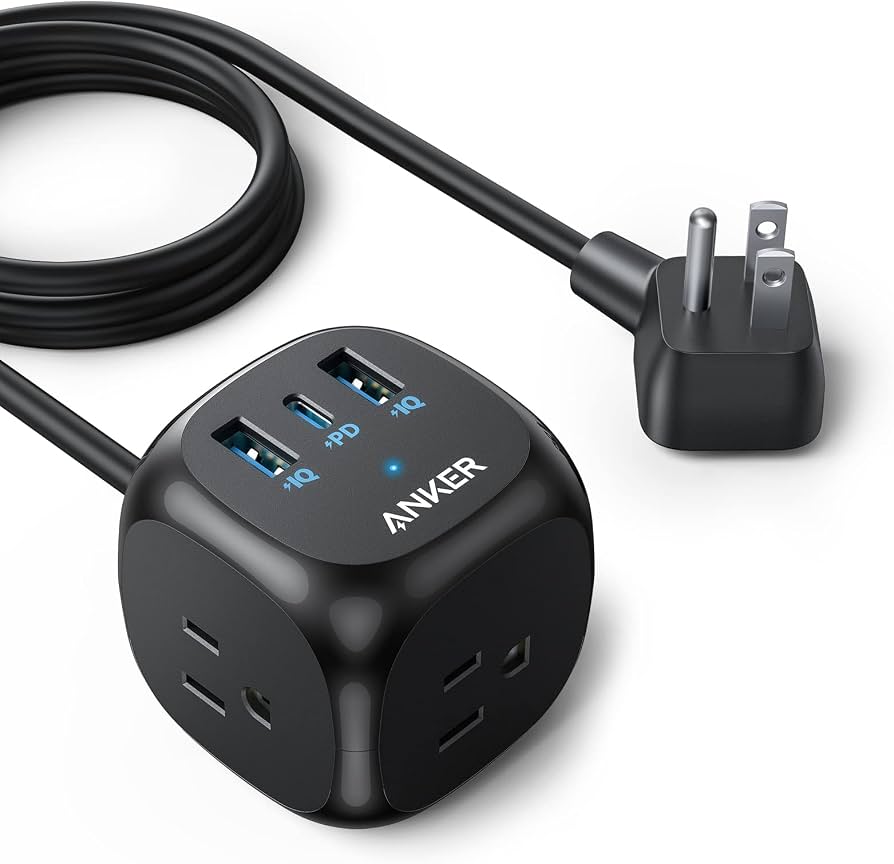
Charging phones/laptops without wall hogs.
Anker Power Strip with 20W USB-C Built-in USB ports reduce need for extra adapters; compact and surge-protected.