
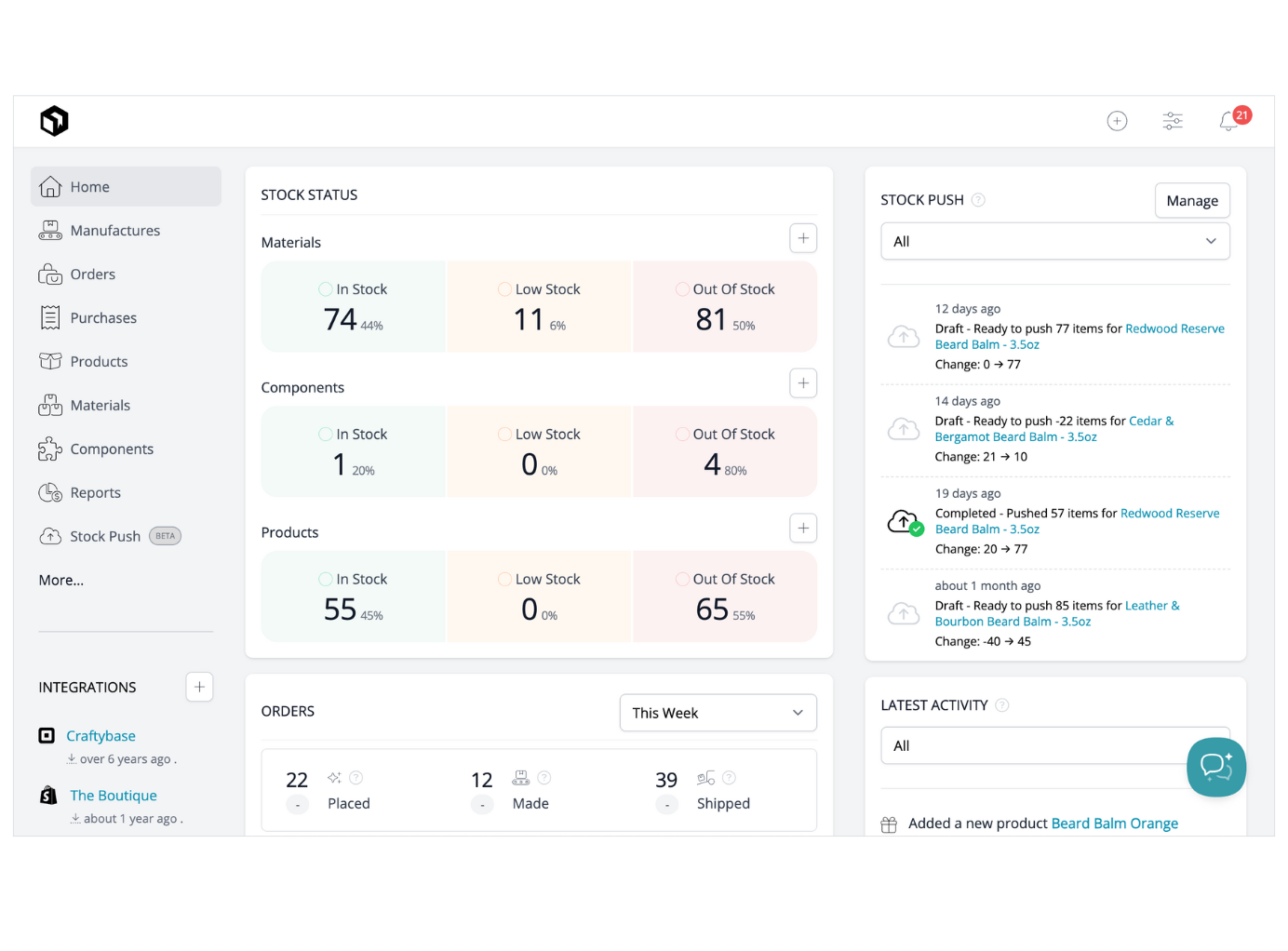
Craftybase Professional
Solo Etsy sellers or small teams managing 100+ recipes.
$39/month
Craftybase Professional Tailored for crafters with BOM recipes, waste tracking, and Etsy sync—simplifies what spreadsheets complicate.
Get the App
Better experience on mobile
Learn top tools to track materials, costs, and sales effortlessly, saving time and boosting profits for your craft business.
As a crafter selling on Etsy, at craft fairs, or via Shopify, juggling yarn stocks, bead supplies, and finished jewelry pieces manually leads to costly errors—like underpricing items or running out of materials mid-rush. Poor inventory tracking can eat into your slim margins, making tax time a nightmare.
In this guide, you'll discover what makes accounting software ideal for crafters, key features to prioritize, and our top recommendations with comparisons. Whether you're intermediate with basic bookkeeping or scaling up, you'll learn to choose and start using software that handles inventory like a pro.
Expect a straightforward explainer: no fluff, just actionable insights to evaluate options in 30-45 minutes and pick the right fit for your workflow.
Estimated Time: 30-45 minutes Difficulty: intermediate
Crafters deal with raw materials (e.g., fabric, beads), work-in-progress (WIP) items, and finished goods. Unlike retailers, you need bill of materials (BOM) tracking to calculate exact costs per item, including labor and waste.
Why it matters: Accurate COGS (cost of goods sold) ensures profitable pricing. Expect variable usage—e.g., one necklace uses 2 beads, but waste adds 10%. Software automates this to prevent stockouts or overstocking slow-movers.
Analogy: Think of it like a recipe app for baking: ingredients (materials) assemble into products, with leftovers tracked.
💡 Tips:
⚠️ Warnings:
Look for inventory tracking (quantities, locations), BOM/assembly support, low-stock alerts, multi-channel sales sync (Etsy, Shopify), and COGS reporting integrated with accounting.
Bonus: Lot/serial tracking for custom items, mobile apps for fairs, and scalability. Avoid basic bookkeeping apps without inventory— they'll force spreadsheets.
Expect setup time: 1-2 hours initially, then automation saves hours weekly.
💡 Tips:
QuickBooks Online (Plus or Advanced plans) shines with unlimited inventory items, assemblies, and sales order tracking. It auto-calculates COGS and integrates with Etsy via apps.
Pros for crafters: Robust reporting, 30-day free trial. Cons: Steeper learning curve, higher cost. Ideal if you need full accounting + payroll.
Example: Track 500 yarn skeins, assemble into scarves, sync Etsy sales instantly.
💡 Tips:
⚠️ Warnings:
Craftybase is built for makers, with recipe/BOM for complex crafts, raw material tracking, and waste logging. Etsy integration pulls sales/orders automatically.
Pros: Intuitive, affordable ($19/mo starter), serial tracking for uniques. Cons: Less full accounting (pairs with QuickBooks/Xero). Perfect for solo crafters.
Analogy: Like a digital craft journal that does math. Expect quick setup with CSV import.
💡 Tips:
Zoho bundles inventory with accounting seamlessly. Features serial/lot tracking, kits/assemblies, and multi-warehouse for home/studio setups.
Pros: Free tier for small ops, scales to $199/mo, Shopify/Etsy sync. Cons: Interface can overwhelm. Great for international sellers.
Example: Auto-adjust stock after 50 candle sales, calculate average material cost.
💡 Tips:
Xero's core lacks deep inventory but excels with apps like DEAR or Unleashed for BOM and forecasting.
Pros: Clean UI, $13/mo start, strong bank feeds. Cons: Extra cost for inventory (~$50/mo add-on). Suited for service-heavy crafters adding products.
Expect hybrid setup but excellent for reports.
⚠️ Warnings:
| Software | Starting Price | Best For | Inventory Depth |
|---|---|---|---|
| Craftybase | $19/mo | Etsy makers | High (BOM-focused) |
| QuickBooks Online | $90/mo | Scaling businesses | Very High |
| Zoho | Free/$59/mo | Budget multi-platform | High |
| Xero + Add-on | $13+$50/mo | Accounting-first | Medium |
Scale by users/items: Craftybase caps at 500 recipes (pro), QuickBooks unlimited.
💡 Tips:
Sync prevents double-entry. Craftybase/QuickBooks excel with Etsy; Zoho with Shopify. Test in trial: Import sales, watch stock update.
Why matters: Real-time data avoids overselling. Expect API setup (5-10 mins).
💡 Tips:
Score options: 40% features, 20% price, 20% ease, 20% reviews. Sign up for 14-30 day trial. Input sample data to test.
Bulk import via CSV (items, quantities). Set BOMs, categories. Reconcile first sales. Pro help available (~$100/hour).
Expect 2-4 hours; automate recurring entries.
⚠️ Warnings:
Problem: Sales not syncing with inventory
Solution: Check API keys in platform settings; test single order. Reconnect or contact support (most respond <24h).
Problem: Duplicate inventory entries
Solution: Enable unique SKUs/Serials; use merge tools in software. Audit imports.
Problem: Slow performance with large catalogs
Solution: Archive inactive items; upgrade plan. Clear cache or use desktop version.
Problem: Incorrect COGS calculations
Solution: Verify BOM quantities/units; recalculate assemblies. Consult tutorials or pro.
Tailored for crafters with BOM recipes, waste tracking, and Etsy sync—simplifies what spreadsheets complicate.
Best for: Solo Etsy sellers or small teams managing 100+ recipes.
Price Range: $39/month
Full accounting + advanced inventory (assemblies, locations)—scales with business growth.
Best for: Crafters with $50k+ revenue needing payroll/taxes too.
Price Range: $90-$110/month
Integrated with Zoho Books for seamless accounting; multi-channel support at low cost.
Best for: Multi-platform sellers (Etsy + Shopify) on a budget.
Price Range: $59/month
One-time buy with powerful inventory for offline use; no subscription needed.
Best for: Crafters preferring desktop, no cloud reliance.
Price Range: $549 one-time
Flexible base accounting + add-on for deep inventory; great bank reconciliation.
Best for: Crafters needing custom workflows.
Price Range: $13 + $99/month
Solo Etsy sellers or small teams managing 100+ recipes.
Craftybase Professional Tailored for crafters with BOM recipes, waste tracking, and Etsy sync—simplifies what spreadsheets complicate.
Crafters with $50k+ revenue needing payroll/taxes too.
QuickBooks Online Plus Full accounting + advanced inventory (assemblies, locations)—scales with business growth.
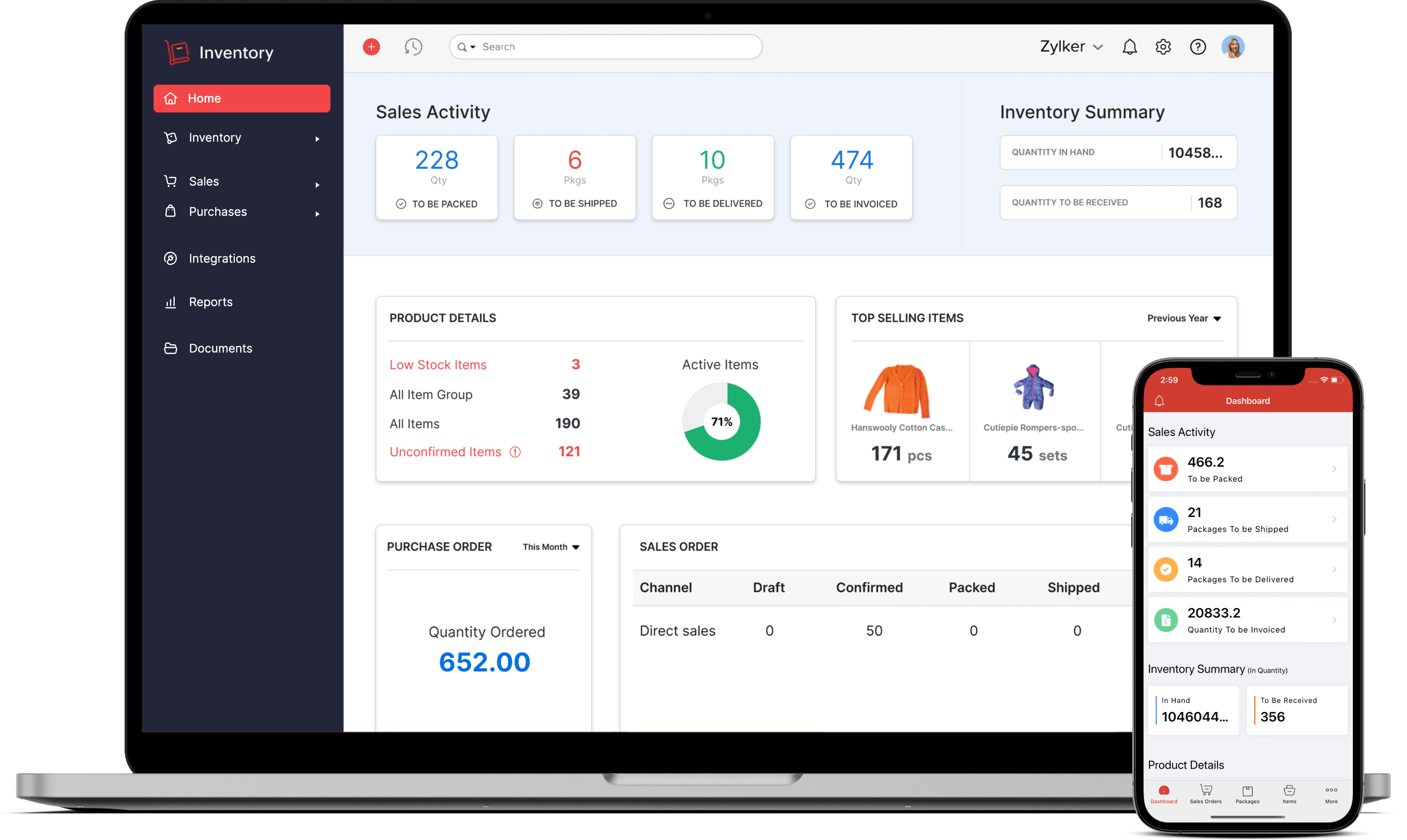
Multi-platform sellers (Etsy + Shopify) on a budget.
Zoho Inventory Standard Integrated with Zoho Books for seamless accounting; multi-channel support at low cost.
Crafters preferring desktop, no cloud reliance.
QuickBooks Desktop Pro Plus 2024 One-time buy with powerful inventory for offline use; no subscription needed.
Crafters needing custom workflows.
Xero Early Plan + DEAR Inventory Flexible base accounting + add-on for deep inventory; great bank reconciliation.