
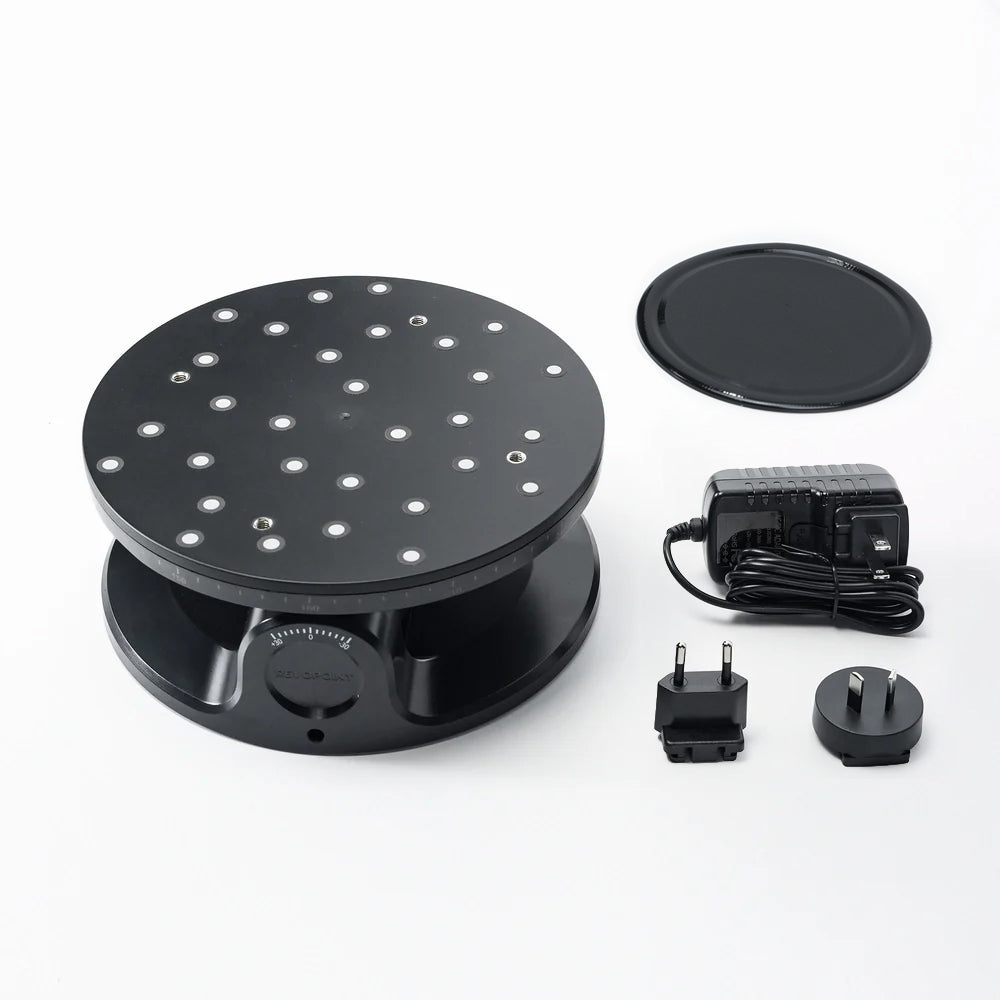
Revopoint Turntable Axis
Scanning medium objects like busts or engine parts indoors.
$99.99
Revopoint Turntable Axis Precision rotation with app control, perfect for handheld scanners.
Get the App
Better experience on mobile
Learn the must-have accessories for beginners to achieve high-quality 3D scans without frustration or blurry results.
Diving into 3D scanning is exciting, but beginners often struggle with poor scan quality due to missing accessories. Without the right tools, objects appear distorted, incomplete, or noisy, wasting hours of your time. This guide breaks down the essentials so you can scan like a pro from day one.
You'll learn what each accessory does, why it's crucial, and how to use it effectively. We'll cover everything from turntables to sprays, with real-world examples and product picks. Expect to understand the full setup in 15-20 minutes—no prior experience needed.
By the end, you'll have a complete shopping list and setup tips to capture detailed 3D models of anything from gadgets to sculptures.
Estimated Time: 15-20 minutes to read and plan your setup Difficulty: beginner
Before buying accessories, identify if your 3D scanner is handheld (e.g., Revopoint), desktop (e.g., EinScan), or photogrammetry-based. Handheld models need stable mounting; desktop ones require turntables. This ensures compatibility—mismatched gear leads to frustration.
Why it matters: Scanners vary in field of view and tracking methods (markers vs. feature-based). For beginners, structured light scanners like the Revopoint benefit most from rotation and spray.
Expect: A quick check of your manual. Analogy: Like choosing bike accessories based on road vs. mountain bike.
💡 Tips:
A turntable rotates your object automatically, ensuring 360-degree coverage without manual handling. Essential for symmetric scans like statues or parts.
Why: Hand-holding causes wobble and gaps. Speeds up scanning 3x. Place object on the plate, sync via USB/Bluetooth.
Expect: Smooth rotation at 1-10 RPM. Use non-slip mats for heavy items.
💡 Tips:
⚠️ Warnings:
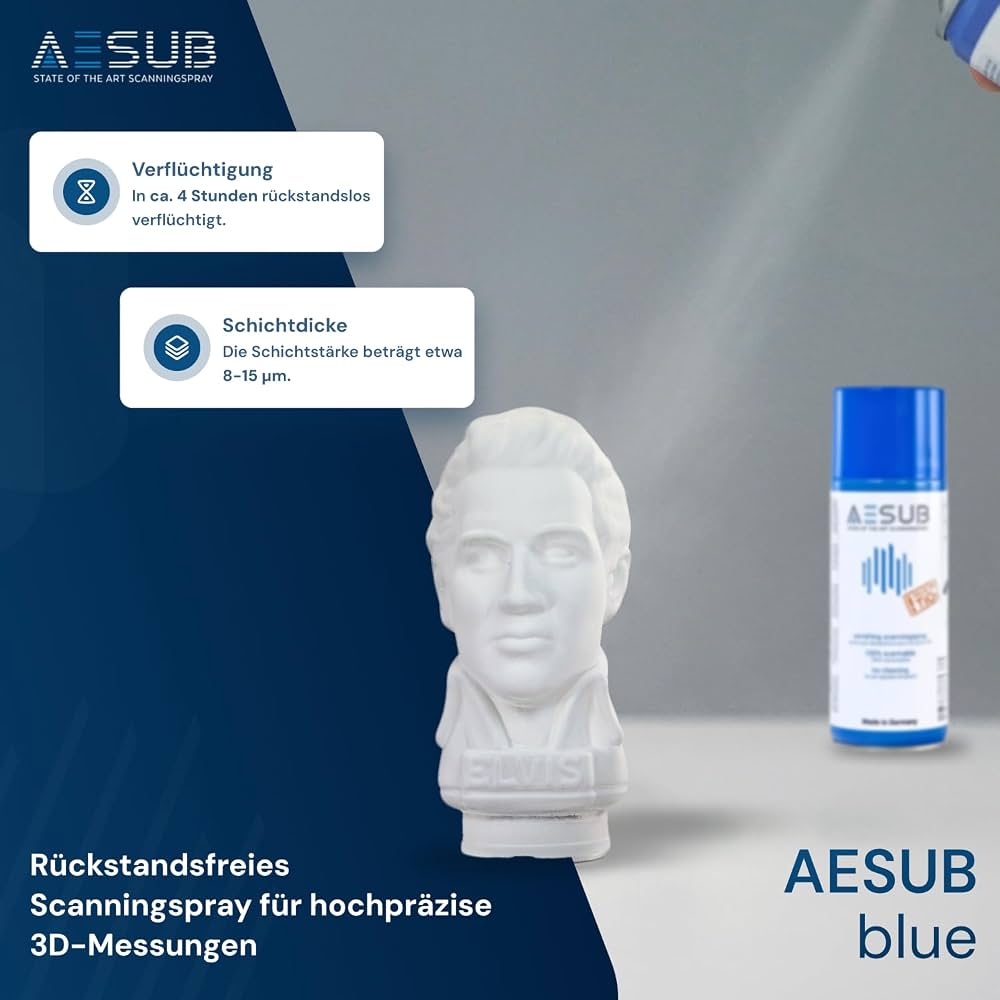
Matting spray creates a temporary matte coating on shiny, transparent, or black surfaces (e.g., metal tools, glass). It scatters light for better laser tracking.
Why essential: Without it, reflections cause data holes. Spray lightly 20-30cm away, let sublimate (disappear) in 1-2 hours—no residue.
Analogy: Like frosted glass on headlights for visibility. Expect uniform white powder that vanishes cleanly.
💡 Tips:
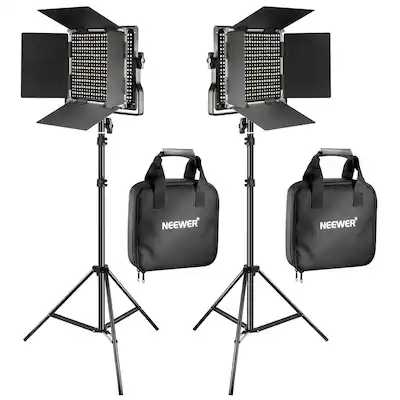
Diffuse LED panels eliminate shadows and glare. Position two lights at 45-degree angles to your object.
Why: Inconsistent light confuses sensors, creating noise. Softbox kits provide even illumination.
Expect: Bright, shadow-free environment. Analogy: Studio photography lights for portraits.
⚠️ Warnings:
Mount your scanner on a tripod for stability during long scans. Adjustable height prevents arm fatigue.
Why: Handheld shake ruins detail. Lock arms for vibration-free operation.
Expect: Scans 2x more accurate. For desktop scanners, use a rigid arm.
💡 Tips:
Calibration boards verify accuracy; adhesive markers aid tracking on featureless objects.
Why: Drift over time reduces precision. Scan board weekly; stick 50-100 markers per large object.
Expect: Software prompts for auto-calibration. Analogy: Ruler for measuring tape calibration.
💡 Tips:
Small known-size items (e.g., chess pawns) scale your model accurately in post-processing.
Why: Scanners don't measure absolute size without them. Place 2-3 around object.
Expect: Easy alignment in software like Revo Scan.
⚠️ Warnings:
Problem: Blurry or noisy scans
Solution: Check lighting uniformity and add spray; recalibrate scanner.
Problem: Incomplete object capture
Solution: Use turntable for full rotation; add more markers.
Problem: Tracking loss
Solution: Improve contrast with spray/markers; slow scan speed.
Problem: Vibrations during scan
Solution: Secure tripod on flat surface; use remote control if available.
Precision rotation with app control, perfect for handheld scanners.
Best for: Scanning medium objects like busts or engine parts indoors.
Price Range: $99.99
Sublimates without residue, safe for repeated use on any material.
Best for: Shiny metals, plastics, or dark surfaces for professional results.
Price Range: $34.99
Adjustable brightness/color temp for shadow-free illumination.
Best for: Any indoor setup needing consistent light.
Price Range: $89.99
Affordable, stable with bubble level for beginner stability.
Best for: Handheld scanner mounting for long sessions.
Price Range: $24.49
Adhesive dots for reliable tracking on plain surfaces.
Best for: Large or featureless objects like furniture.
Price Range: $19.99
Scanning medium objects like busts or engine parts indoors.
Revopoint Turntable Axis Precision rotation with app control, perfect for handheld scanners.
Shiny metals, plastics, or dark surfaces for professional results.
AESUB Blue Scanning Spray Sublimates without residue, safe for repeated use on any material.
Any indoor setup needing consistent light.
Neewer 2-Pack Dimmable LED Panel Lights Adjustable brightness/color temp for shadow-free illumination.
Handheld scanner mounting for long sessions.
Amazon Basics 60-Inch Lightweight Tripod Affordable, stable with bubble level for beginner stability.
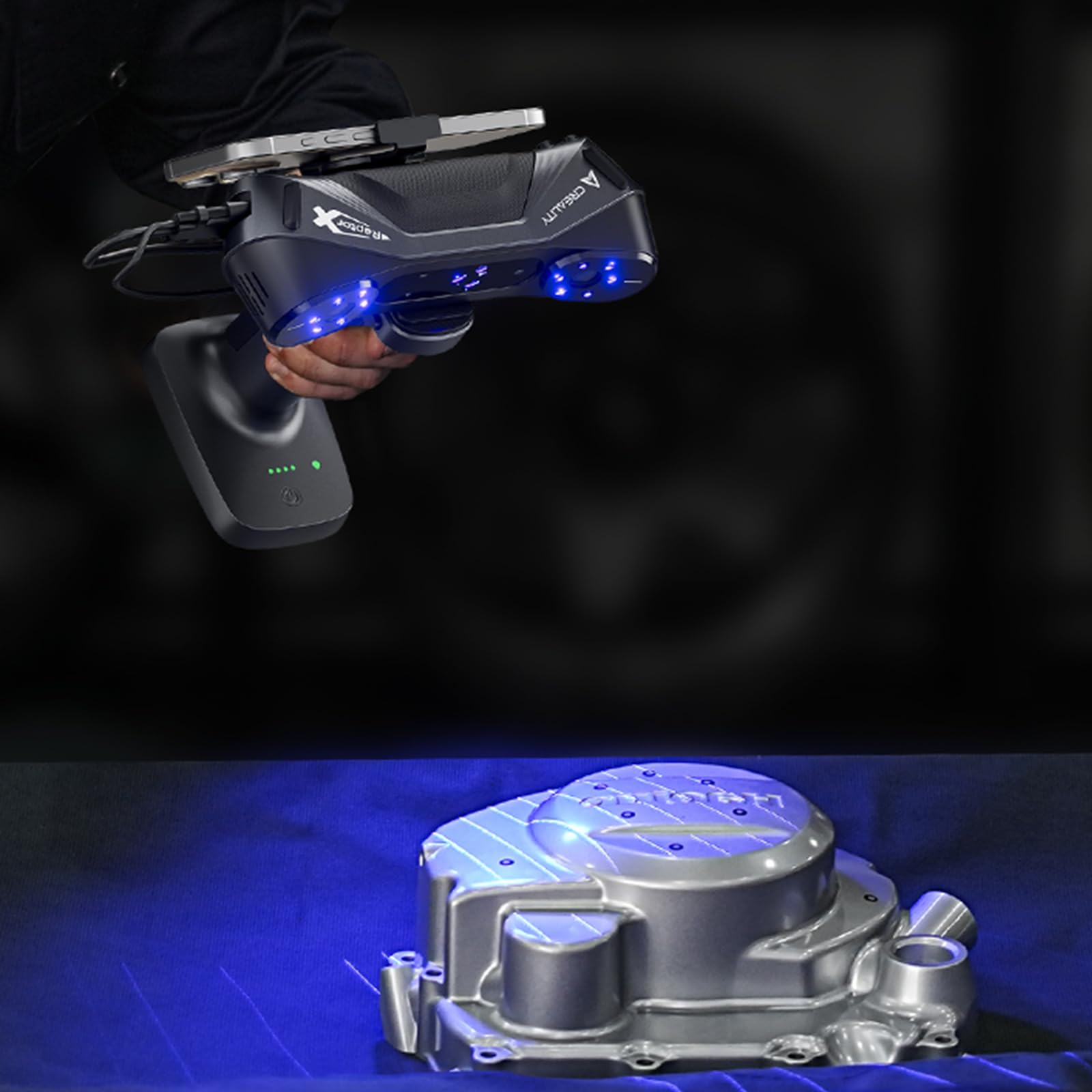
Large or featureless objects like furniture.
Creality 3D Scanner Marker Kit Adhesive dots for reliable tracking on plain surfaces.