Many people buy fitness trackers hoping to lose weight, but without a clear strategy, the device ends up collecting dust. A fitness tracker is a powerful tool—not a magic solution. This guide will teach you how to set up your tracker, understand its metrics, and use the data to create a sustainable calorie deficit. You'll learn to track calories, set realistic goals, and interpret sleep and activity data for maximum weight loss. Expect to spend 15–20 minutes on initial setup, then commit to daily logging and weekly reviews. With consistency, you'll see results in 4–6 weeks.
▸What You'll Need
- •A fitness tracker (e.g., Fitbit, Garmin, Apple Watch, or similar)
- •Smartphone with the tracker's companion app installed
- •Optional: food logging app like MyFitnessPal (free or premium)
- •Optional: smart scale for automatic weight tracking
- •Patience and willingness to log food daily
Estimated Time: 15–20 minutes for initial setup, plus 5–10 minutes per day for logging
Difficulty: beginner
▸Step-by-Step Instructions
Step 1: Choose and Set Up Your Fitness Tracker
Charge your tracker fully before first use. Download the companion app (Fitbit, Garmin Connect, Apple Health, etc.) and create an account. Follow the on‑screen instructions to pair the device via Bluetooth. Then enter your personal stats: age, sex, height, weight, and activity level (e.g., sedentary, lightly active). These are critical because the tracker uses them to estimate your basal metabolic rate (BMR) and daily calorie burn. If you enter incorrect data, your calorie budget will be off.
Tip: Wear the tracker snugly on your non‑dominant wrist for the most accurate heart rate readings. Allow the device to calibrate over the first few days as it learns your baseline.
💡 Tips:
- •Update your weight in the app weekly for better accuracy.
- •Enable all‑day sync to keep data current.
⚠️ Warnings:
- •Don't wear the tracker too loose—heart rate readings become erratic.
Step 2: Set Your Weight Loss Goal
In the app, navigate to the weight or goal section. Enter your current weight and your target weight. Most apps let you choose a weekly loss rate: 0.5–2 lbs per week. For healthy, sustainable loss, select 1 lb per week—this creates a deficit of about 500 calories per day. The app will automatically calculate your daily calorie budget based on your stats and goal.
Why it matters: A realistic goal prevents crash dieting and keeps you motivated. Aggressive goals often lead to burnout or nutrient deficiencies.
💡 Tips:
- •If you're very active, choose a 0.5 lb/week loss to ensure you're eating enough.
- •Re‑evaluate your goal every 4–6 weeks as you lose weight.
⚠️ Warnings:
- •Don't set a goal below 1,200 calories per day (women) or 1,500 (men) without medical supervision.
Step 3: Understand Your Daily Calorie Budget
Your tracker estimates your Total Daily Energy Expenditure (TDEE) using your stats and heart rate data. From that, it subtracts a deficit (e.g., 500 calories) to create a “calories remaining” budget. This budget includes what you eat and may adjust if you exercise. Look for the “Calories In vs. Out” or “Food & Exercise” screen.
Key insight: The calorie burn estimate isn't perfect—it's a guideline. Many trackers overestimate burn by 10–20%. To compensate, consider eating back only half of your exercise calories, or ignore them entirely and stick to your base budget.
💡 Tips:
- •Use the “negative calorie adjustment” setting if available (e.g., in MyFitnessPal) to avoid double‑counting.
- •Compare your tracker's burn to a standard TDEE calculator online for a sanity check.
⚠️ Warnings:
- •Never eat below your BMR for extended periods—risk of metabolic slowdown.
Step 4: Track Your Food Intake Accurately
Open the food logging section (or link MyFitnessPal). Log everything you eat and drink—yes, even that handful of almonds. Use the barcode scanner for packaged foods, search for restaurant items, or enter custom recipes. Be honest with portion sizes; a food scale (costs ~$15) helps immensely.
Pro tip: Pre‑log your meals for the day in the morning. This helps you plan and avoid impulsive choices. Aim for a balance of protein (25–30% of calories), fiber, and healthy fats to stay full.
💡 Tips:
- •Create “meals” (e.g., Breakfast) for faster logging.
- •Use the app’s recent foods list for frequent items.
⚠️ Warnings:
- •Don't skip logging “cheat” days—honesty keeps the data useful.
Step 5: Monitor Your Activity and Exercise
Check your step count (aim for 8,000–10,000 steps per day) and active minutes. Most trackers auto‑detect walks, runs, or cycling; for other workouts, manually start an exercise mode. Pay attention to heart rate zones: moderate activity (50–70% of max heart rate) and vigorous (70–85%). Mix both for maximum fat burning and cardiovascular health.
What success looks like: You consistently hit your step goal and get at least 150 minutes of moderate activity per week (as recommended by the CDC).
💡 Tips:
- •Use interval training (e.g., 1 minute fast, 2 minutes slow) to boost calorie burn.
- •Take short walking breaks every hour if you have a desk job.
⚠️ Warnings:
- •Don't rely solely on steps—deliberate exercise is more efficient for weight loss.
Step 6: Leverage Sleep Tracking for Weight Loss
Sleep is critical for weight loss: poor sleep increases cortisol and ghrelin (hunger hormone), making you crave carbs and overeat. Your tracker monitors sleep stages (light, deep, REM). Aim for 7–9 hours per night with at least 1–2 hours of deep sleep. Use the app's sleep score or insights to identify patterns.
Action steps: Set a consistent bedtime, avoid screens 30 minutes before sleep, and keep your bedroom cool (65–68°F). If your tracker shows low deep sleep, try reducing caffeine after 2 PM.
💡 Tips:
- •Enable “sleep mode” or “do not disturb” on the tracker to reduce disturbances.
- •Review your weekly sleep trend—one bad night isn't a problem, but chronic short sleep is.
⚠️ Warnings:
- •Don't obsess over nightly scores; focus on averages over a week.
Step 7: Review Weekly Trends and Adjust
Once a week, open the app and check the weekly trend for weight, calorie intake, and activity. Weight fluctuates daily due to water, so look at the average. If you're not losing at the expected rate (e.g., 0.5–1 lb per week), ask: Am I logging everything? Are my portions accurate? Has my activity dropped? Adjust your calorie budget by 100–200 calories or increase exercise.
Patience is key: A plateau lasting 2–3 weeks is normal. Trust the process and reassess your calorie deficit—you may need to recalculate after losing 10+ lbs.
💡 Tips:
- •Use the same scale at the same time (morning, after bathroom) for consistency.
- •Take progress photos and measurements—they often change before the scale.
⚠️ Warnings:
- •Avoid daily weigh‑ins if they cause anxiety; weekly is enough.
Step 8: Stay Motivated with Social and Gamification Features
Most fitness apps let you join challenges, create groups with friends, or earn badges for milestones. Use these to stay accountable. Set small weekly goals (e.g., “walk 50,000 steps this week”) and celebrate when you achieve them. You can also share your progress on social media if that's motivating.
Bottom line: Weight loss is a marathon. The tracker is your co‑pilot—it provides data, but you drive the car. Consistency and patience will get you to your goal.
💡 Tips:
- •Find an accountability partner who also uses a tracker.
- •Reward yourself with non‑food treats (e.g., a new workout outfit).
⚠️ Warnings:
- •Don't compare your progress to others—everyone's journey is different.
▸Pro Tips
- •Wear your tracker continuously (even during sleep) for the most accurate daily data.
- •Sync your tracker with your smartphone at least once per day to avoid data loss.
- •Calibrate your step length in the app (measure 10 steps and input the distance) for better distance accuracy.
- •If your tracker has a heart rate sensor, enable continuous HR monitoring for more precise calorie burn estimates.
- •Log your food even on days when you overeat—this helps you identify patterns and stay honest.
- •Don't starve yourself to meet the calorie budget; focus on nutrient‑dense foods to feel full.
- •Incorporate strength training 2–3 times per week to preserve muscle mass, which boosts your resting metabolic rate.
▸Common Mistakes to Avoid
- •Eating back all exercise calories: Trackers often overestimate burn, so eat back only half or none at all.
- •Relying only on steps: Purposeful exercise (like running or cycling) burns more calories than casual walking.
- •Inconsistent food logging: Skipping weekends or snacks leads to an inaccurate picture of your intake.
- •Ignoring sleep and stress: High stress and poor sleep can stall weight loss even if you're in a calorie deficit.
- •Setting unrealistic goals: Losing more than 2 lbs per week is hard to sustain and may cause muscle loss.
▸Troubleshooting
Problem: My tracker won't sync with the app.
Solution: Restart the tracker and smartphone. Ensure Bluetooth is on. Unpair and re‑pair the device if needed. Update the app to the latest version.
Problem: My daily calorie budget seems too high or too low.
Solution: Double‑check your personal stats in the app (height, weight, age, activity level). If you have a very active job, you may need to adjust activity level from “sedentary” to “lightly active.” Recalculate using a TDEE calculator to verify.
Problem: I'm consistently hitting my budget but not losing weight.
Solution: Review your food logs: Are you measuring portions correctly? Are you forgetting cooking oils, drinks, or small bites? Also consider whether your tracker might be overestimating your burn—try eating back fewer exercise calories. If the plateau lasts more than 3 weeks, consult a dietitian.
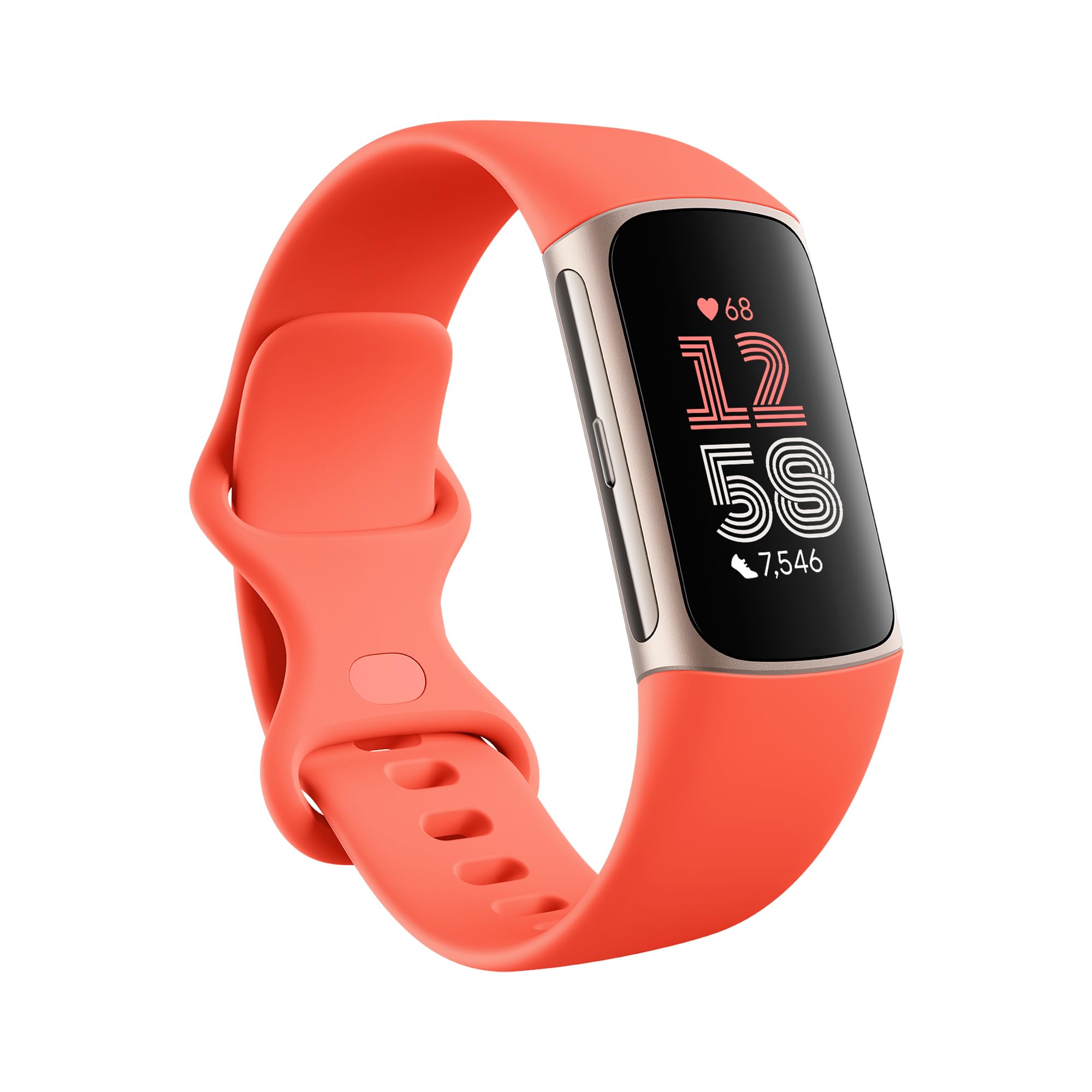
Fitbit Charge 6
Excellent all‑rounder for beginners with accurate heart rate, step counting, and sleep tracking. Integrates seamlessly with Fitbit's food logging and weight management features.
Best for: Ideal for users who want a simple, reliable tracker without breaking the bank.
Price Range: $150–$180
Garmin Venu Sq 2
Great battery life (up to 11 days), built‑in GPS, and advanced health metrics like Body Battery and stress tracking. Offers robust workout tracking for more active users.
Best for: Best for those who run or cycle outdoors and want detailed exercise analysis.
Price Range: $200–$250
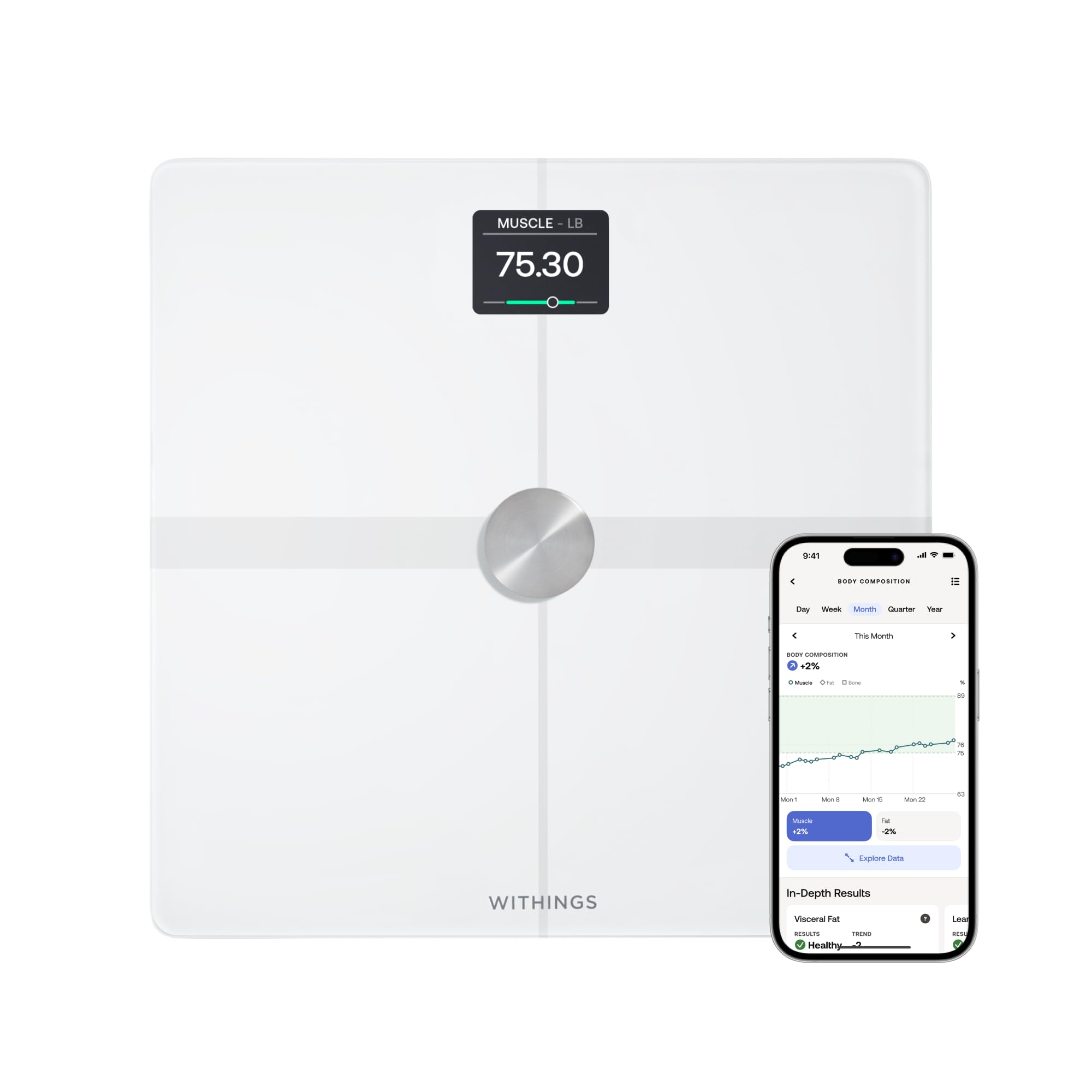
Withings Body+ Smart Scale
Syncs weight data automatically to most fitness apps (Fitbit, Apple Health, etc.). Tracks body fat percentage, muscle mass, and water weight, giving a fuller picture of progress.
Best for: Pairs perfectly with a fitness tracker for effortless weight logging and body composition trends.
Price Range: $100–$130
MyFitnessPal Premium
The most comprehensive food database and barcode scanner. Premium removes ads, adds macronutrient breakdowns, and shows detailed calorie trends.
Best for: Essential for anyone serious about accurate food tracking—especially when linked to a fitness tracker.
Price Range: $19.99/year