
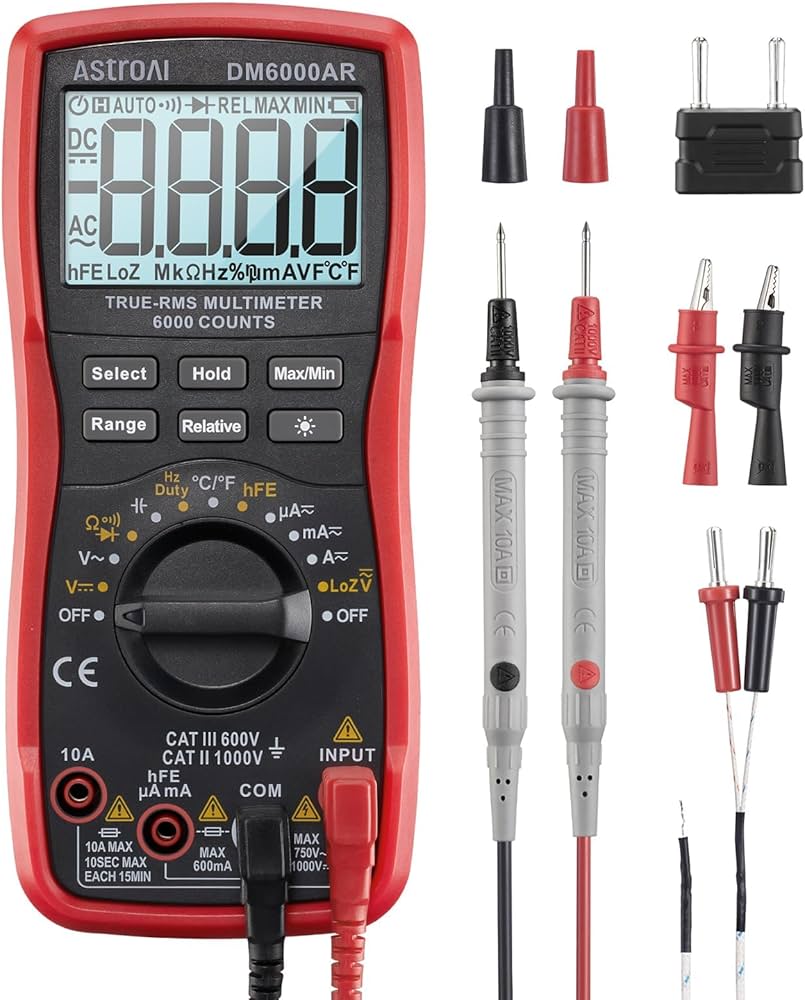
AstroAI Digital Multimeter 6000 Counts TRMS
Primary tool for steps 3-6.
$32.99
AstroAI Digital Multimeter 6000 Counts TRMS Accurate continuity, resistance, and voltage for all tests; auto-ranging simplifies for intermediates.
Get the App
Better experience on mobile
Safely diagnose faulty AC adapters with step-by-step multimeter tests to prevent fires and save money on replacements.
AC adapters power everything from laptops to routers, but short circuits can cause overheating, fires, or device damage. A sudden failure might leave your gadgets dead—testing for shorts helps you spot issues early, extending adapter life and ensuring safety.
In this guide, you'll learn to inspect, test continuity, and check for shorts using a multimeter. No advanced electronics knowledge needed, just basic intermediate skills like reading a multimeter. The process takes 15-20 minutes per adapter.
Expect clear steps with safety first: visual checks, resistance tests, and optional live voltage verification. By the end, you'll know if your adapter is good, repairable, or trash.
Estimated Time: 15-20 minutes Difficulty: intermediate
Choose a dry, non-conductive surface like a wooden table away from flammable materials. Unplug the AC adapter from the wall and any device. Press the power button on connected devices to discharge residual capacitors.
Why? Electricity can linger, risking shock. Wear safety glasses and insulated gloves if available. Double-check it's unplugged using a non-contact voltage tester on the plug prongs.
Success: Workspace clear, adapter fully powered down—no lights or hum.
💡 Tips:
⚠️ Warnings:
Examine the entire adapter: look for cracked casing, burnt smells, melted plastic, frayed cords, or bulging capacitors (if visible through vents). Check the DC plug for bent pins or corrosion.
Gently flex the cord near plugs—cracks indicate internal shorts. Open the casing with screwdrivers if comfortable (some are glued; skip if unsure).
Success: No visible damage means proceed; damage flags potential short—note for later.
💡 Tips:
⚠️ Warnings:
Set multimeter to continuity mode (beep symbol) or lowest ohms (Ω). Touch probes together to verify beep/zero reading.
Strip 1/4 inch insulation from cord ends if frayed (or test at plug). Probe one wire end-to-end (hot to hot, neutral to neutral). Beep = good continuity; no beep = broken wire/short suspect.
Success: Steady beep on each wire, no shorts between wires.
💡 Tips:
⚠️ Warnings:
Set multimeter to 200Ω resistance. Probe DC output: center (+) to outer (-) or shield. Reading should be high (100+ Ω) or OL (open)—zero or low ohms = short circuit.
Test (+) to chassis/ground and (-) to chassis. Infinite resistance expected for good isolation.
Success: High resistance confirms no output short; low means faulty internals.
💡 Tips:
⚠️ Warnings:
With adapter open (if possible), set to megaohms or high Ω. Probe AC input pins to DC output pins—should read infinite (OL). No continuity = good insulation.
Test AC live/neutral to ground. This catches transformer shorts.
Success: No continuity between sides prevents shocks.
💡 Tips:
⚠️ Warnings:
Plug into known good outlet (test with outlet tester). Set multimeter to DC volts matching adapter rating (e.g., 12V). Probe DC output.
Expect rated voltage ±10%. No voltage + prior shorts = dead adapter.
Success: Stable correct voltage, no heat/smoke.
💡 Tips:
⚠️ Warnings:
If passed, reassemble and label 'TESTED OK'. Failed? Cut cord, recycle electronics—don't trash.
Success: Adapter cleared for use or safely discarded.
💡 Tips:
⚠️ Warnings:
Problem: Multimeter no beep on good wire
Solution: Check batteries, probe tips clean; test known good wire.
Problem: Low DC voltage output
Solution: Clean connector; test under load; replace if <80% rated.
Problem: Adapter gets hot quickly
Solution: Unplug immediately—internal short; dispose.
Problem: Continuity between AC/DC sides
Solution: Deadly fault; recycle adapter.
Accurate continuity, resistance, and voltage for all tests; auto-ranging simplifies for intermediates.
Best for: Primary tool for steps 3-6.
Price Range: $32.99
Dual-range detects AC voltage safely before live tests; loud alert prevents shocks.
Best for: Verify unplugged status in step 1 and 6.
Price Range: $24.97
Ensures wall outlet is safe before plugging in; tests wiring faults.
Best for: Prep for live voltage test in step 6.
Price Range: $29.98
Dedicated LED tester for DC output shorts/voltage without multimeter.
Best for: Quick pre-check for steps 4-6.
Price Range: $14.88
Reliable if testing reveals faults; multi-protection against shorts.
Best for: Replace failed adapters.
Price Range: $15.99
Primary tool for steps 3-6.
AstroAI Digital Multimeter 6000 Counts TRMS Accurate continuity, resistance, and voltage for all tests; auto-ranging simplifies for intermediates.

Verify unplugged status in step 1 and 6.
Klein Tools NCVT-3P Non-Contact Voltage Tester Dual-range detects AC voltage safely before live tests; loud alert prevents shocks.
Prep for live voltage test in step 6.
Klein Tools RT210 GFCI Outlet Tester Ensures wall outlet is safe before plugging in; tests wiring faults.
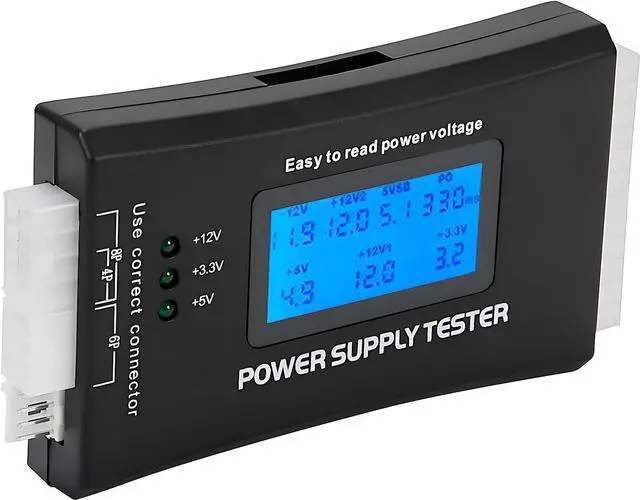
Quick pre-check for steps 4-6.
Jacobs Parts Universal DC Power Supply Tester Dedicated LED tester for DC output shorts/voltage without multimeter.

Replace failed adapters.
Anker PowerPort Wall Charger (Replacement Option) Reliable if testing reveals faults; multi-protection against shorts.