

FreshBooks Accounting Software
Sending branded invoices post-shoot and tracking payments.
$19-$60/month
FreshBooks Accounting Software Intuitive invoicing with beautiful templates perfect for photographers showcasing packages.
Get the App
Better experience on mobile
Master your finances by configuring accounting software to track shoots, gear expenses, and taxes in under 2 hours.
As a freelance photographer, juggling client shoots, editing sessions, and business admin can lead to chaotic finances. Untracked expenses on lenses, travel, or Adobe subscriptions mean missed tax deductions and cash flow surprises. This guide fixes that by walking you through setting up accounting software tailored to your workflow.
You'll learn to select, install, and customize software like QuickBooks or FreshBooks for photography-specific needs—such as categorizing props, mileage for weddings, and invoicing packages. Expect a smooth process with actionable steps, from connecting banks to generating profit reports.
Total setup takes 1-2 hours for intermediate users familiar with basic bookkeeping. No prior software experience needed beyond logging into apps.
Estimated Time: 1-2 hours Difficulty: intermediate
Evaluate options based on your needs: invoicing for clients, mileage tracking for shoots, expense categorization for gear. FreshBooks excels for creatives with photo-friendly templates; QuickBooks Solopreneur auto-tracks mileage via GPS; Wave is free for starters.
Sign up for a free trial. Compare pricing and features—aim for mobile apps for on-shoot expense snaps.
Success looks like: A dashboard preview showing sample invoices and reports.
💡 Tips:
⚠️ Warnings:
Visit the software site (e.g., quickbooks.intuit.com/solopreneur) and click 'Start Free Trial.' Enter email, create password, and verify via email/SMS. Download the desktop/mobile app if available.
Complete initial business setup: Select 'Freelancer/Sole Proprietor,' input name, address, and tax ID. This auto-configures basic tax forms like Schedule C.
Success looks like: Logged-in dashboard with 'Welcome, [Your Name]' and empty transaction list.
💡 Tips:
Go to 'Banking' or 'Connections' tab. Search/add your bank (e.g., Chase, Bank of America), enter login creds securely. Authorize via Plaid or direct connect. Link PayPal/Stripe for client payments.
Transactions auto-import in 1-2 days; categorize later.
Success looks like: Green 'Connected' status with recent transactions preview.
⚠️ Warnings:
Navigate to 'Accounting' > 'Chart of Accounts.' Edit/add categories: Income (Weddings, Portraits); Expenses (Camera Bodies, Lenses, Travel-Mileage, Editing Software, Props). Enable sub-accounts for depreciation (e.g., Canon EOS under Gear).
Why? Matches IRS categories for deductions.
Success looks like: Tailored list with 'Photography Gear' folder expanded.
💡 Tips:
In 'Invoices' tab, create templates: Add logo, packages (e.g., $500 Wedding 4hrs), terms, photo watermarks. Enable online payments via Stripe.
Add clients: Name, email, package history.
Success looks like: Sample invoice PDF with your branding, ready to send.
💡 Tips:
Activate receipt upload: Mobile app snap or desktop drag-drop. Link to transactions, auto-match via OCR. Track mileage: Input odometer or GPS log.
Import past data via CSV if needed.
Success looks like: Uploaded gear receipt categorized under 'Lenses.'
⚠️ Warnings:
Go to 'Taxes' > Set estimated quarterly payments, sales tax if selling prints. Customize reports: Profit/Loss by project, mileage summary.
Schedule auto-reports.
Success looks like: Tax liability estimate based on YTD data.
💡 Tips:
Enter sample transaction: $1,200 wedding invoice, $150 gas expense. Run reports—check balances match.
Set backups and notifications.
Success looks like: Balanced test books and first report generated.
💡 Tips:
Problem: Bank connection fails
Solution: Clear cache, try incognito mode, or manual CSV upload. Contact support with error code.
Problem: Receipt OCR inaccurate
Solution: Edit manually or use premium scanner integration.
Problem: Tax estimates wrong
Solution: Verify business type; consult accountant for adjustments.
Problem: Slow imports
Solution: Limit to 90 days at a time; upgrade plan if needed.
Intuitive invoicing with beautiful templates perfect for photographers showcasing packages.
Best for: Sending branded invoices post-shoot and tracking payments.
Price Range: $19-$60/month
Auto-mileage tracking via GPS ideal for travel-heavy photography.
Best for: Logging drives to weddings and categorizing gear expenses.
Price Range: $20/month
No-cost entry with unlimited invoicing for bootstrapping photographers.
Best for: Basic setup before scaling to paid tools.
Price Range: Free (addons $8+/mo)
Portable receipt scanner for digitizing shoot expenses on the go.
Best for: Scanning vendor receipts at events without phone.
Price Range: $100-$130
Combines CRM, contracts, and basic accounting for creative pros.
Best for: Managing client workflows with invoicing.
Price Range: $19-$79/month
Sending branded invoices post-shoot and tracking payments.
FreshBooks Accounting Software Intuitive invoicing with beautiful templates perfect for photographers showcasing packages.
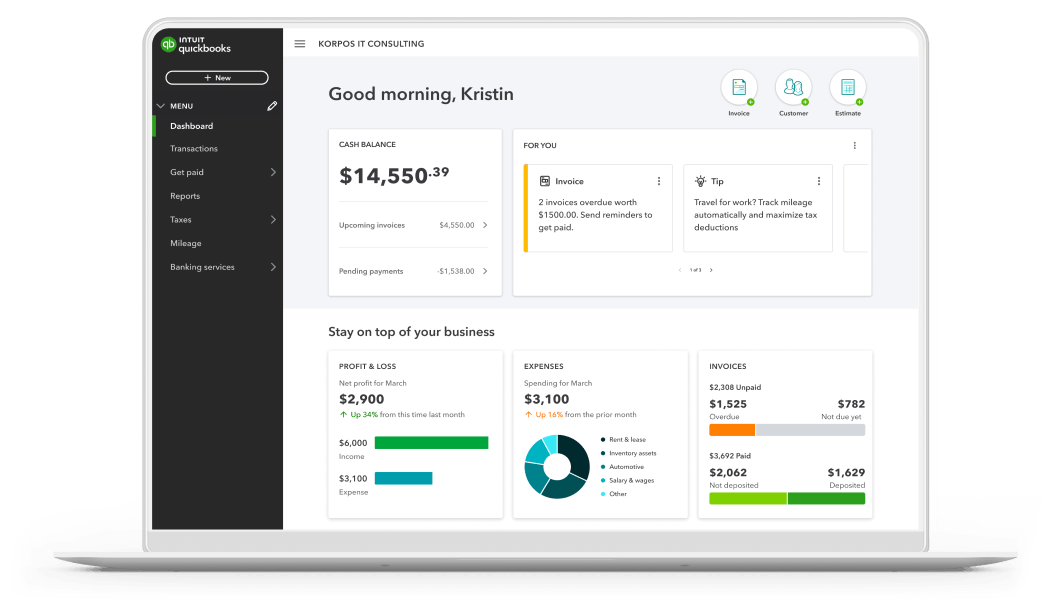
Logging drives to weddings and categorizing gear expenses.
QuickBooks Solopreneur (formerly Self-Employed) Auto-mileage tracking via GPS ideal for travel-heavy photography.
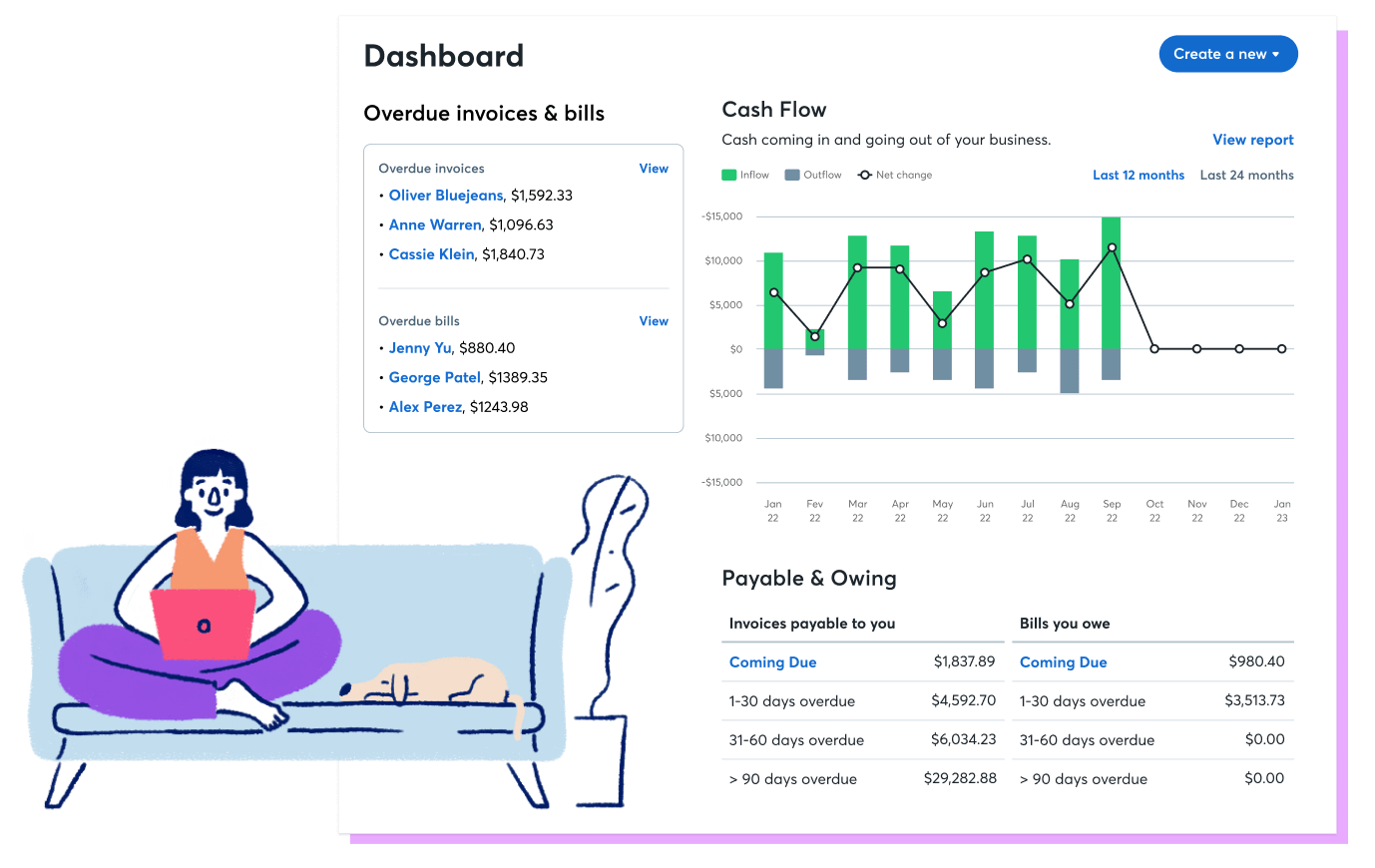
Basic setup before scaling to paid tools.
Wave Accounting (Free Plan) No-cost entry with unlimited invoicing for bootstrapping photographers.
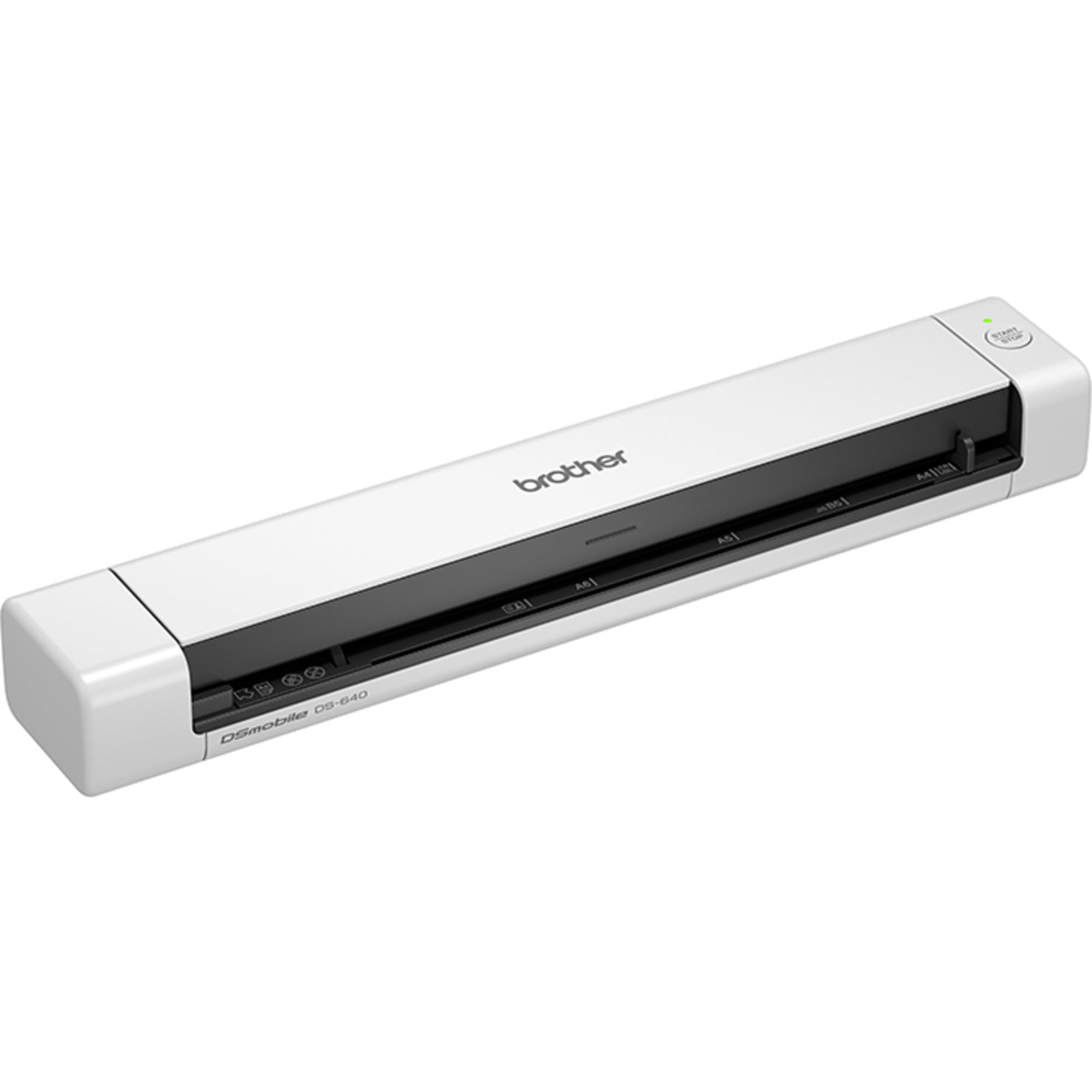
Scanning vendor receipts at events without phone.
Brother DS-640 Compact Scanner Portable receipt scanner for digitizing shoot expenses on the go.

Managing client workflows with invoicing.
HoneyBook All-in-One Platform Combines CRM, contracts, and basic accounting for creative pros.